Making Presentations with L A T EX: Package Beamer Xavier Pers - - PowerPoint PPT Presentation

making presentations with l a t ex package beamer
SMART_READER_LITE
LIVE PREVIEW

Making Presentations with L A T EX: Package Beamer Xavier Pers - - PowerPoint PPT Presentation

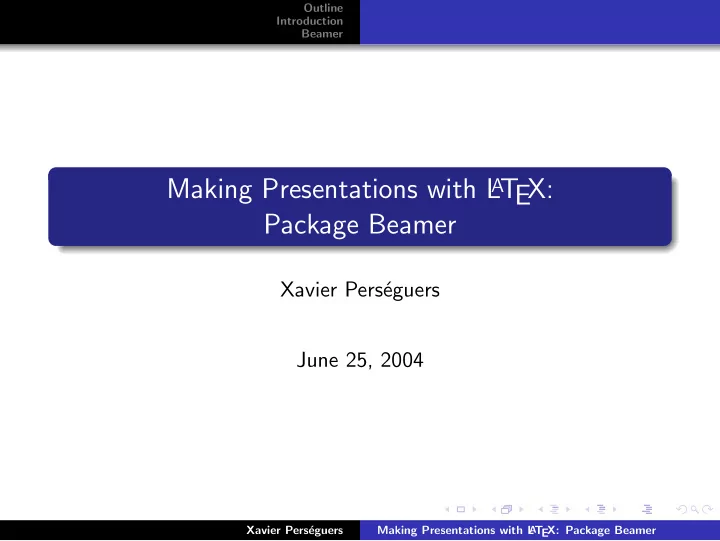
Outline Introduction Beamer Making Presentations with L A T EX: Package Beamer Xavier Pers eguers June 25, 2004 Xavier Pers eguers Making Presentations with L A T EX: Package Beamer Outline Introduction Beamer Introduction 1


slide-1
SLIDE 1

Outline Introduction Beamer

Making Presentations with L

AT

EX: Package Beamer

Xavier Pers´ eguers June 25, 2004

Xavier Pers´ eguers Making Presentations with L

A

T EX: Package Beamer
slide-2
SLIDE 2

Outline Introduction Beamer

1

Introduction Goal of this Project Presentation Packages

2

Beamer Features Opinion

3

Prosper

4

TeXPower

Xavier Pers´ eguers Making Presentations with L

A

T EX: Package Beamer

slide-3
SLIDE 3

Outline Introduction Beamer Goal of this Project Presentation Packages

Goal of this Project 1

State of the art in making presentations with L

AT

EX

Xavier Pers´ eguers Making Presentations with L

A

T EX: Package Beamer

slide-4
SLIDE 4

Outline Introduction Beamer Goal of this Project Presentation Packages

Goal of this Project 1

State of the art in making presentations with L

AT

EX Getting quick and useful basis in presentation packages

Xavier Pers´ eguers Making Presentations with L

A

T EX: Package Beamer

slide-5
SLIDE 5

Outline Introduction Beamer Goal of this Project Presentation Packages

Goal of this Project 1

State of the art in making presentations with L

AT

EX Getting quick and useful basis in presentation packages

Documentation is often too “thin” or too “thick”

Xavier Pers´ eguers Making Presentations with L

A

T EX: Package Beamer

slide-6
SLIDE 6

Outline Introduction Beamer Goal of this Project Presentation Packages

Goal of this Project 1

State of the art in making presentations with L

AT

EX Getting quick and useful basis in presentation packages

Documentation is often too “thin” or too “thick” Useful tricks dispatched among many documents

Xavier Pers´ eguers Making Presentations with L

A

T EX: Package Beamer

slide-7
SLIDE 7

Outline Introduction Beamer Goal of this Project Presentation Packages

Goal of this Project 1

State of the art in making presentations with L

AT

EX Getting quick and useful basis in presentation packages

Documentation is often too “thin” or too “thick” Useful tricks dispatched among many documents

Non-presentation related questions

Xavier Pers´ eguers Making Presentations with L

A

T EX: Package Beamer

slide-8
SLIDE 8

Outline Introduction Beamer Goal of this Project Presentation Packages

Goal of this Project 1

State of the art in making presentations with L

AT

EX Getting quick and useful basis in presentation packages

Documentation is often too “thin” or too “thick” Useful tricks dispatched among many documents

Non-presentation related questions

Thumbnails in PDFs

Xavier Pers´ eguers Making Presentations with L

A

T EX: Package Beamer

slide-9
SLIDE 9

Outline Introduction Beamer Goal of this Project Presentation Packages

Goal of this Project 1

State of the art in making presentations with L

AT

EX Getting quick and useful basis in presentation packages

Documentation is often too “thin” or too “thick” Useful tricks dispatched among many documents

Non-presentation related questions

Thumbnails in PDFs Authorizations in PDFs

Xavier Pers´ eguers Making Presentations with L

A

T EX: Package Beamer

slide-10
SLIDE 10

Outline Introduction Beamer Goal of this Project Presentation Packages

Goal of this Project 1

State of the art in making presentations with L

AT

EX Getting quick and useful basis in presentation packages

Documentation is often too “thin” or too “thick” Useful tricks dispatched among many documents

Non-presentation related questions

Thumbnails in PDFs Authorizations in PDFs Using pstricks with pdflatex

Xavier Pers´ eguers Making Presentations with L

A

T EX: Package Beamer

slide-11
SLIDE 11

Outline Introduction Beamer Goal of this Project Presentation Packages

Goal of this Project 1

State of the art in making presentations with L

AT

EX Getting quick and useful basis in presentation packages

Documentation is often too “thin” or too “thick” Useful tricks dispatched among many documents

Non-presentation related questions

Thumbnails in PDFs Authorizations in PDFs Using pstricks with pdflatex . . .

Xavier Pers´ eguers Making Presentations with L

A

T EX: Package Beamer

slide-12
SLIDE 12

Outline Introduction Beamer Goal of this Project Presentation Packages

Goal of this Project 1

State of the art in making presentations with L

AT

EX Getting quick and useful basis in presentation packages

Documentation is often too “thin” or too “thick” Useful tricks dispatched among many documents

Non-presentation related questions

Thumbnails in PDFs Authorizations in PDFs Using pstricks with pdflatex . . .

Xavier Pers´ eguers Making Presentations with L

A

T EX: Package Beamer

slide-13
SLIDE 13

Outline Introduction Beamer Goal of this Project Presentation Packages

Goal of this Project 2

Why not using “standard” softwares such as MS PowerPoint, OO Impress or KPresenter?

Xavier Pers´ eguers Making Presentations with L

A

T EX: Package Beamer

slide-14
SLIDE 14

Outline Introduction Beamer Goal of this Project Presentation Packages

Goal of this Project 2

Why not using “standard” softwares such as MS PowerPoint, OO Impress or KPresenter? Pros

Xavier Pers´ eguers Making Presentations with L

A

T EX: Package Beamer

slide-15
SLIDE 15

Outline Introduction Beamer Goal of this Project Presentation Packages

Goal of this Project 2

Why not using “standard” softwares such as MS PowerPoint, OO Impress or KPresenter? Pros Easy to use, intuitive

Xavier Pers´ eguers Making Presentations with L

A

T EX: Package Beamer

slide-16
SLIDE 16

Outline Introduction Beamer Goal of this Project Presentation Packages

Goal of this Project 2

Why not using “standard” softwares such as MS PowerPoint, OO Impress or KPresenter? Pros Easy to use, intuitive Lots of themes, graphics, . . .

Xavier Pers´ eguers Making Presentations with L

A

T EX: Package Beamer

slide-17
SLIDE 17

Outline Introduction Beamer Goal of this Project Presentation Packages

Goal of this Project 2

Why not using “standard” softwares such as MS PowerPoint, OO Impress or KPresenter? Pros Easy to use, intuitive Lots of themes, graphics, . . . Templates

Xavier Pers´ eguers Making Presentations with L

A

T EX: Package Beamer

slide-18
SLIDE 18

Outline Introduction Beamer Goal of this Project Presentation Packages

Goal of this Project 2

Why not using “standard” softwares such as MS PowerPoint, OO Impress or KPresenter? Pros Easy to use, intuitive Lots of themes, graphics, . . . Templates Great animations

Xavier Pers´ eguers Making Presentations with L

A

T EX: Package Beamer

slide-19
SLIDE 19

Outline Introduction Beamer Goal of this Project Presentation Packages

Goal of this Project 2

Why not using “standard” softwares such as MS PowerPoint, OO Impress or KPresenter? Pros Easy to use, intuitive Lots of themes, graphics, . . . Templates Great animations

Xavier Pers´ eguers Making Presentations with L

A

T EX: Package Beamer

slide-20
SLIDE 20

Outline Introduction Beamer Goal of this Project Presentation Packages

Goal of this Project 2

Why not using “standard” softwares such as MS PowerPoint, OO Impress or KPresenter? Pros Easy to use, intuitive Lots of themes, graphics, . . . Templates Great animations Cons

Xavier Pers´ eguers Making Presentations with L

A

T EX: Package Beamer

slide-21
SLIDE 21

Outline Introduction Beamer Goal of this Project Presentation Packages

Goal of this Project 2

Why not using “standard” softwares such as MS PowerPoint, OO Impress or KPresenter? Pros Easy to use, intuitive Lots of themes, graphics, . . . Templates Great animations Cons No concept of hierarchy in the presentation

Xavier Pers´ eguers Making Presentations with L

A

T EX: Package Beamer

slide-22
SLIDE 22

Outline Introduction Beamer Goal of this Project Presentation Packages

Goal of this Project 2

Why not using “standard” softwares such as MS PowerPoint, OO Impress or KPresenter? Pros Easy to use, intuitive Lots of themes, graphics, . . . Templates Great animations Cons No concept of hierarchy in the presentation Poor display of maths

Xavier Pers´ eguers Making Presentations with L

A

T EX: Package Beamer

slide-23
SLIDE 23

Outline Introduction Beamer Goal of this Project Presentation Packages

Goal of this Project 2

Why not using “standard” softwares such as MS PowerPoint, OO Impress or KPresenter? Pros Easy to use, intuitive Lots of themes, graphics, . . . Templates Great animations Cons No concept of hierarchy in the presentation Poor display of maths Easy animations but a heavy process at last

Xavier Pers´ eguers Making Presentations with L

A

T EX: Package Beamer

slide-24
SLIDE 24

Outline Introduction Beamer Goal of this Project Presentation Packages

Goal of this Project 2

Why not using “standard” softwares such as MS PowerPoint, OO Impress or KPresenter? Pros Easy to use, intuitive Lots of themes, graphics, . . . Templates Great animations Cons No concept of hierarchy in the presentation Poor display of maths Easy animations but a heavy process at last

Xavier Pers´ eguers Making Presentations with L

A

T EX: Package Beamer

slide-25
SLIDE 25

Outline Introduction Beamer Goal of this Project Presentation Packages

Goal of this Project 3

Why choosing L

A

T EX?

Xavier Pers´ eguers Making Presentations with L

A

T EX: Package Beamer

slide-26
SLIDE 26

Outline Introduction Beamer Goal of this Project Presentation Packages

Goal of this Project 3

Why choosing L

A

T EX? Pros

Xavier Pers´ eguers Making Presentations with L

A

T EX: Package Beamer

slide-27
SLIDE 27

Outline Introduction Beamer Goal of this Project Presentation Packages

Goal of this Project 3

Why choosing L

A

T EX? Pros Taking benefit of its high-quality typesetting

Xavier Pers´ eguers Making Presentations with L

A

T EX: Package Beamer

slide-28
SLIDE 28

Outline Introduction Beamer Goal of this Project Presentation Packages

Goal of this Project 3

Why choosing L

A

T EX? Pros Taking benefit of its high-quality typesetting Non-proprietary file format

Xavier Pers´ eguers Making Presentations with L

A

T EX: Package Beamer

slide-29
SLIDE 29

Outline Introduction Beamer Goal of this Project Presentation Packages

Goal of this Project 3

Why choosing L

A

T EX? Pros Taking benefit of its high-quality typesetting Non-proprietary file format

Text only, cannot be corrupted

Xavier Pers´ eguers Making Presentations with L

A

T EX: Package Beamer

slide-30
SLIDE 30

Outline Introduction Beamer Goal of this Project Presentation Packages

Goal of this Project 3

Why choosing L

A

T EX? Pros Taking benefit of its high-quality typesetting Non-proprietary file format

Text only, cannot be corrupted

Kind of programming language

Xavier Pers´ eguers Making Presentations with L

A

T EX: Package Beamer

slide-31
SLIDE 31

Outline Introduction Beamer Goal of this Project Presentation Packages

Goal of this Project 3

Why choosing L

A

T EX? Pros Taking benefit of its high-quality typesetting Non-proprietary file format

Text only, cannot be corrupted

Kind of programming language

Macro automating repeating tasks

Xavier Pers´ eguers Making Presentations with L

A

T EX: Package Beamer

slide-32
SLIDE 32

Outline Introduction Beamer Goal of this Project Presentation Packages

Goal of this Project 3

Why choosing L

A

T EX? Pros Taking benefit of its high-quality typesetting Non-proprietary file format

Text only, cannot be corrupted

Kind of programming language

Macro automating repeating tasks Packages extensible ‘easily’

Xavier Pers´ eguers Making Presentations with L

A

T EX: Package Beamer

slide-33
SLIDE 33

Outline Introduction Beamer Goal of this Project Presentation Packages

Goal of this Project 3

Why choosing L

A

T EX? Pros Taking benefit of its high-quality typesetting Non-proprietary file format

Text only, cannot be corrupted

Kind of programming language

Macro automating repeating tasks Packages extensible ‘easily’

Xavier Pers´ eguers Making Presentations with L

A

T EX: Package Beamer

slide-34
SLIDE 34

Outline Introduction Beamer Goal of this Project Presentation Packages

Goal of this Project 3

Why choosing L

A

T EX? Pros Taking benefit of its high-quality typesetting Non-proprietary file format

Text only, cannot be corrupted

Kind of programming language

Macro automating repeating tasks Packages extensible ‘easily’

Cons

Xavier Pers´ eguers Making Presentations with L

A

T EX: Package Beamer

slide-35
SLIDE 35

Outline Introduction Beamer Goal of this Project Presentation Packages

Goal of this Project 3

Why choosing L

A

T EX? Pros Taking benefit of its high-quality typesetting Non-proprietary file format

Text only, cannot be corrupted

Kind of programming language

Macro automating repeating tasks Packages extensible ‘easily’

Cons Not wysiwyg

Xavier Pers´ eguers Making Presentations with L

A

T EX: Package Beamer

slide-36
SLIDE 36

Outline Introduction Beamer Goal of this Project Presentation Packages

Goal of this Project 3

Why choosing L

A

T EX? Pros Taking benefit of its high-quality typesetting Non-proprietary file format

Text only, cannot be corrupted

Kind of programming language

Macro automating repeating tasks Packages extensible ‘easily’

Cons Not wysiwyg That’s all!

(In fact, it’s relatively hard to get skilled with it, but. . . ) Xavier Pers´ eguers Making Presentations with L

A

T EX: Package Beamer

slide-37
SLIDE 37

Outline Introduction Beamer Goal of this Project Presentation Packages

Goal of this Project 3

Why choosing L

A

T EX? Pros Taking benefit of its high-quality typesetting Non-proprietary file format

Text only, cannot be corrupted

Kind of programming language

Macro automating repeating tasks Packages extensible ‘easily’

Cons Not wysiwyg That’s all!

(In fact, it’s relatively hard to get skilled with it, but. . . ) Xavier Pers´ eguers Making Presentations with L

A

T EX: Package Beamer

slide-38
SLIDE 38

Outline Introduction Beamer Goal of this Project Presentation Packages

Presentation Packages

Which one? Common answer: Prosper!

Xavier Pers´ eguers Making Presentations with L

A

T EX: Package Beamer

slide-39
SLIDE 39

Outline Introduction Beamer Goal of this Project Presentation Packages

Presentation Packages

Which one? Common answer: Prosper! There exist many other solutions:

Xavier Pers´ eguers Making Presentations with L

A

T EX: Package Beamer

slide-40
SLIDE 40

Outline Introduction Beamer Goal of this Project Presentation Packages

Presentation Packages

Which one? Common answer: Prosper! There exist many other solutions: Beamer . . . . . . . . . . . . . . . . . . . . . . . . . . . . . used for this presentation

Xavier Pers´ eguers Making Presentations with L

A

T EX: Package Beamer

slide-41
SLIDE 41

Outline Introduction Beamer Goal of this Project Presentation Packages

Presentation Packages

Which one? Common answer: Prosper! There exist many other solutions: Beamer . . . . . . . . . . . . . . . . . . . . . . . . . . . . . used for this presentation TeXPower . . . . . . . . . . . . . . . . . . . . . . . . . . . . . . . . will be shown later

Xavier Pers´ eguers Making Presentations with L

A

T EX: Package Beamer

slide-42
SLIDE 42

Outline Introduction Beamer Goal of this Project Presentation Packages

Presentation Packages

Which one? Common answer: Prosper! There exist many other solutions: Beamer . . . . . . . . . . . . . . . . . . . . . . . . . . . . . used for this presentation TeXPower . . . . . . . . . . . . . . . . . . . . . . . . . . . . . . . . will be shown later PPower4 . . . . . . . . . . . . . . . . . . . . . .post-processor in Java – \pause

Xavier Pers´ eguers Making Presentations with L

A

T EX: Package Beamer

slide-43
SLIDE 43

Outline Introduction Beamer Goal of this Project Presentation Packages

Presentation Packages

Which one? Common answer: Prosper! There exist many other solutions: Beamer . . . . . . . . . . . . . . . . . . . . . . . . . . . . . used for this presentation TeXPower . . . . . . . . . . . . . . . . . . . . . . . . . . . . . . . . will be shown later PPower4 . . . . . . . . . . . . . . . . . . . . . .post-processor in Java – \pause HA-Prosper . . . . . . . . . . adding table of contents, notes in Prosper

Xavier Pers´ eguers Making Presentations with L

A

T EX: Package Beamer

slide-44
SLIDE 44

Outline Introduction Beamer Goal of this Project Presentation Packages

Presentation Packages

Which one? Common answer: Prosper! There exist many other solutions: Beamer . . . . . . . . . . . . . . . . . . . . . . . . . . . . . used for this presentation TeXPower . . . . . . . . . . . . . . . . . . . . . . . . . . . . . . . . will be shown later PPower4 . . . . . . . . . . . . . . . . . . . . . .post-processor in Java – \pause HA-Prosper . . . . . . . . . . adding table of contents, notes in Prosper . . .

Xavier Pers´ eguers Making Presentations with L

A

T EX: Package Beamer

slide-45
SLIDE 45

Outline Introduction Beamer Goal of this Project Presentation Packages

Presentation Packages

Which one? Common answer: Prosper! There exist many other solutions: Beamer . . . . . . . . . . . . . . . . . . . . . . . . . . . . . used for this presentation TeXPower . . . . . . . . . . . . . . . . . . . . . . . . . . . . . . . . will be shown later PPower4 . . . . . . . . . . . . . . . . . . . . . .post-processor in Java – \pause HA-Prosper . . . . . . . . . . adding table of contents, notes in Prosper . . .

Xavier Pers´ eguers Making Presentations with L

A

T EX: Package Beamer

slide-46
SLIDE 46

Outline Introduction Beamer Goal of this Project Presentation Packages

Presentation Packages

Which one? Common answer: Prosper! There exist many other solutions: Beamer . . . . . . . . . . . . . . . . . . . . . . . . . . . . . used for this presentation TeXPower . . . . . . . . . . . . . . . . . . . . . . . . . . . . . . . . will be shown later PPower4 . . . . . . . . . . . . . . . . . . . . . .post-processor in Java – \pause HA-Prosper . . . . . . . . . . adding table of contents, notes in Prosper . . . This project explains:

Xavier Pers´ eguers Making Presentations with L

A

T EX: Package Beamer

slide-47
SLIDE 47

Outline Introduction Beamer Goal of this Project Presentation Packages

Presentation Packages

Which one? Common answer: Prosper! There exist many other solutions: Beamer . . . . . . . . . . . . . . . . . . . . . . . . . . . . . used for this presentation TeXPower . . . . . . . . . . . . . . . . . . . . . . . . . . . . . . . . will be shown later PPower4 . . . . . . . . . . . . . . . . . . . . . .post-processor in Java – \pause HA-Prosper . . . . . . . . . . adding table of contents, notes in Prosper . . . This project explains: Beamer

Xavier Pers´ eguers Making Presentations with L

A

T EX: Package Beamer

slide-48
SLIDE 48

Outline Introduction Beamer Goal of this Project Presentation Packages

Presentation Packages

Which one? Common answer: Prosper! There exist many other solutions: Beamer . . . . . . . . . . . . . . . . . . . . . . . . . . . . . used for this presentation TeXPower . . . . . . . . . . . . . . . . . . . . . . . . . . . . . . . . will be shown later PPower4 . . . . . . . . . . . . . . . . . . . . . .post-processor in Java – \pause HA-Prosper . . . . . . . . . . adding table of contents, notes in Prosper . . . This project explains: Beamer Prosper

Xavier Pers´ eguers Making Presentations with L

A

T EX: Package Beamer

slide-49
SLIDE 49

Outline Introduction Beamer Goal of this Project Presentation Packages

Presentation Packages

Which one? Common answer: Prosper! There exist many other solutions: Beamer . . . . . . . . . . . . . . . . . . . . . . . . . . . . . used for this presentation TeXPower . . . . . . . . . . . . . . . . . . . . . . . . . . . . . . . . will be shown later PPower4 . . . . . . . . . . . . . . . . . . . . . .post-processor in Java – \pause HA-Prosper . . . . . . . . . . adding table of contents, notes in Prosper . . . This project explains: Beamer Prosper TeXPower

Xavier Pers´ eguers Making Presentations with L

A

T EX: Package Beamer

slide-50
SLIDE 50

Outline Introduction Beamer Goal of this Project Presentation Packages

Presentation Packages

Which one? Common answer: Prosper! There exist many other solutions: Beamer . . . . . . . . . . . . . . . . . . . . . . . . . . . . . used for this presentation TeXPower . . . . . . . . . . . . . . . . . . . . . . . . . . . . . . . . will be shown later PPower4 . . . . . . . . . . . . . . . . . . . . . .post-processor in Java – \pause HA-Prosper . . . . . . . . . . adding table of contents, notes in Prosper . . . This project explains: Beamer Prosper TeXPower

Xavier Pers´ eguers Making Presentations with L

A

T EX: Package Beamer

slide-51
SLIDE 51

Outline Introduction Beamer Features Opinion

Beamer

Beamer offers lots of useful features:

Xavier Pers´ eguers Making Presentations with L

A

T EX: Package Beamer

slide-52
SLIDE 52

Outline Introduction Beamer Features Opinion

Beamer

Beamer offers lots of useful features: Automatic table of contents

Xavier Pers´ eguers Making Presentations with L

A

T EX: Package Beamer

slide-53
SLIDE 53

Outline Introduction Beamer Features Opinion

Beamer

Beamer offers lots of useful features: Automatic table of contents Incremental highlight

Xavier Pers´ eguers Making Presentations with L

A

T EX: Package Beamer

slide-54
SLIDE 54

Outline Introduction Beamer Features Opinion

Beamer

Beamer offers lots of useful features: Automatic table of contents Incremental highlight Fade-in / Fade-out

Xavier Pers´ eguers Making Presentations with L

A

T EX: Package Beamer

slide-55
SLIDE 55

Outline Introduction Beamer Features Opinion

Beamer

Beamer offers lots of useful features: Automatic table of contents Incremental highlight Fade-in / Fade-out Easy interaction

Xavier Pers´ eguers Making Presentations with L

A

T EX: Package Beamer

slide-56
SLIDE 56

Outline Introduction Beamer Features Opinion

Beamer

Beamer offers lots of useful features: Automatic table of contents Incremental highlight Fade-in / Fade-out Easy interaction

Jump, Skip and return buttons

Xavier Pers´ eguers Making Presentations with L

A

T EX: Package Beamer

slide-57
SLIDE 57

Outline Introduction Beamer Features Opinion

Beamer

Beamer offers lots of useful features: Automatic table of contents Incremental highlight Fade-in / Fade-out Easy interaction

Jump, Skip and return buttons Zoom

Xavier Pers´ eguers Making Presentations with L

A

T EX: Package Beamer

slide-58
SLIDE 58

Outline Introduction Beamer Features Opinion

Beamer

Beamer offers lots of useful features: Automatic table of contents Incremental highlight Fade-in / Fade-out Easy interaction

Jump, Skip and return buttons Zoom

Xavier Pers´ eguers Making Presentations with L

A

T EX: Package Beamer

slide-59
SLIDE 59

Outline Introduction Beamer Features Opinion

Beamer Increment Highlight (source)

\begin{itemize}<+-| alert@+> \item Automatic table of contents \item Incremental highlight \item Fade-in / Fade-out \item Easy interaction \end{itemize}

Xavier Pers´ eguers Making Presentations with L

A

T EX: Package Beamer

slide-60
SLIDE 60

Outline Introduction Beamer Features Opinion

Beamer Fade-in

This text (and all other frame contents) is fading in as the first slide is shown. This even works with colored text!

Xavier Pers´ eguers Making Presentations with L

A

T EX: Package Beamer

slide-61
SLIDE 61

Outline Introduction Beamer Features Opinion

Beamer Fade-in

This text (and all other frame contents) is fading in as the first slide is shown. This even works with colored text!

Xavier Pers´ eguers Making Presentations with L

A

T EX: Package Beamer

slide-62
SLIDE 62

Outline Introduction Beamer Features Opinion

Beamer Fade-in

This text (and all other frame contents) is fading in as the first slide is shown. This even works with colored text!

Xavier Pers´ eguers Making Presentations with L

A

T EX: Package Beamer

slide-63
SLIDE 63

Outline Introduction Beamer Features Opinion

Beamer Fade-in

This text (and all other frame contents) is fading in as the first slide is shown. This even works with colored text!

Xavier Pers´ eguers Making Presentations with L

A

T EX: Package Beamer

slide-64
SLIDE 64

Outline Introduction Beamer Features Opinion

Beamer Fade-in

This text (and all other frame contents) is fading in as the first slide is shown. This even works with colored text!

Xavier Pers´ eguers Making Presentations with L

A

T EX: Package Beamer

slide-65
SLIDE 65

Outline Introduction Beamer Features Opinion

Beamer Fade-in

This text (and all other frame contents) is fading in as the first slide is shown. This even works with colored text!

Xavier Pers´ eguers Making Presentations with L

A

T EX: Package Beamer

slide-66
SLIDE 66

Outline Introduction Beamer Features Opinion

Beamer Fade-in

This text (and all other frame contents) is fading in as the first slide is shown. This even works with colored text!

Xavier Pers´ eguers Making Presentations with L

A

T EX: Package Beamer

slide-67
SLIDE 67

Outline Introduction Beamer Features Opinion

Beamer Fade-in

This text (and all other frame contents) is fading in as the first slide is shown. This even works with colored text!

Xavier Pers´ eguers Making Presentations with L

A

T EX: Package Beamer

slide-68
SLIDE 68

Outline Introduction Beamer Features Opinion

Beamer Fade-in

This text (and all other frame contents) is fading in as the first slide is shown. This even works with colored text!

Xavier Pers´ eguers Making Presentations with L

A

T EX: Package Beamer

slide-69
SLIDE 69

Outline Introduction Beamer Features Opinion

Beamer Fade-in

This text (and all other frame contents) is fading in as the first slide is shown. This even works with colored text!

Xavier Pers´ eguers Making Presentations with L

A

T EX: Package Beamer

slide-70
SLIDE 70

Outline Introduction Beamer Features Opinion

Beamer Fade-in

This text (and all other frame contents) is fading in as the first slide is shown. This even works with colored text!

Xavier Pers´ eguers Making Presentations with L

A

T EX: Package Beamer

slide-71
SLIDE 71

Outline Introduction Beamer Features Opinion

Beamer Fade-in

This text (and all other frame contents) is fading in as the first slide is shown. This even works with colored text!

Xavier Pers´ eguers Making Presentations with L

A

T EX: Package Beamer

slide-72
SLIDE 72

Outline Introduction Beamer Features Opinion

Beamer Fade-in

This text (and all other frame contents) is fading in as the first slide is shown. This even works with colored text!

Xavier Pers´ eguers Making Presentations with L

A

T EX: Package Beamer

slide-73
SLIDE 73

Outline Introduction Beamer Features Opinion

Beamer Fade-in

This text (and all other frame contents) is fading in as the first slide is shown. This even works with colored text!

Xavier Pers´ eguers Making Presentations with L

A

T EX: Package Beamer

slide-74
SLIDE 74

Outline Introduction Beamer Features Opinion

Beamer Fade-in

This text (and all other frame contents) is fading in as the first slide is shown. This even works with colored text!

Xavier Pers´ eguers Making Presentations with L

A

T EX: Package Beamer

slide-75
SLIDE 75

Outline Introduction Beamer Features Opinion

Beamer Fade-in

This text (and all other frame contents) is fading in as the first slide is shown. This even works with colored text!

Xavier Pers´ eguers Making Presentations with L

A

T EX: Package Beamer

slide-76
SLIDE 76

Outline Introduction Beamer Features Opinion

Beamer Fade-in

This text (and all other frame contents) is fading in as the first slide is shown. This even works with colored text!

Xavier Pers´ eguers Making Presentations with L

A

T EX: Package Beamer

slide-77
SLIDE 77

Outline Introduction Beamer Features Opinion

Beamer Fade-in

This text (and all other frame contents) is fading in as the first slide is shown. This even works with colored text!

Xavier Pers´ eguers Making Presentations with L

A

T EX: Package Beamer

slide-78
SLIDE 78

Outline Introduction Beamer Features Opinion

Beamer Fade-in

This text (and all other frame contents) is fading in as the first slide is shown. This even works with colored text!

Xavier Pers´ eguers Making Presentations with L

A

T EX: Package Beamer

slide-79
SLIDE 79

Outline Introduction Beamer Features Opinion

Beamer Fade-in

This text (and all other frame contents) is fading in as the first slide is shown. This even works with colored text!

Xavier Pers´ eguers Making Presentations with L

A

T EX: Package Beamer

slide-80
SLIDE 80

Outline Introduction Beamer Features Opinion

Beamer Fade-in (source)

\newcount\opaqueness \frame{ \animate<1-19> \animatevalue<1-20>{\opaqueness}{0}{100} \begin{colormixin}{\the\opaqueness!averagebackgroundcolor} \frametitle{Beamer \hfill Fade-in} This text (and all other frame contents) is fading in as the first slide is shown. This even works with {\color{green!80!black}colored} \alert{text}! \end{colormixin} }

Xavier Pers´ eguers Making Presentations with L

A

T EX: Package Beamer

slide-81
SLIDE 81

Outline Introduction Beamer Features Opinion

Beamer Interaction

Theorem Pr[Ψ ≤ ψ] = +∞

−∞

Bn+1−ψ,ψ

  • FW (x)
  • fR(x)dx

(1) E[Ψ] = 1 + n

  • 1 −

+∞

−∞

fR(x)FW (x)dx

  • (2)

Skip proof Xavier Pers´ eguers Making Presentations with L

A

T EX: Package Beamer

slide-82
SLIDE 82

Outline Introduction Beamer Features Opinion

Beamer Interaction

Theorem Pr[Ψ ≤ ψ] = +∞

−∞

Bn+1−ψ,ψ

  • FW (x)
  • fR(x)dx

(1) E[Ψ] = 1 + n

  • 1 −

+∞

−∞

fR(x)FW (x)dx

  • (2)

Proof. As said. . .

Xavier Pers´ eguers Making Presentations with L

A

T EX: Package Beamer

slide-83
SLIDE 83

Outline Introduction Beamer Features Opinion

Beamer Interaction (source)

\frame{ \frametitle{Beamer \hfill Interaction} \begin{theorem} ... \end{theorem} \begin{overprint} \onslide<1> \hfill \hyperlinkframestartnext{% beamerskipbutton{Skip proof}} \onslide<2> \begin{proof} ... \end{proof} \end{overprint} }

Xavier Pers´ eguers Making Presentations with L

A

T EX: Package Beamer

slide-84
SLIDE 84

Outline Introduction Beamer Features Opinion

Beamer Zoom

Xavier Pers´ eguers Making Presentations with L

A

T EX: Package Beamer

slide-85
SLIDE 85
slide-86
SLIDE 86
slide-87
SLIDE 87
slide-88
SLIDE 88

Outline Introduction Beamer Features Opinion

Beamer Zoom (source)

\frame<1>[label=zooms] \frametitle<1>{Beamer \hfill \hyperlink{zoomSrc}{Zoom}} \framezoom<1><2>[border](5.5cm,0cm)(3cm,2cm) \framezoom<1><3>[border](1cm,3cm)(2cm,1.5cm) \framezoom<1><4>[border](4cm,3.5cm)(3cm,2cm) \pgfimage[height=8cm]{plan_epfl} } \againframe<2->[plain]{zooms}

Xavier Pers´ eguers Making Presentations with L

A

T EX: Package Beamer

slide-89
SLIDE 89

Outline Introduction Beamer Features Opinion

Beamer Opinion

Opinion

Xavier Pers´ eguers Making Presentations with L

A

T EX: Package Beamer

slide-90
SLIDE 90

Outline Introduction Beamer Features Opinion

Beamer Opinion

Opinion Easy to understand

Xavier Pers´ eguers Making Presentations with L

A

T EX: Package Beamer

slide-91
SLIDE 91

Outline Introduction Beamer Features Opinion

Beamer Opinion

Opinion Easy to understand Really powerfull

Xavier Pers´ eguers Making Presentations with L

A

T EX: Package Beamer

slide-92
SLIDE 92

Outline Introduction Beamer Features Opinion

Beamer Opinion

Opinion Easy to understand Really powerfull Nice templates

Xavier Pers´ eguers Making Presentations with L

A

T EX: Package Beamer

slide-93
SLIDE 93

Outline Introduction Beamer Features Opinion

Beamer Opinion

Opinion Easy to understand Really powerfull Nice templates The best for ‘common’ presentations

Xavier Pers´ eguers Making Presentations with L

A

T EX: Package Beamer

slide-94
SLIDE 94

Outline Introduction Beamer Features Opinion

Beamer Opinion

Opinion Easy to understand Really powerfull Nice templates The best for ‘common’ presentations

Xavier Pers´ eguers Making Presentations with L

A

T EX: Package Beamer