Ma c hine L e a rning with MAT L AB - - Re g re ssion Stanley - - PDF document

ma c hine l e a rning with mat l ab re g re ssion
SMART_READER_LITE
LIVE PREVIEW

Ma c hine L e a rning with MAT L AB - - Re g re ssion Stanley - - PDF document

7/28/2017 Ma c hine L e a rning with MAT L AB - - Re g re ssion Stanley Liang, PhD York University Re gre ssio n the de finitio n Regression analysis is a statistical process for estimating the relationships among variables Machine


slide-1
SLIDE 1

7/28/2017 1

Ma c hine L e a rning with MAT L AB

  • - Re g re ssion

Stanley Liang, PhD York University

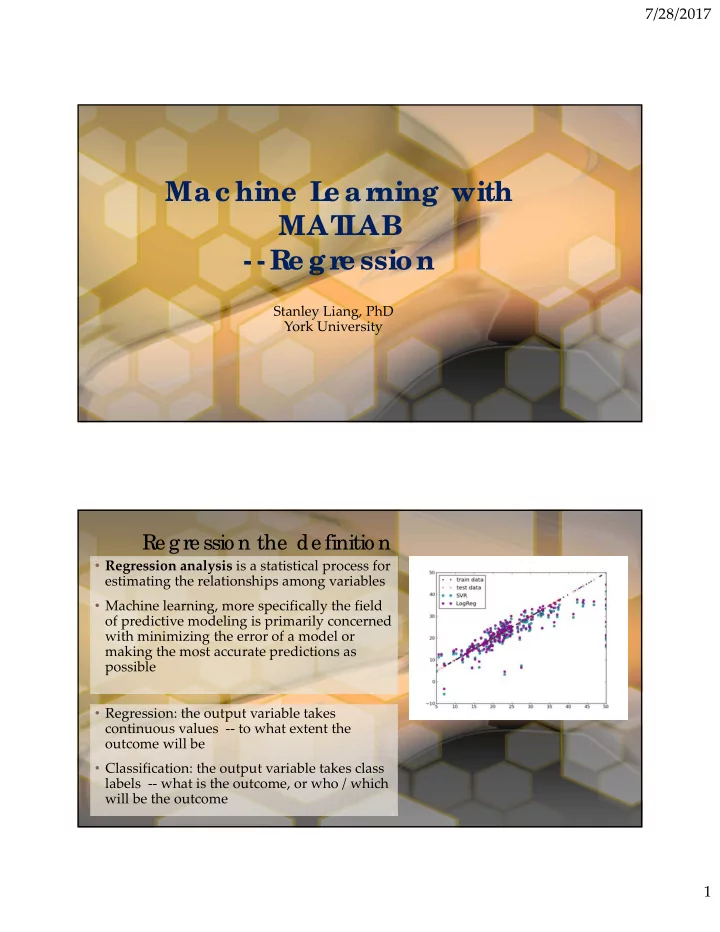
Re gre ssio n the de finitio n

  • Regression analysis is a statistical process for

estimating the relationships among variables

  • Machine learning, more specifically the field
  • f predictive modeling is primarily concerned

with minimizing the error of a model or making the most accurate predictions as possible

  • Regression: the output variable takes

continuous values ‐‐ to what extent the

  • utcome will be
  • Classification: the output variable takes class

labels ‐‐ what is the outcome, or who / which will be the outcome

slide-2
SLIDE 2

7/28/2017 2

L ine ar Re gre ssio n

  • Linear regression is developed in the field
  • f statistics and is studied as a model for

understanding the relationship between input and output numerical variables, but has been borrowed by machine learning. It is both a statistical algorithm and a machine learning algorithm.

  • Linear regression is a linear model, e.g. a

model that assumes a linear relationship between the input variables (x) and the single output variable (y). More specifically, that y can be calculated from a linear combination of the input variables (x).

  • When there is a single input variable (x),

the method is referred to as simple linear regression. When there are multiple input variables, literature from statistics often refers to the method as multiple linear regression.

  • Different techniques can be used to

prepare or train the linear regression equation from data, the most common

  • f which is called Ordinary Least
  • Squares. It is common to therefore refer

to a model prepared this way as Ordinary Least Squares Linear Regression or just Least Squares Regression.

L ine ar Re gre ssio n

  • The linear equation assigns one scale factor to

each input value or column, called a coefficient and represented by the capital Greek letter Beta (B). One additional coefficient is also added, giving the line an additional degree of freedom (e.g. moving up and down on a two‐ dimensional plot) and is often called the intercept or the bias coefficient.

  • In higher dimensions when we have more

than one input (x), the line is called a plane or a hyper‐plane. The representation therefore is the form of the equation and the specific values used for the coefficients

  • When a coefficient becomes zero, it effectively

removes the influence of the input variable on the model and therefore from the prediction made from the model (0 * x = 0). This becomes relevant if you look at regularization methods that change the learning algorithm to reduce the complexity of regression models by putting pressure on the absolute size of the coefficients, driving some to zero.
slide-3
SLIDE 3

7/28/2017 3

T raining a line ar re gre ssio n mo de l

  • Learning a linear regression model

means estimating the values of the coefficients used in the representation with the data that we have available.

  • Four techniques to estimate the

coefficient (Beta)

– Simple Linear Regression: single input – Ordinary Least Squares: >= 2 input – Gradient Descent: most important for ML – Regularization: reduce model complexity and minimize the loss error

  • 1. Lasso Regression: L1 regularization –

minimize the absolute sum of coefficients

  • 2. Ridge Regression: L2 regularization –

minimize the squared absolute sum of coefficients

Pre pare Data fo r L ine ar Re gre ssio n

  • Linear Assumption: assumes

that the relationship between your input and output is linear ‐‐ need to transform data to make the relationship linear, e.g. exp, log

  • Remove noise: using data cleaning
  • perations to better expose and

clarify the signal in your data, remove outliers in the output variable (y) if possible

  • Remove Collinearity: highly

correlated input variables will let your model over‐fit, compute pairwise correlations of input data and remove the most correlated inputs

  • Gaussian Distributions: Linear

regression will make more reliable predictions if your input and output variables have a Gaussian distribution. Consider using transforms (e.g. log or BoxCox) on you variables to make their distribution more Gaussian looking.

  • Rescale Inputs: Linear regression will
  • ften make more reliable predictions if

you rescale input variables using standardization or normalization.s

slide-4
SLIDE 4

7/28/2017 4

Re gre ssio n using SVM and De c isio n T re e s

  • Parametric regression model
  • Relation can be specified using a formula

 easy to interpret

  • Choose a model to generalize all predictor

can be difficult

  • If predicting the response for unknown
  • bservations is the primary purpose

non‐parametric regression

– Do not fit the regression model based on a given formula – Can provide more accurate prediction but are difficult to interpret

  • Fit a tree and update it with a SVM

regression model – Create a decision tree model by training data compute loss (model loss) – Use the trained tree model to predict – Update the tree model by a SVM model with the polynomial kernel function

Gaussian Pro c e ss Re gre ssio n

  • Gaussian process regression (GPR) is a non‐

parametric regression technique

  • In addition to predicting the response value for given

predictor values, GPR models optionally return the standard deviation and prediction intervals

  • Fitting Gaussian Process Regression (GPR) Models

– mdl = fitrgp(data,responseVarName)

  • Predicting Response with GPR Models

– [yPred,yStd,yInt] = predict(mdl,dataNew)

slide-5
SLIDE 5

7/28/2017 5

Re gularize d L ine ar Re gre ssio n

  • When we have too many predictors,

choosing the right type of parametric regression model can be a challenge

  • A complicated model including all the

predictive variables is unnecessary and is likely to become over‐fitting

  • Fitting a linear regression model with a

wide table can result in coefficients with large variance

  • Ridge regression and Lasso help to shrink

the regression coefficients

Ridge Re gre ssio n

  • The penalty term

– In linear regression, the coefficients are chosen by minimizing the squared difference between the

  • bserved and the predicted response value.

– This difference is referred to as mean squared error (MSE) – In ridge regression, a penalty term is added to MSE. This penalty term is controlled by the coefficient values and a tuning parameter λ. – The larger the value of λ, the greater the penalty and, therefore, the more the coefficients are “shrunk” towards zero.

  • Fitting Ridge Regression Models

– b = ridge(y,X,lambda,scaling)

slide-6
SLIDE 6

7/28/2017 6

L ASSO Re gre ssio n

  • Lasso (least absolute shrinkage and

selection operator) is a regularized regression method similar to ridge regression.

  • The difference between the two

methods is the penalty term. In ridge regression an L2 norm of the coefficients is used whereas in Lasso an L1 norm is used.

  • [b,fitInfo] = lasso(X,y,ʹLambdaʹ,lambda)

– b ‐ Lasso coefficients. – fitInfo ‐ A structure containing information about the model. – x ‐ Predictor values, specified as a numeric matrix. – y ‐ Response values, specified as a vector. – ʹLambdaʹ ‐ Optional property name for regularization parameter. – Lambda ‐ Regularization parameter value.

  • Elastic net

– In ridge regression, the penalty term has an L2 norm and in lasso, the penalty term has an L1 norm. You can create regression models with penalty terms containing the combination of L1 and L2 norms.

Ste pwise L ine ar Re gre ssio n

  • Stepwise linear regression methods (stepwiselm)

choose a subset of the predictor variables and their polynomial functions to create a compact model

  • Note that stepwiselm is used only when the

underlying model is linear regression

  • stepwiseMdl = stepwiselm(data,modelspec)

–modelspec ‐ Starting model for the stepwise regression –ʹLowerʹ and ʹUpper‘ ‐ limit the complexity of the model – mdl = stepwiselm(data,ʹlinearʹ,ʹLowerʹ,ʹlinearʹ,ʹUpperʹ,ʹquadraticʹ)