Low-Level Hardware Programming for Non-Electrical Engineers Jefg - - PowerPoint PPT Presentation

low level hardware
SMART_READER_LITE
LIVE PREVIEW

Low-Level Hardware Programming for Non-Electrical Engineers Jefg - - PowerPoint PPT Presentation

Low-Level Hardware Programming for Non-Electrical Engineers Jefg Tranter Integrated Computer Solutions, Inc. Agenda Agenda About the Speaker Introduction Some History Safety Some Basics Hardware Interfaces Sensors


slide-1
SLIDE 1

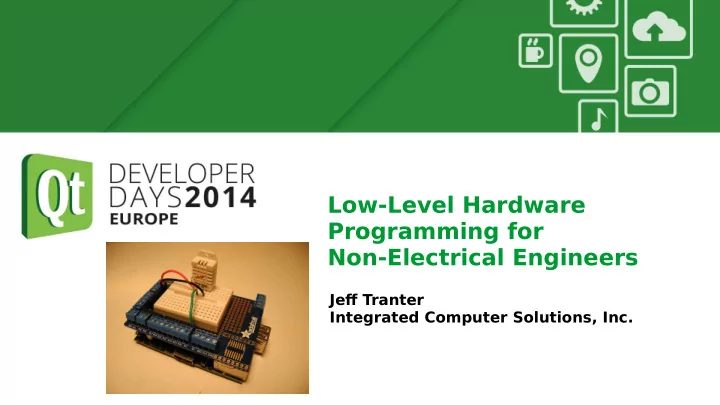
Low-Level Hardware Programming for Non-Electrical Engineers

Jefg Tranter Integrated Computer Solutions, Inc.

slide-2
SLIDE 2

Agenda Agenda

  • About the Speaker
  • Introduction
  • Some History
  • Safety
  • Some Basics
  • Hardware Interfaces
  • Sensors and Other Devices
  • Embedded Development Platforms
  • Relevant Qt APIs
  • Linux Drivers and APIs
  • Tips
  • Gotchas
  • References
slide-3
SLIDE 3

About The Speaker About The Speaker

  • Jefg Tranter <jtranter@ics.com>
  • Qt Consulting manager at Integrated Computer Solutions, Inc.
  • Based in Ottawa, Canada
  • Used Qt since 1.x
  • Originally educated as Electrical Engineer
slide-4
SLIDE 4

Introduction Introduction

slide-5
SLIDE 5

Some History Some History

  • 1970s: Hard-coded logic
  • 1980s: 8-bit microprocessors (assembler)
  • T
  • day: 64-bit, multicore, 3D, etc. (high-level languages)
  • This presentation won't cover:
  • Programming languages other than C/C++
  • Much systems other than embedded Linux
  • Video, sound
  • Building embedded software: cross-compilation, debugging, etc.
slide-6
SLIDE 6

A Few Words About Safety A Few Words About Safety

  • High voltage
  • High current (e.g. batteries)
  • High temperature (e.g. soldering)
  • Eye protection (solder, clip leads)
  • Chemicals
slide-7
SLIDE 7

ESD ESD

  • Electrostatic discharge, i.e. static electricity
  • Many devices can be damaged by high voltages from static
  • Use static safe packaging, work mat, wrist strap, soldering iron
slide-8
SLIDE 8

Some Basics

  • Ohms Law: I = V / R (sometimes E)
  • Power P = V x I
slide-9
SLIDE 9

Measuring Measuring (e.g. with a multimeter)

  • Voltage - in parallel (across)
  • Current - in series (break the circuit)
  • Resistance - out of circuit, powered ofg
slide-10
SLIDE 10

Electronic Components Common Electronic Components

  • Passive components:
  • resistor unit: Ohm (kilohm, megohm)
  • capacitor unit: Farad (µF, nF, pF)
  • inductor unit: Henry (µH, mH)
  • Active components:
  • vacuum tube (valve)
  • diode/LED
  • transistor (many types)
  • ICs (many types)
slide-11
SLIDE 11

Electronic Components Common Electronic Components

  • Components identifjed by:
  • part identifjer (e.g. 7400)
  • value (e.g. 1000 ohms)
  • power rating (e.g. 1 watt)
  • voltage rating (e.g. 10 VDC)
  • Component values marked using colour codes or number

conventions

slide-12
SLIDE 12

Common Metric Prefjxes Common Metric Prefjxes

Name Prefix Multiplier Pico p 10-12 Nano n 10-9 Micro µ 10-6 Milli m 10-3 Kilo k 103 Mega M 106 Giga G 109 Tera T 1012

slide-13
SLIDE 13

Digital versus Analog Digital versus Analog

  • Digital: represent values/numbers using discrete voltages
  • Modern computers generally use binary, two values, 1/0, true false
  • Value represented as a voltage within a range, dependent on

technology used

  • e.g. standard TTL logic - 0 to 0.4V is false, 2.6 to 5.0V is true
slide-14
SLIDE 14

Digital versus Analog Digital versus Analog

  • Analog: can take any value within a continuous range
  • Digital to Analog (D/A) and Analog to Digital (A/D) conversion

processes can convert

  • Conversion between the two is not perfect
  • Key factors are sample rate (samples/sec) and sample size (bits)
  • e.g. Audio CD: 16 bit sample size, 44100 bits per second sample

rate

slide-15
SLIDE 15

Hardware Interfaces - Processor Terminology Hardware Interfaces - Processor Terminology

  • CPU: Central Processing Unit. Hardware within a computer that

carries out the instructions of a computer program.

  • Microprocessor: Incorporates the functions of a computer's

central processing unit (CPU) on a single integrated circuit.

  • Microcontroller: Small computer on a single integrated circuit

containing a processor core, memory, and programmable input/output peripherals.

  • SOC: System On a Chip; integrated circuit that integrates all

components of a computer or other electronic system into a single chip.

slide-16
SLIDE 16

Hardware Interfaces - Processor Terminology Hardware Interfaces - Processor Terminology

  • SOM: System on Module (SOM), a type of single-board computer

(SBC).

  • SiP: System In Package (SiP), also known as a Chip Stack MCM. A

number of integrated circuits enclosed in a single module (package).

  • DSP: Specialized microprocessor optimized for the needs of digital

signal processing.

  • GPU: Graphics Processing Unit, specialized CPU designed to

rapidly manipulate and alter memory to accelerate the creation of images in a frame bufger intended for output to a display

slide-17
SLIDE 17

Hardware Interfaces - Memory Hardware Interfaces - Memory

  • RAM, DRAM, Static RAM
  • ROM, PROM, EPROM, EEPROM
  • Flash memory: NAND, NOR
slide-18
SLIDE 18

Hardware Interfaces - Simple I/O Hardware Interfaces - Simple I/O

  • Inputs
  • Outputs
  • Bi-directional
  • Tri-state (high-Z), pull-up, pull-down
  • Open collector/open drain
  • Analog
  • Digital
  • PWM
slide-19
SLIDE 19

Hardware Interfaces - I²C Hardware Interfaces - I²C

  • I²C (Inter-Integrated Circuit), pronounced I-squared-C or I-two-C
  • Multi-master, multi-slave, single-ended, serial computer bus

invented by Philips Semiconductor

  • Used for attaching low-speed peripherals to computer

motherboards and embedded systems

  • Uses two bidirectional open-drain lines, Serial Data Line (SDA) and

Serial Clock Line (SCL), pulled up with resistors.

  • T

ypical voltages used are 5V or 3V, although other voltages are permitted

  • Will cover programming under Linux later
slide-20
SLIDE 20

Hardware Interfaces - SMBus Hardware Interfaces - SMBus

  • System Management Bus (SMBus or SMB)
  • Simple single-ended two-wire bus for lightweight communication
  • Commonly found on PC motherboards for communication with

power management

  • Derived from I²C
  • Defjned by Intel in 1995
slide-21
SLIDE 21

Hardware Interfaces - SPI Hardware Interfaces - SPI

  • Serial Peripheral Interface or SPI bus
  • Also known as SSI (Synchronous Serial Interface)
  • Full duplex, synchronous, serial data link
  • Four-wire serial bus
  • Often used with sensors and SD cards
  • Devices communicate in master/slave mode
  • Multiple slave devices are allowed with individual slave select lines
slide-22
SLIDE 22

Hardware Interfaces - GPIO Hardware Interfaces - GPIO

  • General-Purpose Input/Output
  • Generic pin that can be controlled by user at run time
  • T

ypically can be programmed as input or output

  • May support tri-state, pull-up pull-down, PWM, etc.
  • Supported by e.g. Arduino, BeagleBone, Raspberry Pi
slide-23
SLIDE 23

Hardware Interfaces - USB Hardware Interfaces - USB

  • Ubiquitous
  • Latest spec is 3.1
  • Sometimes used (only) for power
  • See later for some gotchas
slide-24
SLIDE 24

Hardware Interfaces - IEEE- 488/GP-IB/HP-IB Hardware Interfaces - IEEE-488/GP-IB/HP-IB

  • Short-range digital communications bus
  • Created in the late 1960s by Hewlett-Packard for use with

automated test equipment

  • Expensive connectors and cables
  • Now mostly replaced by more recent standards such as USB,

FireWire, Ethernet

slide-25
SLIDE 25

Hardware Interfaces - MODBUS Hardware Interfaces - MODBUS

  • Serial communications protocol
  • Originally developed by Modicon for use with programmable logic

controllers (PLCs)

  • Commonly used for connecting industrial electronic devices
  • Used in supervisory control and data acquisition (SCADA) systems
  • Enables communication among many (approx. 240) devices

connected to same network

slide-26
SLIDE 26

Hardware Interfaces - Serial/UART RS-232/RS-422/RS-485 Serial/UART RS-232/RS-422/RS-485

  • Asynchronous serial interfaces, send one bit at a time
  • Need to agree on baud rate, data bits, start/stop bits, parity
  • RS-232 uses voltage levels of +/- 3-15V
  • RS-422 is difgerential signalling, longer distance
  • RS-485 supports multi-point
  • Some USB devices are serial devices (e.g. FTDI)
  • On newer computers can use USB to serial converter
slide-27
SLIDE 27

Hardware Interfaces - Parallel Ports Hardware Interfaces - Parallel Ports

  • As a generic term, means port with multiple data bits (as opposed

to single bit serial)

  • T

ypically data and handshaking lines as well

  • In the past referred to a standard Centronics/IEEE-1284 PC printer

port, now mostly obsolete

slide-28
SLIDE 28

Hardware Interfaces - JTAG Hardware Interfaces - JTAG

  • Joint T

est Action Group

  • Common name for IEEE 1149.1 Standard T

est Access Port and Boundary-Scan Architecture

  • Initially intended for testing printed circuit boards using boundary

scan (still widely used for this)

  • Also used for IC debug ports
  • Most embedded processors implement JTAG
  • Supports operations like single stepping and breakpointing (in

hardware)

slide-29
SLIDE 29

Hardware Interfaces - 1-Wire Hardware Interfaces - 1-Wire

  • Device communications bus system designed by Dallas

Semiconductor (sometimes called Dallas 1 Wire)

  • Provides low-speed data, signalling, and power over a single signal
  • Master and slave devices
  • Similar to I²C, but with lower data rates and longer range
  • T

ypically used to communicate with small inexpensive devices such as digital thermometers and weather instruments

  • Only two wires: data and ground. Device also powered by data line.
  • Can be supported on Linux using GPIO and bit banging
  • OWFS One Wire File System provides library and utilities for Linux

and other platforms (owfs.org)

slide-30
SLIDE 30

Hardware Interfaces - HD44780 LCD Hardware Interfaces - HD44780 LCD

  • One of the most common dot matrix LCD display controllers
  • Simple interface that can be connected to a general purpose

microcontroller or microprocessor

  • Many manufacturers make compatible displays
  • Can display ASCII characters, Japanese Kana characters, and some

symbols

  • Low cost (under US$20)
  • T

ypically 2 line by 16 or up to 80 characters

  • 16 pin connector, 4 or 8 data bits
  • Various drivers/libraries available for Linux if you don't want to

code it all yourself

slide-31
SLIDE 31

Hardware Interfaces - MIDI Hardware Interfaces - MIDI

  • Musical Instrument Digital Interface
  • Standard protocol, interface, and connector for electronic musical

instruments

  • Carries event messages that specify notation, pitch and velocity
  • Also used for lighting
  • Supports multiple devices
  • A single MIDI link can carry up to sixteen channels of information
  • Standardized in 1983
  • Mostly used by professional musicians
slide-32
SLIDE 32

Hardware Interfaces - PC Keyboard Hardware Interfaces - PC Keyboard

  • Original PC/XT/AT (5-pin DIN)
  • PS/2 (6-pin mini-DIN)
  • USB (USB type A)
  • (fjrst 2) protocols can be implemented by bit banging
slide-33
SLIDE 33

Hardware Interfaces - PWM Hardware Interfaces - PWM

  • Pulse Width Modulation
  • Can be used for D/A conversion
  • Some devices use PWM for control
  • Can be done in software with GPIO pins
  • Some GPIO pins have direct hardware support for PWM
slide-34
SLIDE 34

Hardware Interfaces - Stepper Motors Hardware Interfaces - Stepper Motors

  • Brushless DC electric motor that divides a full rotation into a

number of equal steps

  • Motor's position can then be commanded to move and hold at one
  • f these steps without any feedback sensor
  • Unipolar and bipolar types
  • T

ypically need driver circuit for suitable voltage/current

  • Read/write heads of hard and fmoppy disk drives typically use this
  • Easy to control using Arduino
slide-35
SLIDE 35

Hardware Interfaces - Servos Hardware Interfaces - Servos

  • Usually refers to hobby servo motors developed for radio control
  • Small, low-cost, mass-produced actuators used for radio control

and small-scale robotics

  • Standard three-wire connection: two wires for a DC power supply

and one for control

  • Position controlled using a PWM signal
  • Directly supported by Arduino (without additional hardware)
slide-36
SLIDE 36

Hardware Interfaces - DSI/CSI Hardware Interfaces - DSI/CSI

  • Display Serial Interface
  • Camera Serial Interface
  • Specifjcations by the Mobile Industry Processor Interface (MIPI)

Alliance

  • DSI for LCD displays
  • CSI for cameras
  • Serial bus and a communication protocol between host and device
  • Both are present on Raspberry Pi but currently no open source

drivers

slide-37
SLIDE 37

Sensors and Related Devices Sensors and Related Devices

  • IR transmitters/receivers
  • Sensors for physical values: temperature, light intensity, air

pressure, humidity, pH, radiation, motion, proximity, radiation, sound, touch, etc.

  • Accelerometers
  • Output: light (LED), sound (speaker, piezo), motion (motor, stepper)
  • GPS
  • Commonly interface using analog, digital, I2C etc.
  • See, e.g. http://www.adafruit.com/categories/35
slide-38
SLIDE 38

Displays Displays

  • LEDs: discrete, bargraph, matrix, 7-segment
  • LCD: numeric, text, bitmapped graphics
  • Video: VGA, composite, HDMI, etc.
slide-39
SLIDE 39

Real-Time Considerations Real-Time Considerations

  • System is real-time if correctness of an operation depends on the

time in which it is performed

  • Classifjed by the consequence of missing a deadline
  • Hard real-time: missing a deadline is a total system failure
  • Soft real-time: usefulness/quality of service degrades after missing

deadline

  • Supported by an RTOS (Real-Time Operating System)
  • Standard Linux is not an RTOS
slide-40
SLIDE 40

Approaches for Supporting Real- Time Approaches for Supporting Real-Time

  • Set priority, scheduling policy (e.g. Linux/POSIX: setpriority,

sched_setscheduler)

  • Implement in kernel
  • Real-time add-ons (e.g. for Linux)
  • True RTOS (e.g. QNX)
  • Offmoad to other hardware like microcontroller or PIC
slide-41
SLIDE 41

Embedded Development Platforms Embedded Development Platforms

  • Many to choose from
  • Most vendors have evaluation boards
  • Some popular ones:
  • Raspberry Pi
  • BeagleBoard/BeagleBone
  • Intel NUC, Edison
  • Arduino
slide-42
SLIDE 42

Raspberry Pi Raspberry Pi

  • Developed as low-cost platform for education
  • Broadcom SOC (700 MHz ARM)
  • Supports various OSes including Linux
  • USB, SD card, Ethernet, audio out, composite and HDMI video
  • Micro USB power
  • Model A: US$25, 256MB RAM, 1 USB
  • Model B: US$35, 512MB RAM, 2 USB
  • Model B+: lower power (3W), 4 USB, microSD, more GPIO
  • Compute Module: DIMM form factor, suitable for OEM, more GPIO
slide-43
SLIDE 43

BeagleBoard/BeagleBone BeagleBoard/BeagleBone

  • Open source SBC from TI and Digi-Key and Farnell/Element14
  • OMAP3530 SOC (ARM)
  • 600 MHZ to 1 GHz clock speed
  • 128MB to 52MB RAM
  • USB On-The-Go, DVI-D, PC audio, SDHC, JTAG, HDMI
  • Accelerated 2D, 3D, OpenGL ES 2.0
  • On-board and SD/MMC fmash
  • Cost $45 to $149
  • Models: BeagleBoard, BeagleBoard-xM, BeagleBone, BeagleBone

Black

  • Run various operating systems including Linux and Android
  • Add-on "capes"
slide-44
SLIDE 44

Intel Ofgerings Intel Ofgerings

NUC:

  • Next Unit of Computing (NUC)
  • small form factor PC designed by Intel

Galileo:

  • Arduino-compatible development boards based on x86
  • Compatible with Arduino IDE and shields

Edison:

  • Small computer for wearable devices

MinnowBoard:

  • Low-cost Atom board
slide-45
SLIDE 45

Texas Instruments Ofgerings Texas Instruments Ofgerings

  • e.g. Sitara ARM AM335X Starter Kit
slide-46
SLIDE 46

Arduino Arduino

  • Family of open source single board microcontrollers
  • Most use 8-bit Atmel AVR processors
  • No operating system per se
slide-47
SLIDE 47

Arduino Arduino

Highly popular due to "perfect storm" of:

  • Low cost (clones under US$10)
  • Ease and speed of programming (easy to use IDE, high-level

language based on simplifjed C++)

  • Many programming tutorials, examples, libraries
  • Large user base
  • Digital and analog inputs/outputs
  • Many add-on "shields"
slide-48
SLIDE 48

Arduino Code Example

#define LED_PIN 13 void setup() { pinMode(LED_PIN, OUTPUT); // Enable pin 13 for digital output } void loop() { digitalWrite(LED_PIN, HIGH); // Turn on the LED delay(1000); // Wait one second (1000 milliseconds) digitalWrite(LED_PIN, LOW); // Turn off the LED delay(1000); // Wait one second }

slide-49
SLIDE 49

Relevant Qt APIs Relevant Qt APIs

Several Qt modules fjt category of low-level hardware:

  • Serial Port
  • Networking
  • BlueT
  • oth
  • Location/Positioning API (GPS, Wi-Fi)
  • Sensors (accelerometer, compass, etc.)
slide-50
SLIDE 50

Linux Drivers and APIs Linux Drivers and APIs

  • Will cover I2C, SPI, GPIO
  • Can use these from user space
  • In some cases may want to write kernel code
  • Kernel pros: access to kernel interfaces such as IRQ handlers or
  • ther layers of the driver stack
  • Kernel cons: harder to write and debug, error can crash entire

machine

slide-51
SLIDE 51

Linux Drivers and APIs - I2C Linux Drivers and APIs - I2C

  • Kernel-level drivers make I2C interfaces look like standard Linux

character devices.

  • Devices are /dev/i2c-n where n is adaptor number starting from 0
  • Also see /sys/class/i2c-adapter
  • Linux i2c-tools package provides useful utilities like "i2cdetect".
  • Can program using standard system calls open(), ioctl(), read(),

write()

slide-52
SLIDE 52

Linux Drivers and APIs - I2C Linux Drivers and APIs - I2C

  • Also higher level SMBus commands defjned in <linux/i2c-dev.h>
  • (SMBus is a subset of I2C, with a stricter protocol defjnition)

__s32 i2c_smbus_write_quick(int file, __u8 value);

__s32 i2c_smbus_read_byte(int file); __s32 i2c_smbus_write_byte(int file, __u8 value); __s32 i2c_smbus_read_byte_data(int file, __u8 command); __s32 i2c_smbus_write_byte_data(int file, __u8 command, __u8 value); __s32 i2c_smbus_read_word_data(int file, __u8 command); __s32 i2c_smbus_write_word_data(int file, __u8 command, __u16 value); __s32 i2c_smbus_process_call(int file, __u8 command, __u16 value); __s32 i2c_smbus_read_block_data(int file, __u8 command, __u8 *values); __s32 i2c_smbus_write_block_data(int file, __u8 command, __u8 length, __u8 *values);

slide-53
SLIDE 53

Linux Drivers and APIs - I2C Linux Drivers and APIs - I2C

  • On some platforms, like Raspberry Pi, may need to manually load

the relevant kernel drivers, e.g. "sudo modprobe i2c-dev" and set permissions if you need to access them as non-root user, e.g. "sudo chmod o+rw /dev/i2c*"

  • Can put a script in /etc/rc.local to do this on boot up
  • See https://www.kernel.org/doc/Documentation/i2c/dev-interface
slide-54
SLIDE 54

Linux Drivers and APIs - SPI Linux Drivers and APIs - SPI

  • Appear as character devices.
  • Creates character device nodes at /dev/spidevB.C where:
  • B is the SPI bus (master) number
  • C is the chip-select number of specifjc SPI slave
  • SPI devices have a limited user space API, supporting basic half-

duplex read() and write() access to SPI slave devices.

  • Using ioctl() requests, full duplex transfers and device I/O

confjguration are also available

slide-55
SLIDE 55

Linux Drivers and APIs - SPI Linux Drivers and APIs - SPI

  • read() for read only SPI transaction, with a single chip-select

activation

  • write() for write only SPI transaction, with a single chip-select

activation

  • Defjned in <linux/spi/spidev.h>
  • See https://www.kernel.org/doc/Documentation/spi/spidev
slide-56
SLIDE 56

Linux Drivers and APIs - GPIO Linux Drivers and APIs - GPIO

  • Linux has unifjed driver for GPIO on difgerent platforms
  • Often GPIO pins can also be I2C, SPI, PWM, UART, etc. depending
  • n how programmed
  • T

ypically can control on a per pin basis: pin direction (input or

  • utput), read inputs, write to outputs, and maybe pullup, pulldown,
  • pen collector, and enable interrupts
  • T

ypically need to run as root or change permissions on device fjles

  • See https://www.kernel.org/doc/Documentation/gpio/
  • Difgerent ways to control
slide-57
SLIDE 57

Linux Drivers and APIs - GPIO Linux Drivers and APIs - GPIO

  • Method 1: Kernel system calls
  • #include <linux/gpio.h>
  • Old, deprecated integer-based interface
  • New, preferred descriptor-based interface
  • Examples:
  • int gpio_get_value(unsigned int gpio);
  • void gpio_set_value(unsigned int gpio, int value);
slide-58
SLIDE 58

Linux Drivers and APIs - GPIO Linux Drivers and APIs - GPIO

  • Method 2: Sysfs
  • Can be controlled via sysfs interface under /sys/class/gpio
  • Need to "export" pin that you want to use by writing pin number to

/sys/class/gpio/export

  • Will see /sys/class/gpio/gpioN appear
  • Write to /sys/class/gpio/unexport to free when done
  • Set direction by writing "in" or "out" to

/sys/class/gpio/gpioN/direction

  • Set value by writing "0" or "1" to /sys/class/gpio/gpioN/value
  • Read value from /sys/class/gpio/gpioN/value
  • Info about GPIO controllers in /sys/class/gpio/gpiochipN/
slide-59
SLIDE 59

Linux Drivers and APIs - GPIO Linux Drivers and APIs - GPIO

  • Raspberry Pi example (shell script):

#!/bin/sh echo "4" > /sys/class/gpio/export echo "out" > /sys/class/gpio/gpio4/direction echo "1" > /sys/class/gpio/gpio4/value cat /sys/class/gpio/gpio4/value echo "4" > /sys/class/gpio/unexport

slide-60
SLIDE 60

Linux Drivers and APIs - GPIO Linux Drivers and APIs - GPIO

  • Method 3: Memory Mapped
  • Works on devices where GPIO hardware is memory mapped e.g.

Raspberry Pi

  • Hardware specifjc, but very fast
  • Steps:
  • Open /dev/mem
  • Call mmap() to get pointer to appropriate physical memory
  • Close /dev/vmem
  • Access memory as a volatile unsigned * (macros can make it

easier)

  • Examples (with macros) exist for Raspberry Pi:

http://elinux.org/RPi_Low-level_peripherals#C

slide-61
SLIDE 61

Linux Drivers and APIs - GPIO Linux Drivers and APIs - GPIO

  • Method 4: Kernel Driver
  • For maximum performance and fmexibility, write customer kernel

level code

  • As mentioned earlier, provides access to kernel interfaces such as

IRQ handlers or other layers of the driver stack and gives you control over preemption.

  • T

ypically an order of magnitude harder than user space code to write and debug; errors can crash entire machine.

slide-62
SLIDE 62

GPIO - Libraries GPIO - Libraries

  • Various libraries available
  • WiringPi is a Linux Raspberry Pi library that is mostly compatible

with Arduino: http://wiringpi.com

  • Also supports serial, SPI, I2C
  • e.g.

pinMode(0, OUTPUT); // aka BCM_GPIO pin 17 digitalWrite(0, 1); // On delay(500); // mS digitalWrite(0, 0); // Off delay(500);

slide-63
SLIDE 63

Tips Tips

  • T
  • ols:
  • Small wire cutters, pliers, strippers
  • Magnifjer
  • T

emperature controlled soldering station, solder

  • Desoldering tool (braid, pump)
  • Heat gun
slide-64
SLIDE 64

Soldering Soldering

  • Not hard, but requires practice
  • Use proper iron and solder
  • It is possible to hand solder the larger SMT parts
  • Can even do refmow using toaster oven and controller
  • Lots of good YouT

ube videos

  • Recommend the "Soldering is Easy" comic book:

http://mightyohm.com/blog/2011/04/soldering-is-easy-comic-book/

slide-65
SLIDE 65

Test Equipment Test Equipment:

  • DMM (very inexpensive)
  • DC power supply, e.g. +/-5V, +/-12V, 0-30V
  • Logic probe
  • FTDI friend
  • Bus Pirate
  • Oscilloscope (analogue or digital, wide price range)
slide-66
SLIDE 66

Tips Tips

  • Parts:
  • resistors
  • capacitors
  • Miscellaneous:
  • hookup wire (solid for solderless breadboards)
  • clip leads (including small ones for IC pins)
  • DIP clips
  • good collection of cables and adaptors (USB, serial, header

connectors)

  • proto boards (wireless breadboard)
  • SD/microSD cards, adaptors
slide-67
SLIDE 67

Tips Getting Started

  • Buy a low-cost board like Raspberry Pi, BeagleBoard or Arduino

and spend some time with it.

  • Start with a fmashing LED and then progress to more complex work
slide-68
SLIDE 68

Hardware Construction Methods Hardware Construction Methods

  • Breadboards
  • Protoboards
  • Wirewrapping
  • Veroboard
  • Ugly style, Manhattan
  • PCBs
  • SMT versus through-hole
slide-69
SLIDE 69

Gotchas Gotchas

  • Device power: 3.3V versus 5V (or less). Beware of cheap power

supplies.

  • Serial ports: RS-232 versus TTL (or other) levels. DTE/DCE,

hardware handshaking, difgerent connectors.

  • USB: Difgerent connectors. Some USB ports are for power only.

Host versus device. Power capability (don't exceed). hubs.

  • ESD/static
slide-70
SLIDE 70

References References - Websites

  • EEVBlog (YouT

ube, eevblog.com)

  • Hack A Day (hackaday.com)
  • Wikipedia has articles on most buses, protocols, etc.
slide-71
SLIDE 71

References References - Books

  • Make: Electronics
  • ARRL Handbook for Radio Communications
  • Hacking the XBox, Andrew "Bunny" Huang
  • Make magazine
slide-72
SLIDE 72

References - Suppliers References - Suppliers

  • AdaFruit (adafruit.com)
  • Amazon (amazon.com)
  • Digi-key (digikey.com)
  • Farnell/Element 14 (farnell.com)
  • Jameco (jameco.com)
  • Maker Shed (makershed.com)
  • Mouser (mouser.com)
  • SparkFun (sparkfun.com)
slide-73
SLIDE 73

The End

  • Thank you for attending
  • Questions?