Legacy Disk Interfaces ATA - AT Attachment 16 bits of data in - - PowerPoint PPT Presentation

legacy disk interfaces
SMART_READER_LITE
LIVE PREVIEW

Legacy Disk Interfaces ATA - AT Attachment 16 bits of data in - - PowerPoint PPT Presentation

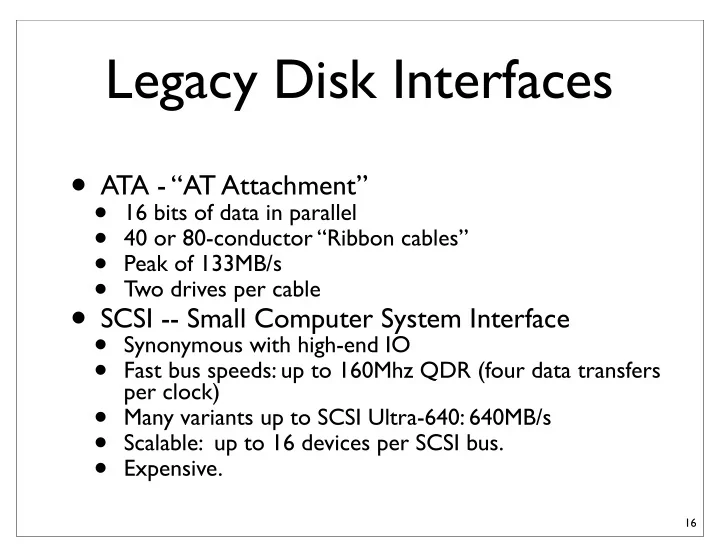
Legacy Disk Interfaces ATA - AT Attachment 16 bits of data in parallel 40 or 80-conductor Ribbon cables Peak of 133MB/s Two drives per cable SCSI -- Small Computer System Interface Synonymous with high-end IO


slide-1
SLIDE 1

Legacy Disk Interfaces

  • ATA - “AT Attachment”
  • 16 bits of data in parallel
  • 40 or 80-conductor “Ribbon cables”
  • Peak of 133MB/s
  • Two drives per cable
  • SCSI -- Small Computer System Interface
  • Synonymous with high-end IO
  • Fast bus speeds: up to 160Mhz QDR (four data transfers

per clock)

  • Many variants up to SCSI Ultra-640: 640MB/s
  • Scalable: up to 16 devices per SCSI bus.
  • Expensive.

16

slide-2
SLIDE 2

The Serial Revolution

  • Wider busses are an obvious way to increased

bandwidth

  • But “jitter” and “clock skew” becomes a problem
  • If you have 32 lines in a bus, you need to wait for the slowest
  • ne.
  • All devices must use the same clock.
  • This limits bus speeds.
  • Lately, high speed serial lines have been replacing wide

buses.

17

slide-3
SLIDE 3

High speed serial

  • Two wires, but not power and ground
  • “low voltage differential signaling”
  • If signal 1 is higher than signal 2, it’s a 1
  • if signal 2 is higher, it’s a 0
  • Detecting the difference is possible at lower voltages,

which further increases speed

  • Max bandwidth per pair: currently 10Gb/s
  • Cables are much cheaper and can be longer and

cheaper -- External hard drives.

  • SCSI cables can cost $100s -- and they fail a lot.

18

slide-4
SLIDE 4

Serial interfaces

  • SATA -- Serial ATA
  • Replaces ATA
  • The logical protocol is the same, but the “transport

layer” is serial instead of parallel.

  • Max performance: 600MB/s -- much less in practice.
  • SAS -- Serial attached SCSI
  • Replace SCSI, Same logical protocol.

19

slide-5
SLIDE 5

PCIe -- Peripheral Component Interconnect (express)

  • The fastest general-purpose expansion option
  • Graphics cards
  • Network cards
  • High-performance disk controllers (RAID)
  • PCIe
  • Replace PCI and PCIX
  • PCIe busses are actually point-to-point
  • Between 1 and 32 lanes, each of which is a differential

pair.

  • Latest version: 1GB/s per lane
  • Max of 32GB/s per card -- I don’t know of any 32 lane

cards, but 16 is common.

20

slide-6
SLIDE 6

Hard Disks

  • Hard disks are amazing pieces of engineering
  • Cheap
  • Reliable
  • Huge.

21

slide-7
SLIDE 7

Disk Density

22

1 Tb/sqare inch

slide-8
SLIDE 8

Hard drive Cost

23

  • Today at newegg.com: $0.04 GB ($0.00004/MB)
  • Desktop, 2 TB
slide-9
SLIDE 9

The Problem With Disk: It’s Sloooooowww

  • n-chip cache

KBs

  • ff-chip cache

MBs main memory GBs Disk TBs Cost 2.5 $/MB 0.07 $/MB

0.000008 $/MB

Access time 5ns 60ns 10,000,000ns < 1ns

slide-10
SLIDE 10

Why Are Disks Slow?

  • They have moving parts :-(
  • The disk itself and the a head/arm
  • The head can only read at one spot.
  • High end disks spin at 15,000 RPM
  • Data is, on average, 1/2 an revolution away:

2ms

  • Power consumption limits spindle speed
  • Why not run it in a vacuum?
  • The head has to position itself over the

right “track”

  • Currently about 150,000 tracks per inch.
  • Positioning must be accurate with about

175nm

  • Takes 3-13ms

25

slide-11
SLIDE 11

Making Disks Faster

  • Caching
  • Everyone tries to cache disk

accesses!

  • The OS
  • The disk controller
  • The disk itself.
  • Access scheduling
  • Reordering accesses can reduce

both rotational and seek latencies

26

CPU DRAM OS Managed file buffer cache Virtual memory High-end Disk Controller Battery-backed DRAM Disk On-disk DRAM buffer

slide-12
SLIDE 12

RAID!

27

  • Redundant Array of Independent

(Inexpensive) Disks

  • If one disk is not fast enough, use many
  • Multiplicative increase in bandwidth
  • Multiplicative increase in Ops/Sec
  • Not much help for latency.
  • If one disk is not reliable enough, use many.
  • Replicate data across the disks
  • If one of the disks dies, use the replica data to

continue running and re-populate a new drive.

  • Historical foot note: RAID was invented by
  • ne of the text book authors (Patterson)
slide-13
SLIDE 13

RAID Levels

  • There are several ways of ganging together a

bunch of disks to form a RAID array. They are called “levels”

  • Regardless of the RAID level, the array appears

to the system as a sequence of disk blocks.

  • The levels differ in how the logical blocks are

arranged physically and how the replication

  • ccurs.

28

slide-14
SLIDE 14

RAID 0

  • Double the bandwidth.
  • For an n-disk array, the n-th

block lives on the n-th disk.

  • Worse for reliability
  • If one of your drives dies, all your

data is corrupt-- you have lost every nth block.

29

slide-15
SLIDE 15

RAID 1

  • Mirror your data
  • 1/2 the capacity
  • But, you can tolerate a disk

failure.

  • Double the bandwidth for

reads

  • Same bandwidth for writes.

30

slide-16
SLIDE 16
  • Stripe your data across a bunch of disks
  • Use one bit to hold parity information
  • The number of 1’s at corresponding locations across the

drives is always even.

  • If you lose on drive, you can reconstruct it from the
  • thers.
  • Read and write all the disks in parallel.

31

slide-17
SLIDE 17

Solid-state disks (SSDs)

  • Use NAND flash memory instead of a spinning

disk

  • They are everywhere
  • iPods,
  • Laptops,
  • USB keys
  • Embedded systems
  • Digital cameras.
  • Data centers (sometimes)

32

slide-18
SLIDE 18

Flash’s Internal Structure

  • Flash stores bit on a

“floating gate” in a floating gate transistor.

  • The gate is electrically

isolated, so charge stays put

  • Charge can be pulled on

and off the gate using large voltages on the terminals

  • f the transistor
  • The charge on the gate

affects the transistors switching characteristics, which allows us to read the bits out.

33

Transistor Floating gate transistor Floating gate

slide-19
SLIDE 19

The Flash Chain

  • Floating gate transistors

are arranged in in series as “chains”

  • This allows for very

high density: 4F2/bit

  • DRAM is 17F2/bit
  • Makes reading and

writing slow -- all the

  • ther gates are in the

way

34

Select Transistors Data storage One NAND chain

slide-20
SLIDE 20

Flash Blocks

  • Many parallel chains form a block.
  • A slice across the chains is a page.
  • Read/Program operations affect one bit in each chain
  • Erases effect all the bits in a chain.

35

One page

One block

slide-21
SLIDE 21

NAND Flash

  • Three operations
  • Erase a block (very slow)
  • Program a page (slower)
  • Read a page (fast)
  • SLC – one bit per xtr
  • Fast, less dense
  • MLC – two bits per xtr
  • Denser, slower, cheaper
  • Reliability decreases with

program/erase cycles

36

Block 0 Page 0 Page 1 Page 2 Page 3 Page 4 Page 5 Block 1 Page 0 Page 1 Page 2 Page 3 Page 4 Page 5

slide-22
SLIDE 22

Individual Flash Chip Performance

  • Flash is very slow for a memory.
  • Transfer on and off the chip: 40MHz by 8 bits
  • Silly historical reasons. Currently a move is underway to

133MHz by 16 bits

  • DRAM is currently ~1GHz
  • Operation latencies
  • 25-35us for reads
  • 200-2000us for programs
  • 1-3ms for erase

37

slide-23
SLIDE 23

Reliability

  • Flash wears out with use
  • Break down in the insulation around the floating gates

lets charge leak off the gate.

  • For MLC devices -- 10k program/erase cycles
  • For SLC devices -- 100k program/erase cycles
  • You can “burn a hole” in a flash chip in about 12

hours.

38

slide-24
SLIDE 24

Wear Leveling

  • SSDs must spread out program/erase operations

evenly across the flash chips.

  • They maintain an table that maps “Logical block

addresses” (i.e., disk block addresses) to flash pages/ blocks

  • This “Flash translation layer” reduces performance and

adds complexity.

  • SSD performance can be erratic.
  • FTLs also provide error correction to recover from

bit errors (which can be frequent, esp. for MLC)

  • This is the key differentiator between SSDs

39

slide-25
SLIDE 25

SSDs vs HDD

  • Expensive
  • SSD -$3/Gig (80GB Intel SSD)
  • Disk - $0.08/Gig (2TB seagate drive)
  • Fast
  • IOPS
  • Random IO operations per second (IOPS)
  • SSD -- 3000/s for writes, 35,000 for reads (says Intel)
  • Disk -- 1/15ms = 66/s
  • BW MB/s
  • SSD -- 170MB/s write; 250MB/s read (max)
  • Disk -- 125MB/s (max)
  • Latency
  • SSD -- 75 microseconds for reads; intel won’t say for writes(!) probably

100s-1000s of microseconds

  • Disk -- 4-8ms
  • Low power
  • SSD -- 2.4W max 0.06W idle
  • Disk -- 6.56W active; 5W idle
  • How often is your disk idle?

40

They are idle a lot