Disk Storage Disk Storage Different types of disk storage: The - - PowerPoint PPT Presentation

disk storage disk storage
SMART_READER_LITE
LIVE PREVIEW

Disk Storage Disk Storage Different types of disk storage: The - - PowerPoint PPT Presentation

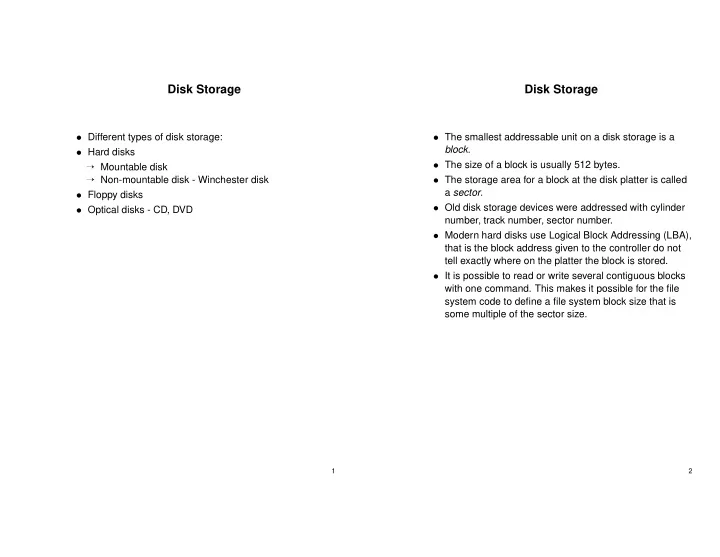
Disk Storage Disk Storage Different types of disk storage: The smallest addressable unit on a disk storage is a block . Hard disks The size of a block is usually 512 bytes. Mountable disk Non-mountable disk - Winchester disk


slide-1
SLIDE 1

Disk Storage

  • Different types of disk storage:
  • Hard disks

→ Mountable disk → Non-mountable disk - Winchester disk

  • Floppy disks
  • Optical disks - CD, DVD

1

Disk Storage

  • The smallest addressable unit on a disk storage is a

block.

  • The size of a block is usually 512 bytes.
  • The storage area for a block at the disk platter is called

a sector.

  • Old disk storage devices were addressed with cylinder

number, track number, sector number.

  • Modern hard disks use Logical Block Addressing (LBA),

that is the block address given to the controller do not tell exactly where on the platter the block is stored.

  • It is possible to read or write several contiguous blocks

with one command. This makes it possible for the file system code to define a file system block size that is some multiple of the sector size.

2

slide-2
SLIDE 2

Rotational speed

Two variants:

  • Constant angular velocity (CAV). The rotational

speed of the disk is constant. To use the platter in an efficient way, the outer tracks have more sectors than the inner tracks. Used in hard disks.

  • Constant Linear velocity (CLV). The density of bits per

track is uniform. To get constant data rate the rotation speed is increased as the head moves from the outer to the inner tracks. Used in CD and DVD. CD and DVD differs from hard disks in that they use a single track that spirals out from the center to the periphery.

3

Disk Formatting

Before a new disk can be used, information must be written to the platter that defines the tracks and sectors. This is called low-level formatting.

  • Low-level formatting fills the disk with a special data

structure for each sector.

  • The data structure consists of a header, a data area

(usually 512 bytes) and a trailer.

  • The header and trailer contain data such as sector

number and an error correcting code (ECC).

  • Low-level formatting also performs remapping of bad

blocks.

  • Modern disks are low-level formatted at the factory.

4

slide-3
SLIDE 3

Disk I/O

The data transports between a disk storage and primary memory is usually performed by a DMA (Direct-Memory-Access) controller. The DMA controller can control the data buses in the computer independent of the processor. To initiate a DMA transport, the disk driver writes a command block to the controller. The command block contains the following information:

  • Type of operation.
  • Address at the disk.
  • Address in primary memory.
  • Number of bytes to transfer.

When the transport is finished, the DMA controller generates an interrupt. The time for the operation to finish consists of three parts:

  • Seek time.
  • Rotational latency.
  • Transport time.

5

Hard Disk 1

Data for Seagate WREN 6 HH SCSI Model 94241 (Modern 1994). Capacity 502 Mbyte Spindle speed 3600 rpm Average rotational delay 8.33 ms Number of surfaces 7 Sector size 512 bytes Tracks per surface 1756 Sectors per track ≈79 Transport speed (internal) 15-22 Mbit/s Seek time:

  • Average: 16 ms
  • Single track: 3 ms
  • Max seek: 24 ms

6

slide-4
SLIDE 4

Hard Disk 2

Data for Seagate Barracuda Model ST328040A (Modern 1999). Capacity 28 Gbyte Spindle speed 7200 rpm Average rotational delay 4.16 ms Number of surfaces 8 Sector size 512 bytes Tracks per surface (estimated) 16283 Sectors per track ≈126 Max transport speed (internal) 323 Mbit/s Seek time:

  • Average: 8 ms
  • Single track: 0.9 ms
  • Max seek: 14 ms

7

Disk Scheduling

  • Due to the long seek time, it is common that the

processes makes requests to the disk quicker than they can be serviced.

  • The effect is that a queue is created at the disk driver.
  • The simplest way to service this queue is FCFC (First

Come First Serviced).

  • If the requests are independent of each other (that is a

random sector is addressed), FCFS will generate many long seeks.

  • The effect is that the full bandwidth of the disk storage is

not utilized and the average time to complete an

  • peration will be longer than needed.
  • By sorting the queue in a better way, the average
  • peration time may be improved.

Goals for a disk scheduling algorithm:

  • Short expected value for the operation time.
  • Short variance for the operation time.

8

slide-5
SLIDE 5

SSTF - Shortest Seek Time First

The SSTF algorithm selects the request with the minimum seek time from the current head position. Gives shorter average operation time than FCFS. Problems:

  • Can lead to starvation.
  • Gives big variance in operation times.
  • The inner and outer tracks get worse average wait time

than tracks in the middle of the platter.

9

SCAN

  • The head scans forth and back across the disk.
  • The request that is closest in the current direction is

serviced first.

  • Then there is no more requests in the current direction,

the direction of the head movement is reversed and the servicing continues. The text book calls this algorithm LOOK, and reserves SCAN for the hardly used algorithm that always seeks to the outer or inner track, even if there is no request to that track.

  • SCAN is the same algorithm that is used in elevators.
  • SCAN gives less variance in operation time than SSTF

.

  • There is still some discrimination of tracks near the

edges, as the middle is passed twice as often as the edges.

  • In principal the algorithm could lead to starvation, if new

requests continually arrives for the current track.

10

slide-6
SLIDE 6

N-step SCAN and C-SCAN

  • N-step SCAN works as SCAN with the exception that

the requests to service during the next scan is decided each time the direction is reversed.

  • Requests arriving during the scan are queued, and are

serviced during the next scan.

  • N-step SCAN prevents starvation and gives somewhat

less variance in operation times than normal SCAN.

  • In C-SCAN requests are serviced only in one direction.

Then the arm has reached the outermost track with a request, the arm is moved back to the center in a long seek, and continues with the request closest to the center.

  • C-SCAN gives the same expected operation time for all

tracks.

  • The expected operation time is a little worse than for

normal SCAN, since some time is lost in the long seeks.

11

Scheduling Algorithms - Evaluation

Then is a disk scheduling algorithm expected to improve performance:

  • If there is a high intensity of requests to random tracks.

Then is a scheduling algorithm of no use?

  • If the load is so low that no queue is created.
  • If the requests are presented to the disk driver in the
  • rder they need to be serviced. For example when

reading a sequential file that is optimally located at the disk.

12

slide-7
SLIDE 7

Optimization of Rotational Latency

When reading or writing a random block, the average rotation latency will be 1/2 of the rotation time. This may be almost as big as the seek time, but it is not possible to use a scheduling algorithm to optimize the rotational latency for three reasons:

  • Most disks have no command to read it’s rotational

position.

  • The track placement for a specific sector is not known

for disks that use logical block addressing.

  • If the requests are for random blocks, the probability of

having many requests to the same track is very low unless the disk is severely overloaded. However, file systems do try to allocate sequential blocks in a file in rotational optimal order. Every command to the disk is finished by an interrupt, that takes some time for the operating system to process. Trying to read consecutive blocks on the disk with separate commands will usually result in the next block being missed and incur a delay of one rotation. Thus rotational optimal placement is every second block. Modern disk controllers do track-at-once caching. This makes it possible to read consecutive blocks without a delay.

13

Boot Block and Partitions

Information about the disk partition table need to be stored in block 0 on the disk, as this is the only block that can be located without knowing anything about the disk layout. Block 0 also stores a simple boot loader. For PC machines information about four partitions is stored in MBR (Master Boot Record) in block 0. For each of the partitions the following information is stored:

  • If it is a primary or extended partition.
  • The partition type.
  • Address to the first block in the partition.
  • The partition size.
  • One of the partitions is marked as boot partition.

The first block in each partition is a boot block for that partition.

14

slide-8
SLIDE 8

Disk Storage Performance Improvements

  • The access time can be improved by using block

caches in the primary memory or in the disk controller.

  • The bandwidth for reading large amounts of data from a

single disk cannot be improved because it is fundamentally limited by the disk bandwidth.

  • A way to improve the bandwidth is to use multiple disks.
  • In order to improve the bandwidth for a single file it has

to be located so that consecutive blocks are located at different disks (striping). For maximal performance the disks have to be connected to a single controller and be rotationally synchronized.

  • Using several disks in this way is called RAID

(Redundant Arrays of Independent Disks).

15

Disk Reliability

  • Say that the mean time to failure for a disk is 100000

hours (very optimistic).

  • If an installation is using 100 disks, the mean time to

failure for any of the disks is 100000/100=1000 hours which is 41 days.

  • Thus, although disk reliability is usually not a big

problem for a home computer with one or two disks, It is a big problem for servers with many disks.

  • RAID can also be used to improve reliability.
  • The simplest way is to write identical data to two disks.

If one disk fails, data is still available. This is called disk mirroring or RAID 1.

  • Disk mirroring gives good protection against random

disk errors but it is expensive - the needed number of disks is doubled.

16

slide-9
SLIDE 9

RAID

Many schemes have been designed to increase reliability and performance at a lower cost than simple mirroring or striping. RAID 0 Non-redundant block level striping. RAID 1 Mirrored disks RAID 0+1 Two mirrored RAID 0 stripes. RAID 1+0 Stripe of pairwise mirrored disks. RAID 2 Bit level striping with ECC error correction RAID 3 Bit level striping with parity RAID 4 Block level striping as RAID 0 with parity disk. RAID 5 Block level striping with parity blocks spread among all disks. RAID 6 As RAID 5, but error correcting code used instead

  • f parity bits.

17

RAID

If a disk fails, the time to rebuild data is dependent on which RAID configuration is used.

  • With RAID 1, a faulty disk can quickly be replaced by

it’s mirror.

  • RAID 3 tolerates one faulty disk without interruption.
  • With RAID 4 and RAID 5, the faulty disk must be

reconstructed from the correct disks and the parity

  • blocks. This may take several hours.
  • RAID 1+0 can tolerate several disk failures as long as
  • ne disk in each pair is working.
  • With Raid 4 the parity disk is a potential bottleneck,

because a recalculated parity block have to be written for each write operation. This overuse of the parity disk is avoided in RAID 5 by spreading the parity blocks among the disks.

18

slide-10
SLIDE 10

RAID - Performance and Reliability

  • Updating an already written block is expensive in both

RAID 4 and RAID 5. The updated block and the parity block must be read. Then the new parity block can be calculated and the new parity and data blocks written - together two read and two write operations.

  • Write operations are expensive even if complete new

blocks are written - unless a complete stripe is written, the parity block have to be read recalculated and written for every write operation. The parity calculations are

  • ften done by a hardware RAID controller.
  • In all RAID configurations it is important that a faulty

disk is replaced immediately, otherwise the risk increases for a double failure that leads to data loss. For this reason a hot spare is often used.

  • It is important to realize that RAID protects only against

random disk failures. It do not protect against controller errors, software bugs, fires or that a user erases all his files by mistake. Thus RAID is never an alternative to taking backups - it is only a way to increase availability in systems with many disks.

19