Learning Begins with Hearing Classroom Audio Solutions Mrs. Keranne - - PowerPoint PPT Presentation

learning begins with hearing classroom audio solutions
SMART_READER_LITE
LIVE PREVIEW

Learning Begins with Hearing Classroom Audio Solutions Mrs. Keranne - - PowerPoint PPT Presentation

Learning Begins with Hearing Classroom Audio Solutions Mrs. Keranne Dayberry and students, 2 nd Grade, American Preparatory Academy, UT What are Audio Solutions? Audio Solutions is the installation of an easy-to-use microphone system in a

slide-1
SLIDE 1

Learning Begins with Hearing Classroom Audio Solutions

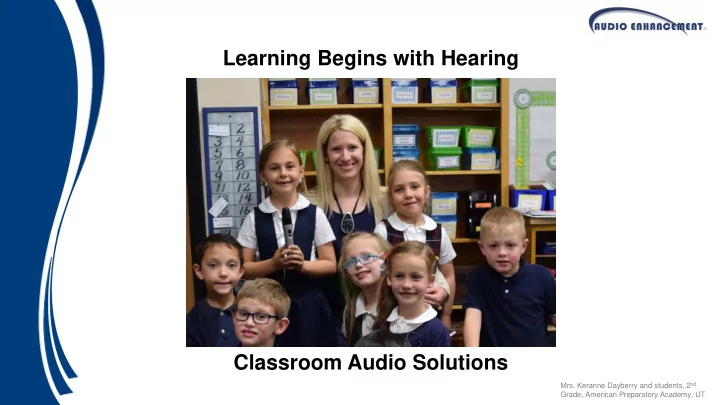
  • Mrs. Keranne Dayberry and students, 2nd

Grade, American Preparatory Academy, UT

slide-2
SLIDE 2
  • Audio Solutions is the installation of an easy-to-use microphone system in a

learning environment to distribute the teacher’s natural, soothing voice throughout the room, so that every student can hear better, and thus perform better!

  • Audio Solutions has far reaching effects including higher test scores,

increased retention of information, fewer behavioral issues, decreased teacher absenteeism, and much, much more!

What are Audio Solutions?

slide-3
SLIDE 3

Amplification vs. Enhancement & Distribution

  • Traditional Amplification System

Amplifies and makes the voice or presentation louder but not necessarily clearer or more understandable

  • Audio Solutions

Distributes the teachers natural, soothing voice evenly throughout the listening environment Voice is clear and understandable regardless of distance from speaker (so the teacher is free to move around the room)

slide-4
SLIDE 4

Current Classrooms

  • Classrooms are noisy!
  • Sneezing, coughing, shuffling papers and

backpacks, hall traffic, open windows, airplanes, busy roads, construction, heaters, fans, humming lights, miscellaneous electronics, tile floors, etc.

  • Up to 1/3 of kindergarten and first grade children

who have not been diagnosed with hearing disorders do not hear normally on any given day. This is due to seasonal sickness such as ear infections due to the common cold, flu, or allergies.

  • There are approximately 50 million school children

in the U.S. Over 8 million of them have some type and degree of permanent hearing loss.

slide-5
SLIDE 5

Signal to Noise Ratio

SNR or S/N Ratio: how much louder the signal (teacher's

voice) is above the noise level in the classroom.

  • S/N Ratio is a critical component in the student’s ability to

understand what is heard.

  • Studies have shown that Students need +15dB S/N Ratio.
slide-6
SLIDE 6

Sound DECREASES 6 dB every time the distance is doubled

The Inverse Square Law states that as the distance doubles, the dispersing of a single source spreads over four times the area becoming only ¼ of its

  • intensity. Just as you would

not use one light bulb to illuminate a classroom, a teacher or student’s voice is not a sufficient source of sound.

Inverse Square Law

slide-7
SLIDE 7

Sound DECREASES 6 dB every time the distance is doubled

Since 60-70% of all learning is auditory, the need for audio enhancement in the classroom is imperative to raise test scores and increase academic achievement.

Inverse Square Law

slide-8
SLIDE 8

How Does it Work?

slide-9
SLIDE 9

Hearing

  • Hearing is a first-order event for the

development of language and literacy skills.

  • Classrooms are auditory-verbal

environments.

  • The ability to learn centers on how well the

brain receives incoming signals or information from the teacher.

slide-10
SLIDE 10

What Part of the Vocabulary Carries Meaning in the English Language?

Can’t teachers just speak up?

  • r

use their “TEACHER VOICES”?

Source: Orem-Geneva Times

When someone speaks loudly, vowel energy is increased, but consonant energy is not increased to the same degree. Thus, ironically, loud speech or yelling increases audibility, but it decreases intelligibility.

slide-11
SLIDE 11

Automatic Auditory Cognitive Closure:

an example from reading Adults can automatically fill in the gaps in speech and hearing 'Aoccdrnig to a rscheearch at an Elingsh uinervtisy, it deosn't mttaer in waht oredr the ltteers in a wrod are, the olny iprmoetnt tihng is taht frist and lsat ltteer is at the rghit pclae. The rset can be a toatl mses and you can sitll raed it wouthit porbelm. Tihs is bcuseae we do not raed ervey lteter by it slef but the wrod as a wlohe.' - Ceehiro

slide-12
SLIDE 12

Automatic Auditory Cognitive Closure

  • Punch a 5th Grader
  • Looks Dirty
  • Math
  • Not Much
  • Spanked or Grounded
  • Get new Batteries
  • Better to be safe than
  • Don’t bite the hand that
  • You can’t teach an old dog new
  • A penny saved is
  • Children should be seen and not
  • If at first you don’t succeed
slide-13
SLIDE 13
  • Theresa Simon’s voice starting to go by the end of her first day.
  • Simon use to suffer every fall after heading back into the

classroom, along with several other teachers.

  • By the end of the first week each year, Simon would lose her voice

simply by usage.

  • Simon is a 23-year veteran who teaches 7th and 8th graders
  • “The acoustics in the classrooms are not that good and when

you’ve got a class of 30 kids, you’ve got to reach the ones in the back.”

  • Speech experts see an influx of scratchy-voiced teachers seeking help every autumn.
  • Teachers make up about 16% of the 37 million people in the United States who are dubbed “occupational voice users.”
  • On average, teachers are more than twice as likely as non-teachers to have voice problems and about

three times more likely to see a doctor about the issue.

Hoarse teachers find talking is an

  • ccupational hazard

Updated 9/23/2011 8:33:17 AM ET 2011-09-23T12:33:17

Teacher Voice Fatigue

slide-14
SLIDE 14
  • On average, teachers talk for 6.3 hours per day. Karen L. Anderson, 2001
  • Over 3M teachers in the US. Source: U.S. Bureau of Labor Statistics http://www.bls.gov/ooh/a-z-index.htm#T
  • 18-20% of teachers reported voice problems caused 1 day to 1 week

absence during a one year period. Roy, Merrill, Thibeault, Gray, & Smith, 2004; Vocal Fatigue Among

Teachers Gotaas C, Starr CD Folia Phoniatr 1993; 45:120–129

  • 21% of teachers had a pathological voice condition (75% could be

prevented) Urrutikoetzea, Ispizua, & Matellanes, 1995

Educator Vocal Strain & Fatigue

  • Because of voice problems, 4.2% considered a job
  • change. Mattiske et al., 1998
  • One in two female teachers reported voice disorders

(50.0%) compared to one in four males (26.0%). Vercambre

et al, BMC Public Health 2009

  • The voice problems of teachers in the US cost a

staggering $2.5 billion annually. Verdolini and Ramig, 2001

slide-15
SLIDE 15

56% of 141 teachers reported suffering from vocal abuse/fatigue problems at least once during the school year (1994-1995).

  • No. of Sick Days/Year

Allen, Keystone Area Education Agency, Iowa, 1995.

Dubuque Iowa Study on Teacher Absenteeism

At the time, the school system was paying $62 per day to substitutes, and they concluded that every 8 to 10 sick days saved by the district would cover the cost of another classroom amplification system.

10.0 9.0 8.0 7.0 6.0 5.0 4.0 3.0 2.0 1.0 0.0

Without an Audio Enhancement System With an Audio Enhancement System

Reduction in Sick Days

.97 Days 0.34 Days

slide-16
SLIDE 16

English Language Learners (ELL)

  • From the May 2010 Title III Report

– 44% of 4th grade ELL students scored below basic (lowest level) in mathematics and 70% scored below basic in reading. – 69% of 8th grade ELL students scored below basic mathematics, 70% in reading

  • Projections (Source: English Language Learners: Incorporating Technology into

the Academic Achievement Strategy White Paper. Association of Latino Administrators & Superintendents, 2011)

– Over the past 15 years the number of ELL students has doubled. – By 2025, one out of every 4 public school students will be an ELL

  • Effects of Sound-field FM Amplification on the Speech Perception of ESL Children, by

Carl C. Crandell, Ph.D., showed that ELL students “exhibit greater speech-perception difficulties than native English speaking children, particularly in degraded listening environments”.

– His research showed that speech perception abilities of ESL children were significantly improved with the utilization… of sound enhancement systems that amplify the speaker’s voice, whether teacher… parent or fellow learner.

slide-17
SLIDE 17
  • 60-70% of all learning is auditory*
  • On average, teachers talk for 6.5 hours per day
  • The State of Ohio has MANDATED through the OSFC (Ohio School

Facilities Commission) sound enhancement in all newly constructed K- 12 classrooms

  • Of the 50 largest districts in the U.S. – Approximately 40 have standardized on

IR Microphones

*Carol Flexer, University of Akron, 2002

Demand for Audio Enhancement:

slide-18
SLIDE 18

Benefits for…

 Literacy and math gains  5th Grade SAT student gains  State criterion reference

test gains

 Teacher absenteeism

declines

 Substantial financial savings

in substitute teacher pay & uninterrupted student learning  Easy to use and teacher friendly  Less vocal strain and fatigue  Don’t have to repeat instructions  Teacher can speak in nurturing tones  Teacher can be heard over disturbances  Spend more time teaching and less time on management of students  Improved Student Performance  Students are more engaged in the learning process  One-on-one instruction, no matter where you are in the classroom  Students can hear the teacher better  Improved Spelling Performance  Students are more attentive – less disruptive  Teachers don’t sound like they are yelling to be heard

ADMINISTRATORS TEACHERS STUDENTS

slide-19
SLIDE 19

Wireless IR microphones -- Getting National Exposure

slide-20
SLIDE 20

In June 2007, the national PTA organization adopted the Classroom Auditory Learning Issues resolution, making education on these auditory issues and advocacy for sound enhancement a national priority.

slide-21
SLIDE 21

Teacher Pendant Microphone

Remote Volume Control OWN, OTHER, LINE – Indicates which source will be controlled by the Up/Down remote volume controls BATT – Battery and Power Status Indicator (Green when on and fully charged) SELECT – Selects which source (OWN, OTHER, or LINE) will be controlled by the Up/Down remote volume controls PWR – Power On/Off and Mute Control External Microphone Input Connector Special Function Control CHG – Battery Charging Status Indicator Up/Down Remote Volume Controls Standard Micro USB Charging Port Auxiliary Line Level Input Connector Wirelessly transmits audio Buttons used for pairing microphone to receiver

slide-22
SLIDE 22

Audio Solutions System Features

  • Intelligent Battery Charger

– Microprocessor Controlled Battery Charger

  • Microprocessor controlled charging completely manages the

charging and discharging of the battery, providing lower total cost of ownership by maximizing battery life.

– Constantly monitors the discharge cycle and prevents the battery from being discharged too far – Carefully monitors the charging cycle, only charging the battery to the

  • ptimum point and then switching to a maintenance charge mode.

– Monitors the type of battery installed. Unlike the ‘smart chargers’ offered by

  • ther manufacturers that only work if you use a special battery with part of

the label stripped off, the Intelligent Charger from Audio Enhancement actually analyzes the type of battery that is installed and will only charge the proper type of battery.

  • Auto Charge Detect

– The microphone will automatically detect when the charger is plugged in, then will turn off and enter the charge mode

slide-23
SLIDE 23

Handheld Student Pass-around Microphone

Push-to-Talk Functionality Anti-Roll Design

Some teachers say this is the best reading tool in the classroom!

BATT – Battery and Power Status Indicator (Green when

  • n and fully charged)

Auxiliary Line Level Input Connector to wirelessly transmit audio Standard Micro USB Charging Port CHG – Battery Charging Status Indicator Power On/Off switch

Buttons used for pairing microphone to receiver

slide-24
SLIDE 24

Audio Solutions Features

Microphone Auxiliary Input

  • Allows local playback from additional sources (MP3, CD, computer, etc.)
  • Inputs on both the teardrop and the handheld microphones
slide-25
SLIDE 25

Audio Solutions Features

Digital Audio Recordings:

  • The Audio Solutions, along with the teacher's computer, is ready to

capture digital audio recordings. Audio from the teacher's and students' microphones, along with multimedia audio, can be easily recorded to the computer by utilizing the line output on the back of the amplifier.

  • Use with your favorite Interactive White Board or other ‘pod-casting’

software

  • This is what they mean when they say “21st Century Classroom”
slide-26
SLIDE 26

Easy Mounting/ Installation

Control Terminals (SAFE, Page Mute and RS-232/ Serial Connections) Connection to Room Amplifier Mixed Line Output Aux Line Input DIP Switches

Dual Channel Receiver

slide-27
SLIDE 27

Left – Center – Right Mic Ch#1 – Power – Mic Ch#2

LED “Status-at-a-glance” Indicators

Mic Ch#1 LED is orange when feedback blocker is activated

slide-28
SLIDE 28

The Receiver

FEATURES & BENEFITS

  • Upgrade or add to your existing FM classroom
  • Connect to any audio, any brand
  • Remote control access on microphone
  • Feedback blocker
  • Better frequency response
  • Greater coverage area
  • Easy to install
slide-29
SLIDE 29

Advanced Feedback Blocker

  • The Advanced Feedback Blocker

available on the IR-Satellite and XD Receiver

  • Feedback occurs when audio comes
  • ut of the speakers, back into the

microphone, and is then re-amplified by the system – this continues in an endless loop, creating feedback

  • In a classroom audio enhancement

system that is properly installed and setup, feedback is not an issue

  • The advanced feedback blocker is

designed to help assist in those situations where a user may inadvertently turn the audio system up too loud

Signal comes into the microphone

Signal sent to receiver/ amplifier

Signal is amplified sent to the speakers Signal comes out

  • f the speakers

Feedback Blocker

slide-30
SLIDE 30

Advanced Feedback Blocker

Use this switch on the rear panel to enable the Feedback Blocker

Dip Switch #5 3 Modes of Operation

– Selective Filters Mode

  • The processor constantly monitors the audio

signal through the system

  • When it finds one particular frequency that is

‘ringing’ it will attempt to reduce the level of that frequency.

  • It can simultaneously monitor up to 3

frequencies

  • It can also apply either a high pass or low pass

filter to try and eliminate the feedback – Attenuation Mode

  • Used in addition to the filters
  • If the processor continues to sense ‘ringing’ in

the system, it will lower the overall level of the system by 6 dB – Mute Mode

  • If the above steps fail to eliminate the feedback

situation

  • The processor will mute the system
  • The processor also activates the yellow

feedback blocker indicator on the front of the amplifier

  • This is an indication that the system volume

level is significantly too high

slide-31
SLIDE 31

The Sentinel System main components include the IR-Satellite, CA-50A amplifier, and teardrop microphone.

The Sentinel System

The Sentinel System is an affordable option that provides the latest in classroom security! The Sentinel System is designed specifically to provide classrooms with quality audio, plus the added features of the SAFE SYSTEMTM without breaking the budget.

slide-32
SLIDE 32

Sentinel System CA-50A Amplifier

Features:

  • Simple and affordable quality audio
  • Directly connect the IR-Satellite (TLD100) connector (RJ45)

to the CA-50A amp, no need for adapters.

  • 32 Watts of power (2-16 Watt Amps)
  • 3-Band Equalization
  • Three variable gain line inputs
  • Slim design and efficient heat dissipation allows for easy

mounting in a variety of applications including:

  • Media carts
  • Behind interactive whiteboards
  • Inside cabinetry
  • Up in the ceiling

The CA-50A classroom amplifier provides quality audio for teachers, students, and multimedia sources. It’s compact design is ideal for small spaces and is an affordable option to fit any budget.

slide-33
SLIDE 33

GL-300 Classroom System

  • Controllable via RS-232
  • (2) RS-232 Communication Ports: 1 port for

integration with control systems or IR-Satellite

  • (2) Remote Control Ports: 2 ports for integration with

wall plate controls, includes RS-485 control

  • 4 multimedia inputs
  • 1 Line balanced/unbalanced input (Euroblock),
  • 3 Line unbalanced stereo inputs (3.5 mm)
  • 1 Input connector for IR-Satellite/TLD100 (RJ45)
  • Microphones will mute during paging
  • USB programmable
  • 5-Band Equalizer
  • Very compact design
slide-34
SLIDE 34
  • Provides complete system in a small, compact enclosure
  • Ported enclosure for superior full frequency sound

reproduction

  • Remote control of microphone levels, and multimedia levels
  • 2 Auxiliary Inputs, 1 Auxiliary Output
  • Easy to access front panel controls
  • Flexible IR Sensor mounting
  • Can be mounted on top of the unit or remotely
  • Can be taken anywhere
  • Great option when installation is not possible

SoloSolution – Portable Solution

slide-35
SLIDE 35

MS-450: Classroom Audio Solutions, Multimedia Amplifier & Control Appliance

  • RS-232 Control Device
  • 2 Built in Digital I/O’s
  • 1 Line Balanced/Unbalanced Input
  • 3 Line Unbalance Stereo Inputs
  • Audio Enhancement TLD100 Input
  • Full Duplex Hands Free Communication
  • VoIP, RTP, & Multicast Protocols
  • Network Web Based Control
  • Integrated with Bell System
  • Integrated with PA System
  • Local Audio Mute During PA
  • Integrated with Phone System
  • Integrated with Alert Button
  • Optional Wall Mount Call Button and

Microphone

  • Optional RS-232 Button Control

Classroom Uses:

  • Amplification
  • SAFE System Interface
  • Multimedia Audio
  • Network Bells, PA, & Intercom Interface
  • A/V Control Interface
slide-36
SLIDE 36

MS-450 Total Classroom Audio Solution

MS-450 Microphone Call Button RS-232 Buttons Front of Room Inputs RS-232 Controlled Projector Back of Room Inputs

slide-37
SLIDE 37

Zone 1 Zone 2 Zone 3 Standard Classroom Lab Class First Lunch Classroom Second Lunch Classroom Existing IP Phone Exterior Zone Dedicated SAFE Commander Paging Phone Dedicated SAFE Commander Push-to-Talk Microphone Existing Computer Interface to SAFE Commander SAFE Commander Appliance Existing SIP Server

MS-450 Integration with Bells, PA & Intercom

MS-1000 SAFE Controller MS-250 MS-250 70V Amp

slide-38
SLIDE 38

What Schools are Saying about Audio Enhancement’s Audio Solutions

Comments from Administrators Teachers, and Students

slide-39
SLIDE 39

Ron Clark

Disney’s Teacher of the year 2001 & Founder of the Ron Clark Academy in Atlanta, Georgia.

“If you really want to level the playing field then Classroom Audio is a necessity for every classroom...” – Ron Clark

slide-40
SLIDE 40

Click to Play

slide-41
SLIDE 41

“The students are less distracted & more attentive.” “If children don’t hear clearly and consistently, their academic potential is compromised.” “The only downside I see is that I can’t get these systems into my classrooms fast enough.” “There is a much greater understanding of oral instruction.” “This is the single best way I’ve found to increase test scores across the board.” “If a child cannot clearly hear the teacher, the entire educational system in undermined.”

What Administrators are Saying

“In working with school districts across the United States, I have

  • bserved that the primary factor in improving student learning is

keeping the students engaged in the learning process. Both teacher and student must be actively engaged for maximum learning to

  • ccur. I would recommend Audio Enhancement to any school as a way

to increase the amount of engaged time.” Robert N. Fortenberry – Former Superintendent, Jackson, MI

slide-42
SLIDE 42

“I have more energy throughout the day.” “My students are more attentive and less disruptive.” “I don’t have to repeat instructions.” “I have noticed significantly improved student performance.” “You can take away my desks and manuals, but I’ll bar the door if you take away my amplification equipment!”

  • Louise Ortberg, Fulton School Teacher

What Teachers are Saying

“After having IR in my classroom, I cannot imagine ever teaching without it

  • again. The system ensures that every child in my classroom hears and clearly

understands everything that is said, thus significantly increasing student

  • engagement. As a language arts teacher, I am continuously trying to teach my

students the importance of inflection, articulation, and subtle changes in one's voice when communicating. With IR this becomes possible -- I am able to talk to every child in even the faintest of whispers if I wish.” Kimberly Bearden, Cofounder and Executive Director The Ron Clark Academy, Atlanta, GA

slide-43
SLIDE 43

“The teacher doesn’t yell at us anymore.” “I can hear the teacher better.” “It makes class more interesting.”

“I like it because it feels like the teacher is right at my side, talking just to me!”

What Students are Saying