Kinect Device How the Kinect Works T2 Subhransu Maji Slides - - PowerPoint PPT Presentation

kinect device how the kinect works
SMART_READER_LITE
LIVE PREVIEW

Kinect Device How the Kinect Works T2 Subhransu Maji Slides - - PowerPoint PPT Presentation

4/27/16 Kinect Device How the Kinect Works T2 Subhransu Maji Slides credit: Derek Hoiem, University of Illinois Photo frame-grabbed from: http://www.blisteredthumbs.net/2010/11/dance-central-angry-review Kinect Device What the Kinect does


slide-1
SLIDE 1

4/27/16 1

How the Kinect Works

Subhransu Maji Slides credit: Derek Hoiem, University of Illinois

Photo frame-grabbed from: http://www.blisteredthumbs.net/2010/11/dance-central-angry-review

T2

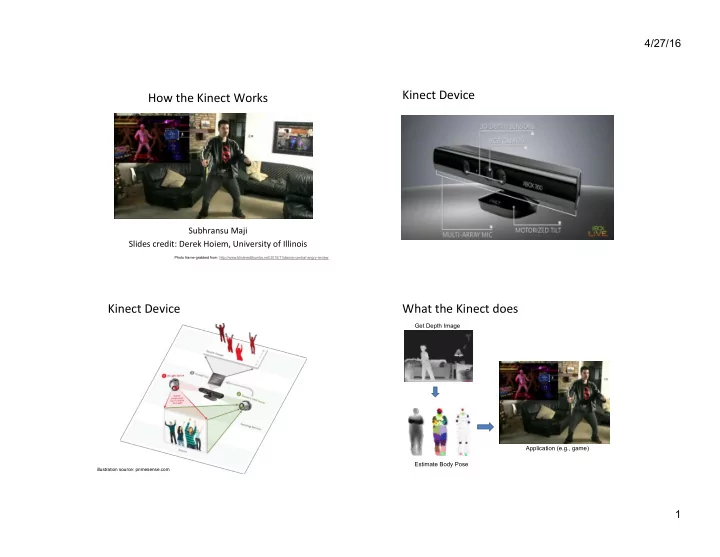
Kinect Device Kinect Device

illustration source: primesense.com

What the Kinect does

Get Depth Image Estimate Body Pose Application (e.g., game)

slide-2
SLIDE 2

4/27/16 2

How Kinect Works: Overview

IR Projector IR Sensor

Projected Light Pattern Depth Image Stereo Algorithm Segmentation, Part Prediction Body Pose

Part 1: Stereo from projected dots

IR Projector IR Sensor

Projected Light Pattern Depth Image Stereo Algorithm Segmentation, Part Prediction Body Pose

Part 1: Stereo from projected dots

  • 1. Overview of depth from stereo
  • 2. How it works for a projector/sensor pair
  • 3. Stereo algorithm used by Primesense (Kinect)

Depth from Stereo Images

image 1 image 2 Dense depth map

Some of following slides adapted from Steve Seitz and Lana Lazebnik

slide-3
SLIDE 3

4/27/16 3

Depth from Stereo Images

  • Goal: recover depth by finding image coordinate x’

that corresponds to x

f x x’ Baseline B z C C’ X f X x x' Potential matches for x have to lie on the corresponding line l’. Potential matches for x’ have to lie on the corresponding line l.

Stereo and the Epipolar constraint

x x’ X x’ X x’ X

Simplest Case: Parallel images

  • Image planes of cameras are

parallel to each other and to the baseline

  • Camera centers are at same

height

  • Focal lengths are the same
  • Then, epipolar lines fall along

the horizontal scan lines of the images

Basic stereo matching algorithm

  • For each pixel in the first image

– Find corresponding epipolar line in the right image – Examine all pixels on the epipolar line and pick the best match – Triangulate the matches to get depth informaXon

slide-4
SLIDE 4

4/27/16 4

Depth from disparity

f x’ Baseline B z O O’ X f

z f B x x disparity ⋅ = ′ − =

Disparity is inversely proportional to depth.

x

z f O O x x = ′ − ′ −

Basic stereo matching algorithm

  • If necessary, recXfy the two stereo images to transform

epipolar lines into scanlines

  • For each pixel x in the first image

– Find corresponding epipolar scanline in the right image – Examine all pixels on the scanline and pick the best match x’ – Compute disparity x-x’ and set depth(x) = fB/(x-x’)

Matching cost disparity Left Right scanline

Correspondence search

  • Slide a window along the right scanline and

compare contents of that window with the reference window in the le[ image

  • Matching cost: SSD or normalized correlaXon

Left Right scanline

Correspondence search

SSD

slide-5
SLIDE 5

4/27/16 5

Left Right scanline

Correspondence search

  • Norm. corr

Results with window search

Window-based matching Ground truth Data

Add constraints and solve with graph cuts

Graph cuts Ground truth

For the latest and greatest: http://www.middlebury.edu/stereo/

  • Y. Boykov, O. Veksler, and R. Zabih,

Fast Approximate Energy Minimization via Graph Cuts, PAMI 2001

Before

Failures of correspondence search

Textureless surfaces Occlusions, repetition Non-Lambertian surfaces, specularities

slide-6
SLIDE 6

4/27/16 6

Dot ProjecXons

http://www.youtube.com/ watch?v=28JwgxbQx8w

Depth from Projector-Sensor

Only one image: How is it possible to get depth?

Projector Sensor Scene Surface

Same stereo algorithms apply

Projector Sensor

Example: Book vs. No Book

Source: http://www.futurepicture.org/?p=97

slide-7
SLIDE 7

4/27/16 7

Example: Book vs. No Book

Source: http://www.futurepicture.org/?p=97

Region-growing Random Dot Matching

  • 1. Detect dots (“speckles”) and label them unknown
  • 2. Randomly select a region anchor, a dot with unknown

depth

a. Windowed search via normalized cross correlaXon along scanline

– Check that best match score is greater than threshold; if not, mark as “invalid” and go to 2

  • b. Region growing

1. Neighboring pixels are added to a queue 2. For each pixel in queue, iniXalize by anchor’s shi[; then search small local neighborhood; if matched, add neighbors to queue 3. Stop when no pixels are le[ in the queue

  • 3. Stop when all dots have known depth or are marked

“invalid”

http://www.wipo.int/patentscope/search/en/WO2007043036

Projected IR vs. Natural Light Stereo

  • What are the advantages of IR?

– Works in low light condiXons – Does not rely on having textured objects – Not confused by repeated scene textures – Can tailor algorithm to produced paeern

  • What are advantages of natural light?

– Works outside, anywhere with sufficient light – Uses less energy – ResoluXon limited only by sensors, not projector

  • DifficulXes with both

– Very dark surfaces may not reflect enough light – Specular reflecXon in mirrors or metal causes trouble

Part 2: Pose from depth

IR Projector IR Sensor

Projected Light Pattern Depth Image Stereo Algorithm Segmentation, Part Prediction Body Pose

slide-8
SLIDE 8

4/27/16 8

Goal: esXmate pose from depth image

Real-Time Human Pose Recognition in Parts from a Single Depth Image Jamie Shotton, Andrew Fitzgibbon, Mat Cook, Toby Sharp, Mark Finocchio, Richard Moore, Alex Kipman, and Andrew Blake CVPR 2011

Goal: esXmate pose from depth image

RGB Depth Part Label Map Joint Positions http://research.microsoft.com/apps/video/ default.aspx?id=144455

Challenges

  • Lots of variaXon in bodies, orientaXon, poses
  • Needs to be very fast (their algorithm runs at 200

FPS on the Xbox 360 GPU)

Pose Examples Examples of

  • ne part

Extract body pixels by thresholding depth

slide-9
SLIDE 9

4/27/16 9

Basic learning approach

  • Very simple features
  • Lots of data
  • Flexible classifier

Get lots of training data

  • Capture and sample 500K mocap frames of

people kicking, driving, dancing, etc.

  • Get 3D models for 15 bodies with a variety of

weight, height, etc.

  • Synthesize mocap data for all 15 body types

Body models Features

  • Difference of depth at two offsets

– Offset is scaled by depth at center

slide-10
SLIDE 10

4/27/16 10

Part predicXon with random forests

  • Randomized decision forests: collecXon of

independently trained trees

  • Each tree is a classifier that predicts the likelihood of a

pixel belonging to each part

– Node corresponds to a thresholded feature – The leaf node that an example falls into corresponds to a conjuncXon of several features – In training, at each node, a subset of features is chosen randomly, and the most discriminaXve is selected

Joint esXmaXon

  • Joints are esXmated using mean-shi[ (a fast

mode-finding algorithm)

  • Observed part center is offset by pre-

esXmated value

Results

Ground Truth

More results

slide-11
SLIDE 11

4/27/16 11

Accuracy vs. Number of Training Examples

Uses of Kinect

  • Mario: hep://www.youtube.com/watch?v=8CTJL5lUjHg
  • Robot Control:

hep://www.youtube.com/watch?v=w8BmgtMKFbY

  • Capture for holography:

hep://www.youtube.com/watch?v=4LW8wgmfpTE

  • Virtual dressing room:

hep://www.youtube.com/watch?v=1jbvnk1T4vQ

  • Fly wall:

hep://vimeo.com/user3445108/kiwibankinteracXvewall

  • 3D Scanner:

hep://www.youtube.com/watch?v=V7LthXRoESw

To learn more

  • Warning: lots of wrong info on web
  • Great site by Daniel Reetz:

hep://www.futurepicture.org/?p=97

  • Kinect patents:

hep://www.faqs.org/patents/app/20100118123 hep://www.faqs.org/patents/app/20100020078 hep://www.faqs.org/patents/app/20100007717

Next week

  • Tues

– ICES forms (important!) – Wrap-up, proj 5 results

  • Normal office hours + feel free to stop by other Xmes on

Tues, Thurs

– Try to stop by instead of e-mail except for one-line answer kind

  • f things
  • Final project reports due Thursday at midnight
  • Friday

– Final project presentaXons at 1:30pm – If you’re in a jam for final project, let me know early