JSAT (Java Safety Analysis Tool) Team: THEORACTICE Sangjin Han - - PDF document

jsat java safety analysis tool
SMART_READER_LITE
LIVE PREVIEW

JSAT (Java Safety Analysis Tool) Team: THEORACTICE Sangjin Han - - PDF document

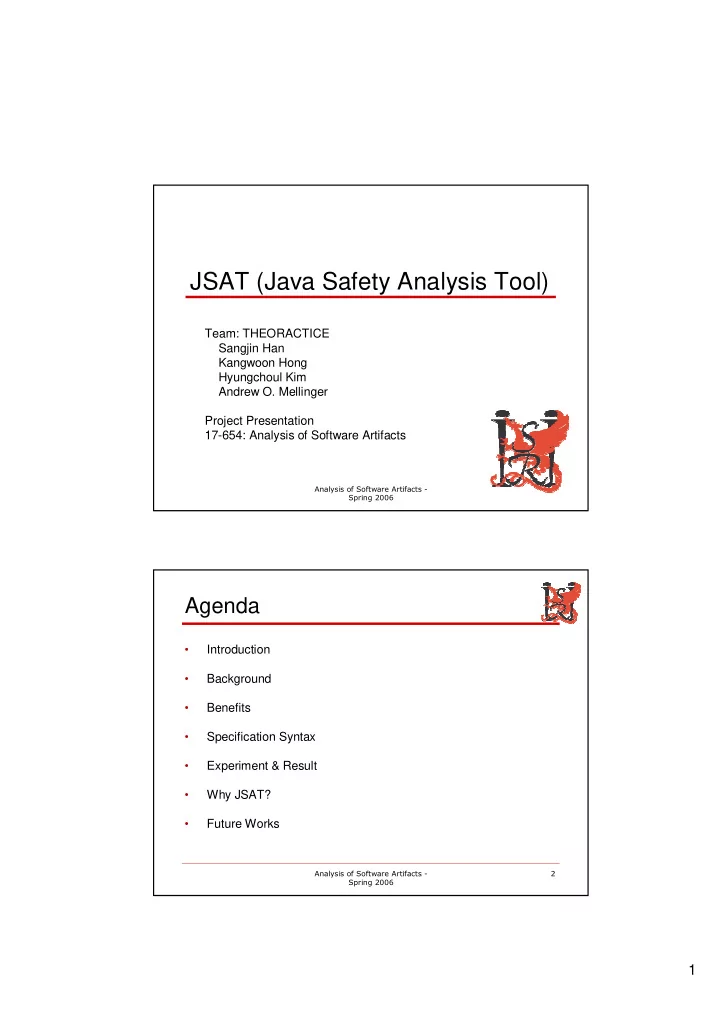
JSAT (Java Safety Analysis Tool) Team: THEORACTICE Sangjin Han Kangwoon Hong Hyungchoul Kim Andrew O. Mellinger Project Presentation 17-654: Analysis of Software Artifacts


slide-1
SLIDE 1

1

  • JSAT (Java Safety Analysis Tool)

Team: THEORACTICE Sangjin Han Kangwoon Hong Hyungchoul Kim Andrew O. Mellinger Project Presentation 17-654: Analysis of Software Artifacts

  • Agenda
  • Introduction
  • Background
  • Benefits
  • Specification Syntax
  • Experiment & Result
  • Why JSAT?
  • Future Works
slide-2
SLIDE 2

2

  • Introduction to JSAT
  • Built on Crystal2 framework
  • Analyze Java source code statically
  • Check temporal safety property

(i.e. check specification conformance of method implementation)

  • Modifiable and re-distributable

(royalty-free… )

  • The JSAT System

Syntax Analyzer Syntax Analyzer Parser + Safety Checker (JSAT) Parser + Safety Checker (JSAT) Java Source Code (*.java files) Java Source Code (*.java files) Specification (*.sm files) Specification (*.sm files) True or False True or False

slide-3
SLIDE 3

3

  • Theoretical Background
  • Dataflow analysis
  • Finite state machine
  • Modular reasoning
  • Benefits
  • Easier to code than writing own analysis.
  • Specification can be kept in separate file

(i.e. don't need access to source code.)

  • Can track any number of variables or

functions easily.

  • Light-weight and easy to write specifications

(terms are based on UML statechart diagram)

slide-4
SLIDE 4

4

  • Core Specification Syntax (1)

:: | , :: , | , | , , :: :: | & & StateVariable a a StateVariable Event Pattern Guard Pattern Action Pattern Guard Action Pattern MethodInvocation Guard Predicate Predicate Guard = = = =

  • Core Specification Syntax (2)

:: | ! | | | | :: | , :: :: | Predicate a e a e a e a e a e a e Action Assignment Assignment Action Assignment a e e a c variable a value c = == = < > <= >= = = = =

slide-5
SLIDE 5

5

  • Experiment & Result

global int lockStatus = 0; event { pattern { smInit(); } action { lockStatus = 0; } } event { pattern { smLock(); } guard { lockStatus == 0 } action { lockStatus = 1; } } event { pattern { smUnlock(); } guard { lockStatus == 1 } action { lockStatus = 0; } } public class Device { int nPackets; public void doWork() { smInit(); if (nPackets >= 1) { smLock(); smWritePacket(); smUnlock(); } } public Device(int i) { nPackets = i; }

LockUnlock.sm (Specification) Device.java (Java Source Code) TRUE

  • Why JSAT ?

ESC/JAVA Fluid PREfix Metal Fugue Daikon Echelon Blast JSAT ESC/JAVA Fluid JSAT [YES] Is# Annotation# Separate# From#Source# Code Can#Analyze#Java# Source#Code#? Can#Analyze# Statically#? ESC/JAVA Fluid JSAT [YES] JSAT [YES]

slide-6
SLIDE 6

6

  • Future Works
  • Extend pattern type
  • Accept more complex predicates
  • Allow symbolic state
slide-7
SLIDE 7

7

  • Application of Eclat

Serendipity Majid AlMeshari Lucia de Lascurain Steven Lawrance Ricardo Vazquez Hyunwoo Kim Project Presentation 17-654: Analysis of Software Artifacts

  • Agenda
  • Motivation
  • How does Eclat work?
  • Our Studio project
  • Our experiments
  • Analysis of experimental data
  • Lessons learned
  • Next steps
  • Questions
slide-8
SLIDE 8

8

  • Motivation
  • Writing test cases manually
  • Is time consuming
  • Requires deep understanding of the

system’s invariants

  • Eclat generates test cases automatically

by discovering system’s invariants

  • How does Eclat work? (1)
slide-9
SLIDE 9

9

  • How does Eclat work? (2)
  • Our Studio project
  • Objective: calculate security sensor

positions in a 3D blueprint to maximize coverage and follow security rules.

  • To design our architecture, we

developed experiments that calculate the coverage of sensors.

  • We used this code to analyze Eclat, as it

is representative of our project.

slide-10
SLIDE 10

10

  • Our Experiments
  • Inject five defects into our code
  • Incorrect variable assignment
  • Incorrect guard, e.g. if ( y < z_size )
  • Protocol violation
  • Incorrect parameter assignment
  • Off-by-one problem
  • Experiments
  • Run Eclat with partial test cases
  • Run Eclat with full test cases
  • Code review
  • Sample: Off-by-one problem (1)
  • Fault injected source code

vox = (Voxel)enu.nextElement(); while (enu.hasMoreElements()) { if (vox.getRed()==red && vox.getGreen()==green && vox.getBlue()==blue && vox.getAlpha()==alpha) volume++; vox = (Voxel)enu.nextElement(); }

slide-11
SLIDE 11

11

  • Sample: Off-by-one problem (2)
  • Input test case
  • VoxelSpace voxelSpace = new VoxelSpace(2, 2, 2, 2.2);
  • voxelSpace.color(248, 40, 241, 128, 0, 0, 0);
  • voxelSpace.color(248, 40, 241, 128, 0, 0, 1);
  • voxelSpace.color(248, 40, 241, 128, 1, 0, 0);
  • voxelSpace.color(248, 40, 241, 128, 1, 0, 1);
  • voxelSpace.color(248, 40, 241, 128, 0, 1, 0);
  • … // nothing that affects (248, 40, 241, 128)’s coordinates
  • voxelSpace.color(248, 40, 240, 128, 0, 1, 0);
  • assertTrue(voxelSpace.getVolume(248, 40, 241, 128) == 4);
  • Assertion Failure

(r,g,b,a) color (x,y,z) coordinate

  • Sample: Off-by-one problem (3)
  • Eclat-generated test case
  • cmu.voxeltoy.VoxelSpace var180 = new

cmu.voxeltoy.VoxelSpace(2, 2, 1, (double)-5.0);

  • … // nothing that sets a voxel’s color
  • int var422 = var180.getVolume(0, 0, 0, 0);
  • NoSuchElementException
slide-12
SLIDE 12

12

  • Sample: Off-by-one problem (4)
  • Manually-constructed test case
  • Found the case where the returned volume

is off by one due to failure to include the last voxel

  • Eclat-generated test case
  • Found the case where an empty voxel

space throws an exception instead of returning zero

  • Eclat found a test case that a seemingly-

comprehensive test suite missed

  • Analysis of Experimental Data

4 4 Unexpected errors found 2 2 False negatives 1 False positives N/A 85 29 Generated test cases N/A 10 2 Input test cases Code review Eclat: full test cases Eclat: Partial test cases

slide-13
SLIDE 13

13

  • Bugs Found by Eclat
  • Fault revealing inputs
  • Important for making our project robust and

scalable.

  • Example:

In the getVolume() method, we weren’t checking for the inputs to be positive and not null.

  • Order of calls
  • Example:

If getVolume() is called before any voxel is created by calling color(), then an exception is thrown.

  • Lessons learned (1)
  • Benefits
  • Saves tester’s time by generating extensive

test cases

  • Finds common errors that a developer
  • verlooks such as null dereferencing
  • Explores extensive set of inputs
  • Ensures program invariants
  • Shortens test process by selecting an
  • ptimized set of test cases
slide-14
SLIDE 14

14

  • Lessons learned (2)
  • Drawbacks
  • Dependency on coverage of input test

cases

  • Analysis of the outputs takes long time due

to the number of test cases generated

  • False positives due to imprecise discovery
  • f invariants
  • Conclusion
  • Good combination between analysis

techniques and traditional techniques

  • Very useful for software engineers like

us

  • Outputs might be hard to understand for

testers with no knowledge of invariants, pre and post-conditions

slide-15
SLIDE 15

15

  • Next steps
  • Will we continue using Eclat?
  • Yes.
  • Why?
  • It creates test cases that cover

combinations of inputs that we might miss by code reviews or our test cases.

  • It finds invariants in our code.
  • Questions

?

slide-16
SLIDE 16

16

  • Daikon

Daikon: Invariant Detection of N : Invariant Detection of NEMO EMO

OMPArchitectability OMPArchitectability

MinHo Jeung, Kyu Hou, Varun Dutt, Eun-young Cho, Monica Page

Project Presentation 17-654: Analysis of Software Artifacts

  • Contents

Contents

  • NEMO’s Group Management
  • How does Daikon work?
  • What Daikon does & does not do?
  • Daikon & Group Management
  • Evaluation: Precision, Soundness, Performance &

Static (ESC Java) vs. Dynamic (Daikon) Analysis

  • The Bottom Line: Use of Daikon on NEMO?
slide-17
SLIDE 17

17

  • NEMO

NEMO’ ’s s Group Management Group Management

Client Server Network Connection Router Request for Join

Legend

Internet Reply

Request for join Inform nearest node Request for join Accept the request

  • How does

How does Daikon Daikon Work? Work?

NEMO .dtrace.gz Port no. 1045~1050 .dtrace.gz chicory .inv.gz

java daikon.Chicory MulticastAgent java daikon.Daikon MulticastAgent.dtrace.gz

Allocation View? Deployment Style??

* Picture is taken from MIT’s Daikon website

slide-18
SLIDE 18

18

  • What

What Daikon Daikon Does & Does not do? Does & Does not do?

  • Daikon does not…
  • Report bugs in your code
  • Report errors
  • Report defects (according to Pressman, defects

are reported by customers and errors are found by developers!)

  • Daikon does…
  • Provide pre & post condition in terms of invariants
  • Execute the code based on test cases
  • Detect invariants at runtime
  • Allow program annotation (only for single package

Java programs)

  • Daikon

Daikon and Group and Group Management Management

  • Nodes configuration

▲ O

co-leader leader element

Cluster Node Link Layer

this.config.degree == this.config.crewSize this.config.degree == this.nodeId.id.id[this.config.numStreams]

4 4 4

slide-19
SLIDE 19

19

  • Precision or confidence
  • Invariants are determined based on test cases
  • NEMO:
  • Port numbers 1045 – 1050
  • Did the test cases insure the quality of invariants detected?
  • Did the test cases insure full code coverage?
  • Invariants are empirical, and may not show the true picture
  • NEMO:
  • The cases of “degree” had false positive results
  • Invariants become precise as the number of “relevant” test cases

increase

  • Relevant test cases:
  • Test cases with more code coverage and

Test cases greater in number

  • The invariants detected could be more in number?
  • Did the test cases all of them? (Very difficult to say…)

this.config.degree == this.config.crewSize this.config.degree == this.nodeId.id.id[this.config.numStreams]

Evaluation: Precision Evaluation: Precision

  • Soundness
  • There may be false negatives as if the test cases do not cover a

section of code, there would not be any invariants detected in that section! – Unsound!

  • NEMO:
  • Covered 1 out of 3 cases and thus produced invariants only for that

case – Join and Leave invariants may still be unsound

  • The Invariant templates may not be enough for the section of

the code covered – One may need to define custom invariants

  • NEMO:
  • Time did not allow us to do so!

Evaluation: Soundness Evaluation: Soundness

slide-20
SLIDE 20

20

  • Static (ESC/Java) - Sound
  • Statically check code and annotate
  • Reason about possible executions without
  • bservation
  • NEMO: Not possible for an entire code size of

NEMO (~1.3MB)

  • Dynamic (Daikon) – Unsound
  • Capture invariants on variable traces of test cases
  • NEMO: Possible as it executes NEMO but may

be unsound

Evaluation: Static Vs Evaluation: Static Vs Daikon Daikon

  • Bottom Line: Use of

Bottom Line: Use of Daikon Daikon on NEMO?

  • n NEMO?
  • Moderately helpful as…
  • One could test Multicast Protocol Project NEMO
  • Discovered invariants increased understanding of NEMO

However,

  • The test cases may not have provided good code coverage
  • The team finds Daikon lukewarm in analysis on account of its

unsound character on a stiff performance related project

slide-21
SLIDE 21

21

  • Questions

Questions

  • Performance
  • Time = O (( |vars|3 χ falsetime + |trueinvs| χ |testsuit|) χ |program|)

vars: Number of variables at a program point falsetime: Small constant time to falsify a potential invariant trueinvs: Small number of true invariants testsuit: Size of the test suite program: Number of instrumented program points