introduce teenagers to the fun of programming Syrine Krichene - - PowerPoint PPT Presentation

introduce teenagers to the fun of programming
SMART_READER_LITE
LIVE PREVIEW

introduce teenagers to the fun of programming Syrine Krichene - - PowerPoint PPT Presentation

How we used Python to introduce teenagers to the fun of programming Syrine Krichene Software Engineer @ Criteo Anne-Marie Tousch Research Scientist @Criteo @amy8492 Problem CRITEO R&D EMPLOYEES WORLDWIDE Women 10% Men 90% 2
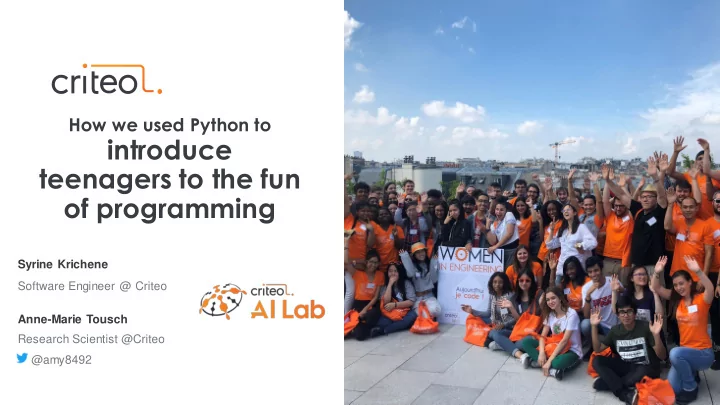

slide-1
SLIDE 1

Syrine Krichene Software Engineer @ Criteo

How we used Python to

introduce teenagers to the fun

  • f programming

Anne-Marie Tousch Research Scientist @Criteo @amy8492

slide-2
SLIDE 2

2 •

Problem

Men 90% Women 10%

CRITEO R&D EMPLOYEES WORLDWIDE

slide-3
SLIDE 3

3 •

  • Women under-representation is a fairly

recent phenomenon

  • Many women programmers throughout

history

  • We want the young people to embark!

Stereotypes vs. reality

slide-4
SLIDE 4

4 •

  • Meet women engineers
  • Visit our Criteo Paris office
  • Have fun & get some swag
  • Actually write some code

A day to discover computer science jobs

slide-5
SLIDE 5

5 •

Preparing the coding part

  • Discover computer science
  • Motivate career choice in computer

science

slide-6
SLIDE 6

6 •

The time constraint

1h30

slide-7
SLIDE 7
slide-8
SLIDE 8

8 •

  • Setup and check all the

computers

  • Prepare code

No bugs

slide-9
SLIDE 9

9 •

  • Pair programming
  • Unblocker
  • Questions

Mentoring

slide-10
SLIDE 10
slide-11
SLIDE 11

11 •

Have fun & Be creative

  • Music, games, images and

video, robots

  • Immediate feedback
slide-12
SLIDE 12

12 •

  • Reads like english
  • Multi-purpose
  • Rich ecosystem
  • Used by professionals

Discover a real programming language

slide-13
SLIDE 13

13 •

  • Robots
  • Games
  • Video & pictures processing
  • Data processing
  • Artifical intelligence

Discover computer science topics

slide-14
SLIDE 14

14 •

  • High school Maths
  • High school Physics
  • English!

Apply what you already know

slide-15
SLIDE 15

15 •

  • It feels good to learn
  • Step-by-step discoveries

Progress

slide-16
SLIDE 16

Color-switch alike game

slide-17
SLIDE 17

17 •

slide-18
SLIDE 18

18 •

  • Have fun
  • > Play Games
  • > Win the Game
  • > Be the best at your game !
  • Be creative:
  • > change the game's set up
  • > change the rules
  • > change the graphics

...

Have fun & Be creative

slide-19
SLIDE 19

19 •

  • Simple functions

for loops if conditions

Discover a real programming language

for i in range(3): print(“Hi ”, i)

Hi 0 Hi 1 Hi 2

1 2

for i in range(3): print(“Hi ”, i)

Hi 0 Hi 1 Hi 2

1 2

for i in range(3): print(“Hi ”, i)

Hi 1 Hi 2

1 2

for i in range(3): print(“Hi ”, i)

Hi 2

1 2

for i in range(3): print(“Hi ”, i)

1 2

slide-20
SLIDE 20

20 •

  • Simple functions

for loops if conditions

  • Using libraries: Kivy

Learn to look for information on the web! read the documentation

Discover a real programming language

slide-21
SLIDE 21

21 •

  • Create games:

Action on clicks Animation

Discover computer science topics

slide-22
SLIDE 22

22 •

  • Create games:

Action on clicks Animation Graphics

Discover computer science topics

slide-23
SLIDE 23

23 •

  • Create games:

Action on clicks Animation Graphics Frame displays Widget interactions (master and slave)

Discover computer science topics

slide-24
SLIDE 24

24 •

  • Create games:

Action on clicks Animation Graphics Frame displays Widget interactions (master and slave) Progress Game hacking

Discover computer science topics

slide-25
SLIDE 25

25 •

Apply what you already know

  • Physics

Use positions to check collisions Increase the speed

  • Math​

Use variables to automate changes​

  • Logic

Realistic animation​ Scoring rules

  • Geometry and drawings

Create the widgets graphics

slide-26
SLIDE 26

26 •

  • Workshop + presentation
  • Increase difficulty
  • Discover different parts of the game
  • Let's hack and play the game !

Progress

slide-27
SLIDE 27

Cra razy filters ers

slide-28
SLIDE 28

28 •

  • Teens love Snapshat & Instagram
  • Even basic image processing is

fun

  • Use the webcam for immediate

feedback

Get creative

slide-29
SLIDE 29

29 •

  • Powered by Kivy & Numpy
  • Boosted with OpenCV
  • GUI to ease testing
  • Commented in french

Python

main.py transforms.py

slide-30
SLIDE 30

30 •

  • Digital images
  • Use RGB color system to

create custom colorizations

Image processing

slide-31
SLIDE 31

31 •

  • Draw rectangles
  • Draw flags
  • Combine effects
  • Use OpenCV…

… AI inside !!!

From simple to complex

Demo time!

slide-32
SLIDE 32

32 •

  • The image coordinate system
  • How do you draw a star?

Maths to the rescue

slide-33
SLIDE 33
slide-34
SLIDE 34

34 •

Students

« avoir passé une journé née chez Criteo

  • m'a

apporté bien plus que je ne l’imaginais. » « j'ai parti ticul ulièrement t aimé cette joie qui nous a été commun uniqué uée, jointe à l'envie de créer et de programmer en découvrant t de nouvelles

  • choses. »
slide-35
SLIDE 35

35 •

  • Exercises are not easy!

Teachers

slide-36
SLIDE 36

36 •

  • Close mentoring
  • Competition helps creativity
  • Don’t hide code difficulty

Take-aways

slide-37
SLIDE 37

37 •

  • Contact CGénial if you want to participate
  • Checkout our code on https://github.com/criteo/je-code-crazy-filters

We’re doing it again soon!