INTRO TO OOP FOR STREAMS AND DATA SCIENCE FILES PROF. JOHN GAUCH - - PDF document

intro to oop for streams and data science files
SMART_READER_LITE
LIVE PREVIEW

INTRO TO OOP FOR STREAMS AND DATA SCIENCE FILES PROF. JOHN GAUCH - - PDF document

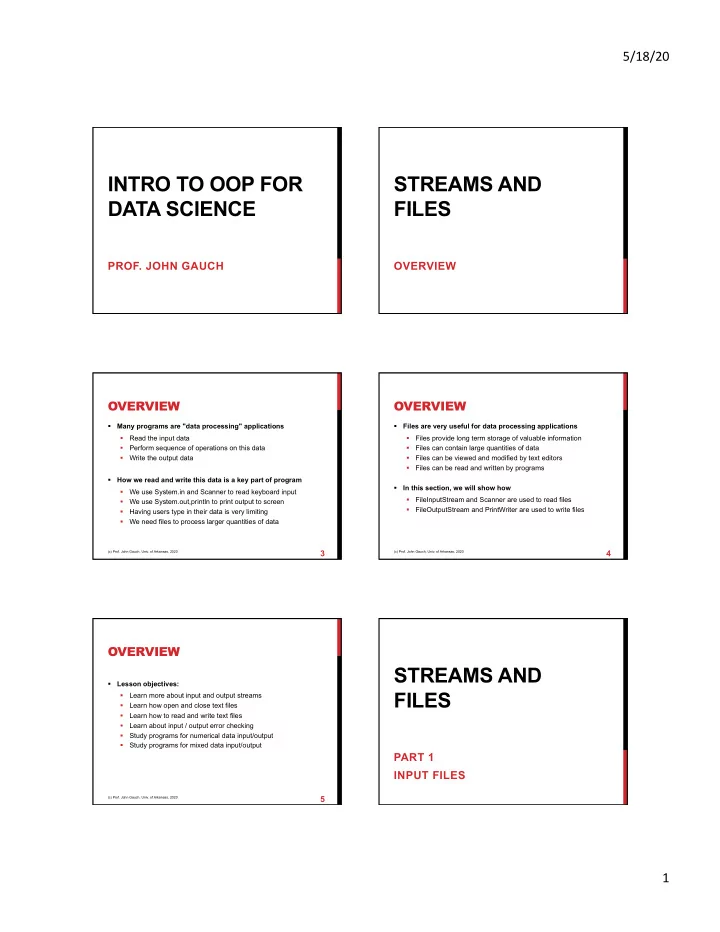
5/18/20 INTRO TO OOP FOR STREAMS AND DATA SCIENCE FILES PROF. JOHN GAUCH OVERVIEW OVERVIEW OVERVIEW Many programs are "data processing" applications Files are very useful for data processing applications Read the input data


slide-1
SLIDE 1

5/18/20 1

INTRO TO OOP FOR DATA SCIENCE

  • PROF. JOHN GAUCH

STREAMS AND FILES

OVERVIEW

OVERVIEW

§ Many programs are "data processing" applications § Read the input data § Perform sequence of operations on this data § Write the output data § How we read and write this data is a key part of program § We use System.in and Scanner to read keyboard input § We use System.out,println to print output to screen § Having users type in their data is very limiting § We need files to process larger quantities of data

(c) Prof. John Gauch, Univ. of Arkansas, 2020

3

OVERVIEW

§ Files are very useful for data processing applications § Files provide long term storage of valuable information § Files can contain large quantities of data § Files can be viewed and modified by text editors § Files can be read and written by programs § In this section, we will show how § FileInputStream and Scanner are used to read files § FileOutputStream and PrintWriter are used to write files

(c) Prof. John Gauch, Univ. of Arkansas, 2020

4

OVERVIEW

§ Lesson objectives: § Learn more about input and output streams § Learn how open and close text files § Learn how to read and write text files § Learn about input / output error checking § Study programs for numerical data input/output § Study programs for mixed data input/output

(c) Prof. John Gauch, Univ. of Arkansas, 2020

5

STREAMS AND FILES

PART 1 INPUT FILES

slide-2
SLIDE 2

5/18/20 2

INPUT FILES

§ Input files have many advantages § We can store large amounts of data in a file § We can store different kinds of data in a file § We can edit this data using a text editor § We can read and process this data in a program § Java has provided support for file input § Add the following at top of program import java.io.FileInputStream; import java.io.IOException;

(c) Prof. John Gauch, Univ. of Arkansas, 2020

7

READING INTEGERS

§ Consider the problem of reading and processing an input file that contains integers separated by spaces § Get the name of the file to open § Create a FileInputStream object § Create a Scanner object § While data is available to read

§ Read integer value from the input file § Process this data in some way

§ Close the input file § Java will “throw exceptions” (print error message and die) if the file does not exist, or if you try to read past end of file

(c) Prof. John Gauch, Univ. of Arkansas, 2020

8

READING INTEGERS

§ Program to read and print integer values in a file

// Create file stream and scanner FileInputStream fileStream = new FileInputStream(fileName); Scanner fileScanner = new Scanner(fileStream); // Loop reading and printing data while (fileScanner.hasNextInt()) { int value = fileScanner.nextInt(); System.out.print(value + " "); } // Close input file fileStream.close();

(c) Prof. John Gauch, Univ. of Arkansas, 2020

9

This creates a Scanner

  • bject we can use to read

any data type from the file

READING INTEGERS

§ Program to read and print integer values in a file

// Create file stream and scanner FileInputStream fileStream = new FileInputStream(fileName); Scanner fileScanner = new Scanner(fileStream); // Loop reading and printing data while (fileScanner.hasNextInt()) { int value = fileScanner.nextInt(); System.out.print(value + " "); } // Close input file fileStream.close();

(c) Prof. John Gauch, Univ. of Arkansas, 2020

10

This checks the scanner to see if another integer is available in file to read

READING INTEGERS

§ Program to read and print integer values in a file

// Create file stream and scanner FileInputStream fileStream = new FileInputStream(fileName); Scanner fileScanner = new Scanner(fileStream); // Loop reading and printing data while (fileScanner.hasNextInt()) { int value = fileScanner.nextInt(); System.out.print(value + " "); } // Close input file fileStream.close();

(c) Prof. John Gauch, Univ. of Arkansas, 2020

11

This reads and prints the next integer from the input file

READING INTEGERS

§ Program to read and print integer values in a file

// Create file stream and scanner FileInputStream fileStream = new FileInputStream(fileName); Scanner fileScanner = new Scanner(fileStream); // Loop reading and printing data while (fileScanner.hasNextInt()) { int value = fileScanner.nextInt(); System.out.print(value + " "); } // Close input file fileStream.close();

(c) Prof. John Gauch, Univ. of Arkansas, 2020

12

Once the input/output is working we can add more data processing here (e.g. calculate the average value)
slide-3
SLIDE 3

5/18/20 3

READING INTEGERS

§ Program to read and print integer values in a file

// Create file stream and scanner FileInputStream fileStream = new FileInputStream(fileName); Scanner fileScanner = new Scanner(fileStream); // Loop reading and printing data while (fileScanner.hasNextInt()) { int value = fileScanner.nextInt(); System.out.print(value + " "); } // Close input file fileStream.close();

(c) Prof. John Gauch, Univ. of Arkansas, 2020

13

This closes the input file so it can be used by other users

READING INTEGERS

§ Sample input.txt file (all values on one line)

1 2 3 4 5 6 7 8 9 10 11 12 13 14 15 16 17 18 19 20

§ Sample input.txt file (five values per line)

1 2 3 4 5 6 7 8 9 10 11 12 13 14 15 16 17 18 19 20

§ It does not matter how this input file is formatted because fileScanner.nextInt() will skip over all white space before reading the integer

(c) Prof. John Gauch, Univ. of Arkansas, 2020

14

CODE DEMO

Compile and run FindAverage.java

(c) Prof. John Gauch, Univ. of Arkansas, 2020

15

READING STRINGS

§ Consider the problem of reading an essay and counting the number of times a target word occurs (e.g. “because”) § Get the name of the file to open § Create a FileInputStream object § Create a Scanner object § Get target word from user § While data is available to read

§ Read string from the input file § Compare string to target word § If word matches increment counter

§ Close the input file

(c) Prof. John Gauch, Univ. of Arkansas, 2020

16

READING STRINGS

§ Program to read and compare strings in a file

// Read file name System.out.print("Enter file name: "); String fileName = scnr.next(); // Read target word System.out.print("Enter target word: "); String target = scnr.next(); // Create file stream and scanner FileInputStream fileStream = new FileInputStream(fileName); Scanner fileScnr = new Scanner(fileStream);

(c) Prof. John Gauch, Univ. of Arkansas, 2020

17

First we get user input

READING STRINGS

§ Program to read and compare strings in a file

// Read file name System.out.print("Enter file name: "); String fileName = scnr.next(); // Read target word System.out.print("Enter target word: "); String target = scnr.next(); // Create file stream and scanner FileInputStream fileStream = new FileInputStream(fileName); Scanner fileScnr = new Scanner(fileStream);

(c) Prof. John Gauch, Univ. of Arkansas, 2020

18

Then we create Scanner

  • bject to read strings from

the input file one by one

slide-4
SLIDE 4

5/18/20 4

READING STRINGS

§ Program to read and compare strings in a file

// Read and print words String word; int count = 0; int found = 0; while (fileScnr.hasNext()) { word = fileScnr.next(); if (word.equals(target)) found++; count++; }

(c) Prof. John Gauch, Univ. of Arkansas, 2020

19

Loop reading words until we reach the end of the input file

READING STRINGS

§ Program to read and compare strings in a file

// Read and print words String word; int count = 0; int found = 0; while (fileScnr.hasNext()) { word = fileScnr.next(); if (word.equals(target)) found++; count++; }

(c) Prof. John Gauch, Univ. of Arkansas, 2020

20

If the word matches the target word we increment the counter

READING STRINGS

§ Program to read and compare strings in a file

// Print results System.out.println("Word '" + target + "' was found " + found + " times out of " + count + " words in document"); // Close input file fileStream.close();

(c) Prof. John Gauch, Univ. of Arkansas, 2020

21

Close the input file Print the results

READING STRINGS

§ Sample book.txt input file (from David Copperfield)

Whether I shall turn out to be the hero of my own life, or whether that station will be held by anybody else, these pages must show. To begin my life with the beginning of my life, I record that I was born (as I have been informed and believe) on a Friday, at twelve o’clock at night. It was remarked that the clock began to strike, and I began to cry, simultaneously.

(c) Prof. John Gauch, Univ. of Arkansas, 2020

22

READING STRINGS

§ Sample program output Enter file name: book.txt Enter target word: the Word 'the' found 3 times out of 73 words Enter file name: book.txt Enter target word: I Word ’I' found 5 times out of 73 words Enter file name: book.txt Enter target word: zebra Word ’zebra' found 0 times out of 73 words

(c) Prof. John Gauch, Univ. of Arkansas, 2020

23

CODE DEMO

Compile and run CountWords.java

(c) Prof. John Gauch, Univ. of Arkansas, 2020

24

slide-5
SLIDE 5

5/18/20 5

READING MIXED DATA

§ Consider the problem of reading and processing student grade information from an input file § We need to know what is stored, and in what order § For example, it is possible to store student ID, Name, and GPA in six different ways! § ID Name GPA § ID GPA Name § Name ID GPA § Name GPA ID § GPA ID Name § GPA Name ID

(c) Prof. John Gauch, Univ. of Arkansas, 2020

25

READING MIXED DATA

§ Assume that the input file stores one student record per line in the file, and student data fields are in this order: § ID Name GPA § The goal of our program is to read the input file and print information for all students with GPA >= 3.5 § Open input file § Loop until end of file reached § Read three pieces of student data § Print student information if GPA is above 3.5 § Close the input file

(c) Prof. John Gauch, Univ. of Arkansas, 2020

26

READING MIXED DATA

§ Program to read and process student data

// Create file stream and scanner FileInputStream fileStream = new FileInputStream("student.txt"); Scanner fileScanner = new Scanner(fileStream); // Read and print student information while (fileScanner.hasNextInt()) { int studentID = fileScanner.nextInt(); String studentName = fileScanner.next(); float studentGPA = fileScanner.nextFloat();

(c) Prof. John Gauch, Univ. of Arkansas, 2020

27

This opens an input file called student.txt

READING MIXED DATA

§ Program to read and process student data

// Create file stream and scanner FileInputStream fileStream = new FileInputStream("student.txt"); Scanner fileScanner = new Scanner(fileStream); // Read and print student information while (fileScanner.hasNextInt()) { int studentID = fileScanner.nextInt(); String studentName = fileScanner.next(); float studentGPA = fileScanner.nextFloat();

(c) Prof. John Gauch, Univ. of Arkansas, 2020

28

This reads an integer, string, and float in this

  • rder from input file

READING MIXED DATA

§ Program to read and process student data

// Print selected student information if (studentGPA > 3.5) System.out.println(studentID + " " + studentName + " " + studentGPA); } // Close input file fileStream.close();

(c) Prof. John Gauch, Univ. of Arkansas, 2020

29

Print information for selected students

READING MIXED DATA

§ Program to read and process student data

// Print selected student information if (studentGPA > 3.5) System.out.println(studentID + " " + studentName + " " + studentGPA); } // Close input file fileStream.close();

(c) Prof. John Gauch, Univ. of Arkansas, 2020

30

Close the input file

slide-6
SLIDE 6

5/18/20 6

READING MIXED DATA

§ Sample program output

123 Smith 3.5 321 Johnson 3.7 765 Miller 3.9 963 Moore 3.8

(c) Prof. John Gauch, Univ. of Arkansas, 2020

31

§ Sample student.txt file

123 Smith 3.5 321 Johnson 3.7 431 Williams 2.9 234 Jones 2.7 345 Brown 3.1 567 Davis 2.5 765 Miller 3.9 864 Wilson 1.7 963 Moore 3.8 369 Taylor 2.3

CODE DEMO

Compile and run ReadStudent.java

(c) Prof. John Gauch, Univ. of Arkansas, 2020

32

SUMMARY

§ In this section described the Java syntax for file input § How to open an input file § How to read integers, strings, and mixed data from file § How to close an input file § Key concept: The program that reads the file must know the format of the input file in advance § We need to know what data types are required § We need to know the order values are stored in § Otherwise the program will have errors and might crash

(c) Prof. John Gauch, Univ. of Arkansas, 2020

33

STREAMS AND FILES

PART 2 OUTPUT FILES

OUTPUT FILES

§ Writing program output into a file has several advantages § We can output very large amounts of data § We can save this information long term in file system § We can read / edit this data using a text editor § We can process this data using another program § Java has provided support for file output § Add the following at top of program import java.io.FileOutputStream; import java.io.PrintWriter; import java.io.IOException;

(c) Prof. John Gauch, Univ. of Arkansas, 2020

35

WRITING INTEGERS

§ Consider the problem of creating an output file that contains the times table up to 12x12 § Get the name of the file to create § Create a FileOutputStream object § Create a PrintWriter object § Loop printing integer values to output file § Close the output file § Java will “throw exceptions” (print error message and die) if the output file can not be created

(c) Prof. John Gauch, Univ. of Arkansas, 2020

36

slide-7
SLIDE 7

5/18/20 7

WRITING INTEGERS

§ Program to output the times table up to 12x12

// Read file name Scanner scnr = new Scanner(System.in); System.out.print("Enter output file name: "); String fileName = scnr.next(); // Create file stream and writer FileOutputStream fileStream = new FileOutputStream(fileName); PrintWriter fileWriter = new PrintWriter(fileStream);

(c) Prof. John Gauch, Univ. of Arkansas, 2020

Open the output file

37

Get file name from user

WRITING INTEGERS

§ Program to output the times table up to 12x12

// Write integers to file for (int row=1; row<=10; row++) { for (int col=1; col<=10; col++) fileWriter.printf("%4d", row*col); fileWriter.println(); } // Close input file fileWriter.flush(); fileStream.close();

(c) Prof. John Gauch, Univ. of Arkansas, 2020

Loop printing values for 12x12 times table

38

Flush and close the output file Printing a new line after every row

WRITING INTEGERS

§ Sample program output

1 2 3 4 5 6 7 8 9 10 2 4 6 8 10 12 14 16 18 20 3 6 9 12 15 18 21 24 27 30 4 8 12 16 20 24 28 32 36 40 5 10 15 20 25 30 35 40 45 50 6 12 18 24 30 36 42 48 54 60 7 14 21 28 35 42 49 56 63 70 8 16 24 32 40 48 56 64 72 80 9 18 27 36 45 54 63 72 81 90 10 20 30 40 50 60 70 80 90 100

(c) Prof. John Gauch, Univ. of Arkansas, 2020

39

Notice that the columns are aligned because we used formatted output with printf(“%4d”, )

CODE DEMO

Compile and run PrintTable.java

(c) Prof. John Gauch, Univ. of Arkansas, 2020

40

WRITING MIXED DATA

§ When we write variables with different data types to a file we need to make the format easy to read § Group data that belongs together on one line § Put data fields in an easy to read/use order § Print spaces between data fields to separate them § Print commas between data fields to get CSV format § Example: Writing student information to a file § Assume student data is stored in four arrays § Print one student record per line in the output file § Desired output order: ID GPA FirstName LastName

(c) Prof. John Gauch, Univ. of Arkansas, 2020

41

WRITING MIXED DATA

§ Program to output student information // Initialize student info int studentID[] = {123, 234, 345, 456}; double studentGPA[] = {3.1, 3.7, 2.9, 4.0}; String firstName[] = {"Jim", "Sally", "Bob", "Tom"}; String lastName[] = {"Brown", "Smith", "Miller", "Jones"}; // Create file stream and writer String fileName = "student.txt"; FileOutputStream fileStream = new FileOutputStream(fileName); PrintWriter fileWriter = new PrintWriter(fileStream);

(c) Prof. John Gauch, Univ. of Arkansas, 2020

Create “student.txt” file

42

slide-8
SLIDE 8

5/18/20 8

WRITING MIXED DATA

§ Program to output student information

// Write student info to file for (int i=0; i<studentID.length; i++) fileWriter.printf("%d %3.1f %s %s\n", studentID[i], studentGPA[i], firstName[i], lastName[i]); // Close input file fileWriter.flush(); fileStream.close();

(c) Prof. John Gauch, Univ. of Arkansas, 2020

Print four pieces of data using formatted output %d for integer %f for float %s for string

43

WRITING MIXED DATA

§ Program to output student information

// Write student info to file for (int i=0; i<studentID.length; i++) fileWriter.printf("%d,%3.1f,%s,%s\n", studentID[i], studentGPA[i], firstName[i], lastName[i]); // Close input file fileWriter.flush(); fileStream.close();

(c) Prof. John Gauch, Univ. of Arkansas, 2020

This version prints student information in comma separated value (CSV) format instead

44

WRITING MIXED DATA

§ Sample student.txt file

123 3.1 Jim Brown 234 3.7 Sally Smith 345 2.9 Bob Miller 456 4.0 Tom Jones

§ Notice that this output format is different than our previous student input file format § We can NOT read this student.txt file using our previous student input program § We should change either the input format OR the output format so they match each other

(c) Prof. John Gauch, Univ. of Arkansas, 2020

45

CODE DEMO

Compile and run PrintStudent.java

(c) Prof. John Gauch, Univ. of Arkansas, 2020

46

SUMMARY

§ In this section described the Java syntax for file output § How to open a file § How to write data to the file § How to close the file § Remember to put spaces or commas between output values § Otherwise your data may be unreadable § Be very careful when opening output files § If you open a file that already exists, you will erase the original file and overwrite it with your output § This can be very bad, especially if you use the name of the input file (or your source code!) by accident

(c) Prof. John Gauch, Univ. of Arkansas, 2020

47