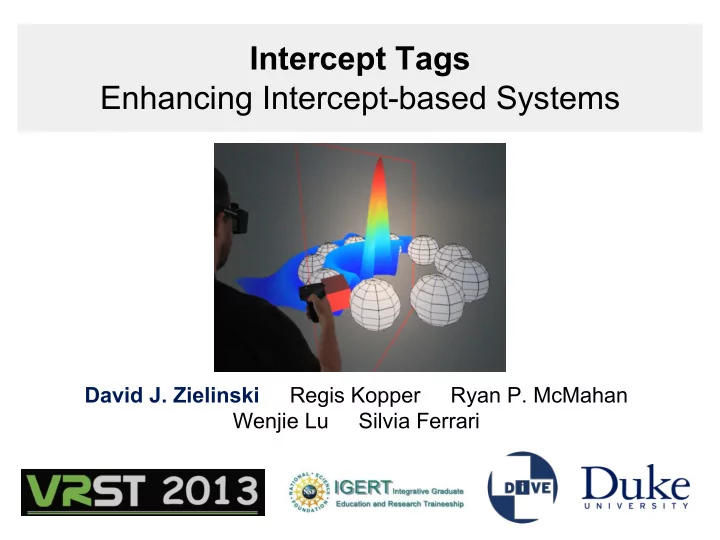
Intercept Tags Enhancing Intercept-based Systems David J. Zielinski - - PowerPoint PPT Presentation
Intercept Tags Enhancing Intercept-based Systems David J. Zielinski Regis Kopper Ryan P. McMahan Wenjie Lu Silvia Ferrari Background: Virtual Reality Sofware Custom Virtual Reality Software Virtual Reality Experience Desktop Computer
Virtual Reality Experience Desktop Computer Application Intercept Technique
Background: Virtual Reality Sofware
Custom Virtual Reality Software Virtual Reality Experience
Intercept Case Standard Case
Intercept Technique Example
Drawing Command (e.
- g. “draw a triangle”)
Graphics Driver (opengl32.dll)
Intercept Driver (new opengl32.dll) Drawing Command (e.
- g. “draw a triangle”)
Existing Intercept Systems
Name Description Techviz Commercial software Conduit from Mechdyne Commercial software Chromium, WireGL Open-source project ML2VR Open-source framework focused on
- MATLAB. Presented as a poster at
IEEE VR 2013.
Intercept System Challenges
Drawing Command (e.g. “draw a triangle”) Desktop Application (e.g. MATLAB) Data: User’s hand position,
- rientation, buttons.
(1) complex realistic simulations take time to compute and will cause low frame rates (2) large scenes, with lots of objects, take time to send over ethernet, leading to low frame rates
- There are some bottlenecks in our system
- ur special
- pengl32.dll
Why is Low Frame Rate Bad?
Interaction Latency Simulator Sickness
- Nausea
- Headache
- Dizziness
- frustration, confusion
- undershoot, overshoot
and miss target
- repeat action (multiple
button presses) when getting no response
Motivation: Improving commonly used “Virtual Hand” Interaction Technique
- ur special
- pengl32.dll
Desktop Application VR Application (fast) slow? slow?
- Opportunity: The VR
Application runs at a fast frame rate
- What if we could have the VR
Application take control for the Virtual Hand?
Our Solution: Intercept Tags
MATLAB: draw_cube draw_cube2 intercept_tag draw_sphere intercept_tag draw_cube3 draw_cube4
- Specific geometry calls
- Chosen to not appear in scene
- Interpreted, not rendered
ML2VR: draw_cube draw_cube2 load V-Hand transform draw_sphere unload transform draw_cube3 draw_cube4 draw_cube draw_cube2 draw_triangle(0,0..) draw_sphere draw_triangle(0,0..) draw_cube3 draw_cube4
Hand-Off Manipulation. Step by Step.
intercept driver
Desktop Application VR Application draw_cube draw_sphere
intercept driver
Desktop Application draw_cube <intercept tag> draw_sphere <intercept tag> user presses and holds button
intercept driver
Desktop Application draw_cube <intercept tag> draw_sphere <intercept tag>
intercept driver
Desktop Application draw_cube draw_sphere user releases button
1. 2. 3. 4.
VR Application VR Application VR Application
Hand-Off Techniques
(1) Hand-Off Manipulation previously discussed (2) Hand-Off Slice Plane smoothly move slice plane which affects only certain objects, even if desktop is at low frame rate.
Display Techniques
(1) Display Lists We can specify sections
- f static (unchanging)
geometry, and thus avoid transferring it each frame. (2) Level Of Detail We can use the tags to specify multiple representations of the
- bject (with varying
polygon-count).
draw_moving_sphere <dl_intercept_tag> draw_static_cube(1...100) <dl_intercept_tag>
Visual Enhancements
(1) Interpolated Animations (2) Advanced Shader Insertion
vertex shaded vs per pixel
Hand-Off Manipulation User Study
- place a solid cube completely inside a wireframe cube
- varying sizes of wireframe cube (10%,20%,40%)
- within subjects design
○ hand-off manipulation vs original virtual hand ○ 54 + 54 = 108 total tasks
User Study Setup
- Six-sided CAVE-type display. Active stereo glasses
- Tracking provided by Intersense IS-900
- MATLAB script with framework/interception by ML2VR
- 14 unpaid subjects
Time Analysis
- Hand-off manipulation always significantly faster
- Significant Interaction effect was found
○ harder the task, better hand-off manipulation ○ easier the task, less benefit found
Clutch Analysis
- Hand-off manipulation caused significantly fewer clutches
- Smaller targets required significantly more clutches
- No significant interaction effect
○ Possibly due to small sample size
Questionnaire Analysis
- Usability Questionaire (SUS)
“I think that I would like to use this interaction system frequently.”
- Sickness Questionaire (SSQ)
“Fatigue, Headache, Sweating, Nausea, Dizziness, Eyestrain”
- Presence Questionare (SUS)
“Rate your sense of being in the room with the cubes.”
Interaction Usability Sickness Presence Hand-Off Traditional
Limitations:
- Techniques apply only to intercept based
systems.
- Tags need to enclose geometry. (May not
function in higher order desktop applications that re-order geometry calls).
Contributions:
- Proposed the concept of intercept tags
- Proposed ideas for hand-off techniques,
display techniques, and visual enhancements
- Implemented the hand-off techniques for
use in ML2VR.
- Conducted a user study of the benefits of
using intercept tags for hand off manipulation.
Future Work
(Features implemented in ML2VR)
hand-off techniques display techniques visual enhancements
Thank You! Questions?
djzielin@duke.edu
Support:
National Science Foundation. IGERT Grant No. DGE-1068871.