Indirection Indirection means using one entity to _________________ - - PowerPoint PPT Presentation

indirection
SMART_READER_LITE
LIVE PREVIEW

Indirection Indirection means using one entity to _________________ - - PowerPoint PPT Presentation

9.1 9.2 Indirection Indirection means using one entity to _________________ Examples: A variable name vs. it's ____________________________ CS356 Unit 9 _______________ vs. cell tower location/phone ID Titles like


slide-1
SLIDE 1

9.1

CS356 Unit 9

Virtual Memory & Address Translation

9.2

Indirection

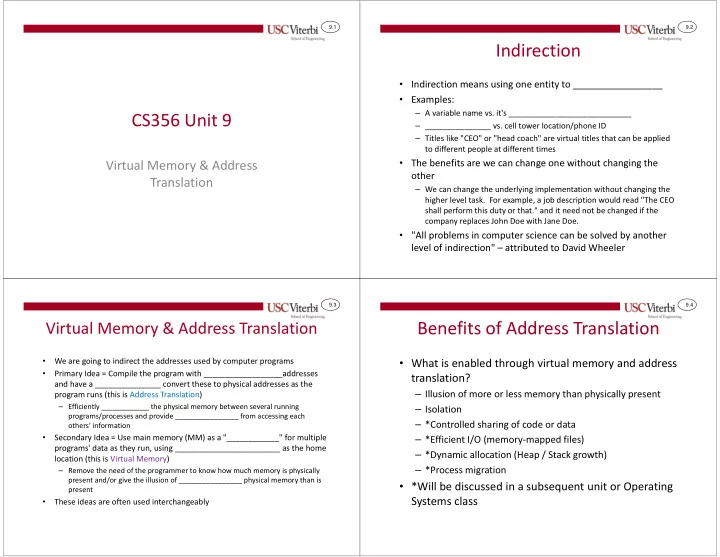
  • Indirection means using one entity to _________________
  • Examples:

– A variable name vs. it's ____________________________ – _______________ vs. cell tower location/phone ID – Titles like "CEO" or "head coach" are virtual titles that can be applied to different people at different times

  • The benefits are we can change one without changing the
  • ther

– We can change the underlying implementation without changing the higher level task. For example, a job description would read "The CEO shall perform this duty or that." and it need not be changed if the company replaces John Doe with Jane Doe.

  • "All problems in computer science can be solved by another

level of indirection" – attributed to David Wheeler

9.3

Virtual Memory & Address Translation

  • We are going to indirect the addresses used by computer programs
  • Primary Idea = Compile the program with __________________addresses

and have a _______________ convert these to physical addresses as the program runs (this is Address Translation)

– Efficiently ____________ the physical memory between several running programs/processes and provide ________________ from accessing each

  • thers' information
  • Secondary Idea = Use main memory (MM) as a "____________" for multiple

programs' data as they run, using ________________________ as the home location (this is Virtual Memory)

– Remove the need of the programmer to know how much memory is physically present and/or give the illusion of ________________ physical memory than is present

  • These ideas are often used interchangeably

9.4

Benefits of Address Translation

  • What is enabled through virtual memory and address

translation?

– Illusion of more or less memory than physically present – Isolation – *Controlled sharing of code or data – *Efficient I/O (memory-mapped files) – *Dynamic allocation (Heap / Stack growth) – *Process migration

  • *Will be discussed in a subsequent unit or Operating

Systems class

slide-2
SLIDE 2

9.5

Memory Hierarchy & Caching

  • Lower levels act as a cache for upper levels

Disk / Secondary Storage ~1-10 ms Main Memory ~ 100 ns L2 Cache ~ 10ns L1 Cache ~ 1ns Registers L1/L2 is a “cache” for main memory Virtual memory provides each process its own address space in secondary storage and uses main memory as a cache

This Photo by Unknown Author is licensed under CC BY-SA

9.6

Secondary Storage: Magnetic Disks

  • Magnetic hard drive consists of

– Double sided surfaces/platters (with R/W head) – Each platter is divided into concentric tracks of small sectors that each store several thousand bits

  • Performance is slow primarily due to moving __________________

Surfaces

Read/Write Head 0 Read/Write Head 7 Read/Write Head 1 … Track 0 Track 1 Sector 0 Sector 1 Sector 2

  • Seek Time: Time needed to

position the read-head above the proper track

  • Rotational delay: Time needed

to bring the right sector under the read-head

  • Depends on rotation

speed (e.g. 5400 RPM)

  • Transfer Time:
  • Disk Controller Overhead:

______ ______ 0.1 ms + 2.0 ms ~20 ms 9.7

Secondary Storage: Flash

  • Flash (_____________) drives store bits

using special transistors that retain their values even when power is turned off

  • Performance is higher than magnetic

disks but still slower comparted to main memory

– Better sequential read throughput

  • HD (Magnetic): 122-204 MB/s
  • SSD: 210-270 MB/s

– MUCH better random read

  • Max latency for single read/write: 75us
  • When many requests present we can overlap and

achieve latency of around 26us (1/38500)

  • Flash drives "____________" after

some number of writes/erasures

OS:PP 2nd Ed. Fig. 12.6 Intel 710 SSD specs. 9.8

Address Spaces

  • Physical address spaces corresponds

to the actual system address ______ (based on the ________ of the address bus) of the processor and how much main memory is physically present

  • Each process/program runs in its own

private "virtual" address space

– Virtual address space can be larger (or smaller) than physical memory – Virtual address spaces are ____________ from each other

32-bit Physical Address Space w/

  • nly 1 GB of Mem

0x00000000 0xffff ffff Mem. I/O Not used 0x3fffffff Not used 0x80000000 0xbfffffff Code 0x00000000 0xffff ffff

32-bit Fictitious Virtual Address Spaces ( > 1GB Mem)

Mapped I/O

  • Program/Process

1,2,3,…

  • Data
  • Heap
  • Stack
  • 0xc0000000

0x10000000

slide-3
SLIDE 3

9.9

Processes

  • Process

– (def 1.) __________________________

  • (Virtual) Address Space = Protected view of memory
  • 1 or more threads

– (def 2.) : Running __________________ that has ___________________

  • Memory is protected: Address translation (VM) ensures no

access to any other processes' memory

  • I/O is protected: Processes execute in user-mode (not

kernel mode) which generally means direct I/O access is disallowed instead requiring system calls into the kernel

  • OS Kernel is not considered a "process"

– Has access to all resources and much of its code is invoked under the execution of a user process thread

Code 0x00000000 0xffff ffff

Address Spaces

Mapped I/O

  • Program/Process

1,2,3,…

  • Data
  • Heap
  • Stack
  • 0xc0000000

0x10000000 = Thread 9.10

Virtual Address Spaces (VAS)

  • Virtual address spaces

(VASs) are broken into blocks called "________"

  • Depending on the

program, much of the virtual address space will be __________

  • Pages can be allocated

"___________" (i.e. when the stack grows, etc.)

  • All allocated pages can be

stored in secondary storage (hard drive)

1 2 3 Unalloc 1 2 Unalloc

Secondary Storage

… Unalloc … 1 2 3 1 2

Used/Unused Blocks in Virtual Address Space

Code 0x00000000 0xffff ffff

Mapped I/O

  • Program/Process

1,2,3,…

  • Data
  • Heap
  • Stack
  • 0xc0000000

0x10000000

0 - Code 1 - Code 2 - Data 4 - Heap … 3 - Stack 0 - Code 1 - Code 2 - Data 4 - Heap 3 - Stack

9.11

1 2 3 Unalloc 1 2 Unalloc … Unalloc … 1 2 3 1 2 0 - Code 1 - Code 2 - Data 4 - Heap … 3 - Stack 0 - Code 1 - Code 2 - Data 4 - Heap 3 - Stack

Physical Address Space (PAS)

  • Physical memory is broken into

page-size blocks called "_______"

  • Multiple programs can be running

and their pages can _______ the physical memory

  • Physical memory acts as a ______

for pages with secondary storage acting as the backing store (next lower level in the hierarchy)

  • A page can be:

– _______________ (not needed yet…stack/heap) – Allocated and residing in secondary storage (_____________) – Allocated and residing in main memory (____________)

0x00000000 0x3fffffff

1GB Physical Memory and 32-bit Address Space

0xffffffff

Secondary Storage Fictitious Virtual Address Spaces

frame

0-Code

  • Pg. 0
  • Pg. 2

2-Data

  • Pg. 0

frame I/O and un- used area 9.12

Paging

  • Virtual address space is divided into equal

size "pages" (often around 4KB)

  • Physical memory is broken into page

frames (which can hold any page of virtual memory and then be swapped for another page)

  • Virtual address spaces can be __________

while physical layout is not

Physical Frame of memory can hold data from any virtual page. Since all pages are the same size any page can go in any frame (and be swapped at our desire). 0x00000000 0x3fffffff frame 0-Code

  • Pg. 0
  • Pg. 2

2-Data

  • Pg. 0

frame I/O and un- used area 0xffffffff

  • Pg. 0
  • Pg. 1
  • Pg. 2
  • Pg. 3

unused …

  • Pg. 0
  • Pg. 1
  • Pg. 2

unused unused …

  • Phys. Addr.

Space

  • Proc. 1 VAS Proc. 2 VAS
slide-4
SLIDE 4

9.13

Virtual vs. Physical Addresses

  • Key: Programs are written using virtual

addresses

  • HW & the OS will __________ the virtual

addresses used by the program to the physical address where that page resides

  • If an attempt is made to access a page

that is not in physical memory, ____ generates a "__________ exception" and the OS is invoked to bring in the page to physical memory (possibly evicting another page)

  • Notice: Virtual addresses are not ______

– Each program/process has VA: 0x00000000

Translation Unit / MMU (Mem. Mgmt. Unit)

Proc. Core

Memory Data PA: 0x0 PA:0x3fffffff frame

0-Code

Physical Memory and Address Space

  • Pg. 0
  • Pg. 2

2-Data

  • Pg. 0

frame I/O and un- used area 0xffffffff

Secondary Storage Fictitious Virtual Address Spaces

1 2 3 Unalloc 1 2 Unalloc … Unalloc … 1 2 3 1 2 0 - Code 1 - Code 2 - Data 4 - Heap … 3 - Stack 0 - Code 1 - Code 2 - Data 4 - Heap 3 - Stack

PA: 0x11f000 PA: 0x21b000 VA: 0x040000 VA: 0x100080 Virtual Addr Physical Addr 9.14

Summary

  • Program takes an abstract (virtual) view of

memory and uses virtual addresses and necessary data is broken into large chunks called pages

  • HW and OS work together to bring pages into

main memory acting as a cache and allowing sharing

  • HW and OS work together to perform

translation between:

– Virtual address: Address used by the process (programmer) – Physical address: Physical memory location of the desired data

  • Translation allows protection against other

programs

Translation Unit / MMU (Mem. Mgmt. Unit)

Proc. Core

Virtual Addr Memory Physical Addr Data PA: 0x0 PA:0x3fffffff frame

0-Code

Physical Memory and Address Space

  • Pg. 0
  • Pg. 2

2-Data

  • Pg. 0

frame I/O and un- used area 0xffffffff

Secondary Storage Fictitious Virtual Address Spaces

1 2 3 Unalloc 1 2 Unalloc … Unalloc … 1 2 3 1 2 0 - Code 1 - Code 2 - Data 4 - Heap … 3 - Stack 0 - Code 1 - Code 2 - Data 4 - Heap 3 - Stack

PA: 0x11f000 PA: 0x21b000 VA: 0x040000 VA: 0x100080 9.15

VM Design Implications

  • SLOW secondary storage access on page faults (100us - 10ms)

– Implies page size should be fairly _______ (i.e. once we’ve taken the time to find data on disk, make it worthwhile by accessing a reasonably large amount of data) – Implies the placement of pages in main memory should be ___________________ to reduce conflicts and maximize page hit rates – Implies a "page fault" is going to take so much time to even access the data that we can handle them in _________ (via an exception) rather than using _____ like typical cache misses – Implies we should use a ____________ policy for pages (since _______________ would be too expensive)

9.16

ADDRESS TRANSLATION

Page Tables

slide-5
SLIDE 5

9.17

Page Size and Address Translation

  • Since pages are usually retrieved from disk, we size them to be fairly large

(several KB) to amortize the large access time

  • Virtual page number to physical page frame translation performed by HW

unit = ____________ (Mem. Management Unit)

  • _______________ is an in-memory data structure that the HW MMU will use

to look up translations from VPN to PPFN

Offset within page

Virtual Address

Virtual Page Number

31 12 11

Offset within page

Physical Address

  • Phys. Page Frame

Number

31 30 12 11

00

Copied

12

Translation Process (MMU + Page Table)

29 20 18

4 2 1 b

Lookup VPN 0x00040 to it lives in PPFN: 0x0021b

9.18

Address Translation Issues

  • We want to take advantage of all the physical memory so page placement

should be fully associative

– For 1GB of physical memory, a 4KB page can be anywhere in the _________ page frames

  • We could potentially track the contents of physical memory using similar

techniques to cache

– TAG = VPN that is currently stored in the frame

– This would be _______________ tags to check

  • Instead, most systems implement full associativity using a look-up table =

PAGE TABLE

Frame 2 Frame 1 Frame 0 … Frame 218-1 VPN Tag (VPN) V M

Page Frame #

Tag (VPN) V M Tag (VPN) V M … Tag (VPN) V M 218-1 2 1

Virtual Address

  • ffset

= = = = = Physical Memory Processor

9.19

Analogy for Page Tables

  • Suppose we want to build a caller-ID mechanism for your

contacts on your cell phone

– Let us assume 1000 contacts represented by a 3-digit integer (0-999) in the cell phone (this ID can be used to look up their names) – We want to use a simple array (or Look-Up Table (LUT)) to translate phone numbers to contact ID’s, how shall we organize/index our LUT

213-745-9823

LUT indexed w/ contact ID

000

LUT indexed w/ all possible phone #’s

626-454-9985 … 323-823-7104 818-329-1980 001 002 999 null 000-000-0000 .. … null 000 213-745-9823 999-999-9999

Sorted LUT indexed w/ used phone #’s

436 213-745-9823 000 … 002 999 323-823-7104 213-730-2198 818-329-1980

O(__) - __________ Work We are given phone # and need to translate to ID (________ accesses) O(_____) - ________ Work Since its in sorted order we could use a binary search (________ accesses) O(_) - ________ Work Easy to index & find but ________ (__ access) 1 2 3

… 9.20

Page Tables

  • VA is broken into:

– VPN (upper bits) + Page offset: Based on page size (i.e. 0 to 4K-1 for 4KB page)

  • MMU uses VPN & _______ to access the page table in memory and lookup physical

frame (i.e. like an array access where VPN is the index: PTBR[VPN] )

– Each entry is referred to as a ____________________ (PTE) and holds the physical frame number & bookkeeping info

  • Physical frame is combined with offset to form physical address
  • For 20-bit VPN, how big is the page table? (See below)

VA

Offset w/in page Virtual Page Number

31 12 11

Page Table Size = ____ entries * ___ bits = approx. _____bytes = ___

PTBR = Page Table Base Reg. Offset w/in page

PA

  • Phys. Frame #

31 12 11

00

PTE Page Frame Number PTE … Other flags 20

Page Table in Main Memory

18

Processor

0xc0008000 0xc0008000 PTBR[2] PTBR[1] PTBR[0] … 0x0021b 0x0021b 0x00002 0x2d8 0x2d8

slide-6
SLIDE 6

9.21

Page Table Example

  • Suppose a system with 8-bit VAs, 10-bit PAs, and 32-byte pages.

VPN P1-VAS 1 2 3 4 5 6 7

Page Table VA

Offset VPN

7

Offset

PA

PFN

4 4 9

Page Table

0x00 0x1F 0x20 0x3F 0x40 0x5F 0xE0 0xFF

PFN

Phys Mem

VP 3 1 2 VP 1 3

PT for P1 (OS Owns)

31 VP 5

0x000 0x01F 0x020 0x03F 0x040 0x05F 0x3E0 0x3FF

V Entry 0x1a 1 1 0x02 2 1 0x18 3 1 0x00 4 0x10 5 1 0x1F 6 0x15 7 0x0A

9.22

Page Table Exercise

  • Suppose a system with 8-bit VAs, 10-bit

PAs, and 32-byte pages.

  • Fill in the table below showing the

corresponding physical or virtual address based on the other. If no translation can be made, indicate "INVALID"

V Entry 0x0E 1 1 0x1E 2 1 0x16 3 1 0x06 4 0x0B 5 1 0x1F 6 0x15 7 0x0A

Page Table

VA PA 0x2D = 0010 1101 0x0DA=0011011010 0xEF = 1110 1111 0xA8 = 1010 1000

VA

Offset VPN

7

Offset

PA

PFN

4 4 9

Page Table

9.23

Paging

  • Each process has ________ virtual

address space and thus needs its own _____________

  • On context switch to new process,

reload the PTBR using info in the GDT

– GDT = Global Descriptor Table (Intel x86 prescribed structure to hold info about each program) – CR3 = Control Register 3 (x86 register to hold base address of page table)

rsp

VA: 0x001040

rbx

VA: 0x002eac

rip rax Translation Unit / MMU

+ PA: 0x6e040 Physical Addr Virtual Addrs

unused

VPN

  • ffset

Code 2.1 PT1 GDT 0xc4000 PTBR/CR3 0xc4000 0xd0000 PT2 0x3d000 R/W

  • Phys. Frame #

R/W 0xa1000 R/W 0xb4000 R 1 2 0x6e000

Process 2 Page Table Process 1

VPN 0x7e000 R/W

  • Phys. Frame #

R/W 0x6e000 R/W 0x08000 R Stack 2.1 Data 1.1 Stack 1.1 Code 1.2 Data 2.1 Code1.1 1 2 VPN

  • ffs: 0x040

PPFN: 0x6e000 0x08000 0x002 0xeac 0x001 0x040

  • ffs: 0xeac

PA: 0x08eac PPFN: 0x08000 Physical Addr

Process 1 Page Table OS ("Kernel") Memory Physical Memory for Paging 9.24

Page Table Entries (PTEs)

  • Usually fits within a 32-bit (4-byte) or 64-bit (8-byte) value:

– Valid bit (1 = desired page in memory / 0 = page not present / page fault) – Modified/Dirty – Referenced = To implement ____________________ – Protection: ____________________

  • For 32-bit VA, 1 GB phys. memory, and

4KB pages how many bits do we need for the frame number?

– 1GB = ___ phys. addr. bits; 4KB => ___ offset bits – Thus we need _____ = ___ bits for the frame number

Valid / Present Modified / Dirty Referenced Protection Cacheable Page Frame Number

slide-7
SLIDE 7

9.25

Multi-level Page Table Concept

  • Much of the VAS is often unused (gray areas in the image on the right)

which implies many of the page table entries would be unused

  • Can we reduce the page table size and still do a lookup in ________ time?

– Do you have friends from every _______________? – Likely contacts are clustered in only a few.

  • Use a 2-level organization

– 1st level LUT is indexed on __________ and contains pointers to 2nd level tables – 2nd level LUT’s indexed on local phone numbers and contains contact ID entries

  • The first level is often called the page directory and while the 2nd level is

the called page tables

– PDE's (Page Directory Entries) contain pointers to 2nd level Page Tables

LUT indexed w/ all possible phone #’s

null … … 000 213 323

1st Level Index = ________ (Page Directory)

null 000-000-0000 .. … null 000 213-745-9823 999-999-9999 … 213 Table

2nd Level Index = Local Phone #

000-0000 999-9999 323 Table 000-0000 999-9999

If only 2 area codes used then only _____ + _____ entries rather than _____ entries

9.26

Analogy for Page Tables

  • Could extend to 3 levels if desired

– 1st Level: Indices are area codes and values are pointers to 2nd level tables – 2nd Level: Indices are first 3-digits of local phone and values are pointers to 3rd level tables – 3rd Level: Indices are last 4-digits of local phone and values are contact ID’s (i.e. Translations)

null … … 000 213 323

1st Level Index = Area Code

Area Code …

2nd Level Index = Local Phone #

000 999 000 999 323 Table 213 Table null null 740 821 null null

3rd Level Index = Local Phone #

0000 9999 213-740 Table null 003 null 9823 0000 9999 323-821 Table null 248 null 7104 9.27

Multi-level Page Tables

  • Think of a multi-level page table as a ________

– Internal nodes contain __________ to other page tables – Leaves hold actual _____________

0x40 0x040 0x35 Virtual Addr VPN

  • ffset

Idx1 Idx2 7 bits 7 bits 12 bits 0xd0000 PDBR/CR3 … … 0x3f 6 bits Idx3 [0x40] PT2[] = start addr PD start addr [0x3f] [0x35] PT3[] = start addr Level 1 Level 2 Level 3

  • Phys. Frame Addr

Translations live in this level

Processor

  • Unused entries in one

level mean no table at the next (saving space) Page Directory 9.28

SPARC Processor VM Implementation

Offset w/in page

Index 1 8 11 6 Index 2 Process ID Index 3 6

4095 MMU hold 4096 entry table (one entry per context/process) [Essentially, PTBR for each process] Context Table First Level Second Level Third Level 4K Page Desired word PPFN 28 * 4 bytes 26 * 4 bytes 26 * 4 bytes

How many accesses to memory does it take to get the desired word that corresponds to the given virtual address? Would that change for a 1- or 2- level table? Virtual Address:

slide-8
SLIDE 8

9.29

Analogy for Page Tables

  • If we add a friend from area code 408 we would have to add a second and

third level table for just this entry.

  • If we had 1 friend from every area code and every 3-digit local prefix, would

this scheme save us any storage? No!

null … … 000 213 323

1st Level Index = Area Code

Area Code …

2nd Level Index = Local Phone #

000 999 000 999 323 Table 213 Table null null 740 821 null null

3rd Level Index = Local Phone #

0000 9999 213-740 Table null 003 null 9823 0000 9999 323-821 Table null 248 null 7104 9.30

Page Faults

Uncached Page Uncached Page Uncached Page Uncached Page Uncached Page Uncached Page 1 2 1023 1 2 1023 1 2 1023 1 2 1023

Offset w/in page Level Index 1

31 12 11 22 21

Level Index 2

10 10

Pointer to start of 2nd Level Table PPFN’s

frame I/O and un- used area frame

0x0

When HW encounters a PTE whose page is not in physical memory, it will generate a page fault exception and the OS will take over and retrieve the page before resuming the program.

9.31

Page Fault Steps

  • What happens when you reference a page that is not present?
  • HW will…

– Record the offending address and generate a page fault exception

  • SW (the OS) will…

– Pick an empty frame or ______________________ – Writeback the evicted page if it has been _________

  • May block process while waiting and ________________

– Bring in the desired page and ___________________

  • May block process while waiting and ________________

– Restart the offending instruction

  • Key Idea: Handler can bring in the page or do anything

appropriate to handle the page fault

– Allocate a new page, zero it out, retrieve from secondary storage, etc.

9.32

Page Replacement Policies

  • Possible algorithms: LRU, FIFO, Random
  • Since page misses are so costly (slow) we can afford to spend sometime

keeping statistics to implement pseudo-LRU

  • HW will implement simple mechanism that allows SW to implement a

pseudo-LRU algorithm

– HW will set the “________________” bit when a page is used – At certain intervals, SW will use these reference bits to keep statistics on which pages have been used in that interval and then ________ the reference bits – On replacement, these statistics can be used to find the pseudo-LRU page

  • Other simpler replacement algorithms (e.g. variants of the clock algorithm)

might also be used

slide-9
SLIDE 9

9.33

Cache & VM Comparison

Cache Virtual Memory Block Size 16-64B 4 KB – 64 MB Mapping Schemes ___________________ __________________ Miss handling and replacement ______ ______ Replacement Policy Full LRU if low associativity / Random is also used Pseudo-LRU can be implemented

9.34

Inverted Page Tables

  • Page tables may seem expensive in terms of memory
  • verhead

– Though they really aren't that big

  • One option to consider is an "inverted" page table

– One entry per physical frame – Hash the virtual address and whatever results is where that page must reside

  • What about collisions?

– Becomes hard to maintain in hardware, but can be used by secondary software structures

213-745-9823

LUT indexed w/ contact ID

000 626-454-9985 … 323-823-7104 818-329-1980 001 002 999 626-454-9985

Hash func.

9.35

TLB (TRANSLATION LOOKASIDE BUFFERS)

Achieving faster translations…

9.36

Page Table Performance

  • How many accesses to memory does it take to get the desired word that

corresponds to the given virtual address?

  • So for each needed memory access, we need _____ additional?

– That sounds BAD!

  • Would that change for a 1- or 3- level table?
  • M-level page table may require _____ memory accesses to find the

translation…EXPENSIVE!!

Offset w/in page

Index 1 10 11 6 Index 2 PDR

First Level (Page Directory) Second Level 4K Page Desired word PPFN 210 * 4 bytes 210 * 4 bytes

Virtual Address

slide-10
SLIDE 10

9.37

Translation Unit / MMU

Translation Lookaside Buffer (TLB)

  • Solution: Let’s create a ______ for translations = Translation

Lookaside Buffer (TLB)

  • Needs to be small (64-128 entries) so it can be ______, with high degree
  • f associativity (at least 4-way and many times fully associative) to avoid

conflicts – On hit, the PPFN is produced and concatenated with the offset – On miss, a ____________________ is needed

TLB I or D Cache

CPU

VA VPN Page Offset PPFN PA data 10 ns 10 ns Memory Memory (Page Table)

Hit Miss Miss Hit

Processor

9.38

Translation Lookaside Buffer (TLB)

  • T(Translation): T(TLB lookup) + (1-P(TLB hit)) * T(PT Walk)
  • What is P(TLB hit)?

– Suppose 4KB page size and that we are walking an array of integers in sequential

  • rder

– What fraction of accesses will be misses in the TLB? – ________________________________________________________________

  • Below is a fully associative TLB diagram

Offset w/in page

Virtual Address

Virtual Page Number

31 12 11 Page Frame # 0x308ac

Offset w/in page

Physical Address

  • Phys. Frame #

31 12 11 V D 0x7ffe1 Tag = VPN

= = = =

Fully Associative TLB

(Entry can be anywhere and thus we must check all locations in TLB for a hit)

20 12

TLB 7 f f e 1 6 d 8 3 8 a c 6 d 8

9.39

A 4-Way Set Associative TLB

  • 64 entry 4-way SA TLB (set field indexes each “way”)

– On hit, page frame # supplied quickly w/o page table access

Offset w/in page

Virtual Address

VPN

31 12 11

Offset w/in page

Physical Address

  • Phys. Frame #

31 12 11

Set Tag

308ac 7ffe Tag PF# Tag PF# Tag PF# Tag PF#

= = = =

Way 1 Way 0 Way 2 Way 3

__ __

7 f f e 1 6 d 8 3 8 a c 6 d 8 7 f f e 1

9.40

TLB + Data Cache

Offset w/in page

Virtual Address

Virtual Page Number

31 12 11 Page Frame #

Offset w/in page

Physical Address

  • Phys. Frame #

31 12 11 V M Tag = VPN

= = = =

TLB Fully Direct Set-Assoc.

20 12

  • Phys. Tag

Index

Byte Offset

Data Data Data Data Tag V

= Hit

Desired Data 14 16

TLB Data Cache Fully Direct Set-Assoc. MMU Cache If data cache is tagged with _________ addresses, then we must translate the VA _________ we can access the data cache.

slide-11
SLIDE 11

9.41

Differences of TLB & Data Cache

  • Data cache

– 1 tag (to identify the block) corresponds to __________________

  • TLB

– 1 tag (VPN) corresponds to ________________________

  • Main Point: TLBs are _________ than normal data caches and

faster to access

TLB

(1 tag = 1 translation. No Offset needed)

Instruc./Data Cache

(Offset needed since one tag corresponds to many values) 9.42

TLB Exercise

  • This TLB is 2-way set

associative, with 4 sets

  • Page sizes are 256 bytes and

16-bit VAs and PAs

  • What is the physical address of

virtual address 0x7E85?

  • What is the virtual address of

physical address 0x3020?

Index V Tag PPFN 0x13 0x30 1 0x34 0x58 1 0x1F 0x80 1 0x2A 0x30 2 1 0x1F 0x95 1 0x20 0xAA 3 1 0x3F 0x20 0x3E 0xFF

TLB

9.43

Processor Chip Translation Unit / MMU

Page Fault Steps

  • On page fault, handler will access

disk to evict old page (if dirty) and to bring in desired page

– Likely context switch on each access since disk is slow

  • Make sure PT & TLB are updated

appropriately

TLB Cache

CPU

VA VPN Page Offset PPFN PA data 10 ns

Miss Miss Hit

VA Miss Invalid / Not Present OS Exception (Page Fault) Handler Memory 1 2 3 3 4

  • 3. Evict (writeback) page if no

frame free (update PT & TLB)

  • 4. then bring in needed page

and update PT 4 5 Restart faulting instruction 3 4 Page Table 4 3 Disk Driver (Interrupt) 6 TLB Miss / PT walk / Update TLB 6 9.44

Page Eviction Bookkeeping

  • When we want to remove a page from memory

– Data/instruction cache

  • Writeback any modified blocks belonging to that page
  • Invalidate (set V=0) all blocks belonging to that page

– TLB (check if a translation for that page is even in the TLB), if so…

  • If Modified/Dirty bit is set for that translation, set modified bit in the page table
  • Invalidate (V=0) the translation

– Writeback page to disk if modified/dirty bit in Page Table entry is set – Update Page Table Entry to indicate the page is not present in memory anymore – Simple way to remember this…

  • Children (cache & TLB entries related to a page) must leave when the parent

(the actual page) leaves

  • Bring in new page and update page directory/page table
slide-12
SLIDE 12

9.45

Cache, VM, and Main Memory

TLB VM Cache Possible Y/N & Description Hit Hit Hit Hit Hit Miss Miss Hit Hit Miss Hit Miss Miss Miss Miss Hit Miss Miss Hit Miss Hit Miss Miss Hit

Taken from H & P, “Computer Organization” 3rd, Ed.

9.46

x86 HW Cache/VM Support

  • Cache and TLB Configuration

Processor Package Shared L3 Cache

(8MB, 16-way)

QuickPath Interconnect DDR3 Memory controller Core x4 Registers L1 D$

(32KB, 8-way)

L2 Unified $

(256KB, 8-way)

  • Instr. Fetch

L1 I$

(32KB, 8-way)

L1 iTLB

(64 entry, 4-way)

L1 dTLB

(128 entry, 4-way)

L2 Unified TLB

(512 entry, 4-way)

MMU Main Memory I/O Bridge Intel CoreTM i7 Memory System

CR3/ PDBR 9.47

CoreTM i7 Page Table & Entries Format

  • Specs: 48-bit VA, 52-bit PA, 4KB pages, 4-level Page Table

Level 1 (9-bits) Level 2 (9-bits) Level 3 (9-bits) Level 4 (9-bits) Page Offset (12-bits)

CR3

L1 PTE L1 PTE L2 PTE L2 PTE L3 PTE L3 PTE L4 PTE L4 PTE Physical Page Number (40-bits) Page Offset (12-bits)

L1 PT (Page Global Directory) L2 PT (Page Upper Directory) L3 PT (Page Middle Directory) L4 PT (Page Table)

512 GB range per PTE 1 GB range per PTE 2 MB range per PTE 4 KB range per PTE

XD

unused Physical Page number un unused G unused D

A CD WT U/S R/ W R/ W P=1 63 63 62-52 62-52 51 12 51 12 11 9 11 9 8 8 7 7 6 6 5 5 4 4 3 3 2 2 1 1

x86 Processor Core L4 PTE L4 PTE PTE Format

XD (Execute Disable), G (Global Page), D (Dirty Bit), A (Referenced Bit), CD (Caching Disabled), WT (Write-Thru/WriteBack), U/S (User or Supervisor (Kernel) Mode Permission, R/W (Read-only or Read-write), P (Present/Valid). If P=0, all 63 other bits may be used as the OS desires to store information about the page (i.e. disk location, etc.) 9.48

Multiple Processes

  • On a process context switch can TLB keep its entries?

– Can TLB share mappings from multiple processes? ___________________________

  • Recall each process has its _____ virtual address space, page table, and

translations

– Virtual addresses are _______________ between processes

  • How does TLB handle context switch

– Can choose to only hold translations for current process and thus _________ all entries on _________________________ – Can hold translations for multiple processes concurrently by concatenating a __________________________________________ to the VPN tag

Offset

VA

VPN

31 12 11

________

________ for each process

Page Frame # V M Tag

= = = =

ASID

slide-13
SLIDE 13

9.49

Shared Memory

  • In current system, all memory is

___________ to each process

  • To share memory between two

processes, the OS can allocate an entry in each process’ page table to point to the _______ physical page

  • Can use different protection

bits for each page table entry (e.g. P1 can be R/W while P2 can be read only)

1 2 3 1 2

… …

1 2

Physical Memory Virtual Address Spaces P1 P2

Shared phys. page VA: 0x040000 VA: 0x2c8000 9.50

IF TIME PERMITS

Overlapping TLB access with Data/Instruction Cache access

9.51

Cache Addressing with VM

  • Review of cache

– Store copies of data indexed based on the address they came from in MM – Simplified view: 2 steps to determine hit

  • Index: Hash portion of address to find "set" to look in
  • Tag match: Compare remaining address to all

entries in set to determine hit

– Sequential connection between indexing these two steps (index + tag match)

  • Rather than waiting for address translation and

then performing this two step hit process, can we

  • verlap the translation and portions of the hit

sequence?

– Yes if we choose page size, block size, and set/direct mapping carefully

1 2 3 4 …

addr, data addr, data

Index/Hash Tag Offset

Address 9.52

Virtual vs. Physical Addressed Cache

  • Physically indexed, physically tagged (PIPT)

– Wait for full address translation – Then use physical address for both indexing and tag comparison

  • Virtually indexed, physically tagged (VIPT)

– Use portion of the virtual address for indexing then wait for address translation and use physical address for tag comparisons – Easiest when index portion of virtual address w/in offset (page size) address bits, otherwise aliasing may occur

  • Virtually indexed, virtually tagged (VIVT)

– Use virtual address for both indexing and tagging…No TLB access unless cache miss – Requires invalidation of cache lines on context switch or use of process ID as part of tags

Offset

VA

VPN

31 12 11

Offset

PA

PFN

31 12 11

Set/Blk Tag

PIPT

Offset

VA

VPN

31 12 11

Offset

PA

PFN

31 12 11

Tag Set/Blk Offset

VA

VPN

31 12 11

Offset

PA

PFN

31 12 11

Set/Blk Tag

VIPT VIVT

slide-14
SLIDE 14

9.53

Virtual vs. Physical Addressed Cache

  • Another view:

Virtually addressed Cache Virtually addressed Cache Physically addressed Cache Physically addressed Cache In a modern system the L1 caches may be virtually addressed while L2 may be physically addressed.

9.54

EXERCISES