SLIDE 1
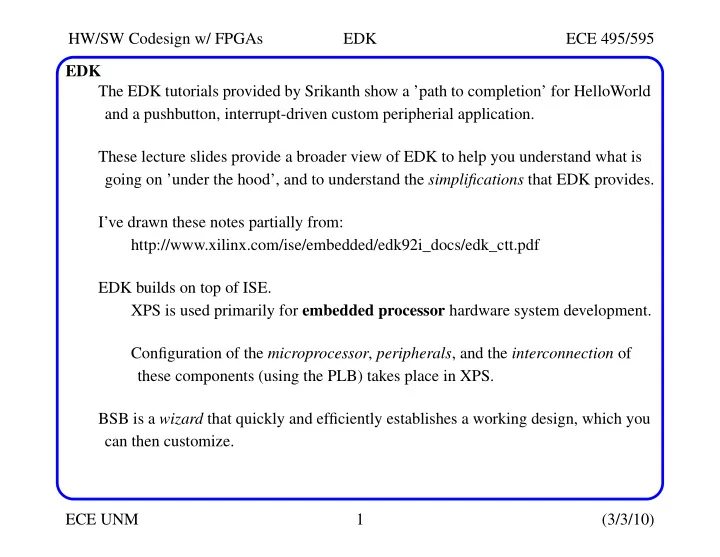
HW/SW Codesign w/ FPGAs EDK ECE 495/595 ECE UNM 1 (3/3/10) EDK The EDK tutorials provided by Srikanth show a ’path to completion’ for HelloWorld and a pushbutton, interrupt-driven custom peripherial application. These lecture slides provide a broader view of EDK to help you understand what is going on ’under the hood’, and to understand the simplifications that EDK provides. I’ve drawn these notes partially from: http://www.xilinx.com/ise/embedded/edk92i_docs/edk_ctt.pdf EDK builds on top of ISE. XPS is used primarily for embedded processor hardware system development. Configuration of the microprocessor, peripherals, and the interconnection of these components (using the PLB) takes place in XPS. BSB is a wizard that quickly and efficiently establishes a working design, which you can then customize.
SLIDE 2
HW/SW Codesign w/ FPGAs EDK ECE 495/595 ECE UNM 2 (3/3/10) XPS Once a project is created The Project tab in the Project Information Area lists the files that were created. MHS, MSS, UCF, iMPACT command files, Implementation Option files, Bitgen Option files. The Applications tab lists all software applications option settings, header files and source files -- you create and add a software application project. The xparameters.h file contains the system address map and is an integral part of the Board Support Package (BSP).
SLIDE 3
HW/SW Codesign w/ FPGAs EDK ECE 495/595 ECE UNM 3 (3/3/10) XPS The IP Catalog tab lists all EDK IP cores and any custom IP cores you created. Right-click to add IP to the project, or view the data sheet. In System Assembly View, you can view and configure system block elements. Bus Interfaces shows PLB bus connection architecture -- hollow ’dot’ means unconnected. Ports gives a listing of the VHDL ports defined for the IP. Addresses gives the base address and size parameters associated with the IP’s memory and/or ports. Added Multi-channel memory controller
SLIDE 4 HW/SW Codesign w/ FPGAs EDK ECE 495/595 ECE UNM 4 (3/3/10) XPS Right clicking and choosing Configure IP provides a GUI interface to the IP’s config- uration parameters. The VHDL parameter name, e.g., C_BAUDRATE, is given when the mouse is placed
SLIDE 5 HW/SW Codesign w/ FPGAs EDK ECE 495/595 ECE UNM 5 (3/3/10) XPS Directories created:
Contains intermediate files generated by XPS and other tools for internal project
- management. You will not use this directory.
- data/
Contains the user constraints file (UCF).
Contains files that capture the options used to run various tools.
Used for including custom hardware peripherals. Files created:
This is the top-level project design file -- graphically displayed in XPS.
The system microprocessor hardware specification, or MHS file, captures textu- ally the system elements, their parameters, and connectivity.
The system microprocessor software specification, or MSS file.
SLIDE 6 HW/SW Codesign w/ FPGAs EDK ECE 495/595 ECE UNM 6 (3/3/10) Create and Import Peripheral (CIP) Wizard The PLB bus is a complicated structure because it must support many types of peripherials, each potentially operating in different modes, e.g., as master or slave. The wizard allows you to create four types of PLB v4.6 peripherals using predefined IP interface (IPIF) libraries.
- PLB v4.6 Slave for single data beat transfer
- PLB v4.6 Slave for burst data transfer
- PLB v4.6 Master for single data beat transfer
- PLB v4.6 Master for burst data transfer
The documents in $XILINX_EDK/doc/usenglish/, e.g., mg_ug.pdf and sp026.pdf have additional information on the PLB v4.6 interface. Once you have run the CIP wizard, EDK generates a PLB peripheral. EDK uses a ’PLB slave and burst peripheral’ to implement common functionality among various processor peripherals.
SLIDE 7
HW/SW Codesign w/ FPGAs EDK ECE 495/595 ECE UNM 7 (3/3/10) Create and Import Peripheral (CIP) Wizard The ’PLB slave and burst peripherals’ are highly parameterizable interfaces. They give you a set of simplified bus protocols in the form of IP Interconnect (IPIC), which is easier to work with than working with the PLB bus protocols. The Slave Attachment implements the protocol and timing translation between the PLB Bus and the IPIC. PLB Bus PLB Requests and Qualifiers Slave Reply Address Decode Slave Attachment Address Cnt/BE Generation Write Buf FIFO SPBL_Clk SPBL_Rst IPIC User IP Design IP Status Reply Rd/Wr Qualifiers CS Bus Burst Read CE Bus Write CE Bus Write Data Bus Read Data Bus PLBV46 Slave Burst
SLIDE 8
HW/SW Codesign w/ FPGAs EDK ECE 495/595 ECE UNM 8 (3/3/10) Create and Import Peripheral (CIP) Wizard The CIP wizard created two template files: pcores/switch_debouncer_v1_00_a/hdl/vhdl/switch_debouncer.vhd pcores/switch_debouncer_v1_00_a/hdl/vhdl/user_logic.vhd The user_logic file makes the connection to the PLB v4.6 bus via the PLB slave/burst cores configured in switch_debouncer.vhd The user_logic file is equivalent to the ’User IP Design’ block above, while the switch_debouncer is equivalent to the ’PLBV46 Slave Burst’ block. PLBv46 Bus User Peripheral Slave Attach Master Attach
IPIF
switch_debouncer.vhd Interrupt Ctrl MUX DMA Addr Decode Write FIFO Read FIFO
Custom Functionality
user_logic.vhd IPIC
SLIDE 9
HW/SW Codesign w/ FPGAs EDK ECE 495/595 ECE UNM 9 (3/3/10) Create and Import Peripheral (CIP) Wizard The templates represent CoreConnect-compliant structures. Therefore, you do not need to add any additional logic to these files. Most times you will want to add logic, as you did in EDK tutorial 2, in which case you need to re-run the CIP wizard to import your changes. This re-generates the EDK interface files (.mpd and .pao files).
SLIDE 10
HW/SW Codesign w/ FPGAs EDK ECE 495/595 ECE UNM 10 (3/3/10) Processor Local Bus (PLB)