
SLIDE 1
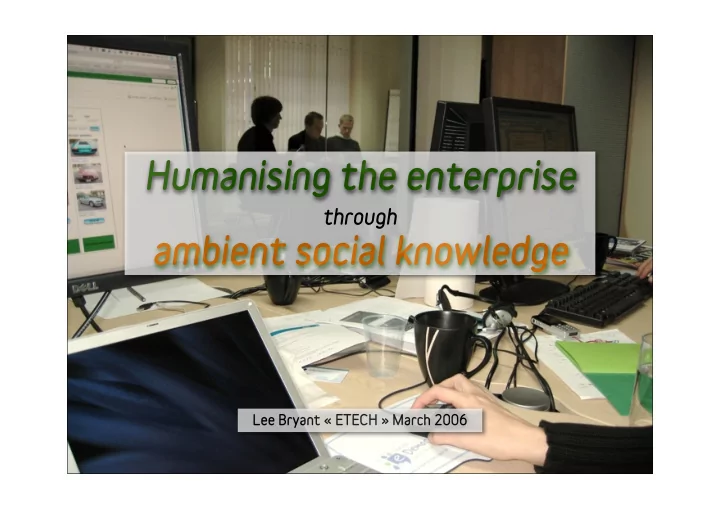
Humanising the enterprise ambient social knowledge
Lee Bryant « ETECH » March 2006
through
Humanising the enterprise through ambient social knowledge Lee - - PowerPoint PPT Presentation
Humanising the enterprise through ambient social knowledge Lee Bryant ETECH March 2006 Introduction headshift is a social software consulting and development group who apply emerging tools and ideas to the real-world needs of
Humanising the enterprise ambient social knowledge
Lee Bryant « ETECH » March 2006
through
Introduction
is a social software consulting and development group who apply emerging tools and ideas to the real-world needs of organisations: consulting & engagement prototyping and experimentation development and integration
What am I talking about today? Enterprise software is dying
❶ ❸ ❺ ❻ ❷ ❹ ❼
Information / attention overload New social tools and behaviours How do we make decisions? The answer to information overload? Ambient social knowledge sharing How do we get there from here?
Didn't you get the memo?
Enterprise software is dying....
The lost world of IT dinosaurs
full of large, lumbering dinosaurs who evolved during the 1990's and survive by subjugating humans within legacy systems that are too big and expensive to kill.
Meanwhile, in the outside world....
browsers), the dotcom bust swept away a generation of software predators and people began making tools for themselves.
Humans are taking over again
could share stuff; they started building their own online environments using free, simple tools they could control
Selling fear : enterprise = expensive
arguments about process, workflow, security and control that software vendors use to keep them in the stone age.
Information & attention overload
Pavlov’s dogs
sequential processing at the expense
individual decision making
concentration than smoking dope
The wrong sort of information overload
The fallacy of codification & storage
which are important. People can rarely find what they need.
knowledge - it turns into bits when stored in databases
The emergence of social software
Simple rules
network produce emergent network effects
reduce barriers to participation
New tools
New tools
social tagging, lightweight group tools, etc.
and make it easier for people to get on with their jobs
New tools
New behaviours
subscription, social tagging, blogging and wiki co-production
New behaviours
New behaviours
How do we process information?
How do we make decisions?
... and how do we innovate?
Pattern matching & the 'best first fit’
analyse all the data and then make a rational choice are autistic, but economists insist this is the way we all work.” Dave SNOWDEN
Peripheral vision and “intuition”
and simplifies using archetypes and patterns
diversity of inputs to stimulate intuitive decision making
How do we innovate
promoter, but they may not be in the same place.
enterprise storage or classification
passionate users or extra-firewall partnerships
The answer to information overload?
more information ...
... but consumed differently
A new relationship with information
tools and trust people to make decisions
information flows
task assignment
A new relationship with people
enterprise tools are based on 1950's management thinking
than C20th Fordism
meaning, create their own relationships and support each other
Ambient knowledge sharing:
Some basic requirements
Social fabric for knowledge sharing
filtering and connected conversations.
Small pieces
Loosely re-joined
A system of feeds and flows
information flows
subject feeds, saved searches and alerts
places, groups, subjects... or ‘blogjects’
An information-rich environment
A sharing culture
How do we get there from here?
Building on what you’ve got
Some simple steps
TOOLS
build your own social interface, services and glue
CONTENT
context and contact with the outside world
CULTURE
data -> shake things up from time to time
such as offline meetups and online ‘jamming’ events
Thank you for watching
Flickr CC photo credits - with thanks to...
http://www.flickr.com/photos/donabelandewen/92377164/ http://www.flickr.com/photos/jennifrog/67135660/ http://www.flickr.com/photos/88326495@N00/108903118/ http://www.flickr.com/photos/fluzo/52870555/ http://www.flickr.com/photos/markrjones/47761183/ http://www.flickr.com/photos/thumbling/92500412/ http://www.flickr.com/photos/brianboulos/36957265/ http://www.flickr.com/photos/sgt_spanky/35811144/ http://www.flickr.com/photos/teagrrl/8673694/ http://www.flickr.com/photos/loufi/3321223/ http://www.flickr.com/photos/awfulshot/88496670/ Other images by Lee Bryant and Dan Dixon