SLIDE 1
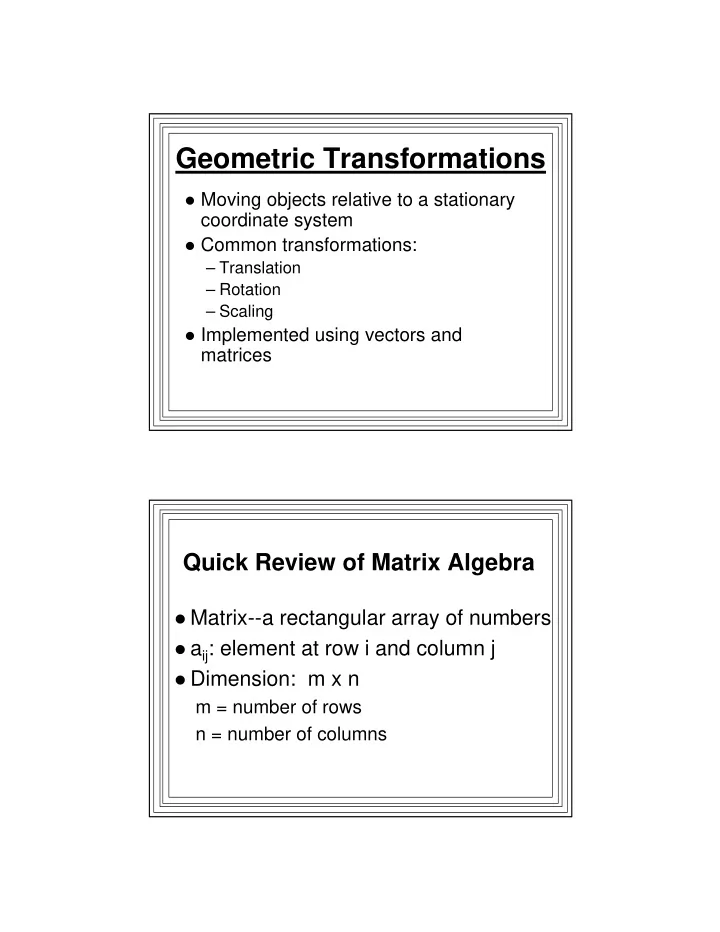
Geometric Transformations
Moving objects relative to a stationary
coordinate system
Common transformations:
– Translation – Rotation – Scaling
Implemented using vectors and
matrices
Quick Review of Matrix Algebra
Matrix--a rectangular array of numbers aij: element at row i and column j Dimension: m x n
m = number of rows n = number of columns
SLIDE 2
A Matrix Vectors and Scalars
SLIDE 3
Matrix Operations-- Multiplication by a Scalar
C = k*A cij = k * aij, 1<=i<=m, 1<=j<=n
Example: multiplying position vector by a
constant:
– Multiplies each component by the constant – Gives a scaled position vector (k times as long)
Example of Multiplying a Position Vector by a Scalar
SLIDE 4
Adding two Matrices
Must have the same dimension C = A + B
cij = aij + bij, 1<=i<=m, 1<=j<=n
Example: adding two position vectors
– Add the components – Gives a vector equal to the net displacement
Adding two Position Vectors: Result is the Net Displacement
SLIDE 5 Multiplying Two Matrices
m x n = (m x p) * (p x n) C = A * B cij = Σ aik*bkj , 1<=k<=p In other words:
– To get element in row i, column j
- Multiply each element in row i by each
corresponding element in column j
Matrix Multiplication An Example
SLIDE 6 Multipy a Vector by a Matrix
V’ = A*V If V is a m-dimensional column vector,
A must be an m x m matrix
V’i = Σ aik * vk, 1<=k<=m
– So to get element i of product vector:
- Multiply each row i matrix element by each
corresponding element of the vector
An Example
SLIDE 7 Geometrical Transformations
Alter or move objects on screen Affine Transformations:
– Each transformed coordinate is a linear combination
- f the original coordinates
– Preserve straight lines
Transform points in the object
– Translation:
– Rotation and Scaling:
Translation: Moving Objects
SLIDE 8
Scaling: Sizing Objects Scaling, continued
P’ = S*P P, P’ are 2D vectors, so S must be 2x2 matrix Component equations: x’ = sx*x, y’ = sy*y
SLIDE 9
Rotation about Origin
Rotate point P by θ about origin Rotated point is P’ Want to get P’ from P and θ P’ = R*P R is the rotation matrix Look at components:
Rotation: X Component
SLIDE 10
Rotation: Y Component Rotation: Result
P’ = R*P R must be a 2x2 matrix Component equations: x’ = x cos(θ) - y sin(θ) y’ = x sin(θ) + y cos(θ)
SLIDE 11 Transforming Objects
For example, lines
- 1. Transform every point & plot (too
slow)
- 2. Transform endpoints, draw the line
- Since these transformations are affine,
result is the transformed line
Composite Transformations
Successive transformations e.g., scale then rotate an n-point object:
- 1. Scale points: P’ = S*P (n matrix multiplies)
- 2. Rotate pts: P’’ = R*P’
(n matrix multiplies) But:
P’’ = R*(SP), & matrix multiplication is associative P’’ = (R*S)*P = Mcomp*P
So Compute Mcomp = R*S (1 matrix mult.) P’’ = Mcomp*P (n matrix multiplies) n+1 multiplies vs. 2*n multiplies
SLIDE 12 Composite Transformations
Another example: Rotate in place
center at (a,b)
- 1. Translate to origin: T(-a.-b)
- 2. Rotate: R(θ)
- 3. Translate back: T(a,b)
Rotation in place:
- 1. P’ = P + T1
- 2. P’’ = R*P’ = R*(P+T1)
- 3. P’’’ = P’’+T3 = R*(P+T1) + T3
Can’t be put into single matrix mult. form: i.e., P’’’ != Tcomp * P
But we want to be able to do that!!
Problem is: translation--vector add rotation/scaling--matrix multiply
SLIDE 13
Homogeneous Coordinates
Redefine transformations so each is a
matrix multiply
Express each 2-D Cartesian point as a
triple:
– A 3-D vector in a “homogeneous” coordinate system x xh where we define: y yh xh = w*x, w yh = w*y
Each (x,y) maps to an infinite number of
homogeneous 3-D points, depending on w
Take w=1 Look at our affine geometric
transformations
SLIDE 14
Homogeneous Translations Homogeneous Scaling (wrt origin)
SLIDE 15 Homogeneous Rotation (about origin)
Composite Transformations with Homogeneous Coordinates
All transformations implemented as homogeneous
matrix multiplies
Assume transformations T1, then T2, then T3:
Homogeneous matrices are T1, T2, T3 P’ = T1*P P’’ = T2*P’ = T2*(T1*P) = (T2*T1)*P P’’=T3*P’’=T3*((T2*T1)*P)=(T3*T2*T1)*P Composite transformation: T = T3*T2*T1 Compute T just once!
SLIDE 16 Example
Rotate line from (5,5) to (10,5) by 90° about (5,5) T1=T(-5,-5), T2=R(90), T3=T(5,5) T=T3*T2*T1
_ _ _ _ _ _ | 1 0 5 | | cos90 -sin90 0 | | 1 0 –5 | T = | 0 1 5 |*| sin90 cos90 0 |*| 0 1 –5 | |_0 0 1_| |_ 1_| |_0 0 1_| _ _ | 0
10 | T= | 1 0 | |_0 1_|
Example, continued
P1’ = T*P1 _ _ _ _ _ _ | 0 -1 10 | | 5 | | 5 | P1’ = | 1 0 |*| 5 | = | 5 | |_0 1_| |_1_| |_1_| _ _ _ _ _ _ | 0 -1 10 | | 10 | | 5 | P2’ = | 1 0 |*| 5 | = |10 | |_0 1_| |_ 1_| |_1_| i.e., P1’ = (5,5), P2’ = (5,10)
SLIDE 17
Setting Up a General 2D Geometric Transformation Package
Multiplying a matrix & a vector: General 3D Formulation
_ _ _ _ _ _ | x’ | | a0 a1 a2 | | x | | y’ | = | a3 a4 a5 | * | y | |_z’_| |_a6 a7 a8_| |_z_| So: x’ = a0*x + a1*y + a2*z y’ = a3*x + a4*y + a5*z z’ = a6*x + a7*y + a8*z (9 multiplies and 6 adds)
SLIDE 18
Multiplying a matrix & a vector: Homogeneous Form
_ _ _ _ _ _ | x’ | | a0 a1 a2 | | x | | y’ | = | a3 a4 a5 | * | y | |_1 _| |_0 1 _| |_1_| So: x’ = a0*x + a1*y + a2 y’ = a3*x + a4*y + a5 (4 multiplies and 4 adds) MUCH MORE EFFICIENT!
Multiplying 2 3D Matrices: General 3D Formulation
_ _ _ _ _ _ | c0 c1 c2 | | a0 a1 a2 | | b0 b1 b2 | | c3 c4 c5 |=| a3 a4 a5 |*| b3 b4 b5 | |_c6 c7 c8_| |_a6 a7 a8_| |_b6 b7 b8_| So: c0 = a0*b0 + a1*b3 + a2*b6 Eight more similar equations
(27 multiplies and 18 adds)
SLIDE 19
Multiplying 2 3D Matrices: Homogeneous Form
_ _ _ _ _ _ | c0 c1 c2 | | a0 a1 a2 | | b0 b1 b2 | | c3 c4 c5 |=| a3 a4 a5 |*| b3 b4 b5 | |_0 1 _| |_0 1 _| |_0 1 _| So: c0 = a0*b0 + a1*b3 + 0
(Similar equations for c1, c3, c4)
And: c2 = a0*b2 + a1*b5 +a2 (Similar equation for c5)
(12 multiplies and 8 adds) MUCH MORE EFFICIENT!
Much Better to Implement our Own Transformation Package
In general, obtain transformed point P'
from original point P:
P' = M * P Set up a a set of functions that will
transform points
Then devise other functions to do
transformations on polygons
– since a polygon is an array of points
SLIDE 20 Store the 6 nontrivial homogeneous
transformation elements in a 1-D array A
– The elements are a[i]
- a[0], a[1], a[2], a[3], a[4], a[5]
Then represent any geometric transformation
with the following matrix: _ _ | a[0] a[1] a[2] | M = | a[3] a[4] a[5] | |_ 0 1 _| Define the following functions:
– Enables us to set up and transform points and polygons:
settranslate(double a[6], double dx, double dy); // set xlate matrix setscale(double a[6], double sx, double sy); // set scaling matrix setrotate(double a[6], double theta); // set rotation matrix combine(double c[6], double a[6], double b[6]); // C = A * B xformcoord(double c[6], DPOINT vi, DPOINT* vo); // Vo=C*Vi xformpoly(int n, DPOINT inpts[], DPOINT outpts[], double t[6]);
SLIDE 21 The “set” functions take parameters that
define the translation, scaling, rotation and compute the transformation matrix elements a[i]
The combine() function computes the
composite transformation matrix elements
- f the matrix C which is equivalent to the
multiplication of transformation matrices A and B
(C = A * B)
The xformcoord(c[ ],Vi,Vo) function
– Takes an input DPOINT (Vi, with x,y coordinates) – Generates an output DPOINT (Vo, with x',y' coordinates) – Result of the transformation represented by matrix C whose elements are c[i]
SLIDE 22 The xformpoly(n,ipts[ ],opts[ ],t[ ]) function
– takes an array of input DPOINTs (an input polygon) – and a transformation represented by matrix elements t[i] – generates an array of ouput DPOINTs (an
- utput polygon)
- result of applying the transformation t[ ] to the
points ipts[ ]
– will make n calls to xformcoord()
- n = number of points in input polygon
An Example--Rotating a Polygon about one of its Vertices by Angle θ θ θ θ
Rotation about (dx,dy) can be achieved by
the composite transformation:
- 1. Translate so vertex is at origin (-dx,-dy);
Matrix T1
- 2. Rotate about origin by θ; Matrix R
- 3. Translate back (+dx,+dy); Matrix T2
The composite transformation matrix
would be: T = T2*R*T1
SLIDE 23
Some Sample Code: Rotating a Polygon about a Vertex
Example Code: rotating a polygon about a vertex
DPOINT p[4]; // input polygon DPOINT px[4]; // transformed polygon int n=4; // number of vertices int pts[ ]={0,0,50,0,50,70,0,70}; // poly vertex coordinates float theta=30; // the angle of rotation double dx=50,dy=70; // rotate about this vertex double xlate[6]; // the transformation 'matrices' double rotate[6]; double temp[6]; double final[6];
SLIDE 24
for (int i=0; i<n; i++) // set up the input polygon { p[i].x=pts[2*i]; p[i].y=pts[2*i+1]; } Polygon(p,n); // draw original polygon settranslate(xlate,-dx,-dy); // set up T1 trans matrix setrotate(rotate,theta); // set up R rotaton matrix combine (temp,rotate,xlate); // compute R*T1 &... // save in temp settranslate(xlate,dx,dy); // set up T2 trans matrix combine(final,xlate,temp); // compute T2*(R*T1) &... // save in final xformpoly(n,p,px,final); // get transformed polygon px Polygon(px,n); // draw transformed polygon
Setting Up More General Polygon Transformation Routines
trans_poly() could translate a polygon
by tx,ty
rotate_poly() could rotate a polygon by θ
about point (tx,ty)
scale_poly() could scale a polygon by
sx, sy wrt (tx,ty)
These would make calls to previously
defined functions
SLIDE 25 General Polygon Transformation Function Prototypes
void trans_poly(int n, DPOINT p[], DPOINT px[],
double tx, double ty);
void rotate_poly(int n, DPOINT p[], DPOINT px[],
double theta, double x, double y);
void scale_poly(int n, DPOINT p[], DPOINT px[],
double sx, double sy, double x, double y);
More 2-D Geometric Transformations
- A. Shearing
- B. Reflections
SLIDE 26 Other 2D Affine Transformations
Shearing (in x direction)
– Move all points in object in x direction an amount proportional to y – Proportionality factor:
– Equations:
y’ = y x’ = x + shx*y |1 shx 0 | P’ = SHX*P SHX = |0 1 0 | |0 1 |
– Move all points in object in y direction an amount proportional to x – Proportionality factor:
– Equations:
x’ = x y’ = shy*x + y |1 0 | P’ = SHX*P SHX = |shy 1 0 | |0 1 |
Shearing in y Direction
SLIDE 27
Reflections
Reflect through origin
x --> -x y--> -y Equations:
x’ = -x y’ = -y |-1 0 | P’ = Ro*P Ro = | 0 -1 0 | | 0 1 |
Reflect Across y-axis
y --> y x --> -x Equations:
x’ = -x |-1 0 | y’ = y Ry = | 0 1 0 | P’ = Ry*P | 0 1 |
SLIDE 28 Reflect Across Arbitrary Line
Given line endpoints: (x1,y1), (x2,y2)
- 1. Translate by (-x1,-y1) [endpoint at origin]
- 2. Rotate by φ [line coincides with y-axis]
- 3. Reflect across y-axis
- 4. Rotate by -φ
- 5. Translate by (x1,y1)
- 6. Composite transformation:
T = T(x1,y1)*R(-φ)*Ry*R(φ)*T(-x1,-y1)
Reflect Across a Line Endpoints (x1,y1), (x2,y2)
SLIDE 29 Coordinate System Transformations
Geometric Transformations:
– Move object relative to stationary coordinate system (observer)
Coordinate System Transformation:
– Move coordinate system (observer) & hold
– Two common types
- Coordinate System translation
- Coordinate System rotation
– Related to Geometric Transformations
Coordinate System Translation
SLIDE 30
Coordinate System Rotation