Evaluating Interfaces with Users Why evaluation is crucial to - - PDF document

evaluating interfaces with users
SMART_READER_LITE
LIVE PREVIEW

Evaluating Interfaces with Users Why evaluation is crucial to - - PDF document

Evaluating Interfaces with Users Why evaluation is crucial to interface design General approaches and tradeoffs in evaluation The role of ethics Why Bother? Tied to the usability engineering lifecycle Pre-design investing in new


slide-1
SLIDE 1

1

Evaluating Interfaces with Users

Why evaluation is crucial to interface design General approaches and tradeoffs in evaluation The role of ethics

Why Bother?

Tied to the usability engineering lifecycle

  • Pre-design

– investing in new expensive systems requires proof of viability

  • Initial design stages

– develop and evaluate initial design ideas with the user

  • Iterative design

– does system behaviour match the user’s task requirements? – are there specific problems with the design? – can users provide feedback to modify design?

  • Acceptance testing

– verify that human/computer system meets expected performance criteria

  • ease of learning, usability, user’s attitude, performance criteria
  • e.g., a first time user will take 1-3 minutes to learn how to withdraw $50 from the automatic teller

Evan Golub / Ben Bederson / Saul Greenberg

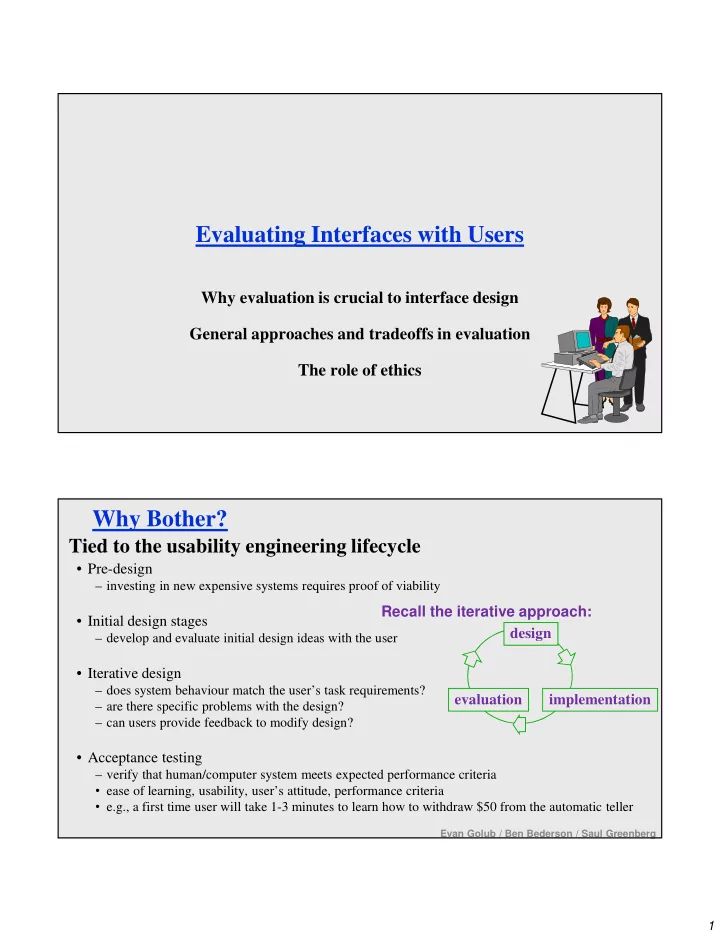
design implementation evaluation Recall the iterative approach:

slide-2
SLIDE 2

2

What Defines Success? We want a “usable” system. What are some metrics that can be used to measure whether a system is usable?

–Time to learn –Speed of performance –Rate of errors by users –Retention over time –Subjective Satisfaction

Often, there will be tradeoffs between these goals.

Evan Golub / Ben Bederson / Saul Greenberg

Approaches: Naturalistic/Qualitative

Naturalistic:

  • describes an ongoing process as it evolves over time
  • observation occurs in realistic setting

– ecologically valid

  • “real life”

External validity

  • degree to which research results applies to real situations

Evan Golub / Ben Bederson / Saul Greenberg

slide-3
SLIDE 3

3

Approaches: Experimental/Quantitative

Experimental

  • study relations by manipulating one or more independent variables

– experimenter controls all environmental factors

  • observe effect on one or more dependent variables

Internal validity

  • confidence that we have in our explanation of experimental results

Trade-off: Natural vs Experimental precision and direct control over experimental design versus desire for maximum generalizability in real life situations

Reliability Concerns

Would the same results be achieved if the test were repeated? Problem: individual differences:

  • best user 10x faster than slowest
  • best 25% of users ~2x faster than slowest 25%

Partial Solution

  • reasonable number and range of users tested
  • statistics provide confidence intervals of test results

– 95% confident that mean time to perform task X is 4.5+/-0.2 minutes means 95% chance true mean is between 4.3 and 4.7, 5% chance its outside that

Evan Golub / Ben Bederson / Saul Greenberg

slide-4
SLIDE 4

4

Validity Concerns

Does the test measure something of relevance to usability of real products in real use outside of lab? Some typical validity problems of testing vs real use:

– non-typical users tested – tasks are not typical tasks – physical environment different quiet lab -vs- very noisy open offices vs interruptions – social influences different motivation towards experimenter vs motivation towards boss

A partial solution involves using real users, using representative tasks from task-centered system design, and testing in an environment similar to real situation…

Qualitative methods for usability evaluation

Qualitative approach produces a description, usually in non-numeric terms, and may be subjective in various ways. Methods

  • Introspection

– by designer – by users

  • Direct observation

– simple observation – think-aloud – constructive interaction

  • Query

– interviews (structured and retrospective) – surveys and questionnaires

Evan Golub / Ben Bederson / Saul Greenberg

slide-5
SLIDE 5

5

Introspection Method

Evan Golub / Ben Bederson / Saul Greenberg

Introspection Method: Designer

Typically used with interface design. A design team member tries the system (or prototype) out (doing a walkthrough of the systems screens and features).

  • They are looking to determine whether the system “feels right” when

being used.

  • Is probably still the most common evaluation method…

Potential problems are reliability issues since:

– it is completely subjective – the “introspector” is a non-typical user – being so close to the project your intuitions and introspection are often biased and thus wrong…

slide-6
SLIDE 6

6

Introspection Method: User

Typically done as a user-centered walkthrough of a system. The idea here is typically one of conceptual model extraction by showing representative users prototypes or even screenshots of a mock-up.

  • Can ask the user to explain what each screen element does or represents as well as

how they would attempt to perform individual tasks.

This can allow us to gain insight as to a user’s initial perception of

  • ur interface and the mental model they might be constructing as

they begin to use a system.

NOTE: Since we’re walking them through specific parts as their guide, we won’t really see how a user might explore the system on their own or their learning processes.

Direct Observation

The evaluator(s) observe and record users interacting with a design/system, either in a lab setting or “field” setting.

  • When done in a lab the user is typically asked to complete a set of pre-determined

tasks and it might be done in a special instrumented usability lab to facilitate recording.

  • When done “in the field” the user might be asked to go through their normal

routine, or if they are asked to complete a set of tasks, they are at least doing it in natural setting. While this can be excellent at identifying gross design/interface problems, the validity and reliability depends on how controlled and/or contrived the situation is...

slide-7
SLIDE 7

7

Direct Observation Approaches Typically utilized in software design, and there are three general approaches that can be used for direct

  • bservations:
  • simple observation
  • think-aloud
  • constructive interaction

Direct observation: Simple Observation Method

The user is given the task(s) to perform and the evaluator(s) simply watch (and possibly record) what the user does. Potential problem

–it is quite possible this does not provide any insight into the user’s decision process or their attitude/feelings while performing the tasks

Evan Golub / Ben Bederson / Saul Greenberg

slide-8
SLIDE 8

8

Direct observation: Think Aloud Method

A similar setup to simple observation, but the users are asked to say what they are thinking/doing during the tasks.

– what they believe is happening – what they are trying to do – why they took an action

This can give insights into what the user is thinking, but there are potential problems

– can be awkward/uncomfortable for subject (thinking aloud is not natural when working alone) – “thinking” about why they are doing things could alter the way people perform their task – hard to talk when they are concentrating on problem

Generally seems to be the most widely used evaluation method in industry

  • Evan Golub / Ben Bederson / Saul Greenberg

Direct observation: Constructive Interaction Method

Similar to the other two, but here two people work together on the task(s).

  • This can lead to a normal conversation between the two users which

can then be monitored.

  • It should remove the awkwardness of think-aloud but might be less

realistic depending on the tasks.

  • Evan Golub / Ben Bederson / Saul Greenberg
slide-9
SLIDE 9

9

Co-Discovery A variant of constructive interaction is to have co- discovery learning take place, where the pair working together are:

  • a semi-knowledgeable “coach”
  • a beginner (who is actually using the system)

Ideally, this results in

– the “naïve” beginner participant asking questions – the semi-knowledgeable “coach” responding – insights into thinking process of both beginner and intermediate users

Recording Observations

Make sure you get permission! Make sure you are mindful of privacy!

Evan Golub / Ben Bederson / Saul Greenberg

slide-10
SLIDE 10

10

Recording Observations: Tools

How do we record user actions during observation for later analysis so that the evaluator doesn’t forget, miss, or misinterpret events?

  • paper and pencil are primitive but cheap

– evaluators record events, interpretations, and extraneous observations – challenging to get details (writing is slow) though coding schemes help

  • audio recording

– good for recording dialog produced by think-aloud or constructive-interaction – hard to tie into what the user was doing on the screen – very hard to search through later

  • video recording

– can see and hear what a user is doing but can be intrusive – could use one camera for screen, another for participant(s) – hard to search and generates much data to comb through

Example coding scheme...

Tracking a person’s activity in the office with quick notations.

Time working on computer person enters room answers telephone initiates telephone working on desk away from desk but in room away from room 9:00 9:02 9:05 9:10 9:13 Interruptions Absences Desktop activities s s s s e e e s = start of activity e = end of activity Evan Golub / Ben Bederson / Saul Greenberg

Time Desktop Activities Absences from Desk Interruptions Working on computer Working at desk Using telephone In room Out of room Person Phone e-mail 9:00 s 9:02 e s 9:05 e 9:10 s 9:13 s e

slide-11
SLIDE 11

11

Querying Users: Interviews

Excellent for pursuing specific issues

  • vary questions to suit the context
  • probe more deeply on interesting issues as they arise
  • good for exploratory studies via open-ended questioning
  • often leads to specific constructive suggestions

Problems:

  • accounts are subjective
  • time consuming
  • evaluator can easily bias the interview
  • prone to rationalization of events/thoughts by user

– user’s reconstruction may be wrong

Evan Golub / Ben Bederson / Saul Greenberg

Querying Users: Structured Interviews

Plan a set of central questions

  • could be based on results of user observations
  • gets things started
  • focuses the interview
  • ensures a base of consistency

Try not to ask leading questions!

“Now that was easy, wasn’t it?” “How hard would you say this task was?”

Start with individual discussions to discover different perspectives, and continue with group discussions

  • the larger the group, the more the universality of comments can be ascertained
  • also encourages discussion between users

Evan Golub / Ben Bederson / Saul Greenberg

slide-12
SLIDE 12

12

Querying Users: Retrospective Testing

Post-observation interview to clarify events that occurred during system use

  • perform an observational test
  • create a video record of it
  • have users view the video and comment on what they did

– excellent for grounding a post-test interview – avoids erroneous reconstruction – users often offer concrete suggestions

Evan Golub / Ben Bederson / Saul Greenberg

  • !

Querying Users: Surveys and Questionnaires

Preparation “expensive,” but administration cheap

can reach a wide subject group (e.g. mail)

Does not require presence of evaluator. Results can be quantified. Only as good as the questions asked!!! Often has low return rate (what’s in it for them?) or biased sample (who will take the time to answer?)

Evan Golub / Ben Bederson / Saul Greenberg

slide-13
SLIDE 13

13

Querying Users: Surveys and Questionnaires Details

Establish the purpose of the questionnaire

  • what information is sought?
  • how would you analyze the results?
  • what would you do with your analysis?

Typically will not ask questions whose answers you will not use

  • this is unlike many other types of surveys you may have discussed in a psychology class

Determine the audience you want to reach

  • typical survey: random sample of between 50 and 1000 users of the product

Determine how would you will deliver and collect the questionnaire

  • on-line for computer users
  • surface mail (with pre-addressed reply envelope for better response rate)

Determine target demographics

  • e.g. level of experience, age, income, etc.

Evan Golub / Ben Bederson / Saul Greenberg

Styles of Questions (I)

Open-ended questions

  • asks for unprompted opinions
  • good for general subjective information

– but difficult to analyze rigorously

eg: Can you suggest any improvements to the interfaces?

Evan Golub / Ben Bederson / Saul Greenberg

slide-14
SLIDE 14

14

Styles of Questions (II)

Closed questions

  • restricts the respondent’s responses by supplying alternative answers
  • makes questionnaires a chore for respondent to fill in
  • can be easily analyzed
  • but watch out for hard to interpret responses!

– alternative answers should be very specific

Do you use computers at work: O often O sometimes O rarely

  • vs-

In your typical work day, do you use computers: O over 4 hrs a day O between 2 and 4 hrs daily O between 1and 2 hrs daily O less than 1 hr a day

Evan Golub / Ben Bederson / Saul Greenberg

Styles of Questions (III)

Bipolar Scaling

  • ask user to judge a specific statement on a numeric scale
  • scale usually corresponds with agreement or disagreement with a statement

Characters on the computer screen are:

hard to read 1 2 3 4 5 easy to read

Scale of 1 to 7 or 1 to 9 might provide better results since they will still provide a good range even if the user eliminates the extremes. Sometimes done explicitly as: 1. Strongly disagree 2. Disagree 3. Neutral 4. Agree 5. Strongly agree Scale which is even in length should be used if you want to prevent the user from being neutral.

Evan Golub / Ben Bederson / Saul Greenberg

slide-15
SLIDE 15

15

Styles of Questions (IV)

Multiple choice (possibly multiple responses)

  • respondent offered a choice of explicit responses

How do you most often get help with the system? (tick one) O on-line manual O paper manual O ask a colleague Which types of software have you used? (tick all that apply) O word processor O data base O spreadsheet O compiler

Evan Golub / Ben Bederson / Saul Greenberg

Styles of Questions (V)

Ranked

  • respondent places an ordering on items in a list
  • useful to indicate a user’s preferences
  • forced choice

Rank the usefulness of these methods of issuing a command (1 most useful, 2 next most useful..., 0 if not used __2__ command line __1__ menu selection __3__ control key accelerator

Evan Golub / Ben Bederson / Saul Greenberg

slide-16
SLIDE 16

16

Styles of Questions (VI)

Combining open-ended and closed questions

  • gets specific response, but allows room for user’s opinion

It is easy to recover from mistakes:

disagree agree comment: the undo facility is really helpful 1 2 3 4 5

Evan Golub / Ben Bederson / Saul Greenberg

What might the future hold?

We live in a time where the use of AI is on the rise and chat bots are in the thick of things. We went from the Universal McCann agency’s Jill020306 to Microsoft’s Tay in the span of a decade. Where could they take us in the future? What are the ethical issues that could come out of this? When you write a new library or program module, you can use unit testing tools to automatically assess the accuracy of various things. The tools continue to expand, even into the ability to automatically test GUI elements. Where might they go in the future? Possible direction: “Chatbots: Your Ultimate Prototyping Tool”

https://medium.com/ideo-stories/chatbots-ultimate-prototyping-tool-e4e2831967f3#.74ci9jy2n

slide-17
SLIDE 17

17

What you now know about…

Observing a range of users use your system for specific tasks can reveal successes and problems and qualitative observational tests can be quick (and somewhat easy) to do. Several methods can reveal what is in a person’s head as they are doing the test. Particular methods include:

– Conceptual model extraction – Direct observation (simple observation, think-aloud, constructive interaction) – Query via interviews, retrospective testing and questionnaires – Continuous evaluation via user feedback and field studies

Evaluation is crucial for designing, debugging, and verifying interfaces There is a tradeoff in naturalistic -vs- experimental approaches

  • internal and external validity
  • reliability
  • precision
  • generalizability

Evan Golub / Ben Bederson / Saul Greenberg

UP NEXT: ETHICS!