El Elec ectr tronic onics Doc ocument ument Ma Management - - PowerPoint PPT Presentation

el elec ectr tronic onics doc ocument ument ma management
SMART_READER_LITE
LIVE PREVIEW

El Elec ectr tronic onics Doc ocument ument Ma Management - - PowerPoint PPT Presentation

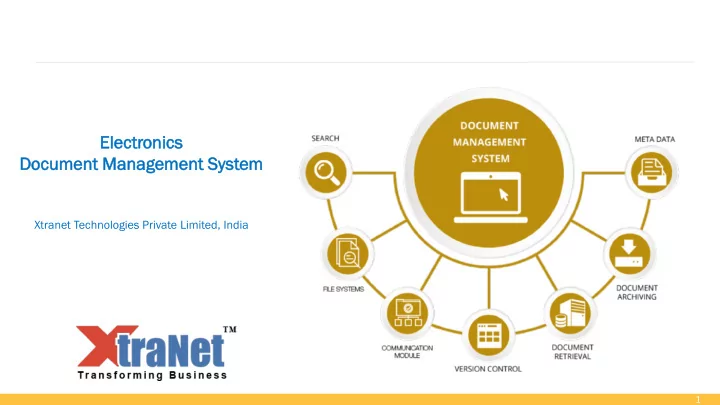
El Elec ectr tronic onics Doc ocument ument Ma Management gement Sys ystem em Xtranet Technologies Private Limited, India 1 Agen genda da 1. About XtraNet 2. Our value proposition 3. eDMS - Why choose us? 4. Document Management


slide-1
SLIDE 1

1

El Elec ectr tronic

  • nics

Doc

  • cument

ument Ma Management gement Sys ystem em

Xtranet Technologies Private Limited, India

slide-2
SLIDE 2

2

Agen genda da

  • 1. About XtraNet
  • 2. Our value proposition
  • 3. eDMS - Why choose us?
  • 4. Document Management Landscape – AS IS vs TO BE
  • 5. Synergy eDMS Introduction
  • 6. eDMS Modules
  • 7. eDMS Features
  • 8. eDMS Benefits
  • 9. Document filing by status sample
  • 10. Document approval workflow sample
  • 11. Document lifecycle management
  • 12. Sample document categories
  • 13. eDMS Architecture
  • 14. eDMS Project Plan
  • 15. Appendix-1 [eDMS Screenshots with explanation]
  • 16. Appendix-2 [Synergy Platform Details]
slide-3
SLIDE 3

3

Xt Xtra raNe Net t Tec echn hnologies

  • logies UAE

AE, , In Indi dia, a, US USA, , Cana nada da

We have more than 18 years of experience in providing Integrated IT solutions and managed technology services to Public and Private sector companies.

Our Global Presence Our Growth Journey

slide-4
SLIDE 4

4

  • 1. Advanced Technology - A rich experience in automation

technologies enables us to consistently deliver the project on time, and right in first pass.

  • 2. Experienced resources – Support team that we are

proposing are experienced and have expert level skills

  • n the process and product knowledge. With deep

understanding of product and we will be able to provide deep insight during support activities

  • 3. Best practice based approach – Having supported such

products for multiple customer, we come with best practices that has both process and system solution. We help customer in defining end to end process that can be leveraged for their system.

Ou Our r Valu lue e Prop

  • position
  • sition

After reviewing the project needs and analysing your current and future planning business and system requirements, we believe that we bring substantial value to the table.

slide-5
SLIDE 5

5

eD eDMS MS - Why C y Cho hoose

  • se us?

1. We are high quality solution providers, empowering business users, developers and designers to create and deliver effective and compelling user experiences. Synergy EDMS provides a robust, end‐to‐end architecture for delivering Rich Internet Applications (RIAs), content and communications across multiple platforms and devices. 2. Synergy EDMS is designed for easy deployment and maintenance within standards based enterprise architecture. 3. Our solution is developed using open source framework and technologies which is huge cost saving against proprietary licensing and easy to deploy and maintain. 4. Synergy EDMS with workflow handles documents by electronically storing, organizing, indexing and filing. They can be retrieved as and when required at the click of a button. a) User can accesses unstructured data in the form of documents present in your organization and store them in a structured form. b) User can access any documents to his desktop and enables him to work with them, eliminating the need for paper‐based documents. c) It is a powerful document archival system, which ensures safety of documents, faster access to them and huge cost savings. 5. Our solution will enable you to manage paper as well as electronic documents and files in a single system. Documents are electronic and can be retrieved easily for quick reference. Depending on your requirements we integrate a set of modules that provide a new level of information control and help you manage your data effectively.

slide-6
SLIDE 6

6

Doc

  • cument

ument Ma Management gement La Landsc dscape pe – AS AS IS IS vs vs TO O BE

slide-7
SLIDE 7

7

Syn ynergy ergy eD eDMS MS In Intr trodu

  • duction

ction

Today's world of information technology is all about accessing and managing information in a cost‐effective manner, saving valuable time and space. Research shows that in any business 98 per cent of the documents are stored and archived for future reference after their current utility ends. Large spaces are required for storage of these documents, wasting valuable space. Stored documents are also exposed to the risk of damage, being misplaced or misfiled. Retrieving old documents is extremely time consuming as well as resource centric sometimes, additional manpower is required just to maintain them.

  • 1. Synergy electronic Document Management System with Workflow is a solution used to track and store electronic

documents and/or images of paper documents. Document management systems provide storage, versioning, metadata, security, as well as indexing and retrieval capabilities.

  • 2. eDMS provide effective knowledge and information sharing that is vital to any organization. It’s Content

management solution help businesses manage and distribute information faster and more efficiently.

  • 3. Following are some of the key uses for eDMS solution:

a) Collaborate, Annonate and Revise Documents across the Enterprise b) Enterprise wide Workflow of Documents and Drawings c) Revision Control of Documents d) Manage Document Approval Stages

slide-8
SLIDE 8

8

eD eDMS MS Mo Modu dules les - 1

The eDMS have two different modules of operation Administration Module a) User Management This module useful in the functions of Create / Update / Delete users. b) Folder Management This module is useful in the folders and sub folders management here authorized user can Create / Update / Delete folders or sub folders. c) Access Management This module is useful in assigning different roles and access rights to different folders for the different users. With this feature the application is completely secured towards unauthorized access keeping documents in safe hands d) Department / Work Area Management This module is useful in case of defining work area of the users. Here authorized users can Create / Update / Delete department or division or work area.

slide-9
SLIDE 9

9

eD eDMS MS Mo Modu dules les - 2

Client Module a) Document Archival It provides a central repository to archive high volume of documents that can be accessed and shared between multiple users, locations or the entire enterprise. Different document types and content are archived through rights based archival. b) Document Management It provides basic library services including check‐in/check‐out. c) Document Versioning It maintain different versions of the document d) Retention Policy Administrator is able to set user wise / department wise retention policy. e) Document Scanning and OCR It scans the document, after scan dynamic OCR is done with built in powerful OCR engine. f) Document Indexing & Processing Centralized indexing and post branch scanning along with Maker‐Checker scenario for document processing

slide-10
SLIDE 10

10

eD eDMS MS Mo Modu dules les - 3

Client Module continued g) Workflow Centralized workflow where user can create new workflow and assign users to it and define set of rules to

  • perate, also manage existing workflow system. Each user will have alert available on the dashboard. Also alerts

available outside the eDMS through email h) Annotations User can mark annotations (remarks) on the existing files and it is viewable only to the concern users i) Enterprise Search The exhaustive document and folder searches on date, indexes and general parameters as well as full text search

  • n image and electronic documents.

j) Check‐in / Check‐out Users can Check‐out required document process work on the same and Check‐in again once user completes his

  • work. In case user is not available for check‐in the checked‐out document administrator can force check‐in the

same documents k) Dash Board There is separate dash board for each user. User can see his dash board once he logged in the eDMS system. There are certain handy information is available to act upon it for e.g. Checked‐out document list, recently modified and downloaded documents, User manual …etc. This helps out in fast decision making.

slide-11
SLIDE 11

11

eD eDMS MS Fea eatures tures - 1

a) Comprehensive search capabilities with metadata to quickly locate the information b) Security and privacy eDMS enterprise‐class architecture maintains the confidentiality of user and corporate data by encrypting data at motion and at rest. c) Permissions - Users can modify sharing permission settings through an easy‐to‐understand graphical user interface, while enterprise administrators can implement permissions throughout an organization with the administration module d) Ease of deployment and maintenance eDMS architecture is design facilitates easy deployment, management, and can be maintained without requiring additional resources. Built in self installation and Configuration module towards easy deployment. e) Interoperability with existing systems eDMS seamlessly integrate with existing systems to enhance and extend their capabilities without negatively impacting their performance. f) Long‐term viability So that organizations can be confident that their investments will support future requirements as well as current short‐term needs as well as provide long‐term stability and growth. g) Our solution supports upfront display (preview) of most of file formats that can be converted into pdf. We can also provide facility to modify autocad file in web browser at additional cost of web driver.

slide-12
SLIDE 12

12

eD eDMS MS Fea eatures tures - 2

g) Alert Engine Send email alerts to the users and administrators h) Workflow schedule wise with built in total security and alert management outside the eDMS system through email. i) Physical Storage location of the Repository folder Now administrator can browse and select storage location anywhere within the network enabling storage in multiple servers j) Scan a document within eDMS directly from the client system and store result into the database k) Built in OCR engine for saving dynamic metadata of the of the scanned document into the database l) Annotations engine where superior can remark on the scanned document and that will be viewable to the concern user only. Superior can mark annotations if he has permission to do it. m) Database and Repository backup & restore eDMS Admin can take full as well as selective backup of Database and Repository to another media. Our database can work in distributed clustering mode and also has capability to self replicate on multiple machines in real time thus preventing any data loss n) eDMS can be easily integrated with ERP systems such as Microsoft, SAP, Oracle or any other enterprise system.

slide-13
SLIDE 13

13

eD eDMS MS Bene enefits its

a) Make quick and accurate business decisions b) Comply with regulatory requirements c) Allows setting comprehensive policies for storing and retaining content for compliance d) Reduce duplicate document storage across the enterprise thus reduce storage, cost e) Remove old documents from the eDMS using built‐in retention engine thus reduce storage, saves document search time f) Improves customer responsiveness through agility for extended enterprise, powered by synchronizing content spread across information silos and disparate systems g) Identify and leverage opportunities with collaborative framework h) Business Continuity Management i) Strong Roles & Rights management based on User types.

slide-14
SLIDE 14

14

Doc

  • cument

ument fili ling ng by S y Statu tatus s (S (Sam ample) ple)

slide-15
SLIDE 15

15

Submit Scope

  • f Work

Subcontractor Document Controller Review 1 Review 2 PM Approve Client

Review SOW, prepare documents Submit document for review Receive documents Draft V1 Review Document Revise document Approve Review Document Approve Review Document Approve Receive Document File Document V2 Publish / Upload Document

Yes No Yes No Yes No

Doc

  • cument

ument Ap Approval l Work

  • rkflo

flow w (S (Sam ample) ple)

Send document for rework

slide-16
SLIDE 16

16

Doc

  • cument

ument Li Life e Cycl cle e Ma Management gement

slide-17
SLIDE 17

17

Sample ple Doc

  • cument

ument Categories egories

SAFETY DOCUMENTS Applicable safety permits Safe work method statements (SWMS) Induction and pre-qualifications Applicable safety checklists Applicable safety reports Hazard identification forms Pre-starts and toolbox talk forms QUALITY DOCUMENTS Defect management documents Punch lists (or snag lists) Lot management sheets Hold points and witness points Corrective action reports Test requests Quality checklists and reports RFI's (Requests for information) ITP's (Inspection and test plans) ENVIRONMENTAL DOCUMENTS Applicable environmental permits Environmental monitoring forms (noise and vibration monitoring) Environmental checklists and reports FINANCE DOCUMENTS Timesheets Dockets Purchase requests Project costing forms Planned vs. actual costing sheets COMMERCIAL DOCUMENTS Site diaries Delay and change management forms Contractor pre-qualifications Variation management documents Meeting minutes sheets Site instructions Claims forms Extension of time forms OPERATIONS DOCUMENTS Shift reports Materials ordering and inspections Quantity planned vs. actuals Waste tracking Budgeting and forecasting Daily reporting

2020 2019 2018 Engineering

Project 1 Project 2 Project 3 Engineering Feasibility Study Business Case Financials Safety Facilities Contracts Civil Mechanical ELV Drawings HVAC

Policy, templates, references, OCR, Archive, Legal, Reporting, Auditing, Backup, Security, On Premise, Version control, Track changes, Audit, checkin/out, team sharing, signature

slide-18
SLIDE 18

18

Server Server Scanner Users EDMS Front End

Authentication Workflow Web UI Application Administration

Document Alert Management Optical Character Recognition Annotations Security & Encryption Indexing & Processing Engine Document & Repository Backup

User Management Enterprise Search Storage Access & Authentication Self Configuration Work area management Folder Management

Document Management Server

Document Repository Metadata Repository Archival Repository

eD eDMS MS Ar Arch chit itec ecture ture

slide-19
SLIDE 19

19 Project Delivery Plan

Day 1 Day 2 Day 3 Day 4 Day 5 Day 6 Day 7 Day 8 Day 9 Day 10 onwards

Requirement Sign off Web application installation Web & mobile application configuration Mobile app deployment Training / User Acceptance testing / Go Live Post implementation Support

Payment Plan

Day 1 Day 2 Day 3 Day 4 Day 5 Day 6 Day 7 Day 8 Day 9 Day 10

eDMS Solution

40% 40% 20% (1 wk after Go Live)

Hardware infrastructure (On-Premise) & necessary windows server 2016 licenses with antivirus/security will be provided by client. Our solution is cloud enabled and can be hosted on any cloud, if required. Our web and mobile solution is based on open-source technologies and hence does not incur expensive licensing cost.

eD eDMS MS Project

  • ject Pla

lan

slide-20
SLIDE 20

20

Ap Appen endix dix-1 eD eDMS MS Scr creens eensho hots ts [W [Web eb & Mo Mobile] le] with th explana lanation tion

slide-21
SLIDE 21

21

eD eDMS MS Dashbo shboar ard

1. This is Dashboard view of document management system 2. It shows number of documents of various types in the system by status 3. It also shows document approval workflow and pending tasks

slide-22
SLIDE 22

22

Fol

  • lder

der & Do Documents cuments Ti Tiles les View - Fl Flip to Ope

  • Open

1. This is tiles view of the folders and documents 2. Each tile can be flipped to see description on the back 3. On clicking view button on back side

  • f tile, document will open in a pop

up window to show more details

slide-23
SLIDE 23

23

eD eDMS MS Li List st View with th Com

  • mment

ments

1. This is list view of document 2. You can create sub-folders, rename folder, share or archive folder 3. Documents can be searched easily

  • r browsed by selecting folder

4. Comments on documents can be seen upfron on the right hand side

slide-24
SLIDE 24

24

Doc

  • cument

ument Pre revi view

1. This is document preview mode 2. You can select a document to see it’s preview on the right hand side 3. You can also enlarge the preview to full screen

slide-25
SLIDE 25

25

eD eDMS MS Fi Files les vi view with th deta details ls op

  • pti

tion

  • n

1. This is detailed view of document. 2. Grid on upper portion shows list of documents 3. Lower portion of screen show more details about the document such as document creator, version history, review comments, notes etc.

slide-26
SLIDE 26

26

Doc

  • cument

ument Calenda lendar r View

1. You can view documents in calendar view sorted by their creation date and color coded to show their status 2. You can filter documents by document type, project or department or user.

slide-27
SLIDE 27

27

Creat reate e New Doc

  • cument

ument

1. New document can be created with various document templates. 2. Each document template can be configured as per requirement to capture business data (meta data) along with document. 3. Document is verion controlled, so it keeps track of history of changes across different versions.

slide-28
SLIDE 28

28

Doc

  • cument

ument Act ction

  • ns

Document has context menu to apply actions such as : - 1. Open document and create new version 2. Share document with others for easy collaboration 3. Download document 4. Preview document 5. Raise document approval request 6. Move or copy the document from

  • ne folder to another
slide-29
SLIDE 29

29

Doc

  • cument

ument Sha haring ring Permissions ermissions

1. Document can be shared with other individuals or teams 2. Document permissions – Full Access (Read, Write, Delete), Edit (Read, Write), View only

slide-30
SLIDE 30

30

Doc

  • cument

ument Ap Approval l Work

  • rkflo

flow

1. You can raise document approval request as per your business process requirement 2. System can be configured to cater to separate approval workflow for each type of document 3. After raising approval flow request, all approval tasks are sent to respective approvers

slide-31
SLIDE 31

31

Ap Approval l Req equests ests Statu tatus

1. You can view approval request categorized by Pending, Approved, Overdue & Cancelled 2. You can filter requests by document type, department or user 3. You can view more details about request in a overlay popup

Approval request

slide-32
SLIDE 32

32

Att ttachments chments

You can attach any kind of attachments to an approval task or document 1. File attachment 2. Add screenshot 3. Attach Image (from scanner / camera) 4. Attach audio note 5. Attach screen recording 6. Attach video

slide-33
SLIDE 33

33

Doc

  • cument

ument Ap Approval l Dashboar shboard

You can view all document approval requests categorized by document type and status in this dashboard based on date range

slide-34
SLIDE 34

34

Mo Mobile ile Ap App Scr creensho eenshots ts - 1

Synergy mobile app is available on Android & IOS appstores It has many viewing modes such as folders and tiles views

slide-35
SLIDE 35

35

Mo Mobile ile Ap App Scr creensho eenshots ts - 2

You can search and view files in mobile app Files can be shared, renamed, moved to

  • ther folder or deleted through mobile

app You can also view your tasks in mobile app and take action on them

slide-36
SLIDE 36

36

Ap Appen endix dix-2 Syn ynergy ergy Pla latf tform

  • rm Detai

tails ls

slide-37
SLIDE 37

37

Syn ynergy ergy – AI AI ena enabled bled di digi gital tal tr transf nsform

  • rmation

tion too

  • ol
  • Synergy is a digital transformation platform built on open source AI enabled graph

database technology that can be used to simplify the user interaction with various systems

  • Synergy can be implemented quickly because of template based approach
  • Existing large sets of data from various functional systems can be brought in Synergy

and analyzed quickly using it’s data discovery capabilities to enable execution of tasks effectively

  • AI applications can be built on top of Synergy to enable easy real time interaction with

users to show analysis & recommendations

  • Synergy has companion mobile app developed on state of the art Google flutter

technology and GraphQL engine making it robust, agile and responsive.

slide-38
SLIDE 38

38

Empower people Provide services Distribute rewards Enable Collaboration Foster Innovation Delight Customers And make profit

Solution evaluation criteria

1. Meet 100% requirements 2. Doesn’t cost an arm and a leg 3. Improve efficiency [reduce cost] 4. Retain knowledge [dampen turnover effect] 5. Can scale up without increasing cost 6. Can be enhanced 7. Mobile enabled 8. Agile 9. Talk to other systems seamlessly

  • 10. Can be made multi lingual
  • 11. Easy to maintain & support
  • 12. Enable business intelligence

In Integr egrated ed Solu

  • lution

tion to Ma

  • Manage

ge business siness proc

  • cesses

esses

slide-39
SLIDE 39

39

Technic ical l detail ils

  • f our solu

lutio ion

  • TWO SERVERS [PRODUCTION & BACKUP] – 4

CORE, 2.5GHZ, 16GB RAM, 512 GB STORAGE, WINDOWS SERVER, PREFERABLY

2016 VERSION [VM IS ALSO FINE]

  • WEB APPLICATION WILL BE DEPLOYED ON IIS

[INTERNET INFORMATION SERVER]

  • DATABASE WILL BE INSTALLED ON THE SAME

SERVER [BACKUP WILL BE AUTOMATICALLY TAKEN EVERY 1 HOUR]

  • APIS FOR MOBILE APPLICATION WILL ALSO BE

HOSTED ON SAME SERVER

  • OUR SOLUTION IS ROBUST, ACCURATE,

FLEXIBLE AND SCALABLE

slide-40
SLIDE 40

40

Syn ynergy ergy ru runs ns on

  • n top
  • p of
  • f o
  • th

ther er en enter erprise prise sys ystems ems

slide-41
SLIDE 41

41

Best est sec ecurity rity and go d governan ernance ce ca capabilities ilities

slide-42
SLIDE 42

42

Hi High gh Per erformance

  • rmance and Hi

d High gh Availa lability bility

slide-43
SLIDE 43

43

Neo eo4j j – Mu Multi lti Data ta Cent enter er Capability ability

slide-44
SLIDE 44

44

Tru rust sted ed by F y For

  • rtune

tune 500 500 co companies nies

slide-45
SLIDE 45

45

Thank you !