Einfhrung in Visual Computing U it 26 C Unit 26: Computational - - PowerPoint PPT Presentation

einf hrung in visual computing
SMART_READER_LITE
LIVE PREVIEW

Einfhrung in Visual Computing U it 26 C Unit 26: Computational - - PowerPoint PPT Presentation

Einfhrung in Visual Computing U it 26 C Unit 26: Computational Photography t ti l Ph t h http:// www.caa.tuwien.ac.at/cvl/teaching/sommersemester/evc Content: Introduction to Computational Photography Introduction to Computational


slide-1
SLIDE 1

Einführung in Visual Computing

U it 26 C t ti l Ph t h Unit 26: Computational Photography

http://www.caa.tuwien.ac.at/cvl/teaching/sommersemester/evc

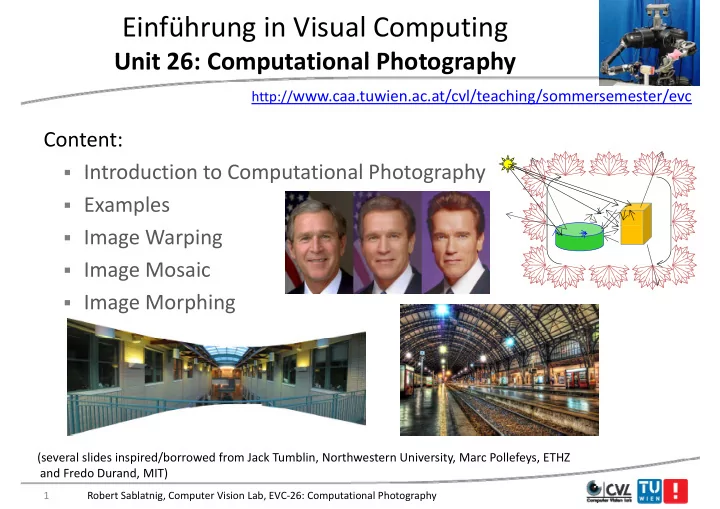
Content: Introduction to Computational Photography

  • Introduction to Computational Photography
  • Examples
  • Image Warping
  • Image Mosaic
  • Image Morphing

1 Robert Sablatnig, Computer Vision Lab, EVC‐26: Computational Photography

(several slides inspired/borrowed from Jack Tumblin, Northwestern University, Marc Pollefeys, ETHZ and Fredo Durand, MIT)

slide-2
SLIDE 2

Focus, Click, Print: ‘Film‐Like Photography’ , , g p y

Light + 3D Scene: Illumination, 2D Image: ‘Instantaneous’

Rays Rays

, shape, movement, surface BRDF,… Instantaneous Intensity Map

Rays Rays

gle(,)

  • n(x,y)

Ang Positio ‘Center of Projection’ j (P3 or P2 Origin)

2 Robert Sablatnig, Computer Vision Lab, EVC‐26: Computational Photography

slide-3
SLIDE 3

Perfect Copy : Perfect Photograph? py g p

Scene Light Intensities scene scene

‘Pixel values’ ‘Pixel values’

Display

(scene intensity? display intensity? perceived intensity? ‘blackness/whiteness’ ?)

Display Light Intensities display display Intensities display display display display display display

3 Robert Sablatnig, Computer Vision Lab, EVC‐26: Computational Photography

slide-4
SLIDE 4

‘Film‐Like’ Photography g p y

Ideals, Design Goals:

  • ‘Instantaneous’ light measurement
  • Instantaneous light measurement…
  • Of focal plane image behind a lens.

R d th t f li ht

  • Reproduce those amounts of light.

Implied: “What we see is  What we see is  focal‐plane intensities.” well, no…we see much more!

(seeing is deeply cognitive)

4 Robert Sablatnig, Computer Vision Lab, EVC‐26: Computational Photography

slide-5
SLIDE 5

Definitions

  • ‘Film‐like’ Photography:

i l d i i Displayed image  sensor image ‘C t ti l’ Ph t h

  • ‘Computational’ Photography:

Displayed image  sensor image  visually meaningful scene contents A more expressive & controllable displayed result, transformed merged decoded data from transformed, merged, decoded data from compute‐assisted sensors, lights, optics, displays

5 Robert Sablatnig, Computer Vision Lab, EVC‐26: Computational Photography

slide-6
SLIDE 6

What is Photography? g p y

  • Safe answer:
  • Safe answer:

A wholly new, expressive medium (ca. 1830s)

  • Manipulated display of what we think, feel, want, …
  • Capture a memory, a visual experience in tangible form

Capture a memory, a visual experience in tangible form

  • ‘painting with light’; express the subject’s visual essence

“Exactitude is not the truth ” Henri Matisse

  • Exactitude is not the truth. – Henri Matisse

6 Robert Sablatnig, Computer Vision Lab, EVC‐26: Computational Photography

slide-7
SLIDE 7

What is Photography? g p y

A ‘b k t’ d t t i f ti

  • A ‘bucket’ word: a neat container for messy notions

(e.g. aviation, music, comprehension)

  • A record of what we see,
  • r would like to see,

in tangible form.

  • Does ‘film’ photography

always capture it? Um, no...

  • What do we see?

7 Robert Sablatnig, Computer Vision Lab, EVC‐26: Computational Photography

slide-8
SLIDE 8

What is Photography? PHYSICAL PERCEIVED g p y

Light &

3D Scene

PHYSICAL PERCEIVED

Exposure Control,

Scene

Optics

3D Scene

light sources, BRDFs, , tone map

Scene

light sources, BRDFs,

Display Display

RGB( RGB( t )

Image

I( λ )

shapes, positions, movements shapes, positions, movements

sion

RGB( RGB(x,y,t x,y,tn) I(x,y,λ,t)

movements, …

Eyepoint

movements, …

Eyepoint Vis Eyepoint

position, movement,

Eyepoint

position, movement, projection, … projection, … Photo: A Tangible Record Editable storable as Editable, storable as Film or Pixels

8 Robert Sablatnig, Computer Vision Lab, EVC‐26: Computational Photography

slide-9
SLIDE 9

Ultimate Photographic Goals

PERCEIVED UNDERSTOOD

g p PHYSICAL

3D Scene

  • r UNDERSTOOD

Light &

Scene

l h

PHYSICAL

3D Scene

light sources, BRDFs,

g

Optics light sources, BRDFs, shapes,

Visual Visual Stimulus Stimulus

shapes, positions, movements

sion sor(s) puting

shapes, positions, movements,

Stimulus Stimulus

movements, …

Eyepoint Vis Sens Comp

Eyepoint

iti

Eyepoint

position, movement, position, movement, projection, projection, … p j , …

Meaning

Photo: A Tangible Record Scene estimates we can capture, edit, store, display capture, edit, store, display

9 Robert Sablatnig, Computer Vision Lab, EVC‐26: Computational Photography

slide-10
SLIDE 10

Photographic Signal: Pixels Rays g p g y

  • Core ideas are ancient, simple, seem obvious:
  • Lighting: ray sources

g g y

  • Optics: ray bending/

folding devices folding devices

  • Sensor: measure light
  • Processing: assess it

Processing: assess it

  • Display: reproduce it
  • Ancient Greeks:

‘ ’ h ld ‘eye rays’ wipe the world to feel its contents…

10 Robert Sablatnig, Computer Vision Lab, EVC‐26: Computational Photography

slide-11
SLIDE 11

Light Field

11

slide-12
SLIDE 12

The Photographic Signal Path g p g

  • Claim: Computing can improve every step

Light Sources Sensors Data Types, Processing Optics Optics Display Rays Rays Scene Scene Eyes Eyes

12 Robert Sablatnig, Computer Vision Lab, EVC‐26: Computational Photography

slide-13
SLIDE 13

Review: How many Rays in a 3‐D Scene? y y

A 4‐D set of infinitesimal members.

  • Imagine:
  • Convex Enclosure of a 3D scene
  • Inward‐facing ray camera at every surface point

Inward facing ray camera at every surface point

  • Pick the rays you need for ANY camera outside.

2D f f 2D surface of cameras, 2D ray set for each camera,  f +  4D set of rays.

13 Robert Sablatnig, Computer Vision Lab, EVC‐26: Computational Photography

slide-14
SLIDE 14

4‐D Light Field / Lumigraph g / g p

  • Measure all the outgoing
  • utgoing light rays.

Robert Sablatnig, Computer Vision Lab, EVC‐26: Computational Photography 14

slide-15
SLIDE 15

4‐D Illumination Field

d ll h l h

  • Same Idea: Measure all the incoming

incoming light rays

15 Robert Sablatnig, Computer Vision Lab, EVC‐26: Computational Photography

slide-16
SLIDE 16

bj

  • bject

16 Robert Sablatnig, Computer Vision Lab, EVC‐26: Computational Photography

slide-17
SLIDE 17

17 Robert Sablatnig, Computer Vision Lab, EVC‐26: Computational Photography

slide-18
SLIDE 18

18 Robert Sablatnig, Computer Vision Lab, EVC‐26: Computational Photography

slide-19
SLIDE 19

enclose object within a convex surface (sphere) (ui ,vi ) indicate the position on the surface where the light enters,

i i

(i ,i) indicate the direction in which it enters.

Ri( ui ,vi ,i ,i ) Ri( ui ,vi ,i ,i )

incident light field incident light field

19 Robert Sablatnig, Computer Vision Lab, EVC‐26: Computational Photography

slide-20
SLIDE 20

(ur ,vr ) indicate the position on the surface where the light leaves, (r,r) indicate the direction in which it leaves.

r r

Rr ( ur ,vr ,r ,r ) Rr ( ur ,vr ,r ,r ) Ri( ui ,vi ,i ,i ) Ri( ui ,vi ,i ,i )

incident light field incident light field radiant light field radiant light field

20 Robert Sablatnig, Computer Vision Lab, EVC‐26: Computational Photography

slide-21
SLIDE 21

h fl ld

(ui ,vi ) indicate the position on the surface where the light enters, (i ,i) indicate the direction in which it enters.

The Reflectance Field

i i

(ur ,vr ) indicate the position on the surface where the light leaves, (r,r) indicate the direction in which it leaves.

R ( ui ,vi ,i ,i ; ur ,vr ,r ,r ) R ( ui ,vi ,i ,i ; ur ,vr ,r ,r )

8D fl t fi ld 8D fl t fi ld 8D reflectance field 8D reflectance field Since it is linear, we can represent as a matrix Since it is linear, we can represent as a matrix

21 Robert Sablatnig, Computer Vision Lab, EVC‐26: Computational Photography

slide-22
SLIDE 22

Reflectance Field: Storage Requirements g q

R ( ui , vi , i , i ; ur , vr , r , r )

  • 360 x 180 x 180 x 180 x 360 x 180 x 180 x 180

R ( ui , vi , i , i ; ur , vr , r , r )

  • = 4.4e18 measurements

x 6 bytes/pixel (in RGB 16 bit)

  • x 6 bytes/pixel (in RGB 16‐bit)
  • = 26 exabytes (billion GB)
  • = 82 million 300GB hard drives

22 Robert Sablatnig, Computer Vision Lab, EVC‐26: Computational Photography

slide-23
SLIDE 23

Because Ray Changes Convey Appearance y g y pp

  • These rays + all these rays give me…
  • MANY more useful

details one can examine… details one can examine…

23 Robert Sablatnig, Computer Vision Lab, EVC‐26: Computational Photography

slide-24
SLIDE 24

Digital Refocusing using Light Field Camera Light Field Camera

125μ square‐sided microlenses

https://www.lytro.com/living‐pictures#living‐pictures/

125μ square‐sided microlenses

24 Robert Sablatnig, Computer Vision Lab, EVC‐26: Computational Photography

slide-25
SLIDE 25

Missing: Expressive Time Manipulations g p p

  • What other ways

better reveal appearance pp to human viewers? (Without direct shape ( p measurement? )

Can you understand this shape better?

Robert Sablatnig, Computer Vision Lab, EVC‐26: Computational Photography 25

slide-26
SLIDE 26

Missing: Viewpoint Freedom g p

26 Robert Sablatnig, Computer Vision Lab, EVC‐26: Computational Photography

slide-27
SLIDE 27

Missing: Interaction… g

Adjust everything: lighting pose viewpoint focus FOV Adjust everything: lighting, pose, viewpoint, focus, FOV,…

27

slide-28
SLIDE 28

Mild Viewing & Lighting Changes; (is tr e 3D shape necessar ?) (is true 3D shape necessary?)

Convicing visual appearance: Is Accurate Depth really necessary? p y y a few good 2‐D images may be enough… g g y g

28

slide-29
SLIDE 29

Future Photography

Novel Illuminators

Future Photography

Novel Cameras

Lights

Modulators

Novel Cameras

Generalized Generalized S General Optics: General Optics:

4D Ray Benders 4D Ray Benders

Modulators

Sensors Sensors

Ray Reconstructor

Optics: Optics:

enders enders

Generalized Generalized Processing Processing

4D R Ray Reconstructor 4D Incident Lighting

eneral O eneral O

D Ray Be D Ray Be

g

4D Ray Sampler

Ge Ge

4D 4D

Generalized Display Generalized Display

Novel Displays

Generalized Display Generalized Display Recreated 4D Light field

29

Scene: 8D Ray Modulator

slide-30
SLIDE 30

What is Computational Photography p g p y

  • Convergence of image processing, computer vision, computer

graphics and photography

  • Digital photography:
  • Simply replaces traditional sensors and recording by digital

technology

  • Involves only simple image processing

y p g p g

  • Computational photography
  • More elaborate image manipulation more computation
  • More elaborate image manipulation, more computation
  • New types of media (panorama, 3D, etc.)
  • Camera design that takes computation into account

30 Robert Sablatnig, Computer Vision Lab, EVC‐26: Computational Photography

slide-31
SLIDE 31

Applications

31

slide-32
SLIDE 32

Examples of Computational Photography p p g p y

  • Tone Mapping

Tone Mapping (HDI: High Dynamic Range Imaging)

  • Photomontage

(Compositing)

  • Image Inpainting
  • Panoramic Images
  • Image Warping
  • Image Morphing
  • …….

Robert Sablatnig, Computer Vision Lab, EVC‐26: Computational Photography 32

slide-33
SLIDE 33

Tone Mapping pp g

Before After

Durand and Dorsey. Siggraph’02

33 Robert Sablatnig, Computer Vision Lab, EVC‐26: Computational Photography

slide-34
SLIDE 34

High Dynamic Range (HDR) g y g ( )

Short Exposure Goal: High Dynamic Range Long Exposure

34 Robert Sablatnig, Computer Vision Lab, EVC‐26: Computational Photography

slide-35
SLIDE 35

Photomontage ‐ Compositing g p g

Agarwala et al Siggraph’04 Agarwala et al. Siggraph 04

35 Robert Sablatnig, Computer Vision Lab, EVC‐26: Computational Photography

slide-36
SLIDE 36

Image Inpainting: Scene Completion Using Millions of Photographs Millions of Photographs

36 Robert Sablatnig, Computer Vision Lab, EVC‐26: Computational Photography

slide-37
SLIDE 37

Face Swapping pp g

Fi d C did t f

  • Find Candidate face

in DB and align l h

  • Tune pose, lighting,

color and blend

  • Keep result with
  • ptimized matching

cost

[ Bitouk et al 2008] [ tou et a 008]

37 Robert Sablatnig, Computer Vision Lab, EVC‐26: Computational Photography

slide-38
SLIDE 38

Panoramic Images g

Brown and Lowe ICCV03 Brown and Lowe ICCV03

38 Robert Sablatnig, Computer Vision Lab, EVC‐26: Computational Photography

slide-39
SLIDE 39

Warping

39

slide-40
SLIDE 40

Image Warping g p g

image filtering: change range of image g(x) = T(f(x)) g(x) = T(f(x))

f f x T x

image warping: change domain of image

f f

g(x) = f(T(x))

x T x x x

40 Robert Sablatnig, Computer Vision Lab, EVC‐26: Computational Photography

slide-41
SLIDE 41

Image Warping g p g

image filtering: change range of image g(x) = T(f(x)) g(x) = T(f(x))

T f g T

image warping: change domain of image

f g

g p g g g g(x) = f(T(x))

T f g

41 Robert Sablatnig, Computer Vision Lab, EVC‐26: Computational Photography

slide-42
SLIDE 42

Parametric (Global) Warping ( ) p g

  • Examples of parametric warps:

translation rotation aspect ffi perspective cylindrical affine cylindrical

42 Robert Sablatnig, Computer Vision Lab, EVC‐26: Computational Photography

slide-43
SLIDE 43

Parametric (Global) Warping ( ) p g

T p = (x y) p’ = (x’ y’)

  • Transformation T is a coordinate‐changing machine:

p (x,y) p (x ,y )

p’ = T(p)

  • What does it mean that T is global?

What does it mean that T is global?

  • Is the same for any point p
  • can be described by just a few numbers (parameters)

can be described by just a few numbers (parameters)

  • Let’s represent T as a matrix:

p’ = Mp

             x x M ' '

p = Mp

        y y'

43 Robert Sablatnig, Computer Vision Lab, EVC‐26: Computational Photography

slide-44
SLIDE 44

2D Image Transformations g

44 Robert Sablatnig, Computer Vision Lab, EVC‐26: Computational Photography

slide-45
SLIDE 45

Recovering Transformations g

T(x y)

?

’ T(x,y) y y’

What if we know f and g and want to recover the

x x’ f(x,y) g(x’,y’)

  • What if we know f and g and want to recover the

transform T?

  • Willing to let user provide correspondences
  • How many do we need?

y

45 Robert Sablatnig, Computer Vision Lab, EVC‐26: Computational Photography

slide-46
SLIDE 46

Translation: # Correspondences? p

T(x y)

?

y ’ T(x,y) y’

  • How many correspondences needed for translation?

x x’

How many correspondences needed for translation?

  • How many Degrees of Freedom?

     ' 1 ' 1

x x

p p M

2

  • What is the transformation matrix?

          1 ' 1

y y

p p M

46 Robert Sablatnig, Computer Vision Lab, EVC‐26: Computational Photography

slide-47
SLIDE 47

Euclidian: # Correspondences? p

T(x y)

?

’ T(x,y) y y’

  • How many correspondences needed for translation +

x x’

How many correspondences needed for translation + rotation? ?

  • How many DOF? 3

Robert Sablatnig, Computer Vision Lab, EVC‐26: Computational Photography 47

slide-48
SLIDE 48

Affine: # Correspondences? p

T(x y)

?

’ T(x,y) y y’

  • How many correspondences needed for affine?

x x’

How many correspondences needed for affine?

  • How many DOF? 6

48 Robert Sablatnig, Computer Vision Lab, EVC‐26: Computational Photography

slide-49
SLIDE 49

Projective: # Correspondences? j p

T(x y)

?

’ T(x,y) y y’

  • How many correspondences needed for projective?

x x’

  • How many correspondences needed for projective?
  • How many DOF? 8

49 Robert Sablatnig, Computer Vision Lab, EVC‐26: Computational Photography

slide-50
SLIDE 50

Image Warping g p g

T( ) ’ T(x,y) y y’ x x’ f(x,y) g(x’,y’)

  • Given a coordinate transform (x’,y’) = T(x,y) and a source

image f(x,y), how do we compute a transformed image g f( ,y), p g g(x’,y’) = f(T(x,y))?

50 Robert Sablatnig, Computer Vision Lab, EVC‐26: Computational Photography

slide-51
SLIDE 51

Forward Warping p g

T(x y) ’ T(x,y) y y’

S d h i l f( ) t it di l ti

f(x,y) g(x’,y’) x x’

  • Send each pixel f(x,y) to its corresponding location

(x’,y’) = T(x,y) in the second image ( y ) ( y) g

Q: what if pixel lands “between” two pixels? Q: what if pixel lands between two pixels?

51 Robert Sablatnig, Computer Vision Lab, EVC‐26: Computational Photography

slide-52
SLIDE 52

Forward Warping p g

T(x,y) y y’ f(x,y) g(x’,y’) x x’ y y

  • Send each pixel f(x,y) to its corresponding location

(x’,y’) = T(x,y) in the second image

Q: what if pixel lands “between” two pixels? Q: what if pixel lands between two pixels? A: distribute color among neighboring pixels (x’,y’) K “ l tti ” – Known as “splatting”

52 Robert Sablatnig, Computer Vision Lab, EVC‐26: Computational Photography

slide-53
SLIDE 53

Inverse Warping p g

T‐1(x,y) f( ) ( ’ ’) x y x x’ y’ f(x,y) g(x’,y’)

  • Get each pixel g(x’,y’) from its corresponding location

p g( ,y ) p g (x,y) = T‐1(x’,y’) in the first image

Q: what if pixel comes from “between” two pixels?

53 Robert Sablatnig, Computer Vision Lab, EVC‐26: Computational Photography

slide-54
SLIDE 54

Inverse Warping p g

y T‐1(x,y) y’ f(x,y) g(x’,y’) x y x x’ y

  • Get each pixel g(x’,y’) from its corresponding location

1

(x,y) = T‐1(x’,y’) in the first image

h t if i l f “b t ” t i l ?

Q: what if pixel comes from “between” two pixels? A: Interpolate color value from neighbors

– nearest neighbor, bilinear, Gaussian, bicubic

54 Robert Sablatnig, Computer Vision Lab, EVC‐26: Computational Photography

slide-55
SLIDE 55

Mosaicing

55

slide-56
SLIDE 56

Why Mosaic? y

  • Are you getting the whole picture?
  • Compact Camera FOV = 50 x 35°
  • Compact Camera FOV = 50 x 35

Slide from Brown & Lowe

56 Robert Sablatnig, Computer Vision Lab, EVC‐26: Computational Photography

slide-57
SLIDE 57

Why Mosaic? y

  • Are you getting the whole picture?
  • Compact Camera FOV = 50 x 35°
  • Compact Camera FOV = 50 x 35
  • Human FOV = 200 x 135°

Slide from Brown & Lowe

57 Robert Sablatnig, Computer Vision Lab, EVC‐26: Computational Photography

slide-58
SLIDE 58

Why Mosaic? y

A tti th h l i t ?

  • Are you getting the whole picture?
  • Compact Camera FOV = 50 x 35°
  • Human FOV = 200 x 135°
  • Panoramic Mosaic = 360 x 180°

Slide from Brown & Lowe Slide from Brown & Lowe

58 Robert Sablatnig, Computer Vision Lab, EVC‐26: Computational Photography

slide-59
SLIDE 59

Mosaics: Stitching Images Together g g g

Robert Sablatnig, Computer Vision Lab, EVC‐26: Computational Photography

virtual wide‐angle camera

59

slide-60
SLIDE 60

A Pencil of Rays contains all Views y

real camera synthetic camera camera Can generate any synthetic camera view Can generate any synthetic camera view as long as it has the same center of projection!

60 Robert Sablatnig, Computer Vision Lab, EVC‐26: Computational Photography

slide-61
SLIDE 61

How to do it?

  • Basic Procedure
  • Take a sequence of images from the same position

Take a sequence of images from the same position

  • Rotate the camera about its optical center
  • Compute transformation between second image and first

Compute transformation between second image and first

  • Transform the second image to overlap with the first
  • Blend the two together to create a mosaic
  • Blend the two together to create a mosaic
  • If there are more images, repeat
  • …but wait, why should this work at all?
  • What about the 3D geometry of the scene?
  • Why aren’t we using it?

61 Robert Sablatnig, Computer Vision Lab, EVC‐26: Computational Photography

slide-62
SLIDE 62

Aligning Images g g g

left on top right on top

Translations are not enough to align the images Translations are not enough to align the images

62 Robert Sablatnig, Computer Vision Lab, EVC‐26: Computational Photography

slide-63
SLIDE 63

Image Reprojection g p j

Mosaic Projective Plane

  • The mosaic has a natural interpretation in 3D
  • The images are reprojected onto a common plane

The images are reprojected onto a common plane

  • The mosaic is formed on this plane
  • Mosaic is a synthetic wide‐angle camera

Mosaic is a synthetic wide angle camera

63 Robert Sablatnig, Computer Vision Lab, EVC‐26: Computational Photography

slide-64
SLIDE 64

Panoramas

1.

Pick one image (red) g ( )

2.

Warp the other images towards it (usually, one by one)

3

blend

3.

blend

64 Robert Sablatnig, Computer Vision Lab, EVC‐26: Computational Photography

slide-65
SLIDE 65

Changing Camera Center g g

synthetic PP

  • Does it still work?

PP1 PP2

65 Robert Sablatnig, Computer Vision Lab, EVC‐26: Computational Photography

slide-66
SLIDE 66

Planar Mosaic

66 Robert Sablatnig, Computer Vision Lab, EVC‐26: Computational Photography

slide-67
SLIDE 67

Morphing

67

slide-68
SLIDE 68

Morphing = Object Averaging p g j g g

  • The aim is to find “an average” between two objects

N f i f bj

  • Not an average of two images of objects…
  • …but an image of the average object!
  • How can we make a smooth transition in time?
  • How can we make a smooth transition in time?
  • Do a “weighted average” over time t
  • How do we know what the average object looks like?

g j

  • We haven’t a clue!
  • But we can often fake something reasonable
  • Usually required user/artist input

68 Robert Sablatnig, Computer Vision Lab, EVC‐26: Computational Photography

slide-69
SLIDE 69

Averaging Points g g

Q

What’s the average

  • f P and Q?

Q v = Q ‐ P P P + 0.5v = P + 0.5(Q – P) P + 1.5v = P + 1.5(Q – P) = ‐0.5P + 1.5 Q

Linear Interpolation

( ) = 0.5P + 0.5 Q (extrapolation)

(Affine Combination): New point aP + bQ, defined only when a+b 1

  • P and Q can be anything:

defined only when a+b = 1 So aP+bQ = aP+(1‐a)Q

  • points on a plane (2D) or in space (3D)
  • Colors in RGB or HSV (3D)
  • Whole images (m‐by‐n D)… etc.

69 Robert Sablatnig, Computer Vision Lab, EVC‐26: Computational Photography

slide-70
SLIDE 70

Idea #1: Cross‐Dissolve

  • Interpolate whole images:

Image = (1 t)*Image + t*image Imagehalfway = (1‐t)*Image1 + t*image2

  • This is called cross‐dissolve in film industry
  • But what is the images are not aligned?
  • But what is the images are not aligned?

70 Robert Sablatnig, Computer Vision Lab, EVC‐26: Computational Photography

slide-71
SLIDE 71

Idea #2: Align, then Cross‐disolve g ,

  • Align first, then cross‐dissolve
  • Alignment using global warp – picture still valid

71 Robert Sablatnig, Computer Vision Lab, EVC‐26: Computational Photography

slide-72
SLIDE 72

Image Warping – Non‐parametric g p g p

  • Move control points to specify a spline warp

p p y p p

  • Spline produces a smooth vector field
  • A spline is a smooth polynomial function that is

piecewise‐defined and possesses a high degree piecewise‐defined, and possesses a high degree

  • f smoothness at the places where the

polynomial pieces connect (which are known as knots) knots).

72 Robert Sablatnig, Computer Vision Lab, EVC‐26: Computational Photography

slide-73
SLIDE 73

Warp Specification ‐ Dense p p

  • How can we specify the warp?
  • Specify corresponding spline control points
  • Specify corresponding spline control points
  • interpolate to a complete warping function

But we want to specify only a few points, not a grid

73 Robert Sablatnig, Computer Vision Lab, EVC‐26: Computational Photography

slide-74
SLIDE 74

Warp Specification ‐ Sparse p p p

  • How can we specify the warp?

Specify corresponding points p y p g p

  • interpolate to a complete warping function
  • How do we do it?
  • How do we do it?

74 Robert Sablatnig, Computer Vision Lab, EVC‐26: Computational Photography

slide-75
SLIDE 75

Example: Mona Lisa p

Robert Sablatnig, Computer Vision Lab, EVC‐26: Computational Photography 75