Distributed Practice! Louis is a positive psychologist interested in - - PowerPoint PPT Presentation

distributed practice
SMART_READER_LITE
LIVE PREVIEW

Distributed Practice! Louis is a positive psychologist interested in - - PowerPoint PPT Presentation

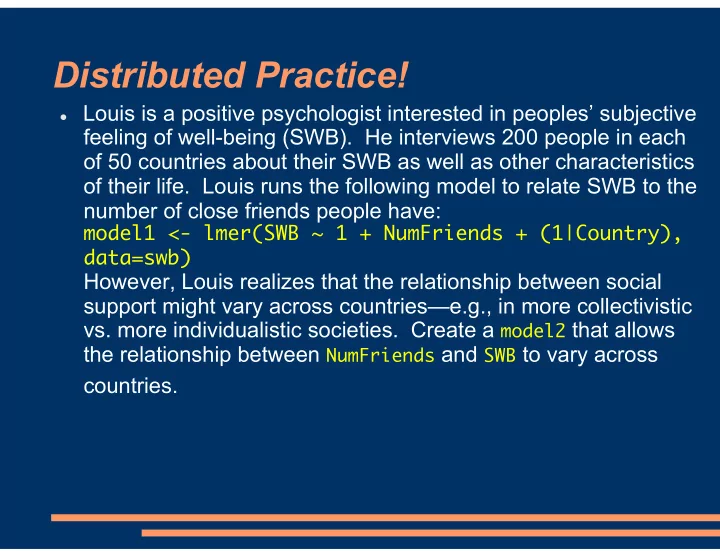
Distributed Practice! Louis is a positive psychologist interested in peoples subjective feeling of well-being (SWB). He interviews 200 people in each of 50 countries about their SWB as well as other characteristics of their life. Louis


slide-1
SLIDE 1

Distributed Practice!

Louis is a positive psychologist interested in peoples’ subjective

feeling of well-being (SWB). He interviews 200 people in each

  • f 50 countries about their SWB as well as other characteristics
  • f their life. Louis runs the following model to relate SWB to the

number of close friends people have:

model1 <- lmer(SWB ~ 1 + NumFriends + (1|Country), data=swb)

However, Louis realizes that the relationship between social support might vary across countries—e.g., in more collectivistic

  • vs. more individualistic societies. Create a model2 that allows

the relationship between NumFriends and SWB to vary across countries.

slide-2
SLIDE 2

Distributed Practice!

Louis is a positive psychologist interested in peoples’ subjective

feeling of well-being (SWB). He interviews 200 people in each

  • f 50 countries about their SWB as well as other characteristics
  • f their life. Louis runs the following model to relate SWB to the

number of close friends people have:

model1 <- lmer(SWB ~ 1 + NumFriends + (1|Country), data=swb)

However, Louis realizes that the relationship between social support might vary across countries—e.g., in more collectivistic

  • vs. more individualistic societies. Create a model2 that allows

the relationship between NumFriends and SWB to vary across countries.

model2 <- lmer(SWB ~ 1 + NumFriends +

(1+NumFriends|Country), data=swb)

Tip: Can read | as “within each”. We want a separate intercept (1) and NumFriends effect within each country.

slide-3
SLIDE 3

Course Business

Midterm assignment: Review a journal article in

your area that uses mixed-effects models

Goals:

Practice interpreting mixed-effects models Springboard for class discussion of current practice &

reporting

See CourseWeb document for specific requirements Due on CourseWeb on March 1st at 2:00 PM– 3

weeks from today

Grading rubric on CourseWeb

slide-4
SLIDE 4

Course Business

Midterm assignment: Review a journal article in

your area that uses mixed-effects models

Requirements on the chosen article:

Journal article, not poster / conference proceedings Should have at least one random effect—that makes it a

mixed-effects model

Any type of random effects structure OK (nested or

crossed)

Random effect(s) can be anything—classrooms, schools,

subjects, items, families, …

Can run the article by me if unsure

slide-5
SLIDE 5

Week 6: Coding Predictors I

Finish Random Effects

Convergence Failures BLUPs

Centering Continuous Variables Introduction to Contrast Coding Dummy Coding

What it Means How to Change Codes Interactions

Effects Coding Main Effects vs Simple Main Effects Unbalanced Factors

slide-6
SLIDE 6

Failures to Converge

  • Last week: Emergent standard for

experimental designs is to at least consider the maximal random effects structure

  • All possible random slopes
  • Not doing this ≈ Having a repeated-measures

design, but not running repeated-measures ANOVA

  • But, sometimes a model with complex random

effects structure will “fail to converge” or hit “false convergence”

slide-7
SLIDE 7

Failures to Converge: Solutions

  • Some solutions we already saw last week:
  • Make R try longer to fit the model:
  • model3 <- lmer(RT ~


1 + YearsOfStudy * WordFreq + 
 (1 + WordFreq|Subject) + 
 (1 + YearsOfStudy|Item), data=naming,
 control=lmerControl(optCtrl=list(maxfun=20000)))

  • Not always a great solution
  • Remove correlation parameters
  • Often not of interest, and don’t affect the

tests we are interested in

  • Use ||
  • model.NoCorr <- lmer(RT ~ YearsOfStudy * WordFreq +

(1+WordFreq|Subject) + (1+YearsOfStudy||Item), data=naming)

  • Near-maximal random effects structure
slide-8
SLIDE 8

Failures to Converge: Solutions

  • Also possible to test whether random slopes

matter and only includes ones that matter

  • Issue of shrinkage comes back—we’re now using

the same data to (a) decide the model and (b) evaluate particular effects in the model

  • Guidelines (Barr et al., 2013; Matuschek et al., 2015):
  • Retain random slopes for the effects we want to test
  • We don’t want to exclude something that matters,

so use a liberal criterion for including random effects (e.g., p < .20)

  • In experimental contexts: Items typically vary less

than subjects, so first test whether item slopes contribute over random-intercepts model. Don’t include if non-significant.

slide-9
SLIDE 9

Failures to Converge: Solutions

  • Collect more data!
  • Failure to converge can simply be a sign that we are

asking too much of a small dataset

  • Just because we want the data to be able to answer

this question doesn’t mean it can

slide-10
SLIDE 10

Failures to Converge Due to Scaling

  • model.PrevTrialRT <- lmer(RT ~ YearsOfStudy *

WordFreq * PrevTrialRT + (1 + WordFreq|Subject) + (1+YearsOfStudy|Item), data=naming)

  • Algorithm doesn’t work as well if the variables

are on very different scales

  • Latter effect basically just gets “rounded out”

YearsOfStudy measured in years PrevTrialRT measured in msec

BIG effect of 1-unit change TINY effect of 1-unit change

slide-11
SLIDE 11

Failures to Converge Due to Scaling

  • model.PrevTrialRT <- lmer(RT ~ YearsOfStudy *

WordFreq * PrevTrialRT + (1 + WordFreq|Subject) + (1+YearsOfStudy|Item), data=naming)

  • Algorithm doesn’t work as well if the variables

are on very different scales

  • Simple solution: Change a variable to be a

different scale

  • e.g., naming$PrevTrialRTInSeconds <-

naming$PrevTrialRT / 1000

slide-12
SLIDE 12

Week 6: Coding Predictors I

Finish Random Effects

Convergence Failures BLUPs

Centering Continuous Variables Introduction to Contrast Coding Dummy Coding

What it Means How to Change Codes Interactions

Effects Coding Main Effects vs Simple Main Effects Unbalanced Factors

slide-13
SLIDE 13

BLUPs

  • ranef(model3)
  • Shows you the intercepts and slopes for individual

subjects & items

  • These are adjustments relative to the model

predictions

RTs for the word breakfast are, on average, 5.8 ms longer than what we’d predict based on baseline RT and word frequency

slide-14
SLIDE 14

BLUPs

  • ranef(model3)
  • Shows you the intercepts and slopes for individual

subjects & items

  • Best Linear Unbiased Predictors (BLUPs)
  • Yes, this is a real term!
  • hist(ranef(model3)$Item[,1])
  • Histogram of the item intercepts!
  • Looks pretty normally distributed …

but this could tell us if 1 or 2 items are potential outliers

  • [,2] for slopes
slide-15
SLIDE 15

BLUPs

  • Why do you think the BLUPs aren’t displayed in
  • ur initial results from summary()?
  • For random effects, we’re mainly interested in

modeling variability

  • BLUPs aren’t considered parameters of the model
  • Not what this is a model “of”
  • We ran this analysis to model the effects of word

frequency & study abroad experience, not the word chair

  • If we ran the same design with a different sample,

BLUPs probably wouldn’t be the same

  • No reason to expect that Subject 23 in the new sample

will again be one of the faster subjects

  • By contrast, we do intend for our fixed effects to replicate
slide-16
SLIDE 16

Plotting Subject Effects

  • library(


lattice)

  • Package should be

already installed; don’t need to download first

  • xyplot(RT ~

WordFreq| Subject, data=naming)

Each of these is a scatterplot

  • f RT and WordFreq for a

different subject—are they consistent across subjects?

slide-17
SLIDE 17

The View Ahead

  • We’ve covered the basics of fitting a mixed

effects model

  • But only with continuous variables
  • Next 3 weeks: Categorical variables (factors)
  • Next two weeks: Categorical predictors (IVs)
  • e.g., experimental vs. control condition; race/ethnicity
  • After that: Categorical outcomes (DVs)
  • e.g., recalled vs. didn’t recall a science fact; did or didn’t

graduate high school

slide-18
SLIDE 18

Week 6: Coding Predictors I

Finish Random Effects

Convergence Failures BLUPs

Centering Continuous Variables Introduction to Contrast Coding Dummy Coding

What it Means How to Change Codes Interactions

Effects Coding Main Effects vs Simple Main Effects Unbalanced Factors

slide-19
SLIDE 19

The Big Picture

Choices about how to code variables (esp.

categorical ones)

Allow us to answer different questions about the

data

In most cases, multiple statistically valid

ways to code

But, important that we actually perform the test that

corresponds to what we say we want to know

slide-20
SLIDE 20

Week 6 Sample Data: aphasia.csv

Task: Decide whether a picture matches a

sentence; measure RT

slide-21
SLIDE 21

Week 6 Sample Data: aphasia.csv

“The dog was chased by the man.”

Task: Decide whether a picture matches a

sentence; measure RT

slide-22
SLIDE 22

Week 6 Sample Data: aphasia.csv

Task: Decide whether a picture matches a

sentence; measure RT

Each Item: Unique sentence w/ a unique picture

No picture or sentence repeats

“The dog was chased by the man.” “The bee stung the man.”

slide-23
SLIDE 23

Week 6 Sample Data: aphasia.csv

Task: Decide whether a picture matches a

sentence; measure RT

Each Item: Unique sentence w/ a unique picture 16 people with aphasia and 16 healthy controls

(SubjectType)

All participants see the same sentences, which

vary in SentenceLength (in words) and SentenceType (Active or Passive)

Active (more common): “Man bites dog.” Passive: “The dog was bitten by the man.”

Which variable(s) are between-subjects? Which variable(s) are within-subjects?

Hint: Imagine we had only 1 subject. If we could still

test the effect of a variable, it’s within-subjects.

slide-24
SLIDE 24

Week 6 Sample Data: aphasia.csv

Task: Decide whether a picture matches a

sentence; measure RT

Each Item: Unique sentence w/ a unique picture 16 people with aphasia and 16 healthy controls

(SubjectType)

All participants see the same sentences, which

vary in SentenceLength (in words) and SentenceType (Active or Passive)

Active (more common): “Man bites dog.” Passive: “The dog was bitten by the man.”

Which variable(s) are between-subjects?

SubjectType

Which variable(s) are within-subjects?

SentenceLength and SentenceType

slide-25
SLIDE 25

Week 6 Sample Data: aphasia.csv

Task: Decide whether a picture matches a

sentence; measure RT

Each Item: Unique sentence w/ a unique picture 16 people with aphasia and 16 healthy controls

(SubjectType)

All participants see the same sentences, which

vary in SentenceLength (in words) and SentenceType (Active or Passive)

Active (more common): “Man bites dog.” Passive: “The dog was bitten by the man.”

Which variable(s) are between-items? Which variable(s) are within-items?

Hint: Imagine we had only 1 sentence. If we could

still test the effect of a variable, it’s within-items.

slide-26
SLIDE 26

Week 6 Sample Data: aphasia.csv

Task: Decide whether a picture matches a

sentence; measure RT

Each Item: Unique sentence w/ a unique picture 16 people with aphasia and 16 healthy controls

(SubjectType)

All participants see the same sentences, which

vary in SentenceLength (in words) and SentenceType (Active or Passive)

Active (more common): “Man bites dog.” Passive: “The dog was bitten by the man.”

Which variable(s) are between-items?

SentenceLength and SentenceType

Which variable(s) are within-items?

SubjectType

slide-27
SLIDE 27

Interpreting Intercepts

  • Let’s examine whether sentence length affects RT in

this picture-verification task

  • At this stage, we don’t care about SentenceType or SubjectType
  • Common that spreadsheet contains extra, irrelevant columns
  • lengthModel.Maximal <- lmer(RT ~ 


1 + SentenceLength +
 (1 + SentenceLength|Subject) +
 (1|Item),
 data = aphasia)


  • Hint #1: Remember that we decided SentenceLength is a within-

subjects variable

  • Hint #2: Could there be a different effect of SentenceLength for each

subject?

SUBJECT RANDOM EFFECTS ITEM RANDOM EFFECTS

slide-28
SLIDE 28

Interpreting Intercepts

  • Let’s examine whether sentence length affects RT in

this picture-verification task

  • At this stage, we don’t care about SentenceType or SubjectType
  • Common that spreadsheet contains extra, irrelevant columns
  • lengthModel.Maximal <- lmer(RT ~ 


1 + SentenceLength +
 (1 + SentenceLength|Subject) +
 (1|Item),
 data = aphasia)

  • Sentence length is manipulated within subjects

(each subject sees several different sentence lengths)

  • Possible to calculate each subject’s personal

SentenceLength effect (slope)—sentence length could matter more for some people than others

  • Include random slope

ITEM RANDOM EFFECTS

slide-29
SLIDE 29

Interpreting Intercepts

  • Let’s examine whether sentence length affects RT in

this picture-verification task

  • At this stage, we don’t care about SentenceType or SubjectType
  • Common that spreadsheet contains extra, irrelevant columns
  • lengthModel.Maximal <- lmer(RT ~ 


1 + SentenceLength +
 (1 + SentenceLength|Subject) +
 (1|Item),
 data = aphasia)


  • Hint #1: Remember that we decided SentenceLength is a

between-items variable—it only differs between one sentence and another

  • Hint #2: Could we compute the slope of a regression line relating

SentenceLength to RT if we selected only a single sentence?

ITEM RANDOM EFFECTS

slide-30
SLIDE 30

Interpreting Intercepts

  • Let’s examine whether sentence length affects RT in

this picture-verification task

  • At this stage, we don’t care about SentenceType or SubjectType
  • Common that spreadsheet contains extra, irrelevant columns
  • lengthModel.Maximal <- lmer(RT ~ 


1 + SentenceLength +
 (1 + SentenceLength|Subject) +
 (1|Item),
 data = aphasia)


  • Sentence length is manipulated between items (each

sentence has only one length)

  • Not possible to calculate a SentenceLength effect (slope)

using just one sentence

  • Don’t include random slope
slide-31
SLIDE 31

Interpreting Intercepts

  • Let’s examine whether sentence length affects RT in

this picture-verification task

  • At this stage, we don’t care about SentenceType or SubjectType
  • Common that spreadsheet contains extra, irrelevant columns
  • lengthModel.Maximal <- lmer(RT ~ 


1 + SentenceLength +
 (1 + SentenceLength|Subject) +
 (1|Item),
 data = aphasia)


  • The statistician's cheer:
  • When I say “within,” you

say “random slope!”

slide-32
SLIDE 32
  • Let’s examine whether sentence length affects RT in

this picture-verification task

  • At this stage, we don’t care about SentenceType or SubjectType
  • Common that spreadsheet contains extra, irrelevant columns
  • Results:
  • Intercept: RT is 1215 ms when sentence length is 0
  • Sentence length effect: +88 ms for each word
  • But, sentence length 0 is impossible. Odd to talk about.

Interpreting Intercepts

y = 1215 + 88 * SentenceLength

slide-33
SLIDE 33

Interpreting Intercepts

  • Let’s change the model so that 0 means something

2 4 6 8 10 12 1000 1500 2000 2500 3000 3500 Sentence Length - uncentered RT Intercept: 1215 RT = 1215 + 88 * Length

slide-34
SLIDE 34

Mean Centering

  • Mean sentence length is 10.00
  • Imagine we subtracted this mean length

from each sentence length

  • New zero represents mean length
  • “Mean centering”

ORIGINAL MEAN SUBTRACTED

Traffic jam: 7 Chess club: 10 Panther: 11

  • 3

1

slide-35
SLIDE 35

Mean Centering

  • New zero represents mean length
  • “Mean centering”

Original (uncentered)

Sentence Length Num observations 50 100 1 2 3 4 5 6 7 8 9 10 11 12 13 14 15

After subtracting mean (centered)

Sentence Length (Centered) Num observations 50 100

  • 10
  • 9
  • 8
  • 7
  • 6
  • 5
  • 4
  • 3
  • 2
  • 1

1 2 3 4 5

slide-36
SLIDE 36

Centering—How to Do It

  • First, create a new variable:
  • aphasia$SentenceLength.cen <-

scale(aphasia$SentenceLength, center=TRUE, scale=FALSE)[,1]


  • Then, use the new variable in your model
  • lengthModel.cen.Maximal <- lmer(RT ~ 


1 + SentenceLength.cen +
 (1 + SentenceLength.cen|Subject) +
 (1|Item),
 data = aphasia)

slide-37
SLIDE 37

Centering—Results

  • Old model:
  • New model:
  • Intercept: RT is 2094 ms at mean sentence length
  • Sentence length effect: +88 ms for each add’l word

y = 2094 + 88 * SentenceLength

Correlation of sentence length effect with intercept is now almost 0. Indicates that we centered correctly.

slide-38
SLIDE 38

Centering—Results

  • Intercept: RT is 2094 ms at mean sentence length
  • Sentence length effect: +88 ms for each add’l word
  • 10
  • 8
  • 6
  • 4
  • 2

2 4 1000 1500 2000 2500 3000 3500 Sentence Length - CENTERED RT Intercept: 2094 RT = 2094 + 88 * Length

slide-39
SLIDE 39

Centering—Results

  • Both regression equations apply only to plausible

sentence lengths

  • With raw sentence length, can’t have a sentence length

less than 0 (no such thing as a negative # of words!)

  • With centered sentence length, can’t have a sentence

length less than -10 (0 minus the mean of 10)

  • 10
  • 8
  • 6
  • 4
  • 2

2 4 1000 1500 2000 2500 3000 3500 Sentence Length - CENTERED RT Intercept: 2094 RT = 2094 + 88 * Length

slide-40
SLIDE 40

Which Do You Like Better?

  • 10
  • 8
  • 6
  • 4
  • 2

2 4 1000 1500 2000 2500 3000 3500 Sentence Length - CENTERED RT Intercept: 2094 RT = 2094 + 88 * Length 2 4 6 8 10 12 1000 1500 2000 2500 3000 3500 Sentence Length - uncentered RT Intercept: 1215 RT = 1215 + 88 * Length

UNCENTERED CENTERED

  • Good if zero is meaningful
  • Years of study abroad, number
  • f previous trials, number of

missed classes…

  • Good if zero is not meaningful or

not observed

  • Reduced correlation w/ intercept

also helps with convergence (esp. in binomial models)

slide-41
SLIDE 41

Other Alternatives

  • It would also be possible to make 0

correspond to some other sensible/useful value

  • e.g., 0 could be the shortest sentence length in our

set of items

  • aphasia$SentenceLength2 <- aphasia

$SentenceLength – min(aphasia$SentenceLength)

slide-42
SLIDE 42

Week 6: Coding Predictors I

Finish Random Effects

Convergence Failures BLUPs

Centering Continuous Variables Introduction to Contrast Coding Dummy Coding

What it Means How to Change Codes Interactions

Effects Coding Main Effects vs Simple Main Effects Unbalanced Factors

slide-43
SLIDE 43

Terminology

  • Factor: A categorical variable
  • Variables where we get

counts in our R summary

  • as.factor() makes things

categorical if they aren’t already

  • Levels: The individual categories

within a factor

  • “Active” versus “Passive”
  • “Aphasia” versus “Healthy control”
slide-44
SLIDE 44

Introduction to Contrast Coding

  • So far, we’ve been writing regression

equations with numbers

  • But what about active vs passive sentence?

= Intercept + + Study Time

RT

# of previous trials

γ100 γ200 3 s 12

= Intercept +

RT

γ100

slide-45
SLIDE 45

Introduction to Contrast Coding

  • But what about active vs passive sentence?
  • R’s “secret decoder wheel”

assigns numerical coding schemes:

  • Variable with 2 categories (this week): Only one

comparison needed

  • Variables with more categories: Multiple contrasts

= Intercept +

RT

γ100

Active sentence: 0 Passive sentence: 1

slide-46
SLIDE 46

Introduction to Contrast Coding

  • But what about active vs passive sentence?
  • R’s “secret decoder wheel”

assigns numerical coding schemes

  • See the current codes:
  • contrasts(aphasia$SentenceType)

= Intercept +

RT

γ100

Active sentence: 0 Passive sentence: 1

slide-47
SLIDE 47

Week 6: Coding Predictors I

Finish Random Effects

Convergence Failures BLUPs

Centering Continuous Variables Introduction to Contrast Coding Dummy Coding

What it Means How to Change Codes Interactions

Effects Coding Main Effects vs Simple Main Effects Unbalanced Factors

slide-48
SLIDE 48

Treatment Coding (Dummy Coding)

  • R’s default system
  • One baseline/reference level (category

is coded as 0

  • The other (the treatment) is coded as 1
  • Default ordering is alphabetical: First

level is 0, second is 1

  • We’ll see how to change this soon
  • contrasts(aphasia$SentenceType)

Active coded as 0 Passive coded as 1

slide-49
SLIDE 49

Treatment Coding (Dummy Coding)

  • Let’s do a model that just examines the effect of

sentence type in this task:

  • SentenceTypeModel <- lmer(RT ~ 


1 + SentenceType +
 (1 + SentenceType|Subject) +
 (1|Item),
 data = aphasia)


  • Hint: SentenceType varies within-subjects, but only between

items

SUBJECT RANDOM EFFECTS ITEM RANDOM EFFECTS

slide-50
SLIDE 50

Treatment Coding (Dummy Coding)

  • Let’s do a model that just examines the effect of

sentence type in this task:

  • SentenceTypeModel <- lmer(RT ~ 


1 + SentenceType +
 (1 + SentenceType|Subject) +
 (1|Item),
 data = aphasia)

slide-51
SLIDE 51

Treatment Coding (Dummy Coding)

  • Let’s think about what the model looks like for

each of our two conditions: RT =γ000 + γ100 * SentenceType RT =γ000 + γ100 * SentenceType

Active Sentences Passive Sentences

slide-52
SLIDE 52

Treatment Coding (Dummy Coding)

  • Let’s think about what the model looks like for

each of our two conditions: RT =γ000 + γ100 * SentenceType RT =γ000 + γ100 * SentenceType

Active Sentences Passive Sentences

? ?

slide-53
SLIDE 53

Treatment Coding (Dummy Coding)

  • Let’s think about what the model looks like for

each of our two conditions: RT =γ000 + γ100 * SentenceType RT =γ000 + γ100 * SentenceType

Active Sentences Passive Sentences

1

slide-54
SLIDE 54

Treatment Coding (Dummy Coding)

  • Let’s think about what the model looks like for

each of our two conditions: RT =γ000 RT =γ000 + γ100 * SentenceType

Active Sentences Passive Sentences

1

Intercept is just the mean RT for active sentences

slide-55
SLIDE 55

Treatment Coding (Dummy Coding)

  • Let’s think about what the model looks like for

each of our two conditions: RT =γ000 RT =γ000 + γ100

Active Sentences Passive Sentences Intercept is just the mean RT for active sentences

What is the difference between the equations for the two sentence types?

SentenceType effect is the difference in RT between passive & active sentences

slide-56
SLIDE 56

Treatment Coding Results

  • Treatment coding makes one level the

baseline and compares everything to that

Intercept: RT for active sentences is 1758 ms SentenceType: RT difference between conditions is 672 ms

slide-57
SLIDE 57

Week 6: Coding Predictors I

Finish Random Effects

Convergence Failures BLUPs

Centering Continuous Variables Introduction to Contrast Coding Dummy Coding

What it Means How to Change Codes Interactions

Effects Coding Main Effects vs Simple Main Effects Unbalanced Factors

slide-58
SLIDE 58

Changing Codes

  • We should think about adding SubjectType to

the model. Let’s check the codes:

  • contrasts(aphasia$SubjectType)


  • But, control is really the baseline category here
  • Assign new codes by using <- :
  • contrasts(aphasia$SubjectType)


<- c(1,0)

  • New codes are in the order you see

above & with summary()

CONCATENATE

slide-59
SLIDE 59

Changing Codes

  • Need to set codes before you run the model!
slide-60
SLIDE 60

Week 6: Coding Predictors I

Finish Random Effects

Convergence Failures BLUPs

Centering Continuous Variables Introduction to Contrast Coding Dummy Coding

What it Means How to Change Codes Interactions

Effects Coding Main Effects vs Simple Main Effects Unbalanced Factors

slide-61
SLIDE 61

Treatment Coding: Two Variables

  • Now, we’d like SentenceType and SubjectType to

interact:

  • Model.Maximal <- lmer(RT ~ 


1 + SentenceType * SubjectType +
 (1 + SentenceType|Subject) +
 (1 + SubjectType|Item),
 data = aphasia)


  • Hint #1: Remember that we can include a random slope by subjects for within-

subjects variables but not for between-subjects variables

  • Hint #2: Does each subject see more than one SentenceType? Is each subject

more than one SubjectType?

SUBJECT RANDOM EFFECTS ITEM RANDOM EFFECTS

slide-62
SLIDE 62

Treatment Coding: Two Variables

  • Now, we’d like SentenceType and SubjectType to

interact:

  • Model.Maximal <- lmer(RT ~ 


1 + SentenceType * SubjectType +
 (1 + SentenceType|Subject) +
 (1 + SubjectType|Item),
 data = aphasia)


  • Hint #1: Remember that we can include a random slope by items for within-

items variables but not for between-items variables

  • Hint #2: Is each item presented as more than one SentenceType? Is each item

presented to more than one SubjectType?

ITEM RANDOM EFFECTS

slide-63
SLIDE 63

Treatment Coding: Two Variables

  • Now, we’d like SentenceType and SubjectType to

interact:

  • Model.Maximal <- lmer(RT ~ 


1 + SentenceType * SubjectType +
 (1 + SentenceType|Subject) +
 (1 + SubjectType|Item),
 data = aphasia)

slide-64
SLIDE 64

Treatment Coding: Two Variables

  • Our design now has four cells:

RT =γ000 + γ100SentenceType + γ200SubjectType + γ1200SentenceTypeSubjectType

Active, Control Subj.

RT =γ000 + γ100SentenceType + γ200SubjectType + γ1200SentenceTypeSubjectType

Passive, Control Subj.

RT =γ000 + γ100SentenceType + γ200SubjectType + γ1200SentenceTypeSubjectType

Active, Aphasics

RT =γ000 + γ100SentenceType + γ200SubjectType + γ1200SentenceTypeSubjectType

Passive, Aphasics

slide-65
SLIDE 65

Treatment Coding: Two Variables

  • Our design now has four cells:

RT =γ000 + γ100SentenceType + γ200SubjectType + γ1200SentenceTypeSubjectType

Active, Control Subj.

RT =γ000 + γ100SentenceType + γ200SubjectType + γ1200SentenceTypeSubjectType

Passive, Control Subj.

RT =γ000 + γ100SentenceType + γ200SubjectType + γ1200SentenceTypeSubjectType

Active, Aphasics

RT =γ000 + γ100SentenceType + γ200SubjectType + γ1200SentenceTypeSubjectType

Passive, Aphasics

slide-66
SLIDE 66

Treatment Coding: Two Variables

  • Our design now has four cells:

RT =γ000

Active, Control Subj.

RT =γ000 + γ100SentenceType + γ200SubjectType + γ1200SentenceTypeSubjectType

Passive, Control Subj.

RT =γ000 + γ100SentenceType + γ200SubjectType + γ1200SentenceTypeSubjectType

Active, Aphasics

RT =γ000 + γ100SentenceType + γ200SubjectType + γ1200SentenceTypeSubjectType

Passive, Aphasics Intercept is the RT when all variables at their baseline: active sentence type, healthy control subject 1 1

slide-67
SLIDE 67

Treatment Coding: Two Variables

  • Our design now has four cells:

RT =γ000

Active, Control Subj.

RT =γ000 + γ100

Passive, Control Subj.

RT =γ000 + γ100SentenceType + γ200SubjectType + γ1200SentenceTypeSubjectType

Active, Aphasics

RT =γ000 + γ100SentenceType + γ200SubjectType + γ1200SentenceTypeSubjectType

Passive, Aphasics Intercept is the RT when all variables at their baseline: active sentence type, healthy control subject SentenceType: Passive vs active difference for baseline healthy controls 1 1

slide-68
SLIDE 68

Treatment Coding: Two Variables

RT =γ000

Active, Control Subj.

RT =γ000 + γ100

Passive, Control Subj.

RT =γ000 + γ200

Active, Aphasics

RT =γ000 + γ100SentenceType + γ200SubjectType + γ1200SentenceTypeSubjectType

Passive, Aphasics Intercept is the RT when all variables at their baseline: active sentence type, healthy control subject SentenceType: Passive vs active difference for baseline healthy controls SubjectType: Aphasia vs control difference for baseline active sentences

  • Our design now has four cells:
slide-69
SLIDE 69

Treatment Coding: Two Variables

RT =γ000

Active, Control Subj.

RT =γ000 + γ100

Passive, Control Subj.

RT =γ000 + γ200

Active, Aphasics

RT =γ000 + γ100SentenceType + γ200SubjectType + γ1200SentenceTypeSubjectType

Passive, Aphasics Intercept is the RT when all variables at their baseline: active sentence type, healthy control subject SentenceType: Passive vs active difference for baseline healthy controls SubjectType: Aphasia vs control difference for baseline active sentences

If no special effect of passive sentence and aphasia, we’d just have these two effects

  • Our design now has four cells:

1 1

slide-70
SLIDE 70

Treatment Coding: Two Variables

RT =γ000

Active, Control Subj.

RT =γ000 + γ100

Passive, Control Subj.

RT =γ000 + γ200

Active, Aphasics

RT =γ000 + γ100 + γ200

Passive, Aphasics Intercept is the RT when all variables at their baseline: active sentence type, healthy control subject SentenceType: Passive vs active difference for baseline healthy controls SubjectType: Aphasia vs control difference for baseline active sentences

If no special effect of passive sentence and aphasia, we’d just have these two effects

  • Our design now has four cells:
slide-71
SLIDE 71

Treatment Coding: Two Variables

  • Our design now has four cells:

RT =γ000

Active, Control Subj.

RT =γ000 + γ100

Passive, Control Subj.

RT =γ000 + γ200

Active, Aphasics

RT =γ000 + γ100 + γ200 + γ1200SentenceTypeSubjectType

Passive, Aphasics Intercept is the RT when all variables at their baseline: active sentence type, healthy control subject SentenceType: Passive vs active difference for baseline healthy controls SubjectType: Aphasia vs control difference for baseline active sentences

Interaction: Special effect of aphasia and passive sentence

1 1

slide-72
SLIDE 72

Treatment Coding: Two Variables

  • Our design now has four cells:

RT =γ000

Active, Control Subj.

RT =γ000 + γ100

Passive, Control Subj.

RT =γ000 + γ200

Active, Aphasics

RT =γ000 + γ100 + γ200 + γ1200

Passive, Aphasics Intercept is the RT when all variables at their baseline: active sentence type, healthy control subject SentenceType: Passive vs active difference for baseline healthy controls SubjectType: Aphasia vs control difference for baseline active sentences

Interaction: Special effect of aphasia and passive sentence

slide-73
SLIDE 73

Treatment Coding: Model Results

Intercept: RT for healthy controls, active voice sentences Significant RT difference for passive sentences (among healthy controls) Not a significant RT difference for aphasics (among active sentences) Significant special effect of aphasia + passive sentence

slide-74
SLIDE 74

Treatment Coding: Model Results

Intercept: RT for healthy controls, active voice sentences Significant RT difference for passive sentences (among healthy controls) Not a significant RT difference for aphasics (among active sentences) Significant special effect of aphasia + passive sentence Even though the SubjectType effect is not significant here, we would not want to remove it from the model. It doesn’t make sense to include the interaction without the lower-order terms—the interaction is defined by what’s different from the two simple effects alone.

slide-75
SLIDE 75

Week 6: Coding Predictors I

Finish Random Effects

Convergence Failures BLUPs

Centering Continuous Variables Introduction to Contrast Coding Dummy Coding

What it Means How to Change Codes Interactions

Effects Coding Main Effects vs Simple Main Effects Unbalanced Factors

slide-76
SLIDE 76

Effects Coding (Sum Coding)

  • So far, the intercept at 0 has referred to a

particular baseline level

  • Remember centering?
  • When we centered, we made the intercept at 0

correspond to the overall mean

slide-77
SLIDE 77

Effects Coding (Sum Coding)

  • We can apply centering to a factor, too
  • SentenceType has:
  • 480 “Active” observations (currently 0)
  • 480 “Passive”s (currently 1)
  • Mean of 0.5
  • Subtracting the mean from each code gives

us a new set of codes

Subtract 0.5 Subtract 0.5

slide-78
SLIDE 78

Effects Coding (Sum Coding)

  • We can apply centering to a factor, too
  • SentenceType has:
  • 480 “Active” observations (currently 0)
  • 480 “Passive”s (currently 1)
  • Mean of 0.5
  • Subtracting the mean from each code gives

us a new set of codes

  • Effects coding (a/k/a sum coding): -0.5, 0.5

Subtract 0.5 Subtract 0.5

slide-79
SLIDE 79

Effects Coding (Sum Coding)

  • Apply effects coding (-0.5, 0.5) to our two

sentence types: RT =γ000 + γ100 * SentenceType RT =γ000 + γ100 * SentenceType

Active Sentences Passive Sentences

? ?

slide-80
SLIDE 80

Effects Coding (Sum Coding)

  • Apply effects coding (-0.5, 0.5) to our two

sentence types: RT =γ000 + γ100 * SentenceType RT =γ000 + γ100 * SentenceType

Active Sentences Passive Sentences

  • 0.5

0.5

Imagine subtracting the equations. The difference between the equations for the two conditions is equal to what?

slide-81
SLIDE 81

Effects Coding (Sum Coding)

  • Apply effects coding (-0.5, 0.5) to our two

sentence types: RT =γ000 + γ100 * SentenceType RT =γ000 + γ100 * SentenceType

Active Sentences Passive Sentences

  • 0.5

0.5

The equations differ by 1 γ100 SentenceType effect is (still) the difference between conditions Intercept is always present. It’s now the mean RT across all conditions.

slide-82
SLIDE 82

Effects Coding (Sum Coding)

  • Let’s apply effects coding to our aphasia data
  • Old codes:
  • New codes:
  • contrasts(aphasia$SentenceType) <- c(-0.5,0.5)
  • contrasts(aphasia$SubjectType) <- c(0.5,-0.5)
  • Rerun the model:
  • EffectsCoding.Maximal <- lmer(RT ~ 1 +

SentenceType * SubjectType + (1 + SentenceType| Subject) + (1 + SubjectType|Item),
 data = aphasia)

SENTENCETYPE SUBJECTTYPE

slide-83
SLIDE 83

Effects Coding: Model Results

Intercept: Now mean RT overall Significant overall RT difference for passive vs active sentences (across all subjects) Significant overall RT difference for aphasics (across all sentence types) Significant Special effect of aphasia + passive sentence No correlation w/ intercept--we’ve successfully centered

slide-84
SLIDE 84

Effects Coding: Sign Changes

  • We picked one condition to be -0.5 and one to be 0.5
  • contrasts(aphasia$SentenceType) <- c(-0.5,0.5)
  • Here, Active was -0.5 and Passive was 0.5
  • Should we worry that this affects our results?
  • Let’s try it the other way and see if we get something else
  • contrasts(aphasia$SentenceType) <- c(0.5, -0.5)
  • Then, re-run the model
slide-85
SLIDE 85

Effects Coding: Sign Changes

  • Active is -0.5, Passive is 0.5:
  • Active is 0.5, Passive is -0.5:
  • Flipping the signs of the code just changes the sign of

the results

  • Doesn’t affect absolute value or significance
  • Choose whichever makes sense for your question:
  • “Passive is slower than Active” vs “Active is faster than

Passive”

“RT 671 ms longer for Passive than for Active” “RT 671 ms shorter for Active than for Passive”

slide-86
SLIDE 86

Effects Coding: Why -0.5 & 0.5?

PASSIVE ACTIVE

.5

  • .5

CONTRAST CODE

}1

PASSIVE ACTIVE

1

  • 1

CONTRAST CODE

1 unit change in contrast IS the difference between sentence types 1 unit change in contrast IS

  • nly half the difference

between levels

}2

slide-87
SLIDE 87

What if we used (-1, 1) instead? Doesn't affect significance test Does make it harder to interpret the estimate

Parameter estimate is only half of the actual difference

in means

Effects Coding: Why -0.5 & 0.5?

SENTENCE TYPE: c(-1, 1) SENTENCE TYPE: c(-0.5, 0.5)

slide-88
SLIDE 88

Week 6: Coding Predictors I

Finish Random Effects

Convergence Failures BLUPs

Centering Continuous Variables Introduction to Contrast Coding Dummy Coding

What it Means How to Change Codes Interactions

Effects Coding Main Effects vs Simple Main Effects Unbalanced Factors

slide-89
SLIDE 89

Simple Main Effects vs Main Effects

  • Treatment coding and effects coding also change
  • ur interpretation of the non-intercept effects:
  • Treatment coding (of SentenceType):
  • Effect of SubjectType within the baseline

level of SentenceType

  • “Simple main effect” or “simple effect” – not a

“real” main effect

  • Effects coding (of SentenceType):
  • Overall effect of SubjectType averaged across

sentence types

  • “Main effect”

Non-significant RT difference for aphasics (among active sentences) Significant RT difference for aphasics (across all sentence types)

slide-90
SLIDE 90

Simple Main Effects vs Main Effects

  • Again, both of these are, in principle, reasonable

questions to ask…

  • In factorial experiments, traditional to talk about the

main effects averaged across other variables

  • “Main effect of aphasia,” “Overall effect of priming,” “Overall

effect of study strategy,” “Main effect of ambiguity”…

  • If you want to talk about main effects in this way,

don’t use treatment / dummy coding!

  • In other designs, treatment coding

may be the most appropriate!

slide-91
SLIDE 91

Week 6: Coding Predictors I

Finish Random Effects

Convergence Failures BLUPs

Centering Continuous Variables Introduction to Contrast Coding Dummy Coding

What it Means How to Change Codes Interactions

Effects Coding Main Effects vs Simple Main Effects Unbalanced Factors

slide-92
SLIDE 92

Unbalanced Factors

  • Sometimes, we may have differing

numbers of observations per level

  • Possible reasons:
  • Some categories naturally more common
  • e.g., college majors
  • Categories may be equally common in the

population, but we have sampling error

  • e.g., ended up 60% female participants, 40% male
  • Study was designed so that some conditions are

more common

  • e.g., more “control” subjects than “intervention” subjects
  • We wanted equal numbers of observations, but lost

some because of errors or exclusion criteria

  • e.g., data loss due to computer problems
  • Dropping subjects below a minimum level of performance
slide-93
SLIDE 93

Weighted Coding

  • “For the average student, does course size

predict probability of graduation?”

  • Random sample of 200 Pitt undergrads
  • 5 are student athletes and 195 are not
  • How can we make the intercept reflect the

“average student”?

  • We could try to apply effects coding to the

StudentAthlete variable by centering around the mean and getting (0.5, -0.5), but…

slide-94
SLIDE 94

Weighted Coding

  • An intercept at 0 would no longer correspond to the
  • verall mean
  • As a scale, this would be totally

unbalanced

  • To fix balance, we need to assign

a heavier weight to Athlete

ATHLETE (5) NOT ATHLETE (195)

.5

  • .5
  • .475

Zero is here

But “not athlete” is actually far more common

slide-95
SLIDE 95

Weighted Coding

  • Change codes so the mean is 0
  • c(.975, -.025)
  • contr.helmert.weighted() function in my

psycholing package will calculate this ATHLETE (5) NOT ATHLETE (195)

.975

  • .025
slide-96
SLIDE 96

Weighted Coding

  • Weighted coding: Change the codes so that

the mean is 0 again

  • Used when the imbalance reflects something real
  • Like Type II sums of squares
  • “For the average student, does course size

predict graduation rates?”

  • Average student is not a student athlete, and our

answer to the question about an “average student” should reflect this!

slide-97
SLIDE 97

Unweighted Coding

  • Oops! Our experiment loaded up the wrong image

for one of our Passive sentences (“Groceries”)

  • It may have been sabotaged
  • UsableItem column is No for this item
  • First, can we remove this from our data?
  • Some possibilities:
  • aphasia <- aphasia[aphasia$UsableItem == 'Yes', ]
  • aphasia2 <- aphasia[aphasia$UsableItem != 'No', ]
  • aphasia2 <- subset(aphasia, UsableItem == 'Yes')
  • etc.
slide-98
SLIDE 98

Unweighted Coding

  • Oops! Our experiment loaded up the wrong image

for one of our Passive sentences (“Groceries”)

  • Now, there’s an imbalance, but it’s an accident and

not meaningful

  • In fact, we’d like to get rid of it!
slide-99
SLIDE 99

Unweighted Coding

  • Oops! Our experiment loaded up the wrong image

for one of our Passive sentences (“Groceries”)

  • Now, there’s an imbalance, but it’s an accident and

not meaningful

  • In fact, we’d like to get rid of it!
  • Retain the (-0.5, 0.5) codes
  • Weights the two conditions equally—because the

imbalance isn’t meaningful

  • Like Type III sums of squares
  • Probably what you want for factorial experiments
slide-100
SLIDE 100

Unbalanced Factors: Summary

  • Weighted coding: Change the codes so that the

mean is 0

  • Use when the imbalance reflects something real
  • Can be done with contr.helmert.weighted()
  • Unweighted coding: Keep the codes as -0.5

and 0.5

  • Use when the imbalance is an accident that we

want to eliminate

Mean across each individual: Mean of the two levels: Mean of the active sentences Mean of the passive sentences

(with perfectly balanced factors, these two methods are identical)