Descriptive Statistics there will be a lot of data This is a good - - PDF document

descriptive statistics
SMART_READER_LITE
LIVE PREVIEW

Descriptive Statistics there will be a lot of data This is a good - - PDF document

4/14/2017 Summarizing Data IMGD 2905 With lots of playtesting, Descriptive Statistics there will be a lot of data This is a good thing! But raw data is just a pile Chapter 3 of numbers Rarely of interest Or even sensible


slide-1
SLIDE 1

4/14/2017 1

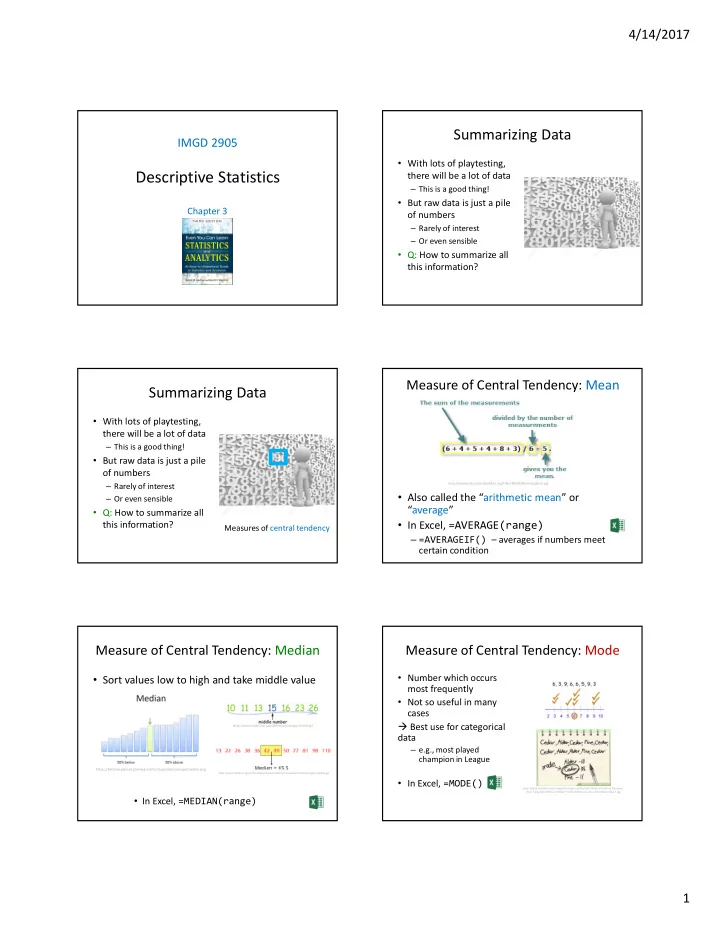
Descriptive Statistics

IMGD 2905

Chapter 3

Summarizing Data

  • With lots of playtesting,

there will be a lot of data

– This is a good thing!

  • But raw data is just a pile
  • f numbers

– Rarely of interest – Or even sensible

  • Q: How to summarize all

this information?

Summarizing Data

  • With lots of playtesting,

there will be a lot of data

– This is a good thing!

  • But raw data is just a pile
  • f numbers

– Rarely of interest – Or even sensible

  • Q: How to summarize all

this information?

Measures of central tendency

  • Also called the “arithmetic mean” or

“average”

  • In Excel, =AVERAGE(range)

– =AVERAGEIF() – averages if numbers meet certain condition

http://www.cdn.sciencebuddies.org/Files/463/9/MeanEquation.jpg

Measure of Central Tendency: Mean Measure of Central Tendency: Median

  • Sort values low to high and take middle value

https://betterexplained.com/wp-content/uploads/average/median.png https://www.mathsisfun.com/definitions/images/median.gif

http://www.nedarc.org/statisticalHelp/basicStatistics/measuresOfCenter/images/median.gif

  • In Excel, =MEDIAN(range)

Measure of Central Tendency: Mode

  • Number which occurs

most frequently

  • Not so useful in many

cases  Best use for categorical data

– e.g., most played champion in League

  • In Excel, =MODE()

http://pad3.whstatic.com/images/thumb/c/cd/Find-the-Mode-of-a-Set-of-Numbers- Step-7.jpg/aid130521-v4-728px-Find-the-Mode-of-a-Set-of-Numbers-Step-7.jpg

slide-2
SLIDE 2

4/14/2017 2

Depiction: Mean, Median, Mode

mean median mode (a) mean median (b) modes (d) frequency (c) mean median no mode mode median mean (d) mode median mean frequency frequency frequency frequency

Which to Use, Mean, Median, Mode? Which to Use, Mean, Median, Mode

  • Mean many statistical tests with sample

– Estimator of population mean – Uses all data

  • Median is useful for skewed data

– e.g., income data (US Census) or housing prices (Zillo) – e.g., Overwatch team (6 players): 5 people level 5, 1 person level 275

  • Mean is 50 - not so useful since no one at this level
  • Median is 5 - more representative

– Does not use all data. “Resistant” to extremes (e.g., 275) – But what if were exam scores? Hard to “bring up” grade

  • Mode is useful primarily for categorical data only

– Most played League champion, most popular TagPro map, …

Other Measures of Position

  • May not always want center

– e.g., want to know best Champions

  • What other positions may be desired?

?

Other Measures of Position

  • Maximum / Minimum

– Not discussed more

  • Trimmed Mean
  • Quartiles
  • Percentiles

Trimmed Mean

  • Take “trimming” off top and bottom (typically

5% or 10%)

– Reduces effects of extreme values, like median

  • In Excel, =TRIMMEAN(array,percent)

Blue – original mean Red – trimmed mean

http://support.minitab.com/en-us/minitab/17/histogram_mean_vs_trimmed_mean.png

slide-3
SLIDE 3

4/14/2017 3

Quartiles

  • Sort values
  • First quartile (Q1) is 25% from bottom
  • Third quartile (Q3) is 75% from bottom
  • (What is second quartile?)
  • In Excel, =QUARTILE(array,n)

https://www.hackmath.net/images/quartiles.png https://mathbitsnotebook.com/Algebra1/StatisticsData/quartileboxview2.png

Percentiles

  • Generalization of quartiles
  • Nth percentile is data point n% from bottom of

data

  • Interpolate as for first quartile
  • In Excel, =PERCENTILE(array,k) (k: 0 to 1)

http://www.isical.ac.in/~jeexiiscore_normal/PercentilesAdvantages.htm https://www.mathsisfun.com/data/images/percentile-80.svg http://www.psychometric-success.com/images/AA1301.gif

Summarizing Data, Part 2

  • Ok, pile of numbers can

now be summarized as

  • ne number

– Mean, median, mode

  • But is that enough?
  • Q: What other major

aspect of numbers haven’t we summarized?

Summarizing Data, Part 2

  • Ok, pile of numbers can

now be summarized as

  • ne number

– Mean, median, mode

  • But is that enough?
  • Q: What other major

aspect of numbers haven’t we summarized?

Measures of variation (aka measures of dispersion, or measures of spread)

Summarizing Data, Part 2

  • Summarizing by single number rarely

enough  need statement about variation

“Then there is the man who drowned crossing a stream with an average depth of six inches.” – W.I.E. Gates

Frequency mean Player High Score Frequency mean Player High Score Above: does single number (mean) tell you enough about data?

Variation Overview (1 of 3)

https://mathbitsnotebook.com/Algebra1/StatisticsData/STSpread.html

  • Is data clumped or spread out?
slide-4
SLIDE 4

4/14/2017 4

Variation Overview (2 of 3)

  • Is data clumped or spread out?

Variation Overview (3 of 3)

  • Is data clumped or spread out?

“Motion and Scene Complexity for Streaming Video Games”

What are Some Measures of Variation?

Range

  • Difference between smallest and largest value
  • Somewhat obvious, but doesn’t tell you much about

“clumping”

– Minimum may be zero – Maximum can be from outlier

  • Event not related to phenomena studied

– Maximum gets larger with # samples, so no “stable” point

  • In Excel, =MAX(array)-MIN(array)

http://idolosol.com/images/range-3.jpg

Max Min

Range = 96 – 69 = 27

Variance

  • Compute mean of sample
  • Compute how far each value in sample is from

mean

– Some can be less than mean, some greater  So square this difference

  • Divide by number of sample values – 1

– The “-1” corrects “bias” when trying to estimate population variance

“sum up all” “mean”

Variance Example

  • Sample kills in League of Legends match

– 12, 20, 16, 18, 19 – What is sample variance?

  • First, mean = 85 / 5 = 17

Kills X – mean (X – mean)2 12

  • 5

25 20 3 9 16

  • 1

1 18 1 1 19 2 4 s2 = (25 + 9 + 1 + 1 + 4) / (5 – 1) = 40 / 4 = 10 kills squared

  • In Excel, =VAR(array)

“Larger” means “more spread” … but units odd

slide-5
SLIDE 5

4/14/2017 5

Standard Deviation

  • Square-root of variance
  • Usually, use standard

deviation instead of variance

– Why?  Same units as data (e.g., “kills” in previous example)

  • Can compare standard

deviation to mean (coefficient of variation, next)

  • But first:

– Mendenhall’s Empirical Rule – Z-score s

Mendenhall’s Empirical Rule

  • About 68% data within one

standard deviation of mean

– interval between mean-s and mean+s contains about 68%

  • f data
  • About 95% within 2

standard deviations of mean

  • Almost all data within 3

standard deviations of mean

  • (Rules based on normal

distribution)

https://mathbitsnotebook.com/Algebra1/StatisticsData/normalgrapha.jpg

Z-Score

  • Measure of how “far” from

center (mean) single data point is

– Not measure of dispersion for whole data set Example

Mean 469 Std dev 119 X 650 Z-score for X? (650 – 469)/119 1.52

https://www.animatedsoftware.com/pics/stats/sgzscor2.gif

Coefficient of Variation (CV)

  • Size of the standard

deviation relative to the mean

– e.g., large sd & large mean, not so spread – but large sd & small mean, more spread

  • Standard deviation divided

by mean

– Can do this since same units!

  • CV is “unit-less”, so measure
  • f spread independent of

quantity

– E.g. seconds, clicks, spaces

http://bitesizebio.s3.amazonaws.com/wp-content/uploads/2015/01/Spread1.jpg

Shown as percent (multiply by 100)

Semi-Interquartile Range

  • ½ distance between Q3 (75th percentile) and Q1

(24th percentile)

  • Use semi-interquantile (SIQR) for index of

dispersion whenever using median as index of central tendency

Q3 – Q1 2

http://www.bbc.co.uk/staticarchive/9629000486ef4b1a40efa565c162cb779e0bd82c.png

Q3 Q1

Index of Variation Example

  • First, sort
  • Mean = 4.4
  • Min = 1.9, Max = 5.9
  • Median = [16 / 2] = 8th = 4.5
  • Q1 = 16 / 4 = 8th = 4.1
  • Q3 = 3 * 16 / 4 = 12th = 5.1
  • SIQR = (Q3–Q1) / 2

= 0.5

  • Variance

= 0.96

  • Stddev

= 0.98

  • CV = stddev/mean

= 0.22

  • Range = max – min

= 4

1.9 2.7 3.9 4.1 4.2 4.2 4.4 4.5 4.5 4.8 4.9 5.1 5.1 5.3 5.6 5.9 (sorted) Lap Times

slide-6
SLIDE 6

4/14/2017 6

Ranking of Affect by Outliers?

Measure of Variation

  • Variance
  • Range
  • Standard Deviation
  • Coefficient of Variation
  • Semi-interquartile Range

Most to Least

Ranking of Affect by Outliers?

Measure of Variation

  • Variance
  • Range
  • Standard Deviation
  • Coefficient of Variation
  • Semi-interquartile Range

Most to Least

  • Range

susceptible

  • Variance

– Standard Deviation – Coefficient of Variation

  • SIQR

resistant

Index of Variation Summary

  • Ranking of affect by outliers

– Range susceptible – Variance

  • Standard deviation
  • Coefficient of variation

– Semi-interquartile range resistant

  • Note, all only applied to quantitative data!

– For categorical data, can’t quantify spread since no ‘distance’ between – Instead, give number of categories for given percentile

  • f samples
  • e.g., “90% of samples are in 3 categories”

Depicting Variation in Charts

  • Histogram

(done)

  • Cumulative distribution

(done)

  • Box-and-Whiskers

(new)

  • Error Bars

(new)

Box-and-Whiskers Chart

  • Way of showing variation
  • Highlight middle 50%

(interquartile range, IQR)

– “Box”

  • Lines go to smallest non-outlier

– “Whiskers”

  • Points indicate outliers
  • Middle line shows median
  • Sometimes with mean
  • Outlier?  Data value “way out

there”, “far” from the rest

– Formally, 1.5+ IQRs away from quartile

  • Available in Excel 2016

Sometimes called “boxplot”

http://support.sas.com/documentation/cdl/en/ vaug/65747/HTML/default/images/boxplot.png https://support.office.com/en-us/article/Create-a-box-and- whisker-chart-62f4219f-db4b-4754-aca8-4743f6190f0d

Error Bars

  • Line through graph point

parallel to axis with “caps”

  • Denotes uncertainty

(variation) in value

  • Excel: click “+”  “Error

Bars”  “type”

  • Often:

– 1 standard deviation

  • Can be (discuss later):

– 1 standard error – 1 confidence interval

http://www.excel-easy.com/examples/images/error-bars/error-bars.png https://s3.amazonaws.com/cdn.graphpad.com/faq/804/images/804b.jpg

State clearly!