Defining methods Defining methods Method header: type name ( - - PowerPoint PPT Presentation

defining methods defining methods
SMART_READER_LITE
LIVE PREVIEW

Defining methods Defining methods Method header: type name ( - - PowerPoint PPT Presentation

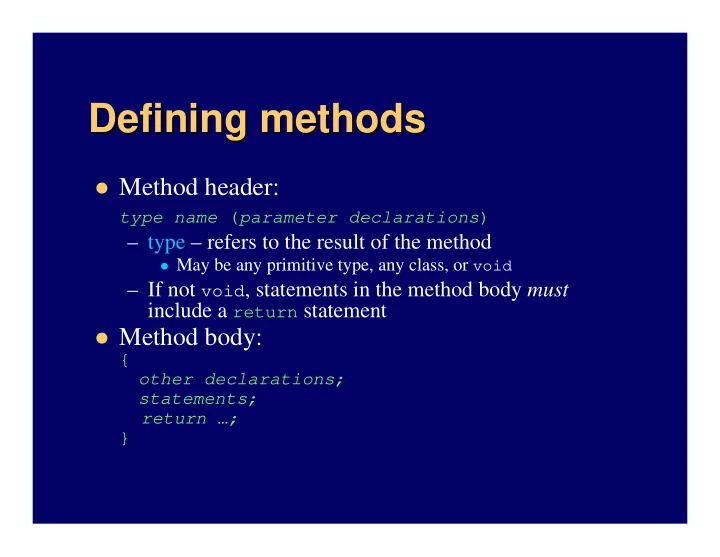
Defining methods Defining methods Method header: type name ( parameter declarations ) type refers to the result of the method May be any primitive type, any class, or void If not void , statements in the method body must


slide-1
SLIDE 1

Defining methods Defining methods

Method header:

type name (parameter declarations)

– type – refers to the result of the method

May be any primitive type, any class, or void

– If not void, statements in the method body must include a return statement

Method body:

{

  • ther declarations;

statements; return …; }

slide-2
SLIDE 2

Some notes about Some notes about return return

Can return if void method too – early exit One method can have multiple returns

– Just the first one encountered is executed, so usually used within selection structures – Compiler checks that every branch has one

Actually returns a copy of a local variable

int result = …; return result; // caller gets a copy of result

slide-3
SLIDE 3

Scope/duration of variables Scope/duration of variables

Depends on where declared

– i.e., in which set of {}; in which “block”

Declared in class block (instance/class variables):

– Duration (“lifetime”): same as duration of object – Scope: available throughout the class

Declared in method or other block (including

formal parameters):

– Duration: as long as block is being executed – Scope: available just within the block

slide-4
SLIDE 4

Arguments vs. parameters Arguments vs. parameters

In Java, arguments are always passed as copies e.g., imagine 3 mystery methods f1, f2 and f3, and

these data:

int x = 5, y[] = {3, 92, 17}; Rectangle r = new Rectangle(5,5,5,5);

– Some things are certainly true about f1, f2 and f3. For example:

f1(x); // int value f1 cannot change x (parameter is a copy) f1(y[0]); // also an int value f1 cannot change y[0] f2(r); // a reference f2 cannot aim r at a different Rectangle

// but can change the Rectangle object that r references

f3(y); // an array reference f3 cannot aim y at another array

// but can change the elements of the array that y references

slide-5
SLIDE 5

About About static static

Meaning in Java: “same for all objects of a class”

– So static methods are “class methods” and static variables are “class variables”

static methods do not operate on an object

– So cannot access instance variables – Only have explicit parameters (no this)

static data common to all objects of a class

– e.g., if (Martian.count > 10) attack(); – Can be accessed by static methods – Careful though: often misused like “global” variables

slide-6
SLIDE 6

Overloading methods Overloading methods

Method signature: name (parameter list)

– Overloading means reusing the name with a different parameter list

i.e., different number, types, and/or order of parameters

– Cannot distinguish by different return type alone

e.g., three utility print methods

void pr() { System.out.print(“standard”); } void pr(String s) { System.out.print(s); } void pr(int x) {System.out.print(“Num: “+x);}

slide-7
SLIDE 7

Wednesday, 10/29 Wednesday, 10/29 Midterm exam Midterm exam

slide-8
SLIDE 8

Pre Pre-

  • and post

and post-

  • conditions

conditions

Pre-conditions – what must be true to use method

– Usually are restrictions on the values of parameters

e.g., x must not equal zero in divideBy(int x)

– Should throw exception if violated (more on this later)

Post-conditions – what is true after method used

– Here checking on accuracy of method’s algorithm

Together they constitute a type of contract

– Both should be clearly stated in method comments

slide-9
SLIDE 9

Combining methods Combining methods – – classes classes

Good designs split responsibilities meaningfully

– “Good” = adaptable, extendable, not error-prone, … – Not just splitting work between methods

Also means splitting methods between classes

Start by choosing appropriate classes – not easy! Then assign responsibilities to classes

– According to good design principles

e.g., high cohesion – all members of a class are related e.g., low coupling – few interactions between classes

Note: this is just an intro – much more in CS 50

slide-10
SLIDE 10

Access/mutation of private data Access/mutation of private data

Information knowing is a type of responsibility

– Translates to instance and class variables

Should be private – according to information hiding principle

So usually provide accessor methods – getX() And maybe mutator methods – setX(val)

– Unless want immutable objects – String, Double, …

Note: best to avoid “side effects”

– i.e., unexpected changes to parameters or 3rd classes – At least be sure to advertise as post-conditions

slide-11
SLIDE 11

Combining classes Combining classes – – packages packages

Uppermost level of Java modules

– Used to bundle related classes – a good design – Also a mechanism for “namespaces”

Declare in each class – package my.stuff; Store all in same directory – ./my/stuff/ Must qualify class names to use them

– Either explicitly each time name is used –

my.stuff.Thing

– Or import my.stuff.Thing; – Or import my.stuff.*; //get all classes in package

See text section 8.9 and “How To” 8.1