
SLIDE 1
Lex Fridman: fridman@mit.edu Link: deeplearning.mit.edu
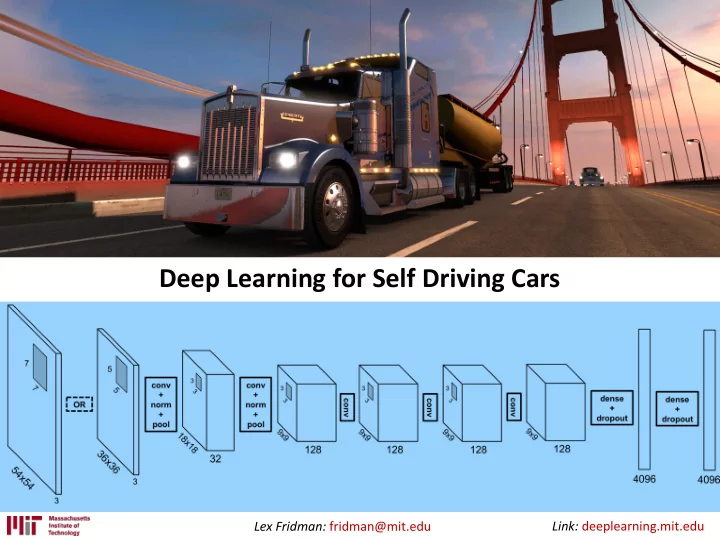
Deep Learning for Self Driving Cars Link: deeplearning.mit.edu Lex - - PowerPoint PPT Presentation
Deep Learning for Self Driving Cars Link: deeplearning.mit.edu Lex Fridman: fridman@mit.edu Course: Deep Learning for Self-Driving Cars http:// deeplearning.mit.edu Starts January 9, 2017 All lecture materials will be made publicly
Lex Fridman: fridman@mit.edu Link: deeplearning.mit.edu
Lex Fridman: fridman@mit.edu Link: deeplearning.mit.edu
http://deeplearning.mit.edu
Lex Fridman: fridman@mit.edu Link: deeplearning.mit.edu
External
Internal
Lex Fridman: fridman@mit.edu Link: deeplearning.mit.edu
Lex Fridman: fridman@mit.edu Link: deeplearning.mit.edu
Ford F150 Tesla Model S Google Self-Driving Car Data-driven approaches can help at every step not just at the top.
Lex Fridman: fridman@mit.edu Link: deeplearning.mit.edu
Lex Fridman: fridman@mit.edu Link: deeplearning.mit.edu
Teslas instrumented: 17 Hours of data: 5,000+ hours Distance traveled: 70,000+ miles
Lex Fridman: fridman@mit.edu Link: deeplearning.mit.edu
Lex Fridman: fridman@mit.edu Link: deeplearning.mit.edu
(in United States, in 2014)
(29.2 miles per day)
Lex Fridman: fridman@mit.edu Link: deeplearning.mit.edu
Lex Fridman: fridman@mit.edu Link: deeplearning.mit.edu
Ford F150 Tesla Model S Google Self-Driving Car
Lex Fridman: fridman@mit.edu Link: deeplearning.mit.edu
Tesla Autopilot
Lex Fridman: fridman@mit.edu Link: deeplearning.mit.edu
3,179 people were killed and 431,000 were injured in motor vehicle crashes involving distracted drivers (in 2014)
169.3 billion text messages were sent in the US every month. (as of December 2014)
5 seconds is the average time your eyes are
at 55mph, that's enough time to cover the length of a football field blindfolded. What is distracted driving?
Lex Fridman: fridman@mit.edu Link: deeplearning.mit.edu
Lex Fridman: fridman@mit.edu Link: deeplearning.mit.edu
Total miles driven in U.S. in 2014:
(1 in 90 million) Tesla Autopilot miles driven since October 2015:
Lex Fridman: fridman@mit.edu Link: deeplearning.mit.edu
Total miles driven in U.S. in 2014:
(1 in 90 million) Tesla Autopilot miles driven since October 2015:
Lex Fridman: fridman@mit.edu Link: deeplearning.mit.edu
Total miles driven in U.S. in 2014:
(1 in 90 million) Tesla Autopilot miles driven since October 2015:
We (increasingly) understand this We do not understand this (yet)
Lex Fridman: fridman@mit.edu Link: deeplearning.mit.edu
Face Video
Dash Video
Instrument Cluster
Forward Video
Supporting Sensors
Raw Video Data Deep Nets Behavior Analysis Semi-Supervised Learning Shared Autonomy
Lex Fridman: fridman@mit.edu Link: deeplearning.mit.edu
Fisheye: Capture full range of head, body movement inside vehicle. 2.8-12mm Focal Length: “Zoom” on the face without obstructing the driver’s view. Logitech C920: On-board H264 Compression Case for C-Mount Lens: Flexibility in lens selection
Lex Fridman: fridman@mit.edu Link: deeplearning.mit.edu
Hard = high accuracy requirements + many classes + highly variable conditions
Real Example: Gaze Classification Trade-Off: Human Labor vs Accuracy
Accuracy Human Labor
100% 90% b a
Lex Fridman: fridman@mit.edu Link: deeplearning.mit.edu
Lex Fridman: fridman@mit.edu Link: deeplearning.mit.edu
Lex Fridman: fridman@mit.edu Link: deeplearning.mit.edu
camera distance
Lex Fridman: fridman@mit.edu Link: deeplearning.mit.edu
What works: SIFT and optical flow
Source: ORB-SLAM2 on KITTI dataset
Lex Fridman: fridman@mit.edu Link: deeplearning.mit.edu
* Kitt, Bernd Manfred, et al. "Monocular visual odometry using a planar road model to solve scale ambiguity." (2011).
Lex Fridman: fridman@mit.edu Link: deeplearning.mit.edu
Konda, Kishore, and Roland Memisevic. "Learning visual odometry with a convolutional network." International Conference on Computer Vision Theory and Applications. 2015.
Lex Fridman: fridman@mit.edu Link: deeplearning.mit.edu
Lex Fridman: fridman@mit.edu Link: deeplearning.mit.edu
Lex Fridman: fridman@mit.edu Link: deeplearning.mit.edu
Lex Fridman: fridman@mit.edu Link: deeplearning.mit.edu Source: Long et al. Fully Convolutional Networks for Semantic Segmentation. CVPR 2015. Original Ground Truth FCN-8
Lex Fridman: fridman@mit.edu Link: deeplearning.mit.edu
Lex Fridman: fridman@mit.edu Link: deeplearning.mit.edu
https://github.com/tkuanlun350/Tensorflow-SegNet
Lex Fridman: fridman@mit.edu Link: deeplearning.mit.edu
https://www.tensorflow.org/versions/r0.11/tutorials/recurrent/index.html
Lex Fridman: fridman@mit.edu Link: deeplearning.mit.edu
Lex Fridman: fridman@mit.edu Link: deeplearning.mit.edu
https://github.com/nivwusquorum/tensorflow-deepq
Lex Fridman: fridman@mit.edu Link: deeplearning.mit.edu
Implementation: https://github.com/harvitronix/reinforcement-learning-car Google DeepMind approach with Atari: Take only state as input and output: Q-value for each action)
Lex Fridman: fridman@mit.edu Link: deeplearning.mit.edu
Lex Fridman: fridman@mit.edu Link: deeplearning.mit.edu
Lex Fridman: fridman@mit.edu Link: deeplearning.mit.edu
39
Gaze Classification Blink Rate Blink Duration Head Pose Eye Pose Pupil Diameter Micro Saccades
Increasing level of detection resolution and difficulty
Body Pose Blink Dynamics Micro Glances Cognitive Load Drowsiness
Lex Fridman: fridman@mit.edu Link: deeplearning.mit.edu
https://github.com/mpatacchiola/deepgaze
Lex Fridman: fridman@mit.edu Link: deeplearning.mit.edu
Lex Fridman: fridman@mit.edu Link: deeplearning.mit.edu
Lex Fridman: fridman@mit.edu Link: deeplearning.mit.edu
https://github.com/synapse-uf/emotion-recognition
Lex Fridman: fridman@mit.edu Link: deeplearning.mit.edu
Magic Happens
Lex Fridman: fridman@mit.edu Link: deeplearning.mit.edu
Ford F150 Tesla Model S Google Self-Driving Car Training Dataset Testing Dataset
Lex Fridman: fridman@mit.edu Link: deeplearning.mit.edu
Lex Fridman: fridman@mit.edu Link: deeplearning.mit.edu
Lex Fridman: fridman@mit.edu Link: deeplearning.mit.edu
Lex Fridman: fridman@mit.edu Link: deeplearning.mit.edu
Lex Fridman: fridman@mit.edu Link: deeplearning.mit.edu
TensorFlow code with documentation will be made available at: deeplearning.mit.edu
Lex Fridman: fridman@mit.edu Link: deeplearning.mit.edu
TensorFlow code with documentation will be made available at: deeplearning.mit.edu
Lex Fridman: fridman@mit.edu Link: deeplearning.mit.edu
def weight_variable(shape): initial = tf.truncated_normal(shape, stddev=0.1) return tf.Variable(initial) def bias_variable(shape): initial = tf.constant(0.1, shape=shape) return tf.Variable(initial) def conv2d(x, W, stride): return tf.nn.conv2d(x, W, strides=[1, stride, stride, 1], padding='VALID') x = tf.placeholder(tf.float32, shape=[None, 66, 200, 3]) y_ = tf.placeholder(tf.float32, shape=[None, 1]) x_image = x
Lex Fridman: fridman@mit.edu Link: deeplearning.mit.edu
#first convolutional layer W_conv1 = weight_variable([5, 5, 3, 24]) b_conv1 = bias_variable([24]) h_conv1 = tf.nn.relu(conv2d(x_image, W_conv1, 2) + b_conv1) #second convolutional layer W_conv2 = weight_variable([5, 5, 24, 36]) b_conv2 = bias_variable([36]) h_conv2 = tf.nn.relu(conv2d(h_conv1, W_conv2, 2) + b_conv2) #third convolutional layer W_conv3 = weight_variable([5, 5, 36, 48]) b_conv3 = bias_variable([48]) h_conv3 = tf.nn.relu(conv2d(h_conv2, W_conv3, 2) + b_conv3) #fourth convolutional layer W_conv4 = weight_variable([3, 3, 48, 64]) b_conv4 = bias_variable([64]) h_conv4 = tf.nn.relu(conv2d(h_conv3, W_conv4, 1) + b_conv4) #fifth convolutional layer W_conv5 = weight_variable([3, 3, 64, 64]) b_conv5 = bias_variable([64]) h_conv5 = tf.nn.relu(conv2d(h_conv4, W_conv5, 1) + b_conv5)
Lex Fridman: fridman@mit.edu Link: deeplearning.mit.edu
# fully connected layer 1 W_fc1 = weight_variable([1152, 1164]) b_fc1 = bias_variable([1164]) h_conv5_flat = tf.reshape(h_conv5, [-1, 1152]) h_fc1 = tf.nn.relu(tf.matmul(h_conv5_flat, W_fc1) + b_fc1) keep_prob = tf.placeholder(tf.float32) h_fc1_drop = tf.nn.dropout(h_fc1, keep_prob) # fully connected layer 2 W_fc2 = weight_variable([1164, 100]) b_fc2 = bias_variable([100]) h_fc2 = tf.nn.relu(tf.matmul(h_fc1_drop, W_fc2) + b_fc2) h_fc2_drop = tf.nn.dropout(h_fc2, keep_prob) # fully connected layer 3 W_fc3 = weight_variable([100, 50]) b_fc3 = bias_variable([50]) h_fc3 = tf.nn.relu(tf.matmul(h_fc2_drop, W_fc3) + b_fc3) h_fc3_drop = tf.nn.dropout(h_fc3, keep_prob) # fully connected layer 4 W_fc4 = weight_variable([50, 10]) b_fc4 = bias_variable([10]) h_fc4 = tf.nn.relu(tf.matmul(h_fc3_drop, W_fc4) + b_fc4) h_fc4_drop = tf.nn.dropout(h_fc4, keep_prob) #Output W_fc5 = weight_variable([10, 1]) b_fc5 = bias_variable([1]) y = tf.mul(tf.atan(tf.matmul(h_fc4_drop, W_fc5) + b_fc5), 2)
Lex Fridman: fridman@mit.edu Link: deeplearning.mit.edu
sess = tf.InteractiveSession() loss = tf.reduce_mean(tf.square(tf.sub(model.y_, model.y))) train_step = tf.train.AdamOptimizer(1e-4).minimize(loss) sess.run(tf.initialize_all_variables()) saver = tf.train.Saver() for i in range(int(driving_data.num_images * 0.3)): xs, ys = driving_data.LoadTrainBatch(100) train_step.run(feed_dict={model.x: xs, model.y_: ys, model.keep_prob: 0.8}) if i % 10 == 0: xs, ys = driving_data.LoadValBatch(100) print("step %d, val loss %g"%(i, loss.eval(feed_dict={ model.x:xs, model.y_: ys, model.keep_prob: 1.0}))) if i % 100 == 0: if not os.path.exists(LOGDIR):
checkpoint_path = os.path.join(LOGDIR, "model.ckpt") filename = saver.save(sess, checkpoint_path) print("Model saved in file: %s" % filename)
Lex Fridman: fridman@mit.edu Link: deeplearning.mit.edu
import tensorflow as tf import scipy.misc import model import cv2 sess = tf.InteractiveSession() saver = tf.train.Saver() saver.restore(sess, "save/model.ckpt") img = cv2.imread('steering_wheel_image.jpg',0) rows,cols = img.shape smoothed_angle = 0 cap = cv2.VideoCapture(0) while(cv2.waitKey(10) != ord('q')): ret, frame = cap.read() image = scipy.misc.imresize(frame, [66, 200]) / 255.0 degrees = model.y.eval(feed_dict={model.x: [image], model.keep_prob: 1.0})[0][0] \ * 180 / scipy.pi cv2.imshow('frame', frame) smoothed_angle += 0.2 * pow(abs((degrees - smoothed_angle)), 2.0 / 3.0) * \ (degrees - smoothed_angle) / abs(degrees - smoothed_angle) M = cv2.getRotationMatrix2D((cols/2,rows/2),-smoothed_angle,1) dst = cv2.warpAffine(img,M,(cols,rows)) cv2.imshow("steering wheel", dst) cap.release() cv2.destroyAllWindows()
Lex Fridman: fridman@mit.edu Link: deeplearning.mit.edu
TensorFlow code with documentation will be made available at: deeplearning.mit.edu