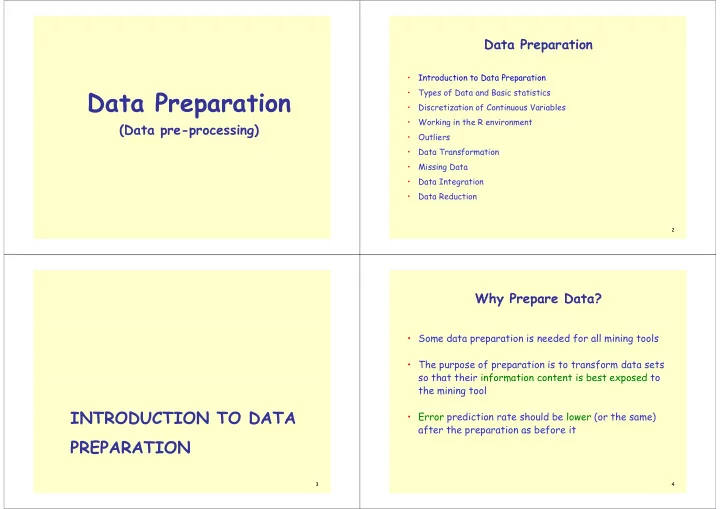
Data Preparation Data Preparation Types of Data and Basic - - PowerPoint PPT Presentation

data preparation data preparation
SMART_READER_LITE
LIVE PREVIEW

Data Preparation Data Preparation Types of Data and Basic - - PowerPoint PPT Presentation

Data Preparation Data Preparation Introduction to Data Preparation Data Preparation Data Preparation Types of Data and Basic statistics Discretization of Continuous Variables Working in the R environment (Data


slide-1
SLIDE 1

Data Preparation Data Preparation

(D t i ) (Data pre-processing) Data Preparation Data Preparation

  • Introduction to Data Preparation
  • Types of Data and Basic statistics
  • Discretization of Continuous Variables
  • Working in the R environment
  • Outliers
  • Data Transformation

f m

  • Missing Data
  • Data Integration

Data Integration

  • Data Reduction

2

INTRODUCTION TO DATA PREPARATION

3

Why Prepare Data? Why Prepare Data?

  • Some data preparation is needed for all mining tools
  • The purpose of preparation is to transform data sets

so that their information content is best exposed to f m p the mining tool

  • Error prediction rate should be lower (or the same)

after the preparation as before it

4

slide-2
SLIDE 2

Why Prepare Data? Why Prepare Data?

  • Preparing data also prepares the miner so that when

i d d t th i d b tt using prepared data the miner produces better models, faster

  • GIGO - good data is a prerequisite for producing

effective models of any type

5

Why Prepare Data? Why Prepare Data?

  • Data need to be formatted for a given software tool
  • Data need to be made adequate for a given method

D h l ld d

  • Data in the real world is dirty
  • incomplete: lacking attribute values, lacking certain attributes of interest, or

containing only aggregate data containing only aggregate data

  • e.g., occupation=“”
  • noisy: containing errors or outliers
  • e.g., Salary=“-10”, Age=“222”
  • inconsistent: containing discrepancies in codes or names
  • e g Age=“42” Birthday=“03/07/1997”
  • e.g., Age= 42 Birthday= 03/07/1997
  • e.g., Was rating “1,2,3”, now rating “A, B, C”
  • e.g., discrepancy between duplicate records

6

  • e.g., Endereço: travessa da Igreja de Nevogilde Freguesia: Paranhos

Major Tasks in Data Preparation Major Tasks in Data Preparation

  • Data discretization

Data discretization

  • Part of data reduction but with particular importance, especially for numerical data
  • Data cleaning
  • Fill in missing values, smooth noisy data, identify or remove outliers, and resolve

inconsistencies

  • Data integration
  • Data integration
  • Integration of multiple databases, data cubes, or files
  • Data transformation
  • Normalization and aggregation
  • Data reduction
  • Obtains reduced representation in volume but produces the same or similar analytical

results

7

Data Preparation as a step in the Data Preparation as a step in the Knowledge Discovery Process

Evaluation and P t ti

Knowledge

Presentation

Data Mining

Selection and Transformation Cleaning and Integration

DW

8

DB

slide-3
SLIDE 3

CRISP DM CRISP-DM

CRISP-DM is a comprehensive data mining methodology and g gy process model that provides anyone—from novices to data mining experts—with a complete blueprint for conducting a data mining project. CRISP-DM breaks down the life cycle of a data the life cycle of a data mining project into six phases.

9

CRISP-DM Phases and Tasks

Modelling Evaluation Deployment Business Understanding Data Understanding Data Preparation Select Modeling Evaluate Plan g Determine Business g p Collect Initial Select Modeling Technique Generate Results Review Deployment Plan Business Objectives Assess Initial Data Describe Data Clean Test Design Review Process Monitoring & Maintenance Produce Assess Situation Determine Describe Data Clean Data Build Model Determine Next Steps Produce Final Report Determine Data Mining Goals Explore Data Construct Data Assess Model Review Project Produce Project Plan Verify Data Quality Integrate Data 10 Format Data

CRISP-DM Phases and Tasks

Modelling Evaluation Deployment Business Understanding Data Understanding Data Preparation Select Modeling Evaluate Plan g Determine Business g p Collect Initial Select Modeling Technique Generate Results Review Deployment Plan Business Objectives Assess Initial Data Describe Data Clean Test Design Review Process Monitoring & Maintenance Produce Assess Situation Determine Describe Data Clean Data Build Model Determine Next Steps Produce Final Report Determine Data Mining Goals Explore Data Construct Data Assess Model Review Project Produce Project Plan Verify Data Quality Integrate Data 11 Format Data

CRISP-DM: Data Understanding

  • Collect data

CRISP DM: Data Understanding

  • List the datasets acquired (locations, methods used to acquire,

problems encountered and solutions achieved).

  • Describe data

h k l

  • Check data volume and examine its gross properties.
  • Accessibility and availability of attributes. Attribute types, range,

c rrel ti ns the identities correlations, the identities.

  • Understand the meaning of each attribute and attribute value in

business terms business terms.

  • For each attribute, compute basic statistics (e.g., distribution,

average, max, min, standard deviation, variance, mode, skewness).

12

a rag , ma , m n, tan ar at n, ar anc , m , wn ).

slide-4
SLIDE 4

CRISP-DM: Data Understanding

  • Explore data
  • Analyze properties of interesting attributes in detail

g

  • Analyze properties of interesting attributes in detail.
  • Distribution, relations between pairs or small numbers of attributes, properties
  • f significant sub-populations, simple statistical analyses.
  • Verify data quality
  • Identify special values and catalogue their meaning.

Identify special values and catalogue their meaning.

  • Does it cover all the cases required? Does it contain errors and how

common are they?

  • Identify missing attributes and blank fields. Meaning of missing data.
  • Do the meanings of attributes and contained values fit together?
  • Check spelling of values (e.g., same value but sometime beginning with a lower

case letter, sometimes with an upper case letter).

  • Check for plausibility of values e g all fields have the same or nearly the

13

Check for plausibility of values, e.g. all fields have the same or nearly the same values.

CRISP-DM: Data Preparation

  • Select data

CRISP DM: Data Preparation

  • Reconsider data selection criteria.
  • Decide which dataset will be used.
  • Collect appropriate additional data (internal or external).
  • Consider use of sampling techniques.
  • Explain why certain data was included or excluded.
  • Clean data
  • Correct, remove or ignore noise.
  • Decide how to deal with special values and their meaning (99 for

marital status).

  • Aggregation level, missing values, etc.
  • Outliers?

14

  • Outliers?

CRISP-DM: Data Preparation

  • Construct data

D i d tt ib t

CRISP DM: Data Preparation

  • Derived attributes.
  • Background knowledge.
  • How can missing attributes be constructed or imputed?

How can missing attributes be constructed or imputed?

  • Integrate data

I d l ( bl d d )

  • Integrate sources and store result (new tables and records).
  • Format Data
  • Rearranging attributes (Some tools have requirements on the order of the

attributes, e.g. first field being a unique identifier for each record or last field being the outcome field the model is to predict).

  • Reordering records (Perhaps the modelling tool requires that the records be

sorted according to the value of the outcome attribute).

  • Reformatted within-value (These are purely syntactic changes made to satisfy

15

Reformatted within value (These are purely syntactic changes made to satisfy

the requirements of the specific modelling tool, remove illegal characters, uppercase lowercase).

TYPES OF DATA AND BASIC STATISTICS

16

slide-5
SLIDE 5

T f D t M t Types of Data Measurements

  • Measurements differ in their nature and the

Measurements differ in their nature and the amount of information they give Q lit ti Q tit ti

  • Qualitative vs. Quantitative

17

Types of Measurements Types of Measurements

  • Nominal scale
  • Nominal scale
  • Categorical scale

Qualitative

More in

  • Ordinal scale

Qualitative

nformatio

  • Interval scale
  • Ratio scale

Quantitative

  • n content

Discrete or Continuous

18

Types of Measurements: Examples Types of Measurements: Examples

  • Nominal:
  • ID numbers, Names of people
  • Categorical:

Categorical:

  • eye color, zip codes

O di l

  • Ordinal:
  • rankings (e.g., taste of potato chips on a scale from 1-10), grades,

height in {tall medium short} height in {tall, medium, short}

  • Interval:
  • calendar dates, temperatures in Celsius or Fahrenheit, GRE score
  • Ratio:

19

  • temperature in Kelvin, length, time, counts

Types of Measurements: Examples

Day Outlook Temperature Humidity Wind PlayTennis? 1 Sunny 85 85 Light No

Types of Measurements Examples

2 Sunny 80 90 Strong No 3 Overcast 83 86 Light Yes 4 Rain 70 96 Light Yes 5 R i 68 80 Li h Y 5 Rain 68 80 Light Yes 6 Rain 65 70 Strong No 7 Overcast 64 65 Strong Yes 8 S 72 95 Li ht N Day Outlook Temperature Humidity Wind PlayTennis? 1 Sunny Hot High Light No 2 Sunny Hot High Strong No 8 Sunny 72 95 Light No 9 Sunny 69 70 Light Yes 10 Rain 75 80 Light Yes 11 Sunny 75 70 Strong Yes 3 Overcast Hot High Light Yes 4 Rain Mild High Light Yes 5 Rain Cool Normal Light Yes 6 R i C l N l S N 11 Sunny 75 70 Strong Yes 12 Overcast 72 90 Strong Yes 13 Overcast 81 75 Light Yes 14 Rain 71 91 Strong No 6 Rain Cool Normal Strong No 7 Overcast Cool Normal Strong Yes 8 Sunny Mild High Light No 9 S C l N l Li ht Y 14 Rain 71 91 Strong No 9 Sunny Cool Normal Light Yes 10 Rain Mild Normal Light Yes 11 Sunny Mild Normal Strong Yes 12 Overcast Mild High Strong Yes

20

12 Overcast Mild High Strong Yes 13 Overcast Hot Normal Light Yes 14 Rain Mild High Strong No

slide-6
SLIDE 6

Basic Statistics

http://www.liaad.up.pt/~ltorgo/Regression/DataSets.html p p p g g

21

Summary Statistics Summary Statistics

(Excel)

22 23

Histograms

(SPSS)

24

slide-7
SLIDE 7

Box Plots

(SPSS) (SPSS)

Data Conversion

  • Some tools can deal with nominal values but other need

fields to be numeric fields to be numeric

  • Convert ordinal fields to numeric to be able to use “>”

Convert ordinal fields to numeric to be able to use and “<“ comparisons on such fields.

  • A  4 0

A  4.0

  • A-  3.7
  • B+  3.3
  • B  3.0
  • Multi-valued, unordered attributes with small no. of

values values

  • e.g. Color=Red, Orange, Yellow, …, Violet

26

  • for each value v create a binary “flag” variable C_v , which is 1 if

Color=v, 0 otherwise

Conversion: Nominal Many Values Conversion: Nominal, Many Values

  • Examples:
  • US State Code (50 values)
  • Profession Code (7,000 values, but only few frequent)
  • Ignore ID-like fields whose values are unique for each record
  • For other fields, group values “naturally”:
  • e.g. 50 US States  3 or 5 regions
  • Profession – select most frequent ones, group the rest
  • Create binary flag-fields for selected values

27

DISCRETIZATION OF CONTINUOUS VARIABLES

28

slide-8
SLIDE 8

Discretization Discretization

  • Divide the range of a continuous attribute into intervals

D th rang of a cont nuous attr ut nto nt r a s

  • Some methods require discrete values, e.g. most versions of

Naïve Bayes CHAID Naïve Bayes, CHAID

  • Reduce data size by discretization

P f f th l i

  • Prepare for further analysis
  • Discretization is very useful for generating a summary of data

Al ll d “bi i ”

  • Also called “binning”

29

Equal width Binning Equal-width Binning

  • It divides the range into N intervals of equal size (range): uniform grid

It divides the range into N intervals of equal size (range): uniform grid

  • If A and B are the lowest and highest values of the attribute, the

width of intervals will be: W = (B -A)/N.

T t l Temperature values: 64 65 68 69 70 71 72 72 75 75 80 81 83 85 2 2 Count 4 2 2 2

Equal Width, bins Low <= value < High

[64,67) [67,70) [70,73) [73,76) [76,79) [79,82) [82,85]

30

q , g

Equal width Binning Equal-width Binning

Count )

1

[0 – 200,000) … ….

Salary in a corporation [1,800,000 – 2,000,000]

Disadvantage (a) Unsupervised (b) Wh d N f Advantage (a) simple and easy to implement

31

(b) Where does N come from? (c) Sensitive to outliers ( ) p y p (b) produce a reasonable abstraction of data

Equal depth (or height) Binning Equal-depth (or height) Binning

  • It divides the range into N intervals, each containing

approximately the same number of samples

  • Generally preferred because avoids clumping
  • In practice, “almost-equal” height binning is used to give more intuitive

b k breakpoints

  • Additional considerations:
  • Additional considerations:
  • don’t split frequent values across bins
  • create separate bins for special values (e g 0)
  • create separate bins for special values (e.g. 0)
  • readable breakpoints (e.g. round breakpoints

32

slide-9
SLIDE 9

Equal depth (or height) Binning Equal-depth (or height) Binning

Temperature values: 64 65 68 69 70 71 72 72 75 75 80 81 83 85 Count 4 Count 4 4 [64 .. .. .. .. 69] [70 .. 72] [73 .. .. .. .. .. .. .. .. 81] [83 .. 85] 2

Equal Height = 4, except for the last bin

[64 .. .. .. .. 69] [70 .. 72] [73 .. .. .. .. .. .. .. .. 81] [83 .. 85]

33

Discretization considerations Discretization considerations

  • Class-independent methods
  • Equal Width is simpler, good for many classes

q p , g y

  • can fail miserably for unequal distributions
  • Equal Height gives better results
  • Class-dependent methods can be better for classification
  • Decision tree methods build discretization on the fly
  • Decision tree methods build discretization on the fly
  • Naïve Bayes requires initial discretization
  • Many other methods exist
  • Many other methods exist …

34

Method 1R Method 1R

  • Developed by Holte (1993).
  • It is a supervised discretization method using binning.

p g g

  • After sorting the data, the range of continuous values is divided into a

number of disjoint intervals and the boundaries of those intervals are j adjusted based on the class labels associated with the values of the feature.

  • Each interval should contain a given minimum of instances ( 6 by default)

with the exception of the last one.

  • The adjustment of the boundary continues until the next values belongs

to a class different to the majority class in the adjacent interval.

35

1R Example 1R Example

Interval contains at leas 6 elements Adjustment of the boundary continues until the next values belongs to a class different to the majority class in the adjacent interval.

1 2 3 4 5 6 1 2 3 4 5 6 7 1 2 3 4 5 6 7 1 2 3 4 5 6 7 1 2 3 4 Var 65 78 79 79 81 81 82 82 82 82 82 82 83 83 83 83 83 84 84 84 84 84 84 84 84 84 85 85 85 85 85 Class 2 1 2 2 2 1 1 2 1 2 2 2 2 1 2 2 2 1 2 2 1 1 2 2 1 1 1 2 2 2 2 majority 2 2 2 1 new class 1 1 1 1 1 1 1 1 1 1 1 1 1 1 1 1 1 1 1 1 2 2 2 2 2 2 2 3 3 3 3 class 1 1 1 1 1 1 1 1 1 1 1 1 1 1 1 1 1 1 1 1 2 2 2 2 2 2 2 3 3 3 3

36

slide-10
SLIDE 10

Exercise Exercise

  • Discretize the following values using EW and ED binning
  • 13 15 16 16 19 20 21 22 22 25 30 33 35 35 36 40 45

13, 15, 16, 16, 19, 20, 21, 22, 22, 25, 30, 33, 35, 35, 36, 40, 45

37

Entropy Based Discretization Entropy Based Discretization

Class dependent (classification) p

1. Sort examples in increasing order 2 Each value forms an interval (‘m’ intervals)

  • 2. Each value forms an interval ( m intervals)
  • 3. Calculate the entropy measure of this discretization

4 Find the binary split boundary that minimizes the entropy function

  • 4. Find the binary split boundary that minimizes the entropy function
  • ver all possible boundaries. The split is selected as a binary

discretization. | | | |

S S

5 A l th i l til t i it i i t

1 2 1 2

  | | | | ( , ) ( ) ( ) | | | | E S T Ent Ent S S

S S S S

  • 5. Apply the process recursively until some stopping criterion is met,

e.g.,   ( ) ( , ) Ent S E T S δ

38

1 E t

Entropy

p 1-p Ent 0.2 0.8 0.72 0.4 0.6 0.97 0 5 0 5 1 0.5 0.5 1 0.6 0.4 0.97 0.8 0.2 0.72

log2(2)

p1 p2 p3 Ent 0.1 0.1 0.8 0.92 0.2 0.2 0.6 1.37 0.1 0.45 0.45 1.37 0 2 0 4 0 4 1 52

l ( )

log

N

Ent p p

39

0.2 0.4 0.4 1.52 0.3 0.3 0.4 1.57 0.33 0.33 0.33 1.58

log2(3)

2 1 

  

log

c c c

Ent p p

Ent p /Imp it Entropy/Impurity

S i i C C l

  • S - training set, C1,...,CN classes
  • Entropy E(S) - measure of the impurity in a group of examples
  • p - proportion of C in S

pc proportion of Cc in S

N 2 1 

  

Impurity( ) log

c c c

S p p

40

slide-11
SLIDE 11

Impurity Impurity

Very impure group Less impure Minimum impurity mp Minimum impurity

41

An example of entropy disc.

Test split temp < 71.5

yes no < 71.5 4 2 Temp. Play? 64 Yes 65 No

2 log 2 4 log 4 6 ) 5 71 (       split Ent

> 71.5 5 3 68 Yes 69 Yes 70 Yes

(4 yes, 2 no)

939 . 3 log 3 5 log 5 8 6 log 6 6 log 6 14 ) 5 . 71 (                split Ent

71 No 72 No 72 Yes

939 . 8 log 8 8 log 8 14      

yes no 72 Yes 75 Yes 75 Yes 80 No

(5 yes, 3 no)

y s no < 77 7 3 > 77 2 2 80 No 81 Yes 83 Yes 85 No

10 3 log 10 3 10 7 log 10 7 14 10 ) 77 (          split Ent

42

85 No

915 . 4 2 log 4 2 4 2 log 4 2 14 4          

An example (cont.)

Temp. Play? 64 Yes

6th split

The method tests all split possibilities and chooses

65 No 68 Yes 69 Yes

p

possibilities and chooses the split with smallest entropy.

69 Yes 70 Yes 71 No 72 No

4 h li 5th split

In the first iteration a split at 84 is chosen.

72 No 72 Yes 75 Yes 75 Yes

3rd split 4th split

The two resulting branches are processed recursively.

75 Yes 80 No 81 Yes 83 Yes

2nd split

The fact that recursion l i th fi t

83 Yes 85 No

1st split

  • nly occurs in the first

interval in this example is an artifact. In general both intervals have to be

43

both intervals have to be split.

The stopping criterion The stopping criterion

Previous slide did not take into account the stopping criterion

Ent S E T S ( ) ( , )   

Previous slide did not take into account the stopping criterion.

N S T N N ) , ( ) 1 log(      N N

)] ( ) ( ) ( [ ) 2 3 ( log ) ( S Ent c S Ent c S cEnt T S

c

      )] ( ) ( ) ( [ ) 2 3 ( log ) , (

2 2 1 1 2

S Ent c S Ent c S cEnt T S   c is the number of classes in S c is the number of classes in S c1 is the number of classes in S1 c2 is the number of classes in S2.

44

2 2

This is called the Minimum Description Length Principle (MDLP)

slide-12
SLIDE 12

Exercise Exercise

  • Compute the gain of splitting this data in half

Compute the gain of splitting this data in half Humidity play 65 Yes 70 No 70 Yes 70 Yes 70 Yes 75 Yes 80 Yes 80 Yes 80 Yes 85 No 86 Yes 90 No 90 Yes 91 No

45

95 No 96 Yes

WORKING IN THE ENVIRONMENT

46

Brief Introduction to R Brief Introduction to R

  • http://www.r-project.org/
  • http://cran.r‐project.org/doc/contrib/Short‐refcard.pdf
  • Examples of Expressions:
  • 3+5*6
  • 3+5 6
  • a <‐ 2+2 (atribuir resultado de expressão a uma variável)
  • 3^(3+2)

( )

  • b <‐ 1:10 (define sequência)
  • b*3
  • log(b)
  • b+2

( ) ( f ê )

47

  • seq(1,15,2) (define sequência)

more R examples more R examples

  • ?log – help on a function
  • help.search(“clustering”)
  • bjects()

– lists existing objects

  • bjects()

lists existing objects

  • rm(obj1, obj2,...)

– removes existing objects

  • str(obj)

– displays the internal structure of an object

  • Menu “File; Change dir ”
  • Menu File; Change dir...
  • dir()

(1 2 3 4 5) d fi t

  • v <‐ c(1,2,3,4,5)

‐ defines a vector

  • m <‐ matrix(c(1,2,3,4),2,2) ‐ defines 2x2 matrix de 2x2
  • a <‐ array(1:8, c(2,2,2)) ‐ defines 2x2x2 array
  • m*2
  • m[1,1]
  • m[1,]

48

slide-13
SLIDE 13

The california housing dataset in R The california housing dataset in R

  • File/change dir ‐ to the directory with the dataset
  • cal_housing <‐ read.table("aula_02_dataset_california.txt")

l h [ ] f

  • cal_housing[1:10,] ‐ first 10 rows
  • cal_housing <‐ read.table("aula_02_dataset_california.txt", header =

TRUE) ‐ with headers TRUE) with headers

  • summary(cal_housing) – summary statistics
  • hist(cal_housing$totalRooms) – histogram
  • hist(cal_housing[,4:4])
  • pairs(cal_housing[,3:8]) – scatters for pairs of variables
  • plot(cal_housing$population,cal_housing$households) – scatter 2 vars
  • cor(cal_housing[,3:8]) – correlation matrix
  • boxplot(cal housing[ 3:8]) boxplots

49

  • boxplot(cal_housing[,3:8]) ‐ boxplots

Discritization with R Discritization with R

  • Load Dataset
  • data < read table(“aula 02 1R exemplo txt”)
  • data <‐ read.table( aula_02_1R_exemplo.txt )
  • Load Data Preparation Package
  • library(dprep)
  • Equal Width
  • disc_data_ew <‐ disc.ew(data,1:1)
  • disc data ew
  • disc_data_ew
  • Equal Depth
  • disc_data_ef <‐ disc.ef(data,1:1,3)
  • disc_data_ef
  • Holte 1R
  • disc data 1r <‐ disc.1r(data,1:1,6)

_ _ ( , , )

  • disc_data_1r
  • Entropy

di d t t di t (d t 1 2)

50

  • disc_data_ent <‐ disc.mentr(data,1:2)
  • disc_data_ent

OUTLIERS

51

Outliers Outliers

  • Outliers are values thought to be out of range.
  • “An outlier is an observation that deviates so much from other
  • bservations as to arouse suspicion that it was generated by a

diff t h i ” different mechanism”

  • Can be detected by standardizing observations and label the
  • Can be detected by standardizing observations and label the

standardized values outside a predetermined bound as outliers

  • Outlier detection can be used for fraud detection or data cleaning
  • Approaches:
  • do nothing
  • enforce upper and lower bounds

l h dl h l

52

  • let binning handle the problem
slide-14
SLIDE 14

Outlier detection Outlier detection

  • Univariate
  • Compute mean and std deviation For k=2 or 3 x is an outlier

Compute mean and std. deviation. For k=2 or 3, x is an outlier if outside limits (normal distribution assumed)

) , ( ks x ks x  

  • Boxplot: An observation is an extreme outlier if

(Q1-3IQR, Q3+3IQR), where IQR=Q3-Q1 (Q Q , Q Q ), Q Q Q (IQR = Inter Quartile Range) and declared a mild outlier if it lies outside of the interval

53

m f f (Q1-1.5IQR, Q3+1.5IQR).

54 55

Outlier detection Outlier detection

  • Multivariate
  • Clustering
  • Very small clusters are outliers
  • Distance based
  • Distance based
  • An instance with very few neighbors within λ is regarded

tli as an outlier

56

slide-15
SLIDE 15

57

A bi-dimensional outlier that is not an outlier in either of its projections.

58 59

DATA TRANSFORMATION

60

slide-16
SLIDE 16

Data Transformation Data Transformation

  • Smoothing: remove noise from data (binning, regression,

clustering)

  • Aggregation: summarization, data cube construction

Generalization: concept hierarchy climbing

  • Generalization: concept hierarchy climbing
  • Attribute/feature construction
  • New attributes constructed from the given ones (add att. area

which is based on height and width)

  • Normalization
  • Scale values to fall within a smaller specified range

61

Scale values to fall within a smaller, specified range

Data Cube Aggregation Data Cube Aggregation

  • Data can be aggregated so that the resulting data summarize, for

example, sales per year instead of sales per quarter.

  • Reduced representation which contains all the relevant information if

62

Reduced representation which contains all the relevant information if we are concerned with the analysis of yearly sales

Concept Hierarchies Concept Hierarchies

C S C Ci Country State County City

Jobs food classification time measures Jobs, food classification, time measures...

63

Normalization Normalization

  • For distance-based methods, normalization

helps to prevent that attributes with large helps to prevent that attr butes w th large ranges out-weight attributes with small ranges ranges

  • min-max normalization

li i

  • z-score normalization
  • normalization by decimal scaling

64

slide-17
SLIDE 17

Normalization Normalization

  • min-max normalization

In R

min max normalization

min

In R mmnorm(data,minval=0,maxval=1)

v      min ' (new _ max new_min ) new_min max min

v v v v v v

v

  • z-score normalization

' v v v   

In R boxplot(znorm(cal housing[ 3:8]))

  • normalization by decimal scaling

v

boxplot(znorm(cal_housing[,3:8]))

y g

j

v v 10 ' Where j is the smallest integer such that Max(| |)<1

' v

65

range: -986 to 917 => j=3 -986 -> -0.986 917 -> 0.917

MISSING DATA

66

Missing Data Missing Data

  • Data is not always available
  • E.g., many tuples have no recorded value for several attributes, such as

customer income in sales data

  • Missing data may be due to
  • equipment malfunction
  • inconsistent with other recorded data and thus deleted
  • data not entered due to misunderstanding
  • certain data may not be considered important at the time of entry

certain data may not be considered important at the time of entry

  • not register history or changes of the data

Mi i d t d t b i f d

  • Missing data may need to be inferred.
  • Missing values may carry some information content: e.g. a credit

application may carry information by noting which field the applicant did

67

application may carry information by noting which field the applicant did not complete

Missing Values Missing Values

  • There are always MVs in a real dataset
  • MVs may have an impact on modelling in fact they can destroy it!

MVs may have an impact on modelling, in fact, they can destroy it!

  • Some tools ignore missing values, others use some metric to fill in

replacements replacements

  • The modeller should avoid default automated replacement techniques
  • Difficult to know limitations, problems and introduced bias

R l i i i l ith t l h t i th t

  • Replacing missing values without elsewhere capturing that

information removes information from the dataset

68

slide-18
SLIDE 18

How to Handle Missing Data? How to Handle Missing Data?

  • Ignore records (use only cases with all values)
  • Usually done when class label is missing as most prediction methods

y g p do not handle missing data well

  • Not effective when the percentage of missing values per attribute

i id bl it l d t i ffi i t d/ bi d varies considerably as it can lead to insufficient and/or biased sample sizes

  • Ignore attributes with missing values

Ignore attributes with missing values

  • Use only features (attributes) with all values (may leave out

important features) important features)

  • Fill in the missing value manually

69

  • tedious + infeasible?

How to Handle Missing Data? How to Handle Missing Data?

  • Use a global constant to fill in the missing value
  • e.g., “unknown”. (May create a new class!)

g , ( y )

  • Use the attribute mean to fill in the missing value

Use the attr bute mean to f ll n the m ss ng value

  • It will do the least harm to the mean of existing data

If the mean is to be unbiased

  • If the mean is to be unbiased
  • What if the standard deviation is to be unbiased?
  • Use the attribute mean for all samples belonging to the same

class to fill in the missing value

70

class to fill in the missing value

How to Handle Missing Data? How to Handle Missing Data?

  • Use the most probable value to fill in the missing value
  • Inference-based such as Bayesian formula or decision tree

y

  • Identify relationships among variables
  • Linear regression, Multiple linear regression, Nonlinear regression
  • Nearest-Neighbour estimator
  • Finding the k neighbours nearest to the point and fill in the most

frequent value or the average value q g

  • Finding neighbours in a large dataset may be slow

71

Nearest Neighbour Nearest-Neighbour

72

slide-19
SLIDE 19

How to Handle Missing Data? How to Handle Missing Data?

  • Note that, it is as important to avoid adding bias and distortion

to the data as it is to make the information available.

  • bias is added when a wrong value is filled-in
  • No matter what techniques you use to conquer the problem, it

comes at a price. The more guessing you have to do, the further f th l d t th d t b b Th i t it away from the real data the database becomes. Thus, in turn, it can affect the accuracy and validation of the mining results.

73

Missing Data with R Missing Data with R

  • library(dprep)

library(dprep)

  • data(hepatitis) ‐ loads dataset
  • str(hepatitis) ‐ gives dataset structure
  • summary(hepatitis)
  • short_hep <‐ hepatitis[1:15,]
  • ?ce.impute ‐ gives information about the fill missing values method
  • res <‐ ce.impute(short_hep,"median",19)
  • ?clean()ce impute(hepatitis "median" 1:19)
  • ?clean()ce.impute(hepatitis, median ,1:19)
  • ce.impute(hepatitis,"knn",k1=10)
  • clean() – eliminates rows and columns that have more than the set limit

clean() eliminates rows and columns that have more than the set limit missings

  • clean(res,0.3,0.2)

74

  • imagmiss(hepatitis) – gives the percentage of missing values

DATA INTEGRATION

75

Data Integration Data Integration

  • Turn a collection of pieces of information into an integrated and

consistent whole

  • Detecting and resolving data value conflicts
  • For the same real world entity attribute values from different
  • For the same real world entity, attribute values from different

sources may be different

  • Which source is more reliable ?
  • Is it possible to induce the correct value?

P ibl diff i diff l

  • Possible reasons: different representations, different scales, e.g.,

metric vs. British units

76

Data integration requires knowledge of the “business”

slide-20
SLIDE 20

Types of Inter-schema Conflicts yp

  • Classification conflicts

Classification conflicts

  • Corresponding types describe different sets of real world elements.

DB1: authors of journal and conference papers; DB1 authors of journal and conference papers; DB2 authors of conference papers only.

  • Generalization / specialization hierarchy
  • Descriptive conflicts
  • naming conflicts : synonyms , homonyms
  • cardinalities: first name - one , two , N values

cardinalities first name one , two , N values

  • domains: salary : $, Euro ... ; student grade : [ 0 : 20 ] , [1 : 5 ]
  • Solution depends upon the type of the descriptive conflict

77

Data type inconsistency example Data type inconsistency example

  • 1999 Sep 23

The $125 million Mars Climate Orbiter was presumed lost after it hit the Martian atmosphere The crash was later blamed on it hit the Martian atmosphere. The crash was later blamed on navigation confusion due to 2 teams using conflicting English and metric units.

  • http://en.wikipedia.org/wiki/Mars Climate Orbiter

http //en.w k ped a.org/w k /Mars_ l mate_Orb ter

78

Types of Inter-schema Conflicts yp

  • Structural conflicts
  • DB1 : Book is a class; DB2 : books is an attribute of Author
  • Choose the less constrained structure (Book is a class)
  • Fragmentation conflicts
  • DB1: Class Road_segment ; DB2: Classes Way_segment ,

Separator

  • Aggregation relationship

79

H dli R d d i D t I t ti Handling Redundancy in Data Integration

  • Redundant data occur often when integrating databases
  • The same attribute may have different names in different databases

y

  • False predictors are fields correlated to target behavior, which

describe events that happen at the same time or after the target b h i behavior

  • Example: Service cancellation date is a leaker when predicting attriters
  • One attribute may be a “derived” attribute in another table, e.g.,

annual revenue

  • For numerical attributes, redundancy

may be detected by correlation analysis

         

1 1 1 1 1 1 1 1

1 2 1 2 1

               

  

   XY N n n N n n N n n n XY

r y y N x x N y y x x N r

80

slide-21
SLIDE 21

Scatter Matrix Scatter Matrix

81

(Almost) Automated False Predictor Detection (Almost) Automated False Predictor Detection

  • For each field
  • Build 1-field decision trees for each field
  • (or compute correlation with the target field)
  • Rank all suspects by 1-field prediction accuracy (or correlation)

Rank all suspects by f eld pred ct on accuracy (or correlat on)

  • Remove suspects whose accuracy is close to 100% (Note: the

threshold is domain dependent) threshold is domain dependent)

  • Verify top “suspects” with domain expert

82

DATA REDUCTION

83

Data Reduction Data Reduction

  • Selecting Most Relevant Attributes

Selecting Most Relevant Attributes

  • If there are too many attributes, select a subset that is most

relevant (according to your knowledge of the business).

  • Select top N fields using 1-field predictive accuracy as computed

for detecting false predictors.

  • Attribute Numerosity Reduction
  • Parametric methods

Parametric methods

  • Assume the data fits some model, estimate model parameters, store only

the parameters, and discard the data (except possible outliers), Regression g

  • Non-parametric methods
  • Do not assume models

Major families: histograms clustering sampling

84

  • Major families: histograms, clustering, sampling
slide-22
SLIDE 22

Clustering Clustering

  • Partition a data set into clusters makes it possible to store

cluster representation only

  • Can be very effective if data is clustered but not if data is

“smeared”

  • There are many choices of clustering definitions and clustering

algorithms, further detailed in next lessons g

85

Histograms Histograms

  • A popular data reduction

technique

  • Divide data into buckets and

35 40

store average (sum) for each bucket b d ll

25 30 35

  • Can be constructed optimally in
  • ne dimension using dynamic

programming:

10 15 20

  • 0ptimal histogram has minimum
  • variance. Hist. variance is a

5 10

10000 30000 50000 70000 90000

weighted sum of the variance of the source values in each bucket.

10000 30000 50000 70000 90000

86

Increasing Dimensionality Increasing Dimensionality

  • In some circumstances the dimensionality of a variable need to

be increased:

  • Color from a category list to the RGB values
  • ZIP codes from category list to latitude and longitude

87

Sampling Sampling

  • The cost of sampling is proportional to the sample

The cost of sampling is proportional to the sample size and not to the original dataset size, therefore, a mining algorithm’s complexity is potentially sub-linear g g p y p y to the size of the data

  • Choose a representative subset of the data
  • Simple random sampling (SRS) (with or without reposition)

Simple random sampling (SRS) (with or without reposition)

  • Stratified sampling:
  • Approximate the percentage of each class (or subpopulation of

Approximate the percentage of each class (or subpopulation of interest) in the overall database

  • Used in conjunction with skewed data

88

slide-23
SLIDE 23

Unbalanced Target Distribution Unbalanced Target Distribution

  • Sometimes, classes have very unequal frequency
  • Attrition prediction: 97% stay, 3% attrite (in a month)

p y, ( )

  • medical diagnosis: 90% healthy, 10% disease
  • eCommerce: 99% don’t buy, 1% buy

y y

  • Security: >99.99% of Americans are not terrorists
  • Similar situation with multiple classes

p

  • Majority class classifier can be 97% correct, but useless

89

Handling Unbalanced Data Handling Unbalanced Data

  • With two classes: let positive targets be a minority
  • Separate raw held-aside set (e.g. 30% of data) and raw train

p g

  • put aside raw held-aside and don’t use it till the final model
  • Select remaining positive targets (e.g. 70% of all targets) from raw

Select remaining positive targets (e.g. 70% of all targets) from raw train

  • Join with equal number of negative targets from raw train, and

Jo n w th equal number of negat ve targets from raw tra n, and randomly sort it.

  • Separate randomized balanced set into balanced train and balanced

p m test

90

Building Balanced Train Sets Building Balanced Train Sets

Same % of Y and N

Balanced set

Y ..

Targets

Y and N .. N N N

Non‐Targets

70/30

SRS

N N .. Y

Balanced Train

N ..

Raw Held Balanced Train Balanced Test Raw set for estimating

91

accuracy of final model

Summary Summary

  • Every real world data set needs some kind of data

pre-processing

  • Deal with missing values
  • Correct erroneous values
  • Correct erroneous values
  • Select relevant attributes

Ad t d t t f t t th ft t l t b d

  • Adapt data set format to the software tool to be used
  • In general, data pre-processing consumes more than

60% of a data mining project effort

92

slide-24
SLIDE 24

References References

  • ‘Data preparation for data mining’, Dorian Pyle, 1999
  • ‘Data Mining: Concepts and Techniques’, Jiawei Han and Micheline

Data M n ng nc pt an chn qu , J aw Han an M ch n Kamber, 2000

  • ‘Data Mining: Practical Machine Learning Tools and Techniques

Data Mining: Practical Machine Learning Tools and Techniques with Java Implementations’, Ian H. Witten and Eibe Frank, 1999

  • ‘Data Mining: Practical Machine Learning Tools and Techniques

Data Mining: Practical Machine Learning Tools and Techniques second edition’, Ian H. Witten and Eibe Frank, 2005

  • DM: Introduction: Machine Learning and Data Mining Gregory
  • DM: Introduction: Machine Learning and Data Mining, Gregory

Piatetsky-Shapiro and Gary Parker

(http://www.kdnuggets.com/data_mining_course/dm1-introduction-ml-data-mining.ppt)

93

  • ESMA 6835 Mineria de Datos (http://math.uprm.edu/~edgar/dm8.ppt)

Thank you !!! Thank you !!!

94

Thank you !!! Thank you !!!