CSSE463: Image Recognition CSSE463: Image Recognition Day 2 Day 2 - - PowerPoint PPT Presentation

csse463 image recognition csse463 image recognition day 2
SMART_READER_LITE
LIVE PREVIEW

CSSE463: Image Recognition CSSE463: Image Recognition Day 2 Day 2 - - PowerPoint PPT Presentation

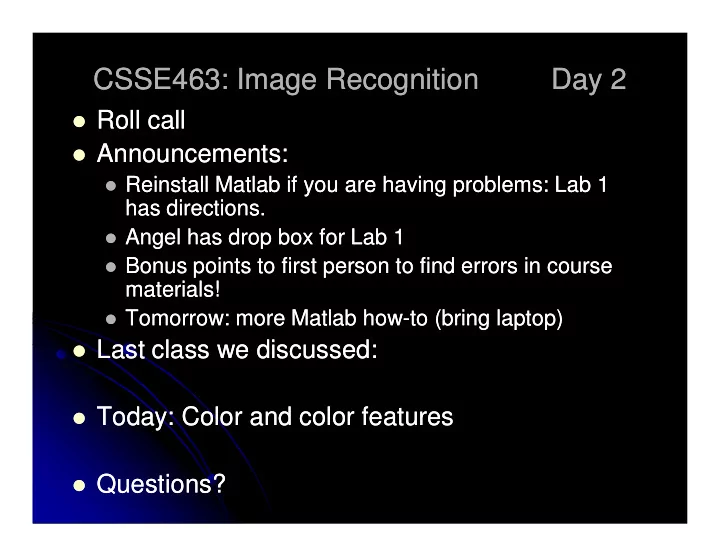
CSSE463: Image Recognition CSSE463: Image Recognition Day 2 Day 2 Roll call Roll call Announcements: Announcements: Reinstall Reinstall Matlab Matlab if you are having problems: Lab if you are having problems: Lab 1 1


slide-1
SLIDE 1

CSSE463: Image Recognition CSSE463: Image Recognition Day 2 Day 2

  • Roll call

Roll call

  • Announcements:

Announcements:

  • Reinstall

Reinstall Matlab Matlab if you are having problems: Lab if you are having problems: Lab 1 1 has has directions directions. .

  • Angel has drop box for Lab

Angel has drop box for Lab 1

  • Bonus points to first person to find errors in course

Bonus points to first person to find errors in course materials materials!

  • Tomorrow: more

Tomorrow: more Matlab Matlab how how-to ( to (bring laptop) bring laptop)

  • Last class we discussed:

Last class we discussed:

  • Today

Today: Color and color features : Color and color features

  • Questions?

Questions?

slide-2
SLIDE 2

Pixels to Predicates Pixels to Predicates

  • 1. Extract features
  • 1. Extract features

from images from images

  • 2. Use machine learning to
  • 2. Use machine learning to

cluster and classify cluster and classify

Color Color Texture Texture Shape Shape Edges Edges Motion Motion Principal components Principal components Neural networks Neural networks Support vector machines Support vector machines Gaussian models Gaussian models

  • =

2756 . ... 1928 . 4561 . x

slide-3
SLIDE 3

Basics of Color Images Basics of Color Images

  • A color image is made of

A color image is made of red, green, and blue red, green, and blue bands bands.

  • Additive color

Additive color

  • Colors formed by adding

Colors formed by adding primaries to black primaries to black

  • Comments from graphics?

Comments from graphics?

  • RGB mimics retinal cones

RGB mimics retinal cones in eye. in eye.

  • RGB used in sensors and

RGB used in sensors and displays displays

  • Why “16M colors”?

Why “16M colors”?

  • Why 32 bit?

Why 32 bit? Source: Wikipedia

slide-4
SLIDE 4

Basics of Color Images Basics of Color Images

  • Each band is a 2D matrix

Each band is a 2D matrix

  • Each R, G, or B value typically stored in a byte.

Each R, G, or B value typically stored in a byte.

  • Range of values?

Range of values?

  • The 4

The 4th

th byte is typically left empty

byte is typically left empty

  • Allows for quicker indexing, because of alignment

Allows for quicker indexing, because of alignment

  • Reserved for transparency (in graphics)

Reserved for transparency (in graphics)

  • How much storage is required for a 4

How much storage is required for a 4 megapixel color image (uncompressed)? megapixel color image (uncompressed)?

Q1-2

slide-5
SLIDE 5

Color Features (statistics from Color Features (statistics from images) images)

  • 1. Color histograms
  • 1. Color histograms
  • 2. Color moments
  • 2. Color moments
  • 3. Color coherence vectors
  • 3. Color coherence vectors

Related to the feature types Related to the feature types

  • Some color spaces “work better”

Some color spaces “work better”

  • Spatial components can help

Spatial components can help

Q3

slide-6
SLIDE 6

Color histograms Color histograms

  • Gives distribution of

Gives distribution of colors colors

  • Sample to left is for

Sample to left is for intensities only intensities only

  • Pros

Pros

  • Quantizes data, but still

Quantizes data, but still keeps lots of info keeps lots of info

  • Cons

Cons

  • How to compare two

How to compare two images? images?

  • Spatial info gone

Spatial info gone

  • Histogram intersection

Histogram intersection (Swain and Ballard) (Swain and Ballard)

slide-7
SLIDE 7

Color moments Color moments

m1 = 116.3 = 116.3 m2 = 1152.9 = 1152.9 m3 = = -70078 70078 m4 = 7.4 million = 7.4 million

  • Central moments are

Central moments are statistics statistics

  • 1st

st order = mean

  • rder = mean
  • 2nd

nd order = variance

  • rder = variance
  • 3rd

rd order =

  • rder = ____

____

  • 4th

th order =

  • rder = ____

____

  • Some have used even

Some have used even higher order moments, but higher order moments, but less intuitive less intuitive

  • For color images, take

For color images, take moments of each band moments of each band

m1 = 132.4 = 132.4 m2 = 2008.2 = 2008.2 m3 = 4226 = 4226 m4 =12.6 million =12.6 million

Q4 skew kurtosis

( )

  • =

− =

n i d i d

x n m

1

1 µ

slide-8
SLIDE 8

HSV color space HSV color space

  • Hue

Hue-saturation saturation-value (HSV) value (HSV) cone cone

  • also called HSI (intensity)

also called HSI (intensity)

  • Intuitive

Intuitive

  • H: more than “what color

H: more than “what color”: it’s ”: it’s the position on the spectrum! the position on the spectrum!

  • S: how vibrant?

S: how vibrant?

  • V: how light or dark

V: how light or dark

  • “Distance” between colors

“Distance” between colors

  • Must handle wraparound of hue

Must handle wraparound of hue angle correctly (0 = 2 angle correctly (0 = 2π π)

  • Matlab

Matlab has method to convert has method to convert from from rgb rgb to to hsv hsv, can find formula , can find formula

  • nline
  • nline.

Source: Wikipedia Q5

slide-9
SLIDE 9

Other color spaces Other color spaces

  • LST

LST

  • L = luminance:

L = luminance: L = R + G + B L = R + G + B

  • S and T are

S and T are chroma chroma bands. bands.

  • S: red vs. blue: S = R

S: red vs. blue: S = R – B

  • T: green vs. magenta: T = R

T: green vs. magenta: T = R – 2G + B 2G + B

  • (Typically, we then normalize these to the same scale)

(Typically, we then normalize these to the same scale)

  • These 3 are the

These 3 are the principal components principal components of the RGB space (PCA

  • f the RGB space (PCA

and eigenvectors later in course) and eigenvectors later in course)

  • Slightly less intuitive than HSV

Slightly less intuitive than HSV

  • No problem with wraparound

No problem with wraparound

  • Others

Others

  • YIQ (TV signals), QUV, Lab, LUV

YIQ (TV signals), QUV, Lab, LUV

Q6

slide-10
SLIDE 10

Spatial component of color Spatial component of color

  • Break image into parts

Break image into parts and describe each one and describe each one

  • Can describe each part

Can describe each part with moments or with moments or histograms histograms

  • Regular grid

Regular grid

  • Pros?

Pros?

  • Cons?

Cons?

  • Image regions

Image regions

  • Pros?

Pros?

  • Cons?

Cons?

Q7

slide-11
SLIDE 11

Additional reading Additional reading

  • Color gamuts

Color gamuts

  • http://en.wikipedia.org/wiki/Gamut

http://en.wikipedia.org/wiki/Gamut

  • Color coherence vectors

Color coherence vectors

  • Extension of color histograms within local

Extension of color histograms within local neighborhoods neighborhoods

  • Used in:

Used in:

  • A. Vailaya, H
  • A. Vailaya, H-J Zhang, and A. Jain. On image classification: City images vs.

J Zhang, and A. Jain. On image classification: City images vs.

  • landscapes. Pattern Recognition 31:1921
  • landscapes. Pattern Recognition 31:1921-1936, Dec 1998.

1936, Dec 1998.

  • Defined in:

Defined in:

  • G Pass, R Zabih, and J Miller. Comparing images using color coherence

G Pass, R Zabih, and J Miller. Comparing images using color coherence

  • vectors. 4
  • vectors. 4th

th ACM Conf. Multimedia, pp 65

ACM Conf. Multimedia, pp 65-73, Boston, 1996. 73, Boston, 1996.

slide-12
SLIDE 12

ICME Sunset Paper ICME Sunset Paper

  • Answer quiz questions

Answer quiz questions

  • We’ll answer some in

We’ll answer some in-class as time allows. class as time allows.

Q8-10