Creating Animations with R Yihui Xie Department of Statistics, Iowa - - PowerPoint PPT Presentation

creating animations with r
SMART_READER_LITE
LIVE PREVIEW

Creating Animations with R Yihui Xie Department of Statistics, Iowa - - PowerPoint PPT Presentation

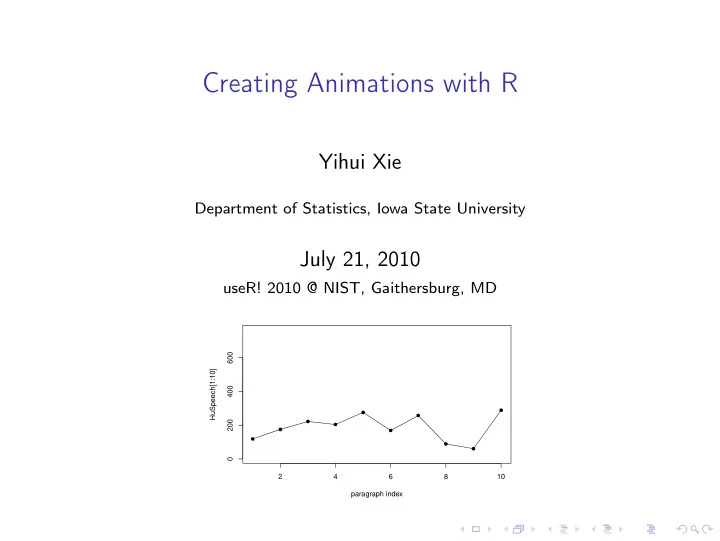
Creating Animations with R Yihui Xie Department of Statistics, Iowa State University July 21, 2010 useR! 2010 @ NIST, Gaithersburg, MD 600 HuSpeech[1:10] 400 200 0 2 4 6 8 10 paragraph


slide-1
SLIDE 1

Creating Animations with R

Yihui Xie

Department of Statistics, Iowa State University

July 21, 2010

useR! 2010 @ NIST, Gaithersburg, MD

  • 2

4 6 8 10 200 400 600 paragraph index HuSpeech[1:10]
slide-2
SLIDE 2

Contents

Introduction Demo in Statistics Iterative Algorithms Random Numbers and Simulations Sampling/Resampling Methods Changes over a Variable Output Formats Other Approaches Conclusions

slide-3
SLIDE 3

Introduction

◮ PhD?... ◮ some statistics ideas can be visualized ◮ and hopefully can be fun! ◮ the R package animation

◮ in the beginning, the world was full of math formulae... ◮ let there be animations, and there was (awake) audience ◮ ... ◮ and I created the R package animation

◮ to turn ideas into animations, quickly and faithfully ◮ John M. Chambers Statistical Software Award 2009 ◮ begin with install.packages(’animation’) and enjoy!

slide-4
SLIDE 4

Newton’s Method

Figure 1: How Newton’s method works: xk+1 = xk − f (xk)/f ′(xk)

−6 −4 −2 2 4 6 −1000 −500 500 1000

Root−finding by Newton−Raphson Method: 5x3 − 7x2 − 40x + 100 = 0

x f(x) = 5x3 − 7x2 − 40x + 100

  • Current root: 5.10165938690441
slide-5
SLIDE 5

Newton’s Method (cont’d)

Figure 2: and when Newton’s method does not work

−4 −2 2 4 −1.0 −0.5 0.0 0.5 1.0

Root−finding by Newton−Raphson Method: atan(x) = 0

x f(x) = atan(x)

  • Current root: −1.69407960055382
slide-6
SLIDE 6

Quincunx (the Bean Machine)

Figure 3: From randomly falling beans to the Normal distribution!

slide-7
SLIDE 7

Bootstrapping

Figure 4: Bootstrapping i.i.d data and show the distribution of ¯ xboot

  • 5

10 15 20 0.0 0.2 0.4 0.6 0.8 1.0 x

  • Density

0.40 0.45 0.50 0.55 0.60 0.65 0.70 0.0 0.5 1.0 1.5 2.0 0.0 0.5 1.0 1.5 2.0 0.40 0.45 0.50 0.55 0.60 0.65 0.70

slide-8
SLIDE 8

Moving Window Auto-Regression

Figure 5: Moving Window Auto-Regression

  • ● ●
  • ● ●
  • ● ●
  • ● ●
  • ● ●
  • 10

20 30 40 50 −1.0 0.0 1.0 Original data 10 20 30 40 50 −0.5 0.0 0.5 1.0 AR(1) coefficient

slide-9
SLIDE 9

Exporting Animations

◮ we can view the animations in the (default) windows graphics

device

◮ but Linux users often find the pictures flickering (R does not

support double buffering)

◮ the animation package supports four output formats

◮ an HTML page which looks like a movie player ◮ GIF created by ImageMagick ◮ Flash by SWF Tools ◮ PDF by L

AT

EX with the animate package

slide-10
SLIDE 10

Supported Formats

Format Function Required tools Viewer Control HTML ani.start() web browser Yes ani.stop() (JavaScript) GIF / saveMovie() ImageMagick image viewer / No∗ MPEG (convert) movie player Flash saveSWF() SWF Tools Flash player / No∗ (*2swf) browser plugin PDF saveLatex() pdfL

AT

EX Acrobat Reader Yes

Table 1: Supported output formats in the animation package (* depends

  • n the viewer)
slide-11
SLIDE 11

Other Approaches

the other two related packages (on Omegahat and R-Forge) SVGAnnotation SVG animation with smooth transition between animation frames (the function animate()), but currently only the browser Opera supports SVG animations1 swfDevice generate native SWF files from R (graphics device swf())

1sorry, this impression came from one year ago and might be inaccurate...

Joran told me that Chrome and Safari also support SVG animations: http://yihui.name/en/2010/07/my-talk-on-animations-at-user-2010/

slide-12
SLIDE 12

Conclusions

◮ we can reveal the processes of some statistical methods in a

very straightforward way

◮ R is flexible enough to keep students awake in class

slide-13
SLIDE 13

Thanks!

◮ Q&A? ◮ Homepage & Blog: http://yihui.name (slides & R code

available in my CV page)

◮ Email: xie@yihui.name ◮ and check http://animation.yihui.name for more

demonstrations online