Context Awareness Boris Smus Monday, April 19, 2010 try this To - - PowerPoint PPT Presentation

context awareness
SMART_READER_LITE
LIVE PREVIEW

Context Awareness Boris Smus Monday, April 19, 2010 try this To - - PowerPoint PPT Presentation

Context Awareness Boris Smus Monday, April 19, 2010 try this To suppose that the eye with all its inimitable contrivances for adjusting the focus to different distances, for admitting different amounts of light, and for the correction of


slide-1
SLIDE 1

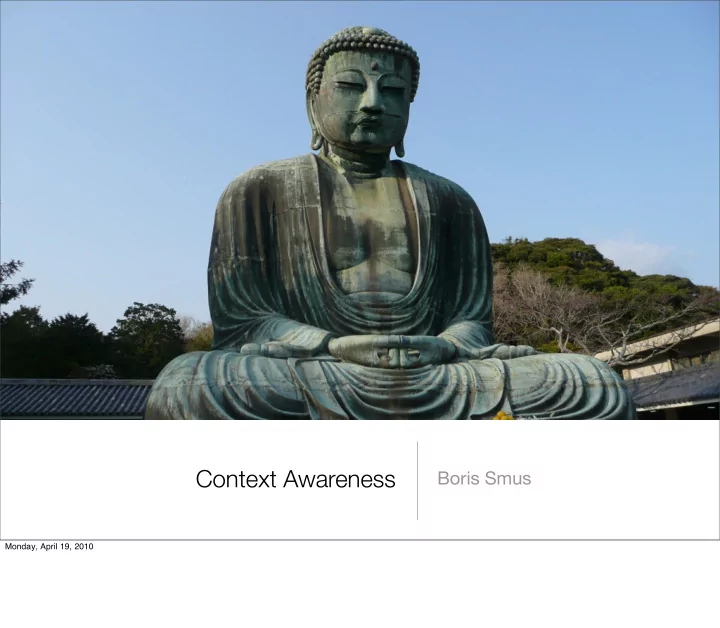
Context Awareness

Boris Smus

Monday, April 19, 2010
slide-2
SLIDE 2

try this

“To suppose that the eye with all its inimitable contrivances for adjusting the focus to different distances, for admitting different amounts of light, and for the correction of spherical and chromatic aberration, could have been formed by natural selection, seems, I freely confess, absurd in the highest degree.” – Charles Darwin

Monday, April 19, 2010

What do we conclude from this quote? Darwin was secretly a creationist! What’s the problem? It’s out of context

slide-3
SLIDE 3

... now in context

“To suppose that the eye with all its inimitable contrivances for adjusting the focus to different distances, for admitting different amounts of light, and for the correction of spherical and chromatic aberration, could have been formed by natural selection, seems, I freely confess, absurd in the highest degree. Yet reason tells me, that if numerous gradations from a perfect and complex eye to one very imperfect and simple, each grade being useful to its possessor, can be shown to exist...” – Charles Darwin

Monday, April 19, 2010

Only when taken out of context!

slide-4
SLIDE 4

definition

linking changes in the environment with computer systems, which are otherwise static.

Monday, April 19, 2010

slide-5
SLIDE 5
  • meh. who cares about context awareness?

ubiquitous computing: embed computing into the real world real world is rich and full of useful contextual information tech is increasingly pervasive and needs to be keep under control

Monday, April 19, 2010

slide-6
SLIDE 6

structure of the lecture

definitions (schilit-94) research (schilit-02)

  • bjections (erickson-02)

challenge questions (satyanaraynan-02)

Monday, April 19, 2010

slide-7
SLIDE 7

motivation

Bill Schilit: mobile people, not just mobile computing

  • broad hardware configurations are changing
  • location is changing
  • groups of interaction are changing

detect context changes and act on them

Monday, April 19, 2010

slide-8
SLIDE 8

what is context?

location of use nearby people nearby devices

Monday, April 19, 2010

people: also, social situations. with boss != drinking with friends devices: also, lighting, ambient noise, network connectivity

slide-9
SLIDE 9

how can context be used?

proximate selection (show things that are near, ranking by proximity) contextual reconfiguration (change view depending on context) contextual commands (filter action set based on context) context-triggered actions (automatic actions based on context changes)

Monday, April 19, 2010

  • ex. google maps search
  • ex. time servers for travelers
  • ex. print command automatically prints to nearest printer
  • ex. android app locale, changes system settings on location
slide-10
SLIDE 10

ParcTab

a proto-smartphone wireless, palm-sized computer used as a prototyping platform at PARC for ubicomp research

Monday, April 19, 2010

weiser refined his original vision focusing on the concept of calm computing sort of what Apple’s been up to in the last decade. iPhone, iPad are steps in that direction

slide-11
SLIDE 11

location, location, location

state of the art of the most popular kind of context today

Monday, April 19, 2010

slide-12
SLIDE 12

technology

GPS cell triangulation Wi-Fi ultra wide band 5m

  • utdoors

120m in/outdoors 20m in/outdoors 0.1m indoors

Monday, April 19, 2010

slide-13
SLIDE 13

location as context

tons of startups in it

  • loopt, foursquare
  • twitter, gowalla

Google Buzz, Latitude Facebook

Monday, April 19, 2010

slide-14
SLIDE 14

research directions beyond location

example: context-aware communication

Monday, April 19, 2010

slide-15
SLIDE 15

classifying context-aware communication

context acquisition communication action

automatic manual automatic Active Badge Context-Aware Mailing List Whiteboard AwareNex Etherphone Active Messenger Contextual Reminders Watchdog

Monday, April 19, 2010

slide-16
SLIDE 16

call routing

blast from the past PARC Etherphone: intelligent

  • ffice which routes calls to the

room you’re in Olivetti Active Badge: informs receptionist of people’s locations in the office to facilitate call routing

Monday, April 19, 2010

  • ne automates communication, another automates context
slide-17
SLIDE 17

addressing

who to reach? Context-aware Mailing List (Anind Dey) sends mail only to those in an area or building MIT Active Messenger monitors, prioritizes and forwards email

  • falls back to phones, pagers,

fax machines

Monday, April 19, 2010

again, one automates communication, another automates context

slide-18
SLIDE 18

awareness

what’s my target up to? Watchdog: plays audio clips when sensor fires AwareNex: contact list that displays current activity Roomotes: controls room lights and audio/video equipment and notifies people nearby

Monday, April 19, 2010

again, one automates communication, another automates context

slide-19
SLIDE 19

how’s everyone doing?

take a break, stretch, juggle, eat a banana, etc

Monday, April 19, 2010

slide-20
SLIDE 20

criticisms of context awareness

automatic context acquisition and action?

context acquisition communication action automatic

manual automatic

Monday, April 19, 2010

slide-21
SLIDE 21

context is difficult for computers to grasp

humans are really good at knowing context computers aren’t. very different from humans:

  • small set of cues, limited by sensors
  • all data is quantitative

Monday, April 19, 2010

context aware -- detecting, identifying and location people’s behavior to provide relevant information ambient intelligence -- pre-empting people’s needs tracking -- assisted living. ex: monitoring movement

slide-22
SLIDE 22

context awareness can be reduced to AI

if we don’t use AI, then must use heuristics. lots of heuristics are bad:

  • that’s not how humans operate
  • too many heuristics means the system becomes incomprehensible

Monday, April 19, 2010

slide-23
SLIDE 23

suggestion: semi-automatic

Tom Erickson suggests: give humans context, let them decide

  • ex. automatic receptionist tells context, caller decides
  • joe has been motionless in a dimly lit room for the last 2 hours

Monday, April 19, 2010

  • ex. before routing a call to your friend, answering machine informs you that “he has been

motionless in a dim place with high ambient sound for the last 45 minutes”

slide-24
SLIDE 24

my opinion

the machine is already making inferences! motion sensor readings below threshold => joe is motionless light sensor readings below threshold => room is dark aren’t these also problematic? so it’s just a matter of degree.

Monday, April 19, 2010

slide-25
SLIDE 25

conclusion

context awareness is an important feature in ubicomp applications can be applied to make many types of applications more compelling (ex. context-aware communication) but there are many huge technical challenges in the field some hybrid approaches are useful

Monday, April 19, 2010

slide-26
SLIDE 26

thanks for listening

^_^

Monday, April 19, 2010

slide-27
SLIDE 27

discussion

implementation details: how does the system represent context internally? store on network? what overhead is incurred in context aware systems? how to minimize? what minimal set of services in environment to make context awareness feasible? what is the fallback? what location sensing technology is best? when should one or the other be used? is location a special kind of context? (from Satyanaraynan)

Monday, April 19, 2010