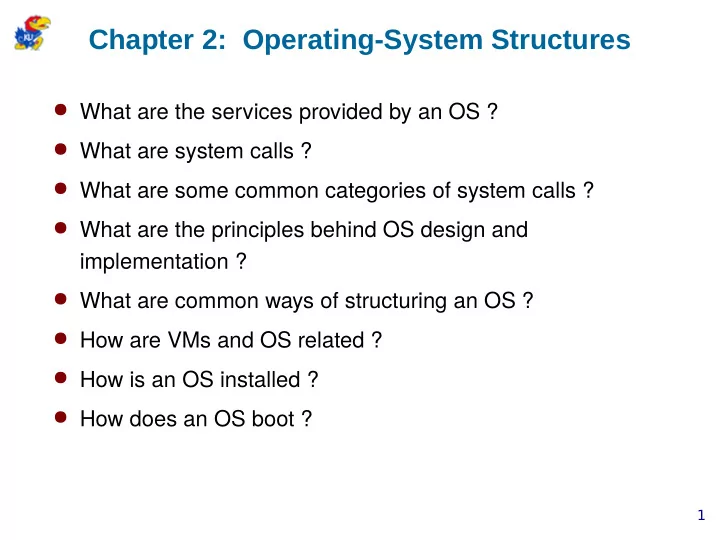
Chapter 2: Operating-System Structures Wh a t a r e t h e - - PowerPoint PPT Presentation

chapter 2 operating system structures
SMART_READER_LITE
LIVE PREVIEW

Chapter 2: Operating-System Structures Wh a t a r e t h e - - PowerPoint PPT Presentation

Chapter 2: Operating-System Structures Wh a t a r e t h e s e r v i c e s p r o v i d e d b y a n O S ? Wh a t a r e s y s t e m c a l l s ? Wh a t a r e s o m e c o m m o n


slide-1
SLIDE 1

1

Chapter 2: Operating-System Structures

  • Wh

a t a r e t h e s e r v i c e s p r

  • v

i d e d b y a n O S ?

  • Wh

a t a r e s y s t e m c a l l s ?

  • Wh

a t a r e s

  • m

e c

  • m

m

  • n

c a t e g

  • r

i e s

  • f

s y s t e m c a l l s ?

  • Wh

a t a r e t h e p r i n c i p l e s b e h i n d O S d e s i g n a n d i m p l e m e n t a t i

  • n

?

  • Wh

a t a r e c

  • m

m

  • n

w a y s

  • f

s t r u c t u r i n g a n O S ?

  • H
  • w

a r e V M s a n d O S r e l a t e d ?

  • H
  • w

i s a n O S i n s t a l l e d ?

  • H
  • w

d

  • e

s a n O S b

  • t

?

slide-2
SLIDE 2

2

Operating System Services

  • O

p e r a t i n g

  • s

y s t e m s e r v i c e s t h a t a r e h e l p f u l t

  • t

h e u s e r

  • u

s e r i n t e r f a c e – a l m

  • s

t a l l

  • p

e r a t i n g s y s t e m s h a v e a u s e r i n t e r f a c e ( U I )

  • C
  • m

m a n d

  • L

i n e ( C L I )

  • G

r a p h i c s U s e r I n t e r f a c e ( G U I )

  • T
  • u

c h

  • S

c r e e n I n t e r f a c e

  • p

r

  • g

r a m e x e c u t i

  • n

– l

  • a

d i n m e m

  • r

y a n d r u n a p r

  • g

r a m

  • e

n d e x e c u t i

  • n

, e i t h e r n

  • r

m a l l y

  • r

a b n

  • r

m a l l y ( i n d i c a t i n g e r r

  • r

)

  • I

/ O

  • p

e r a t i

  • n

s – a l l

  • w

i n t e r a c t i

  • n

w i t h I / O d e v i c e s

  • p

r

  • v

i d e e ffj c i e n c y a n d p r

  • t

e c t i

  • n
  • fj

l e

  • s

y s t e m m a n i p u l a t i

  • n

– p r

  • v

i d e u n i f

  • r

m a c c e s s t

  • m

a s s s t

  • r

a g e

  • c

r e a t e , d e l e t e , r e a d , w r i t e fj l e s a n d d i r e c t

  • r

i e s

  • s

e a r c h , l i s t fj l e I n f

  • r

m a t i

  • n
  • p

e r m i s s i

  • n

m a n a g e m e n t .

slide-3
SLIDE 3

3

Operating System Services (2)

  • O

p e r a t i n g

  • s

y s t e m s e r v i c e s t h a t a r e h e l p f u l t

  • t

h e u s e r ( c

  • n

t . . . )

  • i

n t e r

  • p

r

  • c

e s s c

  • m

m u n i c a t i

  • n

– e x c h a n g e i n f

  • r

m a t i

  • n

a m

  • n

g p r

  • c

e s s e s

  • s

h a r e d m e m

  • r

y , P O S I X s h m _

  • p

e n ( )

  • m

e s s a g e p a s s i n g , m i c r

  • k

e r n e l O S , R P C , C O R B A , e t c .

  • e

r r

  • r

d e t e c t i

  • n

– a w a r e n e s s

  • f

p

  • s

s i b l e e r r

  • r

s

  • C

P U a n d m e m

  • r

y h a r d w a r e ( p w e r f a i l u r e , m e m

  • r

y f a u l t )

  • I

/ O d e v i c e e r r

  • r

s ( p r i n t e r

  • u

t

  • f
  • p

a p e r , n e t w

  • r

k c

  • n

n e c t i

  • n

f a i l u r e )

  • u

s e r p r

  • g

r a m ( s e g m e n t a t i

  • n

f a u l t , d i v i d e

  • b

y

  • z

e r

  • )
slide-4
SLIDE 4

4

Operating System Services (3)

  • O

p e r a t i n g s y s t e m s e r v i c e s f

  • r

e ffj c i e n t s y s t e m

  • p

e r a t i

  • n
  • r

e s

  • u

r c e a l l

  • c

a t i

  • n

– p r

  • v

i d i n g a c c e s s t

  • s

h a r e d r e s

  • u

r c e s i n m u l t i u s e r s y s t e m

  • C

P U c y c l e s , m a i n m e m

  • r

y , fj l e s t

  • r

a g e , I / O d e v i c e s

  • A

c c

  • u

n t i n g – k e e p t r a c k

  • f

s y s t e m r e s

  • u

r c e u s a g e

  • f
  • r

c

  • s

t a c c

  • u

n t i n g

  • a

c c u m u l a t i n g u s a g e s t a t i s t i c s ( f

  • r

p r

  • fj

l i n g , e t c . )

  • P

r

  • t

e c t i

  • n

a n d s e c u r i t y – r e s t r i c t a c c e s s t

  • c
  • m

p u t e r r e s

  • u

r c e s

  • e

n s u r e t h a t a l l a c c e s s t

  • s

y s t e m r e s

  • u

r c e s i s c

  • n

t r

  • l

l e d ( p r

  • t

e c t i

  • n

)

  • p

r

  • t

e c t s y s t e m f r

  • m
  • u

t s i d e r s ( s e c u r i t y )

  • u

s e r a u t h e n t i c a t i

  • n

, fj l e a c c e s s c

  • n

t r

  • l

, a d d r e s s s p a c e r e s t r i c t i

  • n

s , e t c .

slide-5
SLIDE 5

5

A View of Operating System Services

slide-6
SLIDE 6

6

System Calls

  • P

r

  • g

r a m m i n g i n t e r f a c e t

  • t

h e s e r v i c e s p r

  • v

i d e d b y t h e O S

  • r

e q u e s t p r i v i l e g e d s e r v i c e f r

  • m

t h e k e r n e l

  • t

y p i c a l l y w r i t t e n i n a h i g h

  • l

e v e l s y s t e m l a n g u a g e ( C

  • r

C + + )

  • M
  • s

t l y a c c e s s e d b y p r

  • g

r a m s v i a a h i g h

  • l

e v e l A p p l i c a t i

  • n

P r

  • g

r a m I n t e r f a c e ( A P I ) r a t h e r t h a n d i r e c t s y s t e m c a l l u s e

  • p

r

  • v

i d e s a s i m p l e r i n t e r f a c e t

  • t

h e u s e r t h a n t h e s y s t e m c a l l i n t e r f a c e

  • r

e d u c e s c

  • u

p l i n g b e t w e e n k e r n e l a n d a p p l i c a t i

  • n

, i n c r e a s e s p

  • r

t a b i l i t y

  • C
  • m

m

  • n

A P I s

  • Wi

n 3 2 A P I f

  • r

Wi n d

  • w

s

  • P

O S I X A P I f

  • r

P O S I X

  • b

a s e d s y s t e m s ( i n c l u d i n g v i r t u a l l y a l l v e r s i

  • n

s

  • f

U N I X , L i n u x , a n d M a c O S X )

  • I

m p l e m e n t a t i

  • n
  • s
  • f

t w a r e t r a p , r e g i s t e r c

  • n

t a i n s s y s t e m c a l l n u m b e r

  • s

y s c a l l i n s t r u c t i

  • n

f

  • r

f a s t c

  • n

t r

  • l

t r a n s f e r t

  • t

h e k e r n e l

slide-7
SLIDE 7

7

Example of System Calls

  • S

y s t e m c a l l s e q u e n c e t

  • c
  • p

y t h e c

  • n

t e n t s

  • f
  • n

e fj l e t

  • a

n

  • t

h e r fj l e

slide-8
SLIDE 8

8

API – System Call – OS Relationship

slide-9
SLIDE 9

9

Standard C Library Example

  • C

p r

  • g

r a m i n v

  • k

i n g p r i n t f ( ) l i b r a r y c a l l , w h i c h c a l l s w r i t e ( ) s y s t e m c a l l

slide-10
SLIDE 10

10

System Call Parameter Passing

  • P

a s s a d d i t i

  • n

a l i n f

  • r

m a t i

  • n

t

  • t

h e s y s t e m c a l l .

  • T

h r e e g e n e r a l m e t h

  • d

s u s e d t

  • p

a s s p a r a m e t e r s t

  • t

h e O S

  • p

a s s t h e p a r a m e t e r s i n r e g i s t e r s

  • s

i m p l e s t , f a s t e s t

  • w

h a t i f m

  • r

e p a r a m e t e r s t h a n r e g i s t e r s ?

  • s

t

  • r

e a r g u m e n t s i n a b l

  • c

k

  • n

s t a c k

  • p

a s s s t a c k l

  • c

a t i

  • n

i n a r e g i s t e r

  • p

a r a m e t e r s p u s h e d

  • n

t h e s t a c k b y t h e p r

  • g

r a m a n d p

  • p

p e d

  • fg

t h e s t a c k b y t h e

  • p

e r a t i n g s y s t e m

  • P

u r e r e g i s t e r m e t h

  • d

i s h a r d l y e v e r u s e d

  • b

l

  • c

k a n d s t a c k m e t h

  • d

s d

  • n
  • t

l i m i t t h e n u m b e r

  • r

l e n g t h

  • f

p a r a m e t e r s b e i n g p a s s e d

slide-11
SLIDE 11

11

Types of System Calls

  • P

r

  • c

e s s c

  • n

t r

  • l
  • c

r e a t e p r

  • c

e s s , t e r m i n a t e p r

  • c

e s s , g e t / s e t p r

  • c

e s s a t t r i b u t e s , w a i t e v e n t , s i g n a l e v e n t , a l l

  • c

a t e a n d f r e e m e m

  • r

y

  • F

i l e m a n a g e m e n t

  • c

r e a t e , d e l e t e ,

  • p

e n , c l

  • s

e , r e a d , w r i t e a fj l e , g e t / s e t fj l e a t t r i b u t e s

  • D

e v i c e m a n a g e m e n t

  • r

e q u e s t , r e l e a s e , r e a d , w r i t e , r e p

  • s

i t i

  • n

d e v i c e , g e t / s e t d e v i c e a t t r i b u t e s

  • I

n f

  • r

m a t i

  • n

m a i n t e n a n c e

  • g

e t / s e t t i m e / d a t e , g e t / s e t p r

  • c

e s s / fj l e / d e v i c e a t t r i b u t e s

  • C
  • m

m u n i c a t i

  • n

s

  • c

r e a t e / d e l e t e c

  • n

n e c t i

  • n

, s e n d / r e c e i v e m e s s a g e s

  • P

r

  • t

e c t i

  • n
  • s

e t / g e t fj l e / d e v i c e p e r m i s s i

  • n

s , a l l

  • w

/ d e n y s y s t e m r e s

  • u

r c e s

slide-12
SLIDE 12

12

Examples of System Calls

slide-13
SLIDE 13

13

System Programs

  • U

s e r

  • l

e v e l u t i l i t y p r

  • g

r a m s s h i p p e d w i t h t h e O S

  • e

a s e t h e j

  • b
  • f

p r

  • g

r a m d e v e l

  • p

m e n t a n d e x e c u t i

  • n
  • n
  • t

p a r t

  • f

t h e O S k e r n e l

  • S

y s t e m p r

  • g

r a m s c a n b e d i v i d e d i n t

  • :
  • fj

l e m a n i p u l a t i

  • n
  • s

t a t u s i n f

  • r

m a t i

  • n
  • fj

l e m

  • d

i fj c a t i

  • n
  • p

r

  • g

r a m m i n g l a n g u a g e s u p p

  • r

t

  • p

r

  • g

r a m l

  • a

d i n g a n d e x e c u t i

  • n
  • c
  • m

m u n i c a t i

  • n

s

  • a

p p l i c a t i

  • n

p r

  • g

r a m s

slide-14
SLIDE 14

14

System Programs (2)

  • F

i l e m a n a g e m e n t

  • m

k d i r , c p , r m , l p r , l s , l n , e t c .

  • S

t a t u s i n f

  • r

m a t i

  • n
  • d

a t e , t i m e , d s , d f , t

  • p

, p s , e t c .

  • F

i l e m

  • d

i fj c a t i

  • n
  • e

d i t

  • r

s s u c h a s v i a n d e m a c s , fj n d , g r e p , e t c .

  • P

r

  • g

r a m m i n g l a n g u a g e s u p p

  • r

t

  • c
  • m

p i l e r s , a s s e m b l e r s , d e b u g g e r s , s u c h a s g c c , m a s m , g d b , p e r l , j a v a , e t c .

  • P

r

  • g

r a m l

  • a

d i n g a n d e x e c u t i

  • n
  • l

d

  • C
  • m

m u n i c a t i

  • n

s

  • s

s h , m a i l , w r i t e , f t p

slide-15
SLIDE 15

15

Role of Linker and Loader

Compiler

source program assembly program

  • bject code

Executable fjle program in memory library, relocatable

  • bject fjles

Assembler Linker Loader

  • ther object

fjles

slide-16
SLIDE 16

16

OS Design and Implementation

  • D

e s i g n

  • t

y p e

  • f

s y s t e m – b a t c h , t i m e

  • s

h a r e d , s i n g l e / m u l t i u s e r , d i s t r i b u t e d , r e a l

  • t

i m e , e m b e d d e d

  • u

s e r g

  • a

l s – c

  • n

v e n i e n c e , e a s e

  • f

u s e a n d l e a r n , r e l i a b l e , s a f e , f a s t

  • s

y s t e m g

  • a

l s – e a s e

  • f

d e s i g n , i m p l e m e n t a t i

  • n

, a n d m a i n t a i n e n c e , a s w e l l a s fm e x i b l e , r e l i a b l e , e r r

  • r
  • f

r e e , a n d e ffj c i e n t

  • M

e c h a n i s m

  • p
  • l

i c y – w h a t w i l l b e d

  • n

e ?

  • me

c h a n i s m – h

  • w

t

  • d
  • i

t ?

  • I

m p l e m e n t a t i

  • n
  • h

i g h e r

  • l

e v e l l a n g u a g e – e a s i e r , f a s t e r t

  • w

r i t e , c

  • m

p a c t , m a i n t a i n a b l e , e a s y t

  • d

e b u g , p

  • r

t a b l e

  • a

s s e m b l y l a n g u a g e – m

  • r

e e ffj c i e n t

slide-17
SLIDE 17

17

Operating System Structure

  • E

n g i n e e r i n g a n

  • p

e r a t i n g s y s t e m

  • m
  • d

u l a r i z e d , m a i n t a i n a b l e , e x t e n s i b l e , e t c .

  • S

i m p l e S t r u c t u r e

  • C

h a r a c t e r i s t i c s

  • m
  • n
  • l

i t h i c

  • p
  • r

s e p a r a t i

  • n

b e t w e e n i n t e r f a c e s a n d l e v e l s

  • f

f u n c t i

  • n

a l i t y

  • i

l l

  • s

u i t e d d e s i g n , d i ffj c u l t t

  • m

a i n t a i n a n d e x t e n d

  • R

e a s

  • n

s

  • g

r

  • w

t h b e y

  • n

d

  • r

i g i n a l s c

  • p

e a n d v i s i

  • n
  • l

a c k

  • f

n e c e s s a r y h a r d w a r e f e a t u r e s d u r i n g i n i t i a l d e s i g n

  • g

u i d e d m

  • r

e b y i n i t i a l h a r d w a r e c

  • n

s t r a i n t s t h a n b y s

  • u

n d s

  • f

t w a r e e n g i n e e r i n g p r i n c i p l e s

  • e

g . , M S

  • D

O S , U N I X

slide-18
SLIDE 18

18

OS Structure - Monolithic

  • M

S

  • D

O S l a y e r s t r u c t u r e :

slide-19
SLIDE 19

19

OS Structure - Monolithic

  • T

r a d i t i

  • n

a l U N I X s y s t e m s t r u c t u r e

slide-20
SLIDE 20

20

OS Structure - Layered

  • L

a y e r e d a p p r

  • a

c h

  • O

S d i v i s i

  • n

i n t

  • a

n u m b e r

  • f

l a y e r s ( l e v e l s )

  • u

p p e r l a y e r s u s e f u n c t i

  • n

s a n d s e r v i c e s p r

  • v

i d e d b y l

  • w

e r

  • l

e v e l l a y e r s

  • B

e n e fj t s

  • m
  • r

e m

  • d

u l a r , e x t e n s i b l e , a n d m a i n t a i n a b l e d e s i g n

  • a

c h i e v e s i n f

  • r

m a t i

  • n

h i d i n g

  • s

i m p l e c

  • n

s t r u c t i

  • n

, d e b u g g i n g , a n d v e r i fj c a t i

  • n
  • D

r a w b a c k s

  • i

n t e r d e p e n d e n c i e s m a k e i t d i ffj c u l t t

  • c

l e a n l y s e p a r a t e f u n c t i

  • n

a l i t y a m

  • n

g l a y e r s

  • e

g . , b a c k i n g

  • s

t

  • r

e d r i v e r s a n d C P U s c h e d u l e r

  • l

e s s e ffj c i e n t t h a n m

  • n
  • l

i t h i c d e s i g n s

slide-21
SLIDE 21

21

OS Structure - Layered

  • L

a y e r e d O p e r a t i n g S y s t e m

slide-22
SLIDE 22

22

OS Structure - Microkernels

  • M

i c r

  • k

e r n e l S y s t e m S t r u c t u r e

  • m
  • v

e s a s m u c h f u n c t i

  • n

a l i t y f r

  • m

t h e k e r n e l i n t

u s e r ” s p a c e

  • c
  • m

m u n i c a t e b e t w e e n u s e r m

  • d

u l e s u s i n g m e s s a g e p a s s i n g

  • B

e n e fj t s

  • e

a s i e r t

  • e

x t e n d ( u s e r l e v e l d r i v e r s )

  • e

a s i e r t

  • p
  • r

t t

  • n

e w a r c h i t e c t u r e s

  • m
  • r

e r e l i a b l e ( l e s s c

  • d

e i s r u n n i n g i n k e r n e l m

  • d

e )

  • m
  • r

e s e c u r e

  • D

r a w b a c k s

  • n
  • c
  • n

s e n s u s r e g a r d i n g s e r v i c e s t h a t s h

  • u

l d r e m a i n i n t h e k e r n e l

  • p

e r f

  • r

m a n c e

  • v

e r h e a d

  • f

u s e r s p a c e t

  • k

e r n e l s p a c e c

  • m

m u n i c a t i

  • n
slide-23
SLIDE 23

23

Operating System Structure (7)

  • M

i c r

  • k

e r n e l s y s t e m s t r u c t u r e

Application Program File System Device Driver Interprocess Communication memory managment CPU scheduling

messages messages

microkernel hardware user mode kernel mode

slide-24
SLIDE 24

24

OS Structure - Modules

  • M
  • d

u l e s

  • u

s e s

  • b

j e c t

  • r

i e n t e d a p p r

  • a

c h

  • k

e r n e l p r

  • v

i d e s c

  • r

e f u n c t i

  • n

a l i t y , l i k e c

  • m

m u n i c a t i

  • n

s , d e v i c e d r i v e r s

  • a

d d i t i

  • n

a l s e r v i c e s a r e m

  • d

u l e s l i n k e d d y n a m i c a l l y

  • s

e r v i c e s t a l k d i r e c t l y

  • v

e r i n t e r f a c e s b y p a s s i n g t h e k e r n e l

  • B

e n e fj t s

  • a

d v a n t a g e s

  • f

l a y e r e d s t r u c t u r e b u t w i t h m

  • r

e fm e x i b l e

  • a

d v a n t a g e s

  • f

m i c r

  • k

e r n e l a p p r

  • a

c h , w i t h

  • u

t m e s s a g e p a s s i n g

  • v

e r h e a d

  • D

r a w b a c k s

  • n
  • t

a s c l e a n a d e s i g n a s t h e l a y e r e d a p p r

  • a

c h

  • n
  • t

a s s m a l l a k e r n e l a s a m i c r

  • k

e r n e l

  • b

u t , a c h i e v e s b e s t

  • f

b

  • t

h w

  • r

l d s a s f a r a s p

  • s

s i b l e

slide-25
SLIDE 25

25

OS Structure - Modules

  • S
  • l

a r i s m

  • d

u l a r a p p r

  • a

c h

slide-26
SLIDE 26

26

OS Structure – Hybrid Systems

  • H

y b r i d

  • p

e r a t i n g s y s t e m s

  • c
  • m

b i n e m u l t i p l e a p p r

  • a

c h e s t

  • a

d d r e s s p e r f

  • r

m a n c e , s e c u r i t y , u s a b i l i t y

  • L

i n u x

  • M
  • n
  • l

i t h i c , s i n c e O S i s i n a s i n g l e a d d r e s s s p a c e

  • M
  • d

u l a r , s i n c e c a n b e e x t e n d e d d y n a m i c a l l y

  • Wi

n d

  • w

s

  • M
  • n
  • l

i t h i c , b u t s

  • m

e m i c r

  • k

e r n e l a s p e c t s

  • H

y b r i d O S – A n d r

  • i

d O S s t r u c t u r e

  • m
  • d

i fj e d L i n u x k e r n e l f

  • r

p r

  • c

e s s , m e m

  • r

y , d e v i c e d r i v e r m a n a g e m e n t

  • R

u n t i m e p r

  • v

i d e d h i g h e r

  • l

e v e l l i b r a r i e s a n d A R T r u n t i m e

  • U

s e s b i

  • n

i c , r a t h e r t h a n g l i b c

slide-27
SLIDE 27

27

OS Structure – Hybrid Systems

  • E

x a m p l e – A p p l e M a c O S X

  • h

y b r i d , l a y e r e d

  • M

a c h m i c r

  • k

e r n e l a n d B S D U n i x , p l u s I / O k i t , a n d d y n a m i c a l l y l

  • a

d a b l e m

  • d

u l e s f

  • r

k e r n e l e x t e n s i

  • n

s

graphical user interface Aqua application environments and services kernel environment Java Cocoa Quicktime BSD Mach I/O kit kernel extensions BSD

slide-28
SLIDE 28

28

Virtual Machines

  • G

e n e r a l l y , e x p

  • s

e s a v i r t u a l i n t e r f a c e d i fg e r e n t f r

  • m

t h e p h y s i c a l r e a l

  • t

i m e s h a r i n g , m u l t i

  • u

s e r O S a s a v i r t u a l m a c h i n e ?

  • a

b s t r a c t i

  • n

V s . v i r t u a l i z a t i

  • n

?

  • T

r a d i t i

  • n

a l l y , e x p

  • s

e s a n i n t e r f a c e

  • f

s

  • m

e h a r d w a r e s y s t e m

  • i

n c l u d e s C P U , m e m

  • r

y , d i s k , n e t w

  • r

k , I / O d e v i c e s , e t c .

  • i

n t e r f a c e n e e d n

  • t

b e i d e n t i c a l t

  • t

h e u n d e r l y i n g h a r d w a r e

  • A

v i r t u a l i z a t i

  • n

l a y e r , c a l l e d h y p e r v i s

  • r

, t a k e s

  • v

e r c

  • n

t r

  • l
  • f

t h e h

  • s

t h a r d w a r e r e s

  • u

r c e s

  • c

r e a t e s t h e i l l u s i

  • n

t h a t a p r

  • c

e s s h a s i t s

  • w

n c

  • m

p u t e r s y s t e m

  • e

a c h g u e s t p r

  • v

i d e d w i t h a ( v i r t u a l ) c

  • p

y

  • f

u n d e r l y i n g c

  • m

p u t e r

  • e

a c h g u e s t p r

  • c

e s s c a n t h e n r u n a n

  • t

h e r O S a n d a p p l i c a t i

  • n

p r

  • g

r a m s

slide-29
SLIDE 29

29

Virtual Machines (2)

( a ) N

  • n

v i r t u a l m a c h i n e ( b ) v i r t u a l m a c h i n e

N

  • n
  • v

i r t u a l M a c h i n e V i r t u a l M a c h i n e

slide-30
SLIDE 30

30

Virtual Machines History and Benefits

  • H

i s t

  • r

y

  • i

n t r

  • d

u c e d b y I B M f

  • r

t h e i r I B M 3 6 / 3 7 l i n e

  • f

m a c h i n e s

  • e

x p

  • s

e d a n i n t e r f a c e t h a t w a s i d e n t i c a l t

  • t

h e u n d e r l y i n g m a c h i n e

  • r

a n t h e s i n g l e

  • u

s e r , t i m e

  • s

h a r i n g C M S

  • p

e r a t i n g s y s t e m

  • n

e a c h V M

  • B

e n e fj t s

  • a

b i l i t y t

  • e

n a b l e m u l t i p l e e x e c u t i

  • n

e n v i r

  • n

m e n t s ( d i fg e r e n t

  • p

e r a t i n g s y s t e m s ) t

  • s

h a r e t h e s a m e h a r d w a r e

  • a

p p l i c a t i

  • n

p r

  • g

r a m s i n d i fg e r e n t V M s i s

  • l

a t e d f r

  • m

e a c h

  • t

h e r

  • p

r

  • v

i d e s p r

  • t

e c t i

  • n

; c a n m a k e s h a r i n g a n d c

  • m

m u n i c a t i

  • n

d i ffj c u l t

  • u

s e f u l f

  • r

d e v e l

  • p

m e n t , t e s t i n g ( p a r t i c u l a r l y O S )

  • t

e s t i n g c r

  • s

s

  • p

l a t f

  • r

m c

  • m

p a t i b i l i t y

  • c
  • n

s

  • l

i d a t i

  • n
  • f

m a n y l

  • w
  • r

e s

  • u

r c e u s e s y s t e m s

  • n

t

  • f

e w e r b u s i e r s y s t e m s

  • p

r

  • c

e s s v i r t u a l m a c h i n e s ( J a v a ) p r

  • v

i d e a p p l i c a t i

  • n

p

  • r

t a b i l i t y

slide-31
SLIDE 31

31

VMware Architecture

slide-32
SLIDE 32

32

The Java Virtual Machine