Capturing Students! The use of digital recording in Higher Education - - PowerPoint PPT Presentation

capturing students
SMART_READER_LITE
LIVE PREVIEW

Capturing Students! The use of digital recording in Higher Education - - PowerPoint PPT Presentation

Capturing Students! The use of digital recording in Higher Education Kevin Henshaw FoHSC Examples of Digital Technology Talking Heads (Uskov 2005, Gladwell 2005) Video and audio archive resources-on line libraries, AR Animated screen


slide-1
SLIDE 1

Capturing Students!

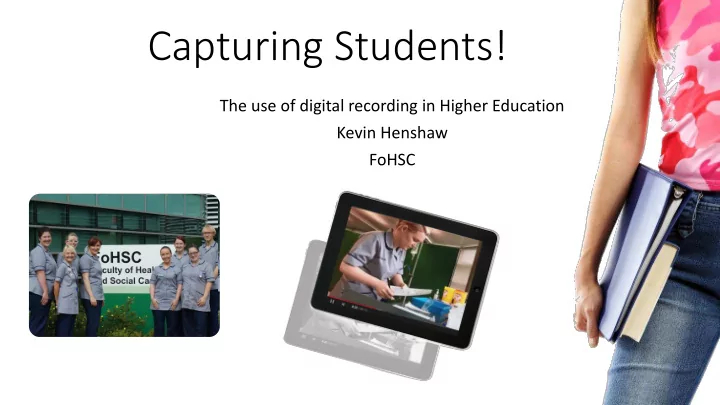
The use of digital recording in Higher Education Kevin Henshaw FoHSC
slide-2
SLIDE 2

Examples of Digital Technology

  • Talking Heads (Uskov 2005, Gladwell 2005)
  • Video and audio archive resources-on line libraries, AR
  • Animated screen shots-TechSmith, Camtasia and Macromedia

Captivate to record and edit animated screenshots (Carl Simmons, CMIST)

  • Instructional 'how to videos‘- BBC “Good Shooting Guide” (2005)

negates need for linear narrative ie case studies

  • Interviewing an expert -Articulate, i Spring (Wallace and Donald,

2006)

slide-3
SLIDE 3
  • Video blogs 'think aloud‘- informal personal reflection
  • Students create their own video - short videos by students

for projects or portfolios i.e. group work, projects (Allam, 2006)

  • Videoing real events in situ – reflection, field trips,

Presentation/performance skills and feedback Class watch (Millar, 2005, Strathie 2006 )

  • Video case studies/simulations/role plays – Social Workers

‘Clydestown’ (West and Donald, 2006), experiment with different responses to behaviours, SIM, dangerous lab experiments

slide-4
SLIDE 4

What about feedback? Does your assessment support your students’ learning? (Gibbs & Simpson, 2004) Written feedback for students: too much, too detailed or too incomprehensible to be effective? (Glower, & Brown,2006) Writing, commenting and revising: The relationship between teacher feedback and student revision online. (Golstien & Kohls, 2002)

slide-5
SLIDE 5

Why record?

  • Robust assessment
  • Aids quality assurance
  • Promotes active learning
  • Increases student engagement (Constructivist)
  • ‘Untapped pedagogical potential’ (Fee & Fee, 2003)
  • Can be ‘Constructively aligned’ (Biggs, 1996)
  • Experiential Learning (Vygotsky, 1934)
  • Contribute to an e-portfolio
  • Self assessment (student & Teacher)
  • Peer assessment (distance or F2F)
  • PDP development
slide-6
SLIDE 6

WHY Not?

  • Difficult to control digital information
  • Non compliant students
  • Self consciousness
  • Hawthorne effect (Franke and Kaul,1978)
  • Data storage
  • Data protection
  • Equipment failure
  • Equipment availability
  • Teaching colleagues/protocols
  • Where in the curriculum ?
slide-7
SLIDE 7

The set up:

slide-8
SLIDE 8

What we did

  • Wanted to create a facility for formative assessment and feedback:
slide-9
SLIDE 9

Feedback issues

  • Turn it in
  • Blackboard
  • E Share
  • YouTube
  • Camstudio
  • Group feedback
slide-10
SLIDE 10

The Goal (Individual feedback)

  • Voice over with written feedback
  • Any platform
  • Formative & Summative
  • Viva Voce (audio only)
slide-11
SLIDE 11

PANOPTO!!!

  • Simulated exercise
  • Lecture capture
  • Assignment advise (FAQs)
  • Written & Audio feedback
slide-12
SLIDE 12

Learning and Teaching Strategy (EHU)

  • high-quality teaching and learning, tailored assessment, and

guidance and support for students

  • keeping abreast of innovation in teaching, learning and

assessment and systematic dissemination of good practice within the University

  • learning support that recognises the diverse needs of students

(SpLD)

  • a strong emphasis on pastoral and academic support
  • regular observation of teaching
  • the expectation that new and existing teaching staff engage fully in

professional development

slide-13
SLIDE 13

What they said:

  • ‘Thank you that's brilliant., i had perfect access to the video this

time, and i can see exactly where i went wrong. Its a good feedback system, and hopefully it will prevent me making the same mistakes again in the real osce exam.’ Student A

  • sorry I've only just got your email. I've just watched the video

and it was very useful although I find it very embarrassing watching myself back! Hugely appreciated! Student B

  • I think the eshare video is a useful tool for learning. Continuing

commentary would be useful throughout the scenario if there was anything which needed particular attention. Student C

  • So hard to watch yourself but really useful as I can see where I was

going wrong and also I can write a reflection on my actions. Thank you Student D

slide-14
SLIDE 14

Growth Industry

  • ‘Plebgate’
  • Mark Duggan
slide-15
SLIDE 15

References

  • ALLAM C (2006). Using filmmaking to teach students about Shakespeare, urban regeneration and other stuff, DIVERSE Conference, Glasgow, UK
  • BBC2005.“GoodShootingGuide”http://www.bbctraining.com/onlineCourse.asp?tID=5914&cat=2781 (accessed 5th January 2014)
  • BIGGS, J. (1996). Enhancing teaching through constructive alignment. Higher education, 32(3), 347-364.
  • DALE E (1969). Audio-visual methods in teaching. New York: Dryden
  • FEE S and FEE L (2003) Pedagogical approaches for the use of video . In C Crawford et al. (Eds) Proceedings of Society in Information Technology and

Teacher Educattion International Conference 2003 (pp. 1407-1414)

  • BRICK, B. & HOLMES J. (2008). Using screen capture software for student feedback: towards a methodology. IADIS International Conference on

Cognition and Exploratory Learning in the Digital Age, (CELDA).

  • FRANKE, R.H. & KAUL, J. D. (1978). The Hawthorne experiments: First statistical interpretation. American Sociological Review, 43(5), 623-643.
  • GIBBS, G. & SIMPSON, C. (2004). Does your assessment support your students’ learning? Centre for Higher Education Practice, London: Open

University Press.

  • GLOWER, C. & BROWN, E. (2006). Written feedback for students: too much, too detailed or too incomprehensible to be effective? Bioscience

Education e-Journal, 7. Available at http:// www.bioscience.heacademy.ac.uk/journal/vol7/beej-7-3.pdf (accessed 30 November 2015)

  • GOLSTIEN, L. & KOHLS, R. (2002). Writing, commenting and revising: The relationship between teacher feedback and student revision online. Paper

presented at the American Association of Applied Linguistics Conference, 6–9 April 2002, Salt Lake City, Utah.

  • GLADWELL M (2005). Blink: the power of thinking without thinking, Allan Lane, London
  • MILLAR S M (2005). Video as process and product, Educause Quarterly, 2005, 58-61
slide-16
SLIDE 16

References

  • STRATHI, C. (2006). Promoting Collaborative Learning and Development through Video Enhanced

Reflective Practice (VERP) http://escalate.ac.uk/2363 (accessed 5th January2016)

  • USKOV, V. ( 2005). Technology for advanced e-learning, E-Learn Conference, Vancouver, Canada
  • VYGOTSKY, L. (1934). Thought and language. Cambridge, MA: MIT Press.
  • WALLACE, I. and DONALD, D. (2006). Project Pad: An open source, browser based video animation

tool, DIVERSE Conference, Glasgow, UK

  • WEST, J. and DONALD, D. (2006) “Clydetown”: The use of audio and video resources within a

virtual community learning resource, DIVERSE Conference, Glasgow, UK