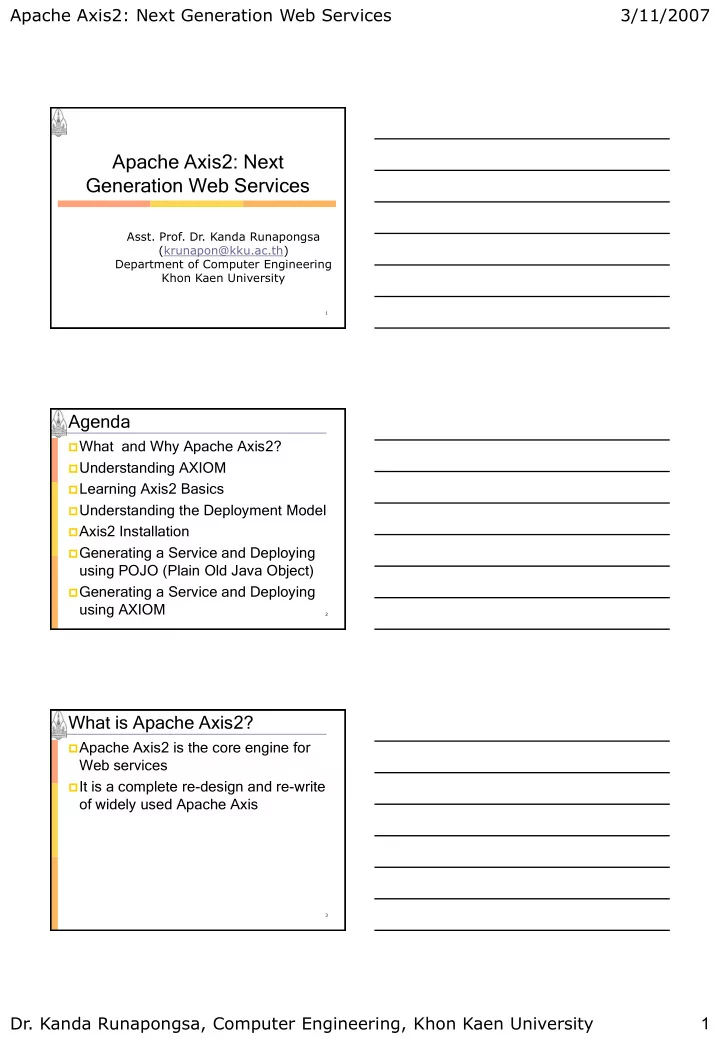
Apache Axis2: Next Generation Web Services Asst. Prof. Dr. Kanda - - PDF document

apache axis2 next generation web services
SMART_READER_LITE
LIVE PREVIEW

Apache Axis2: Next Generation Web Services Asst. Prof. Dr. Kanda - - PDF document

Apache Axis2: Next Generation Web Services 3/11/2007 Apache Axis2: Next Generation Web Services Asst. Prof. Dr. Kanda Runapongsa (krunapon@kku.ac.th) Department of Computer Engineering Khon Kaen University 1 Agenda What and Why Apache


slide-1
SLIDE 1

Apache Axis2: Next Generation Web Services

  • Dr. Kanda Runapongsa, Computer Engineering, Khon Kaen University

1 3/11/2007

1

  • Asst. Prof. Dr. Kanda Runapongsa

(krunapon@kku.ac.th) Department of Computer Engineering Khon Kaen University

Apache Axis2: Next Generation Web Services

Agenda

What and Why Apache Axis2? Understanding AXIOM Learning Axis2 Basics Understanding the Deployment Model Axis2 Installation Generating a Service and Deploying

using POJO (Plain Old Java Object)

Generating a Service and Deploying

using AXIOM

2

What is Apache Axis2?

Apache Axis2 is the core engine for

Web services

It is a complete re-design and re-write

  • f widely used Apache Axis

3

slide-2
SLIDE 2

Apache Axis2: Next Generation Web Services

  • Dr. Kanda Runapongsa, Computer Engineering, Khon Kaen University

2 3/11/2007

What is Apache Axis?

Apache Axis is an implementation of

the SOAP

An envelope that defines a framework

for describing what is in a message and how to process it

A set of encoding rules for expressing

instances of application-defined data types

A convention for representing remote

procedure calls and responses.

4

Why Apache Axis2?

 More flexible, efficient, and configurable in

comparison to Axis1.x

 Supports SOAP 1.1 and SOAP 1.2 as well

as REST style of Web services

 Support the easy addition of plug-in

“modules”

 WS-ReliableMessaging  WS-Coordination and WS-AtomicTransaction  WS-Security  WS-Addressing

5

Key Features of Apache Axis2 (1/4)

Speed: much faster than the old

version

Use its own object model and StAX

Low memory foot print AXIOM: extensible, highly

performance, and developer convenient

Light-weight object model

6

slide-3
SLIDE 3

Apache Axis2: Next Generation Web Services

  • Dr. Kanda Runapongsa, Computer Engineering, Khon Kaen University

3 3/11/2007 Key Features of Apache Axis2 (2/4)

Hot deployment

New services can be added without

having to shut down the server

Asynchronous Web services

Supports asynchronous Web services

invocation using non-blocking clients and transports

MEPs support

Support Message Exchange Patterns

(MEPs)

7

Key Features of Apache Axis2 (3/4)

Transport framework

A clean and simple abstraction for

integrating and using Transports (over various protocols such as SMTP and FTP)

WSDL support

Axis2 supports WSDL 1.1 and 2.0 which

allows you to easily build stubs to access remote services

8

Key Features of Apache Axis2 (4/4)

Add-ons

Have been incorporated with WSS4J for

security, Sandesha for reliable messaging, Kandula for coordination, atomic transaction, and business activity

Compositions and Extensibility

Modules and phases improve support

for composability and extensibility

9

slide-4
SLIDE 4

Apache Axis2: Next Generation Web Services

  • Dr. Kanda Runapongsa, Computer Engineering, Khon Kaen University

4 3/11/2007

Supported Specifications

 SOAP 1.1 and 1.2  Message Transmission Optimization

Mechanism (MTOM), XML Optimized Packaging (XOP) and SOAP with Attachments

 WSDL 1.1, including both SOAP and

HTTP bindings

 WS-Addressing  WS-Policy  SAAJ 1.1

10

Supported Transports and Data Bindings

Supported Transports

HyperText Transfer Protocol (HTTP) Simple Mail Transfer Protocol (SMTP) Java Message Service (JMS) Transmission Control Protocol (TCP)

Supported Data Bindings

Axis Data Binding (ADB) XMLBeans JibX JaxMe

11

Tools Included in Axis2 version 1.1

Axis2 Web Application (Web App) WSDL2WS

Eclipse plug in / Maven2 WSDL2Code

Plug in

Service Archive Wizard

Eclipse plug in / Maven2 AAR Plug –in

Java2WSDL

Maven 2 Java2WSDL Plug-in

12

slide-5
SLIDE 5

Apache Axis2: Next Generation Web Services

  • Dr. Kanda Runapongsa, Computer Engineering, Khon Kaen University

5 3/11/2007

Extension Modules

Apache Rampart: Supporting WS-

Security (and soon WS-Policy)

Apache Sandesha2: Supporting Ws-

Reliable Messaging

Apache Axis2 comes built in with a

module that supports WS-Addressing

13

Agenda

What and Why Apache Axis2? Understanding AXIOM Learning Axis2 Basics Understanding the Deployment Model Axis2 Installation Generating a Service and Deploying

using POJO (Plain Old Java Object)

Generating a Service and Deploying

using AXIOM

14

AXIOM (AXI AXIS Object Model)

Objects are created “on demand”

using a pull model

Allows direct access to the underlying

pull stream with or without building the tree

Allows the event based navigation of

the OM tree

Support for storing binary data

15

slide-6
SLIDE 6

Apache Axis2: Next Generation Web Services

  • Dr. Kanda Runapongsa, Computer Engineering, Khon Kaen University

6 3/11/2007

Agenda

What and Why Apache Axis2? Understanding AXIOM Learning Axis2 Basics Understanding the Deployment Model Axis2 Installation Generating a Service and Deploying

using POJO (Plain Old Java Object)

Generating a Service and Deploying

using AXIOM

16

Message Processing Stages

17

There are three main stages

Transport Receiver

Transport related processing

Dispatching

Finding service and operation

Message Receiver

Last handler of the chain

Contexts and Descriptions Hierarchy

Descriptors keep static information

Information extracted from deployment

descriptors

Contexts keep runtime information This information needs to be in

various scope

Good to keep contexts and

descriptions separate

18

slide-7
SLIDE 7

Apache Axis2: Next Generation Web Services

  • Dr. Kanda Runapongsa, Computer Engineering, Khon Kaen University

7 3/11/2007

Agenda

What and Why Apache Axis2? Understanding AXIOM Learning Axis2 Basics Understanding the Deployment Model Axis2 Installation Generating a Service and Deploying

using POJO (Plain Old Java Object)

Generating a Service and Deploying

using AXIOM

19

What’s the Fuss with Deployment

Axis 1.x deployment requires you to

Modify the XML files Call the admin client Add to the classpath Restart the server

For a beginner, a bit of headache 

20

New Deployment Model

Archive based deployment

Bundle all together and drop in

Directory based deployment (similar

structure as archive)

Hot deployment  An archive file can contain

Class files Third party libraries Any other resources required by the

service

21

slide-8
SLIDE 8

Apache Axis2: Next Generation Web Services

  • Dr. Kanda Runapongsa, Computer Engineering, Khon Kaen University

8 3/11/2007

Axis2 Service

 Can be deployed as an archive (.aar) file

  • r as a directory with all necessary

resources

 Service configurations are given by the

services.xml which contains

 ServiceClass parameter  Namespaces  Expose transports  Operation  Modules to be engaged  Module configurations

22

Agenda

What and Why Apache Axis2? Understanding AXIOM Learning Axis2 Basics Understanding the Deployment Model Axis2 Installation Generating a Service and Deploying

using POJO (Plain Old Java Object)

Generating a Service and Deploying

using AXIOM

23

Axis2 Installation

 Download and install Java SDK  Download and deploy a servlet container

such as Apache Tomcat

 Download distribution from

http://ws.apache.org/axis2

 Copy axis2.war to <TOMCAT>/webapps

folder

 Start Tomcat server  Start URL at http://localhost:8080/axis2

24

slide-9
SLIDE 9

Apache Axis2: Next Generation Web Services

  • Dr. Kanda Runapongsa, Computer Engineering, Khon Kaen University

9 3/11/2007

Download and Install Java SDK

 Download and install JavaSE SDK v1.5 update 9

which can be downloaded from

 http://gear.kku.ac.th/~krunapon/xmlws >> tools >>

JDK 1.5.0.09 with NetBeans Bundle

 Note that JavaSE 6 has compatibility problem

with Apache Ant tool

 Set %JAVA_HOME% environment variable to

the directory at where JavaSE SDK 1.5 is located

 Check the setting by using echo command

25

Download a Servlet Container (Tomcat)

In this case, we use Tomcat 5.5.20

which can be download from

http://tomcat.apache.org/ >> Download

>> Tomcat 5.x

http://gear.kku.ac.th/~krunapon/xmlws

>> tools >> Tomcat 5.5.20

Unzip apache-tomcat-5.5.20.zip

26

Deploy and Start Tomcat Server

Set %CATALINA_HOME%

environment variable to the Tomcat directory

Start Tomcat server by running

startup.bat which is at %CATALINA_HOME%/bin

27

slide-10
SLIDE 10

Apache Axis2: Next Generation Web Services

  • Dr. Kanda Runapongsa, Computer Engineering, Khon Kaen University

10 3/11/2007

Open the Homepage of Tomcat

28

http://localhost:8080

Download Apache Axis2 (1/2)

 Download Apache Axis2

http://ws.apache.org/axis2/download.cgi

 Choose version 1.1.1

 Standard Binary Distribution

29

Download Apache Axis2 (2/2)

 Choose Standard Binary Distribution  Extract axis2-1.1.1.zip  Set %AXIS2_HOME% to the axis2

directory

30

slide-11
SLIDE 11

Apache Axis2: Next Generation Web Services

  • Dr. Kanda Runapongsa, Computer Engineering, Khon Kaen University

11 3/11/2007

Install Apache Axis2 Overview

Obtain axis2.war which can use one

  • f these two methods

Download axis2.war from

http://ws.apache.org/axis2/download/1_ 1_1/download.cgi

Create axis2.war by using Apache Ant

which can be downloaded from http://ant.apache.org/bindownload.cgi

Copy axis2.war to

%CATALINA_HOME%/webapps directory

31

Download axis2.war

32

  • In Distribution Name column, choose WAR (Web Archieve

Distribution)

  • In Download column, choose zip

Creating axis2.war using Apache Ant

Download Apache Ant which can be

downloaded from http://ant.apache.org/bindownload.cgi

Set %PATH% environment variable

to %ANT_HOME%/bin

Run ant create.war at directory

%AXIS2_HOME%\webapp

“ant” command needs the input source

file “build.xml”

33

slide-12
SLIDE 12

Apache Axis2: Next Generation Web Services

  • Dr. Kanda Runapongsa, Computer Engineering, Khon Kaen University

12 3/11/2007

Running Apache Ant

34

Copy axis2.war

 Copy axis2.war from %AXIS2_HOME%\dist

to %CATALINA_HOME%\webapps

35

http://localhost:8080/axis2

36

slide-13
SLIDE 13

Apache Axis2: Next Generation Web Services

  • Dr. Kanda Runapongsa, Computer Engineering, Khon Kaen University

13 3/11/2007

List Available Services

37

http://localhost:8080/axis2/services/listServices

http://localhost:8080/axis2

38

Axis2 Happiness Page

39

http://localhost:8080/axis2/axis2-web/HappyAxis.jsp

slide-14
SLIDE 14

Apache Axis2: Next Generation Web Services

  • Dr. Kanda Runapongsa, Computer Engineering, Khon Kaen University

14 3/11/2007

http://localhost:8080/axis2

40

Axis2 Administration Console

41

http://localhost:8080/axis2/axis2-admin/

Username  admin Password  axis2

Axis2 Web Admin Module

42

slide-15
SLIDE 15

Apache Axis2: Next Generation Web Services

  • Dr. Kanda Runapongsa, Computer Engineering, Khon Kaen University

15 3/11/2007

Axis2 Services Context

The Directory Structure of axis2.war

axis2-web META-INF WEB-INF classes conf axis2.xml lib modules services services.list ... version.aar web.xml

43

Axis2 Services Structure

Services can be deployed as *.aar

files

The *.aar can be built using ant

command in the directory that has build.xml

44

Deploy Sample Web Service : StockQuoteService

 Go to %AXIS2_HOME%\samples\quickstart

which has the structure as follows

 resources

 META-INF

  • Services.xml

 src

 Java files

 build.xml

 Create StockQuoteService.aar by running

command “ant generate.service”

45

slide-16
SLIDE 16

Apache Axis2: Next Generation Web Services

  • Dr. Kanda Runapongsa, Computer Engineering, Khon Kaen University

16 3/11/2007

Create StockQuoteService.aar

46

Deploy StockQuoteService

Now copy StockQuoteService.aar from %AXIS2_HOME%\samples\quickstart\build to %CATALINA_HOME%\webapps\axis2\WEB-INF\services

47

Deployed StockQuoteService

48

http://localhost:8080/axis2/services/listServices

Click to view WSDL of the service

slide-17
SLIDE 17

Apache Axis2: Next Generation Web Services

  • Dr. Kanda Runapongsa, Computer Engineering, Khon Kaen University

17 3/11/2007

WSDL of StockQuoteService

49

Call Stock Quote Service

http://localhost:8080/axis2/rest/Stock

QuoteService/getPrice?symbol=IBM

50

Update Stock Quote Price

http://localhost:8080/axis2/rest/Stock

QuoteService/update?symbol=IBM&p rice=100

51

slide-18
SLIDE 18

Apache Axis2: Next Generation Web Services

  • Dr. Kanda Runapongsa, Computer Engineering, Khon Kaen University

18 3/11/2007

Call Stock Quote Service after Update

52

http://localhost:8080/axis2/rest/Stoc kQuoteService/getPrice?symbol=IBM

http://localhost:8080/axis2/rest/Stock

QuoteService/getPrice?symbol=IBM

Agenda

What and Why Apache Axis2? Understanding AXIOM Learning Axis2 Basics Understanding the Deployment Model Axis2 Installation Generating a Service and Deploying

using POJO (Plain Old Java Object)

Generating a Service and Deploying

using AXIOM

53

Create CalculatorService Overview

Create directory CalculatorService

Edit Java source file Edit services.xml Edit build.xml

Use ant to create

CalculatorService.aar

Copy CalculatorService.aar to

%CATALINAME_HOME%\webapps\ axis2\WEB-INF\services

54

slide-19
SLIDE 19

Apache Axis2: Next Generation Web Services

  • Dr. Kanda Runapongsa, Computer Engineering, Khon Kaen University

19 3/11/2007

Create CalculatorService

Create directory CalculatorService

(May copy from StockQuoteService)

resources

META-INF

  • Services.xml

src

service

  • pojo
  • CalculatorService.java

build.xml README.txt

55

Edit Java Source File (1/2)

package service.pojo; public class CalculatorService { public int add(int a, int b) { return a+b; } public int sub(int a, int b) { return a-b; } }

56

Edit Java Source File (2/2)

public int mult(int a, int b) { return a*b; } public int div(int a, int b) { if (b != 0) return a/b; else return 0; } }

57

slide-20
SLIDE 20

Apache Axis2: Next Generation Web Services

  • Dr. Kanda Runapongsa, Computer Engineering, Khon Kaen University

20 3/11/2007

Edit services.xml

<service name="Calc lcula latorServic ice" scope="application" targetNamespace="http://quickstart.samples/"> <description> Calc lcula lator Servic ice </description> <messageReceivers> <messageReceiver mep="http://www.w3.org/2004/08/wsdl/in-only" class="org.apache.axis2.rpc.receivers.RPCInOnlyMessageReceiver"/> <messageReceiver mep="http://www.w3.org/2004/08/wsdl/in-out" class="org.apache.axis2.rpc.receivers.RPCMessageReceiver"/> </messageReceivers> <schema schemaNamespace="http://quickstart.samples/xsd"/> <parameter name="ServiceClass">servic ice.pojo jo.Calc lcula latorServic ice</parameter> </service>

58

Edit build.xml (1/3)

<project basedir="." default="generate.service"> <property environment="env"/> <property name="AXIS2_HOME" value="${env.AXIS2_HOME}"/> <property name="build.dir" value="build"/> <path id="axis2.classpath"> <fileset dir="${AXIS2_HOME}/lib"> <include name="*.jar"/> </fileset> </path> <target name="compile.service"> <mkdir dir="${build.dir}"/> <mkdir dir="${build.dir}/classes"/> <!--First let's compile the classes--> <javac debug="on" fork="true" destdir="${build.dir}/classes" srcdir="${basedir}/src" classpathref="axis2.classpath"> </javac> </target>

59

Edit build.xml (2/3)

<target name="generate.wsdl" depends="compile.service"> <taskdef name="java2wsdl" classname="org.apache.ws.java2wsdl.Java2WSDLTask" classpathref="axis2.classpath"/> <ja java2wsdl l cla lassName me=" ="servic ice.pojo jo.Calc lcula latorServic ice"

  • utputLocation="${build.dir}"

targetNamespace="http://quickstart.samples/" schemaTargetNamespace="http://quickstart.samples/xsd"> <classpath> <pathelement path="${axis2.classpath}"/> <pathelement location="${build.dir}/classes"/> </classpath> </java2wsdl> </target>

60

slide-21
SLIDE 21

Apache Axis2: Next Generation Web Services

  • Dr. Kanda Runapongsa, Computer Engineering, Khon Kaen University

21 3/11/2007

Edit build.xml (3/3)

<target name="generate.service" depends="compile.service"> <!--aar them up --> <copy toDir="${build.dir}/classes" failonerror="false"> <fileset dir="${basedir}/resources"> <include name="**/*.xml"/> </fileset> </copy> <ja jar destfil ile=" ="${buil ild.dir ir}/Calc lcula latorServic ice.aar"> <fileset excludes="**/Test.class" dir="${build.dir}/classes"/> </jar> </target> <target name="clean"> <delete dir="${build.dir}"/> </target> </project>

61

Use ant to create CalculatorService.aar

62

  • Go to directory CalculatorService
  • Run command “ant generate.service”

Now we have CalculatorService.aar in directory CalculatorService\build

Deploy CalculatorService

 Copy CalculatorService.arr from

CalculatorService\build to %CATALINA_HOME%\webapps\axis2\WEB-INF\services

63

slide-22
SLIDE 22

Apache Axis2: Next Generation Web Services

  • Dr. Kanda Runapongsa, Computer Engineering, Khon Kaen University

22 3/11/2007

Deployed CalculatorService

64

WSDL of CalculatorService

65

Call Calculator Service (Add Operation)

http://localhost:8080/axis2/rest/Calcul

atorService/add?a=2&b=3

66

slide-23
SLIDE 23

Apache Axis2: Next Generation Web Services

  • Dr. Kanda Runapongsa, Computer Engineering, Khon Kaen University

23 3/11/2007

Agenda

What and Why Apache Axis2? Understanding AXIOM Learning Axis2 Basics Understanding the Deployment Model Axis2 Installation Generating a Service and Deploying

using POJO (Plain Old Java Object)

Generating a Service and Deploying

using AXIOM

67

Generating the Service using AXIOM

Go to directory

%AXIS2_HOME%\samples\quickstart axiom

Build the service Deploy the service

68

%AXIS2_HOME%\samples\quickstartaxiom

 quickstartaxiom

 README.txt  build.xml  resources

 META-INF

  • services.xml
  • StockQuoteService.

wsdl

src

..

  • service

StockQuoteService.java

  • clients

AXIOMClient.java

69

slide-24
SLIDE 24

Apache Axis2: Next Generation Web Services

  • Dr. Kanda Runapongsa, Computer Engineering, Khon Kaen University

24 3/11/2007

StockQuoteService.java (1/4)

/* %AXIS2_HOME\samples\quickstartAxiom\src\samples\quickstart\service\axiom \StockQuoteService.java by The Apache Software Foundation. */

package samples.quickstart.service.axiom; import javax.xml.stream.XMLStreamException; import org.apache.axiom.om.OMAbstractFactory; import org.apache.axiom.om.OMElement; import org.apache.axiom.om.OMFactory; import org.apache.axiom.om.OMNamespace; import java.util.HashMap; public class StockQuoteService { private HashMap map = new HashMap();

70

StockQuoteService.java (2/4)

public OMElement getPrice(OMElement element) throws XMLStreamException { element.build(); element.detach(); OMElement symbolElement = element.getFirstElement(); String symbol = symbolElement.getText(); String returnText = "42"; Double price = (Double) map.get(symbol); if(price != null){ returnText = "" + price.doubleValue(); }

71

StockQuoteService.java (3/4)

OMFactory fac = OMAbstractFactory.getOMFactory(); OMNamespace omNs = fac.createOMNamespace("http://quickstart.samples/xsd" , "ns"); OMElement method = fac.createOMElement("getPriceResponse", omNs); OMElement value = fac.createOMElement("return",

  • mNs);

value.addChild(fac.createOMText(value, returnText)); method.addChild(value); return method; }

72

slide-25
SLIDE 25

Apache Axis2: Next Generation Web Services

  • Dr. Kanda Runapongsa, Computer Engineering, Khon Kaen University

25 3/11/2007

StockQuoteService.java (4/4)

public void update(OMElement element) throws XMLStreamException { element.build(); element.detach(); OMElement symbolElement = element.getFirstElement(); String symbol = symbolElement.getText(); OMElement priceElement = (OMElement)symbolElement.getNextOMSibling(); String price = priceElement.getText(); map.put(symbol, new Double(price)); } }

73

services.xml

<service name="StockQuoteService" scope="application"> <description> Stock Quote Service </description> <operation name="getPrice"> <messageReceiver class="org.apache.axis2.receivers.RawXMLINOutMessageReceiver"/> </operation> <operation name="update"> <messageReceiver class="org.apache.axis2.receivers.RawXMLINOnlyMessageReceiver"/> </operation> <parameter name="ServiceClass">samples.quickstart.service.axiom.StockQuoteSer vice</parameter> </service>

74

Build the Service using AXIOM

 Go to

%AXIS2_HOME%\samples\quickstartaxiom

 Build the service using “ant” command

75

slide-26
SLIDE 26

Apache Axis2: Next Generation Web Services

  • Dr. Kanda Runapongsa, Computer Engineering, Khon Kaen University

26 3/11/2007 Deploy the Service using AXIOM

76

Copy StockQuoteService.aar from %AXIS2_HOME%\samples\quickstartaxiom\dist to %CATALINA_HOME%\webapps\axis2\WEB-INF\services

Check Stock Quote Service Schema

77

http://localhost:8080/axis2/services/StockQuoteService?xsd

AXIOMClient.java (1/5)

/* %AXIS2_HOME\samples\quickstartAxiom\src\samples\quickstart\clients\ \AXIOMClient.java by The Apache Software Foundation. */

package samples.quickstart.clients; import org.apache.axiom.om.OMAbstractFactory; import org.apache.axiom.om.OMElement; import org.apache.axiom.om.OMFactory; import org.apache.axiom.om.OMNamespace; import org.apache.axis2.Constants; import org.apache.axis2.addressing.EndpointReference; import org.apache.axis2.client.Options; import org.apache.axis2.client.ServiceClient;

78

slide-27
SLIDE 27

Apache Axis2: Next Generation Web Services

  • Dr. Kanda Runapongsa, Computer Engineering, Khon Kaen University

27 3/11/2007

AXIOMClient.java (2/5)

public class AXIOMClient { private static EndpointReference targetEPR = new EndpointReference( "http://localhost:8080/axis2/services/StockQuoteService"); public static OMElement getPricePayload(String symbol) { OMFactory fac = OMAbstractFactory.getOMFactory(); OMNamespace omNs = fac.createOMNamespace( "http://quickstart.samples/xsd", "tns"); OMElement method = fac.createOMElement("getPrice", omNs); OMElement value = fac.createOMElement("symbol", omNs); value.addChild(fac.createOMText(value, symbol)); method.addChild(value); return method; }

79

AXIOMClient.java (3/5)

public static OMElement updatePayload(String symbol, double price) { OMFactory fac = OMAbstractFactory.getOMFactory(); OMNamespace omNs = fac.createOMNamespace( "http://quickstart.samples/xsd", "tns"); OMElement method = fac.createOMElement("update", omNs); OMElement value1 = fac.createOMElement("symbol", omNs); value1.addChild(fac.createOMText(value1, symbol)); method.addChild(value1); OMElement value2 = fac.createOMElement("price", omNs); value2.addChild(fac.createOMText(value2, Double.toString(price))); method.addChild(value2); return method; }

80

AXIOMClient.java (4/5)

public static void main(String[] args) { try { OMElement getPricePayload = getPricePayload("WSO"); OMElement updatePayload = updatePayload("WSO", 123.42); Options options = new Options();

  • ptions.setTo(targetEPR);
  • ptions.setTransportInProtocol(Constants.TRANSPORT

_HTTP); ServiceClient sender = new ServiceClient(); sender.setOptions(options);

81

slide-28
SLIDE 28

Apache Axis2: Next Generation Web Services

  • Dr. Kanda Runapongsa, Computer Engineering, Khon Kaen University

28 3/11/2007

AXIOMClient.java (5/5)

sender.fireAndForget(updatePayload); System.err.println("done"); Thread.sleep(3000); OMElement result = sender.sendReceive(getPricePayload); String response = result.getFirstElement().getText(); System.err.println("Current price of WSO: " + response); } catch (Exception e) { e.printStackTrace(); } }

82

Generating the Client using AXIOM

 Go to directory

%AXIS2_HOME%\samples\quickstartaxiom

 Build and run the client

83

CalculatorServiceAxiom

84

slide-29
SLIDE 29

Apache Axis2: Next Generation Web Services

  • Dr. Kanda Runapongsa, Computer Engineering, Khon Kaen University

29 3/11/2007 WSDL of CalculatorServiceAxiom

85

Call CalculatorService

86

Call CalculatorServiceAxiom

87

slide-30
SLIDE 30

Apache Axis2: Next Generation Web Services

  • Dr. Kanda Runapongsa, Computer Engineering, Khon Kaen University

30 3/11/2007

88

References

The Apache Software Foundation,

“Apache Axis2/Java”, http://ws.apache.org/axis2/, Retrieved

  • n January 9, 2007

Deepal Jayasinghe and Ruchith

Fernando, “Building Enterprise Applications with Axis2”

Chathura Herath and Eran Chinthaka,

“Axis 2 Tutorial”