Announcement (No deadline extension for the rest of quarter) - - PowerPoint PPT Presentation

announcement no deadline
SMART_READER_LITE
LIVE PREVIEW

Announcement (No deadline extension for the rest of quarter) - - PowerPoint PPT Presentation

Announcement (No deadline extension for the rest of quarter) Project 2 final deadline is Tuesday midnight May 19 Project 0 resubmission for autograding : June 1 (changed) Project 0 score =max(old score, old score *0.10 + new score


slide-1
SLIDE 1

5/28/2015 1

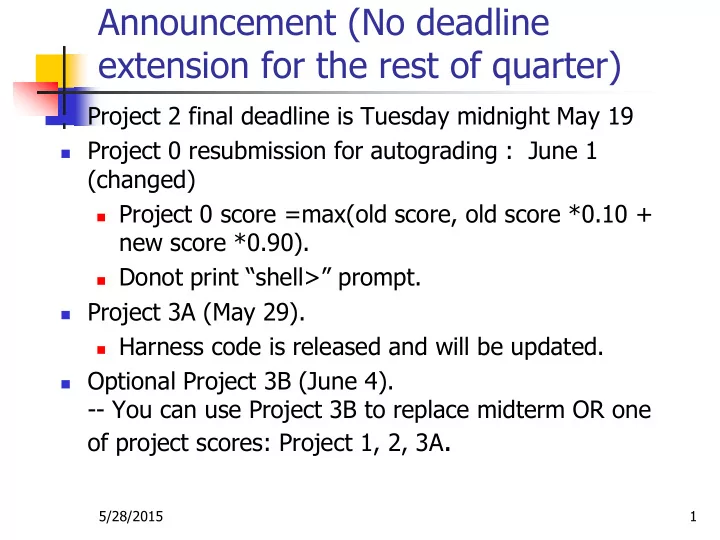
Announcement (No deadline extension for the rest of quarter)

 Project 2 final deadline is Tuesday midnight May 19  Project 0 resubmission for autograding : June 1

(changed)

 Project 0 score =max(old score, old score *0.10 +

new score *0.90).

 Donot print “shell>” prompt.

 Project 3A (May 29).

 Harness code is released and will be updated.

 Optional Project 3B (June 4).

  • - You can use Project 3B to replace midterm OR one
  • f project scores: Project 1, 2, 3A.
slide-2
SLIDE 2

Project 3A

CS 170, Tao Yang

slide-3
SLIDE 3

5/28/2015 3

High-level Summary

 Objective: Virtual memory management for program

execution when memory is not enough.

 vm directory for 3A is empty

 Need to come up a design and code  you donot have to follow harness code

 Test C programs ~cs170/nachos-projtest/proj3a  Amount of work

 ~300 lines or less of code in vm ( few changes in

userprog)

 Simplification is allowed using Linux file I/O instead

  • f Nachos file I/O in swap space management
slide-4
SLIDE 4

Test program that needs more than 32 pages

#include "syscall.h" char array[128*32]; main() { char *str = "Hello world!\n"; array[0]=‘a’; Write(hello_str, strlen(str)+1, 1); }

C program binary Project 2 code VM management Execution result nachos –x binary

slide-5
SLIDE 5

Sawp in/swap out

Bring a page into memory ONLY when it is needed

Disk

Initially allocate 0 memory page to program B. Store B’s pages in swap space

slide-6
SLIDE 6

Sawp in/swap out

Virtual Memory Manager

free page management replacement management swap-in/out

Disk Directory Files Swap Space 512 sectors (128B/sector)

Swap Space Manager

get/put/free

slide-7
SLIDE 7

5/28/2015 7

Example 1

 Assume SWAP has 10 free sectors. Memory has 3

free pages. Program A’s virtual pages: 0, 1, 2,3 Use a random replacement policy

 Load binary of program A:

 Allocate 4 sectors in SWAP: 4, 5, 6,7.  Copy virtual page content of A to sectors 4, 5, 6, 7 in SWAP  Notice NO memory pages are allocated to program A.

 Execute program A and read code in virtual addr 0.

 Page fault  need to fetch virtual page 0 of A

 Allocate one free memory page to virtual page 0.

 Allocate Frame #1  Load sector #4 from disk to Frame #1.

 Resume the instruction execution at virtual addr 0.

slide-8
SLIDE 8

Example 1 with 3-page memory and 10-sector SWAP

Directory Files Program A binary SWAP with 10 sectors 4,5,6,7 used for Program A: Vpage 0, 1, 2,3 1 2 Memory frames 0 Invalid 1 Invalid 2 Invalid 3 Invalid Page table A Disk Program A needs 4 virtual pages

slide-9
SLIDE 9

Example 1 with 3-page memory and 10-sector SWAP

Directory Files Program A binary SWAP with 10 sectors 4,5,6,7 used for Program A: Vpage 0, 1, 2,3 1 2 Memory frames 0 1 1 Invalid 2 Invalid 3 Invalid Page table A Disk Program A needs 4 virtual pages

slide-10
SLIDE 10

5/28/2015 10

Example 2

 Assume SWAP has 6 free sectors left.

 Program A’s pages occupy Sectors #4,5,6,7.

 Memory is used by Program A’s virtual pages: 0, 1, 2

 Occupy frames 1, 0, 2

 Access virtual address of A in 3*128 +2:

 That is virtual page #3.  Identify frame #0 as victim  Copy out content of Frame #0 (virtual page #1 of A) to

Sector #5 in SWAP

 Copy Sector #7 from SWAP to Frame #0.  Set up page table entry for the victim address space and

current address space properly.

 Resume the instruction execution to access virtual

addr 3*128+2.

slide-11
SLIDE 11

Example 2: Program A needs Virtual Page 3

Directory Files Program A binary SWAP with 10 sectors 4,5,6,7 used for Program A: Vpage 0, 1, 2,3 1 2 Memory frames 0 1 1 2 2 3 Invalid Page table A Disk Frame #0 (for page #1 of A) is victim

slide-12
SLIDE 12

Example 2 after virtual page 3 is loaded

Directory Files Program A binary 1 2 Memory frames 0 1 1 invalid 2 2 3 Page table A Swap out Swap in SWAP with 10 sectors 4,5,6,7 used for Program A: Vpage 0, 1, 2,3 Disk Frame #0 (for page #1 of A) is victim

slide-13
SLIDE 13

Example 3: Program B is loaded

Directory Program B binary Program A binary 1 2 Memory frames 0 1 1 invalid 2 2 3 Page table A SWAP with 10 sectors 0, 1, 2 used for program B. 4,5,6,7 used for Program A Disk 0 invalid 1 invalid 2 invalid Page table B Program B needs 3 virtual pages

slide-14
SLIDE 14

5/28/2015 14

Example 3

 Assume Program B is loaded by Exec()

 Program B needs 3 pages.  Allocate 3 free sectors in SWAP.  Program B’s pages occupy Sectors #0, 1,2

 Access virtual address 0 of B:

 That is virtual page #0 of B  Identify Frame #2 as victim  Copy out content of Frame #2 (virtual page #2 of A) to

Sector #6 in SWAP

 Copy Sector #0 from SWAP to memory frame #2.

 Set up page table entry for the victim address

space and current address space properly

 Resume the instruction execution to access virtual

addr 0 of program B

slide-15
SLIDE 15

Example 3: after addr 0 of Program B is accessed

Directory Program B binary Program A binary 1 2 Memory frames 0 1 1 invalid 2 invalid 3 Page table A SWAP with 10 sectors 0, 1, 2 used for program B. 4,5,6,7 used for Program A Disk 0 2 1 invalid 2 invalid Page table B Frame #2 (for page #2 of A) is victim

slide-16
SLIDE 16

16

How to access a sector in SWAP?

 Page size = sector size =128 bytes  Access sector x

 Open the SWAP file  Seek position: x*128 in the SWAP file  Length 128.  Functions to write/read sector content

 Use Nachos OpenFile’s ReadAt(),

WriteAt()

 Or Linux file read/write.

 How to determine a sector is available?

 Use a bitmap. Or any method you want.

slide-17
SLIDE 17

17

How to set up the initial content of virtual page?

 See Project 2 implementation/solution on how

to set up n virtual pages of an address space (addrspace.cc)

 Read the binary from disk  Set up code/data/stack etc.

 For project 3A, instead of allocating n

memory frames for this address space

 Allocate n free disk sectors in SWAP  Copy content of n virtual pages one by one to

these sectors using Write().

 If duplicating a child address space from a parent space,

make sure you use the latest in-memory copy of parent pages if they have been modified (dirty).

slide-18
SLIDE 18

5/28/2015 18

Project 3A: Virtual Memory

 Work on vm subdirectory mainly

 + addrspace.cc/.h and exception.cc in userprog

 Create/manage a backing store (a file called SWAP

using the OpenFile class).

 Implement a page fault handler with dirty bit

handling and a page replacement policy (LRU or second chance)

 Test under various conditions:

 One process with an address space larger than

physical memory.

 Concurrent processes with combined address

space larger than physical memory.

slide-19
SLIDE 19

5/28/2015 19

Report to be submitted

 P3A_WRITEUP 1.

Summarize what is completed, what is not.

2.

describe the design of VM

 Describe design options and their trade-offs.  List/explain main components and code modification in

implementing your design

3.

Summarize the test effort (what is passed, the purpose of each test)

slide-20
SLIDE 20

5/28/2015 20

Start with Sample Code

 Makefiles + harness code

 SWAP space manager (but Dani combines

this manager with VM page manager)

 Used to maintain information about

pages that are currently in swap space.

 Flag dirty pages.

 VM page manager

 Handle a page fault at particular address.  Identify a victim page by LRU or second-

chance code.

 Swap-out/swap-in

slide-21
SLIDE 21

5/28/2015 21

Questions

 How many pages to allocate when handling

Exec(binary) or Fork(function)?

 0, proportionally, completely?  If not, where are new or updated pages stored?

 When will a page fault exception be

generated?

 Where to check if a page is not in memory?

 Find a physical page

 Who manages a set of memory pages used?  How to find a free page (victim page)?  When to actually do a swap out (write to disk)?  Where to get page content from disk?

slide-22
SLIDE 22

Getting Started

 Read machine/translate.cc and machine.cc:

 In Machine:Translate() for virtual address

translation, PageFaultException is detected when the desired page is not in memory.

 In Machine:ReadMem, Translate() is called for

translating the desired virtual memory address and machine->RaiseException() is called with PageFaultException error.

 In Machine:RaiseException()

 registers[BadVAddrReg] stores bad address.  Change to system mode.  Call ExceptionHandler

Assembly code: read data Translate Addr Page fault

slide-23
SLIDE 23

What is next

 Read mipssim.cc

 Machine->ReadMem() is called in executing each

instruction.

 If PageFaultException is detected, the exception

handler should load the desired page.

 The hardware will try again.

 Need to expand exception.cc to handle

PageFaultException.

 Once handled, return to user mode and restart the

instruction caused the fault

slide-24
SLIDE 24

User Instruction Execution

Machine:Translate() ExceptionHandler() Deal with PageFaultException

Cannot find this page? Raise PageFaultException Page writing?

Set dirty bit Machine:Run () OneInstruction () ReadMem () WriteMem ()

Re-execute if Exception is raised

slide-25
SLIDE 25

Files to be modified for Part A

 New files in directory vm

 Virtual memory manager  Swap space manager

 Directory userprog (extension to Project 2)

 exception.cc

 Extension to handle PageFaultException

 Addrspace.cc/.h

 Prepare code/data for SWAP backstore.  Virtual address translation -> paging if needed

slide-26
SLIDE 26

Page Fault Handling

 Write a Swap Manager to facilitate free sector

allocation in Swap File (may be combined with VM manager)

 Initialize SWAPSIZE (512) as the total free sectors

available.

 Allocate a sector.  Free a sector.

 Virtual memory manager

 Find a free memory page or a victim page  Swap out a selected page to SWAP if needed  load a page containing the virtual address (copy

from the SWAP file to an allocated memory page). Adjust the page table.

slide-27
SLIDE 27

Modify AddSpace.cc

 In translating a virtual user address for

kernel, if it is not in memory, bring data from SWAP.

 When allocating a new address space,

 Allocate a proper number of sectors from SWAP

for this process.

 Copy binary data to the allocated SWAP sectors.  Initial # of pages for this process can be 0

slide-28
SLIDE 28

Synchronization issues

  • Two system calls may be processed concurrently and

the synchronization is needed.

 Any time a process sleeps in the kernel,

another process can run

 Two processes try to initiate I/O on the same page at

the same time

 May need a lock for each physical memory

page, and possibly also for each virtual memory page.