Agile! Scrum! As implemented for CS@Mines Field Session Design - - PowerPoint PPT Presentation

agile scrum
SMART_READER_LITE
LIVE PREVIEW

Agile! Scrum! As implemented for CS@Mines Field Session Design - - PowerPoint PPT Presentation

Agile! Scrum! As implemented for CS@Mines Field Session Design Methodologies Waterfall Agile And others https://www.digite.com/blog/waterfall-to-agile-with-kanban/ Waterfall


slide-1
SLIDE 1

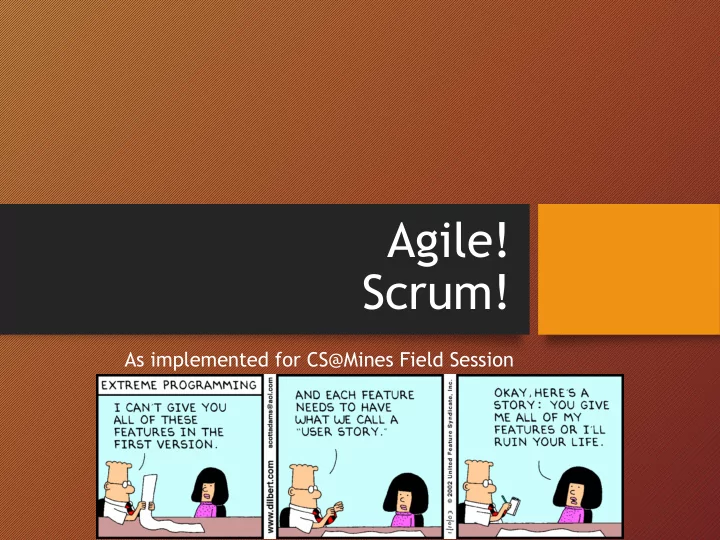
Agile! Scrum!

As implemented for CS@Mines Field Session
slide-2
SLIDE 2

Design Methodologies

  • Waterfall
  • Agile
  • And others

https://www.digite.com/blog/waterfall-to-agile-with-kanban/

slide-3
SLIDE 3

Waterfall

https://www.zentao.pm/share/trees-wing-project-management-cartoon-97.html

slide-4
SLIDE 4

Waterfall

https://www.zentao.pm/share/trees-wing-project-management-cartoon-97.html

slide-5
SLIDE 5

Agile

slide-6
SLIDE 6

Agile

slide-7
SLIDE 7

Agile

slide-8
SLIDE 8

Agile

slide-9
SLIDE 9

Agile

slide-10
SLIDE 10

Agile

3 1 2 4

slide-11
SLIDE 11

Agile

3 1 2 4

slide-12
SLIDE 12

Agile

3 1 2 4

slide-13
SLIDE 13

Agile

3 1 2 4

slide-14
SLIDE 14

Agile

3 1 3 4

slide-15
SLIDE 15

Agile

3 1 3 4

slide-16
SLIDE 16

Scrum Process

From: http://blog.3months.com/2010/01/10/illustrating-scrum-a-new-and-improved-scrum-diagram/ (broken link)

For us: 2-3 week sprints

slide-17
SLIDE 17

Scrum meetings

the ongoing process

slide-18
SLIDE 18

Team Meetings

  • A. Sprint Planning Part One
  • B. Sprint Planning Part Two
  • C. Daily Scrum
  • D. Sprint Review
  • E. Sprint Retrospective

Advisors will attend some meetings, but for the most part it’s up to the team to follow the Scrum

  • process. Past teams have found it effective –

try it!

slide-19
SLIDE 19

Sprint Planning Part One (with client)

  • Goal:
  • Agree on the work to be done in the next sprint
  • Focus on “what”
  • Ask client to:
  • Approve use cases (unless client provided stories)
  • Prioritize
  • When:
  • This should be done weekly. Can be combined with Sprint

Review.

slide-20
SLIDE 20

Sprint Planning Part Two (team/advisor)

  • Focus on “how”
  • Team selects items to complete during sprint
  • Should be based on client priorities (unless changes are

needed due to technical constraints)

  • Team creates estimates of time to complete
  • Team commits to get that work done
  • ScrumMaster ensures scrum products are maintained
  • want to be able to review progress charts
slide-21
SLIDE 21

Daily Scrum

  • Short (~5 minute) meeting each work day
  • Everyone on team attends
  • Everyone remains standing
  • Each member reports exactly 3 things:

1. What they got done since last meeting 2. What they are planning to finish by next meeting 3. Any blocks or impediments

Brief description of blocks/impediments – detailed discussion follows after scrum

slide-22
SLIDE 22

Daily Scrum (continued)

  • Not a report to a manager
  • Purpose is for team to self organize
  • No discussion during scrum. If discussion needed, have

follow-up meeting

  • Generally recommended that managers not attend Daily

Scrum

  • FOR US: advisors will observe a daily scrum during sprint 2,

but this is generally up to the team to do. Past teams have found this very helpful.

  • Teams working onsite may just participate in client’s daily

scrum.

slide-23
SLIDE 23

Sprint Review (end of sprint, with client)

  • Key idea: inspect and adapt the product
  • In-depth conversation between team and client
  • Includes a demo, along with discussion
  • Not a presentation – no slides
  • Guideline: no more than 30 minutes should be spent preparing for

the review

  • For Us: quick demos of product done with client, every sprint if
  • possible. Occasional demos of product may be done for advisors

(but generally it’s the client who accepts/rejects).

  • This will likely be combined with planning the next sprint (so one

meeting with client per sprint)

slide-24
SLIDE 24

Sprint Retrospective (end of sprint – no client)

  • Inspects and adapts the process
  • What’s working… and what’s not
  • Each team member adds items to both lists
  • Adjust the process as needed
  • FOR US: advisors will facilitate sprint retrospectives

each sprint. If used properly, the retrospective should help to avoid team issues.

  • We will also have team evaluations (more later)
slide-25
SLIDE 25

Scrum roles

who will do what, and how to keep it together

slide-26
SLIDE 26

Scrum Roles

  • Product Owner
  • ScrumMaster
  • Team
slide-27
SLIDE 27

Scrum Roles – Product Owner

  • Identify product features
  • Prioritize the list
  • Ensure product provides value
  • Can be the customer; or the customer may be millions
  • f people
  • FOR US: client will identify/prioritize features
  • We will also have one team member who is the primary

contact for client, be sure to represent the client’s needs during team discussions (i.e., fully understand goals/needs)

slide-28
SLIDE 28

Scrum Roles – ScrumMaster

  • Not the project manager (don’t assign tasks)
  • Guides the team in skillful use of Scrum
  • Must be process oriented!
  • Maintain scrum reports
  • Sometimes a dedicated role
  • FOR US: part-time role, will swap roles if possible

(depends on team size). Think about: who on your team always ensures the team gets the work done and meets the entire rubric. Pick that person. J

slide-29
SLIDE 29

Scrum Roles - Team

  • Cross-functional: includes all expertise

necessary to deliver shippable product

  • Self-organizing
  • Typically 7 +/- 2 people
  • All members should be 100% dedicated to work

for one product during the Sprint

  • Known as “pigs”
slide-30
SLIDE 30

Team Makeup – Pair Programming

  • Driver & Navigator
  • No distractions
  • No cowboyism
  • Constant code review
  • Sustainable
  • Don’t get stuck
slide-31
SLIDE 31

Rotate Pairs

slide-32
SLIDE 32

Getting started with scrum

what to do this week

slide-33
SLIDE 33

Meet with the client (and follow-up)

  • Show up on time
  • Dress appropriately – hygiene is important
  • Everyone should take notes!
  • People will focus on different things, this ensures you capture

most of what the client says

  • Look up vocabulary. Do some research. The best way to avoid being
  • verwhelmed is to be specific about what you don’t know and

develop a plan to address.

  • Create a list of questions (if needed). Have your client contact send

questions to ask for clarification.

  • Bottom line: do some investigation on your own, then don’t assume

– ASK!

slide-34
SLIDE 34

Starting Scrum

Based on interviews with client:

  • Create Product Backlog
  • Write Use Cases (or acquire stories)
  • Initial estimate of effort

This week, you’ll create a requirements document before you meet with your

  • advisor. By the end of the week you should

have the initial use cases or stories.

slide-35
SLIDE 35

Effort Estimation – Option 1

Points as a measure of effort:

  • Effort refers to amount of work
  • Units are time-based, e.g., person-days
  • Usual definition is one point = 8 hours (perfect person-

day)

  • Velocity is based on number of hours available. Rule of

thumb is about 75%, so ~6 hours of an 8 hour day.

Interesting! From http://deepscrum.wordpress.com/2009/11/12/a-brief-defense-of-time-estimating-sizes-for-scrum-projects/

slide-36
SLIDE 36

Effort Estimation – Option 2

Points as a measure of complexity:

  • No standard means to define complexity
  • Use a relative scale, sometimes compared to t-shirt

sizes etc. (Fibonacci numbers are a popular scale)

  • Velocity is based on team history

More thoughts: http://www.velocitycounts.com/2013/05/why-do-high-performing-scrum-teams-tend-to-use-story-point-estimation/

slide-37
SLIDE 37

Effort Estimation – Field Session

  • Key criteria: Reliability of predictions
  • i.e., can the team predict how long it will take to complete

their user stories

  • Per blog author: I have seen no compelling evidence that

either approach is superior for the key measure

  • Effort estimation based on time is typically easier for

team members to grasp in short timeframe

  • Suggest you use time-based effort estimation
  • But use half-days rather than days as your unit
slide-38
SLIDE 38

Scrum artifacts

slide-39
SLIDE 39

Scrum Artifacts

  • Product Vision
  • Product Backlog
  • Release Plan
  • Sprint Backlog
  • Sprint Burndown
  • Impediment List (not required)

maintained by Scrum Master, advisors will review briefly, but it’s up to the team to ensure the product is successfully delivered by the end of field session.

slide-40
SLIDE 40

Product Vision

“Often Scrum’s emphasis on “getting work done” is misunderstood as a rush to develop with not enough thought to where the project should be going. Don’t make that mistake. Every Scrum project needs a product vision that acts as the project’s true north, sets the direction and guides the Scrum team.”

https://www.scrumalliance.org/community/articles/2009/january/the-product-vision

slide-41
SLIDE 41

Test Driven Development (TDD)

  • Make sure that your components are testable
  • Write failing tests first, then create code that

causes them to pass

  • Run full test suite every time to ensure a new

feature didn’t break a previous deployment

slide-42
SLIDE 42

Vision for us

  • Ensure that you have a good understanding of client’s

goals during sprint 1

  • Product vision is included in your requirements

document

  • Brief client and product description will also be

included in the final report

slide-43
SLIDE 43

Product Backlog

Many varieties, this one from: http://www.agile-tools.net/backlog

Should include:

  • Item description
  • Priority
  • Point estimate
  • Name of use case or story

Create with:

  • Spreadsheet
  • Free tool
slide-44
SLIDE 44

Release Plan/Sprint Backlog

  • Subset of the Product Backlog in current release
  • Includes additional detail about tasks

http://www.agile-tools.net/backlog

slide-45
SLIDE 45

Sprint Backlog – another example

http://www.mountaingoatsoftware.com/scrum/sprint-backlog

slide-46
SLIDE 46

Sprint Burndown

https://scrumology.com/sprint-burn-graph-signatures/

slide-47
SLIDE 47

Definition of Done*

  • Verifying that your team’s DoD meets these criteria will

ensure that you are delivering features that are truly done, not only in terms of functionality but in terms of quality as well.

  • Definition of Done is a simple list of activities (writing

code, coding comments, unit testing, integration testing, release notes, design documents, etc.) that add verifiable/ demonstrable value to the product.

Per: https://www.scrumalliance.org/community/articles/2008/september/what-is-definition-of-done-(dod)

* not unique to Agile!

slide-48
SLIDE 48

More Definition of Done

Joe, the Developer, waltzed into work one sunny Tuesday morning and was approached by Kenny, the Project Manager, asking if the feature Joe was working on was

  • done. Joe had checked in his code to their shared source

code repository yesterday afternoon and had unit tested it before doing so. With an emphatic “yes” Joe confirmed the feature’s completion. Kenny sighed in relief and said “great, then we will go ahead and deploy it into the UAT environment for our customer advocates to view”. Joe quickly backtracked on his original answer and blurted

  • ut “but it has not been fully tested by QA, the

documentation is not updated, and I still need to pass a code review before it is finished”.

http://www.gettingagile.com/2007/10/05/building-a-definition-of-done/

slide-49
SLIDE 49

Done Checklist

1. Code produced (all ‘to do’ items in code completed) 2. Code commented, checked in and run against current version in source control 3. Peer reviewed (or produced with pair programming) and meeting development standards 4. Builds without errors 5. Unit tests written and passing 6. Deployed to system test environment and passed system tests 7. Passed UAT (User Acceptance Testing) and signed off as meeting requirements 8. Any build/deployment/configuration changes implemented/documented/communicated 9. Relevant documentation/diagrams produced and/or updated 10. Remaining hours for task set to zero and task closed

https://www.101ways.com/definition-of-done-10-point-checklist/ For us: client has approved For us: final report For us: product delivered

slide-50
SLIDE 50

Specifically for us

  • Check with client, be prepared to tell your advisor:
  • How product will be delivered
  • Whether the clients want to do a code review
  • Clients standards/process for unit testing
  • Whether code needs to be integrated with existing system

(will require help from developers)

slide-51
SLIDE 51

Final Thought from the trenches

“Scrum is hard, but it sure is a whole lot better than what we were doing before!”