
SLIDE 1
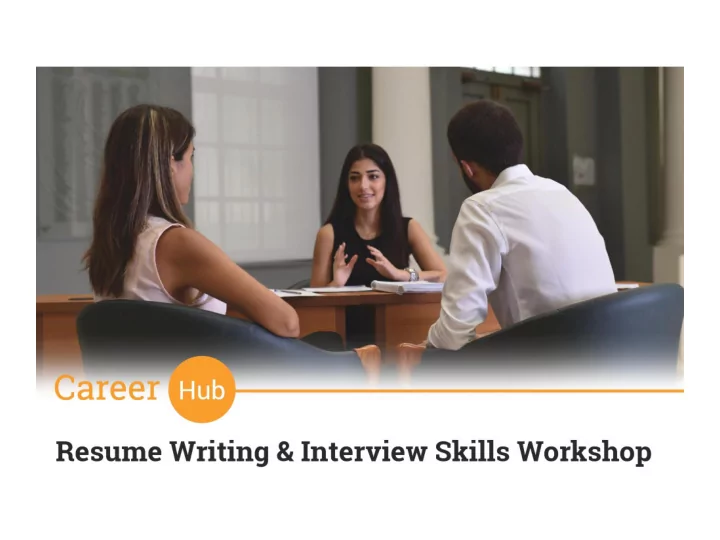
Agenda Ag Resume Writing Skills Resume Basics How to create a - - PowerPoint PPT Presentation
Agenda Ag Resume Writing Skills Resume Basics How to create a noticeable resume Types of Resumes Writing cover letters Interview Skills What is a Job Interview Types of Interview Questions How to prepare
Resume Writing Skills
Interview Skills
Contact Us
Ag Agenda
and special skills.
What is is a a Resume?
How much ch ti time wil ill l an an employer sp spend on
the page, include your phone number and a professional email address ( preferably Gmail) - Use 2 names, a professional email address, one mobile number & your LinkedIn URL
graduation date, include any awards or recognition received – Thesis should be listed in this section as well - You can also include work study programs in this section, scholarships given, or team membership
achievements include voluntary work, unpaid work, part time , Remove irrelevant info Use 11 point font if possible, try to have a one page CV
work, Societies, memberships
computer & language skills DO NOT ADD A REFERENCE SECTION IF YOU HAVE NO REFERENCES TO INCLUDE
How to create a a not
Include a catching headline
what you want from a job. Focus on accomplishments using action verbs Use measurable results Customize your resume Make sure there are no grammar & formatting mistakes Keep it brief – Max is 2 pages if you are experienced – include a cover letter
What about your online brand?
Wh What t do do emp mplo loyers che heck?
According to a new CareerBuilder survey, 70 %
candidates before hiring, which is up significantly from
How How to to use use Social l Media ia to to yo your advantage?
updated with their latest news and job opportunities
he
Types of
Example le: : Chronolo logic ical Resume
Pros ros
Easy to read Highlights work stability Popular & familiar Works well if you have a solid history
Con Cons
X X Hard to identify skills X Highlights employment gap
VS. S.
Example le: : Fu Functional Resume
Pros ros
Focus is on professional growth Helps hide employment gaps Useful for people with limited experience
Con
X X Recruiter might want to know the dates of employment X some recruiters and job borads don’t favor this type
VS. S.
Example le: : Combin inatio ion Resume
Pros ros
Includes history & skills but doesn’t focus on history alone Helps you highlight what makes you the best fit for the job, while still giving the employer all the information he or she wants. Good If you wish to include voluntary work
Con Cons
X Repetitive if similar skills apply to different positions can be longer than other types
VS. S.
In Infographic ic Resume
In Infographic Res esume
Infographic resumes include graphic design elements Unless it is specifically requested, consider it as a supplement (but always be sure to include your traditional,
If you’re familiar or experienced with graphic design, your best bet is to start out with a
access to design software such as Adobe Photoshop or Illustrator, sites like Canva, Easel.ly, and Visualize.me, can be great
An online portfolio is a great option for showcasing your talent, especially for those working in design or photography. Your online portfolio will provide a terrific visual representation of your work. The URL of your portfolio can be linked from your LinkedIn profile, your other social media profiles, and can also be included on your traditional resume.
Online Portfolios
Lin LinkedIn Resume
Why Lin LinkedIn
Using your LinkedIn profile as a resume is quick and easy, because LinkedIn does all the work for you. Fill in your LinkedIn profile as completely as possible and you'll have an
download as a PDF, print and share via email. Most employers have access to LinkedIn & will review your profile Make sure your profile is polished & updated
Do Do you
that:
89% of
emplo loyers revea ealed th that t th they wou
video res esume if if it it wer ere submitted to
them em "T "The e pri rimary rea eason why em employers wou
lue vid video eo res esumes is is th the e abilit ility to
ess a candidate's professional presentation and dem emea eanor (5 (52%)."
According to career publisher Vault Inc.'s annual employer survey
So So What is is a a Vid Video Resume?
Few Example les:
Video Resume Tips
Rehearse, write a script but make it natural! Watch your video resume! Tell them why you are the right person for the job, experiences, skills & passions Video is clear, audible and can be shared Be creative, but professional, dress professionally
What is a Cover Letter?
Cover Letter Basics
Spe Specific & Targeted to to com
Match you
skills s to to the job
req equirements Not
pa page Us Use e Acti ction Ver erbs Cl Clear, , straig ight to to the po poin int Di Discuss one
poin int in n eac each pa paragraph
It is proper business etiquette (and shows attention to detail) to sign your
an email cover letter and resume, a signature isn't necessary. Don’t forget to ask for the interview—but keep it brief!
Full Address, all names spelled
Include the date.
Sample Cover Letter
What is is a a Job Job In Interv rview? Im Important notes
Types of
Interv rviews
Phon Phone Pan anel On One-on
Vi Video On On- Sit Site In Interv rview
How to prepare for
an In Interview?
Research yourself – determine your skills set Research the com
y – align your strengths & skills Determine loc
tion of interview – or prepare for a phone interview Find out the names and job
title tles of interviewers (google them
Prepare your attire Professional vs. business-casual (know the org
izatio ion cultu ture) Make sure you your r re resume is ready for further inspection Develop 5 stories that show evidence of your most marketable and relevant skil kills ls/com
ies Develop list of re references to leave with interviewer, if asked Talk with personal contacts and alumni—available through AUB B Care Career Servic Services- Student Affairs http://www.aub.edu.lb/sao/cps/Pages/index.aspx about the nature of their work and the organization.
Typic ical l In Interv rvie iew Format
Introduction of Interviewer Your Introduction
Interviewer questions
Closure
St Standard/Traditional Qu Questions
Targeting your education, work experiences, and career goals
specific in your weakness ex: Although I am very good
in using PowerPoint however I am not good in designing the slides.
motivation
Least?
Com Competency Base Based Questi tions
These focus on your actions and/or behaviors in a previous setting. Past behavior provides clues to future behavior
decision?
deadline?
to achieve results?
did you learn from it?
Types of
Interv rvie iew Questions
How to an answer questio ions?
yourself to employers?
9. Others?
How to build my story?
Du Durin ing th the In Interv rview
“Ah”, & “You know”.
You
turn to as ask questio ions
Do yo you have any questions?
‘You mentioned that the job involved such and such a task. Could you tell me a bit more about what that entails’ ‘What sort of training will I receive?’ I notice that the organization has just signed a contract to work with such and such a client. Is this something I would be likely to get involved with?’ ‘What is the biggest challenge facing this department right now?’
Dress Code
from mistakes to apply to next interview experience
After the Interview
An Assessment Center is an event where a group of participants take part in a series of activities & exercises by the assessor to determine if they fit the job role. Candidates performance is measured against predetermined competencies. One of the most reliable methods of assessing candidates. Interviews, or any
as 15% accurate. However, when scores from a number of different selection exercises are combined, assessment centers accuracy can rise to over 60%. Used by top employers worldwide
For any further inquiry, please do not hesitate to contact us on the below:
Web eb Sit ite: http://www.aub.edu.lb/sao/cps/Pages/index.aspx Phon
Email il: cs57@aub.edu.lb Dr Drop-In Hou Hours: Monday – Friday 10:00 a.m. to 5:00 p.m. Loc Location: West Hall, Room 112 E