219451: Web Services: Concepts, Design and Implementation Lecture 2 - - PDF document

219451 web services concepts design and implementation
SMART_READER_LITE
LIVE PREVIEW

219451: Web Services: Concepts, Design and Implementation Lecture 2 - - PDF document

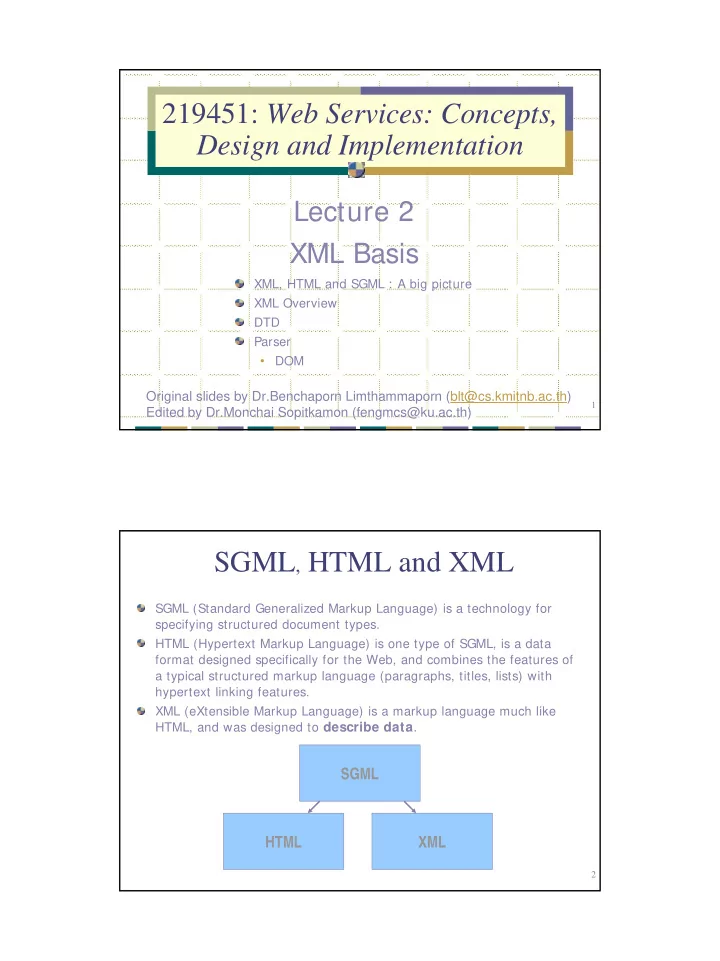
219451: Web Services: Concepts, Design and Implementation Lecture 2 XML Basis XML, HTML and SGML : A big picture XML Overview DTD Parser DOM Original slides by Dr.Benchaporn Limthammaporn (blt@cs.kmitnb.ac.th) 1 Edited by Dr.Monchai


slide-1
SLIDE 1

1

Lecture 2 XML Basis

219451: Web Services: Concepts, Design and Implementation

XML, HTML and SGML : A big picture XML Overview DTD Parser

  • DOM

Original slides by Dr.Benchaporn Limthammaporn (blt@cs.kmitnb.ac.th) Edited by Dr.Monchai Sopitkamon (fengmcs@ku.ac.th)

2

SGML, HTML and XML

SGML (Standard Generalized Markup Language) is a technology for specifying structured document types. HTML (Hypertext Markup Language) is one type of SGML, is a data format designed specifically for the Web, and combines the features of a typical structured markup language (paragraphs, titles, lists) with hypertext linking features. XML (eXtensible Markup Language) is a markup language much like HTML, and was designed to describe data.

SGML HTML XML

slide-2
SLIDE 2

3

XML vs. HTML

XML was designed to carry data XML is not a replacement for HTML XML and HTML were designed with different goals:

  • HTML was designed to display data and focus on how data looks
  • XML was designed to describe data and focus on what data is

HTML is about displaying information, while XML is about describing information The best way to first understand XML is to contrast it with HTML. XML is Extensible:

HTML: restricted set of tags, e.g. < TABLE> , < H1> , < B> , etc. XML: you can create your own tags Example: Put a library catalog on the web. HTML: You are stuck with regular HTML tags, e.g. H1, H3, etc. XML: You can create your own set of tags: TITLE, AUTHOR,

DATE, PUBLISHER, etc.

4

Book Catalog in HTML

< HTML> < BODY> < H1> Harry Potter< / H1> < H2> J. K. Rowling< / H2> < H3> 1999< / H3> < H3> Scholastic< / H3> < / BODY> < / HTML> HTML conveys the “look and feel” of your page. As a human, it is easy to pick out the publisher. But, how would a computer pick

  • ut the publisher?

Answer: XML

slide-3
SLIDE 3

5

Book Catalog in XML

< BOOK> < TI TLE> Harry Potter< / TI TLE> < AUTHOR> J. K. Rowling< / AUTHOR> < DATE> 1999< / DATE> < PUBLI SHER> Scholastic< / PUBLI SHER> < / BOOK>

Look at the new tags! A Human and a computer can now easily extract the publisher data.

6

XML vs. HTML

  • General Structure:

Both have start tags and end tags.

  • Tag Sets:

HTML has a pre-defined set of tags XML lets you create your own tags.

  • General Purposes:

HTML focuses on "look and feel” XML focuses on the structure of the data.

  • XML is not meant to be a replacement for HTML. In fact, they are

usually used together.

slide-4
SLIDE 4

7

Creating XML Documents

Basic Definitions

  • Tag: a piece of markup

Example: < P> , < H1> , < TABLE> , etc.

  • Tags can also contain attributes
  • Attributes contain additional information included as part of the tag,

within the tag's angle brackets

  • Attribute name is followed by an equality sign and the attribute value

Element: a start and an end tag Example: < H1> Hello< / H1>

  • Data between the start tag and its matching end tag defines an

element of the data Empty tag is used when it makes sense to have a tag that stands by itself and doesn’t enclose any content.

Create an empty tag by ending it with /> eg. < flag/>

Comment:

  • < !-- This is a comment -->

8

Rule 1: Well-Formedness

  • XML is much stricter than HTML.
  • XML requires that documents be well-formed:

every start tag must have an end tag all tags must be properly nested.

  • XML Code:

< P> This is a < B> sample< / B> paragraph.< / P>

  • Another HTML Example:

< b> < i> This text is bold and italic< / b> < / i>

  • This will render in a browser, but contains a nesting error.
  • XML Code (with proper nesting)

< b> < i> This text is bold and italic < / i> < / b>

slide-5
SLIDE 5

9

Rule 2: XML is Case Sensitive

  • XML is Case Sensitive.
  • HTML is not.
  • The following is valid in HTML:

< H1> Hello World< / h1>

  • This will not work in XML. Would result in a well-formedness error:

H1 does not have a matching end H1 tag.

10

Rule 3: Attributes must be quoted.

  • In HTML you can get away with doing the following:

< FONT FACE= ARIAL SIZE= 2>

  • In XML, you must put quotes around all your attributes:

< BOOK ID= “894329”> Harry Potter< /BOOK>

slide-6
SLIDE 6

11

Example 1: A Memo (memo.xml)

< ?xml version= "1.0" encoding= "I SO8859-1" ?> < note> < to> 219451 Class< / to> < from> Monchai< / from> < heading> I ntroduction< / heading> < body> This is an XML document!< / body> < / note>

12

Example 2 : Address Book (addressbook.xml)

< ?xml version= "1.0" encoding= "ISO8859-1" ?> < addressbook> < person> < name> Monchai Sopitkamon< /name> < department> Computer Engineering< /department> < telephone> 1432< /telephone> < e-mail> fengmcs@ku.ac.th< /e-mail> < /person> < person> < name> Yuen Poovorawan< /name> < department> Computer Engineering< /department> < telephone> 1405< /telephone> < e-mail> yuen@ku.ac.th< /e-mail> < /person> < /addressbook>

slide-7
SLIDE 7

13

Element VS Attribute

Example : Element (file note1.xml) < ?xml version= "1.0" encoding= "windows-874"?> < !– data is declared as elements --> < note> < date> 11/07/05< /date> < to> teacher< /to> < from> department< /from> < heading> please call back some student< /heading> < body> Please return a student’s call at 665-4521< /body> < /note>

14

Element VS Attribute

Example : Attribute (file note2.xml) < ?xml version= "1.0" encoding= "windows-874"?> < !– data is declared as attributes --> < note date= “11/07/05” to= “teacher" from= “student” heading= “please call back some student" body= “Please return a student’s call at 665-4521"> < /note> There are no rules about when to use attributes, and when to use child elements.

slide-8
SLIDE 8

15

Avoid using attributes?

Some of the problems with using attributes are:

  • attributes cannot contain multiple values (child elements can)
  • attributes are not easily expandable (for future changes)
  • attributes cannot describe structures (child elements can)
  • attributes are more difficult to manipulate by program code
  • attribute values are not easy to test against a Document Type

Definition (DTD) - which is used to define the legal elements of an XML document Try to use elements to describe data. Use attributes only to provide information that is not relevant to the data. Don't end up like this (this is not how XML should be used): <note day="12" month="11" year="2002" to="Tove" from="Jani" heading="Reminder" body="Don't forget me this weekend!"> </note>

16

Prolog in XML Files

XML file always starts with a prolog The minimal prolog contains a declaration that identifies the document as an XML document: < ?xml version= "1.0"?> The declaration may also contain additional information

  • version - version of the XML used in the data
  • encoding - Identifies the character set used
  • standalone - whether the document references an external entity
  • r data type specification
slide-9
SLIDE 9

17

XML

18

XML -Elements

Elements, or tags, are most common form of markup. First element must be a root element, which can contain

  • ther (child)elements.

XML document must have one root element (< STAFFLI ST> ). XML document may contain one or more child elements, which begins with start-tag (< STAFF> ) and ends with end-tag (< / STAFF> ). XML elements are case sensitive An element can be empty, in which case it can be abbreviated to < EMPTYELEMENT/ > . Elements must be properly nested.

slide-10
SLIDE 10

19

XML - Attributes

Attributes are name-value pairs (name= “value”) that contain descriptive information about an element. Attribute is placed inside start-tag after corresponding element name with the attribute value enclosed in quotes. < STAFF branchNo = “B005”> Could also have represented branch as element of STAFF. A given attribute may only occur once within a tag, while elements with same tag may be repeated.

20

XML and more..

XML HTML CSS XSL DTD Schema Parser DOM SAX ADO

Database

slide-11
SLIDE 11

21

XML and more..

CSS (Cascading Style Sheets) XSL (eXtensible Style Sheets)

  • Display xml document on browser

DTD (Document Type Definitions)

  • Specifies the types of tags that can be included in the XML document

XSD (XML Schema Definition)

  • More flexible than DTD

DOM (Document Object Model)

  • Manipulate XML document elements

SAX (Simple API for XML)

  • Manipulate XML document elements

ADO (Active Data Objects)

  • Manipulate data from database or other data sources

22

XML Style Sheet Processing

XML XSL Style Sheet Style Sheet Processor HTML Page

slide-12
SLIDE 12

23

XSL as Part of an XML Application

Schema HTML Page Style Sheet Processor XSL Style Sheet Document Tree Application

<?xml?>

<weather-report> <date>September 10, 1999</date> <time>08:00 </time> <area> <city>Darmstadt</city> <temperature scale=“C”>25</tempera ture>

Parser

24

Document Tree

Using XML – SAX and DOM

Parser XML Document DTD Application

implements DocumentHandler endDocument startDocument endElement endElement startElement startElement

DOM SAX

DOM = Document Object Model

SAX = Simple API for XML

slide-13
SLIDE 13

25

Key Components in XML

Primary task is movement and interpretation of messages. XML offers the following benefits:

  • Well-defined grammar for defining message structures (DTD)
  • Tools such as parsers, notepad available for working with XML

documents

  • Tools available for generating and consuming XML messages

XML Content DTD Rules XML Parser Application

26

Well-Formed and Valid

A document is well-formed if it obeys the syntax of XML A well-formed document is valid if it contains a proper document type declaration and if the document obeys the constraints of the declaration:

  • Element sequence
  • Valid nesting
  • Required attributed provided
  • Attributes values are of correct type
slide-14
SLIDE 14

27

Document Type Definition (DTD)

The purpose of a DTD is to define the valid building blocks of an XML

  • document. It defines the document structure with a list of valid

elements. It is similar to a type (/class) declaration in programming language context. A DTD can be declared inline in your XML document, or as an external reference. DTD defines the grammar of an XML document.

28

DOCTYPE

If the DTD is internal to an XML file it has to be wrapped in a DOCTYPE: < !DOCTYPE root-element [element-declarations]> If the DTD is external to the XML file then, the filename has to be referenced within the DOCTYPE tag: < !DOCTYPE root-element SYSTEM "filename.dtd">

slide-15
SLIDE 15

29

Example: Internal DTD (memo_in.xml)

< ?xml version= “1.0” encoding= “UTF-8”?> < !DOCTYPE memo [ < !ELEMENT memo (header, from, to, body, sign)> < !ELEMENT header (# PCDATA)> < !ELEMENT from (# PCDATA)> < !ELEMENT to (# PCDATA)> < !ELEMENT body (# PCDATA)> < !ELEMENT sign (# PCDATA)> ]> < memo> < header> Hello World< /header> < from> Monchai< /from> < to> 214591< /to> < body> Wake up everyone< /body> < sign> ms< /sign> < /memo>

30

Example: External DTD: memo_ex.xml

< ?xml version= ”1.0” encoding= “UTF-8”?> < !DOCTYPE memo SYSTEM “memo.dtd”> < memo> < header> Hello World < /header> < from> Monchai< /from> < to> 214591< /to> < body> Wake up everyone< /body> < sign> ms< /sign> < /memo> < !ELEMENT memo (header, from, to, body, sign)> < !ELEMENT header (# PCDATA)> < !ELEMENT from (# PCDATA)> < !ELEMENT to (# PCDATA)> < !ELEMENT body (# PCDATA)> < !ELEMENT sign (# PCDATA)>

memo.dtd

slide-16
SLIDE 16

31

Prolog

  • < ?xml version= "1.0" encoding= "UTF-8"?>
  • XML documents start with an XML prolog.
  • Includes two major elements:

version: XML is currently in version 1.0 encoding: specifies the character encoding.

  • XML Parsers are required to support three types of encodings:

UTF-8: Unicode Transformation - 8 bit UCS-2: Canonical Unicode Character site UTF-16: Unicode Transformation - 16 bit Windows-874: Thai language format

  • Why is this important?

Enables internationalization of software applications.

32

DTD: Element

In a DTD, XML elements are declared with an ELEMENT tag. < !ELEMENT element-name (element-content)> element-name must begin with a letter and may additionally contain digits and some punctuations element-content can be any of the following four types:

  • “Empty” Content
  • “Any” Content
  • “Element” Content
  • “Mixed” Content
slide-17
SLIDE 17

33

DTD : element-content (I)

“Empty” Content

  • If an element can hold no child elements, and also no text, then it is

known as empty element and denoted by EMPTY for element- content < !DOCTYPE voice [ < !ELEMENT voice EMPTY> ]>

  • This seems trivial but it isn’t, because the presence or absence of

this element in an XML file can be used as a flag

  • As an example we can find several in HTML such as HR and IMG

which never have children and include no text. Here we would write < !ELEMENT HR EMPTY> and then < HR/> or < HR> < /HR> generates a horizontal line EMPTY ELEMENTS can have attributes such as the SRC attribute in < IMG/> to specify source of image

34

DTD : element-content (II)

“Any” Content

  • An element declared to have a content of ANY may contain all of the
  • ther elements declared in the DTD
  • This is not quite the same as no DTD for the file

< !DOCTYPE fred [ < !ELEMENT fred ANY > ]> < fred> < people> Me and You< /people> < people> Them< /people> < /fred>

  • Gives an error due to presence of < people> tag
  • Adding < !ELEMENT people ANY > inside DTD declaration produces

a valid document.

slide-18
SLIDE 18

35

DTD : element-content (III)

“Element” Content

  • Elements with sub-elements:

< !ELEMENT elem-name (elem1, elem2, ..)> < !ELEMENT memo (header, from, to, body, sign)> Content model

  • Sequence

From memo.dtd example

  • Choice

< !DOCTYPE school [ < !ELEMENT school (primary|secondary|highschool)> < !ELEMENT primary (# PCDATA)> < !ELEMENT secondary (# PCDATA)> < !ELEMENT highschool (# PCDATA)> ]>

< !ELEMENT memo (header, from, to, body, sign)> < !ELEMENT header (# PCDATA)> < !ELEMENT from (# PCDATA)> < !ELEMENT to (# PCDATA)> < !ELEMENT body (# PCDATA)> < !ELEMENT sign (# PCDATA)> 36

Content Model Qualifiers

< !ELEMENT elem-name (sub-elem+ )>

  • ne or more sub-elements

< !ELEMENT elem-name (sub-elem* )> zero or more sub-elements < !ELEMENT elem-name (sub-elem?)> zero or one

Qualifier Meaning ? Optional (zero or one) * Zero or more + One or more

slide-19
SLIDE 19

37

Examples

< !ELEMENT temple (name+ , governor?, province)>

< temple> < name> Grand Palace< /name> < name> Wat Pra Kaew< /name> < province> Bangkok< /province> < /temple>

< !ELEMENT government (minister* | prime_minister)?>

1.

< government> < minister> Suriya< /minister> < minister> Sudarat< /minister> < /government>

  • 2. < government>

< prime_minister> Taksin< /prime_minister> < /government>

  • 3. < government/>

38

DTD : element-content (IV)

“Mixed” content

  • Contains character data

< !ELEMENT name (# PCDATA)>

  • Contains both character data

and child element < !ELEMENT memo (header, to+ , from, para* , # PCDATA)> < book> < title> My First XML< /title> < prod id= "33-657“ media= "paper"> < /prod> < chapter> Introduction to XML < para> What is HTML< /para> < para> What is XML< /para> < /chapter> < chapter> XML Syntax < para> Elements must have a closing tag< /para> < para> Elements must be properly nested< /para> < /chapter> < /book>

“Mixed” content element

slide-20
SLIDE 20

39

XML Parser

  • What is a Parser?

Defining Parser Responsibilities

  • Validation

Validating v. Non-validating Parsers

  • XML Interfaces

Object / Tree Based Interfaces Interface Standards: DOM, SAX

40

Parser – The Big Picture

XML Document XML Parser Java Application Or Servlet

An XML Parser enables your Java application or Servlet to more easily access XML Data.

slide-21
SLIDE 21

41

Defining Parser Responsibilities

An XML Parser has three main responsibilities:

1.

Retrieve and Read an XML document

  • For example, the file may reside on the local file system or on

another web site.

  • The parser takes care of all the necessary network connections

and/or file connections.

  • This helps simplify your work, as you do not need to worry about

creating your own network connections.

2.

Ensure that the document adheres to specific standards.

  • Does the document match the DTD?
  • Is the document well-formed?

3.

Make the document contents available to your application.

  • The parser will read the XML document, check its syntax, report

any errors, and retrieve the document’s contents for your application.

42

XML Validation

  • Validating Parser

a parser that verifies that the XML document adheres to the DTD.

  • Non-Validating Parser

a parser that does not check the DTD.

  • Lots of parsers provide an option to turn validation on or off.
slide-22
SLIDE 22

43

XML Interfaces

  • Broadly, there are two types of interfaces provided by XML Parsers:

Event-Based Interface (SAX)

  • Object/Tree Interface (DOM)

44

Event-Based Parser

  • Definition: Parser reads the XML document, and generates events for

each parsing event.

  • For example:

Given an XML document, what kind of tree would be produced?

slide-23
SLIDE 23

45

Sample XML Document

<?xml version="1.0" encoding="UTF-8"?> <!DOCTYPE WEATHER SYSTEM "Weather.dtd"> <WEATHER> <CITY NAME="Hong Kong"> <HI>87</HI> <LOW>78</LOW> </CITY> </WEATHER>

46

XML Parsing Events

Events generated: 1. Start of < Weather> Element 2. Start of < CITY> Element 3. Start of < HI> Element 4. Character Event: 87 5. End of < /HI> Element 6. Start of < LOW> Element 7. Character Event: 78 8. End of < /LOW> Element 9. End of < /CITY> Element 10. End of < /WEATHER> Element

slide-24
SLIDE 24

47

Event-Based Interface

  • For each of these events, the application implements “event handlers.”
  • Each time an event occurs, a different event handler is called.
  • Your application intercepts these events, and handles them in any way

you want.

48

Object/Tree Interface

  • Definition: Parser reads the XML document, and creates an in-memory

“tree” structure of data.

  • For example:

Given a sample XML document on the next slide, what kind of tree

would be produced? firstChild lastChild nextSibling previousSibling parentNode getElementsByTagName childNodes (length, item())

slide-25
SLIDE 25

49

Weather City Hi Lo Text: 87 Text: 78 On Object Tree for a sample XML

  • document. The tree represents

the hierarchy of the XML document.

Note the Text Nodes

Using xml document on slide 47

50

Using DOM in Different Programming Languages

Every language uses the same COM component Java Script var xmlDocument = new ActiveXObject(“Microsoft.XMLDOM”) VB Script set xmlDocument = CreateObject(“Microsoft.XMLDOM”) ASP (VB Script on Server) set xmlDocument = Server.CreateObject(Microsoft.XMLDOM)

slide-26
SLIDE 26

51

Testdom1.htm

< html> < body> < script language= "javascript"> var xmlDocument = new ActiveXObject("Microsoft.XMLDOM") xmlDocument.async= "false“ < !-- memo.xml on slide 13 --> xmlDocument.load("memo.xml") document.write (“The first child element is: ") document.write (xmlDocument.documentElement.childNodes.item(0).text) document.write (“< br> The second child element is: ") document.write (xmlDocument.documentElement.childNodes.item(1).text) < /script> < /body> < /html>

52

Testdom2.htm

< html> < body> < script language= "JavaScript"> var xmlDoc = new ActiveXObject("Microsoft.XMLDOM") xmlDoc.async= "false" xmlDoc.load("memo.xml") document.write("< h1> Retrieving elements by names< /h1> ") document.write("< br> < b> Element < u> From< /u> :< /b> ") // Retrieving value from the “from” tag/markup document.write(xmlDoc.getElementsByTagName("from").item(0).text) document.write("< br> < b> Element < u> Body< /u> :< /b> ") // Retrieving value from the “body” tag/markup document.write(xmlDoc.getElementsByTagName("body").item(0).text) // document.write(xmlDoc.getElementsByTagName("body")(0).text) < /script> < /body> < /html>

slide-27
SLIDE 27

53

dtd_partol.htm

< html> < body> < font size= + 2> < script language= "JavaScript"> var xmlDoc = new ActiveXObject("Microsoft.XMLDOM"); xmlDoc.async= "false“;

// check for errors while parsing

xmlDoc.validateOnParse= "true”; xmlDoc.load("memo_in.xml");

// show detailed parsing errors

document.write("< br> Error Code: "); document.write(xmlDoc.parseError.errorCode); document.write("< br> Error Reason: "); document.write(xmlDoc.parseError.reason); document.write("< br> Error Line: "); document.write(xmlDoc.parseError.line); < / script> < / font> < / body> < / html>

54

Show_xml_in_html.htm

< html> < head> < title> Address Book< /title> < /head> < body> < !– Set id to table to make it accessible as an object. --> < xml id= "dsoSource" src= "addressbook.xml"> < /xml> < h1> Address Book< /h1> < !– Then “bind” the XML data (dsoSource) to an HTML Table --> < table id= "AddressBookTable" datasrc= "# dsoSource" border= “1”> < tr> < !– Use the datafld attribute to bind each element to an XML element --> < td> < span datafld= "name"> < /td> < td> < span datafld= "department"> < /td> < td> < span datafld= "telephone"< /td> < td> < span datafld= "e-mail"> < /td> < /tr> < /table> < /body> < /html>

slide-28
SLIDE 28

55

More Examples

At http://www.w3schools.com/xml/xml_applications.asp