2/19/2019 The webinar will begin soon. While you wait, please share - - PDF document

2 19 2019
SMART_READER_LITE
LIVE PREVIEW

2/19/2019 The webinar will begin soon. While you wait, please share - - PDF document

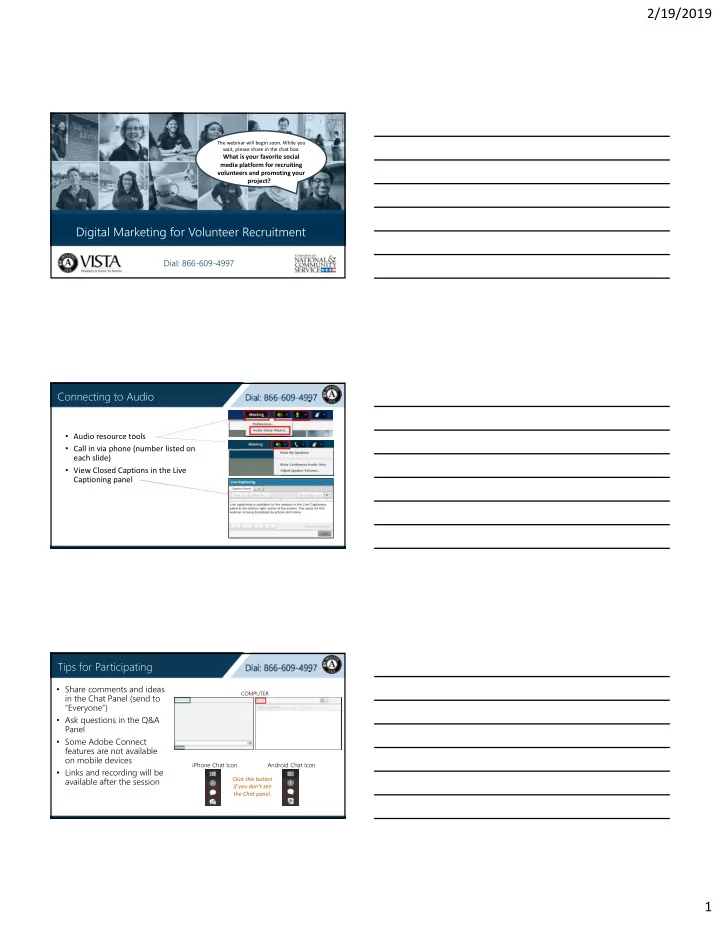
2/19/2019 The webinar will begin soon. While you wait, please share in the chat box: What is your favorite social media platform for recruiting volunteers and promoting your project? ? Digital Marketing for Volunteer Recruitment Dial: 866-609-4997


slide-1
SLIDE 1

2/19/2019 1

Digital Marketing for Volunteer Recruitment

The webinar will begin soon. While you wait, please share in the chat box:

What is your favorite social media platform for recruiting volunteers and promoting your project? ?

Dial: 866-609-4997

Connecting to Audio

  • Audio resource tools
  • Call in via phone (number listed on

each slide)

  • View Closed Captions in the Live

Captioning panel

Tips for Participating

  • Share comments and ideas

in the Chat Panel (send to “Everyone”)

  • Ask questions in the Q&A

Panel

  • Some Adobe Connect

features are not available

  • n mobile devices
  • Links and recording will be

available after the session

COMPUTER

iPhone Chat Icon Android Chat Icon Click this button if you don’t see the Chat panel.

slide-2
SLIDE 2

2/19/2019 2 Digital Marketing

for Volunteer Recruitment

T

  • day’s Speakers

Khadija Carr

AmeriCorps VISTA Training Specialist VISTA Alum ‘15‐’16

Chris Suriano

AmeriCorps VISTA Marketing and Outreach Specialist AmeriCorps Alum ‘08‐’10

Objectives

We’ll cover:  Elements of a strong digital recruitment plan  Strategies and social media platforms best suited to recruit your target audiences  How to raise your project’s profile through successful digital campaigns  Q&A session

slide-3
SLIDE 3

2/19/2019 3

Dial: 866-609-4997

Chat Question

What does your VISTA site do to promote volunteer

  • pportunities?

Why Your Brand Matters

  • Do people in your community

know of your organization?

  • What is their perception of your
  • rganization?
  • Do they think of it as a place

where they can volunteer?

According to LinkedIn, 72% of people who recently changed jobs knew about the organization 6‐8 months before they heard about the job.

Identify your Audiences

  • Identify who you

are recruiting

  • Consider where your

audience is most likely to be

  • Map out which tools

and platforms best suit your recruitment goals

slide-4
SLIDE 4

2/19/2019 4

Your Organization’s Website

  • Make it easy for new

volunteers to navigate your website and register

  • Emphasize the skills and

time commitment needed

  • Share testimonials,

videos, and photos of volunteers and beneficiaries

Volunteer Boards

State and Local Service Commissions

Write a Compelling Listing

  • Hook your reader with

engaging descriptions

  • Be informative and accurate

about what is expected of volunteers

  • Connect the work they will

perform with the impact it will have in the community

  • Tailor your listing and

formatting to the platform

slide-5
SLIDE 5

2/19/2019 5

LinkedIn

  • Create a ‘company’ profile and post

volunteer opportunity listings

  • LinkedIn for Nonprofits will walk you

through tips and tricks for recruiting volunteers on their network, including free listings

  • LinkedIn offers paid advertisement

campaigns with advanced targeting

Email Marketing Email Marketing

  • What is the ask?
  • What action do you want

your readers to take?

  • Keep it simple and brief
  • Visuals are key
slide-6
SLIDE 6

2/19/2019 6

Why social media?

  • It's critical brand exposure
  • Stay connected with your

volunteers, donors, and partners

  • Share stories and impact

What Makes Good Content

  • Is it authentic?
  • Does it strike the correct tone?
  • Is it easy to understand at first glance?
  • Is it bite‐sized?
  • Can someone easily share it?

We process visual information

60,000x faster

than text.

Source: Fast Company Posts that include images produce

650% higher

engagement than text-only posts.

Visual content is now

40x more likely

to be shared on social media.

Importance of Visuals

slide-7
SLIDE 7

2/19/2019 7

Utilize Video

  • This year, 80% of the content that we

consume on social media will be video

  • User‐generated content ‐ like

volunteer videos – are really popular

  • Familiarize yourself with YouTube,

Instagram Stories, and Facebook Live

Quotes Volunteer Features

Blogs & Listicles

9am-9pm

slide-8
SLIDE 8

2/19/2019 8

Dial: 866-609-4997

Impact

9am-9pm

Dial: 866-609-4997

Free Design Resources

Amazingly Simple Graphic Design Software

Free Design Resources

Icons for everything Thenounproject.com

slide-9
SLIDE 9

2/19/2019 9

Dial: 866-609-4997

Chat Question

What design resources have you used that are worth sharing? Scheduling Social Media

  • On Facebook, schedule content up

to 6 months in the future

  • Schedule tweets at a specific date and time

in the future

  • No tagging functionality
  • Depending on your follower base

and marketing goals, consider paid promotions

  • Target specific audiences based on:
  • Location
  • Interests
  • Skills and experience
  • Existing followers
  • New followers

Social Media Marketing

slide-10
SLIDE 10

2/19/2019 10

  • If your posts don’t generate

traction at first, don’t fret. Social media is more of an art than a science, keep experimenting!

  • Social media never sleeps. Be

careful to not let it consume

  • you. It’s easy to get caught in

the digital black hole. Use tools at your disposal and give it your best. Friendly Advice on Social Media Marketing Sessions

Wrap Up

Sessions

Evaluation

  • How can we improve this session?
  • Please take a few moments to complete a brief webinar evaluation

form.

  • Find the survey link under the Chat panel on your screen.
  • Thank you for your feedback!
slide-11
SLIDE 11

2/19/2019 11

Sessions

Questions?

  • To ask a question verbally, call in

using the number on this slide and press *1

  • To ask a question electronically,

use the Q&A feature located in the bottom right corner of the

  • screen. Please ask “All Panelists”

Thank you for your participation!