13. XML databases Are XML documents just sequential files? What - - PowerPoint PPT Presentation

13 xml databases
SMART_READER_LITE
LIVE PREVIEW

13. XML databases Are XML documents just sequential files? What - - PowerPoint PPT Presentation

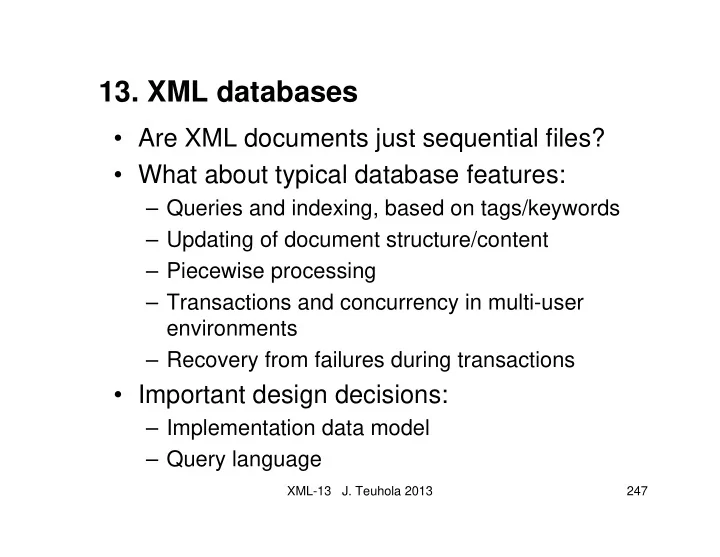
13. XML databases Are XML documents just sequential files? What about typical database features: Queries and indexing, based on tags/keywords Updating of document structure/content Piecewise processing Transactions and


slide-1
SLIDE 1

XML-13 J. Teuhola 2013 247

  • 13. XML databases
  • Are XML documents just sequential files?
  • What about typical database features:

– Queries and indexing, based on tags/keywords – Updating of document structure/content – Piecewise processing – Transactions and concurrency in multi-user environments – Recovery from failures during transactions

  • Important design decisions:

– Implementation data model – Query language

slide-2
SLIDE 2

XML-13 J. Teuhola 2013 248

Implementation alternatives for XML databases

  • 1. Relational database; alternatives for storage:

Document as a field, seq. processing & extensions

Non-typed DOM implementation; DOM-tree pre- sented using parent-child relations

Typed DOM impl.; a relation for each node type

  • 2. Object-oriented database

More direct mapping of DOM model to OO concepts

Both typed and non-typed implementations possible; non-typed more flexible

  • 3. Native XML database

Database schema based on DTD or XML schema

Support for hierarchical structures

slide-3
SLIDE 3

XML-13 J. Teuhola 2013 249

Example document collection: 2 courses

<?xml version=“1.0”?> <course> <cname>Adv DB</cname> <teacher>Timo</teacher> <audience> <student>Pasi</student> <student>Pirjo</student> </audience> </course> <?xml version=“1.0”?> <course> <cname>C++</cname> <teacher>Esa</teacher> <audience> <student>Pasi</student> <student>Pia</student> </audience> </course>

slide-4
SLIDE 4

XML-13 J. Teuhola 2013 250

Relational alternative 1: XML data type for a column

Courses-relation cid course document c1 <?xml…?><course><cname>AdvDB</cname><teacher> Timo</teacher><audience><student>Pasi</student> <student>Pirjo</student></audience></course> c2 <?xml version=“1.0”?><course><cname>C++</cname> <teacher>Esa</teacher><audience> <student>Pasi </student><student>Pia</student></audience></course>

slide-5
SLIDE 5

XML-13 J. Teuhola 2013 251

Relational alternative 2: Non-typed nodes

Nodes-relation

node-id element parent text-value n1 course

  • n2

cname n1 Adv DB n3 teacher n1 Timo n4 audience n1

  • n5

student n4 Pasi n6 student n4 Pirjo n7 course

  • n8

cname n7 C++ … … … …

slide-6
SLIDE 6

XML-13 J. Teuhola 2013 252

Relational alternative 3: Typed nodes

Courses cid cname teacher c1 Adv DB Timo c2 C++ Esa Audience student cid Pasi c1 Pirjo c1 Pasi c2 Pia c2 Note 1: In each solution, the DTD or XML schema must be stored separately. Note 2: The solution uses the information that cname and teacher are 1-valued.

slide-7
SLIDE 7

XML-13 J. Teuhola 2013 253

Query languages for XML

  • Query goals:

– Retrieve documents satisfying a selection condition. – Retrieve subparts of a document on the basis of a selection condition.

  • Conditions can be structural (based on node

relationships) or content-based (based on text).

  • Several propositions have been made for XML query

languages.

  • XPath is a popular choice, and also a basis for more

advanced languages.

  • XQuery 1.0:

– W3C recommendation (Jan 2007) – Returns the answer in XML form

slide-8
SLIDE 8

XML-13 J. Teuhola 2013 254

XQuery design goals

  • Declarative syntax, with two alternatives

– Human-readable syntax (cf. SQL) – XML syntax (called XQueryX)

  • Ability to create and transform XML trees

(cf. XSLT) for output

  • Combining information from multiple documents
  • Support for namespaces
  • Support for simple and complex data types
  • Utilization of XML Schema information
slide-9
SLIDE 9

XML-13 J. Teuhola 2013 255

XQuery vs. XPath

  • XQuery 1.0 is a superset of XPath 2.0;

every XPath expression is a legitimate XQuery expression (exception: only axes child, des- cendant, parent, attribute, self and descendant-

  • r-self are required to be implemented)
  • Extensions over XPath:

– Ability to join information from different sources – Ability to generate new XML structures – User-defined functions – Arbitrary computations

slide-10
SLIDE 10

XML-13 J. Teuhola 2013 256

XQuery vs. XSLT

  • Both can be used for extracting, combining and

transforming XML data.

  • Same processing power
  • Different design principles and origins:

XQuery inspired by SQL; XSLT by CSS.

  • Strengths of XSLT:

– Recursive traversals and arbitrary-depth processing – Efficient implementations

  • Strengths of XQuery:

– Simpler for simple tasks – Less verbose

slide-11
SLIDE 11

XML-13 J. Teuhola 2013 257

‘Prolog’ definitions in XQuery queries

  • Version declaration (“xquery version 1.0”)
  • Handling of boundary whitespace

(e.g. “declare boundary-space preserve”)

  • Namespace definition

(e.g. “declare namespace ns = …”)

  • Importing a schema from a URI

(“import schema at …”)

  • Declaring variables with initial values

(declare variable $name = …;)

slide-12
SLIDE 12

XML-13 J. Teuhola 2013 258

XQuery expressions

  • Atomic expressions:

– primitive types integer, boolean, string, etc. – simple constructor functions for types, imported from schemas, e.g. xs:string(“Adv DB”), xs:date(“2006-10-12”)

  • XML expressions for new elements, attributes,

character data, … can be constructed

  • Enclosed expressions, syntax: { expression }

The expression result will be positioned into the context where it occurs.

slide-13
SLIDE 13

XML-13 J. Teuhola 2013 259

XQuery expressions: Example

  • FLWOR expressions

(for – let – where – order by – return), e.g. <large-courses> { for $c in fn:doc(“courses.xml”)//course let $s := $c/audience/student where fn:count($s) gt 4 return <large> { $c/name/text() } </large> } </large-courses>

slide-14
SLIDE 14

XML-13 J. Teuhola 2013 260

XQuery expressions: Example (cont.)

Source document: <?xml version="1.0" encoding="UTF-8"?> <courses> <course> <name>Adv DB</name> <audience> <student>Pekka</student> <student>Paula</student> </audience> </course> <course> <name>C++<name> <audience> <student>Paavo</student> <student>Pirjo</student> <student>Pekka</student> <student>Pirkko</student> <student>Pauli</student> </audience> </course> </courses Result of the previous query: <large-courses> <large>C++</large> </large-courses>

slide-15
SLIDE 15

XML-13 J. Teuhola 2013 261

XML support in some commercial DBMSs

  • IBM DB2 9 ‘Viper’:

– Hybrid relational/XML database management system – Storage alternatives:

  • XML collection (decomposed storage, composed output)
  • CLOB (Character Large OBject) columns
  • XML columns & indexes

– SQL and XQuery support for both normal and XML columns

  • Oracle 11g XML DB:

– Storage alternatives: Object-relational, CLOB, binary – Support for XQuery

  • Microsoft SQL Server 2005:

– Storage alternatives:

  • XML-type columns
  • Decomposed storage (‘shredding’); composing for output

– Support for (subset of) XQuery and XML-DML

slide-16
SLIDE 16

XML-13 J. Teuhola 2013 262

Some ’native’ XML databases

  • dbXML

– Open-source (dbXML Group; SourceForge) – XPath is the main query language

  • eXist

– Open-source (project led by Wolfgang Meier) – Support for XPath, XQuery, XUpdate

  • xDB

– Commercial (EMC corp.) – Support for XPath, XQuery, XUpdate – See: https://community.emc.com/community/edn/xmltech