1 1 Slide 5 Slide 6 Partitioning and Load Balancing Partitioning - - PowerPoint PPT Presentation

1
SMART_READER_LITE
LIVE PREVIEW

1 1 Slide 5 Slide 6 Partitioning and Load Balancing Partitioning - - PowerPoint PPT Presentation

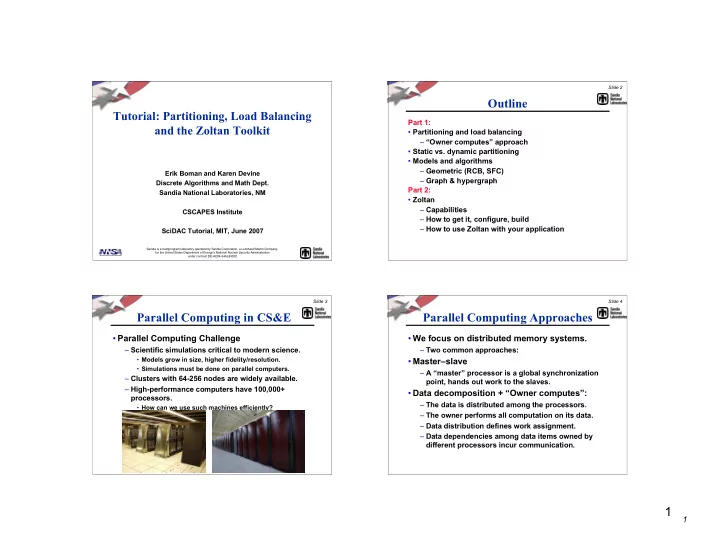
Slide 2 Outline Tutorial: Partitioning, Load Balancing Part 1: and the Zoltan Toolkit Partitioning and load balancing Owner computes approach Static vs. dynamic partitioning Models and algorithms Geometric (RCB, SFC)


slide-1
SLIDE 1

1

1

Sandia is a multiprogram laboratory operated by Sandia Corporation, a Lockheed Martin Company, for the United States Department of Energy’s National Nuclear Security Administration under contract DE-AC04-94AL85000.

Tutorial: Partitioning, Load Balancing and the Zoltan Toolkit

Erik Boman and Karen Devine Discrete Algorithms and Math Dept. Sandia National Laboratories, NM CSCAPES Institute SciDAC Tutorial, MIT, June 2007

Slide 2

Outline

Part 1:

  • Partitioning and load balancing

– “Owner computes” approach

  • Static vs. dynamic partitioning
  • Models and algorithms

– Geometric (RCB, SFC) – Graph & hypergraph Part 2:

  • Zoltan

– Capabilities – How to get it, configure, build – How to use Zoltan with your application

Slide 3

Parallel Computing in CS&E

  • Parallel Computing Challenge

– Scientific simulations critical to modern science.

  • Models grow in size, higher fidelity/resolution.
  • Simulations must be done on parallel computers.

– Clusters with 64-256 nodes are widely available. – High-performance computers have 100,000+ processors.

  • How can we use such machines efficiently?

Slide 4

Parallel Computing Approaches

  • We focus on distributed memory systems.

– Two common approaches:

  • Master–slave

– A “master” processor is a global synchronization point, hands out work to the slaves.

  • Data decomposition + “Owner computes”:

– The data is distributed among the processors. – The owner performs all computation on its data. – Data distribution defines work assignment. – Data dependencies among data items owned by different processors incur communication.

slide-2
SLIDE 2

2

2

Slide 5

Partitioning and Load Balancing

  • Assignment of application data to processors for parallel

computation.

  • Applied to grid points, elements, matrix rows, particles, ….

Slide 6

Partitioning Goals

  • Minimize total execution time by…

– Minimizing processor idle time.

  • Load balance data and work.

– Keeping inter-processor communication low.

  • Reduce total volume, max volume.
  • Reduce number of messages.

Partition of an unstructured finite element mesh for three processors

Slide 7

“Simple” Example (1)

  • Finite difference method.

– Assign equal numbers of grid points to processors. – Keep amount of data communicated small.

7x5 grid 5-point stencil 4 processors

Slide 8

“Simple” Example (2)

  • Finite difference method.

– Assign equal numbers of grid points to processors. – Keep amount of data communicated small.

Max Data Comm: 14 Total Volume: 42 Max Nbor Proc: 2 Max Imbalance: 3%

1 2 3 1 1 1 1 1 1 1 1 2 2 2 2 2 2 2 2 3 3 3 3 3 3 3

First 35/4 points to processor 0; next 35/4 points to processor 1; etc.

slide-3
SLIDE 3

3

3

Slide 9 1 1 2 2 3 1 1 1 2 2 3 1 1 1 2 2 2 3 2 1 1 2 2 3 3

“Simple” Example (3)

  • Finite difference method.

– Assign equal numbers of grid points to processors. – Keep amount of data communicated small.

Max Data Comm: 10 Total Volume: 30 Max Nbor Proc: 2 Max Imbalance: 14%

One-dimensional striped partition

Slide 10 1 1 3 3 3 3 3 3 1 1 1 2 3 3 3 2 1 1 1 2 2 2 2

“Simple” Example (4)

  • Finite difference method.

– Assign equal numbers of grid points to processors. – Keep amount of data communicated small.

Max Data Comm: 7 Total Volume: 26 Max Nbor Proc: 2 Max Imbalance: 37%

Two-dimensional structured grid partition

Slide 11

Static Partitioning

  • Static partitioning in an application:

– Data partition is computed. – Data are distributed according to partition map. – Application computes.

  • Ideal partition:

– Processor idle time is minimized. – Inter-processor communication costs are kept low. Initialize Application Partition Data Distribute Data Compute Solutions Output & End

Slide 12

Dynamic Applications

  • Characteristics:

– Work per processor is unpredictable or changes during a computation; and/or – Locality of objects changes during computations. – Dynamic redistribution of work is needed during computation.

  • Example:

adaptive mesh refinement (AMR) methods

slide-4
SLIDE 4

4

4

Slide 13

Dynamic Repartitioning (a.k.a. Dynamic Load Balancing)

Initialize Application Partition Data Redistribute Data Compute Solutions & Adapt Output & End

  • Dynamic repartitioning (load balancing) in an application:

– Data partition is computed. – Data are distributed according to partition map. – Application computes and, perhaps, adapts. – Process repeats until the application is done.

  • Ideal partition:

– Processor idle time is minimized. – Inter-processor communication costs are kept low. – Cost to redistribute data is also kept low.

Slide 14

Static vs. Dynamic: Usage and Implementation

  • Static:

– Pre-processor to application. – Can be implemented serially. – May be slow, expensive. – File-based interface acceptable. – No consideration of existing decomposition required.

  • Dynamic:

– Must run side-by-side with application. – Must be implemented in parallel. – Must be fast, scalable. – Library application interface required. – Should be easy to use. – Incremental algorithms preferred.

  • Small changes in input

result small changes in partitions.

  • Explicit or implicit

incrementality acceptable.

Slide 15

Two Types of Models/Algorithms

  • Geometric

– Computations are tied to a geometric domain. – Coordinates for data items are available. – Geometric locality is loosely correlated to data dependencies.

  • Combinatorial (topological)

– No geometry . – Connectivity among data items is known.

  • Represent as graph or hypergraph.

Slide 16

  • Developed by Berger & Bokhari (1987) for AMR.

– Independently discovered by others.

  • Idea:

– Divide work into two equal parts using a cutting plane orthogonal to a coordinate axis. – Recursively cut the resulting subdomains.

1st cut 2nd 2nd 3rd 3rd 3rd 3rd

Recursive Coordinate Geometric Bisection (RCB)

slide-5
SLIDE 5

5

5

Slide 17

  • Implicitly incremental.
  • Small changes in data results in small movement of

cuts.

RCB Repartitioning

Slide 18

RCB Advantages and Disadvantages

  • Advantages:

– Conceptually simple; fast and inexpensive. – Regular subdomains.

  • Can be used for structured or unstructured applications.
  • All processors can inexpensively know entire decomposition.

– Effective when connectivity info is not available.

  • Disadvantages:

– No explicit control of communication costs. – Can generate disconnected subdomains. – Mediocre partition quality. – Geometric coordinates needed.

Slide 19

Applications of RCB

Parallel Volume Rendering Crash Simulations and Contact Detection Adaptive Mesh Refinement Particle Simulations

1.6 ms 3.2 ms

Slide 20

Variations on RCB : RIB

  • Recursive Inertial Bisection

– Simon, Taylor, et al., 1991 – Cutting planes orthogonal to principle axes of geometry. – Not incremental.

slide-6
SLIDE 6

6

6

Slide 21

Space-Filling Curve Partitioning (SFC)

  • Developed by Peano, 1890.
  • Space-Filling Curve:

– Mapping between R3 to R1 that completely fills a domain. – Applied recursively to obtain desired granularity.

  • Used for partitioning by …

– Warren and Salmon, 1993, gravitational simulations. – Pilkington and Baden, 1994, smoothed particle hydrodynamics. – Patra and Oden, 1995, adaptive mesh refinement.

Slide 22 9 20 19 18 17 16 15 14 13 12 11 10 8 7 6 5 4 3 2 1 9 20 19 18 17 16 15 14 13 12 11 10 8 7 6 5 4 3 2 1 9 20 19 18 17 16 15 14 13 12 11 10 8 7 6 5 4 3 2 1

SFC Algorithm

  • Run space-filling curve through domain.
  • Order objects according to position on curve.
  • Perform 1-D partition of curve.

Slide 23

SFC Repartitioning

  • Implicitly incremental.
  • Small changes in data results in small

movement of cuts in linear ordering.

Slide 24

SFC Advantages and Disadvantages

  • Advantages:

– Simple, fast, inexpensive. – Maintains geometric locality of objects in processors. – Linear ordering of objects may improve cache performance.

  • Disadvantages:

– No explicit control of communication costs. – Can generate disconnected subdomains. – Often lower quality partitions than RCB. – Geometric coordinates needed.

slide-7
SLIDE 7

7

7

Slide 25

hp-refinement mesh; 8 processors. Patra, et al. (SUNY-Buffalo)

Applications using SFC

  • Adaptive hp-refinement finite element methods.

– Assigns physically close elements to same processor. – Inexpensive; incremental; fast. – Linear ordering can be used to order elements for efficient memory access.

Slide 26

Graph Partitioning

  • Represent problem as a weighted

graph.

– Vertices = objects to be partitioned. – Edges = communication between

  • bjects.

– Weights = work load or amount of communication.

  • Partition graph so that …

– Partitions have equal vertex weight. – Weight of edges cut by subdomain boundaries is small.

Slide 27 Partition

Multi-Level Graph Partitioning

  • Bui & Jones (1993); Hendrickson & Leland

(1993); Karypis and Kumar (1995)

  • Construct smaller approximations to graph.
  • Perform graph partitioning on coarse graph.
  • Propagate partition back, refining as needed.

Slide 28

Graph Repartitioning

  • Diffusive strategies (Cybenko, Hu,

Blake, Walshaw, Schloegel, et al.)

– Shift work from highly loaded processors to less loaded neighbors. – Local communication keeps data redistribution costs low.

  • Multilevel partitioners that account for data redistribution

costs in refining partitions (Schloegel, Karypis)

– Parameter weights application communication vs. redistribution communication.

10 10 10 10 20 30 30 10 10 20 20 20 20

Partition coarse graph Refine partition accounting for current part assignment Coarsen graph

slide-8
SLIDE 8

8

8

Slide 29

Graph Partitioning Advantages and Disadvantages

  • Advantages:

– High quality partitions for many applications. – Explicit control of communication costs. – Widely used for static partitioning (Chaco, METIS, Jostle, Party, Scotch)

  • Disadvantages:

– More expensive than geometric approaches. – Not incremental.

Slide 30

Applications using Graph Partitioning

  • Finite element analysis
  • Multiphysics simulations

– Difficult to estimate work in advance. – Rebalance infrequently; want high quality.

  • Linear solvers and preconditioners

– Square, structurally symmetric. – Decomposition of mesh induces good decomposition for solver.

Slide 31

Applications using Graph Partitioning

  • XYCE (S. Hutchinson, R. Hoekstra, E. Keiter, SNL)

– Massively parallel analog circuit simulator.

  • Load balancing in XYCE.

– Balance linear solve phase. – Equal number of rows while minimizing cut edges. – Partition matrix solver separately from matrix fill. – Trilinos solver library (Heroux, et al.) uses Zoltan to partition matrix.

  • Matrix structure more complex than mesh-based

applications.

– Is there a better partitioning model?

1 2

Vs SOURCE_VOLTAGE

1 2

Rs R

1 2

Cm012 C

1 2

Rg02 R

1 2

Rg01 R

1 2

C01 C

1 2

C02 C

1 2

L2 INDUCTOR

1 2

L1 INDUCTOR

1 2

R1 R

1 2

R2 R

1 2

Rl R

1 2

Rg1 R

1 2

Rg2 R

1 2

C2 C

1 2

C1 C

1 2

Cm12 C

Slide 32

A

Flaws in the Graph Model

  • Graph model and partitioning

approach has been successful in scientific computing, BUT…

  • Graph models assume # edge cuts

= communication volume.

  • In reality…

– Edge cuts are not equal to communication volume.

slide-9
SLIDE 9

9

9

Slide 33

  • Graph models assume symmetric square problem.

– Symmetric == undirected graph. – Square == inputs and outputs of operation are same size.

  • Non-symmetric systems.

– Require directed or bipartite graph.

  • Rectangular systems.

– Require decompositions for differently sized inputs and outputs.

x y A

=

x y A

=

Graph Models: Applicability

Slide 34

Is the Graph Model “good enough”?

  • Mesh-based applications: Yes, maybe.

– Graph partitioning works well in practice. – Geometric structure of meshes ensures…

  • Small separators and good partitions.
  • Low vertex degrees give small error in graph model.
  • Irregular non-mesh applications: No.

– Graph model is poor or does not apply. – Ex: circuit simulation, discrete optimization, data mining. – Nonsymmetric and rectangular matrices.

Slide 35

Hypergraph Partitioning

  • Hypergraph model (Aykanat & Catalyurek)

– Vertices represent computations. – Hyperedges connect all objects which produce/use datum.

  • Hyperedges connect one or more vertices (cf. graph edge always

two)

– Greater expressiveness than graph partitioners.

  • Non-symmetric data dependencies.
  • Rectangular matrices.

– Cut hyperedges == communication volume!

A Graph model only approximates communication volume. A Hypergraph model accurately measures communication volume.

Slide 36 1 2 3 4 5 6

Matrices and Hypergraphs

  • View matrix as hypergraph (Çatalyürek & Aykanat)

– Vertices == columns – Edges == rows

  • Partition vertices (columns in matrix)
  • Communication volume associated with edge e:

CVe = (# processors in edge e) - 1

  • Total communication volume =

x x

* *

y x

* * * *

y x

* * *

= y x

* *

y x

* * *

y

  • e

e

CV

slide-10
SLIDE 10

10

10

Slide 37

Hypergraph Repartitioning

  • Augment hypergraph with data redistribution costs.

– Account for data’s current processor assignments. – Weight hyperedges by data redistribution size or frequency of use.

  • Hypergraph partitioning then attempts to minimize total

communication volume:

Data redistribution volume + Application communication volume Total communication volume

  • Trade-off between application volume and redistribution cost

controlled by single knob (user parameter). – PHG_REPART_MULTIPLIER should be (roughly) number of application communications between repartitions.

  • Can re-use existing algorithms and software.

– This approach also works for graphs.

Slide 38

Hypergraph Applications

Circuit Simulations

1 2

Vs SOURCE_VOLTAGE

1 2

Rs R

1 2

Cm012 C

1 2

Rg02 R

1 2

Rg01 R

1 2

C01 C

1 2

C02 C

1 2

L2 INDUCTOR

1 2

L1 INDUCTOR

1 2

R1 R

1 2

R2 R

1 2

Rl R

1 2

Rg1 R

1 2

Rg2 R

1 2

C2 C

1 2

C1 C

1 2

Cm12 C

Linear programming for sensor placement

x b A =

Linear solvers & preconditioners (no restrictions on matrix structure) Finite Element Analysis Multiphysics and multiphase simulations Data Mining

Slide 39

Hypergraph Partitioning: Advantages and Disadvantages

  • Advantages:

– Communication volume reduced 30-38% on average

  • ver graph partitioning (Catalyurek & Aykanat).
  • 5-15% reduction for mesh-based applications.

– More accurate communication model than graph partitioning.

  • Better representation of highly connected and/or

non-homogeneous systems.

– Greater applicability than graph model.

  • Can represent rectangular systems and non-symmetric

dependencies.

  • Disadvantages:

– More expensive than graph partitioning.

Slide 40

Using Weights

  • Some data items may have more work than
  • thers.
  • Solution: Specify work (load) using weights.

– By default, all data items have unit weights. – Objective is to balance sum of weights.

  • Geometric methods:

– Add a weight for each point.

  • Graph/hypergraph methods:

– One weight per vertex. – Can also weight edges with communication size.

slide-11
SLIDE 11

11

11

Slide 41

Computation Memory

Multi-criteria Load-balancing

  • Multiple constraints or objectives

– Compute a single partition that is good with respect to multiple factors.

  • Balance both computation and memory.
  • Balance meshes in loosely coupled physics.
  • Balance multi-phase simulations.

– Extend algorithms to multiple weights

  • Difficult. No guarantee good solution exists.

Slide 42

Heterogeneous Architectures

  • Clusters may have different types of

processors.

  • Assign “capacity” weights to processors.

– Compute power (speed) – Memory

  • Partitioner should balance with respect to

processor capacity.

Slide 43

Example & Recap

  • Hammond airfoil mesh
  • 2d mesh, triangular elements

– 5K vertices – 13K edges

  • Partition into 8 parts

Slide 44

RCB

Total Volume: 826 Max #mesg: 6

slide-12
SLIDE 12

12

12

Slide 45

RIB

Total volume: 922 Max #mesg: 5

Slide 46

HSFC

Total volume: 1000 Max #mesg: 6

Slide 47

Graph

Total volume: 472 Max #mesg: 5

Slide 48

Hypergraph

Total volume: 464 Max #mesg: 6

slide-13
SLIDE 13

13

13

Slide 49

Coffee Break!

Slide 50

Software

  • Geometric partitioners

– Often embedded in application code;

  • Cannot easily be re-used.
  • Graph/hypergraph partitioners

– Multilevel partitioners are so complex they can take several man-years to implement. – Abstraction allows partitioners to be used across many applications.

Slide 51

Software

  • 1990s: Many graph partitioners

– Chaco (Sandia) – Metis/ParMetis (U. Minnesota) – Jostle/PJostle (U. Greenwich) – Scotch (U. Bordeaux) – Party (U. Paderborn)

  • Great advance at the time, but…

– Single algorithm is not best for all applications. – Interface requires application to build specific graph data structure.

Slide 52

Our Approach: Zoltan Toolkit

  • Construct applications from smaller software “parts.”
  • “Tinker-toy parallel computing” -- B. Hendrickson
  • Toolkits include …

– Services applications commonly need. – Support for wide range of applications. – Easy-to-use interfaces. – Data-structure neutral design.

  • Toolkits avoid …

– Prescribed data structures – Heavy framework – Limited freedom for application developers.

  • Zoltan: Toolkit of Parallel Data

Management Tools for Parallel, Unstructured Applications.

Hasbro, Inc.

slide-14
SLIDE 14

14

14

Slide 53

The Zoltan Toolkit

Unstructured Communication Data Migration Matrix Ordering Dynamic Memory Debugging

Dynamic Load Balancing Distributed Data Directories A B C 1 D E F 2 1 G H I 1 2 1

  • Library of data management services for unstructured, dynamic

and/or adaptive computations. Graph Coloring

Slide 54

Zoltan Supports Many Applications

  • Different applications, requirements, data structures.

Multiphysics simulations

x b A

=

Linear solvers & preconditioners Adaptive mesh refinement Crash simulations Particle methods Parallel electronics networks

1 2

Vs SOURCE_VOLTAGE

1 2

Rs R

1 2

Cm012 C

1 2

Rg02 R

1 2

Rg01 R

1 2

C01 C

1 2

C02 C

1 2

L2 INDUCTOR

1 2

L1 INDUCTOR

1 2

R1 R

1 2

R2 R

1 2

Rl R

1 2

Rg1 R

1 2

Rg2 R

1 2

C2 C

1 2

C1 C

1 2

Cm12 C

Slide 55

Zoltan Toolkit: Suite of Partitioners

  • No single partitioner works best for all applications.

– Trade-offs:

  • Quality vs. speed.
  • Geometric locality vs. data dependencies.
  • High-data movement costs vs. tolerance for remapping.
  • Application developers may not know which partitioner

is best for application.

  • Zoltan contains suite of partitioning methods.

– Application changes only one parameter to switch methods.

  • Zoltan_Set_Param(zz, “LB_METHOD”, “new_method_name”);

– Allows experimentation/comparisons to find most effective partitioner for application.

Slide 56

Zoltan Toolkit: Suite of Partitioners

Recursive Coordinate Bisection (Berger, Bokhari) Recursive Inertial Bisection (Taylor, Nour-Omid) Space Filling Curves (Peano, Hilbert) Refinement-tree Partitioning (Mitchell) Graph Partitioning ParMETIS (Karypis, Schloegel, Kumar) Jostle (Walshaw) Hypergraph Partitioning & Repartitioning (Catalyurek, Aykanat, Boman, Devine, Heaphy, Karypis, Bisseling) PaToH (Catalyurek)

slide-15
SLIDE 15

15

15

Slide 57

Zoltan Interface Design

  • Common interface to each class of partitioners.
  • Partitioning method specified with user parameters.
  • Data-structure neutral design.

– Supports wide range of applications and data structures. – Imposes no restrictions on application’s data structures. – Application does not have to build Zoltan’s data structures.

Slide 58

Zoltan Interface

  • Simple, easy-to-use interface.

– Small number of callable Zoltan functions. – Callable from C, C++, Fortran.

  • Requirement: Unique global IDs for objects to be
  • partitioned. For example:

– Global element number. – Global matrix row number. – (Processor number, local element number) – (Processor number, local particle number)

Slide 59

Zoltan Application Interface

  • Application interface:

– Zoltan queries the application for needed info.

  • IDs of objects, coordinates, relationships to other objects.

– Application provides simple functions to answer queries. – Small extra costs in memory and function-call overhead.

  • Query mechanism supports…

– Geometric algorithms

  • Queries for dimensions, coordinates, etc.

– Hypergraph- and graph-based algorithms

  • Queries for edge lists, edge weights, etc.

– Tree-based algorithms

  • Queries for parent/child relationships, etc.
  • Once query functions are implemented, application can

access all Zoltan functionality.

– Can switch between algorithms by setting parameters.

Slide 60

Zoltan Application Interface

Initialize Zoltan (Zoltan_Initialize, Zoltan_Create) Select LB Method (Zoltan_Set_Params) Register query functions (Zoltan_Set_Fn) Re-partition (Zoltan_LB_Partition) COMPUTE Move data (Zoltan_Migrate) Clean up (Zoltan_Destroy)

APPLICATION

Zoltan_LB_Partition:

  • Call query functions.
  • Build data structures.
  • Compute new

decomposition.

  • Return import/export

lists. Zoltan_Migrate:

  • Call packing query

functions for exports.

  • Send exports.
  • Receive imports.
  • Call unpacking query

functions for imports.

ZOLTAN

slide-16
SLIDE 16

16

16

Slide 61

Zoltan Query Functions

List of graph edges. ZOLTAN_EDGE_LIST_FN Number of graph edges. ZOLTAN_NUM_EDGE_FN Graph Query Functions List of hyperedge weights. ZOLTAN_HG_EDGE_WTS_FN Number of hyperedge weights. ZOLTAN_HG_SIZE_EDGE_WTS_FN List of hyperedge pins. ZOLTAN_HG_CS_FN Number of hyperedge pins. ZOLTAN_HG_SIZE_CS_FN Hypergraph Query Functions Coordinates of items. ZOLTAN_GEOM_FN Dimensionality of domain. ZOLTAN_NUM_GEOM_FN Geometric Query Functions List of item IDs and weights. ZOLTAN_OBJ_LIST_FN Number of items on processor ZOLTAN_NUM_OBJ_FN General Query Functions

Slide 62

For geometric partitioning (RCB, RIB, HSFC), use …

List of graph edges. ZOLTAN_EDGE_LIST_FN Number of graph edges. ZOLTAN_NUM_EDGE_FN Graph Query Functions List of hyperedge weights. ZOLTAN_HG_EDGE_WTS_FN Number of hyperedge weights. ZOLTAN_HG_SIZE_EDGE_WTS_FN List of hyperedge pins. ZOLTAN_HG_CS_FN Number of hyperedge pins. ZOLTAN_HG_SIZE_CS_FN Hypergraph Query Functions Coordinates of items. ZOLTAN_GEOM_FN Dimensionality of domain. ZOLTAN_NUM_GEOM_FN Geometric Query Functions List of item IDs and weights. ZOLTAN_OBJ_LIST_FN Number of items on processor ZOLTAN_NUM_OBJ_FN General Query Functions

Slide 63

For graph partitioning, coloring & ordering, use …

List of graph edges. ZOLTAN_EDGE_LIST_FN Number of graph edges. ZOLTAN_NUM_EDGE_FN Graph Query Functions List of hyperedge weights. ZOLTAN_HG_EDGE_WTS_FN Number of hyperedge weights. ZOLTAN_HG_SIZE_EDGE_WTS_FN List of hyperedge pins. ZOLTAN_HG_CS_FN Number of hyperedge pins. ZOLTAN_HG_SIZE_CS_FN Hypergraph Query Functions Coordinates of items. ZOLTAN_GEOM_FN Dimensionality of domain. ZOLTAN_NUM_GEOM_FN Geometric Query Functions List of item IDs and weights. ZOLTAN_OBJ_LIST_FN Number of items on processor ZOLTAN_NUM_OBJ_FN General Query Functions

Slide 64

For hypergraph partitioning and repartitioning, use …

List of graph edges. ZOLTAN_EDGE_LIST_FN Number of graph edges. ZOLTAN_NUM_EDGE_FN Graph Query Functions List of hyperedge weights. ZOLTAN_HG_EDGE_WTS_FN Number of hyperedge weights. ZOLTAN_HG_SIZE_EDGE_WTS_FN List of hyperedge pins. ZOLTAN_HG_CS_FN Number of hyperedge pins. ZOLTAN_HG_SIZE_CS_FN Hypergraph Query Functions Coordinates of items. ZOLTAN_GEOM_FN Dimensionality of domain. ZOLTAN_NUM_GEOM_FN Geometric Query Functions List of item IDs and weights. ZOLTAN_OBJ_LIST_FN Number of items on processor ZOLTAN_NUM_OBJ_FN General Query Functions

slide-17
SLIDE 17

17

17

Slide 65

Or can use graph queries to build hypergraph.

List of graph edges. ZOLTAN_EDGE_LIST_FN Number of graph edges. ZOLTAN_NUM_EDGE_FN Graph Query Functions List of hyperedge weights. ZOLTAN_HG_EDGE_WTS_FN Number of hyperedge weights. ZOLTAN_HG_SIZE_EDGE_WTS_FN List of hyperedge pins. ZOLTAN_HG_CS_FN Number of hyperedge pins. ZOLTAN_HG_SIZE_CS_FN Hypergraph Query Functions Coordinates of items. ZOLTAN_GEOM_FN Dimensionality of domain. ZOLTAN_NUM_GEOM_FN Geometric Query Functions List of item IDs and weights. ZOLTAN_OBJ_LIST_FN Number of items on processor ZOLTAN_NUM_OBJ_FN General Query Functions

Slide 66

Using Zoltan in Your Application

1. Decide what your objects are.

  • Elements? Grid points? Matrix rows? Particles?

2. Decide which class of method to use (geometric/graph/hypergraph). 3. Download and build Zoltan. 4. Write required query functions for your application.

  • Required functions are listed with each method in Zoltan

User’s Guide.

5. Call Zoltan from your application. 6. #include “zoltan.h” in files calling Zoltan. 7. Compile; link application with libzoltan.a.

  • mpicc application.c -lzoltan

Slide 67

Typical Applications

  • Unstructured meshes:

– Nodes, edges, and faces all need be distributed. – Several choices:

  • Nodes are Zoltan objects (primal graph)
  • Faces are Zoltan objects (dual graph)
  • Sparse matrices:

– Partition rows or columns? – Balance rows or nonzeros?

  • Particle methods:

– Partition particles or cells weighted by particles?

Slide 68

Zoltan: Getting Started

  • Requirements:

– C compiler – GNU Make (gmake) – MPI library (Message Passing Interface)

  • Download Zoltan from Zoltan web site

– http://www.cs.sandia.gov/Zoltan – Select “Download Zoltan” button. – Submit the registration form. – Choose the version you want; we suggest the latest version v3.0! – Downloaded file is zoltan_distrib_v3.0.tar.gz.

slide-18
SLIDE 18

18

18

Slide 69

Configuring and Building Zoltan

  • Create and enter the Zoltan directory:

– gunzip zoltan_distrib_v3.0.tar.gz – tar xf zoltan_distrib_v3.0.tar – cd Zoltan

  • Configure and make Zoltan library

– Not autotooled; uses manual configuration file. – “make zoltan” attempts a generic build; library libzoltan.a is in directory Obj_generic. – To customize your build:

  • cd Utilities/Config; cp Config.linux Config.your_system
  • Edit Config.your_system
  • cd ../..
  • setenv ZOLTAN_ARCH your_system
  • make zoltan
  • Library libzoltan.a is in Obj_your_system

Slide 70

Config file

DEFS = RANLIB = ranlib AR = ar r CC = mpicc -Wall CPPC = mpic++ INCLUDE_PATH = DBG_FLAGS = -g OPT_FLAGS = -O CFLAGS = $(DBG_FLAGS) F90 = mpif90 LOCAL_F90 = f90 F90CFLAGS = -DFMANGLE=UNDERSCORE -DNO_MPI2 FFLAGS = SPPR_HEAD = spprinc.most F90_MODULE_PREFIX = -I FARG = farg_typical MPI_LIB = MPI_LIBPATH = PARMETIS_LIBPATH = -L/Users/kddevin/code/ParMETIS3_1 PARMETIS_INCPATH = -I/Users/kddevin/code/ParMETIS3_1 #PATOH_LIBPATH = -L/Users/kddevin/code/PaToH #PATOH_INCPATH = -I/Users/kddevin/code/PaToH Slide 71

Simple Example

  • Zoltan/examples/C/zoltanSimple.c
  • Application data structure:

– int MyNumPts;

  • Number of points on processor.

– int *Gids;

  • array of Global ID numbers of points on processor.

– float *Pts;

  • Array of 3D coordinates of points on processor (in same
  • rder as Gids array).

Slide 72

Example zoltanSimple.c: Initialization

/* Initialize MPI */ MPI_Init(&argc, &argv); MPI_Comm_rank(MPI_COMM_WORLD, &me); MPI_Comm_size(MPI_COMM_WORLD, &nprocs); /* ** Initialize application data. In this example, ** create a small test mesh and divide it across processors */ exSetDivisions(32); /* rectilinear mesh is div X div X div */ MyNumPts = exInitializePoints(&Pts, &Gids, me, nprocs); /* Initialize Zoltan */ rc = Zoltan_Initialize(argc, argv, &ver); if (rc != ZOLTAN_OK){ printf("sorry...\n"); free(Pts); free(Gids); exit(0); }

slide-19
SLIDE 19

19

19

Slide 73

Example zoltanSimple.c: Prepare for Partitioning

/* Allocate and initialize memory for Zoltan structure */ zz = Zoltan_Create(MPI_COMM_WORLD); /* Set general parameters */ Zoltan_Set_Param(zz, "DEBUG_LEVEL", "0"); Zoltan_Set_Param(zz, "LB_METHOD", "RCB"); Zoltan_Set_Param(zz, "NUM_GID_ENTRIES", "1"); Zoltan_Set_Param(zz, "NUM_LID_ENTRIES", "1"); Zoltan_Set_Param(zz, "RETURN_LISTS", "ALL"); /* Set RCB parameters */ Zoltan_Set_Param(zz, "KEEP_CUTS", "1"); Zoltan_Set_Param(zz, "RCB_OUTPUT_LEVEL", "0"); Zoltan_Set_Param(zz, "RCB_RECTILINEAR_BLOCKS", "1"); /* Register call-back query functions. */ Zoltan_Set_Num_Obj_Fn(zz, exGetNumberOfAssignedObjects, NULL); Zoltan_Set_Obj_List_Fn(zz, exGetObjectList, NULL); Zoltan_Set_Num_Geom_Fn(zz, exGetObjectSize, NULL); Zoltan_Set_Geom_Multi_Fn(zz, exGetObject, NULL);

Slide 74

Example zoltanSimple.c: Partitioning

Zoltan computes the difference (Δ) from current distribution Choose between: a) Import lists (data to import from other procs) b) Export lists (data to export to other procs) c) Both (the default) /* Perform partitioning */

rc = Zoltan_LB_Partition(zz, &changes, /* Flag indicating whether partition changed */ &numGidEntries, &numLidEntries, &numImport, /* objects to be imported to new part */ &importGlobalGids, &importLocalGids, &importProcs, &importToPart, &numExport, /* # objects to be exported from old part */ &exportGlobalGids, &exportLocalGids, &exportProcs, &exportToPart);

Slide 75

Example zoltanSimple.c: Use the Partition

/* Process partitioning results; ** in this case, print information; ** in a "real" application, migrate data here. */ if (!rc){ exPrintGlobalResult("Recursive Coordinate Bisection", nprocs, me, MyNumPts, numImport, numExport, changes); } else{ free(Pts); free(Gids); Zoltan_Destroy(&zz); MPI_Finalize(); exit(0); }

Slide 76

Example zoltanSimple.c: Cleanup

/* Free Zoltan memory allocated by Zoltan_LB_Partition. */ Zoltan_LB_Free_Part(&importGlobalGids, &importLocalGids, &importProcs, &importToPart); Zoltan_LB_Free_Part(&exportGlobalGids, &exportLocalGids, &exportProcs, &exportToPart); /* Free Zoltan memory allocated by Zoltan_Create. */ Zoltan_Destroy(&zz); /* Free Application memory */ free(Pts); free(Gids); /********************** ** all done *********** **********************/ MPI_Finalize();

slide-20
SLIDE 20

20

20

Slide 77

Example zoltanSimple.c: ZOLTAN_OBJ_LIST_FN

void exGetObjectList(void *userDefinedData, int numGlobalIds, int numLocalIds, ZOLTAN_ID_PTR gids, ZOLTAN_ID_PTR lids, int wgt_dim, float *obj_wgts, int *err) { /* ZOLTAN_OBJ_LIST_FN callback function. ** Returns list of objects owned by this processor. ** lids[i] = local index of object in array. */ int i; for (i=0; i<NumPoints; i++) { gids[i] = GlobalIds[i]; lids[i] = i; } *err = 0; return; }

Slide 78

Example zoltanSimple.c: ZOLTAN_GEOM_MULTI_FN

void exGetObjectCoords(void *userDefinedData, int numGlobalIds, int numLocalIds, int numObjs, ZOLTAN_ID_PTR gids, ZOLTAN_ID_PTR lids, int numDim, double *pts, int *err) { /* ZOLTAN_GEOM_MULTI_FN callback. ** Returns coordinates of objects listed in gids and lids. */ int i, id, id3, next = 0; if (numDim != 3) { *err = 1; return; } for (i=0; i<numObjs; i++){ id = lids[i]; if ((id < 0) || (id >= NumPoints)) { *err = 1; return; } id3 = lids[i] * 3; pts[next++] = (double)(Points[id3]); pts[next++] = (double)(Points[id3 + 1]); pts[next++] = (double)(Points[id3 + 2]); } }

Slide 79

Example Graph Callbacks

void ZOLTAN_NUM_EDGES_MULTI_FN(void *data, int num_gid_entries, int num_lid_entries, int num_obj, ZOLTAN_ID_PTR global_id, ZOLTAN_ID_PTR local_id, int *num_edges, int *ierr); Proc 0 Input from Zoltan: num_obj = 3 global_id = {A,C,B} local_id = {0,1,2} Output from Application on Proc 0: num_edges = {2,4,3} (i.e., degrees of vertices A, C, B) ierr = ZOLTAN_OK

A B C D E Proc 0 Proc 1

Slide 80

Example Graph Callbacks

void ZOLTAN_EDGE_LIST_MULTI_FN(void *data, int num_gid_entries, int num_lid_entries, int num_obj, ZOLTAN_ID_PTR global_ids, ZOLTAN_ID_PTR local_ids, int *num_edges, ZOLTAN_ID_PTR nbor_global_id, int *nbor_procs, int wdim, float *nbor_ewgts, int *ierr); Proc 0 Input from Zoltan: num_obj = 3 global_ids = {A, C, B} local_ids = {0, 1, 2} num_edges = {2, 4, 3} wdim = 0 or EDGE_WEIGHT_DIM parameter value Output from Application on Proc 0: nbor_global_id = {B, C, A, B, E, D, A, C, D} nbor_procs = {0, 0, 0, 0, 1, 1, 0, 0, 1} nbor_ewgts = if wdim then {7, 8, 8, 9, 1, 3, 7, 9, 5} ierr = ZOLTAN_OK

A B C D E Proc 0 Proc 1

8 7 9 5 3 1 2

slide-21
SLIDE 21

21

21

Slide 81

More Details on Query Functions

  • void* data pointer allows user data structures to be used in all

query functions.

– To use, cast the pointer to the application data type.

  • Local IDs provided by application are returned by Zoltan to

simplify access of application data.

– E.g. Indices into local arrays of coordinates.

  • ZOLTAN_ID_PTR is pointer to array of unsigned integers,

allowing IDs to be more than one integer long.

– E.g., (processor number, local element number) pair. – numGlobalIds and numLocalIds are lengths of each ID.

  • All memory for query-function arguments is allocated in Zoltan.

void ZOLTAN_GET_GEOM_MULTI_FN(void *userDefinedData, int numGlobalIds, int numLocalIds, int numObjs, ZOLTAN_ID_PTR gids, ZOLTAN_ID_PTR lids, int numDim, double *pts, int *err)

Slide 82

Zoltan Data Migration Tools

  • After partition is computed, data must be moved to new

decomposition.

– Depends strongly on application data structures. – Complicated communication patterns.

  • Zoltan can help!

– Application supplies query functions to pack/unpack data. – Zoltan does all communication to new processors.

Slide 83

Using Zoltan’s Data Migration Tools

  • Required migration query functions:

– ZOLTAN_OBJ_SIZE_MULTI_FN:

  • Returns size of data (in bytes) for each object to be exported to a new

processor.

– ZOLTAN_PACK_MULTI_FN:

  • Remove data from application data structure on old processor;
  • Copy data to Zoltan communication buffer.

– ZOLTAN_UNPACK_MULTI_FN:

  • Copy data from Zoltan communication buffer into data structure on new

processor.

  • int Zoltan_Migrate(struct Zoltan_Struct *zz,

int num_import, ZOLTAN_ID_PTR import_global_ids, ZOLTAN_ID_PTR import_local_ids, int *import_procs, int *import_to_part, int num_export, ZOLTAN_ID_PTR export_global_ids, ZOLTAN_ID_PTR export_local_ids, int *export_procs, int *export_to_part); Slide 84

Other Zoltan Functionality

  • Tools needed when doing dynamic load balancing:

– Unstructured Communication Primitives – Distributed Data Directories

  • Tools closely related to graph partitioning:

– Graph coloring – Matrix ordering – These tools use the same query functions as graph partitioners.

  • All functionality described in Zoltan User’s Guide.

– http://www.cs.sandia.gov/Zoltan/ug_html/ug.html

slide-22
SLIDE 22

22

22

Slide 85

Graph-based decomposition RCB decomposition Zoltan_Comm_Do Zoltan_Comm_Do_Reverse

Zoltan Unstructured Communication Package

  • Simple primitives for efficient irregular communication.

– Zoltan_Comm_Create: Generates communication plan.

  • Processors and amount of data to send and receive.

– Zoltan_Comm_Do: Send data using plan.

  • Can reuse plan. (Same plan, different data.)

– Zoltan_Comm_Do_Reverse: Inverse communication.

  • Used for most communication in Zoltan.

Slide 86

Example Application: Crash Simulations

RCB Graph-based RCB RCB mapped to time 0 1.6 ms RCB RCB mapped to time 0 3.2 ms

  • Multiphase simulation:

– Graph-based decomposition of elements for finite element calculation. – Dynamic geometric decomposition of surfaces for contact detection. – Migration tools and Unstructured Communication package map between decompositions.

Slide 87

  • Helps applications locate off-processor data.
  • Rendezvous algorithm (Pinar, 2001).

– Directory distributed in known way (hashing) across processors. – Requests for object location sent to processor storing the object’s directory entry.

A B C 1 D E F 2 1 G H I 1 2 1 Processor 0 Processor 1 Processor 2 Directory Index  Location 

Zoltan Distributed Data Directory

A F C B E I G H D Processor 0 Processor 1 Processor 2

Slide 88

Zoltan Graph Coloring

  • Parallel distance-1 and distance-2 graph

coloring.

  • Graph built using same application interface

and code as graph partitioners.

  • Generic coloring interface; easy to add new

coloring algorithms.

  • Implemented algorithms due to

Bozdag, Catalyurek, Gebremedhin, Manne, Boman, 2005.

slide-23
SLIDE 23

23

23

Slide 89

Zoltan Matrix Ordering Interface

  • Produce fill-reducing ordering for sparse matrix

factorization.

  • Graph built using same application interface and

code as graph partitioners.

  • Generic ordering interface; easy to add new
  • rdering algorithms.
  • Specific interface to ordering

methods in ParMETIS (Karypis, et al., U. Minnesota).

Slide 90

Performance Results

  • Experiments on Sandia’s Thunderbird cluster.

– Dual 3.6 GHz Intel EM64T processors with 6 GB RAM. – Infiniband network.

  • Compare RCB, graph and hypergraph methods.
  • Measure …

– Amount of communication induced by the partition. – Partitioning time.

Slide 91

Test Data

SLAC *LCLS Radio Frequency Gun 6.0M x 6.0M 23.4M nonzeros Xyce 680K ASIC Stripped Circuit Simulation 680K x 680K 2.3M nonzeros Cage15 DNA Electrophoresis 5.1M x 5.1M 99M nonzeros SLAC Linear Accelerator 2.9M x 2.9M 11.4M nonzeros

Slide 92

Communication Volume: Lower is Better

Cage15 5.1M electrophoresis Xyce 680K circuit SLAC 6.0M LCLS SLAC 2.9M Linear Accelerator Number of parts = number of processors. RCB Graph Hypergraph HSFC

slide-24
SLIDE 24

24

24

Slide 93

Partitioning Time: Lower is better

Cage15 5.1M electrophoresis Xyce 680K circuit SLAC 6.0M LCLS SLAC 2.9M Linear Accelerator 1024 parts. Varying number

  • f processors.

RCB Graph Hypergraph HSFC

Slide 94

Repartitioning Experiments

  • Experiments with 64 parts on 64 processors.
  • Dynamically adjust weights in data to simulate,

say, adaptive mesh refinement.

  • Repartition.
  • Measure repartitioning time and

total communication volume: Data redistribution volume + Application communication volume Total communication volume

Slide 95

Repartitioning Results: Lower is Better

Xyce 680K circuit SLAC 6.0M LCLS Repartitioning Time (secs) Data Redistribution Volume Application Communication Volume

Slide 96

Summary

  • No one-size-fits-all solutions for partitioning.
  • Different methods for different applications

– Geometric vs. combinatorial/topological – Static vs. dynamic problem

  • Zoltan toolkit has it all (almost…)

– Provides collection of load-balance methods – Also provides other common parallel services – Frees the application developer to focus on his/her specialty area – Easy to test and compare different methods

slide-25
SLIDE 25

25

25

Slide 97

For More Information...

  • Zoltan Home Page

– http://www.cs.sandia.gov/Zoltan – User’s and Developer’s Guides – Download Zoltan software under GNU LGPL.

  • Email:

– {egboman,kddevin}@sandia.gov

Slide 98

The End

Slide 99

Example Hypergraph Callbacks

void ZOLTAN_HG_SIZE_CS_FN(void *data, int *num_lists, int *num_pins, int *format, int *ierr); Output from Application on Proc 0: num_lists = 2 num_pins = 6 format = ZOLTAN_COMPRESSED_VERTEX (owned non-zeros per vertex) ierr = ZOLTAN_OK OR Output from Application on Proc 0: num_lists = 5 num_pins = 6 format = ZOLTAN_COMPRESSED_EDGE (owned non-zeros per edge) ierr = ZOLTAN_OK

Proc 1 Proc 0

f e d c b a Vertices D C B A X X X X X X X X X X X X X X X Hyperedges

Slide 100

Example Hypergraph Callbacks

void ZOLTAN_HG_CS_FN(void *data, int num_gid_entries,

int nvtxedge, int npins, int format, ZOLTAN_ID_PTR vtxedge_GID, int *vtxedge_ptr, ZOLTAN_ID_PTR pin_GID, int *ierr); Proc 0 Input from Zoltan: nvtxedge = 2 or 5 npins = 6 format = ZOLTAN_COMPRESSED_VERTEX or ZOLTAN_COMPRESSED_EDGE Output from Application on Proc 0: if (format = ZOLTAN_COMPRESSED_VERTEX) vtxedge_GID = {A, B} vtxedge_ptr = {0, 3} pin_GID = {a, e, f, b, d, f} if (format = ZOLTAN_COMPRESSED_EDGE) vtxedge_GID = {a, b, d, e, f} vtxedge_ptr = {0, 1, 2, 3, 4} pin_GID = {A, B, B, A, A, B} ierr = ZOLTAN_OK

Proc 1 Proc 0

f e d c b a Vertices D C B A X X X X X X X X X X X X X X X Hyperedges