1 Connection Establishment Data Exchange Clients connect to an SSH - - PDF document

1
SMART_READER_LITE
LIVE PREVIEW

1 Connection Establishment Data Exchange Clients connect to an SSH - - PDF document

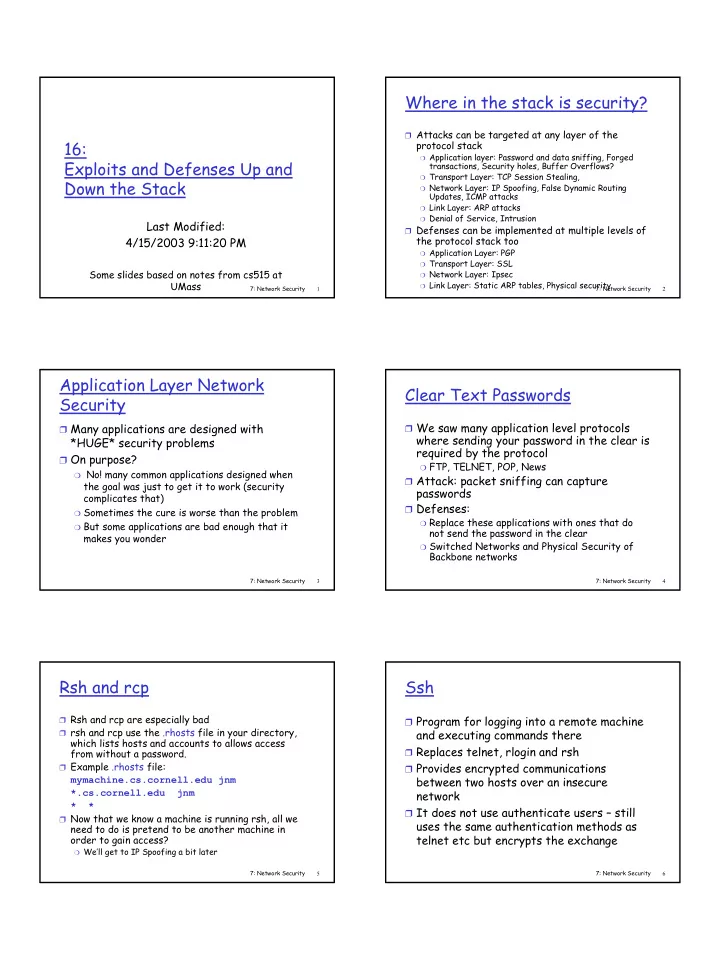
Where in the stack is security? Attacks can be targeted at any layer of the 16: protocol stack Application layer: Password and data sniffing, Forged Exploits and Defenses Up and transactions, Security holes, Buffer Overflows?


slide-1
SLIDE 1

1

7: Network Security 1

16: Exploits and Defenses Up and Down the Stack

Last Modified: 4/15/2003 9:11:20 PM

Some slides based on notes from cs515 at UMass

7: Network Security 2

Where in the stack is security?

❒ Attacks can be targeted at any layer of the

protocol stack

❍ Application layer: Password and data sniffing, Forged

transactions, Security holes, Buffer Overflows?

❍ Transport Layer: TCP Session Stealing, ❍ Network Layer: IP Spoofing, False Dynamic Routing

Updates, ICMP attacks

❍ Link Layer: ARP attacks ❍ Denial of Service, Intrusion

❒ Defenses can be implemented at multiple levels of

the protocol stack too

❍ Application Layer: PGP ❍ Transport Layer: SSL ❍ Network Layer: Ipsec ❍ Link Layer: Static ARP tables, Physical security 7: Network Security 3

Application Layer Network Security

❒ Many applications are designed with

*HUGE* security problems

❒ On purpose?

❍ No! many common applications designed when

the goal was just to get it to work (security complicates that)

❍ Sometimes the cure is worse than the problem ❍ But some applications are bad enough that it

makes you wonder

7: Network Security 4

Clear Text Passwords

❒ We saw many application level protocols

where sending your password in the clear is required by the protocol

❍ FTP, TELNET, POP, News

❒ Attack: packet sniffing can capture

passwords

❒ Defenses:

❍ Replace these applications with ones that do

not send the password in the clear

❍ Switched Networks and Physical Security of

Backbone networks

7: Network Security 5

Rsh and rcp

❒ Rsh and rcp are especially bad ❒ rsh and rcp use the .rhosts file in your directory,

which lists hosts and accounts to allows access from without a password.

❒ Example .rhosts file:

mymachine.cs.cornell.edu jnm *.cs.cornell.edu jnm * *

❒ Now that we know a machine is running rsh, all we

need to do is pretend to be another machine in

  • rder to gain access?

❍ We’ll get to IP Spoofing a bit later 7: Network Security 6

Ssh

❒ Program for logging into a remote machine

and executing commands there

❒ Replaces telnet, rlogin and rsh ❒ Provides encrypted communications

between two hosts over an insecure network

❒ It does not use authenticate users – still

uses the same authentication methods as telnet etc but encrypts the exchange

slide-2
SLIDE 2

2

7: Network Security 7

Connection Establishment

❒ Clients connect to an SSH server on port

22

❒ The two sides negotiate an encryption

algorithm to be used and exchange keys

❍ Each side will have a preferred algorithm and

possibly alternate algorithms

❍ Send key for preferred algorithm ❍ If preferred algorithm is rejected then will

send keys for another algorithm if accepted

7: Network Security 8

Data Exchange

❒ Once connection is accepted (each side

authenticated), then a session key is exchanged

❒ Each packet of data sent over this

encrypted connection includes a packet sequence number so that replay attempts are thwarted

7: Network Security 9

Identifying the Server?

❒ How does the client know they are talking

to the server they think?

❒ Client maintains a list of the public_keys

for all hosts they have ever spoken with (e.g. in ~/.ssh/known_hosts)

❒ When contact server, server tells client its

public key, client must choose to accept or reject the first time

❒ From then on if doesn’t match will warn

user

7: Network Security 10

Secure Email?

❒ Attacks

❍ Forged mail? ❍ Mail goes in clear text?

7: Network Security 11

Secure e-mail

  • generates random symmetric private key, KS.
  • encrypts message with KS
  • also encrypts KS with Bob’s public key.
  • sends both KS(m) and eB(KS) to Bob.
  • Alice wants to send secret e-mail message, m, to Bob.

7: Network Security 12

Secure e-mail (continued)

  • Alice wants to provide sender authentication

message integrity.

  • Alice digitally signs message.
  • sends both message (in the clear) and digital signature.
slide-3
SLIDE 3

3

7: Network Security 13

Secure e-mail (continued)

  • Alice wants to provide secrecy, sender authentication,

message integrity. Note: Alice uses both her private key, Bob’s public key.

7: Network Security 14

Pretty good privacy (PGP)

❒ Internet e-mail encryption

scheme, a de-facto standard.

❒ Uses symmetric key

cryptography, public key cryptography, hash function, and digital signature as described.

❒ Provides secrecy, sender

authentication, integrity.

❒ Inventor, Phil Zimmerman,

was target of 3-year federal investigation.

  • --BEGIN PGP SIGNED MESSAGE---

Hash: SHA1 Bob:My husband is out of town tonight.Passionately yours, Alice

  • --BEGIN PGP SIGNATURE---

Version: PGP 5.0 Charset: noconv yhHJRHhGJGhgg/12EpJ+lo8gE4vB3mqJ hFEvZP9t6n7G6m5Gw2

  • --END PGP SIGNATURE---

A PGP signed message:

7: Network Security 15

Distributed Trust

❒ Don’t need to trust a certificate authority

  • r key distribution center?!

❒ Users get others they know to sign their

public key indicating that they know this person and this public key really go together

❒ Users can collect this supporting evidence

  • f their public key

❒ Users can also collect certificates of

  • thers public keys into a “key ring”

7: Network Security 16

PGP key rings

❒ Allows arbitrary chains of certificates ❒ PGP software allows users to examine all

“evidence” of someones public key

❍ Users might require several certificates from

people they don’t know well to trust a key or just one certificate from people they know well ❒ If receive a message from x, search key

ring for a public key you trust to use in decrypting the message

7: Network Security 17

Transport Layer Network Security

❒ TCP will accept a segment with an

acceptable IP address, port number and sequence number

❍ Forging the IP address part isn’t hard ❍ Port Number and Sequence number you can

definitely get if you are using a packet sniffer

❍ Port number and sequence number are also

pretty predictable ❒ All this means an attacker has a good

chance of inserting data into a TCP stream

7: Network Security 18

What might an attacker insert into an ongoing TCP stream?

❒ RST or FIN would kill the connection

(denial of service)

❒ Worse if you know how the stream is

interpreted on the other side you could add in data

❍ Telnet is an example of this because it is just

echoing key strokes

❍ If hijack a telnet session could insert any

command you want (rm * ?!)

slide-4
SLIDE 4

4

7: Network Security 19

Access beyond life of telnet connection

❒ Attacker can insert commands into the

remote account. E.g.

❍ echo “* attacker” > .rhosts

❒ Clients connection not dropped so client

might not even know!

❒ However, commands entered by the

attacker might appear on a command line history.

7: Network Security 20

Defenses

❒ Switched networks and physical security of

the back bone links

❍ Good idea to do yes but to easy for someone to

plug into network somewhere ❒ Run applications that encrypt the data

stream

❍ Hijacking ssh session vs telnet ❍ Can still interupt stream but harder to take it

  • ver to do something active

❒ Secure Socket layer

7: Network Security 21

Secure sockets layer (SSL)

❒ SSL works at transport

  • layer. Provides security to

any TCP-based app using SSL services.

❒ SSL: used between WWW

browsers, servers for ecommerce (https).

❒ SSL security services:

❍ server authentication ❍ data encryption ❍ client authentication

(optional) ❒ Server authentication:

❍ SSL-enabled browser

includes public keys for trusted CAs.

❍ Browser requests server

certificate, issued by trusted CA.

❍ Browser uses CA’s public

key to extract server’s public key from certificate. ❒ Visit your browser’s

security menu to see its trusted CAs.

7: Network Security 22

HTTPS

Encrypted SSL session:

❒ Browser generates

symmetric session key, encrypts it with server’s public key (from CA), sends encrypted key to server.

❒ Using its private key, server

decrypts session key.

❒ Browser, server agree that

future msgs will be encrypted.

❒ All data sent into TCP

socket (by client or server) is encrypted with session key.

SSL: basis of IETF Transport Layer Security (TLS).

SSL can be used for non-Web applications, e.g., IMAP.

Client authentication can be done with client certificates. ❒ encrypt in the public key

given by server and send

❒ Server can decrypt using

private key

7: Network Security 23

Network Layer Security

❒ Lots of potential problems at the IP layer

❍ In Dynamic Routing Protocols, routers exchange

messages containing known route information to reach consensus on the best routes through the system – any validation of these messages?

❍ No authentication that a packet came from a

machine with the IP address listed in the source field (Raw IP Interface)

7: Network Security 24

False Dynamic Routing Updates

❒ Attacker injects a RIP update stating she has a

path to a particular unused host or network

❒ All subsequent packets will be routed to her. ❒ She replies with raw IP packets listing the IP

address of the unused host concealing her identity

❒ Similar attacks for interdomain routing. ❒ Also allows a man in the middle attack and denial

  • f service attacks

❍ Could instead listen/forward or modify incoming packets. ❍ Bad routing tables make a routing black hole where

legitimate traffic does not reach

slide-5
SLIDE 5

5

7: Network Security 25

ICMP Attack

❒ Simply, send an ICMP redirect

❍ Forces a machine to route through you.

❒ Send destination unreachable spoofed

from the gateway

❒ Constantly send ICMP source squelches.

7: Network Security 26

IP Spoofing

❒ can generate “raw” IP packets directly from

application, putting any value into IP source address field

❒ receiver can’t tell if source is spoofed ❒ e.g.: C pretends to be B

A B C

src:B dest:A payload

7: Network Security 27

Defenses against IP spoofing

❒ Good for routers not to forward datagrams

with IP addresses not in their network

❒ Doesn’t help attacks from local networks ❒ Really need authentication based on more

than IP address

❍ Remember authentication using crptography

7: Network Security 28

Ipsec: Network Layer Security

❒ Network-layer secrecy:

❍ sending host encrypts the

data in IP datagram

❍ TCP and UDP segments;

ICMP and SNMP messages.

❒ Network-layer authentication

❍ destination host can

authenticate source IP address

❒ Two principle protocols:

❍ authentication header

(AH) protocol

❍ encapsulation security

payload (ESP) protocol

❒ For both AH and ESP, source,

destination handshake:

❍ create network-layer

logical channel called a service agreement (SA)

❒ Each SA unidirectional. ❒ Uniquely determined by:

❍ security protocol (AH or

ESP)

❍ source IP address ❍ 32-bit connection ID 7: Network Security 29

Authentication Header (AH) Protocol

❒ Provides source host

authentication, data integrity, but not secrecy.

❒ AH header inserted

between IP header and IP data field.

❒ Protocol field = 51. ❒ Intermediate routers

process datagrams as usual. AH header includes:

❒ connection identifier ❒ authentication data: signed

message digest, calculated

  • ver original IP datagram,

providing source authentication, data integrity.

❒ Next header field: specifies

type of data (TCP, UDP, ICMP, etc.) in plain text

7: Network Security 30

ESP Protocol

❒ Provides secrecy, host

authentication, data integrity.

❒ Data, ESP trailer encrypted. ❒ Next header field is in ESP

header. ❒ ESP authentication

field is similar to AH authentication field.

❒ Protocol = 50.

slide-6
SLIDE 6

6

7: Network Security 31

ARP Attacks

❒ When a machines sends an ARP request out, you

could answer that you own the address.

❍ But in a race condition with the real machine.

❒ Unfortunately, ARP will just accept replies without

requests!

❒ Just send a spoofed reply message saying your

MAC address owns a certain IP address.

❍ Repeat frequently so that other machine’s caches don’t

timeout and send query ❒ Messages are routed through you to sniff or

modify or squelch

7: Network Security 32

ARP Spoofing - Countermeasures

❒ “Publish” MAC address of router/default gateway

and trusted hosts to prevent ARP spoof. Statically defining the IP to Ethernet address mapping prevents someone from fooling the host into sending network traffic to a host masquerading as the router or another host via an ARP spoof.

Example: arp -s hostname 00:01:02:03:04:ab pub

❒ Other than that, hard to defend from attack on

your own LAN

7: Network Security 33

Other common attacks

7: Network Security 34

SYN Flooding DoS

❒ Pick a machine, any machine. ❒ Spoof packets to it (so you don’t get caught) ❒ Each packet is a the first hand of the 3-way

handshake of TCP: send a SYN packet.

❒ Send lots of SYN packets. ❒ Each SYN packet received causes a buffer to be

allocated, and the limits of the listen()call to be reached.

❒ Worse yet compromise many machines and then

have them all attack the victim

7: Network Security 35

Buffer Overflows

❒ Program buffer overflows are the most

common form of security vulnerability; in fact they dominate.

❒ 9 of 13 CERT advisories from 1998 ❒ Half of CERT advisories from 1999 ❒ Two have a buffer overflow, you need two

things

❍ Arrange for root-grabbing code to be available

in the program’s address space

❍ Get the program to jump to that code.

7: Network Security 36

Processes in memory

❒ Process state in memory consists of several items:

❍ the code for running the program ❍ the static data for the running program ❍ space for dynamic data (the heap) and the heap pointer

(hp)

❍ the program counter (PC), indicating the next instruction ❍ an execution stack with the program’s function call chain

(the stack)

❍ values of CPU registers ❍ a set of OS resources in use; e.g., open files ❍ process execution state (ready, running, waiting, etc)

slide-7
SLIDE 7

7

7: Network Security 37

Processes in Memory

❒ We need consider only four regions in

memory:

❍ static data: pre-allocation memory ( int

array[9];)

❍ text: instructions and read-only data ❍ heap: re-sizeable portion containing data

malloc()’d and free()’d by the user.

❍ Stack: a push and pop data structure.

Used to allocate local variables used in functions, pass variables, and return values from function calls.

7: Network Security 38

Calling a function

❒ The stack consists of a logical stack of frames. ❒ Frames are the parameters given to a function,

local variables, and data used to pop back up to the previous frame (like which instruction to go back to).

❒ Each frame in the stack looks like this:

b

return addr Saved frame pointer Local vars

7: Network Security 39

Buffer Overrun =Seg fault

❒ In memory, if you read data into a buffer,

you might write over other variables necessary for program execution.

❒ Normally this results in a seg fault.

input[256]; buffer[16]; strcpy(buffer, input);

7: Network Security 40

Careful Buffer Overrun = Attack

❒ When you read in too many characters into a

buffer, you can modify the rest of the stack, altering the flow of the program.

❒ Normally, writing over array bounds causes a seg

fault as you’ll actually overwrite into other variables in the program.

❒ If you are careful about what you overwrite, then

you can alter what the program does next without stepping far enough to cause a seg fault.

7: Network Security 41

Smashing the Stack

❒ If buffer[] gets its input from the command line, and

the input is longer than the allocated memory, the program will write into the return address

❒ If you do it perfectly, you can write into the RA the

memory location of your input.

❒ When your function completes, it will execute next

the first command in your input. b

return addr Saved frame pointer Buffer[30]

Execve(“/bin/sh/”); return 0xd1

7: Network Security 42

❒ Fingerd takes input about whom to finger without

checking input size.

❒ Morris wrote the following code after the buffer

  • verflow to create the morris worm:

pushl $68732f ‘/sh\0’ pushl $6e69622f ‘/bin’ upon return to main() movl sp,r10 execve(“/bin/sh”,0,0); pushl $0 was executed, opening a pushl $0 shell on the remote. pushl r10 machine. pushl $3 movl sp,ap chmk $3b

Buffer overflow over the net: Morris Worm

slide-8
SLIDE 8

8

7: Network Security 43

Defenses

❒ How do you avoid this exploit? ❒ Use a language with garbage collection and input

will never be able to smash the stack. (i.e., java, lisp, etc)

❒ Use input functions carefully. ❒ Don’t use strcpy(), strcat(), sprintf(), gets(). ❒ Use instead strncpy(3), strncat(3), snprintf(3),

and fgets(3) .

❒ There are other problematic constructs:

fscanf(3), scanf(3), vsprintf(3), realpath(3), getopt(3), getpass(3), streadd(3), strecpy(3), and strtrns(3).

7: Network Security 44

Security Beyond the Stack

❒ We just thought about exploits and

defenses up and down the protocol stack and a couple places in between

❒ Important to remember that lots of

exploits have nothing to do with the network technologies

❒ If you really want to defend something,

defenses must do well beyond the protocol stack

7: Network Security 45

Physical Security

❒ Are you sure someone can just walk into your

building and

❍ Steal floppies or CD-ROMs that are lying around? ❍ Bring in a laptop and plug into your dhcp-enable ethernet

jacks?

❍ Reboot your computer into single user mode? (using a

bios password?)

❍ Reboot your computer with a live CD-ROM and mount the

drives?

❍ Sit down at an unlocked screen?

❒ Can anyone sit down outside your building and get

  • n your DHCP-enable 802.11 network?

7: Network Security 46

Social Engineering

❒ Using tricks and lies that take advantage of

people’s trust to gain access to an otherwise guarded system.

❍ Social Engineering by Phone: “Hi this is your visa credit

card company. We have a charge for $3500 that we would like to verify. But, to be sure it’s you, please tell me your social security number, pin, mother’s maiden name, etc”

❍ Dumpster Diving: collecting company info by searching

through trash.

❍ Online: “hi this is Alice from my other email account on

  • yahoo. I believe someone broke into my account, can you

please change the password to “Sucker”?

❍ Persuasion: Showing up in a FedEx or police uniform, etc. ❍ Bribery/Threats 7: Network Security 47

Security: Putting It In Perspective

❒ How do we manage the security of a valued

resource?

  • 1. Risk assessment: the value of a resource should

determine how much effort (or money) is spent protecting it.

  • E.g., If you have nothing in your house of value do you

need to lock your doors other than to protect the house itself?

  • If you have an $16,000,000 artwork, you might

consider a security guard. (can you trust the guard?)

  • 2. Policy: define who *should* have access to each

resource and to what degree.

7: Network Security 48

Security: Putting it In Perspective

  • 3. Prevention: taking measures that prevent

unauthorized access or damage.

  • E.g., passwords, physical security, firewalls or one-

time passwords

  • 4. Detection: measures that allow detection of

unauthorized access (when an asset has been damaged, altered, or copied).

  • E.g., intrusion detection, trip wire, network forensic
  • 5. Recovery: restoring systems that were

compromised; patch holes.

  • 6. Response/Punishment: measures that deter

unathorized access not through prevention but through threat of consequences in detected

slide-9
SLIDE 9

9

7: Network Security 49

Outtakes

7: Network Security 50

Secure as the real world

❒ The more you think about security the

more you realize how many holes there are

❒ A good rule of thumb is to work to make

things as secure as the real world

7: Network Security 51

TODO

❒ Diffie Hellman

❍ Suseptible to man in the middle

❒ Kerberos

❍ Central authorities have long term associations

with all communicating parties

7: Network Security 52

The Security Process

❒ Security is an on-going

process between these three steps.

❒ Moreover, most

security research can be categorized within these three topics.

Prevention Detection Response

❒ Prevention: firewalls and filtering, secure

shell, anonymous protocols

❒ Detection: intrusion detection, IP traceback ❒ Response: dynamic firewall rule sets,

employee education (post-its are bad)

7: Network Security 53

More 3-faceted views of Security

❒ Security of an organization consists of

❍ Computer and Network Security

  • Everything that we will learn about in this class
  • Firewalls, IDS, virus protection, ssh, passwords, etc.

❍ Process security

  • Protected by good policy!
  • No one should be able to get an account by phone: a form

should be filled out, an email/phone call sent to a manager, and then the password picked up in person. Don’t send notifications after accounts are set up!

  • http://www.nstissc.gov/html/library.html

❍ Physical security

  • Protected by alarm systems, cameras, and mean dogs.
  • Are you sure someone can’t just steal the hard drive?