1 What Do Linkers Do? (cont) What Do Linkers Do? Step 2: - - PDF document

1
SMART_READER_LITE
LIVE PREVIEW

1 What Do Linkers Do? (cont) What Do Linkers Do? Step 2: - - PDF document

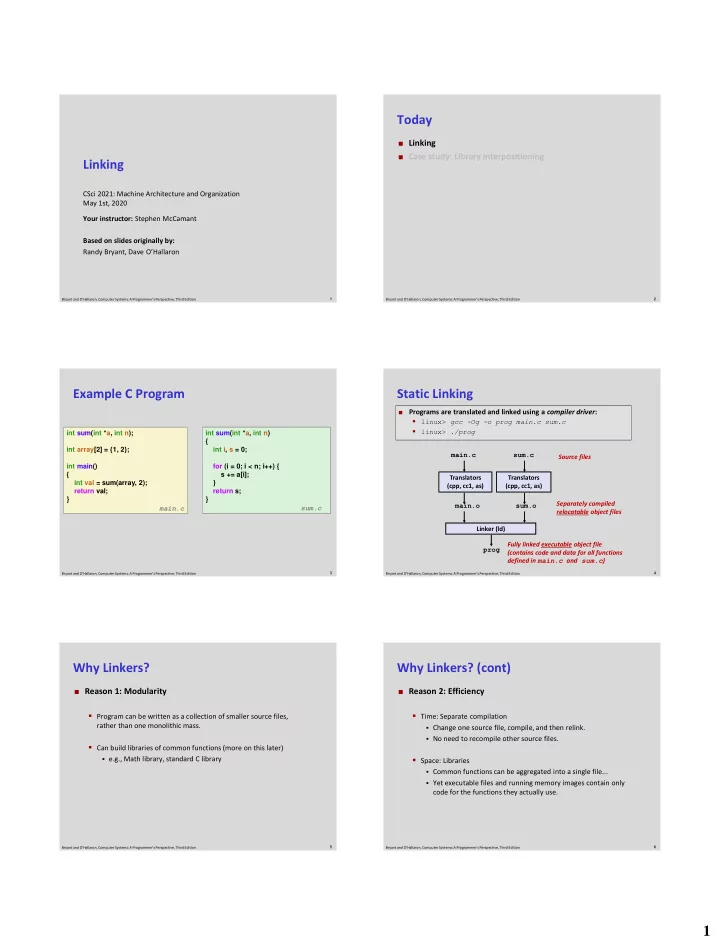
Today Linking Case study: Library interpositioning Linking CSci 2021: Machine Architecture and Organization May 1st, 2020 Your instructor: Stephen McCamant Based on slides originally by: Randy Bryant, Dave OHallaron 1 2 Bryant and


slide-1
SLIDE 1

1

1 Bryant and O’Hallaron, Computer Systems: A Programmer’s Perspective, Third Edition

Linking

CSci 2021: Machine Architecture and Organization May 1st, 2020 Your instructor: Stephen McCamant Based on slides originally by: Randy Bryant, Dave O’Hallaron

2 Bryant and O’Hallaron, Computer Systems: A Programmer’s Perspective, Third Edition

Today

 Linking  Case study: Library interpositioning

3 Bryant and O’Hallaron, Computer Systems: A Programmer’s Perspective, Third Edition

Example C Program

int sum(int *a, int n); int array[2] = {1, 2}; int main() { int val = sum(array, 2); return val; } int sum(int *a, int n) { int i, s = 0; for (i = 0; i < n; i++) { s += a[i]; } return s; } main.c sum.c

4 Bryant and O’Hallaron, Computer Systems: A Programmer’s Perspective, Third Edition

Static Linking

Programs are translated and linked using a compiler driver:

  • linux> gcc -Og -o prog main.c sum.c
  • linux> ./prog

Linker (ld) Translators (cpp, cc1, as) main.c main.o Translators (cpp, cc1, as) sum.c sum.o prog Source files Separately compiled relocatable object files Fully linked executable object file (contains code and data for all functions defined in main.c and sum.c)

5 Bryant and O’Hallaron, Computer Systems: A Programmer’s Perspective, Third Edition

Why Linkers?

 Reason 1: Modularity

  • Program can be written as a collection of smaller source files,

rather than one monolithic mass.

  • Can build libraries of common functions (more on this later)
  • e.g., Math library, standard C library

6 Bryant and O’Hallaron, Computer Systems: A Programmer’s Perspective, Third Edition

Why Linkers? (cont)

 Reason 2: Efficiency

  • Time: Separate compilation
  • Change one source file, compile, and then relink.
  • No need to recompile other source files.
  • Space: Libraries
  • Common functions can be aggregated into a single file...
  • Yet executable files and running memory images contain only

code for the functions they actually use.

slide-2
SLIDE 2

2

7 Bryant and O’Hallaron, Computer Systems: A Programmer’s Perspective, Third Edition

What Do Linkers Do?

 Step 1: Symbol resolution

  • Programs define and reference symbols (global variables and functions):
  • void swap() {…} /* define symbol swap */
  • swap(); /* reference symbol swap */
  • int *xp = &x;

/* define symbol xp, reference x */

  • Symbol definitions are stored in object file (by assembler) in symbol table.
  • Symbol table is an array of structs
  • Each entry includes name, size, and location of symbol.
  • During symbol resolution step, the linker associates each symbol reference

with exactly one symbol definition.

8 Bryant and O’Hallaron, Computer Systems: A Programmer’s Perspective, Third Edition

What Do Linkers Do? (cont)

 Step 2: Relocation

  • Merges separate code and data sections into single sections
  • Relocates symbols from their relative locations in the .o files to

their final absolute memory locations in the executable.

  • Updates all references to these symbols to reflect their new

positions.

Let’s look at these two steps in more detail….

9 Bryant and O’Hallaron, Computer Systems: A Programmer’s Perspective, Third Edition

Three Kinds of Object Files (Modules)

 Relocatable object file (.o file)

  • Contains code and data in a form that can be combined with other

relocatable object files to form executable object file.

  • Each .o file is produced from exactly one source (.c) file

 Executable object file (a.out file)

  • Contains code and data in a form that can be copied directly into

memory and then executed.

 Shared object file (.so file)

  • Special type of relocatable object file that can be loaded into

memory and linked dynamically, at either load time or run-time.

  • Called Dynamic Link Libraries (DLLs) by Windows

10 Bryant and O’Hallaron, Computer Systems: A Programmer’s Perspective, Third Edition

Executable and Linkable Format (ELF)

 Standard binary format for object files  One unified format for

  • Relocatable object files (.o),
  • Executable object files (a.out)
  • Shared object files (.so)

 Generic name: ELF binaries

11 Bryant and O’Hallaron, Computer Systems: A Programmer’s Perspective, Third Edition

ELF Object File Format

Elf header

  • Word size, byte ordering, file type (.o, exec,

.so), machine type, etc.

Segment header table

  • Page size, virtual addresses memory segments

(sections), segment sizes.

.text section

  • Code

.rodata section

  • Read only data: jump tables, ...

.data section

  • Initialized global variables

.bss section

  • Uninitialized global variables
  • “Block Started by Symbol”
  • “Better Save Space”
  • Has section header but occupies no space

ELF header Segment header table (required for executables) .text section .rodata section .bss section .symtab section .rel.txt section .rel.data section .debug section Section header table .data section

12 Bryant and O’Hallaron, Computer Systems: A Programmer’s Perspective, Third Edition

ELF Object File Format (cont.)

.symtab section

  • Symbol table
  • Procedure and static variable names
  • Section names and locations

.rel.text section

  • Relocation info for .text section
  • Addresses of instructions that will need to be

modified in the executable

  • Instructions for modifying.

.rel.data section

  • Relocation info for .data section
  • Addresses of pointer data that will need to be

modified in the merged executable

.debug section

  • Info for symbolic debugging (gcc -g)

Section header table

  • Offsets and sizes of each section

ELF header Segment header table (required for executables) .text section .rodata section .bss section .symtab section .rel.txt section .rel.data section .debug section Section header table .data section

slide-3
SLIDE 3

3

14 Bryant and O’Hallaron, Computer Systems: A Programmer’s Perspective, Third Edition

Linker Symbols

 Global symbols

  • Symbols defined by module m that can be referenced by other modules.
  • E.g.: non-static C functions and non-static global variables.

 External symbols

  • Global symbols that are referenced by module m but defined by some
  • ther module.

 Local symbols

  • Symbols that are defined and referenced exclusively by module m.
  • E.g.: C functions and global variables defined with the static

attribute.

  • Local linker symbols are not local program variables

15 Bryant and O’Hallaron, Computer Systems: A Programmer’s Perspective, Third Edition

Step 1: Symbol Resolution

int sum(int *a, int n); int array[2] = {1, 2}; int main() { int val = sum(array, 2); return val; } main.c int sum(int *a, int n) { int i, s = 0; for (i = 0; i < n; i++) { s += a[i]; } return s; } sum.c Referencing a global… Defining a global Linker knows nothing of val Referencing a global… …that’s defined here Linker knows nothing of i or s …that’s defined here

16 Bryant and O’Hallaron, Computer Systems: A Programmer’s Perspective, Third Edition

Local Symbols

 Local non-static C variables vs. local static C variables

  • local non-static C variables: stored on the stack
  • local static C variables: stored in either .bss, or .data

int f() { static int x = 0; return x; } int g() { static int x = 1; return x; }

Compiler allocates space in .data for each definition of x Creates local symbols in the symbol table with unique names, e.g., x.1 and x.2.

17 Bryant and O’Hallaron, Computer Systems: A Programmer’s Perspective, Third Edition

How Linker Resolves Duplicate Symbol Definitions

 Program symbols are either strong or weak

  • Strong: procedures and initialized globals
  • Weak: uninitialized globals

int foo=5; p1() { } int foo; p2() { } p1.c p2.c strong weak strong strong

18 Bryant and O’Hallaron, Computer Systems: A Programmer’s Perspective, Third Edition

Linker’s Symbol Rules

 Rule 1: Multiple strong symbols are not allowed

  • Each item can be defined only once
  • Otherwise: Linker error

 Rule 2: Given a strong symbol and multiple weak symbols,

choose the strong symbol

  • References to the weak symbol resolve to the strong symbol

 Rule 3: If there are multiple weak symbols, pick an arbitrary

  • ne
  • Can override this with gcc –fno-common

19 Bryant and O’Hallaron, Computer Systems: A Programmer’s Perspective, Third Edition

Linker Puzzles

int x; p1() {} int x; p2() {} int x; int y; p1() {} double x; p2() {} int x=7; int y=5; p1() {} double x; p2() {} int x=7; p1() {} int x; p2() {} int x; p1() {} p1() {}

Link time error: two strong symbols (p1) References to x will refer to the same uninitialized int. Is this what you really want? Writes to x in p2 might overwrite y! Evil! Writes to x in p2 will overwrite y! Nasty! Nightmare scenario: two identical weak structs, compiled by different compilers with different alignment rules. References to x will refer to the same initialized variable.

slide-4
SLIDE 4

4

20 Bryant and O’Hallaron, Computer Systems: A Programmer’s Perspective, Third Edition

Global Variables

 Avoid if you can  Otherwise

  • Use static if you can
  • Initialize if you define a global variable
  • Use extern if you reference an external global variable

21 Bryant and O’Hallaron, Computer Systems: A Programmer’s Perspective, Third Edition

Step 2: Relocation

main()

main.o

sum()

sum.o

System code int array[2]={1,2} System data

Relocatable Object Files

.text .data .text .data .text

Headers main() swap() More system code

Executable Object File

.text

.symtab .debug

.data

System code System data int array[2]={1,2}

22 Bryant and O’Hallaron, Computer Systems: A Programmer’s Perspective, Third Edition

Relocation Entries

Source: objdump –r –d main.o

0000000000000000 <main>: 0: 48 83 ec 08 sub $0x8,%rsp 4: be 02 00 00 00 mov $0x2,%esi 9: bf 00 00 00 00 mov $0x0,%edi # %edi = &array a: R_X86_64_32 array # Relocation entry e: e8 00 00 00 00 callq 13 <main+0x13> # sum() f: R_X86_64_PC32 sum-0x4 # Relocation entry 13: 48 83 c4 08 add $0x8,%rsp 17: c3 retq

main.o int array[2] = {1, 2}; int main() { int val = sum(array, 2); return val; } main.c

23 Bryant and O’Hallaron, Computer Systems: A Programmer’s Perspective, Third Edition

Relocated .text section

00000000004004d0 <main>: 4004d0: 48 83 ec 08 sub $0x8,%rsp 4004d4: be 02 00 00 00 mov $0x2,%esi 4004d9: bf 18 10 60 00 mov $0x601018,%edi # %edi = &array 4004de: e8 05 00 00 00 callq 4004e8 <sum> # sum() 4004e3: 48 83 c4 08 add $0x8,%rsp 4004e7: c3 retq 00000000004004e8 <sum>: 4004e8: b8 00 00 00 00 mov $0x0,%eax 4004ed: ba 00 00 00 00 mov $0x0,%edx 4004f2: eb 09 jmp 4004fd <sum+0x15> 4004f4: 48 63 ca movslq %edx,%rcx 4004f7: 03 04 8f add (%rdi,%rcx,4),%eax 4004fa: 83 c2 01 add $0x1,%edx 4004fd: 39 f2 cmp %esi,%edx 4004ff: 7c f3 jl 4004f4 <sum+0xc> 400501: f3 c3 repz retq

Using PC-relative addressing for sum(): 0x4004e8 = 0x4004e3 + 0x5

Source: objdump -dx prog

24 Bryant and O’Hallaron, Computer Systems: A Programmer’s Perspective, Third Edition

Loading Executable Object Files

ELF header Program header table (required for executables) .text section .data section .bss section .symtab .debug Section header table (required for relocatables)

Executable Object File

Kernel virtual memory Memory-mapped region for shared libraries Run-time heap (created by malloc) User stack (created at runtime) Unused %rsp (stack pointer) Memory invisible to user code brk

0x400000

Read/write data segment (.data, .bss) Read-only code segment (.init, .text, .rodata) Loaded from the executable file .rodata section .line .init section .strtab

26 Bryant and O’Hallaron, Computer Systems: A Programmer’s Perspective, Third Edition

Packaging Commonly Used Functions

 How to package functions commonly used by programmers?

  • Math, I/O, memory management, string manipulation, etc.

 Awkward, given the linker framework so far:

  • Option 1: Put all functions into a single source file
  • Programmers link big object file into their programs
  • Space and time inefficient
  • Option 2: Put each function in a separate source file
  • Programmers explicitly link appropriate binaries into their

programs

  • More efficient, but burdensome on the programmer
slide-5
SLIDE 5

5

27 Bryant and O’Hallaron, Computer Systems: A Programmer’s Perspective, Third Edition

Old-fashioned Solution: Static Libraries

 Static libraries (.a archive files)

  • Concatenate related relocatable object files into a single file with an

index (called an archive).

  • Enhance linker so that it tries to resolve unresolved external references

by looking for the symbols in one or more archives.

  • If an archive member file resolves reference, link it into the executable.

28 Bryant and O’Hallaron, Computer Systems: A Programmer’s Perspective, Third Edition

Creating Static Libraries

Translator atoi.c atoi.o Translator printf.c printf.o libc.a Archiver (ar)

...

Translator random.c random.o

unix> ar rs libc.a \ atoi.o printf.o … random.o

C standard library

Archiver allows incremental updates

Recompile function that changes and replace .o file in archive.

29 Bryant and O’Hallaron, Computer Systems: A Programmer’s Perspective, Third Edition

Commonly Used Libraries

libc.a (the C standard library)

  • 4.6 MB archive of 1496 object files.
  • I/O, memory allocation, signal handling, string handling, data and time,

random numbers, integer math

libm.a (the C math library)

  • 2 MB archive of 444 object files.
  • floating point math (sin, cos, tan, log, exp, sqrt, …)

% ar –t libc.a | sort … fork.o … fprintf.o fpu_control.o fputc.o freopen.o fscanf.o fseek.o fstab.o … % ar –t libm.a | sort … e_acos.o e_acosf.o e_acosh.o e_acoshf.o e_acoshl.o e_acosl.o e_asin.o e_asinf.o e_asinl.o …

30 Bryant and O’Hallaron, Computer Systems: A Programmer’s Perspective, Third Edition

Linking with Static Libraries

#include <stdio.h> #include "vector.h" int x[2] = {1, 2}; int y[2] = {3, 4}; int z[2]; int main() { addvec(x, y, z, 2); printf("z = [%d %d]\n”, z[0], z[1]); return 0; }

main2.c

void addvec(int *x, int *y, int *z, int n) { int i; for (i = 0; i < n; i++) z[i] = x[i] + y[i]; } void multvec(int *x, int *y, int *z, int n) { int i; for (i = 0; i < n; i++) z[i] = x[i] * y[i]; }

multvec.c addvec.c libvector.a

31 Bryant and O’Hallaron, Computer Systems: A Programmer’s Perspective, Third Edition

Linking with Static Libraries

Translators (cpp, cc1, as) main2.c main2.o libc.a Linker (ld) prog2c printf.o and any other modules called by printf.o libvector.a addvec.o Static libraries Relocatable

  • bject files

Fully linked executable object file vector.h Archiver (ar) addvec.o multvec.o

“c” for “compile-time”

32 Bryant and O’Hallaron, Computer Systems: A Programmer’s Perspective, Third Edition

Using Static Libraries

 Linker’s algorithm for resolving external references:

  • Scan .o files and .a files in the command line order.
  • During the scan, keep a list of the current unresolved references.
  • As each new .o or .a file, obj, is encountered, try to resolve each

unresolved reference in the list against the symbols defined in obj.

  • If any entries in the unresolved list at end of scan, then error.

 Problem:

  • Command line order matters!
  • Moral: put libraries at the end of the command line.

unix> gcc -L. libtest.o -lmine unix> gcc -L. -lmine libtest.o libtest.o: In function `main': libtest.o(.text+0x4): undefined reference to `libfun'

slide-6
SLIDE 6

6

33 Bryant and O’Hallaron, Computer Systems: A Programmer’s Perspective, Third Edition

Modern Solution: Shared Libraries

 Static libraries have the following disadvantages:

  • Duplication in the stored executables (every function needs libc)
  • Duplication in the running executables
  • Minor bug fixes of system libraries require each application to explicitly

relink

 Modern solution: Shared Libraries

  • Object files that contain code and data that are loaded and linked into

an application dynamically, at either load-time or run-time

  • Also called: dynamic link libraries, DLLs, .so files

34 Bryant and O’Hallaron, Computer Systems: A Programmer’s Perspective, Third Edition

Shared Libraries (cont.)

 Dynamic linking can occur when executable is first loaded

and run (load-time linking).

  • Common case for Linux, handled automatically by the dynamic linker

(ld-linux.so).

  • Standard C library (libc.so) usually dynamically linked.

 Dynamic linking can also occur after program has begun

(run-time linking).

  • In Linux, this is done by calls to the dlopen() interface.
  • Distributing software.
  • High-performance web servers.
  • Runtime library interpositioning.

 Shared library routines can be shared by multiple processes.

  • Using mechanisms we discussed under virtual memory

35 Bryant and O’Hallaron, Computer Systems: A Programmer’s Perspective, Third Edition

Dynamic Linking at Load-time

Translators (cpp, cc1, as) main2.c main2.o libc.so libvector.so Linker (ld) prog2l Dynamic linker (ld-linux.so) Relocation and symbol table info libc.so libvector.so Code and data Partially linked executable object file Relocatable

  • bject file

Fully linked executable in memory vector.h Loader (execve) unix> gcc -shared -o libvector.so \ addvec.c multvec.c

36 Bryant and O’Hallaron, Computer Systems: A Programmer’s Perspective, Third Edition

Dynamic Linking at Run-time

#include <stdio.h> #include <stdlib.h> #include <dlfcn.h> int x[2] = {1, 2}; int y[2] = {3, 4}; int z[2]; int main() { void *handle; void (*addvec)(int *, int *, int *, int); char *error; /* Dynamically load the shared library that contains addvec() */ handle = dlopen("./libvector.so", RTLD_LAZY); if (!handle) { fprintf(stderr, "%s\n", dlerror()); exit(1); }

dll.c

37 Bryant and O’Hallaron, Computer Systems: A Programmer’s Perspective, Third Edition

Dynamic Linking at Run-time

... /* Get a pointer to the addvec() function we just loaded */ addvec = dlsym(handle, "addvec"); if ((error = dlerror()) != NULL) { fprintf(stderr, "%s\n", error); exit(1); } /* Now we can call addvec() just like any other function */ addvec(x, y, z, 2); printf("z = [%d %d]\n", z[0], z[1]); /* Unload the shared library */ if (dlclose(handle) < 0) { fprintf(stderr, "%s\n", dlerror()); exit(1); } return 0; }

dll.c

38 Bryant and O’Hallaron, Computer Systems: A Programmer’s Perspective, Third Edition

Sharing Revisited: Shared Objects

Shared

  • bject

Physical memory Process 1 virtual memory Process 2 virtual memory

 Process 2 maps

the shared

  • bject.

 Notice how the

virtual addresses can be different.

slide-7
SLIDE 7

7

39 Bryant and O’Hallaron, Computer Systems: A Programmer’s Perspective, Third Edition

Position Independent Code

 Requirement

  • Shared library code may be loaded at different addresses in

different processes, must still run correctly

 Solution for direct jumps: PC relative

  • Target of calls and jumps is encoded as a relative offset, so works

correctly if source and target move together

 Solution for local data: also PC relative

  • Offset between code and data areas is fixed at compilation time
  • Use %rip as base address
  • E.g., mov 0x20047d(%rip), %eax
  • Add the displacement to the address of the next instruction

40 Bryant and O’Hallaron, Computer Systems: A Programmer’s Perspective, Third Edition

GOT and PLT

 How about accesses between modules, like between

main program and a shared library?

 Indirect through Global Offset Table (GOT)

  • GOT contains absolute addresses of code and data
  • Offset between PC and GOT is known at static linking time, but

GOT contents updated at runtime

  • Adds one extra level of indirection to accesses

41 Bryant and O’Hallaron, Computer Systems: A Programmer’s Perspective, Third Edition

Local and GOT data access examples

 Source code in a shared library:  Assembly code for addcnt++:  Assembly code for error = 0: static long addcnt = 0; /* in this file */ extern int error; /* in another library */ void addvec(…) { … addcnt++; error = 0; } 5f5: mov 0x200a24(%rip), %rax # 201020 <addcnt> 5fc: add $0x1, %rax 600: mov %rax, 0x200a19(%rip) # 201020 <addcnt> 607: mov 0x2009c2(%rip), %rax # 200fd0 GOT entry 60e: movl $0x0, (%rax)

42 Bryant and O’Hallaron, Computer Systems: A Programmer’s Perspective, Third Edition

Procedure Lookup Table

 Used for calls to functions in a shared library

  • Address determined lazily at first use
  • Indirection is transparent to the caller

00400420 <PLT[0]>: 400420: pushq 0x200bca(%rip) # 600ff0 <GOT[1]> 400426: jmpq *0x200bcc(%rip) # 600ff8 <GOT[2]> 40042c: nopl 0x0(%rax) 00400430 <printf@plt>: 400430: jmpq *0x200bca(%rip) # 601000 <GOT[3]> 400436: pushq $0x0 40043b: jmpq 400420 <PLT[0]> 00400440 <addvec@plt>: 400440: jmpq *0x200bc2(%rip) # 601008 <GOT[4]> 400446: pushq $0x1 40044b: jmpq 400420 <PLT[0]>

43 Bryant and O’Hallaron, Computer Systems: A Programmer’s Perspective, Third Edition

Address Space Layout Randomization

 Recall: defense to make attacks more difficult

  • Idea: choose random locations for memory areas
  • Attacker has to guess, modify attack, or leak information

 ASLR for stack and heap is easy  ASLR for code and data depends on PIC

  • Always done for shared libraries on modern systems

 ASLR for the main program is optional

  • Compiling main program PIC = PIE
  • “Position Independent Exectutable”
  • Would slow down 32-bit x86 due to register use
  • Done for security-critical programs

44 Bryant and O’Hallaron, Computer Systems: A Programmer’s Perspective, Third Edition

Linking Summary

 Linking is a technique that allows programs to be

constructed from multiple object files.

 Linking can happen at different times in a program’s

lifetime:

  • Compile time (when a program is compiled)
  • Load time (when a program is loaded into memory)
  • Run time (while a program is executing)

 Understanding linking can help you avoid nasty errors and

make you a better programmer.

slide-8
SLIDE 8

8

46 Bryant and O’Hallaron, Computer Systems: A Programmer’s Perspective, Third Edition

Today

 Linking  Case study: Library interpositioning

47 Bryant and O’Hallaron, Computer Systems: A Programmer’s Perspective, Third Edition

Case Study: Library Interpositioning

 Library interpositioning : powerful linking technique that

allows programmers to intercept calls to arbitrary functions

 Interpositioning can occur at:

  • Compile time: When the source code is compiled
  • Link time: When the relocatable object files are statically linked to

form an executable object file

  • Load/run time: When an executable object file is loaded into

memory, dynamically linked, and then executed.

48 Bryant and O’Hallaron, Computer Systems: A Programmer’s Perspective, Third Edition

Some Interpositioning Applications

 Security

  • Confinement (sandboxing)
  • Behind the scenes encryption

 Debugging

  • In 2014, two Facebook engineers debugged a treacherous 1-year
  • ld bug in their iPhone app using interpositioning
  • Code in the SPDY networking stack was writing to the wrong

location

  • Solved by intercepting calls to Posix write functions (write, writev,

pwrite)

Source: Facebook engineering blog post at https://code.facebook.com/posts/313033472212144/debugging- file-corruption-on-ios/

49 Bryant and O’Hallaron, Computer Systems: A Programmer’s Perspective, Third Edition

Some Interpositioning Applications

 Monitoring and Profiling

  • Count number of calls to functions
  • Characterize call sites and arguments to functions
  • Malloc tracing
  • Detecting memory leaks
  • Generating address traces

50 Bryant and O’Hallaron, Computer Systems: A Programmer’s Perspective, Third Edition

Example program

 Goal: trace the addresses

and sizes of the allocated and freed blocks, without breaking the program, and without modifying the source code.

 Three solutions: interpose

  • n the lib malloc and

free functions at compile time, link time, and load/run time.

#include <stdio.h> #include <malloc.h> int main() { int *p = malloc(32); free(p); return(0); } int.c

51 Bryant and O’Hallaron, Computer Systems: A Programmer’s Perspective, Third Edition

Compile-time Interpositioning

#ifdef COMPILETIME #include <stdio.h> #include <malloc.h> /* malloc wrapper function */ void *mymalloc(size_t size) { void *ptr = malloc(size); printf("malloc(%d)=%p\n", (int)size, ptr); return ptr; } /* free wrapper function */ void myfree(void *ptr) { free(ptr); printf("free(%p)\n", ptr); } #endif mymalloc.c

slide-9
SLIDE 9

9

52 Bryant and O’Hallaron, Computer Systems: A Programmer’s Perspective, Third Edition

Compile-time Interpositioning

#define malloc(size) mymalloc(size) #define free(ptr) myfree(ptr) void *mymalloc(size_t size); void myfree(void *ptr); malloc.h linux> make intc gcc -Wall -DCOMPILETIME -c mymalloc.c gcc -Wall -I. -o intc int.c mymalloc.o linux> make runc ./intc malloc(32)=0x1edc010 free(0x1edc010) linux>

53 Bryant and O’Hallaron, Computer Systems: A Programmer’s Perspective, Third Edition

Link-time Interpositioning

#ifdef LINKTIME #include <stdio.h> void *__real_malloc(size_t size); void __real_free(void *ptr); /* malloc wrapper function */ void *__wrap_malloc(size_t size) { void *ptr = __real_malloc(size); /* Call libc malloc */ printf("malloc(%d) = %p\n", (int)size, ptr); return ptr; } /* free wrapper function */ void __wrap_free(void *ptr) { __real_free(ptr); /* Call libc free */ printf("free(%p)\n", ptr); } #endif mymalloc.c

54 Bryant and O’Hallaron, Computer Systems: A Programmer’s Perspective, Third Edition

Link-time Interpositioning

 The “-Wl” flag passes argument to linker, replacing each

comma with a space.

 The “--wrap,malloc ” arg instructs linker to resolve

references in a special way:

  • Refs to malloc should be resolved as __wrap_malloc
  • Refs to __real_malloc should be resolved as malloc

linux> make intl gcc -Wall -DLINKTIME -c mymalloc.c gcc -Wall -c int.c gcc -Wall -Wl,--wrap,malloc -Wl,--wrap,free -o intl int.o mymalloc.o linux> make runl ./intl malloc(32) = 0x1aa0010 free(0x1aa0010) linux>

55 Bryant and O’Hallaron, Computer Systems: A Programmer’s Perspective, Third Edition

#ifdef RUNTIME #define _GNU_SOURCE #include <stdio.h> #include <stdlib.h> #include <dlfcn.h> /* malloc wrapper function */ void *malloc(size_t size) { void *(*mallocp)(size_t size); char *error; mallocp = dlsym(RTLD_NEXT, "malloc"); /* Get addr of libc malloc */ if ((error = dlerror()) != NULL) { fputs(error, stderr); exit(1); } char *ptr = mallocp(size); /* Call libc malloc */ printf("malloc(%d) = %p\n", (int)size, ptr); return ptr; }

Load/Run-time Interpositioning

mymalloc.c

56 Bryant and O’Hallaron, Computer Systems: A Programmer’s Perspective, Third Edition

Load/Run-time Interpositioning

/* free wrapper function */ void free(void *ptr) { void (*freep)(void *) = NULL; char *error; if (!ptr) return; freep = dlsym(RTLD_NEXT, "free"); /* Get address of libc free */ if ((error = dlerror()) != NULL) { fputs(error, stderr); exit(1); } freep(ptr); /* Call libc free */ printf("free(%p)\n", ptr); } #endif

mymalloc.c

57 Bryant and O’Hallaron, Computer Systems: A Programmer’s Perspective, Third Edition

Load/Run-time Interpositioning

The LD_PRELOAD environment variable tells the dynamic linker to resolve unresolved refs (e.g., to malloc)by looking in mymalloc.so first.

linux> make intr gcc -Wall -DRUNTIME -shared -fpic -o mymalloc.so mymalloc.c -ldl gcc -Wall -o intr int.c linux> make runr (LD_PRELOAD="./mymalloc.so" ./intr) malloc(32) = 0xe60010 free(0xe60010) linux>

slide-10
SLIDE 10

10

58 Bryant and O’Hallaron, Computer Systems: A Programmer’s Perspective, Third Edition

Interpositioning Recap

 Compile Time

  • Apparent calls to malloc/free get macro-expanded into calls to

mymalloc/myfree

 Link Time

  • Use linker trick to have special name resolutions
  • malloc  __wrap_malloc
  • __real_malloc  malloc

 Load/Run Time

  • Implement custom version of malloc/free that use dynamic linking

to load library malloc/free under different names