1 Funded Individual & Tribal LHDs - - PDF document

1
SMART_READER_LITE
LIVE PREVIEW

1 Funded Individual & Tribal LHDs - - PDF document

THE WEBCAST WILL BEGIN SHORTLY If you need technical assistance please email naccho@commpartners.com The primary means of listening to this webcast is via streaming audio through your computer speakers. If you are unable to access


slide-1
SLIDE 1

1

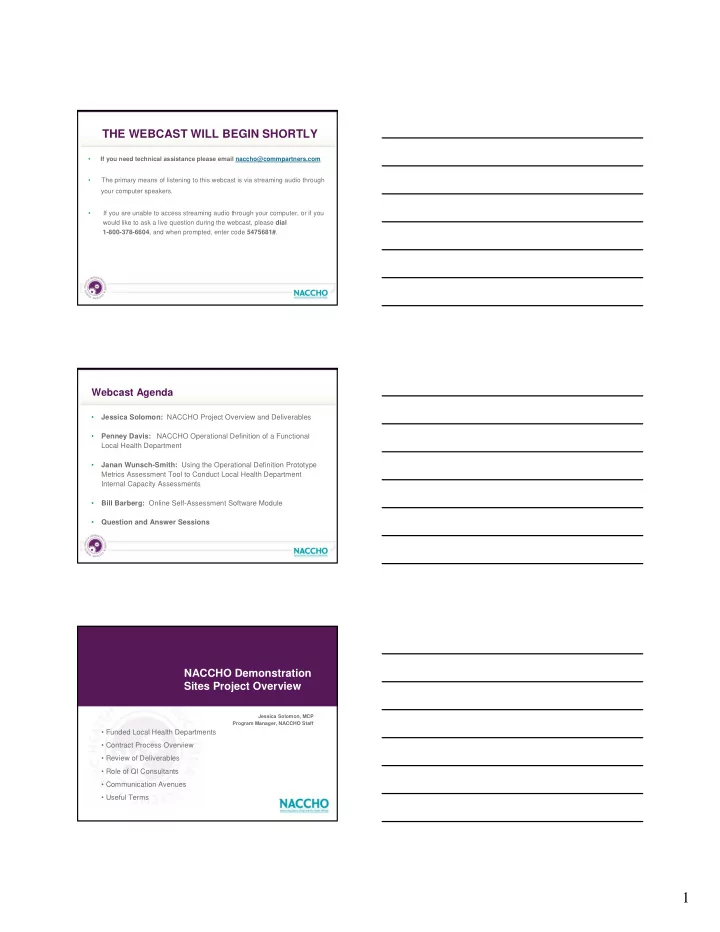
THE WEBCAST WILL BEGIN SHORTLY

  • If you need technical assistance please email naccho@commpartners.com
  • The primary means of listening to this webcast is via streaming audio through

your computer speakers.

  • If you are unable to access streaming audio through your computer, or if you

would like to ask a live question during the webcast, please dial 1-800-378-6604, and when prompted, enter code 5475681#.

  • Jessica Solomon: NACCHO Project Overview and Deliverables
  • Penney Davis:

NACCHO Operational Definition of a Functional Local Health Department

  • Janan Wunsch-Smith: Using the Operational Definition Prototype

Metrics Assessment Tool to Conduct Local Health Department Internal Capacity Assessments

  • Bill Barberg: Online Self-Assessment Software Module
  • Question and Answer Sessions

Webcast Agenda

NACCHO Demonstration Sites Project Overview

Jessica Solomon, MCP Program Manager, NACCHO Staff

  • Funded Local Health Departments
  • Contract Process Overview
  • Review of Deliverables
  • Role of QI Consultants
  • Communication Avenues
  • Useful Terms
slide-2
SLIDE 2

2

Funded Individual & Tribal LHDs

!" # #$%&' ()*% +%, +%, &-

  • ./&+
  • % -
  • %0'
  • "&
  • /!"
  • %1()2&'

3%0 .04 +%& "! - "5 +% -

++% +(#" /"& 3/0 2( *%0 2.2 !0("&

Funded Collaborative LHDs

%(%04 %% $. $!..

  • (%&+
  • !
  • "

2( #.

  • (%"
  • +%

0!(% 0!3 $#(%"

  • .

" "6! $ + 7 2

LHD Geographic Distribution

  • !
  • "
  • #

$$

slide-3
SLIDE 3

3

Contract Process

  • E-mail receipt of NACCHO contract 3/28/08
  • Print and Sign two copies
  • Mail both hard copies to:

Penney Davis NACCHO 1100 17th St NW, Suite 200 Washington, DC 20036

  • NACCHO signs and returns one fully

executed hard copy Revisions needed?

  • E-mail contract with “track

changes” to pdavis@naccho.org

  • NACCHO reviews changes
  • NACCHO accepts changes OR

initiates a discussion between NACCHO Contracts Specialist and LHD Contract Contact to come to consensus

  • Sign two copies, mail both hard

copies to pdavis@naccho.org NACCHO works to maintain consistency in our contract language and may or may not be able to accept proposed changes. We are committed to working to meet mutually acceptable contract language but recognize that it is not always possible.

1) 2)

Deliverables Review

Single LHDs

  • Self-assessment results into NACCHO

software (by May 15, 2008)

  • Evaluation (within 2 weeks of

assessment completion)

  • Identification of at least one,

measurable priority area for improvement

  • Documentation of QI process
  • NACCHO Model Practices submission
  • Attendance on bi-monthly conference

calls

  • Attendance during QI Training
  • Final report submission

Collaboratives

  • Self-assessment results into NACCHO software

(by May 15, 2008)

  • Evaluation (within 2 weeks of assessment

completion)

  • Aggregated assessment results
  • Identification of at least one, measurable priority

area for collaborative improvement

  • Development of a formal collaborative

mechanism

  • NACCHO Model Practices submission
  • Attendance on bi-monthly conference calls
  • Attendance during QI Training
  • Final report submission

Role of Quality Improvement Consultants

  • Optional
  • Screened for knowledge and work related to QI only, NOT for work related

to Assessment, Strategic Planning, Regional/Collaborative Planning

  • LHD contracts directly with QI consultant
  • NACCHO technical assistance includes TA as needed in the design and

implementation of self-assessment activities, data aggregation and analysis

  • NACCHO has worked with some, but not all of the consultants on the list
  • QI documentation must follow NACCHO’s reporting template

**NACCHO is unable to provide exhaustive technical assistance to any one LHD or collaborative in these areas (e.g. walking through the entire self-assessment of collaborative planning process). A consultant with experience in the self-assessment is included in the QI List should any LHD or collaborative require this level of TA**

slide-4
SLIDE 4

4

Communication Avenues

  • Penney Davis is your primary point of contact at

NACCHO

  • E-mail communications may come from other NACCHO

staff

  • Use of distribution list for communicating with all sites:

Project Contact is the automatic recipient

  • Others may subscribe to distribution list
  • Distribution list may be used for LHDs to communicate to
  • ne another

Common Terminology in Operational Definition

  • Domain/Essential Service

Domain I: “Monitor health status and understand health issues facing the community”

  • Standard

Standard I-A “Obtain and maintain data that provide information on the community’s health…….”

  • Measure/Indicator

Measure I-A:4 “LHD has an electronic linkage with local and statewide databases”

What Every Community Should Expect

Operational Definition of a Functional Local Health Department

Penney Davis, MPH Program Associate, NACCHO Staff

slide-5
SLIDE 5

5

NACHO versus NACCHO

NACHO Definition: [NAH-choh] A crisp tortilla chip topped with melted cheese (usually cheddar) and chopped chiles, usually served as an appetizer or snack. Nachos sometimes appear on menus as "Mexican pizza," in which case they generally have additional toppings such as cooked, ground chorizo, onions and sometimes olives. NACCHO Definition: [NAY-choh] An association of dedicated public health professionals who represent over 3,000 local public health agencies (including city, county, metro, district, and Tribal agencies).

Importance of the Standards

“..government public health agencies at federal, state, and local levels are the backbone of this public health system and must be strong.”

“The Future of the Public's Health in the 21st Century”,

Institute of Medicine, 2002

slide-6
SLIDE 6

6

The 10 Essential Public Health Services…

use cartoon here

!"#$%!&'"(%)#

NACo, USCM NCSL, NGA

Iterative Process

SHDs

CDC, HRSA

LHDs LBOH

  • 1. Monitor health status and

understand health issues facing the community.

  • 2. Protect people from

health problems and health hazards.

slide-7
SLIDE 7

7

  • 3. Give people the information they need to make

healthy choices.

  • 4. Engage the community to identify

and solve health problems.

  • 5. Develop public health

policies and plans.

  • 6. Enforce public

health laws and regulations.

  • 7. Help people

receive health services.

slide-8
SLIDE 8

8

  • 8. Maintain a competent

public health workforce.

  • 9. Evaluate and improve

programs and interventions.

  • 10. Use and contribute to the

evidence base of public health.

slide-9
SLIDE 9

9

Final Recommendations of the Exploring Accreditation Project

“NACCHO’s Operational Definition of a Functional Local Health Department should serve as the foundation of standards (and associated measures) for local health departments.”

Prototype Metrics Your Role: Feedback for PHAB

  • Individual LHD Demo Grants
  • Collaborative LHD Demo Grants
  • KS Regionalization Pilot Sites
slide-10
SLIDE 10

10

“Public health is a complex concept, but the Operational Definition can help dispel the mystery. Eventually public health can be recognized and valued even when— particularly when—things are going well.”

  • Susan Gerard

Director, Arizona Department of Health Services

Closing Note

Using the Operational Definition Prototype Metrics Assessment Tool to Conduct Local Health Department Internal Capacity Assessments

Janan Wunsch-Smith Janan Wunsch & Associates 515-490-6222 jananwunsch@mchsi.com

Performance Standards Under Each Essential Service

  • Generally accepted objective standard of measurement

against which an organization’s level of performance can be compared

  • Provide measurable standards that public health systems

can use to ensure the delivery of essential public health services

slide-11
SLIDE 11

11

Operational Definition Prototype Metrics

  • Provided Indicators under each standard that local public

health department’s could use to assess whether they were meeting the standards

  • Provided illustrative evidence to assist in identifying

whether the indicators were being met

Operational Definition Prototype Metrics Self- Assessment Tool

  • Based on the Prototype Metrics-Revised
  • Indicators are scored on a scale of 0-4

– Measurement of the capacity, either internal or through contract, to meet the indicator – Not every local health department will have the internal capacity to perform all indicators. They may need to contract

  • r partner with another health department or entity to assure

their public has access to the services.

Scoring Directions…..

  • Using the scale, score each indicator based on the capacity

within your Local Health Department (LHD). In your assessment, include both the capacity provided by your health department staff and through contracts and/or agreements with other entities.

  • Note: To meet the standards, your department must assure

that the essential services are met, but does not have to provide all of them from within your agency.

slide-12
SLIDE 12

12

Scoring Directions Continued….

  • In the comment section, following each focus area please identify

partners (non-contract) at the local, regional, or state level that provide capacity to fulfill indicators in the section. – Other public health partners may provide the public health service as part of their mission/activities but without a formal contract/relationship with the LHD (Public Health System)

Scoring Directions Continued….

  • The items in the column labeled “Documents and/or Activities

That Demonstrate the Indicators Have Been Met” provide various documentation and types of activities that, if completed, demonstrate that the LHD meets that indicator. – These activities/products provide evidence that the LHD has the capacity to meet the indicator. There may be other evidence that will also demonstrate the capacity. These are not meant to be exclusive.

Scoring Continued…

Color Code Description Score Optimal capacity: There is significant planning, staffing and resources and significant to optimal activity and/or documentation to fulfill the indicator. 4 Significant capacity: There is significant planning, staffing, and

  • ther resources and a moderate amount of activity and/or

documentation. 3 Moderate capacity: There is moderate planning, staffing and other resources to fulfill the indicator but only minimal activity and/or documentation. 2 Minimal capacity: There is minimal planning and staffing capacity to fulfill the indicator but no implementation activity or documentation. 1 No capacity: There is no capacity, planning, staff, resources, activities, or documentation to fulfill the indicator.

slide-13
SLIDE 13

13

Scoring Instructions

  • Any indicator that has a score of 0 — 2 is identified as in need of

increased capacity.

  • Any indicator that has a score of 3 — 4 is indentified as having

adequate capacity.

  • The only exception is if the indicator with a score of 0 — 2 has

another non-contract entity identified in the comment section as providing that service for the population, then that indicator would be considered covered by the other entity’s capacity.

Performing the Assessment….Who Should Complete the Assessment?

LHD can select who will complete the assessment: – Recommend, where possible, a cross section of the department, representing all services areas – Some departments may only have a few staff and they may all choose to complete the assessment – One person may choose to complete the assessment, but should be the director or high level of management who knows all the activities of the department.

Performing the Assessment…. How should we perform the assessment?

  • Each selected person completes the on-line assessment

independently and the scores for all those taking the assessment are averaged to get the score for each indicator.

  • Each selected person completes the on-line assessment

independently and then the results are discussed and a consensus is reach as to the final score for each indicator.

  • All those selected to complete the assessment discuss the

scoring and one score is entered on-line.

slide-14
SLIDE 14

14

Performing the Assessment…..How long will it take?

  • For individual LHDs to complete the assessment, it will take

around 2 hours

  • To discuss the results from multiple scores and to come to

consensus on those that differ, it will take 4 or more hours

  • To discuss each indicator and come to one agreed upon score

that is then entered on line, it will take 4 or more hours

Data…How do we use it???

Aggregate the data by topic area (Individual LHD Project)

  • Prioritize the topic areas and select the one/s that you want to

address for you QI project: – Establish a goal/s for the topic area – Put the indicators into categories and use the categories to write objectives – Use the individual indicators under the topics to help identify activities that would become components of a work plan to meet the objectives.

Data…How do we use it???

Aggregate the data according to the indicators under the standards that fall below an average score of 2.5 points capacity. – Identify the standards with the least capacity. – Prioritize the standards needing the most improvement. – Create a goal for increasing capacity for the standard and use the indicators without adequate capacity for identifying

  • bjectives and work plan components for the QI plan.
slide-15
SLIDE 15

15

If we have a collaborative application, how do we use the data?

  • Aggregate your individual health department data by

topic areas and/or standards that need the most improvement.

  • Whether to work with the topic data or the standards

needs to be determined by the partnering health departments

If we have a collaborative application how do we use the data?

  • Analyze the data from the partnering LHDs to determine the

common topic areas and/or standards that are in need of increased capacity for all involved LHDs.

  • Prioritize the topic areas/standards and identify one area to

address through a collaborative plan.

  • Use a planning process to establish a formal mechanism to use

in collaborating to increase capacity for all the partnering health departments

Topic Areas vs. Standards

  • Aggregated data by topic area gives a broader impact on the

capacity of the health department/s involved

  • One topic area may cover capacity under multiple standards. i.e.

Community Health Assessment and Improvement Plan

  • Standards that need increased capacity may involve multiple

topics making it more difficult to prioritize and plan

slide-16
SLIDE 16

16

  • Press *1 on your touch-tone phone to ask a

live question OR

  • Type your question in the “questions” box

located on the lower left side of your screen

Questions for Janan

Online Self-Assessment Software Module

Bill Barberg InsightFormation, Inc. billb@insightformation.com 763-521-4599 x13

Addressing Multiple Needs for Software (Part 1)

  • Flexible On-line Scorecard

–Secure and personalized for each Local Health Departments (LHD) –Visualize Performance

  • Colors, Trends, etc.

–Easy Data Entry (with an audit trail) –Calculate and Report Averages

  • Average score for a Standard
  • Average score for a collaborative peer group

–Comments –Ability to upload supporting information

slide-17
SLIDE 17

17

Addressing Multiple Needs for Software (Part 2)

  • Integrated Survey Capabilities

–Provide feedback for each question –On-line tool that can be revisited throughout the project –Secure and linked in with the assessment tool –Reporting capabilities

Addressing Multiple Needs for Software (Part 3)

  • File Upload and Collaboration

– Secure and personalized by Local Health Departments – Option to provide upload files related to specific standards – Able to share files with NACCHO – Uploaded files may support multiple indicators – Version Control for Documents (view older versions) – Optional additional capabilities

  • Messages (with “threaded” replies)
  • To-Do Lists

Use of this functionality is not required for the self-assessment process

AND…

  • Must be rapidly deployed
  • Must be easy to use
  • Must be economical for deploying to at least 50 LHDs
slide-18
SLIDE 18

18

Integrating Three Applications

Flexible On-Line Scorecard Integrated Survey Capabilities File Upload and Collaboration

Logging In to InsightVision Logging In

slide-19
SLIDE 19

19

Logging In Home Page Home Page

slide-20
SLIDE 20

20

Home Page Home Page Home Page

slide-21
SLIDE 21

21

Scoreboard Scoreboard Scoreboard

slide-22
SLIDE 22

22

Click to view Standard “InfoSheet” Scoreboard View Operational Definition Indicator “InfoSheet”

slide-23
SLIDE 23

23

View Operational Definition Indicator “InfoSheet” View Operational Definition Indicator “InfoSheet” Scoreboard

slide-24
SLIDE 24

24

Collapsed to 10 Essential Services Collapsed to 10 Essential Services Collapsed to 10 Essential Services

slide-25
SLIDE 25

25

Data Entry Screen Selecting a Measure Selecting a Measure

slide-26
SLIDE 26

26

Selecting a Measure Selecting a Measure Adding New Actual Value

slide-27
SLIDE 27

27

Adding New Actual Value Adding New Actual Value Adding New Actual Value

slide-28
SLIDE 28

28

After a Value is Added After a Value is Added Adding a Comment

slide-29
SLIDE 29

29

After a Value is Added ScoreBoard with Data ScoreBoard with Data

slide-30
SLIDE 30

30

ScoreBoard with Data ScoreBoard with Data Selecting a Different Scorecard

slide-31
SLIDE 31

31

Selecting a Different Scorecard Summary Scorecard Summary Scorecard

slide-32
SLIDE 32

32

Color Band Thresholds for Calculated Averages Summary Scorecard Drill-down to Details

slide-33
SLIDE 33

33

Drill-down to Details Responding to the Survey Project Screen

slide-34
SLIDE 34

34

Survey Landing Page Scrolling Down

slide-35
SLIDE 35

35

Scrolling Down Scrolling Down Scrolling Down

slide-36
SLIDE 36

36

Scrolling Down Checking the Section to Jump To Checking the Section to Jump To

slide-37
SLIDE 37

37

Checking the Section to Jump To Survey on Metrics for a Standard Survey on Metrics for a Standard

slide-38
SLIDE 38

38

Second Question for Standard IV-A Bottom of the Survey Page Bottom of the Survey Page

Use << Prev not the Back Button on your Browser to Save your Responses!

slide-39
SLIDE 39

39

Survey Landing Page (Close the Window when Done) Magnifying Glass Links Link to Upload Documents

slide-40
SLIDE 40

40

Basecamp File Upload Basecamp File Upload Uploading a file to Basecamp

slide-41
SLIDE 41

41

Uploading a file to Basecamp Uploading a file to Basecamp

slide-42
SLIDE 42

42

  • Press *1 on your touch-tone phone to ask a

live question OR

  • Type your question in the “questions” box

located on the lower left side of your screen

Questions for Bill and NACCHO

Thank you for joining today Thank you for joining today’ ’s s webcast webcast! !

If you have additional questions, contact Penney Davis at If you have additional questions, contact Penney Davis at pdavis@naccho.org or (202) 783

  • r (202) 783-
  • 5550, Ext. 265

5550, Ext. 265