
1
Petal and Frangipani Petal and Frangipani Petal/Frangipani Petal/Frangipani
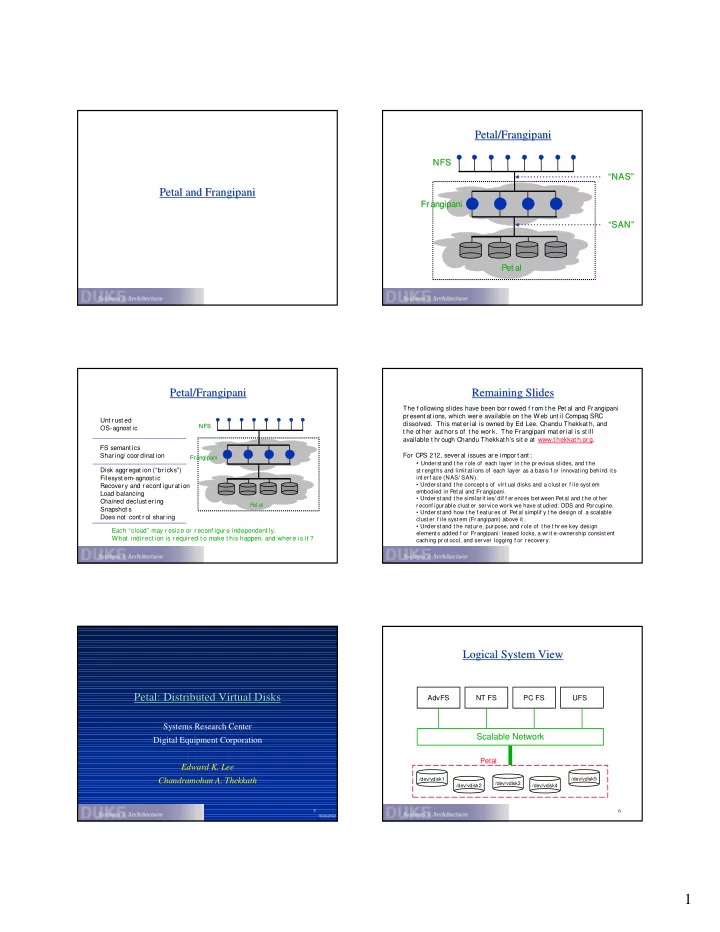
Pet al Pet al Fr angipani Fr angipani NFS NFS “SAN” “SAN” “NAS” “NAS”
Petal/Frangipani Petal/Frangipani
P et al P et al Fr angipani Fr angipani NFS NFS
Unt r ust ed OS-agnost ic FS semant ics Shar ing/ coor dinat ion Disk aggr egat ion (“br icks”) Filesyst em-agnost ic Recover y and r econf igur at ion Load balancing Chained declust er ing Snapshot s Does not cont r ol shar ing Each “cloud” may r esize or r econf igur e independent ly. What indir ect ion is r equir ed t o make t his happen, and wher e is it ?
Remaining Slides Remaining Slides
The f ollowing slides have been bor r owed f r om t he Pet al and Fr angipani pr esent at ions, which wer e available on t he Web unt il Compaq SRC
- dissolved. This mat er ial is owned by Ed Lee, Chandu Thekkat h, and
t he ot her aut hor s of t he wor k. The Frangipani mat er ial is st ill available t hr ough Chandu Thekkat h’s sit e at www.t hekkat h.or g. For CPS 212, sever al issues ar e impor t ant :
- Under st and t he r ole of each layer in t he pr evious slides, and t he
st r engt hs and limit at ions of each layer as a basis f or innovat ing behind it s int er f ace (NAS/ SAN).
- Under st and t he concept s of vir t ual disks and a clust er f ile syst em
embodied in Pet al and Fr angipani.
- Under st and t he similar it ies/ dif f er ences bet ween P
et al and t he ot her r econf igur able clust er ser vice wor k we have st udied: DDS and P
- r cupine.
- Under st and how t he f eat ur es of Pet al simplif y t he design of a scalable
clust er f ile syst em (Fr angipani) above it .
- Under st and t he nat ur e, pur pose, and r ole of t he t hr ee key design
element s added f or Fr angipani: leased locks, a wr it e-owner ship consist ent caching pr ot ocol, and ser ver logging f or r ecover y.
5
Petal: Distributed Virtual Disks Petal: Distributed Virtual Disks
Systems Research Center Digital Equipment Corporation Edward K. Lee Chandramohan A. Thekkath
10/24/2002
6
Logical System View Logical System View
/dev/vdisk1 /dev/vdisk2 /dev/vdisk3 /dev/vdisk4 /dev/vdisk5