Z Sample CPE Tracking OMB Circular A-123 History Letter 1981 OMB - - PDF document

z
SMART_READER_LITE
LIVE PREVIEW

Z Sample CPE Tracking OMB Circular A-123 History Letter 1981 OMB - - PDF document

12/9/2019 Internal Control: Controlling Your Bots Dec. 11, 2019 | 2 3:50pm ET | FOS: AUDG 1 Z Sample CPE Tracking OMB Circular A-123 History Letter 1981 OMB First Issued Circular No. A-123, Internal Control Systems 1982


slide-1
SLIDE 1

12/9/2019 1

Internal Control: Controlling Your Bots

  • Dec. 11, 2019 | 2 – 3:50pm ET | FOS: AUDG

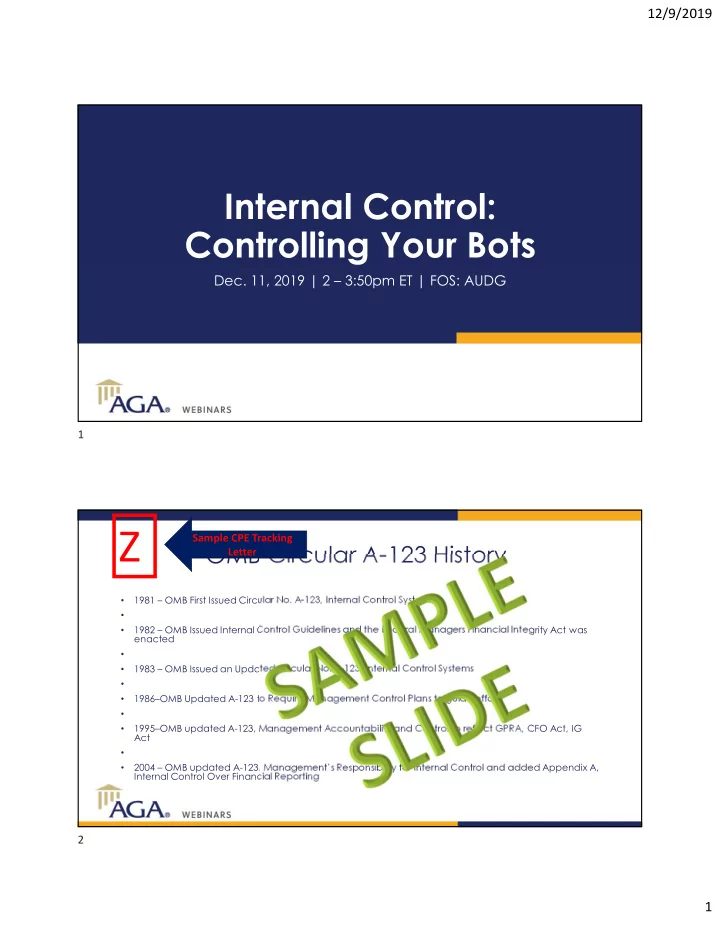
OMB Circular A-123 History

  • 1981 – OMB First Issued Circular No. A-123, Internal Control Systems
  • 1982 – OMB Issued Internal Control Guidelines and the Federal Managers Financial Integrity Act was

enacted

  • 1983 – OMB Issued an Updated Circular No. A-123, Internal Control Systems
  • 1986–OMB Updated A-123 to Require Management Control Plans to guide efforts
  • 1995–OMB updated A-123, Management Accountability and Control to reflect GPRA, CFO Act, IG

Act

  • 2004 – OMB updated A-123, Management’s Responsibility for Internal Control and added Appendix A,

Internal Control Over Financial Reporting

Z

Sample CPE Tracking Letter 1 2

slide-2
SLIDE 2

12/9/2019 2

Speakers

Margaret Moon Financial Systems Analyst, NSF Dave Fitz, CGFM, CPA, PMP Partner KPMG LLP Sean Vineyard Partner, Public Sector Practice 11th Hour Service

What is RPA?

  • Robotic Process Automation tools help businesses improve the effectiveness of services faster and at a lower cost

than current methods.

RPA is software programmed to perform repeatable tasks. Using recorders and easy programming language, bots are programmed to replicate repetitive human tasks RPA operates in the User Interface layer. It is able to automate rules-based work without compromising the underlying IT infrastructure RPA can be implemented at the desktop or virtual environment to interact with a wide range of business applications RPA provides flexibility to quickly deploy bots onto existing desktops or virtually to save on additional hardware costs

3 4

slide-3
SLIDE 3

12/9/2019 3

RPA automations

  • Robotic Process Automation tools help businesses improve the effectiveness of services faster and at a lower cost

than current methods.

  • Runs on a dedicated server or virtual

machine

  • Triggered automatically
  • Can be used for all length and volume of
  • tasks. Does not use an employee’s

machine and minimal/no human intervention

  • Can be run any time, day or night, 365

days a year

Unattended Robot

  • Runs on an individual user’s machine
  • Triggered manually by the operator when

needed

  • Better for short, mid-volume tasks or

those that require frequent human intervention

  • Uses the human operator’s credentials

(“CAC”) and system access

Attended Robot

Access to appropriate machines (virtual vs. hardware), system access, credentials, and access testing will be required during this project.

Automation technology readiness

6

Development Machines System Access Credentials Access Testing Software

  • Set-up bot developers

for access

  • Virtual – require VPN

access into a VM set-up within the environments

  • Hardware – PC will need

to be provided directly to the development team

  • Both settings require

local administrative rights ‒ Install automation software ‒ Install/upgrade other productivity tools

  • Before configure

(development) – gain access to development environments for systems used in process: ‒ Critical to “train” bots as new virtual users

  • Before production –

prep bots for work: ‒ Update server hardware (e.g. additional memory) to run bot controllers ‒ Set-up virtual machines with required software for bots to perform work

  • Set-up bot developers

with credentials to train the virtual workforce: ‒ PC and VPN log-in (including tokens) ‒ System development environment log-ins ‒ Third-party systems/websites log-ins and licenses ‒ Other access/handoff points that require log-in credentials

  • Configure network and

firewall permission access for bot developers and bots to access applications/tools/file directories

  • Before configure

(training) – conduct a step through of the process ‒ To ensure the development environment includes everything necessary to automate ‒ Identify work- arounds to mirror production ‒ Confirm log-in access

  • Procure RPA licenses
  • Process
  • wner/executor

machines will need to have video recording capabilities to record the process (i.e. SnagIt, WebEx)

  • Process
  • wner/executor

machines will need to have pop-ups disabled (including anti-virus software) to support smooth recording

5 6

slide-4
SLIDE 4

12/9/2019 4

RPA & IT support considerations

Robotic Process Automation tools help businesses improve the effectiveness of services faster and at a lower cost than current methods.

  • Short-term IT considerations

‒ IT support to obtain and install software instance (desktop or virtual machine) ‒ Provide user access to non-production systems, credentials, and to necessary data sources ‒ IT inputs on technology infrastructure, processes and workforce

  • Mid-term IT considerations:
  • Desktop Deployment

‒ IT procures, provides maintenance, and supports desktop machines ‒ Potential for low computing utilization due to processes that run concurrently must be on different machines

  • Virtual Machine Deployment

‒ Runs in the “background” ‒ IT provides server space ‒ VM deployment promotes server consolidation and allows processes to run simultaneously which increases computing utilization

  • Long-term IT considerations

‒ Approve software to move into agency C&A process ‒ Approve vendor license procurement strategy ‒ Establish IT infrastructure requirements ‒ Execute IT work request process ‒ Agree on RPA operating model and begin maturing capabilities Aspect

Time to Delivery Initial development cycles are longer, but eventually faster to build and maintain Fast development cycles Quick and intuitive development Initial development cycles are quick Speed / Parallel Execution Possible but two bots cannot share the same resources (keyboard, clipboard, etc.) Parallel processing is not well supported (cannot run two different processes on the same machine) Can run concurrent bots or sequential Test execution in parallel not well supported Modularity/ Re-use Modular design separates business objects and processes serving a reusable architecture High modular design components Metabots for extensive reusability but overall design promotes linear build Customization is required for modularity Scalability Blue Prism is highly scalable through use of distributed virtualized robots and can be provisioned in the cloud or as an on premise enterprise deployment. Can scale up or down as needed Being script based, changes needed for every script impact. Cumbersome to mitigate. Partial scalability Automation Across Different Applications Capable of automation across different systems Allows automation across different systems Flexible and robust automating across different systems Allows automation across different systems but thrives

  • n Pega’s BPM systems
Very Good  Poor Sources: Forrester Wave Q2 2018, Gartner “Reviews for Robotic Process Automation Software”

RPA vendor analysis

7 8

slide-5
SLIDE 5

12/9/2019 5

Aspect

Reporting and Benchmarks Reports covering basic functions, real-time uptime, performance, availability metrics, and user defined reports Strong built in and user defined reporting

  • functions. Can generate smart business

dashboards with easy customization. Reports covering basic functions, real-time uptime, performance, availability metrics, and user defined reports Reports covering basic functions, real-time uptime, performance, availability metrics, and user defined reports Back-office Use Cases Superior experience with complex back-office use cases touching multiple systems, structured and unstructured data, and third third-party interactions. Superior experience with complex back-

  • ffice use cases touching multiple systems,

structured and unstructured data, and third third-party interactions. Superior experience with complex back-office use cases touching multiple systems, structured and unstructured data, and third third-party interactions. Limited use case experience for back-office processes compared to other vendors. Front-

  • ffice/Custome

r-facing Use Cases Limited use case experience for front-office processes compared to other vendors. Strong experience with large agent environments and ability to transition between attended and unattended

  • perations.

Strong experience with large agent environments and ability to transition between attended and unattended operations. Functions include embedded bots in desktop application, chat bots, integration with analytics tools BPM, Rules, and Continuous Improvement Capability to integrate with BPM platforms and multiple production implementations. Capability to integrate with BPM platforms and multiple production implementations. Capability to integrate with BPM platforms and multiple production implementations. Strong capability to integrate with BPM platforms and support administrative

  • wnership.

Price

  • $40,000/year for 10 bots
  • Pre-negotiated price -

includes analytics, 10 developer licenses, Control rooms

  • Development $3,000 per user per year

subscription for Development Studio

  • $20,000 orchestrator server license
  • $6,000 per back office bot, node locked
  • $1,200 front office bot, per authorized

user

  • $10,000 annual subscription
  • Includes: 1 Control Room, 3 Bot

Creators, 1 Bot Runner

  • RDA (Robotics Desktop

automation) for attended automation $4200 / year / bot runner

  • $10,000/bot/year
Very Good  Poor

RPA vendor analysis (cont’d)

Sources: Forrester Wave Q2 2018, Gartner “Reviews for Robotic Process Automation Software”

National Science Foundation

December 11, 2019

Controlling Your BOT

Margaret Moon Financial System Analyst National Science Foundation Office of Budget, Finance & Award Management

9 10

slide-6
SLIDE 6

12/9/2019 6

National Science Foundation

RPA Buzz

  • Bots will replace humans
  • RPA is only about cost reduction (false)
  • RPA is expensive
  • RPA is a trend

11

National Science Foundation

Polling question

12 1.At your organization where are you in the RPA journey?

11 12

slide-7
SLIDE 7

12/9/2019 7

National Science Foundation

13

What should we be concerned about with RPA

  • Security architecture
  • Scope of processes being automated
  • Time to production
  • Pilot to Production
  • Governance model/CoE – Center of Excellence
  • ROC – Robotic Operations Center

National Science Foundation

Security

14

Security Architecture

Identity Management User ID& Password Management Securing data Privacy

13 14

slide-8
SLIDE 8

12/9/2019 8

National Science Foundation

OMB M-19-17 Enabling Mission Delivery through Improved

Identity, Credential, and Access Management Agencies shall manage the digital

identity lifecycle of devices, non-person entities (NPEs), and automated technologies such as Robotic Process Automation (RPA) tools and Artificial Intelligence (AI), ensuring the digital identity is distinguishable, auditable, and consistently managed across the agency.

Challenges

  • CIO Community has not issued NPE Credentialing Best Practices

leaving individual Agencies on their own to create policies.

  • Every agency is approaching credentialing differently based on

direction by internal IT departments.

15

National Science Foundation

Control Environment

16

15 16

slide-9
SLIDE 9

12/9/2019 9

National Science Foundation

Risk Management

17

National Science Foundation

18

How should our internal control plans be modified?

17 18

slide-10
SLIDE 10

12/9/2019 10

National Science Foundation

19

Roles & Responsibilities

Director of Entity COO CIO Directorates (Business Owners) Senior Agency Official for Privacy

National Science Foundation

20

COE PM CISO IT System Owners IT Security Officer IT Security and Pivacy Lead IT security Team Process Owners 19 20

slide-11
SLIDE 11

12/9/2019 11

National Science Foundation

Polling Question

  • If your organization has automations in production, do you have

automations that enter financial transactions?

  • Y/N

21

National Science Foundation

Open-ended Polling Question

If not, what type of automations are in production?

22

21 22

slide-12
SLIDE 12

12/9/2019 12

National Science Foundation

23

Accountability Traceability Credentials

National Science Foundation

24

RPA is a software development project

Prod Dev Test

23 24

slide-13
SLIDE 13

12/9/2019 13

National Science Foundation

Pre-Development

Understanding RPA Prioritize Pipeline

Process Owner CCB / ERB Developer DIS Program Manager DIS Tech Lead Analyst 25 12/9/2019

Self-educate on RPA and RPA Tool Engage with NSF Automation team to understand service offering Engage with NSF Automation to understand service

  • ffering

Assess whether your division is ready to automate Prioritize automations with the Assessment Framework Submit Intake Form to the Business Unit POC Engage with NSF Automation to understand service

  • ffering

Determine Development Strategy Determine Development Strategy Determine Development Strategy Determine Business Unit’s Automation Pipeline

Business Unit POC

Notify Process Owners of Automation Selection Notify Process Owners of Automation Selection Self-educate on RPA and RPA Tool Self-educate on RPA and RPA Tool Self-educate on RPA and RPA Tool Engage with NSF Automation to understand service

  • ffering

Engage with NSF Automation to understand service

  • ffering

Prioritize automations with the Assessment Framework Prioritize automations with the Assessment Framework Prioritize automations with the Assessment Framework

1) Stars indicate REQUIRED activities 2) Orange boxes are only for Business Unit automating for the first time 3) Boxes indicate concurrent activities

Identify and train resources Procure Licenses

National Science Foundation

26

RPA Tool RPA Tool

25 26

slide-14
SLIDE 14

12/9/2019 14

National Science Foundation

Production

Process Owner CCB / ERB Developer Program Manager Tech Lead Analyst 27 12/9/2019 Business Unit POC

Production

Support Automation Deployment Deploy Automation Approve Initial Manual Run Actively monitor success factors Actively monitor performance from Orchestrator

Deployment

Actively monitor success factors Conduct Lessons Learned Conduct Lessons Learned Conduct Lessons Learned Conduct Lessons Learned Conduct Lessons Learned Conduct Lessons Learned Send Automation Catalog Data to DIS Update Automation Catalog with new Automation Data

1) Stars indicate REQUIRED activities 2) Boxes indicate concurrent activities 3) Yellow circles indicate steps that might be altered in attended automations

Conduct Smoke Test Approve Migration to Production Communicate to Stakeholders regarding deployment Present for deployment to CCB for approval

National Science Foundation

PDD TOC

28

27 28

slide-15
SLIDE 15

12/9/2019 15

National Science Foundation

PDD – Section 2.2 Process Details

29 CTRL.01 To obtain access to utility company (Dominion Energy) website, the user must submit an account request to the vendor. CTRL.02 To obtain access to SharePoint, the user must have a valid NSF LANID. CTRL.03 To obtain access to the utility SharePoint site, the user must be given access to the specific site. DEP.01 A new utility bill must be available for entry. DEP.02 Utility configuration file must be current with all active accounts. Controls: Dependencies:

National Science Foundation

PDD – Section 2.2 Process Overview

30 Validations Description Resolution Notification VAL.01 Account number is found on bill If fails validation, EXC.01 Send notification to CMB that further analysis is required. VAL.02 PO number matches account number PO from configuration file. If fails validation, EXC.03 Log message for stakeholders. VAL.03 PO number is found on utility bill. If fails validation, EXC.04 Log message for stakeholders. VAL.04 Bill date field from bill is a valid date. If fails validation, EXC.05 Log message for stakeholders. VAL.05 Bill Start/End date fields from bill are a valid date. If fails validation, EXC.06 Log message for stakeholders. VAL.06 Total Current Charges is a numerical value. If fails validation, EXC.07 Log message for stakeholders. Validations: Validations performed by human staff must be programmed into the automation. These are validations outside the existing electronic system validations.

29 30

slide-16
SLIDE 16

12/9/2019 16

National Science Foundation

PDD

31 Exception Description Resolution Notification EXC.01 Account number is not found

  • n bill.

Cannot process transaction. Send notification to CMB that further analysis is required. EXC.02 Account number is not found

  • n configuration file.

Cannot process transaction. Send notification to CMB that further analysis is required. EXC.03 PO number does not match account number PO from configuration file. Cannot process transaction. Send notification to CMB that further analysis is required. EXC.04 PO number not found on utility bill. Configuration file will be used to match the PO number from the account number. Log message for stakeholders. EXC.05 Bill date field from bill is not a valid date. Cannot process transaction. Send notification to CMB that further analysis is required. EXC.06 Bill Start/End date fields from bill are not valid dates. Continue processing without Start/End dates because they are not required in IPP. Log message for stakeholders. EXC.07 Total Current Charges is not a numerical value. Cannot process transaction. Send notification to CMB that further analysis is required. Exceptions: The following are exceptions that the automation will be programmed to handle:

National Science Foundation

Polling question

  • If you organization has financial transaction automations, have you

gone through an audit? What type of findings if any did you receive, if any? Pain scale:

  • 1 – not painful, no findings
  • 2 – took some time, no findings
  • 3 – took some time, minor findings
  • 4 – took a lot of time, effort, energy, but minor findings
  • 5 – took a lot of time, effort, energy, and findings

32

31 32

slide-17
SLIDE 17

12/9/2019 17

National Science Foundation

Audit Readiness

33

  • 1. Risk Assessment
  • 2. Inventory of automations
  • 3. Access and Credentialing
  • 4. Segregation of duties – development and operations
  • 5. SDLC

1. Development methodology 2. Testing 3. Code Reviews 4. Post production changes

  • 6. Logging and Monitoring
  • 6. Contingency Planning

National Science Foundation

Key Control Areas

34

  • 1. Access and Credentialing
  • 2. SDLC
  • Development methodology
  • Documentation for RPA (PDD, SDD, SOP)
  • Testing
  • Code Reviews
  • Post production change process
  • 3. Segregation of duties – development and operations
  • 4. Logging and Monitoring

33 34

slide-18
SLIDE 18

12/9/2019 18

National Science Foundation

Questions?

35