x When I started at thoughtbot a year and a half ago, my first - - PowerPoint PPT Presentation

x
SMART_READER_LITE
LIVE PREVIEW

x When I started at thoughtbot a year and a half ago, my first - - PowerPoint PPT Presentation

x When I started at thoughtbot a year and a half ago, my first project was given to me within an hour of getting my laptops dev environment set up. We kicked off a green field project for a non-profit in the education space. They wanted to


slide-1
SLIDE 1

x

When I started at thoughtbot a year and a half ago, my first project was given to me within an hour of getting my laptop’s dev environment set up. We kicked off a green field project for a non-profit in the education space. They wanted to raise funds digitally for public schools. From our armchairs we talked everything out and drew up the blueprints for a sensible solution. We even clearly defined what success should look like, a working app that could take money and specify what school it should go to. But at the end of the engagement with our working app and success met, if someone asked me if I thought it was going to be a successful endeavor, I would have responded with a greatly exaggerated shrug.

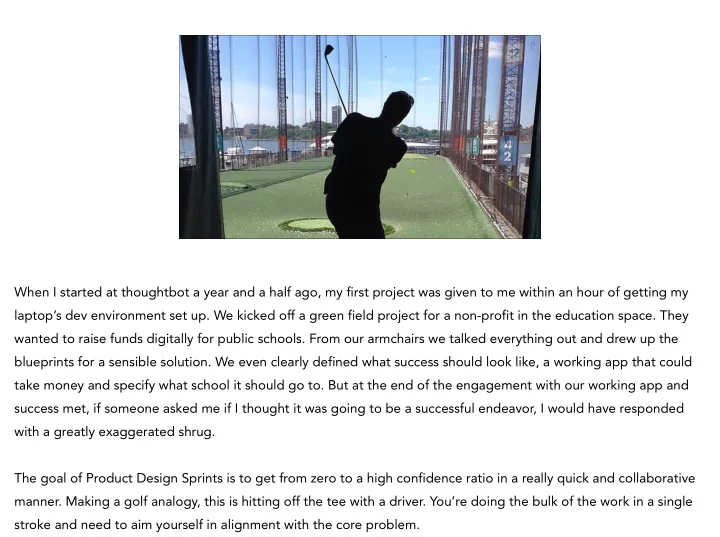
  • The goal of Product Design Sprints is to get from zero to a high confidence ratio in a really quick and collaborative
  • manner. Making a golf analogy, this is hitting off the tee with a driver. You’re doing the bulk of the work in a single

stroke and need to aim yourself in alignment with the core problem.

slide-2
SLIDE 2

PRODUCT DESIGN SPRINTS

a procets for making digital products that matter

A formal Product Design Sprint is a five-phase exercise which uses design thinking to reduce the total level of risk in a project by thinking about it holistically and attacking it in a linear fashion. We started doing product design sprints at thoughtbot last year and it’s become integral to our design process. They’ve been so successful, that we started requiring them for green field projects and the exercises used in the sprints have started creeping into the rest of

  • ur workflows.
  • Participating in a Design Sprint orients the entire team and aims their efforts at hitting a clearly defined goal.

Sprints are useful starting points when kicking off a new feature, workflow, product, business or solving problems within an existing product.

  • Integrating design sprints and design thinking into our product development process keeps us aligned with our
slide-3
SLIDE 3

We’re really grateful for Google Ventures releasing documentation on how they run their sprints, but they are far from first to the game here. Doing historical design research we’ve discovered that small dedicated task forces focused on outcomes appears at least as far back in the 1960s within architecture.

  • The first literature I found about applying the Design Sprint mentality to a digital design problem was actually

applied to game design by Valve for their first project, Half-Life. Here’s a very in-depth example of how even with no design sprint experience and a little process, Valve was able to run totally change the game.

slide-4
SLIDE 4

CABAL

Valve’s target ship date was November 1997, a year before the game actually would ship. In development for a year was a Quake total conversion with all new levels and art. Pretty simple, take the existing working concept and make it something novel. But by late September, two months before the original ship date, there was a major problem — the game just wasn’t any fun.

  • There were good things and bad things. Cool monsters, but if you strayed out of the intended play style, the

monsters did dumb things. Individually there were interesting levels, but as a whole they didn’t fit together well. Great technology, that was only shown off in one or two levels. As a cohesive whole, it wasn’t working.

  • The obvious answer for Valve, was to work a few more months, gloss over the worst of the problems and ship what

they had. For most companies who are left at the whim of their publishers, this is usually the route taken — with

slide-5
SLIDE 5

So what was it that took this game that objectively sucked, and within the same time frame, make it into what IGN called “the best first-person shooter of all time”.

  • Their solution was to boil the best parts of the existing game into a short single level prototype demo and iterate

until it was fun. Then scale it up to about 100 cohesive levels. Valve formed a small group of people to work on the prototype, specialists representing different departments, while the rest of the organization sat around for the month.

  • When making the prototype, if any feature didn’t directly add to the outcome of being fun, it was cut. Features that

needed to be added were hacked together the minimum needed to proceed. In the end, they had a short level where Die Hard met Evil Dead, it was perfect.

slide-6
SLIDE 6

During their first failed year, they search for a mythical “game designer” that could oversee the entire process and make it all come together. Problem was that despite looking at hundreds of applicants, no single person lived up to the mythical unicorn like standards they had created. Finally they came to the conclusion that this single person didn’t exist, but they could create a cross-sectional team to combine strengths. This formed their working group called the “Cabal”. Which is a great vocab word, meaning a secret political clique.

  • The Cabal’s task was to come up with a complete product spec including all the game’s monsters, level design,

special effects, and design standards. It was to be a massive paper prototype.

slide-7
SLIDE 7

The Cabal would meet four days a week for six hours a day with minimum five people in the room. One of which would be a dedicated note-taker, the others were engineers or designers that were responsible for shipping components of the game. Throughout the formal Cabal process people rotated in and out to contribute.

  • Cabal meetings went for five months straight and then off and on until the end of the project. By the second

month, there was enough of a foundation to begin development on key areas. Into the third month, they were able to start play testing. Play testing was critical, a two-hour session would lead to about 100 action items that would need to be dealt with and feedback was given to the Cabal team. Early feedback allowed them to remove what wasn’t working and expand the best parts.

  • They learned some things about running the Cabal.
slide-8
SLIDE 8
  • 1. UNDERSTAND
  • 2. DIVERGE
  • 3. CONVERGE
  • 4. PROTOTYPE
  • 5. VALIDATE

There’s five key phases to a design sprint, but they are really more types of activities. Viewing the activities of Valve’s Cabal from a product design sprint perspective, they align in the following ways.

  • Understand: Figure out which existing pieces were adding to fun experiences and what core technologies would

power them.

  • Diverge: Try out as many monsters, sound effects, level options, story lines, characters as possible.
  • Converge: Decide which elements were the most fun in the game and fulfilling the purpose while being

congruent within the spec.

  • Prototype: Create a master script that will guide the entire game’s development cycle.
  • Validate: First with the prototype and then with added levels, get direct user feedback from play testing sessions.
slide-9
SLIDE 9

PREPARE

Start the process for sourcing user study subjects before you begin. We have some templates through our playbook

  • n how to do this through Craigslist. Having people scheduled to come in on a certain time is the ticking time

bomb you need to create a sense of urgency and get full compliance in the sprint process.

  • You need a few other things when starting to do your own sprints. Make sure to have a dedicated conference room.

It’s especially important that everyone can leave their stuff in one place and not have to worry about it being moved before the next day of the sprint.

  • Invite the whole team. Bring marketing, business, design, developer, customer support, really anyone who has

thought or is affected by the product together. You’ll want to make sure that results are actually feasible and those that will be producing the solution understand enough of the background to build it. If possible, try to have a

slide-10
SLIDE 10

UNDERSTAND

The understand phase is a huge kickoff meeting. For us this is what broke the Google Ventures mold. Some of our clients just have too much existing research to go through in a single day. Thus why at thoughtbot, we split our sprints by phase, not day.

  • The goal of the understand phase is to develop common thoughts including the problem, the business, the

customer, the value proposition, and how success will be determined. By the end of this phase, we also aim to have identified some of our biggest risks and started to make plans for reducing them.

  • Clients that come in with existing research rock at this part. We love to review any kind of competitive analysis or

ideally any user studies done in the past. One client even brought in her first ten list of companies she had already sold and wanted to onboard to a new product, this made designing a solution for that group of companies much

slide-11
SLIDE 11

A key deliverable for understanding the product is filling out a business model canvas. This is to get a top down view on generally how all the pieces of the business fit together.

  • By putting the pieces together here, we usually get our first indications of what’s been previously tested or ignored.

We’ve commonly had to use two special sections for findings here that are used throughout the sprint. The first is the assumptions board, this is used to mark things that are wild guesses this early in development. Later we can sort those by what we deem the riskiest or critical and then focus on them. The other special board is for “ideas”. For the sake of time, we can’t spend hours going into some pet ideas, however, we do want to acknowledge them and then refer to them later in the process during our divergence.

slide-12
SLIDE 12

DIVERGE

The goal of diverging is to generate insights and potential solutions to our challenge statement.

  • Explore as many ways of solving the problems as possible, regardless of how realistic, feasible, or viable they may
  • r may not be. It allows you to get rather crazy about what solutions might or might not work. Even the ones least

likely to succeed have an aspect of merit to them.

  • Constantly ask, “How might we…”. It doesn’t have to fit all the constraints. My favorite example of this was a

coworker in design school was tasked to come up with 100s of sketches for solutions to a better walker for the

  • elderly. He drew up a plan for a backpack attached to seagulls mid-flight. Seriously let your “How might we…”s

be insane and pull out anything that’s relevant.

  • Generate, develop, and communicate new ideas. It’s guaranteed that someone will come up with something wild
slide-13
SLIDE 13

The major deliverable for diverge is the critical path diagram. It’s goal is to highlight the critical path or outline the most important steps required from a user starting to finishing the task at hand. We want to specify what needs to happen, but not exactly how.

slide-14
SLIDE 14

For generating lots of ideas to use with along our critical path we do quick and iterative individual sketching. Specifically the crazy-eights exercise, which is just dastardly to run with people. You have them fold 8x10 paper twice over to create eight panels, then draw eight different sketches representing ideas for solutions to a small aspect of a problem. Usually giving them less than 5 or 10 minutes. I like to be a bit devious and not specify how many rounds. Three rounds of this gets people groaning like crazy, but has led to some of our most creative

  • solutions. These panels are definitely reused and referred to throughout the entire project.
slide-15
SLIDE 15

CONVERGE

The goal of converging is to take all of the possibilities exposed, eliminate the currently unfeasible and hone in on the ideas we feel have the best chance for success.

  • These ideas will guide the implementation of a prototype that will be tested with existing or potential customers.
  • When converging, we want to:
  • Identify the ideas that aim to solve the same problem in different ways.
  • Eliminate solutions that can’t be pursued currently.
  • Vote for good ideas, we usually do this posting up crazy-eights and doing silent votes with stickers.
slide-16
SLIDE 16

Our main deliverable for this stage is the final storyboard that we’re going to prototype and pit against the challenge statement. It’s nice to work with previous crazy-eight’s panels that can piece together some of the key steps with the team’s best ideas, then you can fill in the gaps. It’s the mediator’s job to make sure the end result is something that can actually be built, fits the challenge statement, and gets final client sign-off.

slide-17
SLIDE 17

PROTOTYPE

Build a prototype that can be tested with existing or potential customers.

  • The prototype should be designed to learn about specific unknowns and assumptions. Its medium should be

determined by time constraints and learning goals. Paper, Keynote, and simple HTML/CSS are all good prototyping media.

  • The prototype storyboard and the first three phases of the sprint should make prototype-building fairly straight
  • forward. There shouldn’t be much uncertainty at this point around what needs to be done.
  • For this phase we work individually, having half a dozen people in Photoshop at the same time isn’t super
  • productive. We’ll let our clients go back to their office and do a final review of the prototype at the end of the day.
slide-18
SLIDE 18

Here’s an example that was made using Flinto, which is great for rapid prototyping iOS apps. The brief was “Tinder for sports recruiting”. This was made pre-sales to make sure that we were on the same page. Short answer was that we weren’t, but she was impressed by how quickly we moved and were able to iterate.

  • Flinto is great because you can send it directly to your users and then it’s installed like a home screen app with it’s
  • wn app icon and everything. It’s perfect because it allows them to use the prototype on their own device. My

preference is to get as close to the real thing as possible, but still have it be throw-away-able. Seriously avoid the sunk cost fallacy with these things, it’s too easy with a solid code base to say well, it works well enough let’s build

  • n top of this. For that reason I usually don’t recommend using HTML & CSS prototypes unless your team is really

comfortable with it and using a framework to speed things up.

slide-19
SLIDE 19

Your results will ultimately only be as good as your testing script. This document should specify what the requirements are and be specific enough with wording that can be used consistently across your team. It’s also great because you’ll have it for the next testing session if you’re going to try and improve a baseline experiment from before.

  • I’m personally pretty fanatical about creating accurate and reusable scripts. For me the testing phase is the closest

design gets to science, which is so much fun. If you can’t repeat your experiment, you will be all over the place and not able to use the result of the entire sprint. We’ve had to throw out data points before and it’s usually for asking inherently leading questions.

slide-20
SLIDE 20

VALIDATE

For the validation phase, we typically set up to run three to six people through a very specific script. These are far from statistically significant sample sizes, but are enough to find the major strengths and gaps in the prototypes.

  • The smallest research team can possibly be is two people, a facilitator and a note-taker. When we run our studies,

we actually don’t allow the rest of the team to participate or watch. For us, we just don’t have the space and that’s

  • kay. Our research team’s goal is to synthesize the information into a TL;DR: and provide access to the raw data for

those interested.

slide-21
SLIDE 21

Typically research sessions will go in two phases. One’s more of an interview, where I’ll ask them general questions about the problem. Starting with the baseline of having them talk through how they would solve it without

  • technology. Then after a handful of questions around the problem, we will present them with the prototype and a

handful of tasks.

  • This photo was taken during a session with one of my favorite participants. She ended up pitching me on her

Kickstarter afterwards, which I gladly backed.

  • For this particular client, we were doing research for their product which added “Find my phone” like functionality

to household objects, like car keys, using small fobs. We had half a dozen variants for their companion apps to test. Our critical learning was that any visual interface actually distracted them from the task at hand. It didn’t matter

slide-22
SLIDE 22

What does this button do? Oh, I didn’t know I could book him.

Our final deliverable is a summary of research. This has proved to be the quickest way to digest an entire day’s worth of research. I like to create a PDF of each of the views and then overlay the information over it. Then summarize with bullet points of the good, bad, and things that just don’t work.

  • By the way if you want your team to practice doing user research, I highly suggest Soundcloud as a demo. It’s an all-

around confusing interface that jumps around with different templates depending on what part of the site you’re

  • n. You can learn a lot about how much people hate software by forcing them to use Soundcloud for a few minutes.

By the way, I love them, you can a handful of my DJ mixes there at http://soundcloud.com/alexbaldwin, wonderful service with a terrible interface for new users.

slide-23
SLIDE 23

REFLECT

Reflecting on a year of design sprints has led to a lot of insights into how we’ve adapted them for our needs. First

  • ff, it led to a distinctly different behavior in our clients. No longer was it acceptable to give feature requests

without significant reasoning and research.

  • Aspects of a design sprint:
  • Starts with a challenge statement.
  • Structured collaborations with set expectations.
  • Many contributors involved across disciplines.
  • Has key deliverables with a feedback mechanism.
  • Future of design sprints at thoughtbot:
slide-24
SLIDE 24

NOTES

http://alexbaldwin.com/qcon-2014

Thank you:

  • QCon and Trace Wax
  • Jake Knapp
  • Galen Frechette
  • thoughtbot