
SLIDE 1
Tips for Effective Presentation Slides
Why effective presentation slides matter
Presentation software like Microsoft PowerPoint, Apple Keynote, and Prezi are ubiquitous in medical education and the business of healthcare. When used appropriately in a direct presentation format, these tools let educators display visual aids, emphasize key points, and interact with learners to promote their understanding. Unfortunately, these widely used tools can also interfere with learning when used in suboptimal ways. Complex material has high intrinsic cognitive load, and poor presentation of complex material needlessly adds extraneous cognitive load.1-3 When designing slides for your presentation, consider the following best practices to reduce cognitive load and increase understanding:
Assertion-Evidence slide design
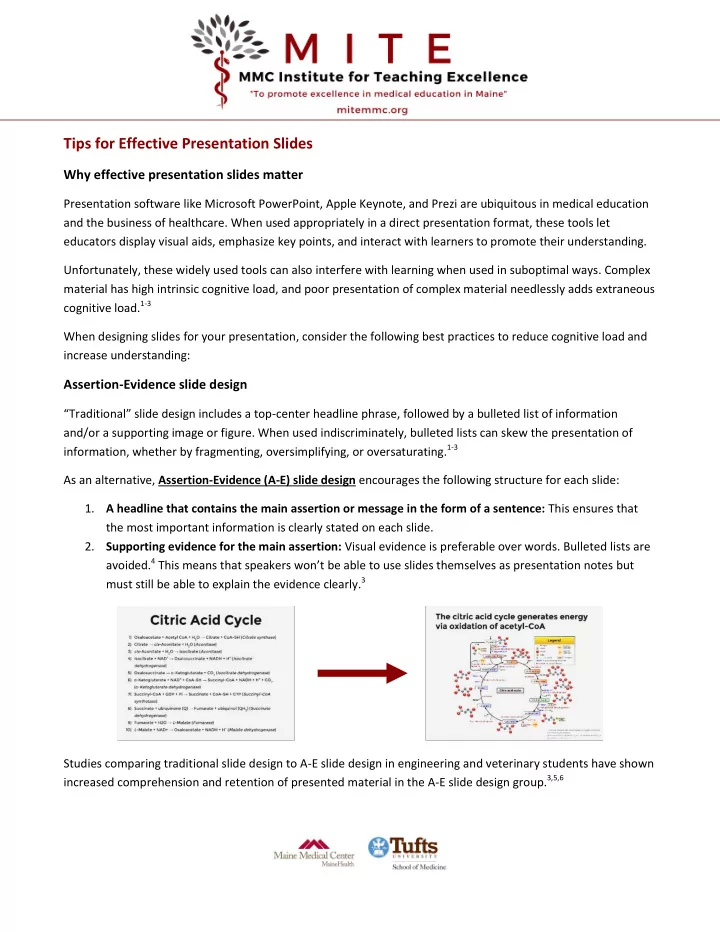
“Traditional” slide design includes a top-center headline phrase, followed by a bulleted list of information and/or a supporting image or figure. When used indiscriminately, bulleted lists can skew the presentation of information, whether by fragmenting, oversimplifying, or oversaturating.1-3 As an alternative, Assertion-Evidence (A-E) slide design encourages the following structure for each slide:
- 1. A headline that contains the main assertion or message in the form of a sentence: This ensures that
the most important information is clearly stated on each slide.
- 2. Supporting evidence for the main assertion: Visual evidence is preferable over words. Bulleted lists are