Why are UI Logs Important? UI logs will help you identify Trends and - - PDF document

why are ui logs important
SMART_READER_LITE
LIVE PREVIEW

Why are UI Logs Important? UI logs will help you identify Trends and - - PDF document

2/17/2015 Unusual Incident Log Reviews January 23, 2015 Why are UI Logs Important? UI logs will help you identify Trends and Patterns that need to be addressed to ensure the Health and Welfare of those you serve. To ensure that sound


slide-1
SLIDE 1

2/17/2015 1

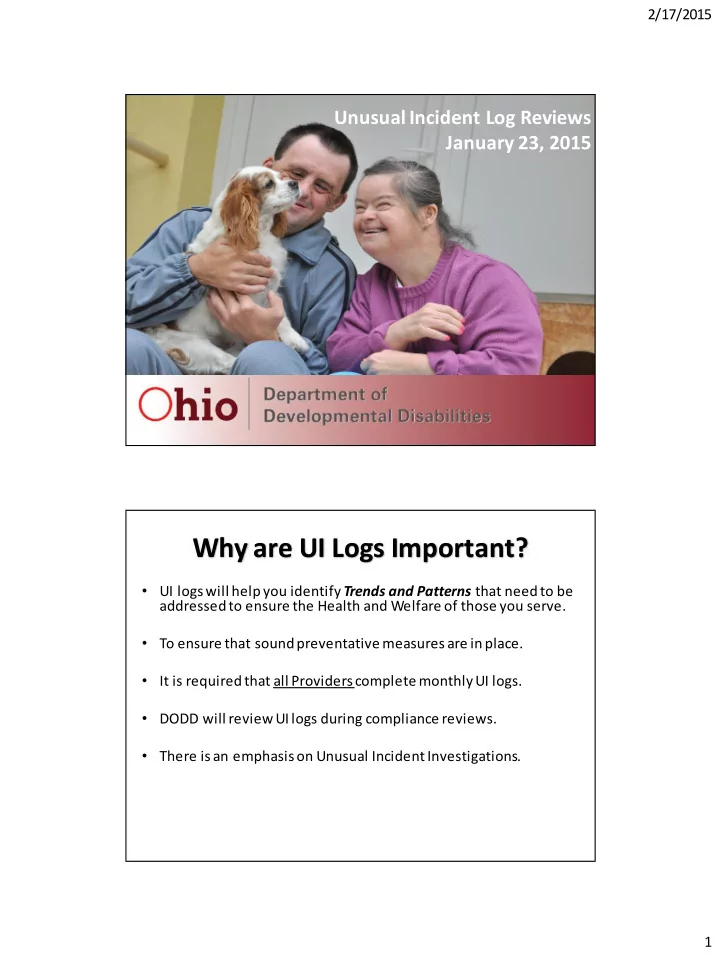
Unusual Incident Log Reviews January 23, 2015

Why are UI Logs Important?

  • UI logs will help you identify Trends and Patterns that need to be

addressed to ensure the Health and Welfare of those you serve.

  • To ensure that sound preventative measures are in place.
  • It is required that all Providers complete monthly UI logs.
  • DODD will review UI logs during compliance reviews.
  • There is an emphasis on Unusual Incident Investigations.
slide-2
SLIDE 2

2/17/2015 2

Unusual Incident Means?

"Unusual incident" means an event or occurrence involving an individual that is not consistent with routine operations, policies and procedures, or the individual's care or individual service plan, but is not a major unusual incident. Unusual incident includes, but is not limited to, dental injuries; falls; an injury that is not a significant injury; medication errors without a likely risk to heath and welfare; overnight relocation of an individual due to a fire, natural disaster, or mechanical failure; an incident involving two individuals served that is not a peer-to- peer act major unusual incident; and rights code violations or unapproved behavior supports without a likely risk to health and welfare. "Incident report" means documentation that contains details about a major unusual incident or an unusual incident and shall include, but is not limited to:

(a) Individual's name;

(b) Individual's address; (c) Date of incident; (d) Location of incident; (e) Description of incident; (f) Type and location of injuries; (g) Immediate actions taken to ensure health and welfare of individual involved and any at-risk individuals; (h) Name of primary person involved and his or her relationship to the individual; (i) Names of witnesses; (j) Statements completed by persons who witnessed or have personal knowledge

  • f the incident;

(k) Notifications with name, title, and time and date of notice; (l) Further medical follow-up; and (m) Name of signature of person completing the incident report.

slide-3
SLIDE 3

2/17/2015 3

Incident Report Form

5

This incident report is located in the Health and Safety T

  • olkit and contains space for immediate

actions, causes/contributing factors and preventative measures. This form can be found http://dodd.ohio.gov

An Effective Incident Report tells you

  • Who – Staff and individuals involved in the

incident

  • What – What happened before (antecedent),

during (detailed account) and after (immediate action) the incident

  • When – Date and time of incident (Timely)
  • Where – Location of the incident
slide-4
SLIDE 4

2/17/2015 4

(M) Requirements for Unusual Incidents

(1) Unusual incidents shall be reported and investigated by the provider.

(M) Requirements for Unusual Incidents

(2) Each agency provider shall develop and implement a written unusual incident policy and procedure that: (a) Identifies what is to be reported as an unusual incident which shall include unusual incidents as defined in this rule; (b) Requires an employee who becomes aware of an unusual incident to report it to the person designated by the agency provider who can initiate proper action; (c) Requires the report to be made no later than twenty-four hours after the occurrence of the unusual incident; and (d) Requires the agency provider to investigate unusual incidents, identify the cause and contributing factors when applicable, and develop preventive measures to protect the health and welfare of any at-risk individuals.

slide-5
SLIDE 5

2/17/2015 5

What comes first ?

Immediate actions to protect all at risk individuals must come first!

Immediate Actions

Always document what actions were taken following the incident

  • Assessed for injuries
  • Called 911
  • Initiated First Aid
  • Separated the individuals
  • Notified Law Enforcement
  • Notified the County Board/IA

Don’t be afraid to act!

slide-6
SLIDE 6

2/17/2015 6

Immediate Actions

  • Did you know that effective CPR immediately after sudden

cardiac arrest can DOUBLE or TRIPLE a victim’s chance of survival?

  • The chance of survival decreases 7-10% per minute if no

CPR.

Cause and Contributing Factors

According to Dan Gunzman:

  • Cause is a condition that produces an effect; eliminating a cause(s)

will eliminate the effect.

  • Contributing Factor(s) is a condition that influences the effect by

increasing its likelihood, accelerating the effect in time, affecting severity of the consequences, etc.; eliminating a contributing factor(s) won’t eliminate the effect

  • Wikipedia defines Root cause analysis (RCA) as a method of

problem solving that tries to identify the root causes of faults or

  • problems. A root cause is a cause that once removed from the

problem fault sequence, prevents the final undesirable event from recurring.

slide-7
SLIDE 7

2/17/2015 7

Cause and Contributing Factors

  • What happened?
  • Why did it happen?
  • How did it happen?

If you identify the Cause and Contributing Factors, you can develop an effective prevention plan.

Prevention Plans

The Prevention Plan should address:

  • How we can decrease this from occurring again
  • What should have happened
  • How can we prevent injury

Did you know?

  • All UI’s require a prevention plan
  • All UI logs need prevention plans
  • A good prevention plan may prevent an MUI
slide-8
SLIDE 8

2/17/2015 8

Prevention Plans

Remember the words of Albert Einstein…

"If you always do what you've always done, you'll always get what you always got.“ Examples of not so effective Preventions Plans:

  • Continue to Monitor
  • Implement plan as written
  • Told him/her not to do that

Prevention Plans begins with a thorough investigation that

  • Interviews all appropriate people.
  • Reviews all facts.
  • Determines the root cause.
  • Identifies other contributing factors such as:

Staff Equipment Individuals Policies Environment Communication Systems Leadership

slide-9
SLIDE 9

2/17/2015 9

How to Investigate a UI?

Start with the Incident Report

  • Does the information given by staff explain what

happened?

  • Did the witness tell us the who, what, where and

when?

  • Are Immediate Action addressed and

documented?

  • What was happening prior (antecedent) to

incident?

  • What were staff and individuals doing prior?

How to Investigate a UI?

  • Was there an Injury? Does the Injury match

the story given as to how it occurred? Medical Treatment?

  • Unknown Injury? Does staff document on the

IR how this may have occurred?

  • Where did this occur? Bathroom, bedroom?
  • Witnesses – Staff, Individuals and Anyone Else
  • Notifications
slide-10
SLIDE 10

2/17/2015 10

(M) Requirements for Unusual Incidents

(3) The agency provider shall ensure that all staff are trained and knowledgeable regarding the unusual incident policy and procedure.

Put it in practice…staff should know:

  • Who they report to?
  • What number they should call
  • How long should they wait to be contacted back?
  • What happens if that person is not available or

doesn’t respond?

  • When is the written incident report due?
  • Where is it to be turned in?

(M) Requirements for Unusual Incidents

Some Providers and County Boards provide each staff with a laminated card after MUI/UI training. The small card can be carried

  • n the staff in their wallet and serves as a reference for how, what

and when to report. What tools can you implement to reinforce timely reporting of incidents?

slide-11
SLIDE 11

2/17/2015 11

(M) Requirements for Unusual Incidents

(4) If the unusual incident occurs at a site

  • perated by the county board or at a site
  • perated by an entity with which the county

board contracts, the county board or contract entity shall notify the licensed provider or staff, guardian, or other person whom the individual has identified, as applicable, at the individual's

  • residence. The notification shall be made on the

same day the unusual incident is discovered.

(M) Requirements for Unusual Incidents

(5) Independent providers shall complete an incident report, notify the individual's guardian

  • r other person whom the individual has

identified, as applicable, and forward the incident report to the service and support administrator or county board designee on the same day the unusual incident is discovered.

slide-12
SLIDE 12

2/17/2015 12

(M) Requirements for Unusual Incidents

(6) Each agency provider and independent provider shall review all unusual incidents as necessary, but no less than monthly, to ensure appropriate preventive measures have been implemented and trends and patterns identified and addressed as appropriate.

(M) Requirements for Unusual Incidents

(7) The unusual incident reports, documentation

  • f identified trends and patterns, and corrective

action shall be made available to the county board and department upon request.

slide-13
SLIDE 13

2/17/2015 13

(M) Requirements for Unusual Incidents

(8) Each agency provider and independent provider shall maintain a log of all unusual incidents. The log shall include, but is not limited to, the name of the individual, a brief description of the unusual incident, any injuries, time, date, location, and preventive measures. http://dodd.ohio.gov/healthandsafety/Documents/ UNUSUAL%20INCIDENT%20REPORT%20LOG%20pd f%208%2029%2013.pdf

(M) Requirements for Unusual Incidents

(9) The agency provider and the county board shall ensure that trends and patterns of unusual incidents are included and addressed in the individual service plan of each individual affected.

slide-14
SLIDE 14

2/17/2015 14

UI Log Sample

Link to UI Log: http://dodd.ohio.gov/healthandsafety/Documents/UNUSUAL%20INCIDENT %20REPORT%20LOG%20pdf%208%2029%2013.pdf

UI Log Sample

slide-15
SLIDE 15

2/17/2015 15

Clues of a good UI Log System Clues of a Good UI Log System

  • A well organized system for the tracking

unusual incidents

  • The provider submitted logs as

requested

  • There is a clear indication of who

completed the log review

  • The date of the review is documented
slide-16
SLIDE 16

2/17/2015 16

Clues of a Good UI Log System

  • Logs contain the following required elements

Name of the individual A brief description of the unusual incident Any injuries Time Date Location Preventive measures Best Practice-Immediate Actions, Causes and Contributing Factors and Staff Involved

  • Log includes good immediate actions

such as medical assessments, protections for individuals, etc.

  • There are no blank sections
  • “Unknown” is rarely used
  • Prevention Plans are specific and address

the cause and contributing factors.

Clues of a Good UI Log System

slide-17
SLIDE 17

2/17/2015 17

  • The Prevention Plan section doesn’t say

“Continue to Monitor” or “Follow the Plan”

  • Is mindful of person’s needs and diagnosis and

doesn’t use phrases like “Remind Suzy to be careful” or “Redirect as needed”

  • Prevention plan is not generic such as

“Medical Follow up, Safety Reminder, Staff to monitor”

Clues of a Good UI Log System

  • There is no evidence of unreported

MUIs

  • Log contains enough detail to tell the

story of what happened

  • Any patterns are clearly identified and

have action steps.

Clues of a Good UI Log System

slide-18
SLIDE 18

2/17/2015 18

What is a UI Trend?

DODD Guidance: A trend is considered three of the same or similar incidents in a week or five in a month

  • r anything that the

team identifies as a pattern or trend for that person.

UI Trend Examples

Examples of UI Trends- Falls, Peer/Peer Acts, Medication Errors which includes missed meds, Finding meds on the floor, Unknown Injuries, Rights Violations, UBS Scenario – Two Individuals live in IO Waiver Home together for 8 years. A new Individual with a diagnosis of Autism moves into the home. He has always lived with his mom. New Individual, while adjusting, will run through the house hitting peers and staff on their arms. The individual slapped his peers on the arms 6 times in the month of July.

slide-19
SLIDE 19

2/17/2015 19

Example of Good UI Log Example of Good UI Log

slide-20
SLIDE 20

2/17/2015 20

Example of a Good UI Log Example of a Good UI Log

slide-21
SLIDE 21

2/17/2015 21

Example of a Good UI Log Examples of a Good UI Log

slide-22
SLIDE 22

2/17/2015 22

Frequently Asked Questions

  • 1. How should a provider document when they do not have

any UIs that month? We recommend documenting on UI Log that there were no UIs that month.

  • 2. Is the provider required to keep a UI log if they are not

serving anyone? No.

Oversight

  • (N)(1) The county board shall review, on at least a

quarterly basis, a representative sample of provider logs, including logs where the county board is a provider, to ensure that major unusual incidents have been reported, preventive measures have been implemented, and that trends and patterns have been identified and addressed in accordance with this rule. The sample shall be made available to the department for review upon request.

slide-23
SLIDE 23

2/17/2015 23

Oversight

(N)(2) When the county board is a provider, the department shall review, on a monthly basis, a representative sample of county board logs to ensure that major unusual incidents have been reported, preventive measures have been implemented, and that trends and patterns have been identified and addressed in accordance with this rule. The county board shall submit the specified logs to the department upon request.

Oversight

(N)(3) The department shall conduct reviews of county boards and providers as necessary to ensure the health and welfare of individuals and compliance with this rule. Failure to comply with this rule may be considered by the department in any regulatory capacity, including certification, licensure, and accreditation.

slide-24
SLIDE 24

2/17/2015 24

What if a Provider does not supply the UI Log?

1. The CB or COG will document all attempts to get logs 2. The CB/COG will contact the DODD MUI Regional Manager by email with the requested dates and contact information of the provider . 3. The MUI Regional Manager can contact the Provider directly or participate in a conference call to discuss UI log requirements. 4. The MUI Department will follow up with a letter copying the Office of Provider Standards and Review (OPSR). 5. Referral will be made to OPSR if logs not received after request by DODD MUI office. This could result in citations issued to the provider .

THANK YOU!

Chuck Davis, MUI Regional Manager (614) 995-3820 Charles.Davis@dodd.ohio.gov Connie McLaughlin, Regional Manager Supervisor (614)752-0092 Connie.McLaughlin@dodd.ohio.gov Abuse/Neglect Hotline 1-866-313-6733