Who am I? David G Cooper, PhD Visi&ng Assistant - - PowerPoint PPT Presentation

who am i
SMART_READER_LITE
LIVE PREVIEW

Who am I? David G Cooper, PhD Visi&ng Assistant - - PowerPoint PPT Presentation

Who am I? David G Cooper, PhD Visi&ng Assistant Professor Computer Science Department CMSC 110 Bryn Mawr Office: 249 Park Introduc/on to


slide-1
SLIDE 1

1 ¡

CMSC ¡110 ¡ Introduc/on ¡to ¡Compu/ng ¡

Sec&on ¡01 ¡ David ¡Cooper ¡

Who ¡am ¡I? ¡

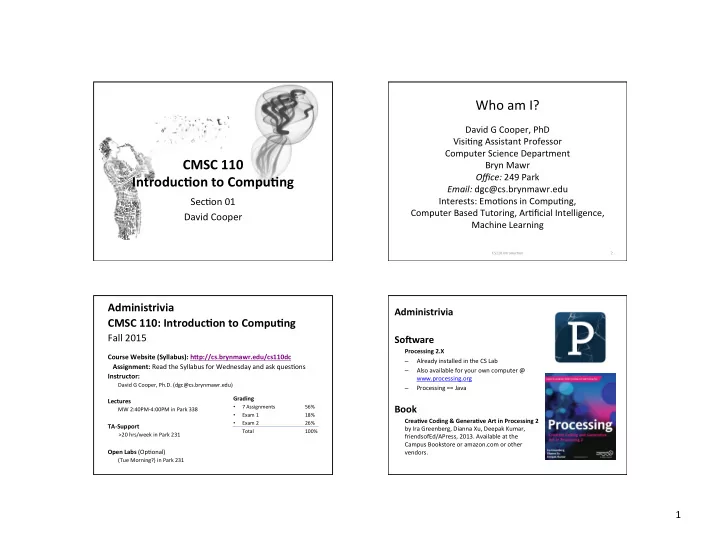
David ¡G ¡Cooper, ¡PhD ¡ Visi&ng ¡Assistant ¡Professor ¡ Computer ¡Science ¡Department ¡ Bryn ¡Mawr ¡ Office: ¡249 ¡Park ¡ Email: ¡dgc@cs.brynmawr.edu ¡ Interests: ¡Emo&ons ¡in ¡Compu&ng, ¡ ¡ Computer ¡Based ¡Tutoring, ¡Ar&ficial ¡Intelligence, ¡ Machine ¡Learning ¡

CS110 ¡Introduc&on ¡ ¡2 ¡

Administrivia ¡ CMSC ¡110: ¡Introduc/on ¡to ¡Compu/ng ¡

Fall ¡2015 ¡

¡

Course ¡Website ¡(Syllabus): ¡hAp://cs.brynmawr.edu/cs110dc ¡ ¡ ¡ ¡Assignment: ¡Read ¡the ¡Syllabus ¡for ¡Wednesday ¡and ¡ask ¡ques&ons ¡ Instructor: ¡

David ¡G ¡Cooper, ¡Ph.D. ¡(dgc@cs.brynmawr.edu) ¡ ¡

Lectures ¡

MW ¡2:40PM-­‑4:00PM ¡in ¡Park ¡338 ¡

¡ TA-­‑Support ¡

¡ ¡ ¡ ¡ ¡ ¡ ¡ ¡>20 ¡hrs/week ¡in ¡Park ¡231 ¡

¡ Open ¡Labs ¡(Op&onal) ¡

(Tue ¡Morning?) ¡in ¡Park ¡231 ¡

¡ Grading ¡

  • 7 ¡Assignments ¡

¡56% ¡

  • Exam ¡1

¡ ¡18% ¡

  • Exam ¡2

¡ ¡26% ¡ ¡Total ¡ ¡ ¡100% ¡ ¡

Administrivia ¡ ¡ SoJware ¡

Processing ¡2.X ¡ – Already ¡installed ¡in ¡the ¡CS ¡Lab ¡ – Also ¡available ¡for ¡your ¡own ¡computer ¡@ ¡ www.processing.org ¡ – Processing ¡== ¡Java ¡ ¡

Book ¡

Crea/ve ¡Coding ¡& ¡Genera/ve ¡Art ¡in ¡Processing ¡2 ¡ by ¡Ira ¡Greenberg, ¡Dianna ¡Xu, ¡Deepak ¡Kumar, ¡ friendsofEd/APress, ¡2013. ¡Available ¡at ¡the ¡ Campus ¡Bookstore ¡or ¡amazon.com ¡or ¡other ¡

  • vendors. ¡
slide-2
SLIDE 2

2 ¡

Class ¡LoAery ¡

  • Make ¡sure ¡to ¡sign-­‑in ¡your ¡name. ¡

¡

  • If ¡you ¡are ¡not ¡“in” ¡the ¡loiery, ¡indicate ¡that. ¡

We ¡will ¡contact ¡you ¡by ¡e-­‑mail ¡as ¡soon ¡as ¡we ¡ have ¡confirma&on ¡from ¡other ¡students. ¡

What ¡is ¡Compu/ng? ¡ Compu/ng: ¡Produc/vity… ¡

Compu/ng: ¡internet, ¡e-­‑mail, ¡ network… ¡

slide-3
SLIDE 3

3 ¡

Compu/ng: ¡Entertainment… ¡

Compu/ng: ¡Games… ¡

What ¡is ¡Computer ¡Science? ¡

  • The ¡study ¡of ¡computa&on ¡
  • We ¡do ¡this ¡through ¡

– algorithms ¡(theory/math) ¡ – applied ¡algorithms ¡(programming ¡and ¡hardware) ¡ – experimenta&on ¡(running ¡programs ¡in ¡different ¡ condi&ons) ¡

slide-4
SLIDE 4

4 ¡ ¡

  • ­‑ ¡Edsger ¡Dijkstra ¡

Areas ¡in ¡Computer ¡Science ¡

Computer ¡ Graphics ¡ Computer ¡ Vision ¡ Computer ¡ Security ¡ Ar&ficial ¡ Intelligence ¡ Robo&cs ¡ Human-­‑Computer ¡ Interac&on ¡ Ubiquitous ¡ Compu&ng ¡ Opera&ng ¡ Systems ¡ Computer ¡ Networking ¡ Databases ¡

Artificial Intelligence

Roomba Mars Rover Google Autopilot car

Graphics

3D Representation

  • f the Heart

The Incredibles from Pixar

16 ¡
slide-5
SLIDE 5

5 ¡

Organization of Data, and Searching

17 ¡

Medical, Genomics Applications

18 ¡

Educa&onal ¡Technology ¡

19 ¡

What ¡is ¡Computer ¡Science? ¡

Computer ¡science ¡is ¡the ¡ ¡ study ¡of ¡solving ¡problems ¡ ¡ using ¡computa&on ¡

– Computers ¡are ¡part ¡of ¡it, ¡ but ¡the ¡emphasis ¡is ¡on ¡the ¡ ¡ problem ¡solving ¡aspect ¡

Mathema&cs ¡ Biology ¡(bioinforma&cs) ¡ Chemistry ¡ Physics ¡ Geology ¡ Geoscience ¡ Archeology ¡ Psychology ¡ Sociology ¡ Cogni&ve ¡Science ¡ Medicine/Surgery ¡ Engineering ¡ Linguis&cs ¡ Art ¡ … ¡

Computer ¡scien&sts ¡work ¡across ¡disciplines: ¡ ¡

slide-6
SLIDE 6

6 ¡

Compu&ng ¡is ¡important ¡

Huge ¡Growth ¡in ¡Compu&ng-­‑Related ¡Jobs ¡ Compu&ng ¡is ¡Consistently ¡Ranked ¡ Among ¡the ¡Best ¡Occupa&ons ¡

#1 ¡ Registered ¡Nurse ¡ #6 ¡ Web ¡Developer ¡ #2 ¡ Soqware ¡Developer ¡ #7 ¡ Computer ¡Systems ¡Analyst ¡ #3 ¡ Pharmacist ¡ #8 ¡ Physical ¡Therapist ¡ #4 ¡ Medical ¡Assistant ¡ #9 ¡ Computer ¡Programmer ¡ #5 ¡ Database ¡Administrator ¡ #10 ¡ Occupa&onal ¡Therapist ¡

The ¡25 ¡Best ¡ Jobs ¡of ¡2012 ¡ CS ¡Careers ¡Rank ¡Highly ¡In: ¡

  • Job ¡sa&sfac&on ¡
  • Salary ¡
  • Work/life ¡balance ¡

¡

  • Growth ¡poten&al ¡
  • Employment ¡rate ¡
  • Work ¡environment ¡
CNN’s ¡Top ¡100 ¡Jobs ¡2010 ¡ ¡ (Graphic ¡by ¡Focus.com) ¡

CS-­‑Related ¡Jobs ¡Highlighted ¡in ¡Red ¡ Average ¡Individual ¡Annual ¡Income ¡

Computer ¡Science ¡Dept ¡ All ¡Science ¡Depts ¡ College ¡Average ¡

$120,000 ¡

$66,667 ¡ $57,134 ¡

Salaries ¡of ¡Bryn ¡Mawr ¡Graduates ¡

Office ¡of ¡InsDtuDonal ¡Research, ¡Planning, ¡and ¡Assessment ¡ Bryn ¡Mawr ¡College ¡

Strong ¡Earnings ¡Poten&al ¡

slide-7
SLIDE 7

7 ¡

…many ¡different ¡companies ¡… ¡need ¡to ¡hire ¡computer ¡scien&sts. ¡ They ¡aren't ¡&ed ¡to ¡one ¡par&cular ¡industry. ¡

Introduc/on ¡to ¡^ ¡Compu/ng ¡ Crea/ve ¡

Compu/ng ¡ Programming ¡ Algorithms ¡ Computa/onal ¡ Media ¡ Processing/ Java ¡ Aesthe/cs ¡& ¡ Art ¡ Visualiza/ons ¡

What ¡can ¡be ¡programmed? ¡

slide-8
SLIDE 8

8 ¡

How ¡do ¡you ¡program? ¡ What ¡is ¡a ¡Computer ¡Program? ¡

A ¡collec&on ¡of ¡human ¡readable ¡statements ¡that ¡can ¡ be ¡translated ¡to ¡machine ¡instruc&ons ¡and ¡executed ¡ by ¡a ¡compu&ng ¡device. ¡

slide-9
SLIDE 9

9 ¡

Algorithms ¡

An ¡algorithm ¡is ¡an ¡effec&ve ¡method ¡for ¡solving ¡a ¡ problem ¡expressed ¡as ¡a ¡finite ¡sequence ¡of ¡ instruc&ons. ¡For ¡example, ¡ ¡ ¡ Put ¡on ¡shoes ¡ ¡leq ¡sock ¡ ¡right ¡sock ¡ ¡leq ¡shoe ¡ ¡right ¡shoe ¡

Programming ¡= ¡Wri/ng ¡Apps ¡

Programming ¡is ¡the ¡process ¡of ¡designing, ¡ wri&ng, ¡tes&ng, ¡debugging ¡/ ¡troubleshoo&ng, ¡ and ¡maintaining ¡the ¡source ¡code ¡of ¡computer ¡

  • programs. ¡This ¡source ¡code ¡is ¡wriien ¡in ¡a ¡

programming ¡language. ¡

Computer ¡Programs ¡

  • Note ¡that ¡processing ¡uses ¡a ¡semi-­‑colon ¡(;) ¡

instead ¡of ¡a ¡period. ¡

  • Also ¡note ¡that ¡parameters ¡to ¡func&ons ¡are ¡

always ¡in ¡parentheses ¡

A ¡program ¡

int areaOfCircle(int radius){ return PI*radius*radius; } r = 10; area = areaOfCircle(r);

slide-10
SLIDE 10

10 ¡

Our ¡Goal ¡

  • Use ¡compu&ng ¡to ¡realize ¡works ¡of ¡art ¡

¡

  • Explore ¡new ¡metaphors ¡from ¡compu&ng: ¡

images, ¡anima&on, ¡interac&vity, ¡visualiza&ons ¡ ¡

  • Learn ¡the ¡basics ¡of ¡compu&ng ¡

¡

  • Have ¡fun ¡doing ¡all ¡of ¡the ¡above! ¡

¡

Introduc/on ¡to ¡^ ¡Compu/ng ¡ Crea/ve ¡

Compu/ng ¡ Programming ¡ Algorithms ¡ Computa/onal ¡ Media ¡ Processing/ Java ¡ Aesthe/cs ¡& ¡ Art ¡ Visualiza/ons ¡

Examples ¡

Shepard ¡Fairey ¡

slide-11
SLIDE 11

11 ¡

Sample ¡Assignment ¡

Abstract ¡ Art ¡

Summer/me ¡

¡Summer&me, ¡

And ¡the ¡livin' ¡is ¡easy ¡ Fish ¡are ¡jumpin' ¡ And ¡the ¡coion ¡is ¡high ¡ ¡ Your ¡daddy's ¡rich ¡ And ¡your ¡mamma's ¡good ¡lookin' ¡ So ¡hush ¡liile ¡baby ¡ Don't ¡you ¡cry ¡ ¡ One ¡of ¡these ¡mornings ¡ You're ¡going ¡to ¡rise ¡up ¡singing ¡ Then ¡you'll ¡spread ¡your ¡wings ¡ And ¡you'll ¡take ¡to ¡the ¡sky ¡ ¡ But ¡&ll ¡that ¡morning ¡ There's ¡a'nothing ¡can ¡harm ¡you ¡ With ¡daddy ¡and ¡mamma ¡standing ¡by ¡ ¡ Summer&me, ¡ And ¡the ¡livin' ¡is ¡easy ¡ Fish ¡are ¡jumpin' ¡ And ¡the ¡coion ¡is ¡high ¡ ¡ Your ¡daddy's ¡rich ¡ And ¡your ¡mamma's ¡good ¡lookin' ¡ So ¡hush ¡liile ¡baby ¡ Don't ¡you ¡cry ¡

Lyrics ¡by ¡George ¡Gershwin ¡

Word ¡Cloud ¡

Created ¡using: ¡wordle.net ¡
slide-12
SLIDE 12

12 ¡

World ¡Cloud ¡

. became I prize refuse rules aw think anotherarms pressure need W a ff evolution stands truth . Ie arts years joined difficult states 'd VIO ence many women decades

J "

U 5

t

nconucePct clear kingsacrifice I middle matter ways times I

f'j .. . ower"othi""O""''''ios. -'"

cause let aspirations stand nation " P military sometimes , use h' "teedom amerlCastilieven newjustice live IS ory t

"h

rd '. 'h' fear best never lives

eas.

ee. t I america s Wit In ,

W

Of

k

religion confllctalso wltnOUtinternational action.
  • ne
faith 0 rce now
  • weapons 0 a

€ e

secu nty

htsn at

Ion

S

better time future questions
. . soldiers . .

..

noral leaders t;nited confront pi;

WarS ke

recognized right

U man

dignity necessary· T h afghanistan understand exist ICIVI longtrue honor nature t intervention engagement a ways every prevent ff rt m

u

S

something first men e century practical d f d hope e en beongs face hard

President’s ¡Inaugural ¡Addresses ¡ Map-­‑based ¡

slide-13
SLIDE 13

13 ¡

Box ¡Office ¡Earnings ¡

From: ¡The ¡Ebb ¡and ¡Flow ¡of ¡Movies: ¡Box ¡Office ¡Receipts ¡1986 ¡— ¡2008 ¡ ny&mes.com ¡ February ¡23, ¡2008 ¡

Our ¡Goal ¡

  • Use ¡compu&ng ¡to ¡realize ¡works ¡of ¡art ¡

¡

  • Explore ¡new ¡metaphors ¡from ¡compu&ng: ¡

images, ¡anima&on, ¡interac&vity, ¡visualiza&ons ¡ ¡

  • Learn ¡the ¡basics ¡of ¡compu&ng ¡

¡

  • Have ¡fun ¡doing ¡all ¡of ¡the ¡above! ¡

¡

Let’s ¡get ¡started… ¡

How ¡to ¡Use ¡the ¡book ¡ ¡ SoJware ¡

Processing ¡2.X ¡ – Already ¡installed ¡in ¡the ¡CS ¡Lab ¡ – Also ¡available ¡for ¡your ¡own ¡computer ¡@ ¡ www.processing.org ¡ – Processing ¡== ¡Java ¡ ¡

Book ¡

Crea/ve ¡Coding ¡& ¡Genera/ve ¡Art ¡in ¡Processing ¡2 ¡ by ¡Ira ¡Greenberg, ¡Dianna ¡Xu, ¡Deepak ¡Kumar, ¡ friendsofEd/APress, ¡2013. ¡Available ¡at ¡the ¡ Campus ¡Bookstore ¡or ¡amazon.com ¡or ¡other ¡

  • vendors. ¡
slide-14
SLIDE 14

14 ¡

Coordinate ¡System ¡

(0, ¡0) ¡ +y ¡ +x ¡

Let's ¡Draw! ¡

Tool ¡bar ¡ Menu ¡bar ¡ Tab ¡strip ¡ Text ¡editor ¡ Message ¡area ¡ Console ¡ Display ¡ Window ¡

Processing ¡2.0 ¡IDE ¡ Primi/ve ¡2D ¡Shapes ¡

  • point ¡
  • line ¡
  • triangle ¡
  • rect

¡(rectangle) ¡

  • quad ¡

¡(quadrilateral, ¡four-­‑sided ¡polygon) ¡

  • ellipse ¡
  • arc ¡

¡(sec&on ¡of ¡an ¡ellipse) ¡

  • curve

¡(Catmull-­‑Rom ¡spline) ¡

  • bezier

¡(Bezier ¡curve) ¡

hip://processing.org/reference/ ¡

slide-15
SLIDE 15

15 ¡ line( 10, 10, 50, 80 );

Func&on ¡name ¡ Arguments ¡ Parentheses ¡ Statement ¡terminator ¡

Anatomy ¡of ¡a ¡Func/on ¡Call ¡ Coordinate ¡System ¡

(0, ¡0) ¡ +y ¡ +x ¡

Pixels ¡ Processing ¡Canvas ¡

size( width, height ); ¡Set ¡the ¡size ¡of ¡the ¡canvas. ¡ background( [0..255] ); ¡Set ¡the ¡background ¡grayscale ¡color. ¡

slide-16
SLIDE 16

16 ¡

Drawing ¡Primi/ves ¡

point( x, y ); line( x1, y1, x2, y2 ); triangle( x1, y1, x2, y2, x3, y3 ); quad( x1, y1, x2, y2, x3, y3, x4, y4 ); rect( x, y width, height ); ellipse( x, y, width, height );

smooth() vs. noSmooth() ¡

Colors ¡

Composed ¡of ¡four ¡elements: ¡

  • 1. ¡Red ¡
  • 2. ¡Green ¡
  • 3. ¡Blue ¡
  • 4. ¡Alpha ¡ ¡(Transparency ¡) ¡

Why ¡0 ¡.. ¡255? ¡

slide-17
SLIDE 17

17 ¡

Homework ¡

  • Go ¡the ¡CS ¡Computer ¡Lab ¡(Room ¡231 ¡PSB) ¡
  • Log ¡in ¡
  • Start ¡the ¡Processing ¡applica&on ¡

(Make ¡sure ¡it ¡is ¡Version ¡2.x) ¡

  • In ¡a ¡web ¡browser, ¡go ¡to ¡the ¡Tutorials ¡sec&on ¡of ¡processing.org ¡

¡ hip://www.processing.org/tutorials/geyngstarted/ ¡ ¡

  • Read ¡the ¡Geyng ¡Started ¡tutorial ¡(by ¡Casey ¡Reas ¡& ¡Ben ¡Fry) ¡and ¡try ¡
  • ut ¡the ¡two ¡examples ¡of ¡simple ¡Processing ¡programs ¡presented ¡

there ¡

  • If ¡you’d ¡like, ¡install ¡Processing ¡2.x ¡on ¡your ¡own ¡computer ¡
  • Read ¡Chapter ¡1 ¡(Read ¡pages ¡1-­‑12, ¡skim ¡12-­‑32) ¡