+ + What is a word cloud? Word Clouds Source: - - PDF document

what is a word cloud word clouds source http
SMART_READER_LITE
LIVE PREVIEW

+ + What is a word cloud? Word Clouds Source: - - PDF document

4/20/16 + + What is a word cloud? Word Clouds Source: http://www.huffingtonpost.com/2013/09/01/1100-words-to-describe-your- summer00-words-to-describe-you_n_3853071.html + Text Processing + Text Processing How to go from this to


slide-1
SLIDE 1

4/20/16 ¡ 1 ¡

+

Word Clouds

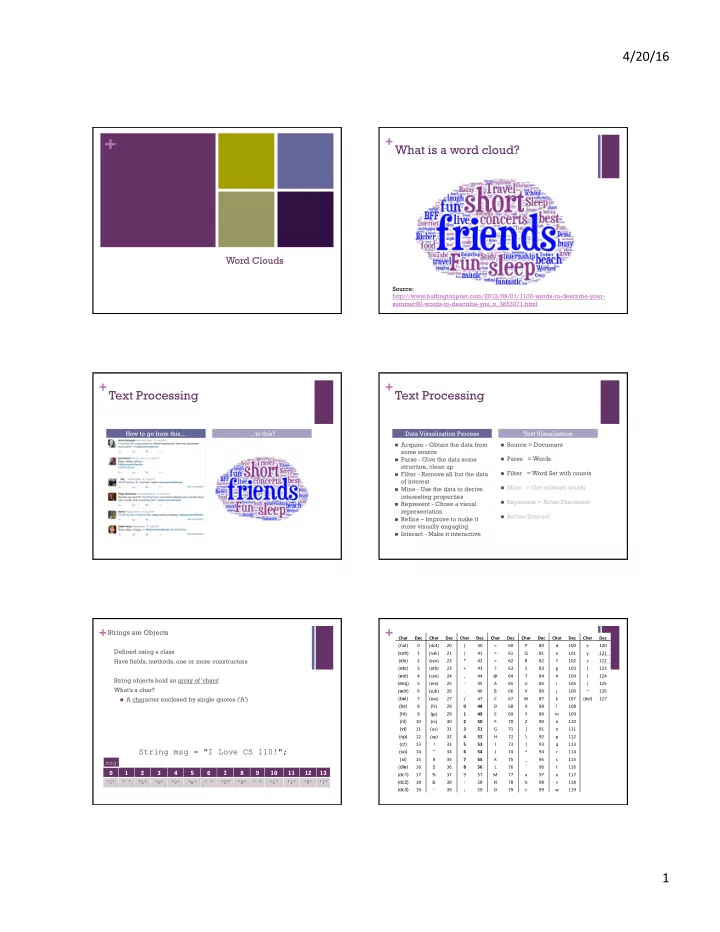
+What is a word cloud?

Source: http://www.huffingtonpost.com/2013/09/01/1100-words-to-describe-your- summer00-words-to-describe-you_n_3853071.html

+Text Processing

How to go from this… …to this?

+Text Processing

n Acquire - Obtain the data from

some source

n Parse - Give the data some

structure, clean up

n Filter - Remove all but the data

  • f interest

n Mine - Use the data to derive

interesting properties

n Represent - Chose a visual

representation

n Refine – Improve to make it

more visually engaging

n Interact - Make it interactive n Source = Document n Parse = Words n Filter = Word Set with counts n Mine = Get relevant words n Represent = Fonts/Placement n Refine/Interact

Data Visualization Process Text Visualization

+Strings are Objects

Defined using a class Have fields, methods, one or more constructors String objects hold an array of 'chars' What's a char?

n A character enclosed by single quotes ('A')

1 2 3 4 5 6 7 8 9 10 11 12 13

'I' ' ' 'L' 'o' 'v' 'e' ' ' 'C' 'S' ' ' '1' '1' '0' '!'

String msg = "I Love CS 110!";

msg

+

Char ¡ Dec ¡ Char ¡ Dec ¡ Char ¡ Dec ¡ Char ¡ Dec ¡ Char ¡ Dec ¡ Char ¡ Dec ¡ Char ¡ Dec ¡ (nul) 0 ¡ (dc4) ¡ 20 ¡ ( ¡ 40 ¡ < ¡ 60 ¡ P ¡ 80 ¡ d ¡ 100 ¡ x ¡ 120 ¡ (soh) 1 ¡ (nak) ¡ 21 ¡ ) ¡ 41 ¡ = ¡ 61 ¡ Q ¡ 81 ¡ e ¡ 101 ¡ y ¡ 121 ¡ (stx) 2 ¡ (syn) ¡ 22 ¡ * ¡ 42 ¡ > ¡ 62 ¡ R ¡ 82 ¡ f ¡ 102 ¡ z ¡ 122 ¡ (etx) 3 ¡ (etb) ¡ 23 ¡ + ¡ 43 ¡ ? ¡ 63 ¡ S ¡ 83 ¡ g ¡ 103 ¡ { ¡ 123 ¡ (eot) 4 ¡ (can) ¡ 24 ¡ , ¡ 44 ¡ @ ¡ 64 ¡ T ¡ 84 ¡ h ¡ 104 ¡ | ¡ 124 ¡ (enq) 5 ¡ (em) ¡ 25 ¡

  • ­‑ ¡

45 ¡ A ¡ 65 ¡ U ¡ 85 ¡ i ¡ 105 ¡ } ¡ 125 ¡ (ack) 6 ¡ (sub) ¡ 26 ¡ . ¡ 46 ¡ B ¡ 66 ¡ V ¡ 86 ¡ j ¡ 106 ¡ ~ ¡ 126 ¡ (bel) 7 ¡ (esc) ¡ 27 ¡ / ¡ 47 ¡ C ¡ 67 ¡ W ¡ 87 ¡ k ¡ 107 ¡ (del) ¡ 127 ¡ (bs) 8 ¡ (fs) ¡ 28 ¡ 0 ¡ 48 ¡ D ¡ 68 ¡ X ¡ 88 ¡ l ¡ 108 ¡ ¡ ¡ (ht) 9 ¡ (gs) ¡ 29 ¡ 1 ¡ 49 ¡ E ¡ 69 ¡ Y ¡ 89 ¡ m ¡ 109 ¡ ¡ ¡ (nl) 10 ¡ (rs) ¡ 30 ¡ 2 ¡ 50 ¡ F ¡ 70 ¡ Z ¡ 90 ¡ n ¡ 110 ¡ ¡ ¡ (vt) 11 ¡ (us) ¡ 31 ¡ 3 ¡ 51 ¡ G ¡ 71 ¡ [ ¡ 91 ¡

  • ¡

111 ¡ ¡ ¡ (np) 12 ¡ (sp) ¡ 32 ¡ 4 ¡ 52 ¡ H ¡ 72 ¡ \ ¡ 92 ¡ p ¡ 112 ¡ ¡ ¡ (cr) 13 ¡ ! ¡ 33 ¡ 5 ¡ 53 ¡ I ¡ 73 ¡ ] ¡ 93 ¡ q ¡ 113 ¡ ¡ ¡ (so) 14 ¡ " ¡ 34 ¡ 6 ¡ 54 ¡ J ¡ 74 ¡ ^ ¡ 94 ¡ r ¡ 114 ¡ ¡ ¡ (si) 15 ¡ # ¡ 35 ¡ 7 ¡ 55 ¡ K ¡ 75 ¡ _ ¡ 95 ¡ s ¡ 115 ¡ ¡ ¡ (dle) 16 ¡ $ ¡ 36 ¡ 8 ¡ 56 ¡ L ¡ 76 ¡ ` ¡ 96 ¡ t ¡ 116 ¡ ¡ ¡ (dc1) 17 ¡ % ¡ 37 ¡ 9 ¡ 57 ¡ M ¡ 77 ¡ a ¡ 97 ¡ u ¡ 117 ¡ ¡ ¡ (dc2) 18 ¡ & ¡ 38 ¡ : ¡ 58 ¡ N ¡ 78 ¡ b ¡ 98 ¡ v ¡ 118 ¡ ¡ ¡ (dc3) 19 ¡ ' ¡ 39 ¡ ; ¡ 59 ¡ O ¡ 79 ¡ c ¡ 99 ¡ w ¡ 119 ¡ ¡ ¡

slide-2
SLIDE 2

4/20/16 ¡ 2 ¡

+

String s1 = "Data: 12, 34, 56"; String[] as; void setup() { as = splitTokens(s1, ":,"); //as = trim(as); println( as ); }

Split a String based on a single or multiple separator chars

String s1 = "12, 34, 56"; String[] as; void setup() { as = split(s1, ","); //as = trim(as); println( as ); } [0] "12" [1] " 34" [2] " 56" [0] "Data" [1] " 12" [2] " 34" [3] " 56"

+

Join a String Array with a join char

String[] as = new String[] {"one", "two", "buckle my shoe"}; void setup() { String s1 = join( as, " | " ); println( s1 ); }

  • ne | two | buckle my shoe

+

Numbers can be formatted as Strings String s1 = "She is the"; String s2 = "programmer."; phrase = s1 + nf(7, 3) + " " + s2;

// nf( integer, number of digits ) // "She is the 007 programmer."

phrase = s1 + nf(3.14159,3, 2) + " " + s2;

// nf( float, digits before decimal, digits after decimal ) // "She is the 003.14 programmer."

+Acquire data: Source = Document

n // Sketch 7-1: Parsing an input text file

String inputTextFile = "NewYorkPrimaries.txt"; String [] fileContents; fileContents = loadStrings(inputTextFile);

n fileContents has the source! n What next?

+Parsing ¡

n CSV ¡files ¡ n always ¡split ¡on ¡"," ¡first ¡ n Special ¡characters ¡ n \", \', \\ n Removing ¡" ¡(or ¡anything ¡else) ¡ n int i = str.indexOf("\""); n String front = str.substring(0, i); n String back = str.substring(i+1); n str = front+back;

+Parse

n How do we turn fileContents into words? n join array into one long string

String rawText; rawText = join(fileContents, " ");

n make all same case

rawText = rawText.toLowerCase();

n remove symbols and split string into words

String delimiters = " ,./?<>;:'\"[{]}\\|=+-_()*&^%$#@!~";

tokens = splitTokens(rawText, delimiters);

slide-3
SLIDE 3

4/20/16 ¡ 3 ¡

+Display the words

n Let's start by displaying all of the words:

for (String t : tokens) { //textSize(15); if(random(100) < 40) { // more blue than red fill(random(150,250),0, 0,190); // make red } else { fill(0, 0, random(150,250),190); // make blue } text(t, random(0,width-50), random(20,height)); } // for

+Parse ¡and ¡Filter ¡

String raw; String delimiters = " ,.?!;:-\'\"()*![]{}|\\~`@#$%^&"; String[] fileText, words; int[] freqs; void setup() { fileText = loadStrings("EliotLoveSong.txt"); println("Read " + fileText.length + " lines."); raw = join(fileText, " "); raw = raw.toLowerCase(); words = splitTokens(raw, delimiters); println("Found " + words.length + " words."); }

+Filter ¡

String raw; String delimiters = " ,.?!;:-\'\"()*![]{}|\\~`@#$%^&"; String[] fileText, words, uniqueWords; int[] freqs; void setup() {

fileText = loadStrings("EliotLoveSong.txt");

println("Read " + fileText.length + " lines."); raw = join(fileText, " "); raw = raw.toLowerCase(); words = splitTokens(raw, delimiters); println("Found " + words.length + " words."); freqs = makeUnique(words); println("Found "+uniqueWords.length+" unique words."); }

+Filtering: Word Frequency List

n Create a set of word frequency pairs. n Algorithm: n create empty set pairs n for each token n if pairs has (token,count) n increment count n otherwise n add (token, 1)

+The word class +Data Structures

n Ways of storing and organizing data n Arrays n Must know the size ahead of time n Can not grow and shrink at will n except: n append(array, value) ¡-­‑ ¡Expands ¡an ¡array ¡by ¡one ¡element ¡and ¡

adds ¡value ¡to ¡the ¡new ¡posi•on. ¡Type ¡of ¡value ¡must ¡match ¡type ¡of ¡array. ¡ Creates ¡a ¡new ¡array. ¡ ¡

slide-4
SLIDE 4

4/20/16 ¡ 4 ¡

+Built-in Collection Classes

n ArrayList n A built-in object that stores and manages an arbitrary number of

data items of any type (Objects).

n Objects in an ArrayList are accessed by index [0..size-1] n HashMap n A built-in object that stores and manages an arbitrary number of

data items of any type (Objects).

n Objects in a HashMap are accessed by a key, which can be

another Object, frequently a String.

+ArrayList

n Constructors ArrayList lst1 = new ArrayList(); ArrayList lst2 = new ArrayList(int initialSize); ArrayList<String> strList = new ArrayList(); n Fields n Methods size() // Returns the num of items held. add(Object o) // Appends o to end. add(int idx, Object o) // Inserts o at pos idx. remove(int idx) // Removes item at pos idx. get(int idx) // Gets items at idx. No removal. set(int idx, Object o) // Replaces item at idx with o. clear() // Removes all items. isEmpty() // true if empty. toArray() // returns an array that contains // the contents of the list

+ArrayList ¡Example ¡– ¡Box ¡Dropper ¡

// Box Dropper ArrayList boxes = new ArrayList(); //ArrayList<Box> boxes new ArrayList(); void setup() { size(500, 500); } void draw() { background(0); for (int i = boxes.size()-1; i>=0; i--) { //boxes.get(i).draw(); // Fails. Why? Box b = (Box)boxes.get(i); // Type cast Object->Box if(b.update()) { boxes.remove(i); println(boxes.size() + " boxes remaining"); } else { b.draw(); } } } void mousePressed() { Box b = new Box(mouseX, mouseY); boxes.add(b); println( boxes.size() + " boxes in ArrayList" ); } // A simple Box class class Box { float x, y, v; Box(float tx, float ty) { x = tx; // x position y = ty; // y position v = 0.0; // y velocity } void draw() { fill(200); rect(x, y, 20, 20); } boolean update(){ y += v; v += 0.02; return (y>height); } }

  • Why can we not call draw() directly on item in ArrayList?
  • Why do we loop over ArrayList backwards?

+ArrayList ¡Example ¡-­‑ ¡Fireworks ¡ +Make the set using an ArrayList +HashMap

n Constructors HashMap map1 = new HashMap(); HashMap map2 = new HashMap(int initialCapacity); n Fields n Methods size() // Returns num of items held. put(Object key, Object o) // Puts o in map at key remove(Object key) // Remove Object at key get(Object key) // Get Object at key containsKey(Object key) // True if map contains key containsValue(Object val) // True if map contains val clear() // Removes all items. isEmpty() // true if empty.

slide-5
SLIDE 5

4/20/16 ¡ 5 ¡

+Count the words (second way)

n Use a HashMap ( a dictionary from words è counts) n HashMap <String,Integer> wordCountSet =

new HashMap<String,Integer>();

n to add a new word: n wordCountSet.put(word,1); // initial count is 1 n to get the frequency of a word: n Integer frequency =

wordCountSet.get(word); // if null, then none

n to update the frequency of a word: n wordCountSet.put(word, frequeny + 1);