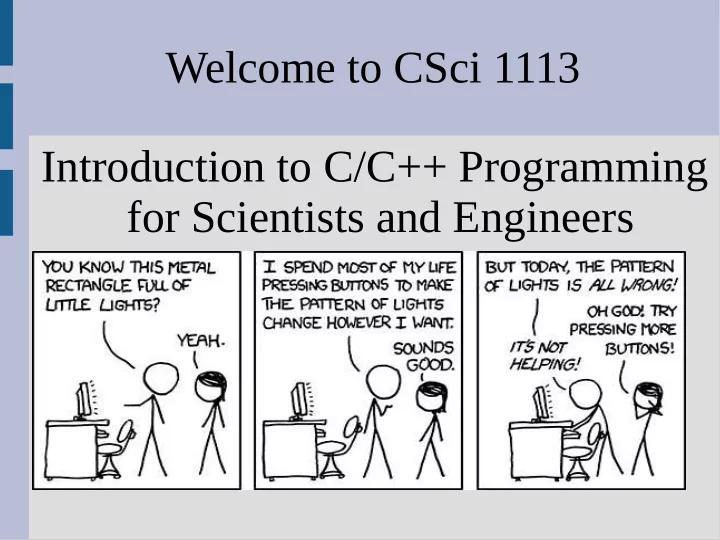
SLIDE 1
Welcome to CSci 1113 Introduction to C/C++ Programming for Scientists and Engineers
SLIDE 2
James Parker Shepherd Laboratories 391
Instructor (me)
Primary contact: jparker@cs.umn.edu
SLIDE 3
TAs
Karthik Unnikrishnan, Prashanth Venkatesh, Jackson Benning, Yanjun Cui, Mitchell Dillon, Skye Gagnon, Jacob Hammer, Samuel Highbargin, Lin Huynh, Shane Jung, Jin Hong Kuan, Jan-Wei Lim, Haoran Liu, Ying Lu, Sophia Manicor, Andrew McCullough, Adam McCune, Kyle Meng, Brandon Nee, Tanner Skluzacek, Antonio Turley, Ruobing Wang, Kaiwei Wu, Yuyang Xiao, Songyu Yan, Lei Zhang, Xintong Zhang
SLIDE 4
Questions?
Direct questions to: Canvas forum discussion jparker@cs.umn.edu
SLIDE 5
Problem Solving With C++, Walter Savitch, 10th edition
Textbook
SLIDE 6
Sister course: CSci 1115
This course is an “introduction” (from start), but many find it difficult We started to run a supplementary course to provide additional help: CSci 1115(Th 6pm)
SLIDE 7
Sister course: CSci 1115
This course is an “introduction” (from start), but many find it difficult We started to run a supplementary course to provide additional help: CSci 1115(Th 6pm)
SLIDE 8
Sister course: CSci 1115
This course is an “introduction” (from start), but many find it difficult We started to run a supplementary course to provide additional help: CSci 1115(Th 6pm)
Me Daniel
SLIDE 9 Sister course: CSci 1115
This course is an “introduction” (from start), but many find it difficult We started to run a supplementary course to provide additional help: CSci 1115(Th 6pm)
SLIDE 10 Sister course: CSci 1115
This course is an “introduction” (from start), but many find it difficult We started to run a supplementary course to provide additional help: CSci 1115(Th 6pm)
- group problem solving
- free food!
SLIDE 11
CSELabs account
You need a CSELabs account to participate in labs in this course Lab attendance is mandatory (please make an account!)
SLIDE 12
https://cseit.umn.edu/
SLIDE 13
https://cseit.umn.edu/
SLIDE 14
https://cseit.umn.edu/
SLIDE 15
https://cseit.umn.edu/
SLIDE 16
CSELabs account
CSELabs account used in lab (first lab ensures account working) Register ASAP Problems? Bug operator@cselabs.umn.edu
SLIDE 17
Class website
Syllabus, schedule, other goodies Canvas page will have grades and (maybe) homework submissions www.cs.umn.edu/academics/classes Or google “umn.edu csci class”
SLIDE 18
Class website
Canvas also has a link to the website:
SLIDE 19
www.cs.umn.edu
SLIDE 20
15% Labs 30% Homework (due Fridays) 5% Quiz (Feb. 19) 10% Midterm 1 (March 4) 15% Midterm 2 (April 15) 25% Final (Monday May 11, 10:30am to 12:30am in this room)
Syllabus
SLIDE 21
Each week there will be either a homework due or a test Homework is due Fridays at 11:55 P.M. (more info to come) Late homework is not accepted, but we will drop the lowest one
Syllabus
SLIDE 22
Syllabus
Labs can be checked off up until a week after the lab (“warm up” Qs must be checked off in your lab) Homework must be done by yourself Don't cheat Really... don't cheat
SLIDE 23 Homework
Homework will be both a creative and problem solving endeavor: Lego example Build a castle with:
- 4 walls enclosing
- Door
- At least one tower (higher than wall)
SLIDE 24
Homework
SLIDE 25 Exams
All exams will be open book/notes Electronic notes okay (no memorization) You cannot:
- 1. Use the internet (no typing)
- 2. Compile/run programs
- 3. Talk to or copy from others
SLIDE 26
Grading scale: 93% A 90% A- 87% B+ 83% B 80% B-
Syllabus
77% C+ 73% C 70% C- 67% D+ 60% D Below F
SLIDE 27
- Ch. 1: Introduction, Programs, Compilers
- Ch. 2: Input/Output, Data, Expressions
- Ch. 3: Control Flow (if and loops)
- Ch. 4, 5: Functions (return values)
- Ch. 6: File I/O
- Ch. 7, 8: Arrays and Strings
- Ch. 9: Pointers and Dynamic Arrays
- Ch. 10&11: Classes and Operator Overloading
- Ch. 14&15: Recursion & Inheritence
Schedule
SLIDE 28
Syllabus
Any questions?
SLIDE 29
What can I program?
If you can think of an explicit process (of simple steps) to solve your problem, then it can be programed
SLIDE 30 Banana Nut Bread
Directions
- 1. Preheat the oven to 350°F (175°C).
- 2. Mix butter into the mashed bananas
in a large mixing bowl.
- 3. Mix in the sugar, egg, and vanilla.
- 4. Sprinkle the baking soda and salt over
the mixture and mix in.
- 5. Add the flour and nuts last, mix.
- 6. Pour mixture into a buttered 4x8 inch loaf pan.
- 7. Bake for 1 hour. Cool on a rack.
SLIDE 31
Repetitive tasks
If you feel like a mindless zombie when you do it a lot, you can probably program it.
SLIDE 32
Repetitive tasks
SLIDE 33
Repetitive tasks
SLIDE 34
Repetitive tasks
SLIDE 35 ATMs
How do you get change for $18.26 with the least amount
SLIDE 36
Auto leveling?
SLIDE 37
Software vs Hardware
Software - the more intangible code on a computer Hardware - the physical Parts of the computer
SLIDE 38
Hardware interaction
Input CPU Memory Output
SLIDE 39
Memory addressing
Data is stored in “addresses” inside the memory Later in this class, we will use these addresses to manipulate and share data
SLIDE 40
Memory addressing
SLIDE 41 Object oriented programming
OOP - focus on data and how they interact To make algorithms for OOP, it is
- ften useful to identify the data
you are working with and their relationships before programming
SLIDE 42
Object oriented programming
Data for... Banana nut bread? ATM? Ball game?
SLIDE 43
Object oriented programming
Data for... Banana nut bread? Ingredients ATM? Ball game?
SLIDE 44
Object oriented programming
Data for... Banana nut bread? Ingredients ATM? Dollars & coins Ball game?
SLIDE 45
Object oriented programming
Data for... Banana nut bread? Ingredients ATM? Dollars & coins Ball game? Balls & mouse
SLIDE 46
Object oriented programming
Data for... Banana nut bread? Ingredients ATM? Dollars & coins Ball game? Balls & mouse Lots of pixels (tiny color dots)