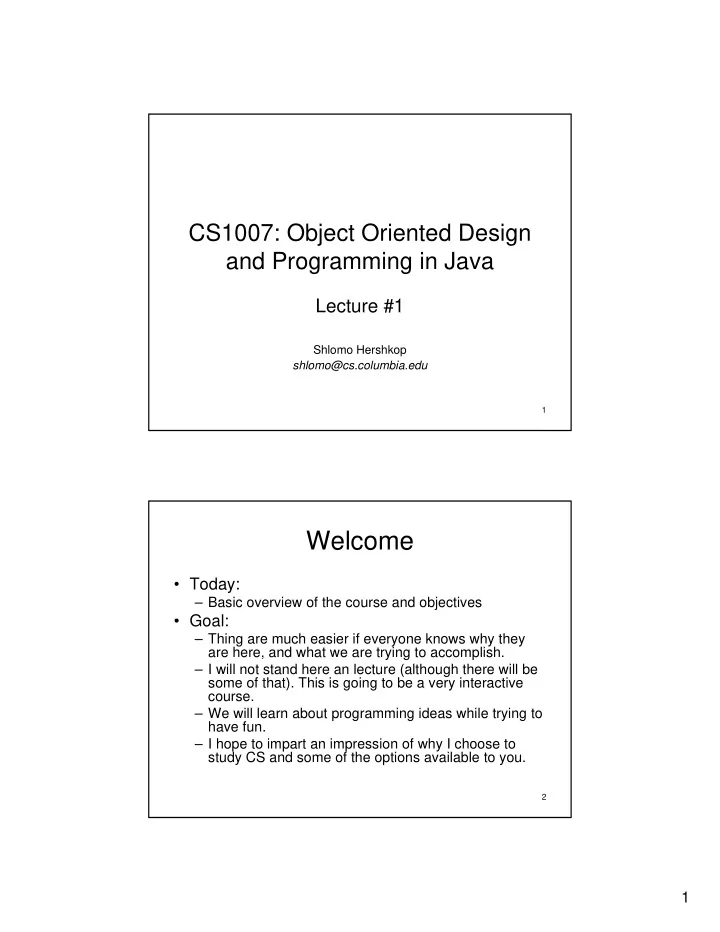
Welcome Today: Basic overview of the course and objectives - - PDF document

welcome
SMART_READER_LITE
LIVE PREVIEW

Welcome Today: Basic overview of the course and objectives - - PDF document

CS1007: Object Oriented Design and Programming in Java Lecture #1 Shlomo Hershkop shlomo@cs.columbia.edu 1 Welcome Today: Basic overview of the course and objectives Goal: Thing are much easier if everyone knows why they


slide-1
SLIDE 1

1

1

CS1007: Object Oriented Design and Programming in Java

Lecture #1

Shlomo Hershkop shlomo@cs.columbia.edu 2

Welcome

  • Today:

– Basic overview of the course and objectives

  • Goal:

– Thing are much easier if everyone knows why they are here, and what we are trying to accomplish. – I will not stand here an lecture (although there will be some of that). This is going to be a very interactive course. – We will learn about programming ideas while trying to have fun. – I hope to impart an impression of why I choose to study CS and some of the options available to you.

slide-2
SLIDE 2

2

3

What?

  • CS1007: Second course for CS majors.
  • Prerequisites:

– Basic knowledge in Java Programming

  • NOTE: JAVA is only a tool!!
  • Object Oriented Programming:

– What, why, how, and when.

  • Program Designs.

– Not enough to know how to write the program, need to know how to do it correctly.

4

Example:

  • Task:

– Create a program to run a chess game set. – Any Ideas on how to design the programming backend? – Ideas on how to measure requirements. – What is missing?

slide-3
SLIDE 3

3

5

CS1004 vs CS1007

  • CS1004 is an Introduction for those with no

formal CS/Java training

– Assumes only basic computer skills (email, web, mouse, brain) – Focuses on basic theoretical knowledge as well as basic Java fluency

  • CS1007 assumes basic Java knowledge

– If you don’t know Java and/or didn’t take the AP CS exam, you’re in the wrong room. – Emphasis on more advanced Java and algorithmic skills.

  • If you have questions, ask me after class
6

Basics

  • Instructor: Professor Shlomo Hershkop

– (shlomo@cs.columbia.edu) – 646 775 6041 – 460 CSB

  • Class website:

– cs.columbia.edu/~sh553/teaching/1007f05/ – Check it regularly (at least twice a week).

  • See announcement sections for update info.
  • Two lectures a week.
  • See website for office hours
slide-4
SLIDE 4

4

7

Resources

  • TA’s:

– Edward Ishak – Amrita Rajagopal

  • Class Webboard:

– Excellent place to post GENERAL questions, and solutions.

  • Good: How do I check what version of java is running?
  • Bad: What is wrong with my code:
public class foo() 8

Requirements

  • Interest to learn about OOP
  • Textbook:

– Cay S. Horstmann OO Design & Patterns, 2nd ed. ISBN 0-471-74487-5 – Textbook can be acquired online or at the Columbia Bookstore.

slide-5
SLIDE 5

5

9

Why this textbook

  • Light
  • Well written
  • Covers the subject well

– Good mix of theory and practice

  • Interesting Examples
10

Course Structure

  • 6 Homeworks – 150 points (50% of grade)

– Will have about 2 weeks per homework

  • Midterm (50 points), Final (100 points)

– open book

  • Homework is very important:

– Firm believer in hands on learning – Start early – Come to office hours, and ask questions

  • We are here for YOU!
slide-6
SLIDE 6

6

11

Homework Assignments

  • Written Sections:
– Will be collected at first class after HW deadline.
  • Programming:
– Online submission – Must be able to run on cunix system (this is important).
  • Late policy:
– You have 3 late days that can be used during the semester. – Late day is exactly 24 hours. – After your late day deadline passes, the homework will not be accepted.
  • Extra Credit:
– To allow for some maneuvering room, there will be extra credit assignments during the semester. 12

Class participation and Attendance

  • Attendance and participation is expected

– Very interactive lectures – I hope to learn everyone’s name by midterm – Useful for your grade – Anonymous feedback system

  • If you have to miss class, I expect you to catch

up.

– There will be some type of class notes posted to the website – Plan on lab components – There will be many examples in class on the board, so make sure to get someone’s notes.

slide-7
SLIDE 7

7

13

Cheating Policy

  • Don’t
14

Cheating Policy

  • Plagiarism and cheating:
– I’m all against it. It is unacceptable.
  • You’re expected to do homeworks by yourself
– This is a learning experience. – You will only cheat yourself. – My job is to help you learn, not catch you cheating, but….
  • Automated tools to catch plagiarizers
– http://www.cs.berkeley.edu/~aiken/moss.html – Moving stuff around, renaming, etc. doesn’t help
  • Results: instant zero on assignment, referral to academic

committee

– Columbia takes dishonesty very seriously – I’d much rather you come to me or the TAs for help
slide-8
SLIDE 8

8

15

Feedback System

  • Last minute of class will be set aside for

feedback:

– Please bring some sort of scrap paper to class to provide feedback. – Feel free to leave it anonymous. – Content: Questions, comments, ideas, random thoughts.

  • I will address any relevant comments at

the beginning of each class.

16

Shopping List

  • Make sure you have an extended CUNIX

account.

– Try to log into the account

  • Check out the class page
  • Obtain a textbook
  • See Homework 0 on class page

– General overview of cunix system and how to use it.

slide-9
SLIDE 9

9

17

Java Language

  • A programming language specifies the words

and symbols that we can use to write a program

  • A programming language employs a set of rules

that dictate how the words and symbols can be put together to form valid program statements

  • The Java programming language was created

by Sun Microsystems, Inc. and introduced in 1995.

18

Language Levels

  • There are four programming language levels:

– machine language – assembly language – high-level language – fourth-generation language

  • Each type of CPU has its own specific machine

language

  • The other levels were created to make it easier

for a human being to read and write programs

slide-10
SLIDE 10

10

19

Programming Languages

  • Each type of CPU executes only a particular

machine language

  • A program must be translated into machine

language before it can be executed

  • A compiler is a software tool which translates

source code into a specific target language

  • Often, that target language is the machine

language for a particular CPU type

  • The Java approach is somewhat different
20

Java Translation

  • The Java compiler translates Java source code into a

special representation called bytecode

  • Java bytecode is not the machine language for any

traditional CPU

  • Another software tool, called an interpreter, translates

bytecode into machine language and executes it

  • Therefore the Java compiler is not tied to any particular

machine

  • Java is considered to be architecture-neutral
slide-11
SLIDE 11

11

21

Java Translation

Java source code Machine code Java bytecode Bytecode interpreter Bytecode compiler Java compiler 22

Topics to be covered

  • Review of Java basics, Introduction to object oriented programming,
Writing classes in Java.
  • Extended Java coverage: Exception handing. Event Handling.
  • Applets. GUIs. Java I/O
  • Object Oriented concepts: Abstraction, Polymorphism, Inheritance
  • Problem solving, program design, and common Design Patterns
  • Algorithms and Algorithm Analysis: Searching and Sorting
  • Introduction to data structures: Queues, Binary trees, etc.
  • Problem solving with Recursion
  • Advanced topics: multi-threading, concurrency, network
programming.
slide-12
SLIDE 12

12

23

Something to think about:

  • How do you swap two integers without

using any extra memory?

24

Next class:

  • Cunix overview
  • Review of Java basics.
  • Simple Exception handling.
  • Writing classes in Java.
  • Object Oriented Design Process (intro).
slide-13
SLIDE 13

13

25

Poll

  • To better tailor the class content:

1. Class: CC, GEAS… 2. Year: 3. Computer background 4. Familiar with unix/linux/windows command prompt? 5. Why are you taking this course, and what are you planning on doing long term. 6. Will you be mostly using your own computer or lab?