Veriolog Overview Hardware Description Languages HDL CS/EE 3710 - - PDF document

veriolog overview hardware description languages
SMART_READER_LITE
LIVE PREVIEW

Veriolog Overview Hardware Description Languages HDL CS/EE 3710 - - PDF document

Veriolog Overview Hardware Description Languages HDL CS/EE 3710 Designed to be an alternative to schematics Fall 2010 for describing hardware systems Two main survivors VHDL Commissioned by DOD Based on ADA syntax


slide-1
SLIDE 1

1

Veriolog Overview CS/EE 3710 Fall 2010 Hardware Description Languages

 HDL

 Designed to be an alternative to schematics for describing hardware systems

 Two main survivors

 VHDL

 Commissioned by DOD  Based on ADA syntax

 Verilog

 Designed by a company for their own use  Based on C syntax

Verilog Origins

 Developed as a proprietary HDL by Gateway Design Automation in 1984

 Acquired by Cadence in 1989  Made an open standard in 1990  Made an IEEE standard in 1995  IEEE standard Revised in 2001

Verilog

 You can think of it as a programming langauge

 BUT, that can get you into trouble!

 Better to think of is as a way to describe hardware

 Begin the design process on paper  Plan the hardware you want  Use Verilog to describe that hardware

Quick Review

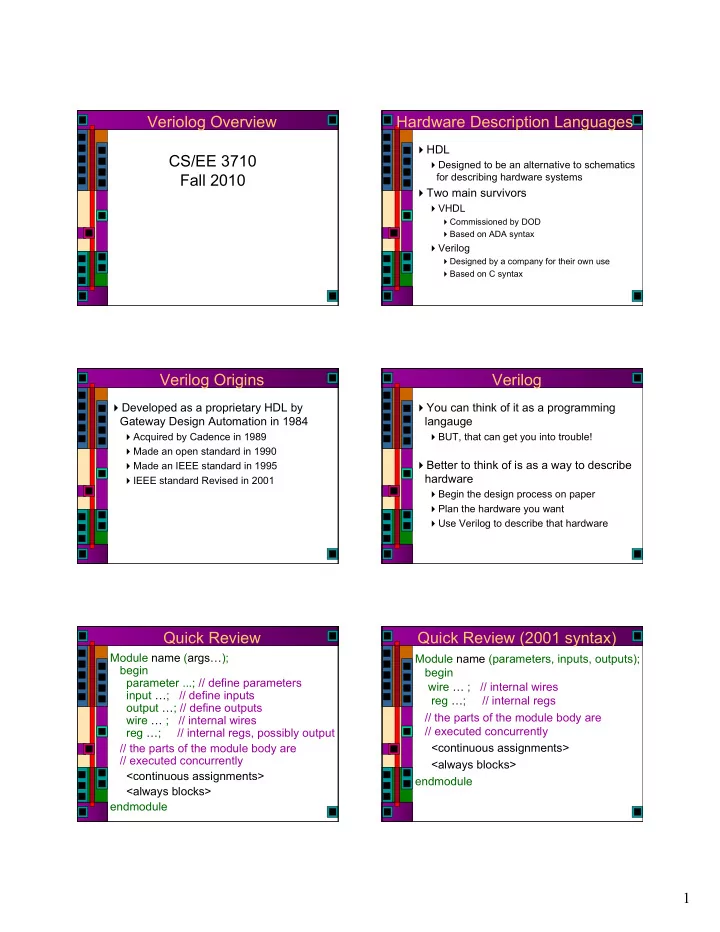
Module name (args…); begin parameter ...; // define parameters input …; // define inputs

  • utput …; // define outputs

wire … ; // internal wires reg …; // internal regs, possibly output // the parts of the module body are // executed concurrently <continuous assignments> <always blocks> endmodule

Quick Review (2001 syntax)

Module name (parameters, inputs, outputs); begin wire … ; // internal wires reg …; // internal regs // the parts of the module body are // executed concurrently <continuous assignments> <always blocks> endmodule

slide-2
SLIDE 2

2

Quick Review

 Continuous assignments to wire vars

 assign variable = exp;  Results in combinational logic

 Procedural assignment to reg vars

 Always inside procedural blocks (always blocks in particular for synthesis)  blocking

 variable = exp;

 non-blocking

 variable <= exp;

 Can result in combinational or sequential logic

Verilog Description Styles

 Verilog supports a variety of description styles

 Structural

 explicit structure of the circuit  e.g., each logic gate instantiated and connected to others  Hierarchical instantiations of other modules

 Behavioral

 program describes input/output behavior of circuit  many structural implementations could have same behavior  e.g., different implementation of one Boolean function

Synthesis: Data Types

 Possible Values (wire and reg):

 0: logic 0, false  1: logic 1, true  Z: High impedance

 Digital Hardware

 The domain of Verilog  Either logic (gates)  Or storage (registers & latches)

 Verilog has two relevant data types

 wire  reg

Synthesis: Data Types

 Register declarations

 reg a; \\ a scalar register  reg [3:0] b; \\ a 4-bit vector register  output g; \\ an output can be a reg reg g;  output reg g; \\ Verilog 2001 syntax

 Wire declarations

 wire d; \\ a scalar wire  wire [3:0] e; \\ a 4-bit vector wire  output f; \\ an output can be a wire

Number Syntax

 Numbers with no qualifiers are considered decimal

 1 23 456 etc.

 Can also qualify with number of digits and number base

 base can be b, B, h, H, d, D, o, O

4'b1011 // 4-bit binary of value 1011

234 // 3-digit decimal of value 234 2'h5a // 2-digit (8-bit) hexadecimal of value 5A 3'o671 // 3-digit (9-bit) octal of value 671 4b'1x0z // 4-bit binary. 2nd MSB is unknown. LSB is Hi-Z. 3.14 // Floating point 1.28e5 // Scientific notation

Parameters

 Used to define constants

 parameter size = 16, foo = 8;  wire [size-1:0] bus; \\ defines a 15:0 bus

slide-3
SLIDE 3

3

Synthesis: Assign Statement

 The assign statement creates combinational logic

 assign LHS = expression;

 LHS can only be wire type  expression can contain either wire or reg type mixed with operators

 wire a, c; reg b; output out; assign a = b & c; assign out = ~(a & b); \\ output as wire  wire [15:0] sum, a, b; wire cin, cout; assign {cout,sum} = a + b + cin;

Synthesis: Basic Operators

 Bit-Wise Logical

 ~ (not), & (and), | (or), ^ (xor), ^~ or ~^ (xnor)

 Simple Arithmetic Operators

 Binary: +, -  Unary: -  Negative numbers stored as 2’s complement

 Relational Operators

 <, >, <=, >=, ==, !=

 Logical Operators

 ! (not), && (and), || (or) assign a = (b > ‘b0110) && (c <= 4’d5); assign a = (b > ‘b0110) && !(c > 4’d5);

Synthesis: More Operators

 Concatenation

 {a,b} {4{a==b}} { a,b,4’b1001,{4{a==b}} }

 Shift (logical shift)

 << left shift  >> right shift assign a = b >> 2; // shift right 2, division by 4 assign a = b << 1; // shift left 1, multiply by 2

 Arithmetic

assign a = b * c; // multiply b times c assign a = b * ‘d2; // multiply b times constant (=2) assign a = b / ‘b10; // divide by 2 (constant only) assign a = b % ‘h3; // b modulo 3 (constant only)

Synthesis: Operand Length

 When operands are of unequal bit length, the shorter operator is zero-filled in the most significant bit position

wire [3:0] sum, a, b; wire cin, cout, d, e, f, g;

assign sum = f & a; assign sum = f | a; assign sum = {d, e, f, g} & a; assign sum = {4{f}} | b; assign sum = {4{f == g}} & (a + b); assign sum[0] = g & a[2]; assign sum[2:0] = {3{g}} & a[3:1];

Synthesis: Operand Length

 Operator length is set to the longest member (both RHS & LHS are considered). Be careful.

wire [3:0] sum, a, b; wire cin, cout, d, e, f, g; wire[4:0]sum1; assign {cout,sum} = a + b + cin; assign {cout,sum} = a + b + {4’b0,cin}; assign sum1 = a + b; assign sum = (a + b) >> 1; // what is wrong?

Synthesis: Extra Operators

 Funky Conditional

 cond_exp ? true_expr : false_expr wire [3:0] a,b,c; wire d, sel; assign a = d ? b : c; // Mux with d as select assign a = (b == c) ? (c + ‘d1): ‘o5; // good luck

 Reduction Logical

 Named for impact on your recreational time  Unary operators that perform bit-wise operations on a single operand, reduce it to one bit  &, ~&, |, ~|, ^, ~^, ^~ assign d = &a || ~^b ^ ^~c;

slide-4
SLIDE 4

4

Synthesis: Assign Statement

 The assign statement is sufficient to create all combinational logic  What about this:

assign a = ~(b & c); assign c = ~(d & a);

Synthesis: Assign Statement

 The assign statement is sufficient to create all combinational logic  What about this:

assign a = ~(b & c); assign c = ~(d & a);

A C B D

Simple Behavioral Module

// Behavioral model of NAND gate module NAND (out, in1, in2);

  • utput out;

input in1, in2; assign out = ~(in1 & in2); endmodule

Simple Behavioral Module

// Behavioral model of NAND gate // Verilog 2001 syntax module NAND (

  • utput out;

input in1, in2); assign out = ~(in1 & in2); endmodule

Simple Behavioral Module

// Behavioral model of NAND gate module NAND (

  • utput out;

input in1, in2); // Uses Verilog builtin nand function // syntax is function id (args); nand i0(out, in1, in2); endmodule

Simple Structural Module

// Structural Module for NAND gate module NAND (

  • utput out;

input in1, in2); wire w1; // local wire // call existing modules by name // module-name ID (signal-list); AND2X1 u1(w1, in1, in2); INVX1 u2(out,w1); endmodule

slide-5
SLIDE 5

5

Simple Structural Module

// Structural Module for NAND gate module NAND (

  • utput out;

input in1, in2); wire w1; // call existing modules by name // module-name ID (signal-list); // can connect ports by name... AND2X1 u1(.Q(w1), .A(in1), .B(in2)); INVX1 u2(.A(w1), .Q(out)); endmodule

Procedural Assignment

 Assigns values to register types  They involve data storage

 The register holds the value until the next procedural assignment to that variable

 The occur only within procedural blocks

 initial and always  initial is NOT supported for synthesis!

 They are triggered when the flow of execution reaches them

Always Blocks

 When is an always block executed?

 always

 Starts at time 0

 always @(a or b or c)

 Whenever there is a change on a, b, or c  Used to describe combinational logic

 always @(posedge foo)

 Whenever foo goes from low to high  Used to describe sequential logic

 always @(negedge bar)

 Whenever bar goes from high to low

Synthesis: Always Statement

 The always statement creates…

 always @sensitivity LHS = expression;

 @sensitivity controls when  LHS can only be reg type  expression can contain either wire or reg type mixed with

  • perators

 … Logic reg c, b; wire a; always @(a, b) c = ~(a & b); always @(*) c = ~(a & b);  … Storage reg Q; wire clk; always @(posedge clk) Q <= D;

Procedural Control Statements

 Conditional Statement

 if ( <expression> ) <statement>  if ( <expression> ) <statement> else <statement>

 “else” is always associated with the closest previous if that lacks an else.  You can use begin-end blocks to make it more clear

 if (index >0) if (rega > regb) result = rega; else result = regb;

Multi-Way Decisions

 Standard if-else-if syntax If ( <expression> ) <statement> else if ( <expression> ) <statement> else if ( <expression> ) <statement> else <statement>

slide-6
SLIDE 6

6

Procedural NAND gate

// Procedural model of NAND gate module NAND (

  • utput out;

reg out; input in1, in2); // always executes when in1 or in2 // change value always @(in1 or in2) begin

  • ut = ~(in1 & in2);

end endmodule

Procedural NAND gate

// Procedural model of NAND gate module NAND (out, in1, in2);

  • utput out;

reg out; input in1, in2; // always executes when in1 or in2 // change value always @(in1 or in2) begin

  • ut <= ~(in1 & in2);

end endmodule

Is out combinational?

Synthesis: NAND gate

input in1, in2;

reg n1, n2; // is this a flip-flop? wire n3, n4; always @(in1 or in2) n1 = ~(in1 & in2); always @(*) n2 = ~(in1 & in2); assign n3 = ~(in1 & in2); nand u1(n4, in1, in2);  Notice always block for combinational logic  Full sensitivity list, but @(*) works  Can then use the always goodies  Is this a good coding style?

Procedural Assignments

 Assigns values to reg types

 Only useable inside a procedural block, can synthesize to a register

 But, under the right conditions, can also result in combinational circuits

 Blocking procedural assignment

 LHS = timing-control exp a = #10 1;  Must be executed before any assignments that follow (timing control is simulated, not synthesized)  Assignments proceed in order even if no timing is given

 Non-Blocking procedural assignment

 LHS <= timing-control exp b <= 2;  Evaluated simultaneously when block starts  Assignment occurs at the end of the (optional) time-control

Procedural Synthesis

 Synthesis ignores all that timing stuff  So, what does it mean to have blocking

  • vs. non-blocking assignment for

synthesis?

 begin begin A=B; A<=B; B=A; B<=A; end end  begin begin A=Y; A<=Y; B=A; B<=A; end end

? ?

Synthesized Circuits

 begin A = Y; B = A; end  begin A <= Y; B <= A; end  begin B = A; A = Y; end

D Q clk D Q clk D Q clk D Q clk A B A B Y Y A B A B

slide-7
SLIDE 7

7

Synthesized Circuits

D Q clk D Q clk D Q clk D Q clk A B A B Y Y A B A B

always @(posedge clk) begin A = Y; B = A; end always @(posedge clk) begin B = A; A = Y; end always @(posedge clk) begin A <= Y; B <= A; end always @(posedge clk) begin B <= A; A <= Y end

clk clk

Assignments and Synthesis

 Note that different circuit structures result from different types of procedural assignments

 Therefore you can’t mix assignment types in the same always block  Non-blocking is often a better model for hardware

 Real hardware is often concurrent…

Comparator Example

 Using continuous assignment

 Concurrent execution of assignments

Module comp (a, b, Cgt, Clt, Cne); parameter n = 4; input [n-1:0] a, b;

  • utput Cgt, Clt, Cne;

assign Cgt = (a > b); assign Clt = (a < b); assign Cne = (a != b); endmodule

Comparator Example

 Using procedural assignment

 Non-blocking assignment implies concurrent

Module comp (a, b, Cgt, Clt, Cne); parameter n = 4; input [n-1:0] a, b;

  • utput Cgt, Clt, Cne;

reg Cgt, Clt, Cne; always @(a or b) begin Cgt <= (a > a); Clt <= (a < b); Cne <= (a != b); end endmodule

Modeling a Flip Flop

 Use an always block to wait for clock edge Module dff ( input clk, d;

  • utput reg q);

always @(posedge clk) d = q; endmodule

Synthesis: Always Statement

 This is a simple D Flip-Flop

reg Q; always @(posedge clk) Q <= D;  @(posedge clk) is the sensitivity list  The Q <= D; is the block part  The block part is always “entered” whenever the sensitivity list becomes true (positive edge of clk)  The LHS of the <= must be of data type reg  The RHS of the <= may use reg or wire

slide-8
SLIDE 8

8

Synthesis: Always Statement

 This is an asynchronous clear D Flip-Flop

reg Q; always @(posedge clk, posedge rst) if (rst) Q <= ‘b0; else Q <= D;

 Notice , instead of or

 Verilog 2001…

 Positive reset

Constants

 parameter used to define constants

 parameter size = 16, foo = 8;  wire [size-1:0] bus; \\ defines a 15:0 bus  externally modifiable  scope is local to module

 localparam not externally modifiable

 localparam width = size * foo;

 `define macro definition

 `define value 7’d53  assign a = (sel == `value) & b;  scope is from here on out

Example: Counter

module counter #(parameter width=8) (input clk, clr, load; input [width-1 : 0] in;

  • utput [width-1 : 0] count);

reg [width-1 : 0] tmp; always @(posedge clk or negedge clr) begin if (!clr) tmp = 0; else if (load) tmp = in; else tmp = tmp + 1; end assign count = tmp; endmodule

Synthesis: Modules

module the_top (clk, rst, a, b, sel, result); input clk, rst; input [3:0] a,b; input [2:0] sel;

  • utput reg [3:0] result;

wire[3:0] sum, dif, alu; adder u0(a,b,sum); subber u1(.subtrahend(a), .subtractor(b), .difference(dif)); assign alu = {4{(sel == ‘b000)}} & sum | {4{(sel == ‘b001)}} & dif; always @(posedge clk or posedge rst) if(rst) result <= ‘h0; else result <= alu; endmodule

Synthesis: Modules

// Verilog 1995 syntax module adder (e,f,g); parameter SIZE=2; input [SIZE-1:0] e, f;

  • utput [SIZE-1:0] g;

assign g = e + f; endmodule // Verilog 2001 syntax module subber #(parameter SIZE = 3) (input [SIZE-1:0] c,d,

  • utput [SIZE-1:0]difference);

assign difference = c - d; endmodule

Synthesis: Modules

module the_top (clk, rst, a, b, sel, result); parameter SIZE = 4; input clk, rst; input [SIZE-1:0] a,b; input [2:0] sel;

  • utput reg [SIZE-1:0] result;

wire[SIZE-1:0] sum, dif, alu; adder #(.SIZE(SIZE)) u0(a,b,sum); subber #(4) u1(.c(a), .d(b), .difference(dif)); assign alu = {SIZE{sel == ‘b000}} & sum | {SIZE{sel == ‘b001}} & dif; always @(posedge clk or posedge rst) if(rst) result <= ‘h0; else result <= alu; endmodule

slide-9
SLIDE 9

9

Case Statements

 Multi-way decision on a single expression

case ( <expresion> ) <expression>: <statement> <expression>, <expression>: <statement> <expression>: <statement> default: <statement> endcase

Case Example

reg [1:0] sel; reg [15:0] in0, in1, in2, in3, out; case (sel) 2’b00: out = in0; 2’b01: out = in1; 2’b10: out = in2; 2’b11: out = in3; endcase

Another Case Example

// simple counter next-state logic // one-hot state encoding… parameter [2:0] s0=3’h1, s1=3’h2, s2=3’h4; reg[2:0] state, next_state; always @(input or state) begin case (state) s0: if (input) next_state = s1; else next_state = s0; s1: next_state = s2; s2: next_state = s0; endcase end

input state next_state 001 010 100

Latch Inference

 Incompletely specified if and case statements cause the synthesizer to infer latches always @(cond) begin if (cond) data_out <= data_in; end  This infers a latch because it doesn’t specify what to do when cond = 0

 Fix by adding an else  In a case, fix by including default:

Full vs. Parallel

 Case statements check each case in sequence  A case statement is full if all possible

  • utcomes are accounted for

 A case statement is parallel if the stated alternatives are mutually exclusive  These distinctions make a difference in how cases are translated to circuits…

 Similar to the if statements previously described

Case full-par example

// full and parallel = combinational logic module full-par (slct, a, b, c, d, out); input [1:0] slct; input a, b, c, d;

  • utput out;

reg out; // optimized away in this example always @(slct or a or b or c or d) case (slct) 2’b11 : out <= a; 2’b10 : out <= b; 2’b01 : out <= c; default : out <= d; // really 2’b10 endcase endmodule

slide-10
SLIDE 10

10

Synthesis Result

 Note that full-par results in combinational logic

Case notfull-par example

// a latch is synthesized because case is not full module notfull-par (slct, a, b, c, d, out); input [1:0] slct; input a, b, c, d;

  • utput out;

reg out; // NOT optimized away in this example always @(slct or a or b or c) case (slct) 2’b11 : out <= a; 2’b10 : out <= b; 2’b01 : out <= c; endcase endmodule

Synthesized Circuit

 Because it’s not full, a latch is inferred…

Case full-notpar example

// because case is not parallel - priority encoding // but it is still full, so no latch… // this uses a casez which treats ? as don’t-care module full-notpar (slct, a, b, c, out); ... always @(slct or a or b or c) casez (slct) 2’b1? : out <= a; 2’b?1 : out <= b; default : out <= c; endcase endmodule

Synthesized Circuit

 It’s full, so it’s combinational, but it’s not parallel so it’s a priority circuit instead

  • f a “check all in parallel” circuit

Case notfull-notpar example

// because case is not parallel - priority encoding // because case is not full - latch is inferred // uses a casez which treats ? as don’t-care module full-notpar (slct, a, b, c, out); ... always @(slct or a or b or c) casez (slct) 2’b1? : out <= a; 2’b?1 : out <= b; endcase endmodule

slide-11
SLIDE 11

11

Synthesized Circuit

 Not full and not parallel, infer a latch

FSM Description

 One simple way: break it up like a schematic

 A combinational block for next_state generation  A combinational block for output generation  A sequential block to store the current state

Next state Logic State in clk Next_state current State

  • utputs

Logic

  • utput

Mealy only

Modeling State Machines

// General view module FSM (clk, in, out); input clk, in;

  • utput out;

reg out; // state variables reg [1:0] state; // next state variable reg [1:0] next_state; always @posedge(clk) // state register state = next_state; always @(state or in); // next-state logic // compute next state and output logic // make sure every local variable has an // assignment in this block endmodule Next state Logic State in clk Next_state State

FSM Desciption Verilog Version

module moore (clk, clr, insig, outsig); input clk, clr, insig;

  • utput outsig;

// define state encodings as parameters parameter [1:0] s0 = 2'b00, s1 = 2'b01,s2 = 2'b10, s3 = 2'b11; // define reg vars for state register // and next_state logic reg [1:0] state, next_state; //define state register (with //synchronous active-high clear) always @(posedge clk) begin if (clr) state = s0; else state = next_state; end // define combinational logic for // next_state always @(insig or state) begin case (state) s0: if (insig) next_state = s1; else next_state = s0; s1: if (insig) next_state = s2; else next_state = s1; s2: if (insig) next_state = s3; else next_state = s2; s3: if (insig) next_state = s1; else next_state = s0; endcase end // assign outsig as continuous assign assign outsig = ((state == s1) || (state == s3)); endmodule

Verilog Version

module moore (clk, clr, insig, outsig); input clk, clr, insig;

  • utput outsig;

// define state encodings as parameters parameter [1:0] s0 = 2'b00, s1 = 2'b01, s2 = 2'b10, s3 = 2'b11; // define reg vars for state register and next_state logic reg [1:0] state, next_state; //define state register (with synchronous active-high clear) always @(posedge clk) begin if (clr) state = s0; else state = next_state; end

slide-12
SLIDE 12

12

Verilog Version Continued...

// define combinational logic for next_state always @(insig or state) begin case (state) s0: if (insig) next_state = s1; else next_state = s0; s1: if (insig) next_state = s2; else next_state = s1; s2: if (insig) next_state = s3; else next_state = s2; s3: if (insig) next_state = s1; else next_state = s0; endcase end

Verilog Version Continued...

// now set the outsig. This could also be done in an always // block... but in that case, outsig would have to be // defined as a reg. assign outsig = ((state == s1) || (state == s3)); endmodule

Unsupported for Synthesis

 Delay (ISE will ignore #’s)  initial blocks (use explicit resets)  initial values for defined variables (use explicit resets)  repeat  wait  fork  event  deassign  force  release

More Unsupported Stuff

 You cannot assign the same reg variable in more than one procedural block // don’t do this… always @(posedge a)

  • ut = in1;

always @(posedge b)

  • ut = in2;

Combinational Always Blocks

 Be careful…

always @(sel) always @(sel or in1 or in2) if (sel == 1) if (sel == 1)

  • ut = in1;
  • ut = in1;

else out = in2; else out = in2;  Which one is a good mux?

Sync vs. Async Register Reset

// synchronous reset (active-high reset) always @(posedge clk) if (reset) state = s0; else state = s1; // async reset (active-low reset) always @(posedge clk or negedge reset) if (reset == 0) state = s0; else state = s1;

slide-13
SLIDE 13

13

Finite State Machine

S1 S0 1 S2 1 S3 1 S4 1 1

Four in a Row

Textbook FSM Textbook FSM

Polarity? Always use <= for FF Comments

Documented FSM Verilog Tesetbenches

 Verilog code that applies inputs and checks outputs of your circuit

 Framework is generated by ISE  You fill in the details of the test

 Your circuit is instantiated and named UUT

 Unit Under Test

 You apply inputs, and check outputs

NAND example

slide-14
SLIDE 14

14

NAND example NAND Tesetbench NAND Tesetbench NAND Tesetbench Two-bit adder example DUT schematic twoBitAdd

slide-15
SLIDE 15

15

Testbench code

 So, all your test code will be inside an initial block!

 Or, you can create new procedural blocks that will be executed concurrently  Remember the structure of the module

 If you want new temp variables you need to define those outside the procedural blocks

 Remember that UUT inputs and outputs have been defined in the template

 UUT inputs are reg type  UUT outputs are wire type

Basic Testbench

initial begin a[1:0] = 2'b00; b[1:0] = 2'b00; cin = 1'b0; $display("Starting..."); #20 $display("A = %b, B = %b, c = %b, Sum = %b, Cout = %b", a, b, cin, sum, cout); if (sum != 00) $display("ERROR: Sum should be 00, is %b", sum); if (cout != 0) $display("ERROR: cout should be 0, is %b", cout); a = 2'b01; #20 $display("A = %b, B = %b, c = %b, Sum = %b, Cout = %b", a, b, cin, sum, cout); if (sum != 00) $display("ERROR: Sum should be 01, is %b", sum); if (cout != 0) $display("ERROR: cout should be 0, is %b", cout); b = 2'b01; #20 $display("A = %b, B = %b, c = %b, Sum = %b, Cout = %b", a, b, cin, sum, cout); if (sum != 00) $display("ERROR: Sum should be 10, is %b", sum); if (cout != 0) $display("ERROR: cout should be 0, is %b", cout); $display("...Done"); $finish; end

$display, $monitor

 $display(format-string, args);

 like a printf  $fdisplay goes to a file...  $fopen and $fclose deal with files

 $monitor(format-string, args);

 Wakes up and prints whenever args change  Might want to include $time so you know when it happened...  $fmonitor is also available...

Nifty Testbench

reg [1:0] ainarray [0:4]; // define memory arrays to hold input and result reg [1:0] binarray [0:4]; reg [2:0] resultsarray [0:4]; integer i; initial begin $readmemb("ain.txt", ainarray); // read values into arrays from files $readmemb("bin.txt", binarray); $readmemb("results.txt", resultsarray); a[1:0] = 2'b00; // initialize inputs b[1:0] = 2'b00; cin = 1'b0; $display("Starting..."); #10 $display("A = %b, B = %b, c = %b, Sum = %b, Cout = %b", a, b, cin, sum, cout); for (i=0; i<=4; i=i+1) // loop through all values in the memories begin a = ainarray[i]; // set the inputs from the memory arrays b = binarray[i]; #10 $display("A = %b, B = %b, c = %b, Sum = %b, Cout = %b", a, b, cin, sum, cout); if ({cout,sum} != resultsarray[i]) $display("Error: Sum should be %b, is %b instead", resultsarray[i],sum); // check results array end $display("...Done"); $finish; end

Another Nifty Testbench

integer i,j,k; initial begin A[1:0] = 2’b00; B[1:0] = 2’b00; Cin = 1’b0; $display("Starting simulation..."); for(i=0;i<=3;i=i+1) begin for(j=0;j<=3;j=j+1) begin for(k=0;k<=1;k=k+1) begin #20 $display("A=%b B=%b Cin=%b, Cout-Sum=%b%b", A, B, Cin, Cout, S); if ({Cout,S} != A + B + Cin) $display("ERROR: CoutSum should equal %b, is %b",(A + B + Cin), {Cin,S}); Cin=˜Cin; // invert Cin end B[1:0] = B[1:0] + 2’b01; // add the bits end A = A+1; // shorthand notation for adding end $display("Simulation finished... "); end

Another adder example
slide-16
SLIDE 16

16

Another adder example Another adder example