Vamp plugins Chunks of compiled program code delivered in shared - - PowerPoint PPT Presentation

vamp plugins
SMART_READER_LITE
LIVE PREVIEW

Vamp plugins Chunks of compiled program code delivered in shared - - PowerPoint PPT Presentation

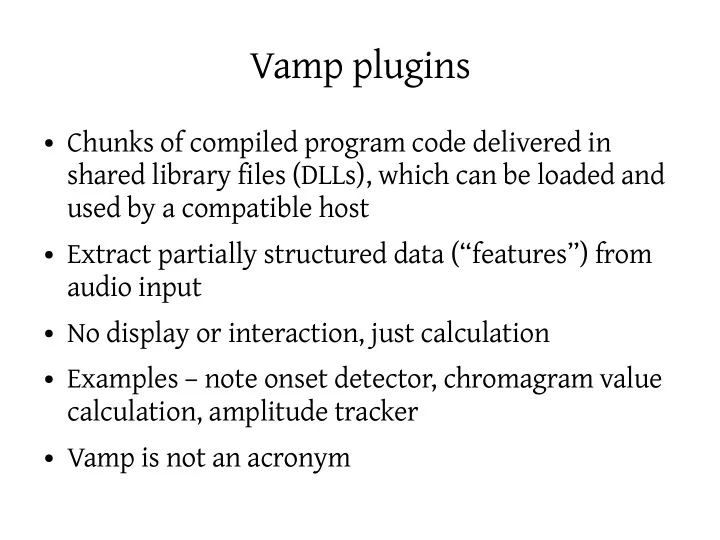
Vamp plugins Chunks of compiled program code delivered in shared library files (DLLs), which can be loaded and used by a compatible host Extract partially structured data (features) from audio input No display or interaction,


slide-1
SLIDE 1

Vamp plugins

  • Chunks of compiled program code delivered in

shared library files (DLLs), which can be loaded and used by a compatible host

  • Extract partially structured data (“features”) from

audio input

  • No display or interaction, just calculation
  • Examples – note onset detector, chromagram value

calculation, amplitude tracker

  • Vamp is not an acronym
slide-2
SLIDE 2

A Plugin in its Natural Habitat

slide-3
SLIDE 3

Philosophical notes

  • Nothing very clever about Vamp; it just fills a need
  • Much drawn from existing audio processing APIs
  • Complications mostly from the fact that a plugin

may legitimately want to return almost anything

  • Classic data description problem:

– How far do the plugin and host need prior mutual

understanding about the meanings of the data being returned?

– Where to draw the line between “a fixed set of possible

feature types” and “anything at all”?

slide-4
SLIDE 4

Things a Plugin May Need

  • Always

– Basic descriptive data:

Identifier, name, description, maker etc

– Processing preferences:

Input domain, step size, block size, channel count

– Output descriptors

– process and getRemainingFeatures methods

  • Sometimes

– Parameters: descriptors, get and set methods – Programs: list of names, get and set methods

slide-5
SLIDE 5

Plugin Lifecycle

  • 1. Plugin library loaded
  • 2. Plugin object constructed, with sample rate
  • 3. Host queries: outputs; preferred input step & block

size, domain, channel count; parameters & programs

  • 4. Parameters and programs set
  • 5. Plugin initialised with step & block size, channels
  • 6. Repeated calls to process
  • 7. One call to getRemainingFeatures
slide-6
SLIDE 6

Processing – time domain input

slide-7
SLIDE 7

Frequency-domain input

slide-8
SLIDE 8

What does a plugin return?

  • Plugin may have many outputs, and always

calculates all of them: host doesn't choose up front

  • Each call to process or getRemainingFeatures may

return zero or more “features” per output

  • A feature has

– Time (implicit or explicit) – Zero or more values – An optional label

  • Empty features are perfectly valid
slide-9
SLIDE 9
slide-10
SLIDE 10

What does a feature represent?

  • Something that happened at a particular time

– Note onset – Column of data for a chromagram plot – Amplitude estimated from a particular region of input

  • Time may be

– Explicit: timestamp in the feature object – Implicit: deduced by the host based on the time in

samples of the data passed in to process

– this depends on the “sample type” for the output

slide-11
SLIDE 11

Values of a feature

  • A feature may have values associated with it

– Note onset (from simple onset detector) has no values – Column of chromagram data has lots of values – Amplitude has one value

  • Host's understanding of the “meaning” of a feature

depends on which output it is returned on

  • Output descriptor may supply units, bin labels (for

multi-value features), minimum/maximum extents

  • In future: known feature types via RDF
slide-12
SLIDE 12

Some Limitations

  • All values in a single feature must have same unit

– Many real examples of features as points in

multidimensional space are not comfortably handled

– No proper way to express “duration” of a feature, a very

common requirement

  • No inputs other than audio – no plugin chaining
  • Partial input blocks not supported

– host has to zero-fill last block, can't tell plugin it is

incomplete

slide-13
SLIDE 13

Pros and Cons compared with Matlab

  • Pros

– Can be used in many different host applications – Doesn't require big commercial supporting framework – May run faster or handle larger data sets

  • Cons

– Useless without a host – Needs to be recompiled for every target platform – Familiarity with C or C++ required – Things Matlab does by magic have to be written by hand – Algorithm must support block-by-block processing

slide-14
SLIDE 14

More

  • Website:

– http://www.vamp-plugins.org/

  • Forum (complaints and announcements):

– http://www.vamp-plugins.org/forum/

  • Programmers Guide coming up “any day now”:

– http://www.vamp-plugins.org/develop.html – just as boring as this presentation, but much longer

  • Vamp SDK v1.2 out this week as well, perhaps